
- -$40.00


This module enhances the shopping experience by allowing customers to easily explore product variations such as...

The module allows merchants to enhance product images with customizable stickers and labels. Whether it’s...

Make bulk pricing visible and encourage larger orders with the Quantity Discount Table Grid PrestaShop Module.
...
Take complete control of your store's free shipping strategy with the Free Shipping by Zone & Carrier...

The module automatically adjusts language, currency, and country settings based on the customer's location....





Vendor
Version
Last update
Prestashop version
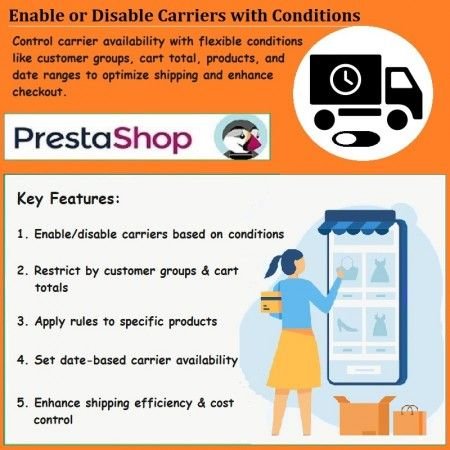
Take complete control of your PrestaShop shipping methods with the Enable or Disable Carriers with Conditions Module.
Not every shipping carrier is suitable for every customer, product, or order. This module allows you to manage carrier availability using flexible conditions based on customer groups, specific products, cart contents, minimum and maximum cart totals, product counts, quantities, and date ranges.
Create customized shipping rules for wholesale customers, restrict carriers for selected products, control delivery options according to order values, and schedule temporary shipping methods for promotional or seasonal periods.
Integrated with PrestaShop's native carrier system, this module helps you display relevant shipping options during checkout, reduce unsuitable shipping selections, and manage your store's shipping strategy directly from the Back Office.
Control which carriers are available, when they are available, and under which order conditions.
Control Shipping Methods. Apply Smart Carrier Rules. Improve Your Checkout Experience.
Shipping is one of the most important parts of an eCommerce checkout process. Customers expect suitable delivery options, while store owners need to make sure that the available shipping methods match their products, customer types, order values, and delivery requirements.
However, displaying every shipping carrier to every customer is not always the right approach.
A wholesale customer may require a different shipping method than a retail customer. Certain products may not be suitable for particular carriers. Some shipping methods may only be economical for orders above a minimum cart value, while promotional delivery options may need to remain available only during specific dates.
The Enable or Disable Carriers with Conditions PrestaShop Module gives you greater control over carrier availability through configurable shipping conditions.
Create rules to enable or disable shipping carriers according to customer groups, specific products, cart contents, minimum and maximum cart totals, product counts, quantities, and date ranges.
Whether you manage a wholesale store, sell products with different shipping requirements, offer value-based shipping options, or run seasonal delivery promotions, this module helps you manage shipping availability directly from your PrestaShop Back Office.
PrestaShop allows store owners to configure multiple carriers and offer different shipping methods during checkout.
But different orders often require different delivery options.
For example:
Wholesale customers may need access to dedicated shipping methods.
Selected products may need to use specific carriers.
Low-value orders may not qualify for certain delivery options.
Large orders may require different shipping arrangements.
Shipping availability may need to change according to product quantities.
Seasonal delivery offers may need to operate only during selected dates.
Managing these requirements without conditional carrier rules can make shipping administration more complicated.
This module provides a centralized way to manage shipping carrier availability using configurable conditions.
Instead of treating all orders equally, you can configure carrier rules according to the requirements of your business.
The result: A more controlled checkout experience where shipping options can be displayed or restricted according to your configured conditions.
A shipping method that works for one order may not be suitable for another.
Showing unsuitable shipping options can create confusion, increase operational complexity, and lead to shipping arrangements that do not match your business requirements.
Problem 1 – Unnecessary Shipping Options
Customers may see shipping carriers that are unsuitable for their particular products or order requirements.
Solution: Configure conditions to control carrier availability according to cart contents and other applicable order criteria.
Problem 2 – Different Shipping Requirements for Customer Groups
Wholesale, retail, VIP, and other customer groups may require different delivery options.
Solution: Apply customer-group conditions to manage which carriers are available to selected customer groups.
Problem 3 – Product-Specific Shipping Restrictions
Some products may require particular shipping arrangements or may not be suitable for certain carriers.
Solution: Configure carrier conditions based on selected products or products included in the cart.
Problem 4 – Minimum and Maximum Cart Value Requirements
Some shipping methods may only be commercially suitable when an order falls within a particular cart value range.
Solution: Define minimum and maximum cart total conditions to manage carrier availability.
Problem 5 – Product Count and Quantity Restrictions
Shipping requirements can change depending on the number of products or the quantities purchased.
Solution: Configure carrier availability using product count and quantity-based conditions.
Problem 6 – Temporary and Seasonal Shipping Offers
Promotional shipping options may need to be enabled or disabled during particular periods.
Solution: Schedule carrier availability using specific date ranges.
Different customer groups often have different shipping requirements.
For example, wholesale customers may qualify for dedicated shipping options, while retail customers may use your standard delivery methods.
With customer group conditions, you can control carrier availability according to the customer groups selected in your configuration.
Key capabilities:
Configure shipping conditions for customer groups.
Restrict selected carriers according to customer group requirements.
Provide dedicated shipping options for wholesale customers.
Manage shipping availability for VIP and other customer groups.
Support different shipping strategies for different customer segments.
Real-world example:
A wholesale customer group receives access to a dedicated bulk-shipping carrier, while regular retail customers continue using standard shipping options.
Business benefit: Provide more relevant delivery options to different types of customers.
Not every product can be delivered through every shipping method.
Fragile products, large items, specialized goods, and products with particular delivery requirements may need different carrier arrangements.
Use product-based conditions to manage carrier availability when selected products are involved in an order.
Key capabilities:
Configure conditions for specific products.
Control carrier availability based on products included in the cart.
Restrict selected carriers for particular products.
Manage shipping availability according to product requirements.
Support different shipping strategies for different product selections.
Real-world example:
You sell fragile glass products that require a specific carrier. Configure the relevant carrier conditions so unsuitable shipping options can be restricted when those products are included in the cart.
Business benefit: Reduce unsuitable carrier selections and improve shipping management for products with different delivery requirements.
Some shipping methods are suitable only when customers purchase products above a specific order value.
For example, you may want to provide a special delivery option only for orders above $100.
With the minimum cart total condition, you can configure a minimum cart value requirement for carrier availability.
Key capabilities:
Define a minimum cart total.
Control carrier availability according to order value.
Support value-based shipping conditions.
Create shipping rules for higher-value orders.
Manage delivery options according to your commercial requirements.
Real-world example:
A premium shipping method becomes available only when the cart total reaches your configured minimum value.
Business benefit: Align shipping availability with order value and support your store's shipping cost strategy.
Some shipping methods may be suitable only for orders within a particular price range.
For example, a standard delivery option may be restricted for orders exceeding a configured cart value.
The maximum cart total condition helps you manage carrier availability according to an upper cart value limit.
Key capabilities:
Define a maximum cart total.
Control carrier availability for high-value orders.
Configure order value limitations.
Manage shipping options within your preferred cart value range.
Support specialized delivery arrangements for expensive orders.
Real-world example:
A standard shipping carrier is available only when the cart total remains below your configured maximum value.
Business benefit: Apply shipping restrictions that better match your order value and delivery requirements.
The number of products in an order can influence packaging, handling, and delivery requirements.
For example, you may want to restrict a particular shipping method when the cart contains more products than a specified limit.
Use product count conditions to manage carrier availability based on the number of products in the cart.
Key capabilities:
Configure product count requirements.
Apply carrier availability conditions based on cart product counts.
Manage shipping options for smaller or larger orders.
Support different delivery strategies according to cart composition.
Real-world example:
A particular delivery carrier is available only when the cart contains up to your configured number of products.
Business benefit: Maintain better control over shipping options for orders containing different numbers of products.
Product quantity is another important factor when deciding which shipping methods should be available.
A customer purchasing one unit may have different shipping requirements from a customer purchasing multiple units.
With quantity-based conditions, you can manage carrier availability according to configured quantity requirements.
Key capabilities:
Configure quantity-based shipping conditions.
Apply shipping restrictions according to product quantities.
Manage carrier availability for different purchase quantities.
Support bulk-order shipping strategies.
Control shipping options according to quantity requirements.
Real-world example:
A specialized shipping carrier is available only when the order meets your configured quantity requirements.
Business benefit: Create more suitable shipping options for single-item purchases and bulk orders.
Some shipping methods should only be available during specific periods.
You may want to introduce temporary shipping options for holiday seasons, promotional campaigns, special delivery periods, or limited-time business offers.
The date range condition allows you to control carrier availability during selected dates.
Key capabilities:
Configure carrier availability for specific date ranges.
Schedule temporary shipping options.
Manage seasonal delivery arrangements.
Support promotional shipping periods.
Control when selected carriers should be enabled or disabled.
Real-world example:
Enable a special promotional delivery method during a holiday campaign and restrict its availability outside the configured period.
Business benefit: Manage temporary shipping strategies without relying entirely on manual carrier changes.
The module works with PrestaShop's native carrier system to manage shipping method availability.
This allows you to use your existing carrier setup as the foundation for conditional shipping rules.
Key capabilities:
Work with the native PrestaShop carrier system.
Manage availability of configured shipping carriers.
Apply conditions to existing shipping methods.
Maintain your existing carrier configuration as part of your shipping workflow.
Business benefit: Extend your existing shipping management approach with conditional carrier availability.
Managing shipping conditions should be straightforward for store administrators.
Configure your shipping rules through the module's Back Office interface.
Key capabilities:
Configure carrier conditions from the administration area.
Manage customer group requirements.
Configure product-based conditions.
Define minimum and maximum cart totals.
Set product count and quantity requirements.
Configure carrier availability date ranges.
Save your shipping configuration centrally.
Business benefit: Manage conditional shipping rules from your PrestaShop administration instead of repeatedly changing carrier availability manually.
The module follows a straightforward configuration and checkout workflow.
Define the conditions that should control your shipping methods.
Choose from the supported criteria:
Customer groups.
Specific products.
Products included in the cart.
Minimum cart total.
Maximum cart total.
Product count.
Product quantity.
Date ranges.
Configure which existing PrestaShop shipping carriers should be affected by your conditions.
Save the configuration from the module's Back Office settings.
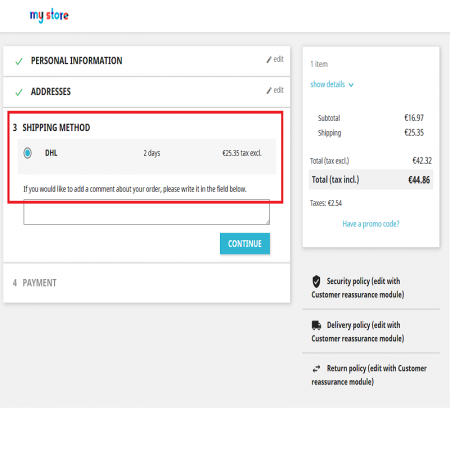
When customers reach the shipping selection stage, the module manages carrier availability according to the configured conditions.
Customers are presented with the shipping options permitted by the configured carrier rules.
Your shipping workflow becomes:
Configure conditions → Manage carriers → Save rules → Evaluate checkout conditions → Control carrier availability.
The module can support different shipping strategies across a wide range of business models.
Wholesale customers often purchase larger quantities and may require dedicated delivery arrangements.
Configure customer group conditions to make selected shipping carriers available to your wholesale customers.
Example: A wholesale shipping carrier is available to your wholesale customer group, while retail customers use standard shipping methods.
Some products may require special delivery arrangements.
Use specific product conditions to control which shipping methods are available when selected products are included in the cart.
Example: Restrict a standard carrier when a selected fragile product is included in the order.
You may want to provide a specialized shipping method only for orders above a particular value.
Example: Make a premium delivery option available when the cart total reaches $150.
High-value orders may require different delivery arrangements.
Example: Restrict a particular standard shipping carrier when the cart total exceeds your configured maximum amount.
Customers purchasing multiple units may need different delivery options.
Example: Make a dedicated bulk shipping method available when the cart meets the configured product quantity requirement.
Manage shipping methods based on how many products are included in an order.
Example: Restrict a selected carrier when the cart contains more than your configured product count.
Temporary shipping offers can support marketing campaigns and seasonal promotions.
Example: Make a promotional shipping method available during a configured holiday period.
Manage carrier availability according to your actual business and delivery requirements.
Control which shipping methods customers can select based on configured order conditions.
Provide different shipping options to wholesale, retail, VIP, and other customer groups.
Restrict unsuitable carriers for selected products and cart contents.
Apply minimum and maximum cart value requirements to shipping methods.
Configure carrier availability according to product counts and purchase quantities.
Manage seasonal and promotional shipping options through date range conditions.
Manage your conditional carrier rules from a centralized Back Office configuration.
This module is useful for PrestaShop businesses that need more control over their delivery options.
Wholesale and B2B Stores
Provide dedicated shipping methods according to customer groups and bulk-order requirements.
Retail and General eCommerce Stores
Manage shipping options according to product selections, order values, and quantities.
Electronics Stores
Configure carrier availability for selected products with specific delivery requirements.
Furniture and Home Decor Stores
Manage shipping methods for products with different handling and delivery requirements.
Fashion and Apparel Stores
Apply customer group and cart-based shipping conditions.
Promotional and Seasonal Stores
Schedule shipping methods for special campaigns and limited-time delivery offers.
Installing the Enable or Disable Carriers with Conditions module is straightforward.
Download the module ZIP package from your Sathi account after purchase.
Log in to your PrestaShop Back Office.
Navigate to Modules → Module Manager.
Select Upload a module.
Choose the downloaded ZIP package.
Upload the module and wait for the installation package to finish processing.
Locate the uploaded module in the Module Manager and click Install.
Complete the installation process.
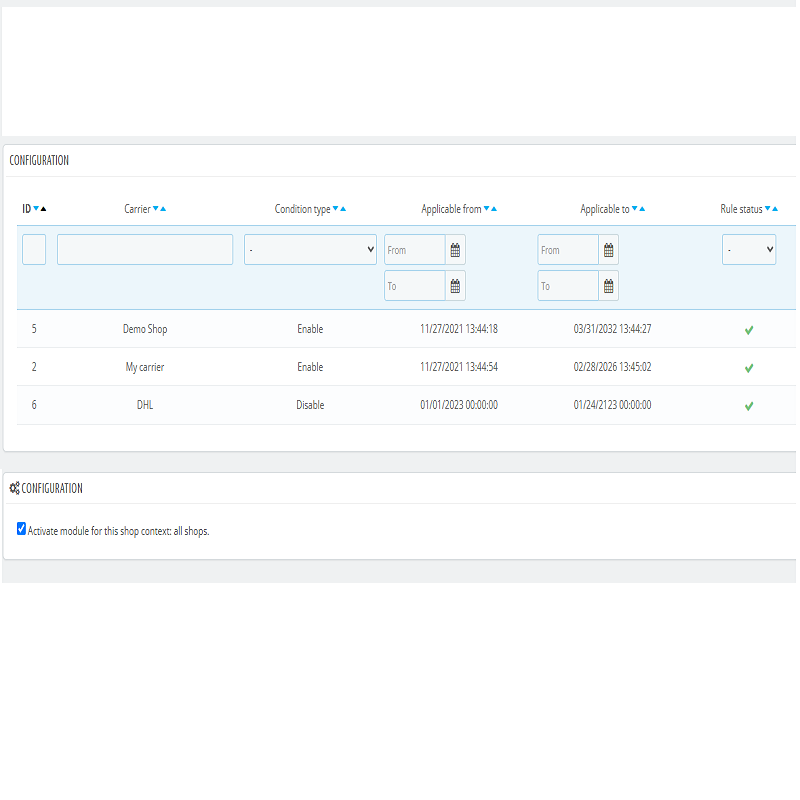
Open the module configuration page from the Module Manager.
 |
 |
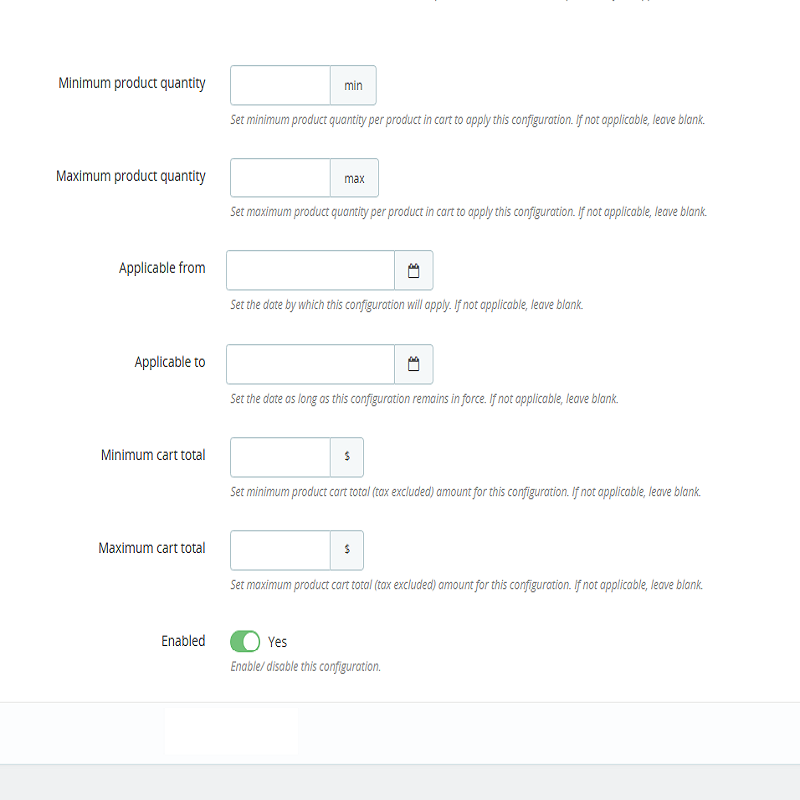 |
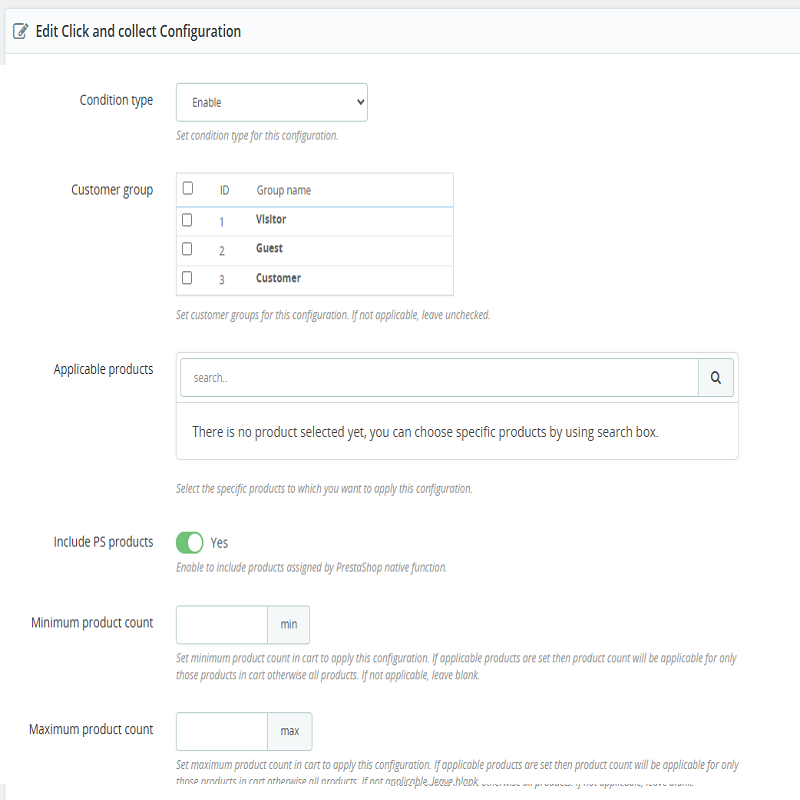
Configure your required carrier availability rules.
Depending on your shipping strategy, set:
Customer groups.
Specific products or cart contents.
Minimum cart totals.
Maximum cart totals.
Product count requirements.
Product quantity requirements.
Carrier availability date ranges.
Select the relevant carriers and save your configuration.
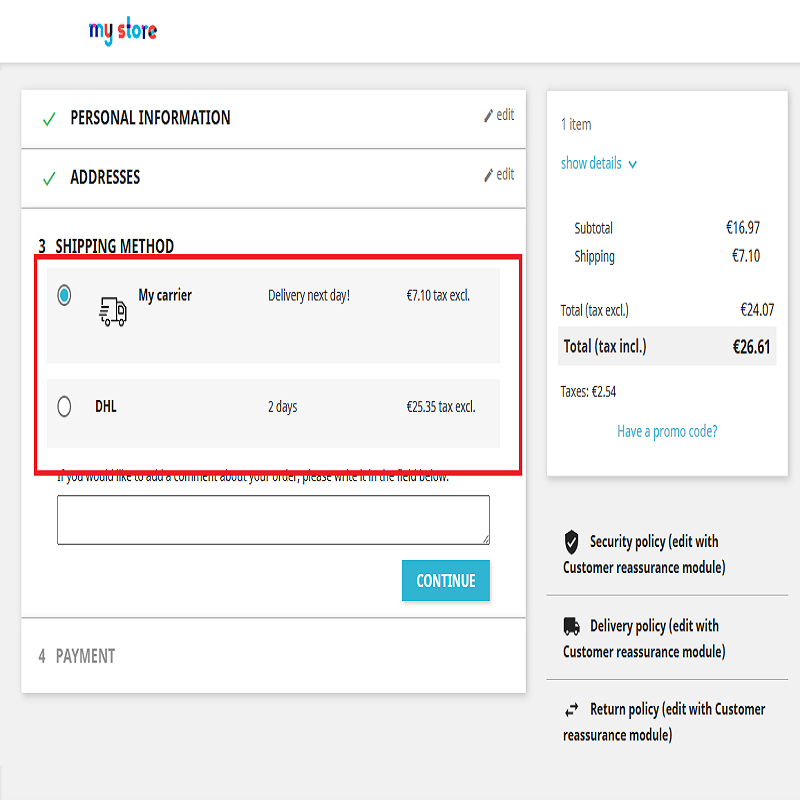
Visit your storefront and test different checkout scenarios.
For example:
Log in as a regular customer.
Log in as a wholesale customer.
Add selected products to your cart.
Change the cart total.
Increase or decrease product quantities.
Test product count conditions.
Verify shipping availability during applicable date ranges.
 |
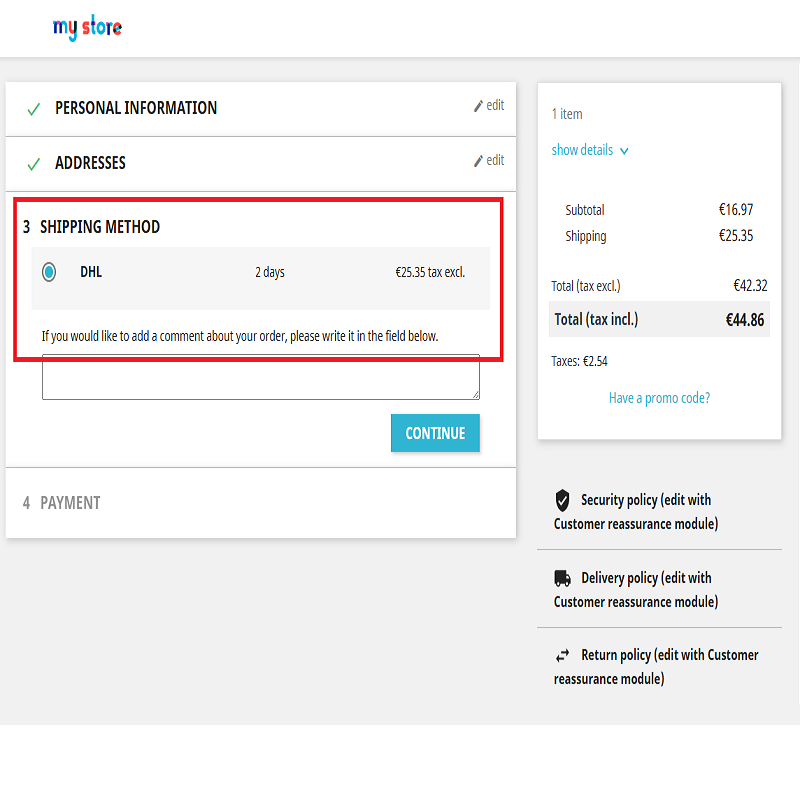 |
Confirm that the available shipping methods match your configured rules.
Installation recommendation: Always back up your store before installing or updating modules. Test important carrier conditions in a staging environment before applying them to your live checkout.
It is a shipping management module that allows store owners to control shipping carrier availability using configurable conditions based on customer groups, products, cart totals, product counts, quantities, and date ranges.
Yes. You can configure customer group conditions to control which shipping carriers are available to selected customer groups, such as wholesale, retail, or VIP customers.
Yes. The module supports product-based conditions that allow you to manage carrier availability according to selected products and products included in the cart.
Yes. Configure a minimum cart total condition to control carrier availability when an order reaches your specified cart value.
Yes. You can define a maximum cart total requirement to manage shipping availability for orders within your preferred value range.
Yes. The module supports product count conditions, allowing you to manage carrier availability according to the number of products in the cart.
Yes. Quantity-based conditions help you control shipping availability according to configured product quantity requirements.
Yes. Use date range conditions to manage when selected shipping carriers should be available or unavailable, supporting temporary and seasonal shipping arrangements.
Yes. The module works with PrestaShop's native carrier system to manage the availability of configured shipping methods.
Yes. Customer group conditions make it useful for wholesale and B2B stores that need dedicated shipping options for selected customer groups.
Yes. Date range conditions can help you schedule carrier availability for selected promotional periods and seasonal delivery campaigns.
You can manage the module's supported shipping conditions through its configuration interface in the PrestaShop Back Office.
Every order is different, and your shipping options should reflect your business requirements.
With the Enable or Disable Carriers with Conditions PrestaShop Module, you can manage carrier availability using customer groups, product selections, cart values, product counts, quantities, and date ranges.
Reduce unsuitable shipping options, provide dedicated delivery methods to selected customer groups, manage product-specific restrictions, and schedule temporary shipping offers.
Make your checkout shipping options more relevant, your shipping administration more organized, and your delivery strategy more flexible.
Get the Enable or Disable Carriers with Conditions module from Sathi and take better control of your PrestaShop shipping management.
| Vendor | Sathi |
|---|---|
| Last update | Nov 25, 2026 |
| Version | 3.2.0 |
| Required store version | From 1.6.x to 9.2.x |
| Publication date | Mar 15, 2025 |
| Return Policy | You can return the product within the 30 Days return period for a full refund. No questions asked. |
| Customer Support | Enjoy one year of free customer support, including installation, troubleshooting, and usage guidance. |
| Description | This product is compatible with the specified versions and includes all the latest updates to enhance functionality and user experience. |
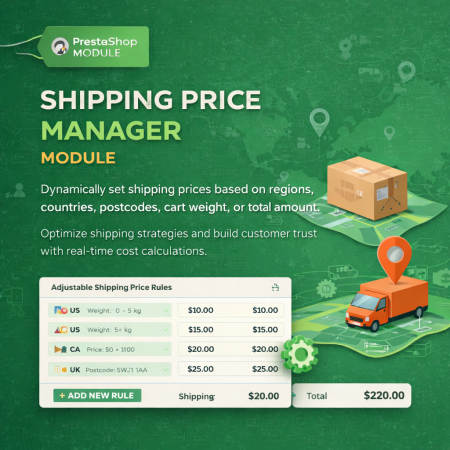
 Shipping Price Manager – Dynamic Shipping Cost Management Module for PrestaShop

 Buy Now Button – Quick Purchase & Direct Checkout Plugin for WooCommerce
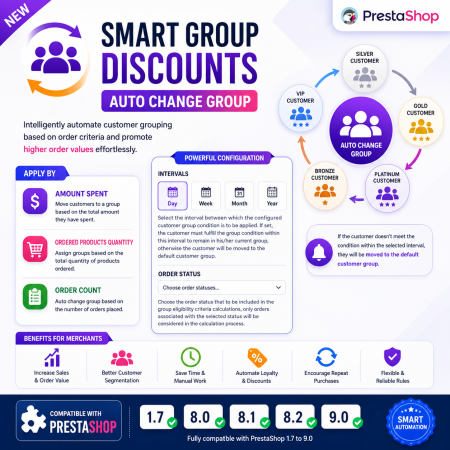
 Smart Group Discounts & Automatic Customer Group Changes for PrestaShop

 Social Network Integration Prestashop Module

 Buy Now Button & Quick Order – One-Click Checkout Module for PrestaShop

 Google Schema Markup – Rich Snippets & Structured Data SEO Module for PrestaShop

 Display Product Slider & Grid – Product Showcase Module for PrestaShop
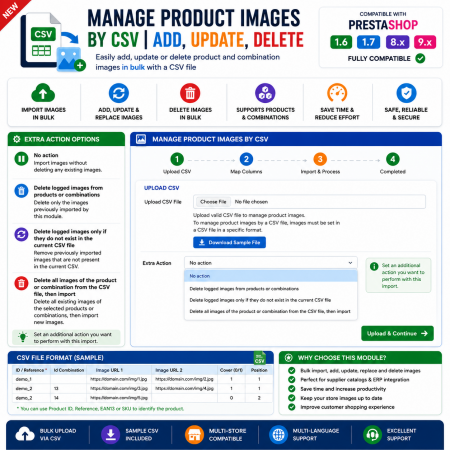
 Manage PrestaShop Product Images by CSV – Add, Update & Delete
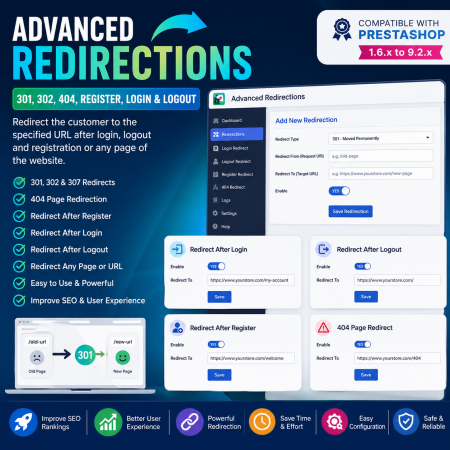
 Advanced Redirections – 301, 302, 404 & Customer Redirects for PrestaShop

 Ticker Notification Banner – Announcement Bar Module for PrestaShop

 Advanced Google SEO – XML & HTML Sitemap Generator for PrestaShop
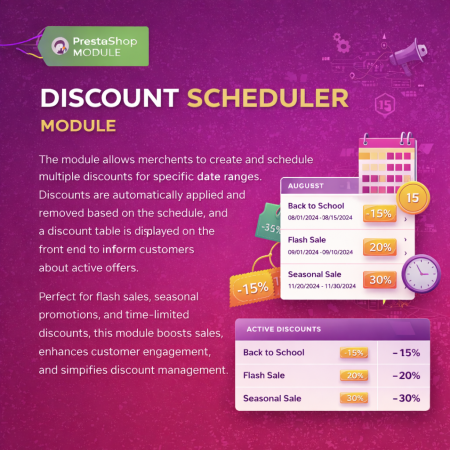
 Multiple discount date wise discount Prestashop Module

 Product FAQ – Product Questions & Answers Module for PrestaShop

 WhatsApp Live Chat & Support – Multiple Agents Module for PrestaShop

 Offer Your Price – Make an Offer & Price Negotiation Module for PrestaShop
 Advance Product Stickers & Labels Prestashop Module

 Google Translator – Front Office, Back Office & Module Translation for PrestaShop
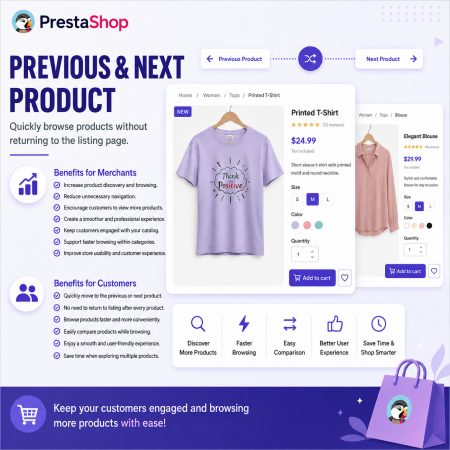
 Advanced Product Navigation – Previous & Next Product Links for PrestaShop
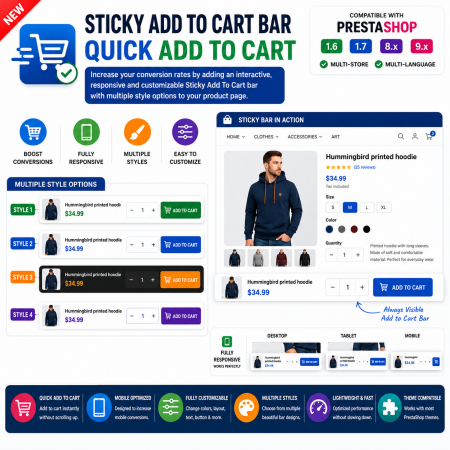
 Sticky Add to Cart Bar – Quick Add to Cart Module for PrestaShop
Take complete control of your PrestaShop shipping methods with the Enable or Disable Carriers with Conditions Module.
Not every shipping carrier is suitable for every customer, product, or order. This module allows you to manage carrier availability using flexible conditions based on customer groups, specific products, cart contents, minimum and maximum cart totals, product counts, quantities, and date ranges.
Create customized shipping rules for wholesale customers, restrict carriers for selected products, control delivery options according to order values, and schedule temporary shipping methods for promotional or seasonal periods.
Integrated with PrestaShop's native carrier system, this module helps you display relevant shipping options during checkout, reduce unsuitable shipping selections, and manage your store's shipping strategy directly from the Back Office.
Control which carriers are available, when they are available, and under which order conditions.

 Auto Pagination & Infinite Scroll – AJAX Product Loading Module for PrestaShop
Buy Now Button & Quick Order – One-Click Checkout Module for PrestaShop

 Advanced Google SEO – XML & HTML Sitemap Generator for PrestaShop

 Extra Product Listing & Product Recommendations Module for PrestaShop

 Additional Product Fields and Custom Tabs – PrestaShop Product Page Customization Module
WhatsApp Live Chat & Support – Multiple Agents Module for PrestaShop

 Custom Background & Text Color – PrestaShop Website Design Customization Module

Encrypted payment gateways ensuring your financial and personal data remain 100% protected.

Every module includes professional installation assistance, free updates, and reliable troubleshooting.

Rigorously tested PrestaShop & WooCommerce extensions designed for maximum speed and zero bloat.

Transparent policies, clean documentation, and dedicated assistance if you run into any compatibility hurdles.