- -$40.00


This module enhances the shopping experience by allowing customers to easily explore product variations such as...

The module allows merchants to enhance product images with customizable stickers and labels. Whether it’s...

Make bulk pricing visible and encourage larger orders with the Quantity Discount Table Grid PrestaShop Module.
...
Take complete control of your store's free shipping strategy with the Free Shipping by Zone & Carrier...

The module automatically adjusts language, currency, and country settings based on the customer's location....




Vendor
Version
Last update
Prestashop version
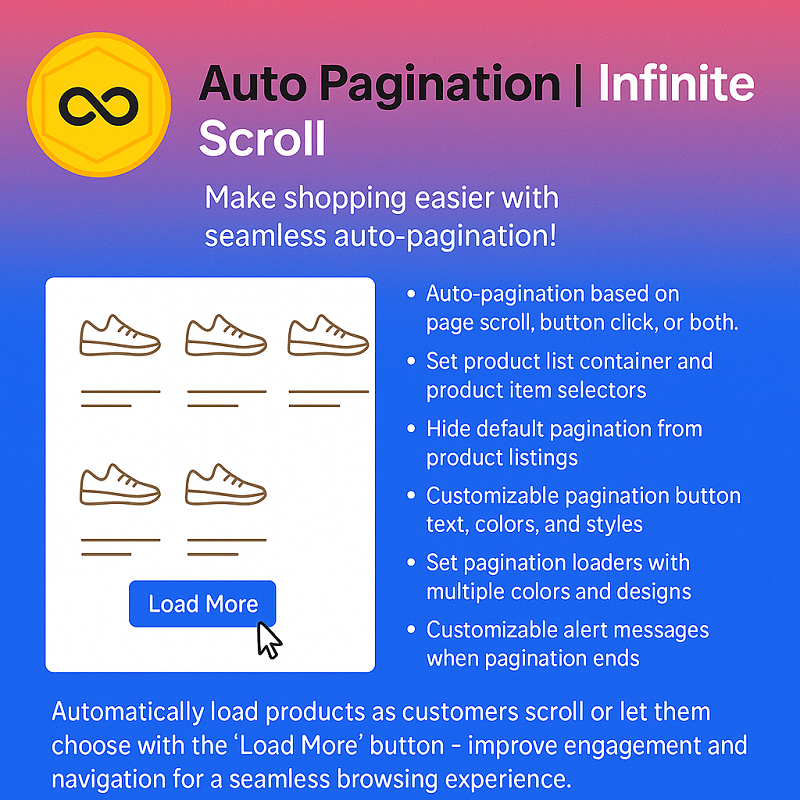
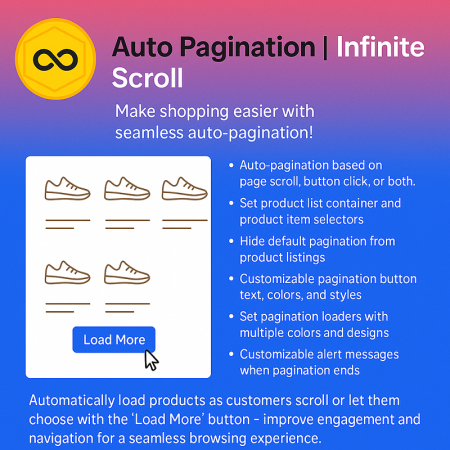
Make product browsing faster and more convenient with the Auto Pagination & Infinite Scroll PrestaShop Module.
Replace traditional product pagination with an engaging product-loading experience. Automatically load more products when customers scroll down, let them click a customizable Load More button, or combine both navigation methods.
Designed for PrestaShop product listing pages, this module helps customers explore your product catalog without repeatedly navigating between pages. Customize pagination buttons, loading animations, end-of-list messages, and the Go to Top icon to match your store's design.
Whether you operate a fashion store, electronics shop, furniture website, or large product catalog, improve product discovery with smooth AJAX-powered pagination.
Key features:
Automatic product loading on scroll.
Customizable Load More button.
Combined infinite scroll and button pagination.
Custom product container and item selectors.
Option to hide default pagination.
Multiple loader designs and colors.
Custom pagination button text and styling.
Custom end-of-list messages.
Configurable Go to Top icon.
IP-based auto-pagination restrictions.
Give customers a smoother way to browse more products and discover items in your PrestaShop store.
Make Product Browsing Seamless. Load More Products Automatically. Improve Your Shopping Experience.
Customers visit your online store to discover products, compare options, and find items that match their needs. However, traditional product pagination can interrupt this journey. Every time customers reach the bottom of a product listing, they must click another page number, wait for a new page to load, and continue browsing.
This repeated navigation can make product discovery less convenient, particularly for stores with large product catalogs.
The Auto Pagination & Infinite Scroll PrestaShop Module provides a better way to navigate product listing pages. It automatically loads additional products as customers scroll, offers a customizable Load More button, or combines both methods into one flexible browsing experience.
Instead of repeatedly moving between product listing pages, customers can continue exploring your catalog through a more convenient navigation interface.
Whether you operate a fashion boutique, electronics store, furniture website, beauty shop, or a large multi-category eCommerce store, this module helps make product browsing more intuitive and engaging.
Traditional pagination divides product listings into separate pages. Although this method is familiar, it can create unnecessary interruptions during product discovery.
For example, a customer browsing 100 products may need to navigate through several listing pages before finding the right item.
The Auto Pagination & Infinite Scroll module improves this experience by allowing additional products to appear without requiring customers to navigate through traditional page links manually.
You can choose the browsing experience that best suits your store:
Infinite Scroll: Automatically load more products when customers scroll down.
Load More Button: Let customers decide when to display additional products by clicking a button.
Combined Mode: Support automatic product loading and manual loading through a button.
The result is a more flexible product browsing experience that helps customers explore your catalog with fewer interruptions.
Traditional pagination is useful for organizing large product catalogs, but it may not always provide the smoothest browsing experience.
Repeated navigation clicks
Customers must click page numbers or next-page links to continue exploring products.
Interrupted product discovery
Moving between listing pages can interrupt the customer's browsing flow.
Less convenient mobile browsing
Repeatedly navigating between pages can be inconvenient for customers browsing on smartphones and tablets.
Limited browsing flexibility
Traditional pagination generally offers a fixed navigation experience instead of letting customers choose how additional products appear.
Missed product discovery opportunities
When browsing feels inconvenient, some visitors may leave a category page without exploring all the available products.
The module introduces alternative product-loading methods that make browsing more continuous.
Customers can automatically discover additional products, manually request more items, or use a combination of both methods.
Store owners can customize the navigation interface to match their storefront design and product listing structure.
Make product discovery more convenient by automatically loading additional products as customers scroll down the listing page.
With infinite scroll enabled, customers do not need to click the next-page button every time they reach the bottom of the current product list.
Key benefits:
Automatically load additional products during scrolling.
Reduce the need for repeated pagination clicks.
Support continuous product discovery.
Create a modern browsing experience.
Make large product catalogs easier to explore.
Example:
A customer opens your fashion category and starts browsing products. When they approach the bottom of the currently displayed products, the module automatically loads the next set of items.
Customers can continue exploring products without manually navigating to another listing page.
Best suited for: Fashion stores, lifestyle shops, large product catalogs, and stores where customers frequently browse multiple products.
Not every store owner wants products to load automatically.
Some customers prefer having control over when additional products appear.
The Load More button provides a convenient alternative by allowing shoppers to request additional products whenever they are ready.
Key benefits:
Display a customizable Load More button.
Let customers manually request additional products.
Avoid automatically loading products when customers do not need them.
Customize button text.
Configure button colors and visual styles.
Create a navigation experience that matches your storefront.
Example:
A customer opens an electronics category and views the first set of products. After exploring those items, they click the Load More button to display additional products.
This approach gives shoppers greater control over their browsing experience.
Best suited for: Electronics stores, furniture websites, B2B catalogs, and stores where customers prefer controlled product loading.
Want to provide customers with more than one way to browse products?
Use the combined pagination mode to support automatic scrolling and manual product loading.
This provides flexibility for different browsing preferences.
Key benefits:
Combine automatic and button-based loading.
Give customers more control over product discovery.
Support different shopping behaviors.
Create a flexible product navigation experience.
Customize the pagination interface.
Best suited for: General eCommerce stores with diverse customer browsing preferences.
Enable automatic product loading to display additional products when customers reach the relevant scroll position.
This reduces the need to navigate manually between listing pages and creates a smoother browsing flow.
Features:
Scroll-based product loading.
Automatic loading of additional listing products.
Support for continuous product discovery.
Configurable pagination behavior.
Business benefit: Help customers explore more of your product catalog with fewer navigation interruptions.
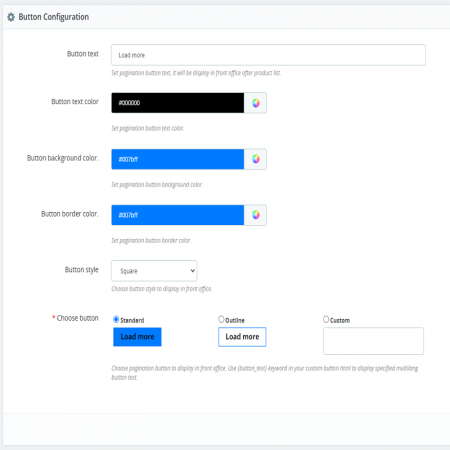
Customize the button customers use to display additional products.
Make the pagination button consistent with your store's design and provide a clear action for customers.
Customization options:
Set custom button text.
Configure button colors.
Customize button styling.
Display a clear product-loading action.
Match the pagination interface with your storefront appearance.
Business benefit: Give customers a familiar and understandable way to explore additional products.
Different PrestaShop themes can use different HTML structures for their product listing pages.
A pagination module needs to identify the correct product-list container before inserting additional products.
This module allows you to define the product list container selector according to your theme structure.
Key benefits:
Define the product listing container selector.
Adapt pagination to different theme structures.
Identify the correct area where additional products should appear.
Provide more flexibility when working with customized storefront layouts.
Business benefit: Reduce theme-structure limitations by allowing store owners to configure the relevant product listing container.
The product item selector identifies the individual product elements inside the listing container.
Because PrestaShop themes may use different product-card structures, configurable selectors help the module identify product items correctly.
Key benefits:
Define the product item selector.
Match product elements to your theme structure.
Support customized product listing layouts.
Improve the flexibility of product-loading configuration.
Business benefit: Adapt the pagination functionality to the HTML structure of your product listing pages.
When using an alternative product-loading experience, traditional pagination controls may no longer be necessary in the visible product listing interface.
The module provides an option to hide default pagination from product listings.
Key benefits:
Hide traditional pagination controls.
Create a cleaner product listing interface.
Reduce competing navigation elements.
Maintain focus on the selected loading method.
Business benefit: Give customers a more consistent browsing experience without unnecessary visible pagination controls.
Customers should understand when additional products are being loaded.
A loading indicator provides visual feedback while the product list is being updated.
The module provides customizable loaders with different colors and designs.
Key benefits:
Configure pagination loading indicators.
Choose from multiple loader designs.
Customize loader colors.
Improve visual feedback during product loading.
Match the loader appearance with your website design.
Business benefit: Make the product-loading process easier for customers to understand and visually consistent with your storefront.
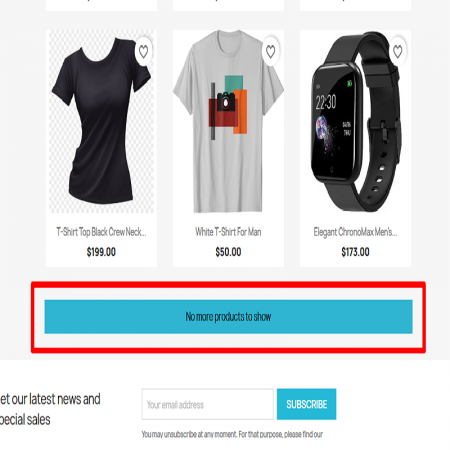
What happens when customers reach the end of the available product listing?
Instead of leaving customers wondering whether more products will appear, display a customized message when pagination reaches its end.
Key benefits:
Customize end-of-list alert messages.
Inform customers when no additional products are available.
Provide clear feedback after the final product batch.
Match notification text with your store's communication style.
Example messages:
You have viewed all available products.
No more products to load.
That's everything! Explore our other categories.
Business benefit: Provide clear navigation feedback and create a more polished browsing experience.
Long product listings can require significant scrolling, particularly on mobile devices.
The Go to Top icon provides a convenient way for customers to return to the top of the page.
Key benefits:
Enable or disable the Go to Top icon.
Configure icon colors.
Customize its visual style.
Help customers return to the beginning of long listings.
Improve navigation convenience on lengthy category pages.
Business benefit: Make long product listings easier to navigate and help customers return to important page elements.
Some stores need to control where the automatic pagination functionality is active.
The module includes an IP-based restriction option that allows store owners to restrict auto pagination for specific IP addresses.
Key benefits:
Restrict auto pagination for specified IP addresses.
Configure exceptions for selected visitors.
Provide additional control over pagination behavior.
Business benefit: Manage the availability of the auto-pagination functionality according to your store's requirements.
The module follows a straightforward product-loading workflow.
A customer visits a category page, search results page, or another supported product listing page.
PrestaShop displays the initial product listing using your existing theme and catalog configuration.
The next action depends on the selected pagination method:
Automatic scroll: The customer scrolls towards the end of the displayed products.
Load More: The customer clicks the Load More button.
Combined mode: Both loading methods are available.
The module loads the next available set of products into the configured product listing container.
A loading indicator can provide visual feedback during this process.
Customers can continue discovering products without repeatedly navigating between traditional listing pages.
When no additional products are available, the configured end-of-list message informs customers that they have reached the end of the listing.
The complete workflow:
Open Category → View Products → Scroll or Click → Load More Products → Continue Browsing → Reach End of Listing.
The module is designed to make product discovery more convenient for your shoppers.
Fewer Navigation Clicks
Customers can explore additional products without repeatedly clicking traditional page numbers.
More Convenient Browsing
Automatic loading provides a continuous product discovery experience.
Flexible Navigation
Customers can use a Load More button when manual control is preferred.
Better Mobile Browsing
Reduce repeated page navigation during mobile product discovery.
Clear Loading Feedback
Custom loaders and end-of-list messages help customers understand what is happening.
Easier Long-Page Navigation
The Go to Top icon provides a convenient way to return to the top of lengthy product listings.
Make it easier for visitors to explore more products from your catalog.
Offer an alternative to traditional page-by-page product browsing.
Configure buttons, loaders, alerts, and navigation elements to match your website design.
Use configurable product list and product item selectors to work with different storefront HTML structures.
Choose automatic scrolling, manual loading, or both.
Create a more convenient way for customers to explore large product categories.
Fashion stores often contain large collections of clothing, shoes, and accessories.
Infinite scroll allows customers to explore more styles without repeatedly navigating between listing pages.
Recommended mode: Automatic Infinite Scroll.
Electronics shoppers may want to compare different products before deciding what to purchase.
The Load More button gives them control over when additional products appear.
Recommended mode: Load More Button.
Furniture and home decor websites often contain extensive visual product catalogs.
A continuous browsing experience can make it more convenient to explore additional furniture styles and home accessories.
Recommended mode: Infinite Scroll or Combined Mode.
Customers frequently explore multiple products, brands, and collections.
Automatic product loading helps maintain a continuous browsing experience.
Recommended mode: Infinite Scroll.
Stores selling products across several categories can use different loading methods depending on their catalog and customer preferences.
Recommended mode: Combined Infinite Scroll and Load More.
Stores with extensive product listings can provide an alternative to repeated pagination navigation.
Recommended mode: Choose the loading method that best fits your theme, catalog size, and customer browsing behavior.
Configure your product-loading experience through the PrestaShop Back Office.
Download the Auto Pagination & Infinite Scroll module ZIP package.
Log in to your PrestaShop administration panel and navigate to:
Modules → Module Manager
Upload the module ZIP package and complete the installation.
Find Auto Pagination & Infinite Scroll in the Module Manager and open its configuration page.
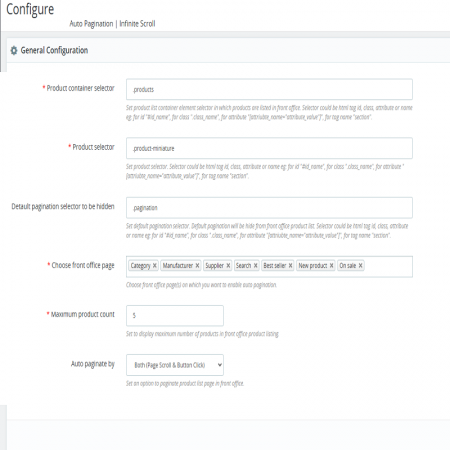
Define the HTML selectors for:
Product list container.
Individual product items.
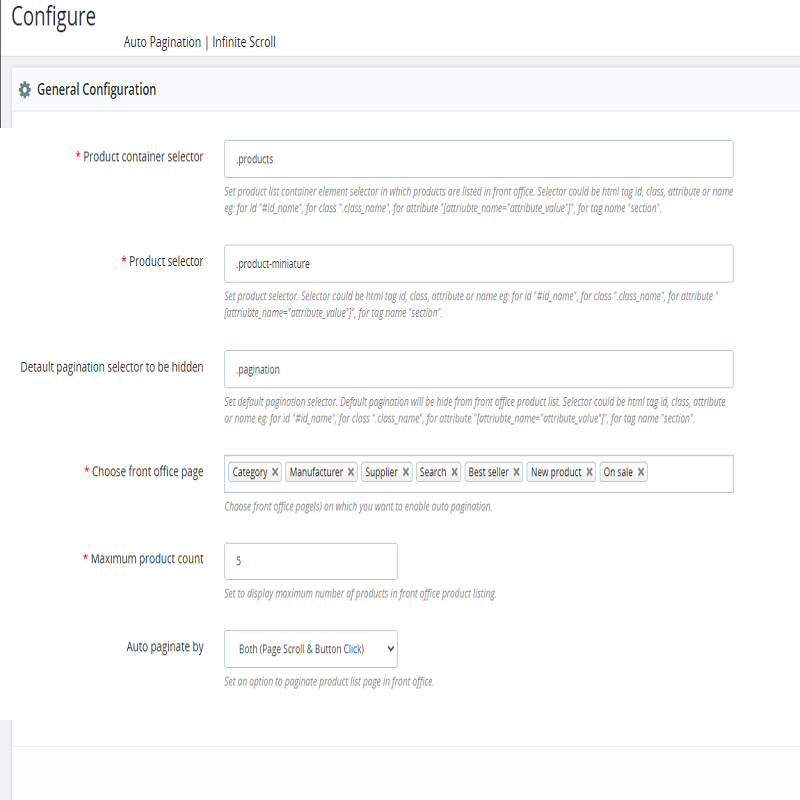 |
Use selectors that match your active PrestaShop theme.
Choose your preferred navigation method:
Automatic scrolling.
Load More button.
Combined automatic scrolling and button loading.
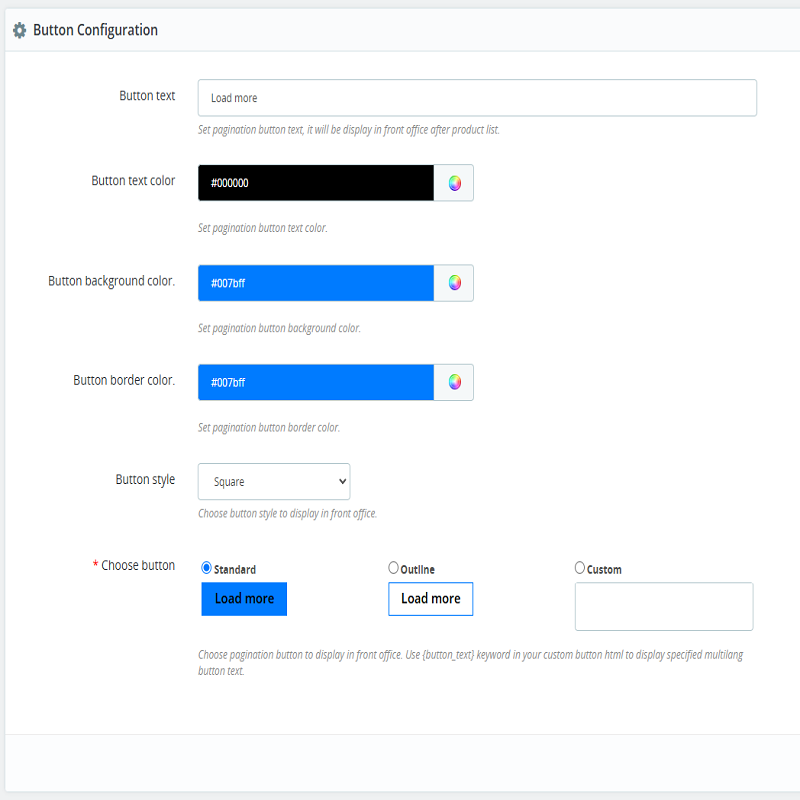 |
Configure the pagination button text, colors, and styles.
Choose the preferred loader design and colors.
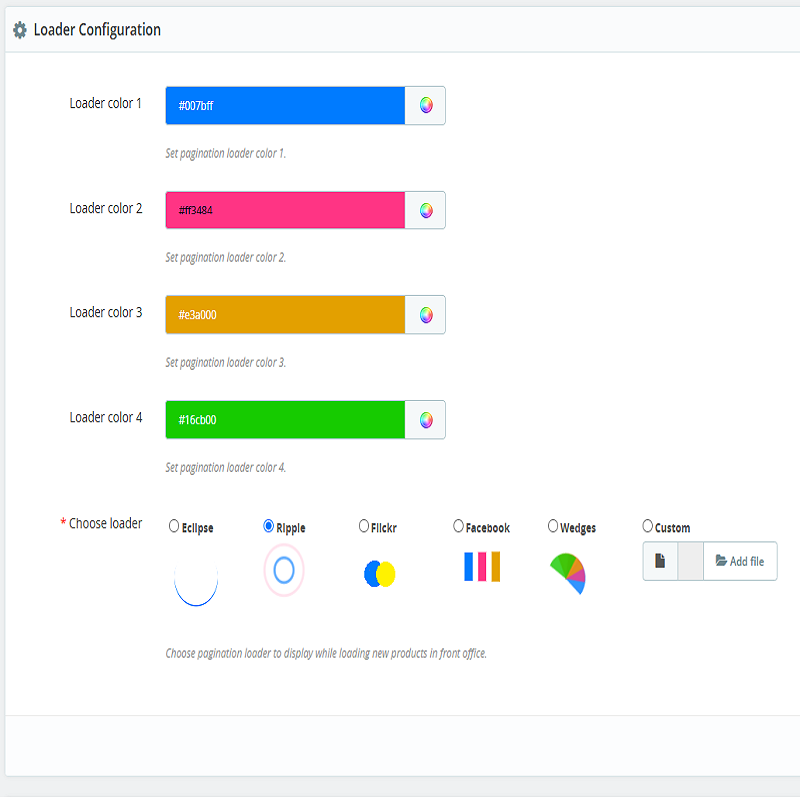 |
Customize end-of-list alert messages and the Go to Top icon.
Configure IP-based restrictions if required.
Save your settings and refresh your storefront.
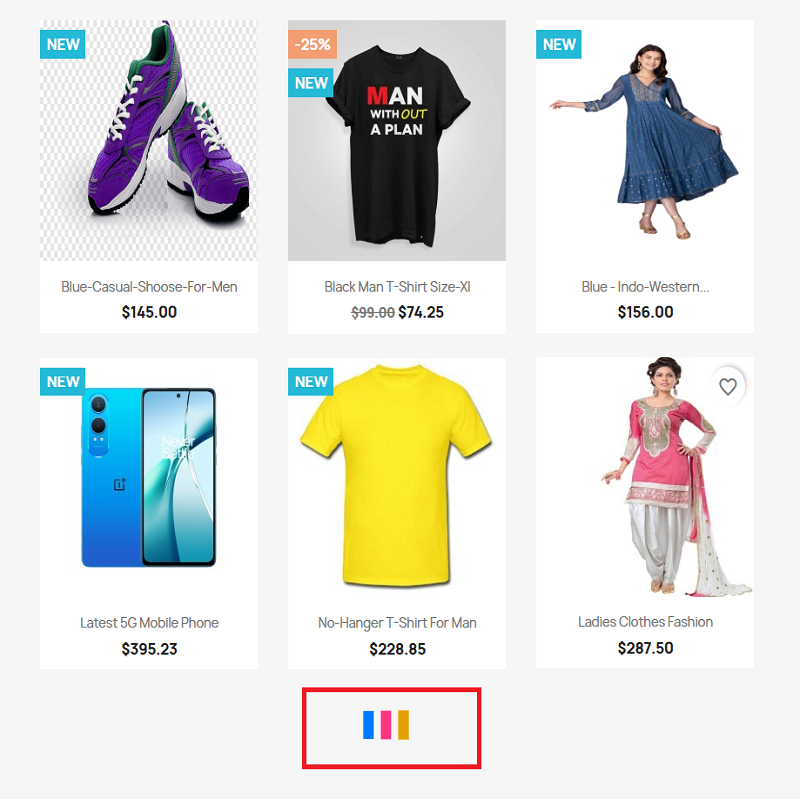 |
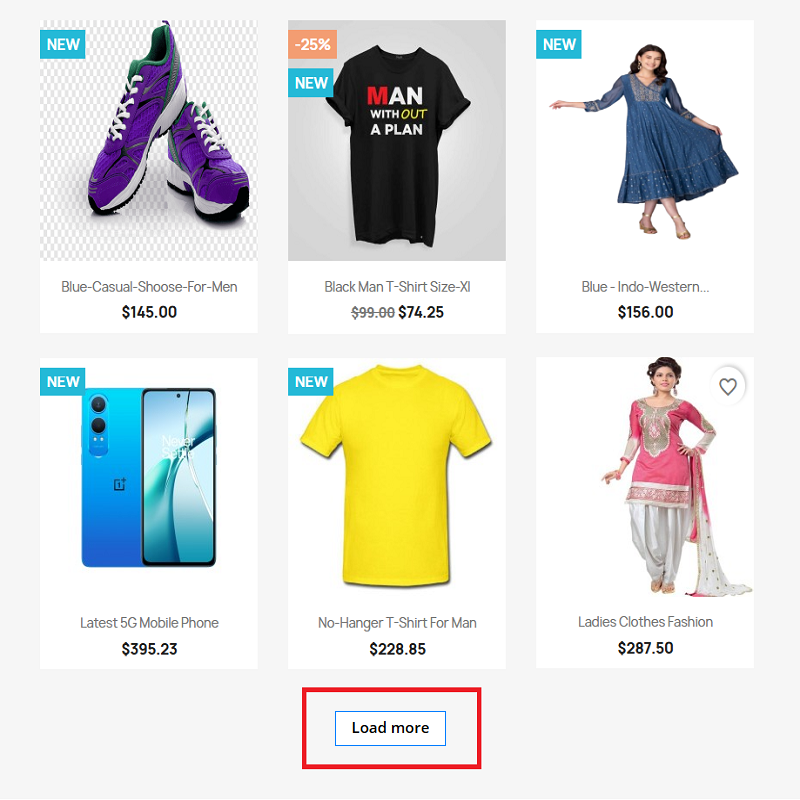 |
 |
Visit supported product listing pages and test the selected pagination method on desktop and mobile devices.
Important: If your theme has a customized product-list structure, verify the selectors and test product loading on all relevant listing types before publishing the changes.
The module's published compatibility range is:
PrestaShop 1.6.x
PrestaShop 1.7.x
PrestaShop 8.x
PrestaShop 9.x
PrestaShop 9.2.x
Current published module version: 3.2.1
Always test the module with your active theme and any custom product-listing modifications.
It is a PrestaShop extension that provides alternative product listing navigation methods. It allows additional products to load automatically during scrolling, through a Load More button, or through a combination of both.
Infinite scroll is a product navigation method that automatically loads additional products as customers scroll towards the end of the currently displayed listing.
It allows customers to continue exploring products without repeatedly clicking traditional pagination links.
Yes. You can choose the Load More button mode, allowing customers to click a button whenever they want to display additional products.
Yes. The module supports a combined pagination mode that provides automatic scrolling and button-based product loading.
Yes. You can configure the button text, colors, and styles to match your storefront design.
Yes. The module provides multiple loader designs and color customization options.
Yes. The module includes an option to hide the default pagination controls from product listings when using an alternative product-loading experience.
The product list selector identifies the main container holding your products. The product item selector identifies individual product elements inside that container.
These settings help adapt the module to different PrestaShop theme structures.
Yes. You can configure the end-of-list alert message to inform customers when no additional products are available.
Yes. You can enable or disable the Go to Top icon and customize its color and style.
Yes. The module provides IP-based restrictions for controlling auto-pagination availability.
Yes. Alternative product-loading methods can make browsing more convenient on mobile devices by reducing repeated page navigation. Actual results depend on your theme, device, and storefront performance.
Infinite scroll alone does not guarantee better Google rankings.
For SEO, ensure that product listing content remains accessible through crawlable pagination URLs or other appropriate navigation links. Test your category pages with Google Search Console and verify that products can still be discovered by search engines.
It can change how products are requested and displayed, but it does not automatically make a website faster. Performance depends on the number of products loaded, image sizes, server response, JavaScript, and theme implementation.
The published compatibility range is PrestaShop 1.6.x through 9.2.x. Check compatibility with your active theme and custom storefront modifications before installation.
Your customers should be able to discover products without unnecessary navigation interruptions.
The Auto Pagination & Infinite Scroll PrestaShop Module gives your store a flexible product-loading experience through automatic scrolling, a customizable Load More button, or both.
Customize loaders, pagination buttons, end-of-list messages, product selectors, and the Go to Top icon to create a product browsing experience that fits your store.
Whether you manage a small product catalog or a large eCommerce store, give customers a more convenient way to explore your products.
Upgrade your PrestaShop product navigation with Auto Pagination & Infinite Scroll by Sathi.
| Vendor | Sathi |
|---|---|
| Last update | Nov 25, 2026 |
| Version | 3.2.1 |
| Required store version | From 1.6.x to 9.2.x |
| Publication date | Feb 21, 2025 |
| Return Policy | You can return the product within the 30 day return period for a full refund. No questions asked. |
| Customer Support | Enjoy one year of free customer support, including installation, troubleshooting, and usage guidance. |
| Description | This product is compatible with the specified versions and includes all the latest updates to enhance functionality and user experience. |
Version:3.2.1
 Advance Product Stickers & Labels Prestashop Module
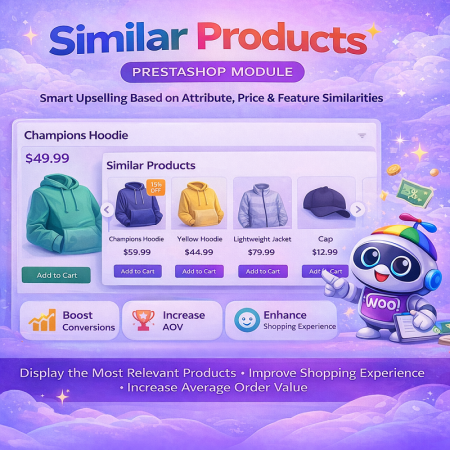
 Smart Similar Products – Automated Product Recommendations for PrestaShop
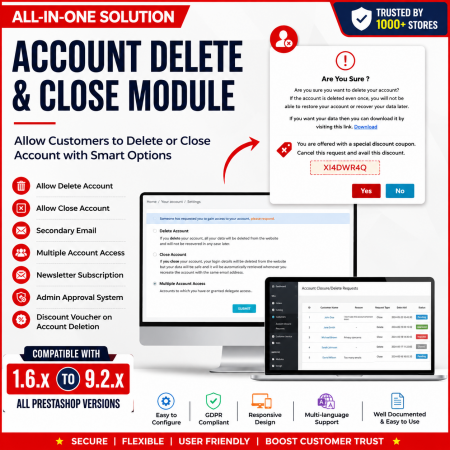
 Customer Account Settings – Customer Account Management Module for PrestaShop
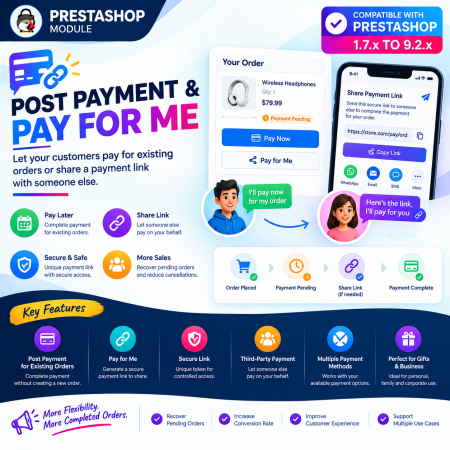
 Post Payment & Pay for Me Module for PrestaShop
 Price Tax Switcher – Display Tax Included or Excluded Prices in PrestaShop

 WhatsApp Live Chat & Support – Multiple Agents Module for PrestaShop
 Advanced Shop & Product Reviews and Ratings Module for PrestaShop
 Advanced Wishlist, Favorites & Save for Later Module for PrestaShop
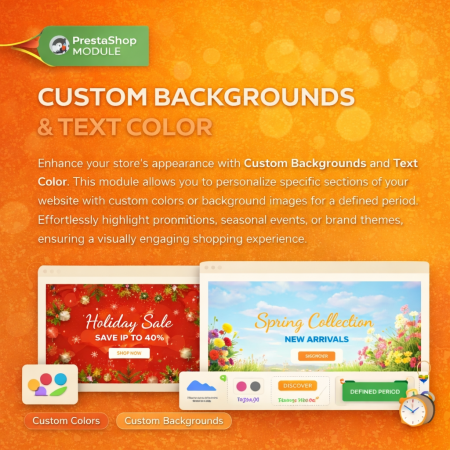
 Custom Background & Text Color – PrestaShop Website Design Customization Module
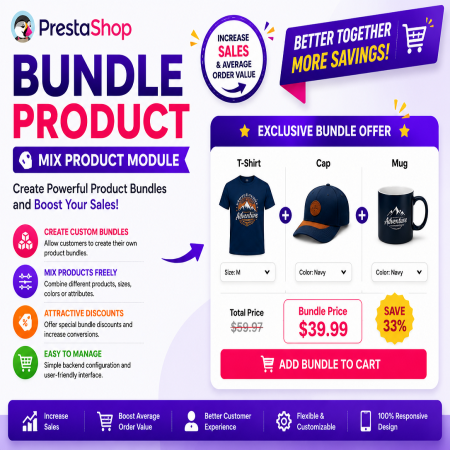
 Bundle Product - Mix Product Prestashop Module

 Extra Product Listing & Product Recommendations Module for PrestaShop

 Daily Deals Widget – Multiple Promotional Campaigns with Countdown Timer for PrestaShop
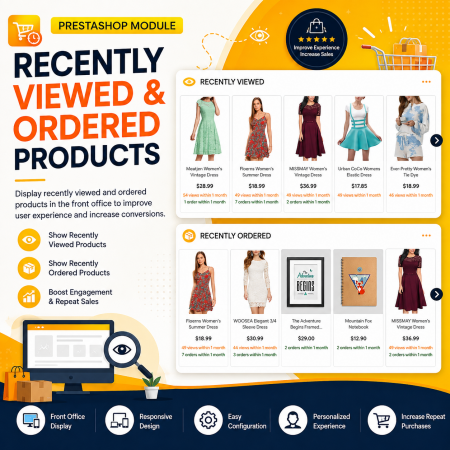
 Recently Viewed and Ordered Products – Product History Module for PrestaShop
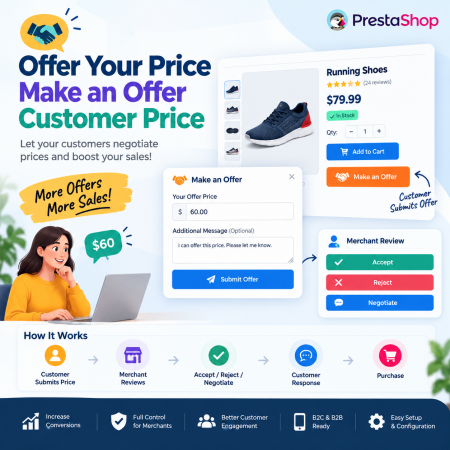
 Offer Your Price – Make an Offer & Price Negotiation Module for PrestaShop
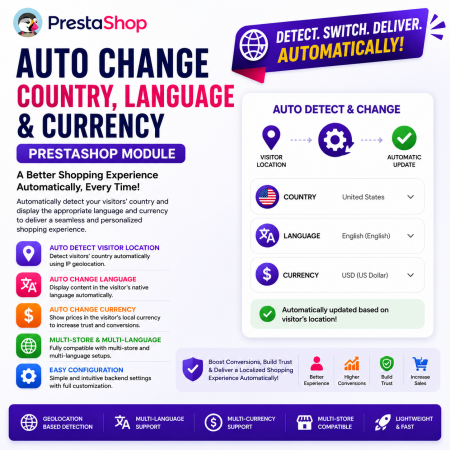 Auto Change Country Language and Currency Prestashop Module
 Hide Product Price – Control Product Price Visibility in PrestaShop
Make product browsing faster and more convenient with the Auto Pagination & Infinite Scroll PrestaShop Module.
Replace traditional product pagination with an engaging product-loading experience. Automatically load more products when customers scroll down, let them click a customizable Load More button, or combine both navigation methods.
Designed for PrestaShop product listing pages, this module helps customers explore your product catalog without repeatedly navigating between pages. Customize pagination buttons, loading animations, end-of-list messages, and the Go to Top icon to match your store's design.
Whether you operate a fashion store, electronics shop, furniture website, or large product catalog, improve product discovery with smooth AJAX-powered pagination.
Key features:
Automatic product loading on scroll.
Customizable Load More button.
Combined infinite scroll and button pagination.
Custom product container and item selectors.
Option to hide default pagination.
Multiple loader designs and colors.
Custom pagination button text and styling.
Custom end-of-list messages.
Configurable Go to Top icon.
IP-based auto-pagination restrictions.
Give customers a smoother way to browse more products and discover items in your PrestaShop store.

 Buy Now Button & Quick Order – One-Click Checkout Module for PrestaShop
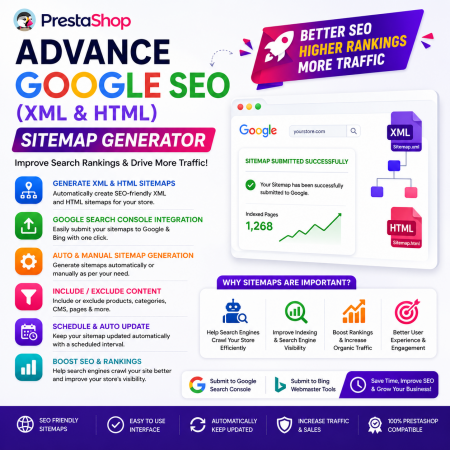
 Advanced Google SEO – XML & HTML Sitemap Generator for PrestaShop
Extra Product Listing & Product Recommendations Module for PrestaShop
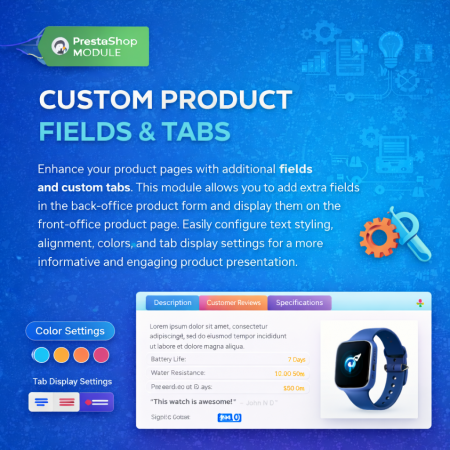
 Additional Product Fields and Custom Tabs – PrestaShop Product Page Customization Module
WhatsApp Live Chat & Support – Multiple Agents Module for PrestaShop
Custom Background & Text Color – PrestaShop Website Design Customization Module

Encrypted payment gateways ensuring your financial and personal data remain 100% protected.

Every module includes professional installation assistance, free updates, and reliable troubleshooting.

Rigorously tested PrestaShop & WooCommerce extensions designed for maximum speed and zero bloat.

Transparent policies, clean documentation, and dedicated assistance if you run into any compatibility hurdles.