
- -$40.00

This module enhances the shopping experience by allowing customers to easily explore product variations such as...

The module allows merchants to enhance product images with customizable stickers and labels. Whether it’s...
The Quantity Discount Table & Grid Module for PrestaShop helps merchants display...

This module allows you to offer free shipping based on flexible conditions, such as location, carrier, cart value,...

The module automatically adjusts language, currency, and country settings based on the customer's location....




Vendor
Version
Last update
Prestashop version
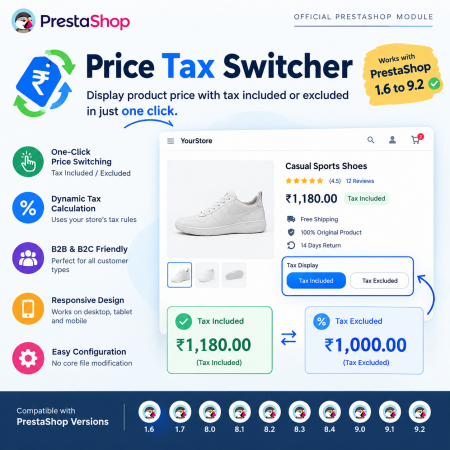
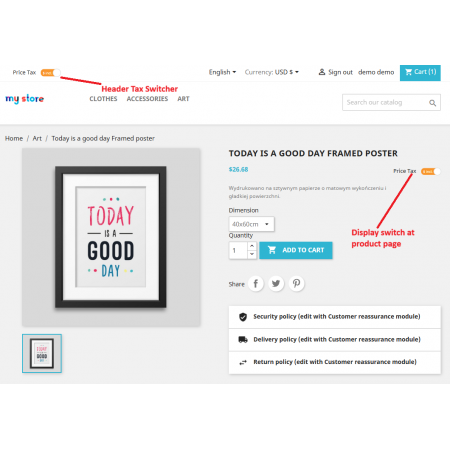
Give your customers the freedom to switch between Tax Included (TTC) and Tax Excluded (HT) prices with the Price Tax Switcher PrestaShop Module.
Display product prices in the format customers prefer through a convenient front-office switch. Retail shoppers can view tax-inclusive prices, while wholesale buyers, professional customers, and B2B businesses can switch to tax-exclusive prices for easier cost comparison.
The module uses PrestaShop's existing tax calculation system to display the corresponding prices without requiring duplicate products or separately maintained tax-specific prices.
With flexible front-office display, multi-currency support, responsive design, and easy back-office configuration, Price Tax Switcher makes your store's pricing clearer and more convenient for both B2C and B2B customers.
Key Benefits:
Allow customers to switch between Tax Included and Tax Excluded prices.
Display prices according to customer preferences.
Make pricing clearer for both retail and business buyers.
Support B2B, B2C, wholesale, and mixed customer stores.
Use existing PrestaShop tax rules and calculations.
Avoid maintaining duplicate products or separate tax-specific prices.
Provide a consistent and convenient price display throughout the shopping journey.
Support PrestaShop's existing currency and price formatting system.
Make your store's pricing more transparent and give every customer a convenient way to view prices according to their business or shopping requirements.
One Store. Two Price Formats. A Better Shopping Experience for Every Customer.
Give your customers the freedom to choose how they view product prices with the Price Tax Switcher PrestaShop Module.
Different customers have different pricing expectations. Retail shoppers generally want to see the final price, including applicable taxes, while wholesalers, distributors, professional buyers, and business customers often prefer to compare prices before tax.
Displaying only one price format can create confusion for stores serving both individual shoppers and business customers.
The Price Tax Switcher module solves this problem by allowing customers to switch between Tax Included (TTC) and Tax Excluded (HT) prices directly from your PrestaShop storefront.
With a simple front-office switch, customers can change the displayed price format without manually calculating tax amounts. The module uses PrestaShop's existing tax calculation system, helping merchants avoid duplicate products and separately maintained tax-specific prices.
Whether you operate a B2C retail shop, a B2B wholesale business, or a hybrid eCommerce store, this module makes product pricing more flexible, transparent, and convenient.
Every customer does not interpret product prices in the same way.
A retail shopper generally wants to know how much a product costs after applicable taxes. A business buyer, on the other hand, may need the net product price to compare suppliers, evaluate purchasing costs, or prepare business quotations.
Consider a store selling products to both individual consumers and professional buyers.
If the store displays only tax-inclusive prices, business customers may need to calculate the tax-exclusive amount themselves. If it displays only tax-exclusive prices, retail customers may find it difficult to understand the final price.
Maintaining separate product entries for different price presentations can also make product catalog management unnecessarily complicated.
Price Tax Switcher provides a simpler solution.
Allow customers to change the displayed price format directly from your storefront:
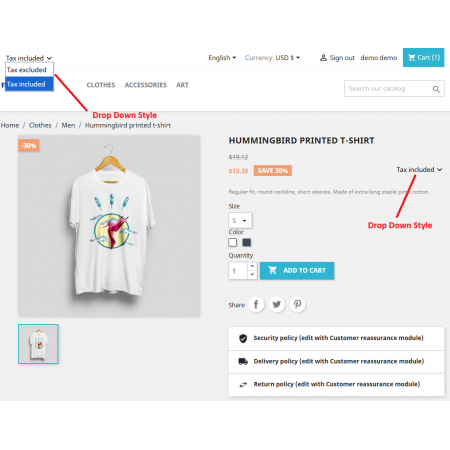
Tax Included (TTC): Display product prices including applicable taxes.
Tax Excluded (HT): Display product prices before applicable taxes.
The module uses your existing PrestaShop tax configuration to calculate and present the corresponding prices.
Tax Included (TTC)
Display prices including applicable taxes.
Ideal for:
Retail customers.
Individual shoppers.
B2C online stores.
Customers who want to understand the final tax-inclusive product price.
Tax Excluded (HT)
Display prices before applicable taxes.
Ideal for:
Wholesale customers.
Business buyers.
Distributors and resellers.
Professional customers comparing net product costs.
Suppose a product has a net price of ₹1,000 and the applicable tax rate is 18%.
| Price information | Amount |
|---|---|
| Product price excluding tax | ₹1,000 |
| Applicable tax (18%) | ₹180 |
| Product price including tax | ₹1,180 |
With Price Tax Switcher:
A customer selecting TTC sees ₹1,180.
A customer selecting HT sees ₹1,000.
This is an illustrative example. Actual amounts depend on the product price, customer context, applicable tax rules, and tax configuration in your PrestaShop store.
A single pricing presentation does not always meet the requirements of every customer.
Consider these common challenges faced by eCommerce businesses.
Individual shoppers generally want to understand the amount they will pay, including applicable taxes.
When only the net price is displayed, customers may need to calculate the additional tax before understanding the actual cost.
B2B buyers often compare products based on their prices before applicable taxes.
Displaying only tax-inclusive prices can make it inconvenient for professional customers to compare supplier costs.
Many online stores serve both individual consumers and business buyers through the same product catalog.
Providing separate pricing experiences for each customer type can become complicated without a flexible display option.
Customers should not have to calculate the tax amount independently just to understand a product's net or gross price.
A simple switching option makes both price formats easier to access.
Maintaining separate products or manually updating tax-inclusive and tax-exclusive prices can introduce unnecessary catalog management work and inconsistencies.
Price Tax Switcher addresses these challenges by providing a convenient front-office control for switching between TTC and HT price presentations.
It uses your existing PrestaShop tax calculation system rather than requiring merchants to maintain separate tax-specific product prices.
The module provides a straightforward workflow that allows customers to choose their preferred price presentation.
Customers browse products, categories, and other supported shopping areas.
 |
 |
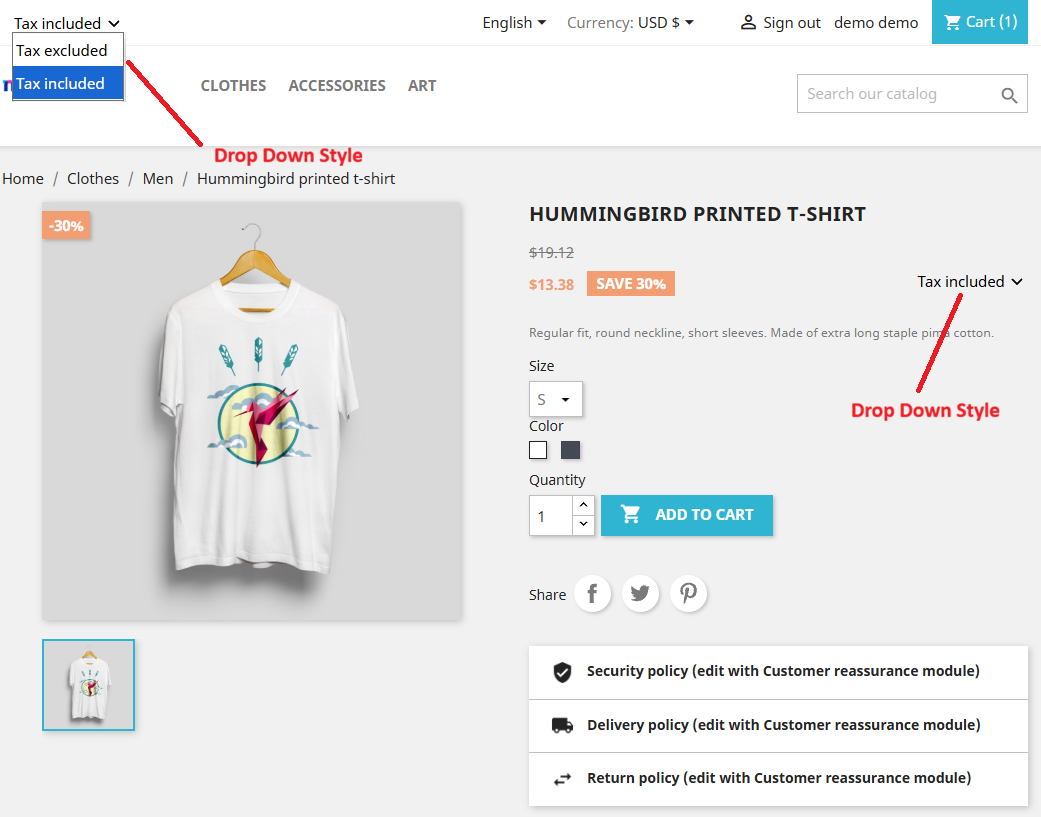 |
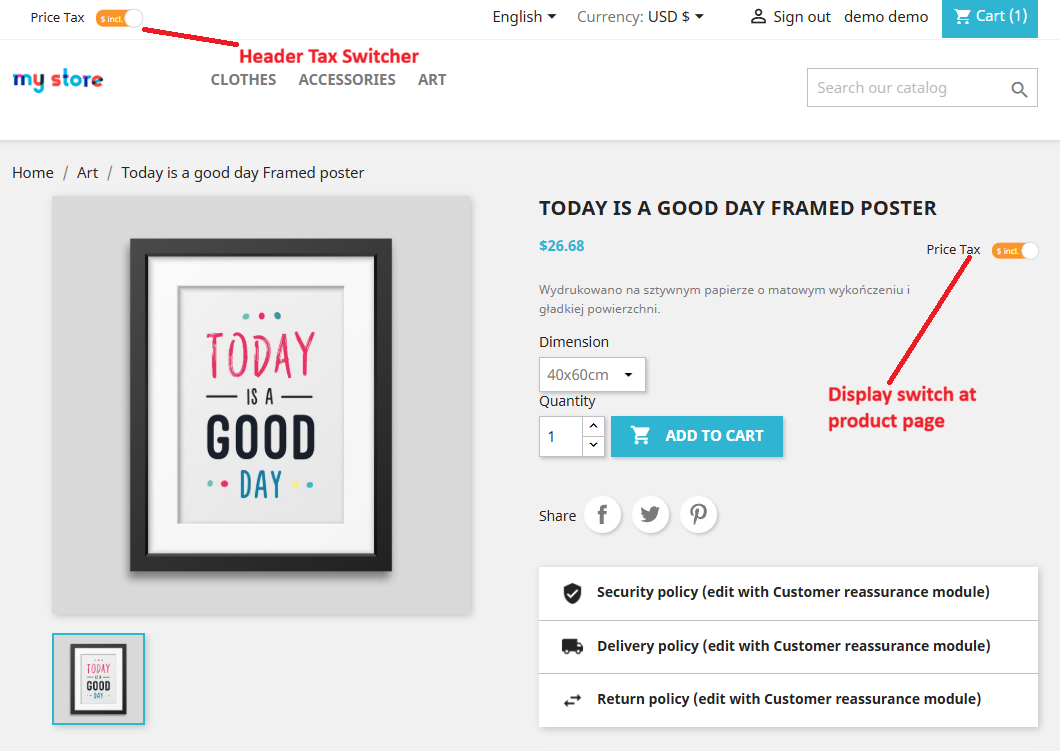
Customers use the front-office switcher to select their preferred format:
TTC – Tax Included.
HT – Tax Excluded.
The module uses the existing PrestaShop tax calculation system and configured tax rules to determine the corresponding price.
Customers can view the corresponding tax-inclusive or tax-exclusive price according to their selection.
Customers can explore products using their preferred price presentation throughout the supported shopping experience.
The result: A more flexible pricing interface that accommodates both retail and professional buyers.
Allow customers to change the displayed product price format directly from your storefront.
Instead of navigating through different pages or manually calculating tax differences, customers can select their preferred pricing mode through a convenient switch.
Key capabilities:
Switch between Tax Included (TTC) and Tax Excluded (HT).
Provide an accessible front-office price display control.
Make both price formats available to customers.
Simplify price comparison.
Improve pricing transparency.
Business benefit: Accommodate different customer pricing preferences without creating separate product catalogs.
Maintaining two manually calculated prices for every product can introduce errors and additional administrative work.
Price Tax Switcher is designed to use PrestaShop's existing tax calculation system to display the corresponding price format.
Key capabilities:
Use existing PrestaShop tax configuration.
Display the corresponding tax-inclusive price.
Display the corresponding tax-exclusive price.
Use configured tax rates and rules.
Avoid maintaining separate tax-specific product prices.
Example:
A product has a price of ₹1,000 excluding tax and an applicable tax rate of 18%.
HT price: ₹1,000.
Tax amount: ₹180.
TTC price: ₹1,180.
Customers can switch between these presentations without manually calculating the tax difference.
Business benefit: Reduce pricing maintenance and help keep displayed prices aligned with your store's configured tax calculations.
Serve individual consumers and professional customers from the same PrestaShop storefront.
Retail shoppers can view tax-inclusive prices, while business buyers can switch to tax-exclusive prices when evaluating product costs.
Key capabilities:
Support retail-oriented tax-inclusive price presentation.
Provide tax-exclusive price presentation for professional buyers.
Serve mixed B2B and B2C audiences.
Improve price comparison for wholesale customers.
Offer flexible pricing presentation from one catalog.
Ideal for:
Wholesale businesses.
Distributors.
Manufacturers.
Professional suppliers.
Retail and wholesale hybrid stores.
Business benefit: Make your storefront more convenient for customers with different purchasing requirements.
Customers should be able to understand product prices throughout their shopping journey.
The module is designed to maintain a consistent tax display experience across supported product and shopping areas.
Key capabilities:
Provide a unified price display approach.
Support the selected tax presentation across supported areas.
Reduce confusion between different price formats.
Improve the overall shopping experience.
Business benefit: Help customers understand the price format they are viewing as they browse your store.
Stores serving customers in different markets may use multiple currencies.
Price Tax Switcher is designed to work with PrestaShop's existing currency and price formatting system.
Key capabilities:
Work with configured store currencies.
Respect existing currency formatting.
Display prices using the storefront's currency settings.
Support flexible price presentation in multi-currency stores.
Business benefit: Maintain a familiar pricing experience for customers shopping in different currencies.
Customers shop using different devices, including desktops, laptops, tablets, and smartphones.
The tax switcher provides a responsive front-office interface designed to make price selection convenient across different screen sizes.
Key capabilities:
Responsive price switching interface.
Convenient access to tax display options.
Desktop and mobile-friendly presentation.
Integration with your storefront design.
Business benefit: Allow customers to select their preferred price format regardless of the device they use.
Present the tax switcher in a clean interface that fits naturally into your PrestaShop storefront.
Give customers a clear way to identify the current pricing mode and select an alternative display format.
Key capabilities:
Front-office tax display switcher.
Clear TTC and HT options.
Convenient customer interaction.
Storefront-oriented presentation.
Flexible display experience.
Business benefit: Make the tax price selection process easier without overwhelming the product browsing experience.
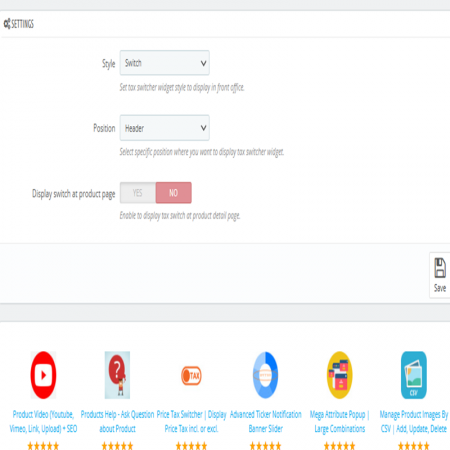
Manage the module through your PrestaShop administration panel.
Configure the available tax display options according to your store requirements without modifying PrestaShop core files.
Key capabilities:
Manage module settings from the Back Office.
Configure available switching options.
Control the front-office display according to supported settings.
Use existing PrestaShop tax configuration.
Business benefit: Manage your tax price presentation through a familiar administration interface.
Provide tax-inclusive and tax-exclusive price presentation from the same storefront.
Make it clear whether customers are viewing prices including or excluding applicable taxes.
You do not need separate copies of products simply to maintain different tax display formats.
Work with the tax rules and rates already configured in your store.
Avoid unnecessarily maintaining separate tax-specific prices for the same products.
Give customers control over how they view prices and make product cost comparisons easier.
Offer a flexible pricing experience that accommodates different business models and customer expectations.
Price Tax Switcher gives customers more control and clarity when shopping.
Freedom to choose: Switch between TTC and HT according to their requirements.
Clearer product pricing: Understand whether displayed prices include applicable taxes.
No manual calculations: View the corresponding price without independently calculating the tax difference.
Better price comparison: Evaluate net product prices more conveniently.
Convenient shopping: Use a simple front-office switch instead of contacting the store to clarify price formats.
Flexible shopping experience: Choose a preferred price presentation while browsing supported storefront areas.
The module is particularly useful for stores that serve different customer types.
Wholesale customers and professional buyers often compare products using net prices.
Allow them to switch to tax-exclusive prices when evaluating purchasing costs.
Example: A wholesale distributor selling electronics to retailers and resellers.
Retail shoppers generally prefer prices that include applicable taxes.
Allow them to view tax-inclusive prices while keeping the alternative tax-exclusive presentation available.
Example: An online fashion store selling clothing and accessories directly to consumers.
Some businesses sell products to both individual shoppers and professional buyers.
Instead of maintaining different product catalogs, provide flexible price display options through one storefront.
Example: A manufacturer selling products to individual customers, retailers, and wholesale distributors.
Businesses serving different markets may need flexible currency and tax display arrangements.
The module is designed to work with PrestaShop's configured currency and tax systems, helping maintain a consistent storefront price presentation.
Example: An online store selling products to customers in multiple currencies.
Professional buyers may need to compare net product costs when evaluating bulk purchases.
Tax-exclusive price display can make these comparisons more convenient.
Let's understand the difference using a practical example.
Suppose a product has the following pricing information:
| Price component | Amount |
|---|---|
| Base product price | ₹1,000 |
| Tax rate | 18% |
| Tax amount | ₹180 |
| Total price including tax | ₹1,180 |
With Price Tax Switcher, customers can select:
TTC – Tax Included
₹1,180
The displayed price includes the applicable ₹180 tax.
HT – Tax Excluded
₹1,000
The displayed price excludes the applicable tax.
The actual calculation depends on the product's tax settings, applicable tax rules, customer context, and store configuration.
Build a more complete pricing and shopping experience with other Sathi modules.
Display quantity-based discounts and pricing tiers directly on product pages. Help wholesale buyers and bulk purchasers understand available savings before placing orders.
Quantity Discount Table & Grid for PrestaShop
Make international shopping more convenient by automatically adjusting country, language, and currency settings according to customer location.
Auto Change Country, Language & Currency for PrestaShop
Install Price Tax Switcher through the standard PrestaShop module installation process.
Download the Price Tax Switcher module ZIP package after purchase.
Log in to your PrestaShop Back Office.
Navigate to Modules → Module Manager.
Click Upload a module.
Select the downloaded ZIP package.
Upload and install the module.
Open the module configuration page.
Configure the available tax price switching options.
Verify that your PrestaShop product tax settings and tax rules are configured correctly.
Visit your storefront and test both TTC and HT display modes.
Clear the PrestaShop cache if required.
Verify the displayed prices across the supported shopping areas.
Once configured, customers can use the front-office tax switcher to view product prices in their preferred format.
Price Tax Switcher is listed as compatible with a wide range of PrestaShop installations.
Supported PrestaShop versions:
PrestaShop 1.6.x
PrestaShop 1.7.x
PrestaShop 8.x
PrestaShop 9.x
Listed compatibility range: PrestaShop 1.6.x to 9.2.x.
Additional product information:
Module version: 3.5.0
Storefront demo available.
Back Office demo available.
30-day refund policy.
One year of free customer support.
Developed by Nxtal.
Compatibility may depend on your specific PrestaShop version, theme, tax configuration, and installed modules. Review the demo and product requirements before installation.
Price Tax Switcher is a PrestaShop module that allows customers to switch between tax-inclusive (TTC) and tax-exclusive (HT) price displays directly from the storefront. It is particularly useful for B2B, B2C, wholesale, and hybrid eCommerce stores.
TTC (Toutes Taxes Comprises) means the price includes applicable taxes. HT (Hors Taxes) means the price excludes applicable taxes.
For example, if a product costs ₹1,000 before tax and the applicable tax rate is 18%, the TTC price is ₹1,180 and the HT price is ₹1,000.
Yes. Customers can use the front-office switcher to change the displayed price format between TTC and HT.
Yes. Business buyers often prefer tax-exclusive prices when comparing supplier costs. The module makes it convenient for them to view HT prices while also supporting tax-inclusive presentation for retail customers.
Yes. The module is designed for stores serving both individual consumers and professional buyers. Customers can select the price display format that suits their requirements.
Yes. The module is designed to use PrestaShop's existing tax calculation system to display the corresponding tax-inclusive or tax-exclusive price.
No. The purpose of the module is to provide different price presentations using the same product catalog and existing tax calculation system. You do not need to maintain duplicate products simply to show both price formats.
The module is intended to change the displayed price format, not replace your underlying tax configuration. Your tax rates and rules should continue to be managed through the standard PrestaShop tax settings.
The module is designed to work with PrestaShop's existing currency and price formatting system. Actual currency and tax behavior depends on your store configuration.
The front-office interface is designed to provide a convenient experience across desktop computers, tablets, and mobile devices.
The module is designed to work through PrestaShop's module system without requiring direct modifications to core files.
The listed compatibility range is PrestaShop 1.6.x through 9.2.x. Check your specific theme and store environment before installation.
A retail customer and a wholesale buyer may visit the same product page, but they do not always want to see prices in the same format.
With the Price Tax Switcher PrestaShop Module, you can make your pricing more flexible by allowing customers to switch between Tax Included (TTC) and Tax Excluded (HT) prices.
Use your existing PrestaShop tax calculation system, avoid unnecessary duplicate product management, and provide a clearer shopping experience for both individual shoppers and professional buyers.
One product catalog. Two price display options. A better experience for B2B and B2C customers.
Make your PrestaShop pricing more flexible with Sathi Price Tax Switcher!
| Vendor | Nxtal |
|---|---|
| Last update | Nov 20, 2026 |
| Version | 3.5.0 |
| Required store version | From 1.6.x to 9.2.x |
| Publication date | Sep 08, 2026 |
| Return Policy | You can return the product within the 30 Days return period for a full refund. No questions asked. |
| Customer Support | Enjoy one year of free customer support, including installation, troubleshooting, and usage guidance. |
| Description | This product is compatible with the specified versions and includes all the latest updates to enhance functionality and user experience. |
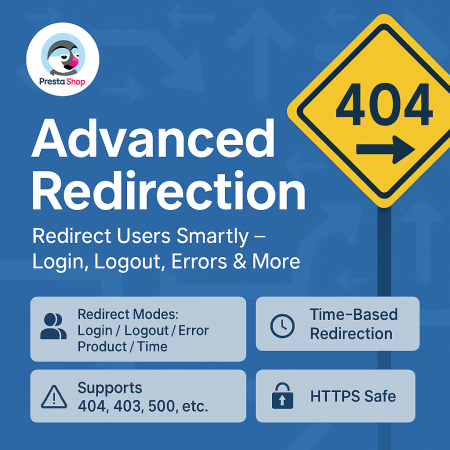
 Advanced URL Redirection (301, 302, 404) Module for PrestaShop

 Product FAQ – Product Questions & Answers for PrestaShop
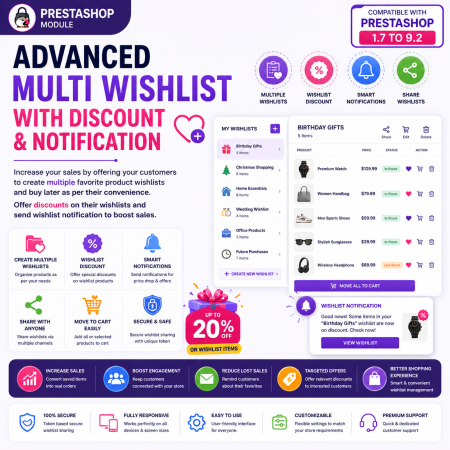
 Advanced Multi Wishlist for PrestaShop – Discounts, Notifications & Multiple Wishlists Module

 Product Video – YouTube, Vimeo, External Links & Video Upload for PrestaShop

 Advanced Wishlist for PrestaShop – Favorites, Save for Later & Wishlist Sharing Module
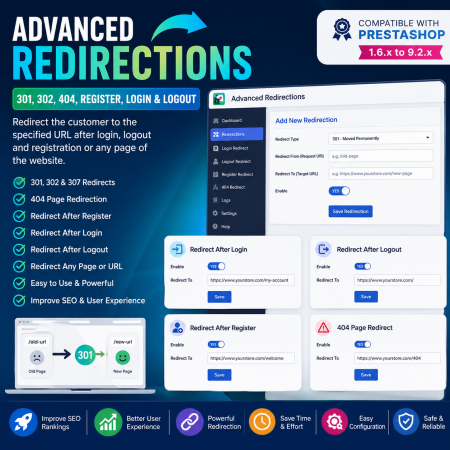
 Advanced Redirections – 301, 302, 404 & Customer Redirects for PrestaShop
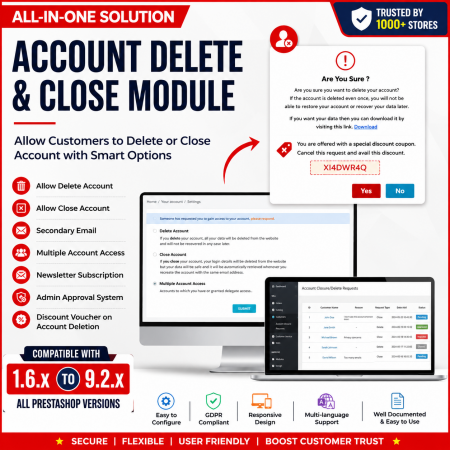
 Customer Account Settings – PrestaShop Customer Management Module
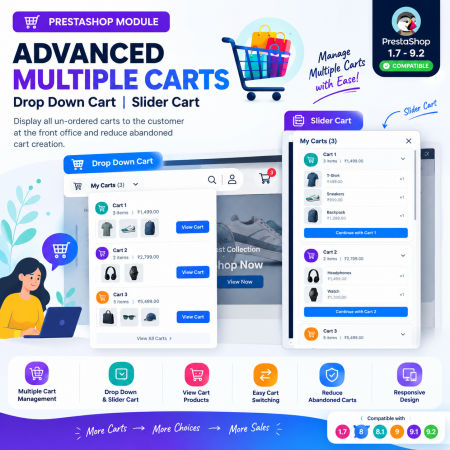
 Advanced Multiple Carts – Dropdown & Slider Cart for PrestaShop
Give your customers the freedom to switch between Tax Included (TTC) and Tax Excluded (HT) prices with the Price Tax Switcher PrestaShop Module.
Display product prices in the format customers prefer through a convenient front-office switch. Retail shoppers can view tax-inclusive prices, while wholesale buyers, professional customers, and B2B businesses can switch to tax-exclusive prices for easier cost comparison.
The module uses PrestaShop's existing tax calculation system to display the corresponding prices without requiring duplicate products or separately maintained tax-specific prices.
With flexible front-office display, multi-currency support, responsive design, and easy back-office configuration, Price Tax Switcher makes your store's pricing clearer and more convenient for both B2C and B2B customers.
Key Benefits:
Allow customers to switch between Tax Included and Tax Excluded prices.
Display prices according to customer preferences.
Make pricing clearer for both retail and business buyers.
Support B2B, B2C, wholesale, and mixed customer stores.
Use existing PrestaShop tax rules and calculations.
Avoid maintaining duplicate products or separate tax-specific prices.
Provide a consistent and convenient price display throughout the shopping journey.
Support PrestaShop's existing currency and price formatting system.
Make your store's pricing more transparent and give every customer a convenient way to view prices according to their business or shopping requirements.

 Offer Your Price – Make an Offer & Price Negotiation Module for PrestaShop
Product Video – YouTube, Vimeo, External Links & Video Upload for PrestaShop
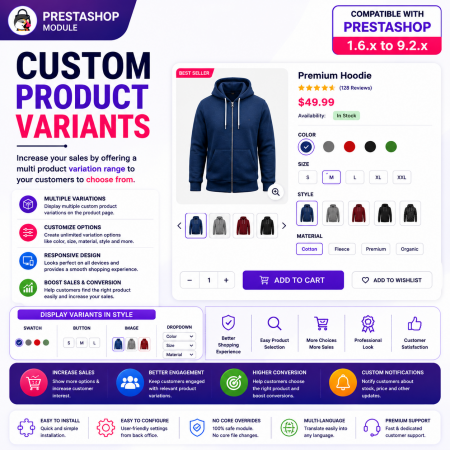
 Custom Product Variants – Display Separate Products as Variations in PrestaShop
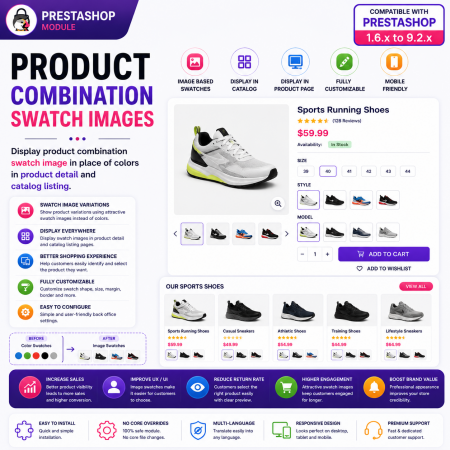
 Product Combination Swatch Images – Visual Product Variations for PrestaShop
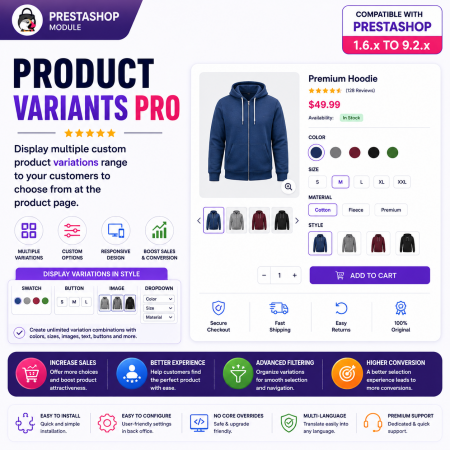
 Product Variants Pro – Custom Variant Groups for PrestaShop

Encrypted payment gateways ensuring your financial and personal data remain 100% protected.

Every module includes professional installation assistance, free updates, and reliable troubleshooting.

Rigorously tested PrestaShop & WooCommerce extensions designed for maximum speed and zero bloat.

Transparent policies, clean documentation, and dedicated assistance if you run into any compatibility hurdles.