- -$40.00

This module enhances the shopping experience by allowing customers to easily explore product variations such as...

The module allows merchants to enhance product images with customizable stickers and labels. Whether it’s...

The Quantity Discount Table & Grid Module for PrestaShop helps merchants display...

This module allows you to offer free shipping based on flexible conditions, such as location, carrier, cart value,...

The module automatically adjusts language, currency, and country settings based on the customer's location....





Vendor
Version
Last update
Prestashop version
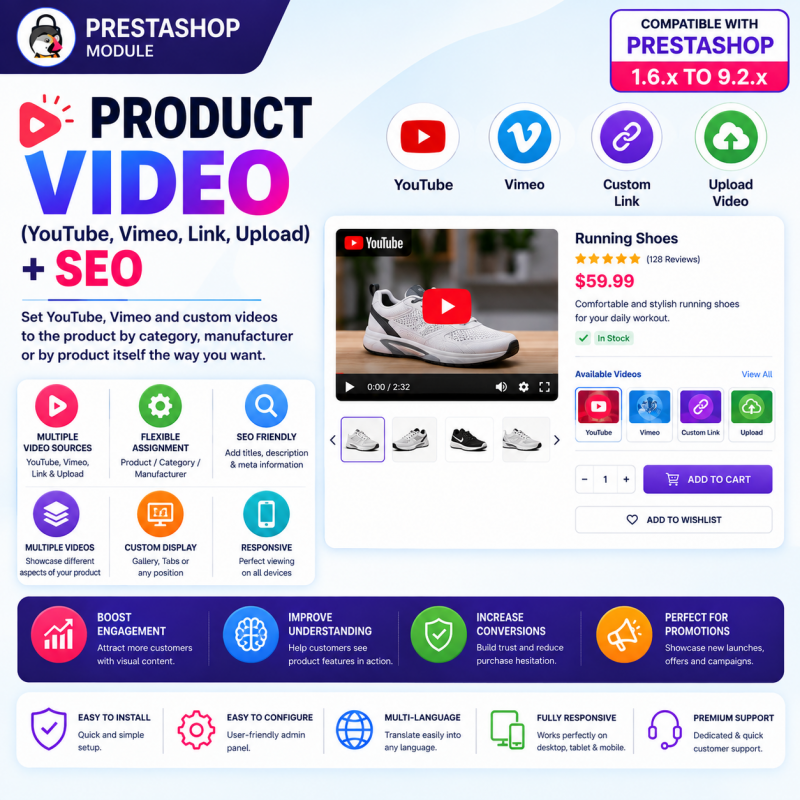
Bring your products to life with the Product Video PrestaShop Module. Add engaging product demonstrations, tutorials, reviews, unboxing videos, installation guides, and promotional videos directly to your online store.
Embed videos from YouTube and Vimeo, add supported external video URLs, or upload your own video files. Assign videos to individual products, entire categories, or specific manufacturers, and manage multiple videos with custom titles, descriptions, thumbnails, display positions, ordering, and visibility controls.
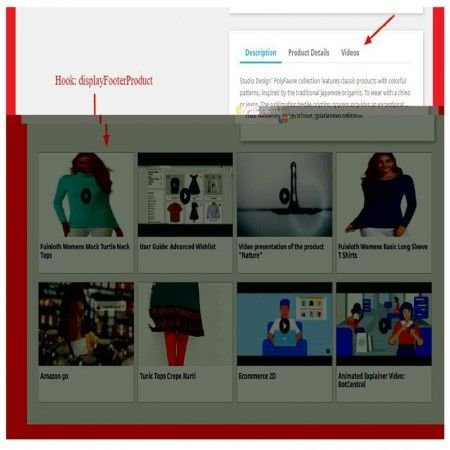
Show videos in supported product page locations, including product galleries and tabs. Create richer product pages, explain product features visually, answer customer questions, and help shoppers make more informed purchasing decisions.
An ideal video management solution for electronics, fashion, furniture, beauty, automotive, tools, accessories, and other PrestaShop stores.
Key Benefits:
Add videos from YouTube, Vimeo, external URLs, or uploaded files.
Assign videos to individual products, categories, and manufacturers.
Display videos in the product gallery, tabs, or other supported positions.
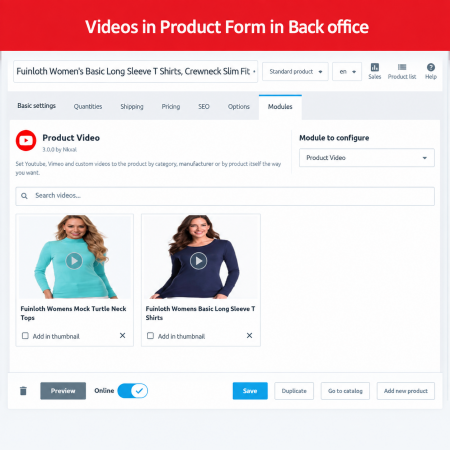
Add multiple videos to a product.
Customize video titles, descriptions, and thumbnails.
Control video display order and visibility.
Add SEO-friendly video information.
Showcase product demonstrations, tutorials, reviews, and promotional content.
Improve product engagement and help customers understand products before purchasing.
Give shoppers more than product images and text. Let them see your products in action with a flexible video management solution for PrestaShop.
Show Your Products in Action. Engage Customers. Create Better Product Experiences.
Make your product pages more informative and engaging with the Product Video PrestaShop Module.
Product images and written descriptions are important, but they cannot always explain everything customers want to know. Shoppers may want to see how a product works, understand its features, explore its appearance from different angles, or learn how to install and use it before making a purchase.
Product videos help bridge this information gap by presenting products through demonstrations, tutorials, reviews, unboxing videos, and other useful visual content.
With this module, you can embed videos from YouTube and Vimeo, add videos through external URLs, or upload your own video files. Assign videos to individual products, entire categories, or specific manufacturers, and manage your video content centrally through the PrestaShop administration panel.
Display relevant videos in supported product page positions, including product galleries and tabs. Organize multiple videos using custom titles, descriptions, thumbnails, display ordering, and visibility controls.
Whether you sell electronics, clothing, furniture, beauty products, tools, automotive accessories, or any other type of product, this module helps you provide customers with a richer and more informative shopping experience.
Online customers cannot physically touch, inspect, or test products before purchasing. They depend on your product pages to understand what they are buying.
Traditional product pages generally provide:
Product images.
Written descriptions.
Technical specifications.
Product attributes and combinations.
However, some products require additional explanations that are difficult to communicate through static images and text alone.
For example:
How does an electronic device work?
How should a product be installed or assembled?
What does the product look like when used?
What features make a product different?
How should customers use or maintain a product?
Product videos provide another way to answer these questions.
The Product Video module allows you to bring demonstrations, tutorials, reviews, and promotional videos directly into your PrestaShop storefront.
Manage different types of product videos from one centralized solution.
YouTube Integration: Embed existing YouTube product demonstrations, tutorials, reviews, and promotional videos.
Vimeo Integration: Display Vimeo-hosted videos for professional product presentations and brand content.
External Video URLs: Add videos through supported external video links.
Direct Video Upload: Upload your own product-related video files.
Flexible Assignment: Associate videos with individual products, categories, and manufacturers.
Multiple Video Management: Organize multiple videos with custom information, thumbnails, display positions, and ordering.
Create a more informative product experience without manually embedding every video into individual product descriptions.
A product page should help customers understand a product before they make a purchasing decision.
However, static images and written descriptions may leave important questions unanswered.
Problem 1 – Customers Cannot Understand Product Functionality
Some products have features that are difficult to explain through text. Customers may need to see the product operating in real-world situations.
Problem 2 – Product Images Cannot Explain Every Detail
A collection of images may show a product's appearance, but it may not explain how it works, how it is assembled, or how its features operate.
Problem 3 – Installation and Usage Instructions Are Difficult to Present
Products such as electronic devices, machinery, furniture, and tools may require demonstrations or step-by-step instructions.
Problem 4 – Product Video Management Becomes Repetitive
Manually adding videos to individual product descriptions can become difficult when managing a large product catalog.
Problem 5 – Relevant Videos Are Difficult to Organize
A store may have different videos for products, categories, and manufacturers. Without centralized management, organizing and maintaining this content becomes inconvenient.
The module provides a centralized video management solution that allows you to:
Add videos from multiple supported sources.
Assign videos to individual products.
Share relevant videos across selected categories.
Associate videos with specific manufacturers.
Manage multiple videos for individual products.
Organize video titles, descriptions, and thumbnails.
Control video display positions and ordering.
Enable or disable videos without deleting their information.
The result is a more organized video content workflow and a richer product presentation for your customers.
Different businesses have different video hosting requirements. Some already publish videos on YouTube, while others prefer Vimeo or their own video hosting.
The module supports multiple video sources to provide flexibility when managing product-related content.
Use your existing YouTube content to make product pages more informative.
Embed YouTube videos directly into your PrestaShop product pages, including demonstrations, tutorials, product reviews, unboxing videos, and promotional presentations.
Key benefits:
Use existing YouTube product videos.
Display product demonstrations.
Add installation and usage tutorials.
Present product reviews and unboxing content.
Reuse promotional video content across relevant products.
Use case: An electronics store can embed YouTube demonstrations explaining the features and functionality of different devices.
Use Vimeo-hosted videos to present professional product demonstrations, brand presentations, and promotional content.
Key benefits:
Integrate Vimeo-hosted videos.
Present professional product demonstrations.
Display brand and collection presentations.
Reuse existing Vimeo video content.
Organize video content alongside product information.
Use case: A furniture or lifestyle brand can display professionally produced videos showing product design, materials, and practical applications.
Use supported external video URLs to integrate product-related videos hosted outside YouTube and Vimeo.
This option is useful for stores that already maintain video content on external hosting platforms.
Key benefits:
Add videos through supported external URLs.
Use existing externally hosted content.
Organize video links with relevant product information.
Keep video content associated with the appropriate products or categories.
Use case: A manufacturer may provide product demonstration videos hosted on its own video platform.
Upload your own product video files when you want to manage video content through your PrestaShop installation.
This option is useful for original product demonstrations, customized tutorials, and store-specific promotional videos.
Key benefits:
Upload your own video files.
Manage original product-related content.
Add videos without relying exclusively on third-party platforms.
Associate uploaded videos with relevant catalog items.
Use case: A store can upload its own installation guide or product demonstration video for a specialized product.
Note: Supported video formats, file size limits, and hosting requirements depend on the module and server configuration.
Manage different video sources through a unified video management workflow.
Supported sources:
YouTube videos.
Vimeo videos.
External video URLs.
Directly uploaded video files.
Choose the source that best suits your content, existing video library, and hosting requirements.
Business benefit: Manage different types of product videos without depending on a single video platform.
Add product-specific videos to the products where they are most relevant.
Customers can watch demonstrations, tutorials, reviews, and other related videos while exploring individual product pages.
Key capabilities:
Assign videos to individual products.
Present relevant product demonstrations.
Add product-specific tutorials and instructions.
Organize videos according to individual product requirements.
Manage video information centrally.
Business benefit: Give customers access to relevant visual information at the point where they are evaluating a product.
Some videos are relevant to an entire product category rather than just one product.
Category-based assignment allows you to associate videos with selected product categories.
Key capabilities:
Assign videos to selected categories.
Share relevant video content across a product range.
Present category introductions and collection demonstrations.
Reduce repetitive video management.
Organize content according to your catalog structure.
Business benefit: Maintain consistent video information across related products and make category-level content easier to manage.
Use manufacturer-based video assignment to display relevant brand and manufacturer content.
This is especially useful when manufacturers provide demonstrations, brand introductions, product-line presentations, or promotional videos.
Key capabilities:
Associate videos with selected manufacturers.
Display manufacturer-related video content.
Present brand introductions and product-line demonstrations.
Organize manufacturer content centrally.
Support brand-focused promotional activities.
Business benefit: Help customers discover additional information about brands and manufacturers represented in your store.
Some products require more than one video to explain their features and usage.
For example, an electronic device may need:
Product overview.
Unboxing demonstration.
Feature explanation.
Installation tutorial.
Usage instructions.
With multiple video management, you can organize different videos around the same product instead of limiting your product page to a single demonstration.
Key capabilities:
Add multiple videos to supported product assignments.
Present different types of product information.
Organize demonstrations and tutorials.
Arrange videos in a meaningful sequence.
Provide customers with additional visual resources.
Business benefit: Explain complex products more comprehensively through organized video content.
Different product pages have different layouts and content requirements.
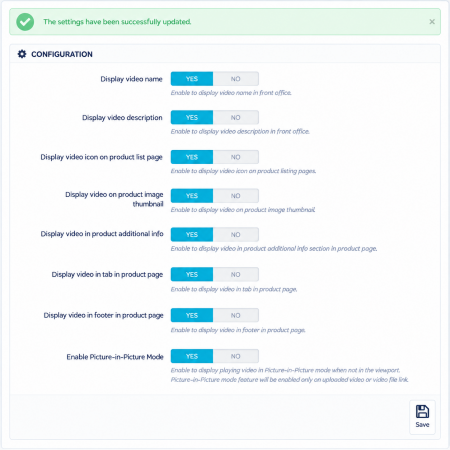
Choose from the supported display positions to integrate video content into your storefront.
Supported display areas include:
Product image gallery.
Product information tabs.
Other supported product page positions.
Organize videos according to your store design and the way you want customers to discover video content.
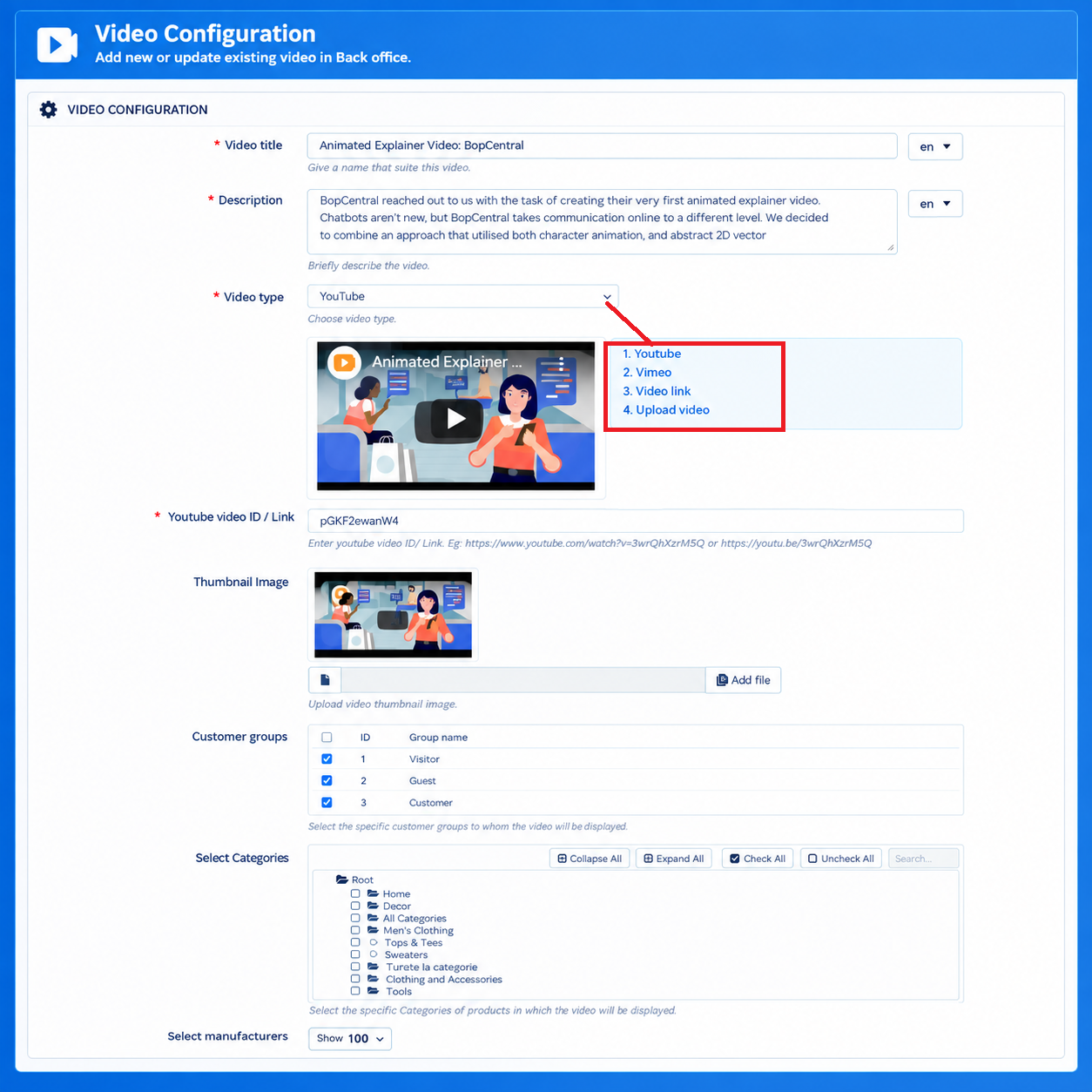
Business benefit: Integrate product videos into the shopping experience without unnecessarily cluttering product information.
Help customers understand the purpose of each video before watching it.
Add meaningful titles and descriptions that explain the video content.
Examples:
Product Demonstration.
How to Use This Product.
Installation Guide.
Product Unboxing.
Product Features Explained.
Product Review.
Assembly Instructions.
Key capabilities:
Add custom video titles.
Provide descriptive video information.
Organize different types of videos.
Make video content easier to identify.
Provide contextual information alongside video embeds.
Business benefit: Make your product videos more organized and understandable for shoppers.
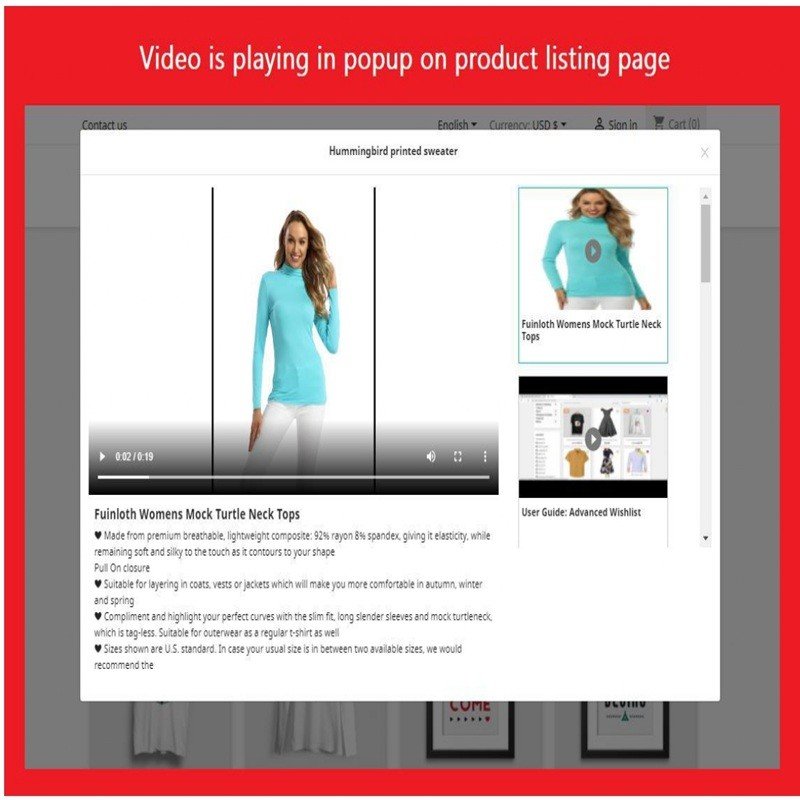
A video thumbnail provides a visual preview of the content and helps customers identify relevant videos.
Use custom thumbnails to represent your video content with appropriate preview images.
Key capabilities:
Set custom video thumbnails.
Represent videos visually.
Make video content easier to recognize.
Improve the presentation of multiple videos.
Create a more organized video gallery experience.
Business benefit: Help customers identify the video they want to watch before opening it.
When a product contains multiple videos, their sequence can affect how customers consume the information.
Arrange videos to present the most important content first.
Example display sequence:
Main product demonstration.
Product features.
Unboxing video.
Installation tutorial.
Additional product information.
Business benefit: Present product information in a logical sequence and make video navigation more convenient.
Not every video needs to remain visible permanently.
Manage the visibility of individual video entries without deleting their stored information.
Key capabilities:
Enable videos when they are ready to display.
Disable videos when they are temporarily unnecessary.
Manage outdated or seasonal video content.
Keep video information available for future use.
Business benefit: Maintain better control over your video library without repeatedly creating and deleting video entries.
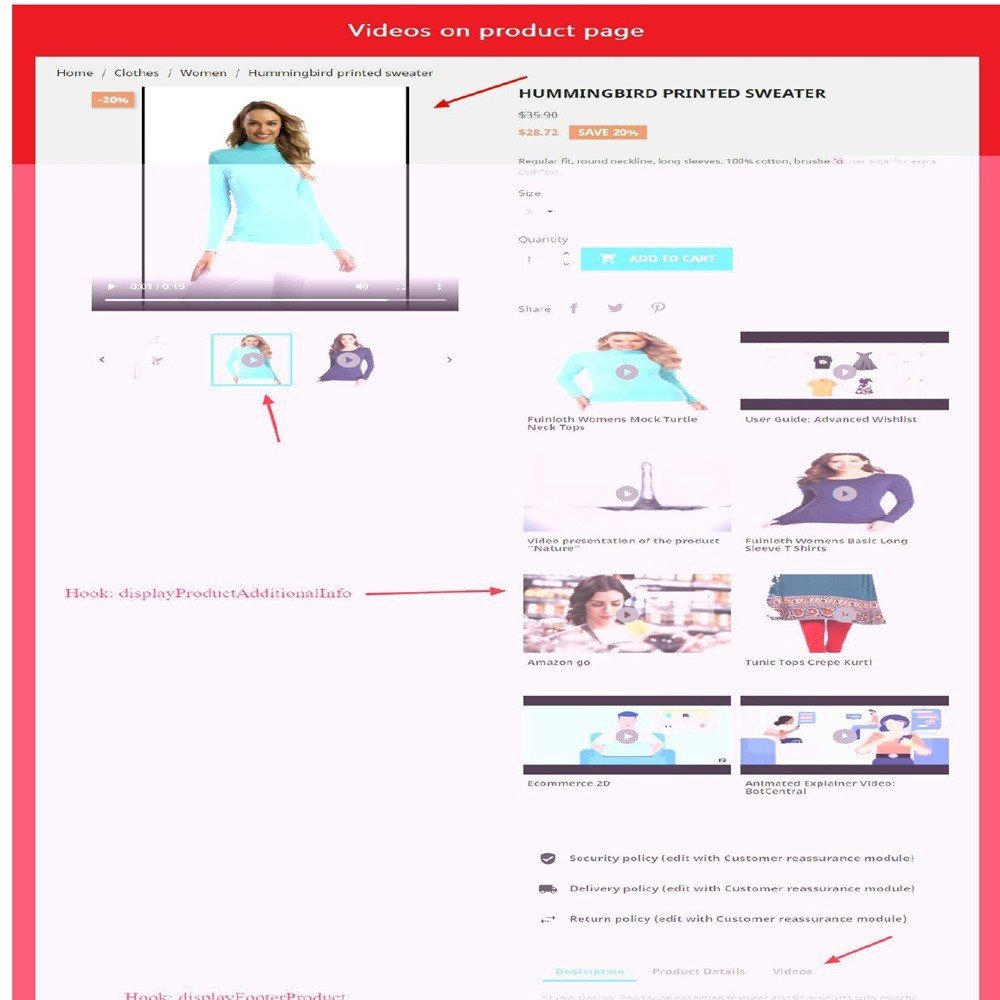
Video content can provide additional context to product pages when it is relevant and properly presented.
Organize your video information with meaningful titles, descriptions, thumbnails, and available SEO-related settings.
SEO benefits:
Provide descriptive information about video content.
Help customers understand the purpose of each video.
Complement product descriptions with relevant visual content.
Support a more informative product page.
Organize video information for better content management.
For a stronger video SEO strategy, combine relevant video content with properly implemented VideoObject structured data, accessible video embeds, descriptive thumbnails, and unique product information.
Important: Adding videos alone does not guarantee higher Google rankings or video rich results. Search visibility depends on content relevance, indexing, technical implementation, and Google's eligibility requirements.
Customers browse online stores through different devices, including desktop computers, tablets, and smartphones.
Provide a convenient video viewing experience through a responsive storefront presentation.
Key benefits:
Support desktop video viewing.
Provide tablet-friendly presentation.
Support mobile product browsing.
Complement different screen sizes.
Improve access to visual product information.
Business benefit: Make product demonstrations and tutorials more accessible to customers regardless of their preferred browsing device.
Managing videos across hundreds of products can become complicated when content is added manually to individual descriptions.
The module provides a centralized management workflow through the PrestaShop Back Office.
Manage supported video information and assignments from one administration interface.
Manage:
Video sources.
Video URLs or uploaded files.
Video titles.
Video descriptions.
Custom thumbnails.
Product assignments.
Category assignments.
Manufacturer assignments.
Display positions.
Display ordering.
Video visibility.
Business benefit: Organize your product video library more efficiently and reduce repetitive content management.
Use different types of video content to answer customer questions and explain product features.
Show how a product works and demonstrate its important features, functionality, and practical applications.
Example: Demonstrate how an electronic appliance operates and explain its main functions.
Show customers what comes inside the package and provide a closer look at the product, packaging, and included accessories.
Example: Present the contents of a smartphone or electronics package.
Explain how to install, assemble, configure, or set up a product through visual instructions.
Example: Demonstrate the assembly process for furniture or the installation of equipment.
Help customers understand how to operate products and use their features correctly.
Example: Explain how to use a beauty device or operate a kitchen appliance.
Display relevant product review videos to provide additional perspectives and information.
Example: Present a product review explaining the design, features, and practical experience of using a gadget.
Showcase new arrivals, special collections, product launches, and promotional campaigns.
Example: Introduce a new clothing collection through a promotional video.
Present brand introductions, manufacturer demonstrations, and product-line presentations.
Example: Display a manufacturer's official product demonstration across relevant products.
Make product pages more informative and visually engaging with relevant demonstrations and tutorials.
Use videos to demonstrate product functionality, assembly, installation, and practical applications.
Give customers additional information to understand product features and evaluate whether a product meets their requirements.
Manage product, category, and manufacturer video assignments from one administration workflow.
Reuse relevant videos across supported catalog assignments instead of manually embedding the same content into multiple product descriptions.
Combine videos with product images, descriptions, and specifications to create richer product pages.
Manage YouTube, Vimeo, external URLs, and uploaded video files according to your content strategy.
Provide useful video information that complements your product content and helps create more informative product pages.
Provide tutorials and demonstrations that help customers understand product usage before and after purchasing.
Your customers receive more information and a more engaging shopping experience.
Watch product demonstrations directly from product pages.
Understand product functionality through visual explanations.
Explore unboxing videos and product reviews.
Learn how to install and assemble products.
Discover product features through tutorials.
Access relevant manufacturer and category videos.
Find different product-related videos in one place.
Make more informed purchasing decisions.
The Product Video module is suitable for almost any business where visual demonstrations can help explain products.
Display product demonstrations, device features, unboxing videos, setup instructions, and usage tutorials.
Example: Show how a smartphone camera works, demonstrate device features, or explain how to configure a smart device.
Show clothing in use, present styling ideas, explain fabric details, and introduce new collections.
Example: Display a fashion presentation showing different ways to style a particular outfit.
Demonstrate product assembly, design details, material finishes, and practical usage.
Example: Show how to assemble a table or arrange furniture in a room.
Explain product operation, installation, maintenance, and usage procedures.
Example: Demonstrate how to operate a power tool or install a particular accessory.
Show product application methods, beauty tutorials, demonstrations, and usage instructions.
Example: Demonstrate how to apply a skincare product or use a beauty device.
Present installation procedures, compatibility information, product functionality, and practical demonstrations.
Example: Show how to install a vehicle accessory or configure an electronic component.
Demonstrate sports equipment, explain product features, and provide usage tutorials.
Example: Show how to assemble and use fitness equipment.
Any online store selling products that benefit from visual explanations can use product videos to provide additional information to customers.
Simply adding videos is not enough. The best results come from selecting useful content that answers real customer questions.
Here are some practical recommendations:
Start with Product Demonstrations
Prioritize videos that explain the main functionality and benefits of your products.
Add Installation and Usage Guides
If your products require assembly, configuration, or special instructions, make relevant tutorials available.
Use Meaningful Video Titles
Choose descriptive titles such as "Product Installation Guide" rather than generic labels such as "Video 1".
Create Relevant Thumbnails
Use thumbnails that accurately represent the video and help customers identify the content.
Organize Videos by Product and Category
Assign content according to where it is most useful instead of displaying unrelated videos across your catalog.
Optimize Video Delivery
Use suitable hosting, video formats, responsive embeds, and appropriate loading strategies to avoid unnecessary performance problems.
Keep Video Content Updated
Disable outdated demonstrations and replace old information when product specifications or instructions change.
Product videos can support a broader content and search engine optimization strategy.
A product page containing useful demonstrations and descriptive video information can provide additional context beyond ordinary product images and written descriptions.
Write descriptive video titles.
Add meaningful video descriptions.
Use relevant custom thumbnails.
Include unique written product information.
Implement valid VideoObject structured data where appropriate.
Ensure embedded videos are accessible to search engines.
Use suitable video hosting and loading methods.
Maintain fast-loading product pages.
Keep video content relevant to the associated product.
A well-organized video strategy can improve the usefulness of your product pages and create opportunities for video search visibility. However, rankings, indexing, and rich results are controlled by search engines and cannot be guaranteed by the module.
Install the Product Video module through the standard PrestaShop module installation process.
Download the Product Video module ZIP package after purchase.
Log in to your PrestaShop Back Office.
Navigate to Modules → Module Manager.
Click Upload a module.
Select the downloaded module ZIP package.
Upload and install the module.
Open the Product Video management interface.
Choose your preferred video source: YouTube, Vimeo, external URL, or direct upload.
Add the video title, description, and thumbnail.
Assign the video to an individual product, category, or manufacturer.
Configure the supported display position.
Set the display order and visibility.
Save your configuration.
Visit your storefront and verify the video display.
Your product video content is now ready to appear in the configured storefront locations.
The Product Video module is listed as compatible with a wide range of PrestaShop installations.
Supported compatibility range: PrestaShop 1.6.x to 9.2.x
PrestaShop 1.6.x
PrestaShop 1.7.x
PrestaShop 8.x
PrestaShop 9.x
Product information:
Module version: 3.5.0.
Developer: Nxtal.
Video sources: YouTube, Vimeo, external URLs, and uploaded video files.
Refund policy: 30 days.
Customer support: One year of free support.
Store demo and Back Office demo available.
Compatibility may depend on your theme, PHP environment, video source, and server configuration. Check the module's current requirements before installation.
Product Video is a video management extension that allows store owners to add product-related videos to their PrestaShop stores. It supports YouTube, Vimeo, external video URLs, and direct video uploads, with assignment options for products, categories, and manufacturers.
The module supports YouTube and Vimeo integrations. It also supports external video URLs and directly uploaded video files.
Yes. You can upload your own video files and associate them with relevant products or other supported catalog assignments. Upload limits and supported formats depend on the module and server configuration.
Yes. The module supports multiple videos per product, allowing you to present demonstrations, unboxing videos, reviews, installation guides, and tutorials together.
Yes. Category-based video assignment allows you to associate relevant videos with selected categories and their product ranges.
Yes. You can associate videos with selected manufacturers to present brand introductions, manufacturer demonstrations, and related product content.
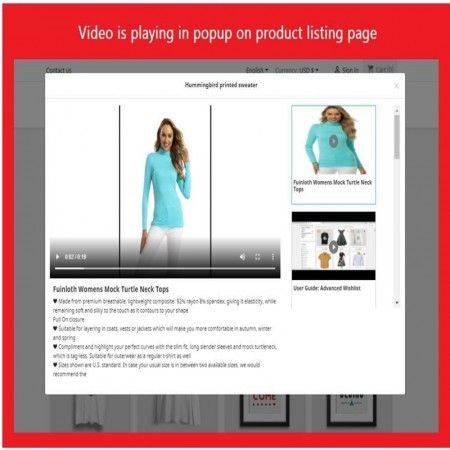
The module provides flexible display positions, including supported product gallery and tab locations, along with other configured product page positions.
Yes. You can provide meaningful titles and descriptions to explain the content of individual videos and help customers identify the information they want to watch.
Yes. The module supports custom thumbnails to provide visual previews of your product videos.
Yes. You can manage the display ordering of multiple videos to present the most relevant content first.
Yes. Individual video entries can be enabled or disabled without deleting their stored information.
The module provides video-related information such as titles, descriptions, thumbnails, and available SEO settings. These can support a richer product content strategy. Search rankings and video rich results depend on Google's indexing and technical requirements.
The module is designed to provide a convenient video viewing experience across desktop, tablet, and mobile devices. Actual presentation can depend on your theme and video source.
The listed compatibility range is PrestaShop 1.6.x through 9.2.x. Check the current product listing and demo for specific compatibility requirements.
Give customers more than static images and written descriptions.
With the Product Video PrestaShop Module, you can add YouTube, Vimeo, external video URLs, and uploaded video files to your store. Assign videos to products, categories, and manufacturers, and organize multiple videos with custom titles, descriptions, thumbnails, display positions, and visibility settings.
Show customers how your products work, explain important features, provide useful tutorials, and create a more informative shopping experience.
Make your product pages more engaging and help customers shop with greater confidence using Product Video by Nxtal.
| Vendor | Nxtal |
|---|---|
| Last update | Nov 20, 2026 |
| Version | 3.5.0 |
| Required store version | From 1.6.x to 9.2.x |
| Publication date | Sep 08, 2026 |
| Return Policy | You can return the product within the 30 Days return period for a full refund. No questions asked. |
| Customer Support | Enjoy one year of free customer support, including installation, troubleshooting, and usage guidance. |
| Description | This product is compatible with the specified versions and includes all the latest updates to enhance functionality and user experience. |
 Advanced Multiple Carts – Dropdown & Slider Cart for PrestaShop
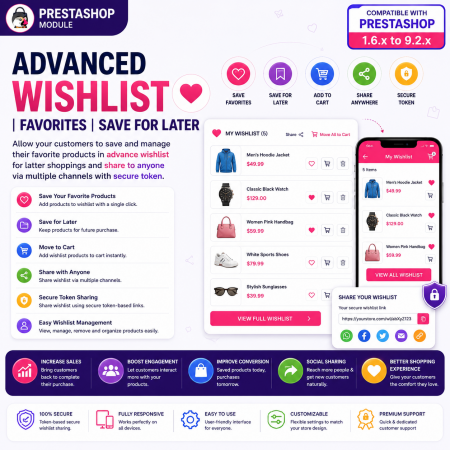
 Advanced Wishlist for PrestaShop – Favorites, Save for Later & Wishlist Sharing Module
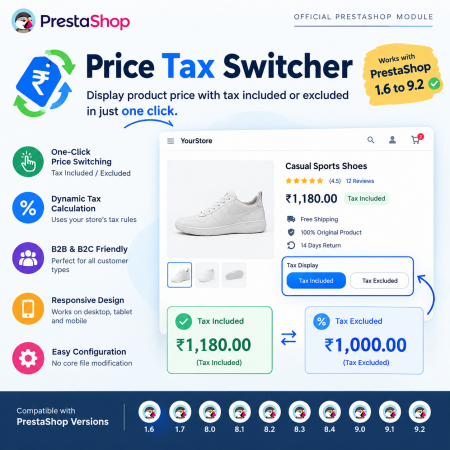
 Price Tax Switcher – Display Tax Included or Excluded Prices in PrestaShop
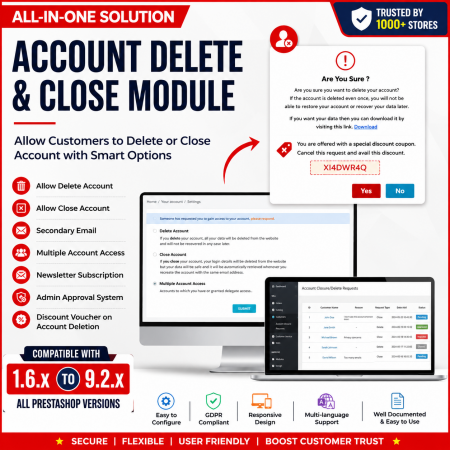
 Customer Account Settings – PrestaShop Customer Management Module
 Advanced URL Redirection (301, 302, 404) Module for PrestaShop
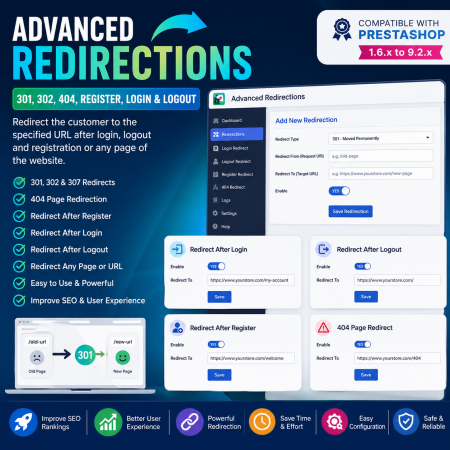
 Advanced Redirections – 301, 302, 404 & Customer Redirects for PrestaShop
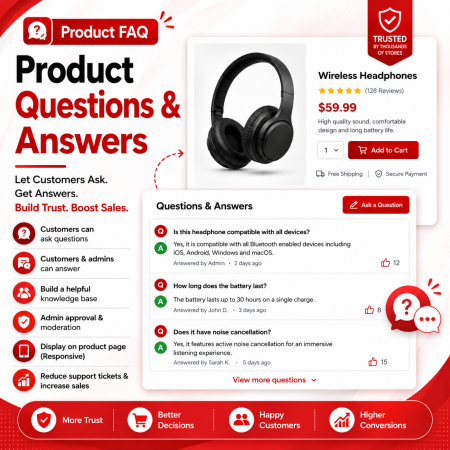
 Product FAQ – Product Questions & Answers for PrestaShop
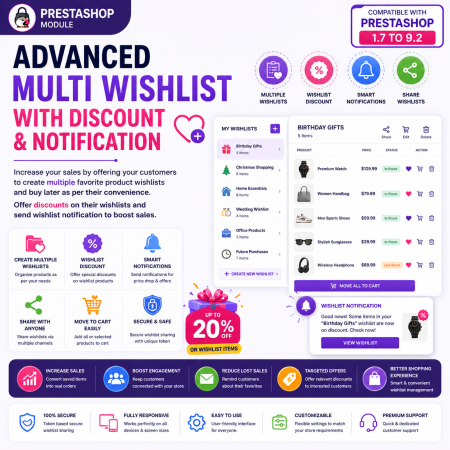
 Advanced Multi Wishlist for PrestaShop – Discounts, Notifications & Multiple Wishlists Module
Bring your products to life with the Product Video PrestaShop Module. Add engaging product demonstrations, tutorials, reviews, unboxing videos, installation guides, and promotional videos directly to your online store.
Embed videos from YouTube and Vimeo, add supported external video URLs, or upload your own video files. Assign videos to individual products, entire categories, or specific manufacturers, and manage multiple videos with custom titles, descriptions, thumbnails, display positions, ordering, and visibility controls.
Show videos in supported product page locations, including product galleries and tabs. Create richer product pages, explain product features visually, answer customer questions, and help shoppers make more informed purchasing decisions.
An ideal video management solution for electronics, fashion, furniture, beauty, automotive, tools, accessories, and other PrestaShop stores.
Key Benefits:
Add videos from YouTube, Vimeo, external URLs, or uploaded files.
Assign videos to individual products, categories, and manufacturers.
Display videos in the product gallery, tabs, or other supported positions.
Add multiple videos to a product.
Customize video titles, descriptions, and thumbnails.
Control video display order and visibility.
Add SEO-friendly video information.
Showcase product demonstrations, tutorials, reviews, and promotional content.
Improve product engagement and help customers understand products before purchasing.
Give shoppers more than product images and text. Let them see your products in action with a flexible video management solution for PrestaShop.
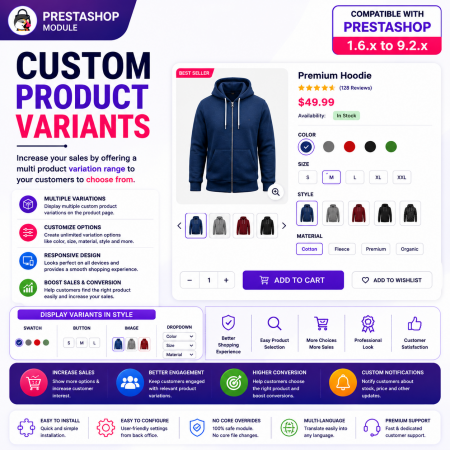
 Custom Product Variants – Display Separate Products as Variations in PrestaShop
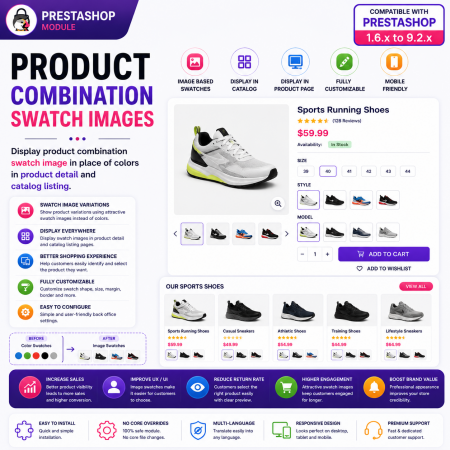
 Product Combination Swatch Images – Visual Product Variations for PrestaShop
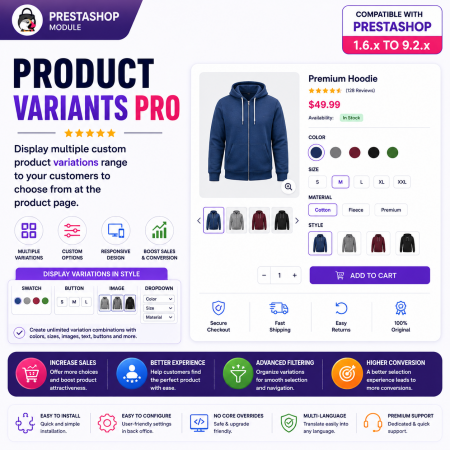
 Product Variants Pro – Custom Variant Groups for PrestaShop

Encrypted payment gateways ensuring your financial and personal data remain 100% protected.

Every module includes professional installation assistance, free updates, and reliable troubleshooting.

Rigorously tested PrestaShop & WooCommerce extensions designed for maximum speed and zero bloat.

Transparent policies, clean documentation, and dedicated assistance if you run into any compatibility hurdles.