- -$40.00

This module enhances the shopping experience by allowing customers to easily explore product variations such as...

The module allows merchants to enhance product images with customizable stickers and labels. Whether it’s...

The Quantity Discount Table & Grid Module for PrestaShop helps merchants display...

This module allows you to offer free shipping based on flexible conditions, such as location, carrier, cart value,...

The module automatically adjusts language, currency, and country settings based on the customer's location....

Vendor
Version
Last update
Prestashop version
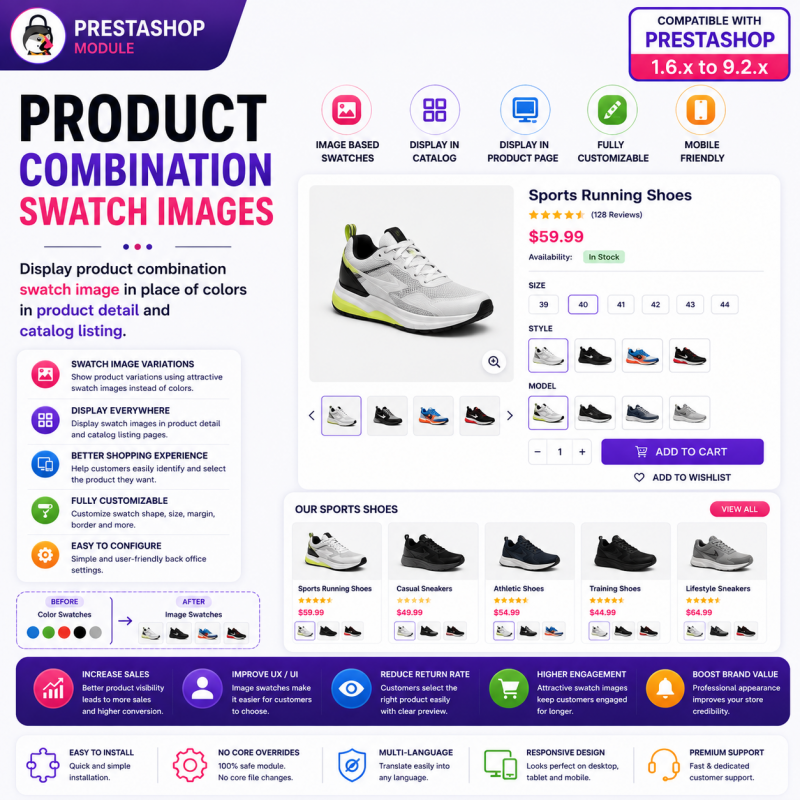
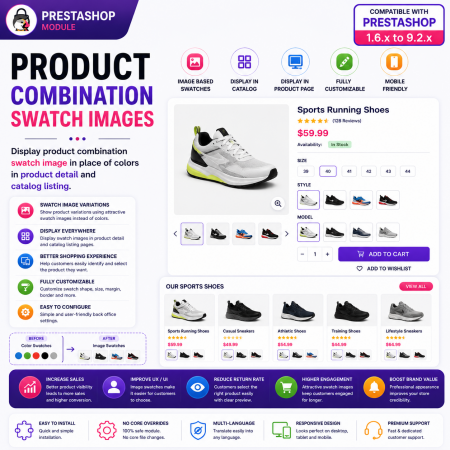
Make product variation selection more visual with the Product Combination Swatch Images PrestaShop Module.
Replace standard color selectors and basic variation boxes with actual product combination images. Let customers explore different colors, patterns, materials, textures, and styles through attractive image-based swatches.
When a customer selects a swatch, the product image can update to reflect the selected combination, helping shoppers preview their preferred variation before adding it to the cart.
Display combination image swatches on both product detail pages and catalog listings. Work with your existing PrestaShop product combinations and create a more intuitive, engaging, and professional shopping experience.
Ideal for fashion, footwear, furniture, home décor, electronics, accessories, and any eCommerce store selling products with visually different variations.
Key Benefits:
Replace standard color selectors with actual combination image swatches.
Display product variations using images instead of relying only on color names.
Support colors, patterns, materials, and other product attributes.
Dynamically update product images when customers select combinations.
Display swatches on product pages and catalog listings.
Help customers identify and compare product variations more easily.
Improve product presentation and shopping experience.
Work with existing PrestaShop product combinations.
Provide a responsive variation-selection experience across devices.
Give customers a clearer and more visual way to explore your product variations with Product Combination Swatch Images for PrestaShop.
Display Actual Product Variations. Let Customers See What They Select.
Transform traditional product variation selectors into an attractive visual shopping experience with the Product Combination Swatch Images PrestaShop Module.
When customers shop online, product appearance plays an important role in their purchasing decisions. A simple color name or small color box does not always communicate the actual appearance of a product. This becomes especially challenging when products are available in different shades, patterns, prints, textures, materials, and designs.
The Product Combination Swatch Images module solves this problem by displaying actual product combination images as interactive visual swatches. Instead of asking customers to identify variations through text labels or generic color indicators, show them the actual appearance of each available combination.
When customers select a swatch, the product image can automatically update to represent the selected variation, helping shoppers preview their preferred option before adding the product to their cart.
Display these visual combination swatches on both product detail pages and catalog/product listing pages. Use your existing PrestaShop product combinations to create a more informative, engaging, and convenient shopping experience.
Whether you sell clothing, footwear, furniture, home décor, electronics, fabrics, or accessories, give customers a better way to explore your product variations.
Product combinations allow PrestaShop merchants to offer multiple variations of the same product. However, the way these options are displayed can influence how easily customers understand and select them.
Consider a product available in several variations:
Plain blue fabric.
Dark blue printed fabric.
Light blue floral pattern.
Navy blue textured material.
Blue striped design.
Although these options may have similar names or colors, their actual appearances can be completely different.
Traditional selectors and basic color boxes may not provide enough visual information to communicate these differences.
The Product Combination Swatch Images module enhances this experience by using actual combination images as visual selectors.
Instead of displaying only text labels or generic color indicators, show actual product images representing the available variations.
Customers can:
Explore available product combinations visually.
Identify different colors, patterns, and materials.
Select their preferred combination through image swatches.
Preview the corresponding product image when selecting a variation.
Discover available options directly from catalog listings.
Continue shopping with their selected product combination.
The result is a more informative product presentation that helps customers understand what they are selecting.
Standard text and color selectors can make product variations difficult to understand when products have complex visual differences.
Common limitations include:
Dependence on color names and generic color indicators.
Limited representation of fabric textures and material finishes.
Difficulty distinguishing between similar shades and patterns.
Limited visual information before selecting a variation.
Additional effort required to understand different product options.
Actual combination images provide a more informative alternative.
With this module, you can:
Display real product combination images as swatches.
Represent different colors, patterns, materials, and styles.
Make visually similar variations easier to distinguish.
Update the product image when a swatch is selected.
Display visual variations on product pages and catalog listings.
Provide a more intuitive product selection experience.
The key difference: Customers see the actual product variation instead of relying entirely on its name or a generic color representation.
Customers cannot physically inspect products when shopping online. They depend on product images, descriptions, and available variation selectors to understand what they are purchasing.
When product combinations are not presented clearly, shoppers may struggle to distinguish between available options.
A color label such as Black, Blue, Red, or Beige does not always communicate the exact shade, texture, or finish.
Solution: Display actual product combination images so customers can see the visual differences between available options.
Fabric prints, wood textures, leather finishes, and decorative patterns cannot always be represented effectively using simple color boxes.
Solution: Use combination images to showcase detailed visual differences between product variations.
Customers may need to select different options before understanding how the final product looks.
Solution: Provide interactive image swatches and update the product image to reflect the selected combination.
Customers browsing category pages may not immediately realize that a product is available in multiple visual variations.
Solution: Display combination image swatches directly on supported catalog and product listing pages.
When shoppers cannot clearly understand the selected product variation, they may feel uncertain about their purchase.
Solution: Provide visual representations of available combinations to help customers make more informed selections.
Replace ordinary color selectors and basic variation boxes with actual product combination images.
Rather than displaying only generic color indicators, present visual representations of the configured product combinations.
Key capabilities:
Display actual product combination images as swatches.
Replace basic visual selectors with image-based options.
Represent different colors and shades.
Showcase patterns, prints, and textures.
Display different materials and finishes.
Make product variations easier to recognize.
Business benefit: Help customers identify the actual appearance of different product variations instead of relying only on text descriptions.
Make product variation selection more intuitive by displaying image-based options.
Customers can explore available combinations and identify the option they prefer through visual representations.
Key capabilities:
Present product variations as image swatches.
Provide visual selection options.
Represent multiple types of product variations.
Make product combinations easier to explore.
Create an attractive product selection interface.
Business benefit: Reduce confusion between visually similar product options and improve the browsing experience.
One of the most important features is the ability to update the product image when a customer selects a combination swatch.
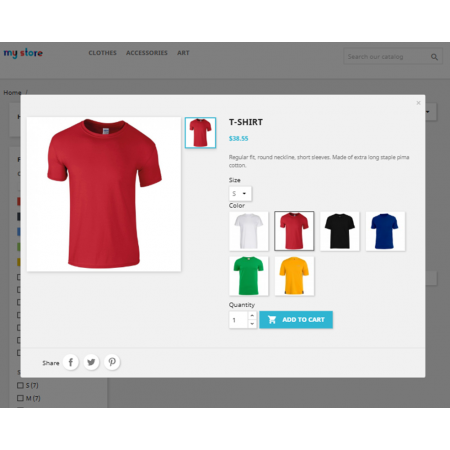
When shoppers click a visual option, the corresponding product image can update to represent the selected variation.
For example:
Select the black swatch to preview the black variation.
Select the red swatch to preview the red variation.
Select the floral swatch to preview the floral design.
Select the leather swatch to preview the leather finish.
Key capabilities:
Interactive image-based combination selection.
Update the product image for the selected combination.
Connect visual swatches with configured product variations.
Help customers preview their preferred options.
Improve the relationship between selected attributes and product appearance.
Business benefit: Give customers a clearer understanding of their selected product variation before purchasing.
Display actual combination image swatches directly on individual product pages.
Customers can explore different product variations while viewing product information, prices, descriptions, and other purchasing details.
Key capabilities:
Display image swatches on product detail pages.
Show visual representations of available combinations.
Allow customers to interact with product variation selectors.
Support selected combination image updates.
Integrate visual selection into the existing shopping experience.
Business benefit: Help customers understand and select product variations without navigating through separate product pages for every option.
Bring visual product variation selection beyond individual product pages.
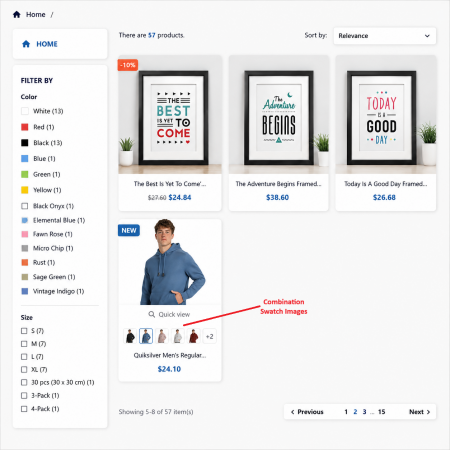
Display combination swatches directly on catalog and product listing pages so customers can discover available variations while browsing categories.
Key capabilities:
Display combination image swatches on product listings.
Improve product variation visibility.
Help shoppers discover available product options.
Provide visual information before opening product pages.
Create a consistent browsing experience across supported storefront areas.
Business benefit: Make product catalogs more informative and help shoppers discover different variations earlier in their shopping journey.
Continue using your existing PrestaShop product attributes and combinations.
The module is designed to enhance the visual presentation of your product variations without requiring you to restructure your product catalog.
Key capabilities:
Work with existing PrestaShop product combinations.
Use configured combination images.
Display available variations through visual selectors.
Support the existing product combination management workflow.
Connect visual swatches with their corresponding combinations.
Business benefit: Improve product presentation while maintaining your existing product catalog structure.
Image-based combination swatches are not limited to ordinary colors.
Use actual product images to represent different visual characteristics.
Examples include:
Different colors and shades.
Printed patterns and designs.
Fabric textures.
Leather and other material finishes.
Wood finishes.
Decorative styles.
Other visually distinguishable product variations.
Business benefit: Represent complex product variations more accurately and make your product options easier to understand.
Customers browse and purchase products using different devices.
Provide a convenient visual selection experience across:
Desktop computers.
Laptop screens.
Tablets.
Smartphones.
Business benefit: Allow customers to explore product combinations through a responsive storefront interface, regardless of their screen size.
Enhance the presentation of your existing product combinations without creating separate products for every variation.
Use the module's available configuration options to integrate image-based swatches into your storefront.
Key capabilities:
Configure visual combination swatch presentation.
Use existing product combination data.
Support product detail and listing page integration.
Simplify visual product variation management.
Integrate with the existing PrestaShop shopping workflow.
Business benefit: Introduce a more visual product selection experience without unnecessarily duplicating your product catalog.
Customers should understand which product variation they are purchasing.
By combining image-based swatches with selected combination image updates, the module helps shoppers identify their preferred option before adding a product to the cart.
Key capabilities:
Display visual combination options.
Allow customers to select preferred variations.
Preview the corresponding product image.
Improve visibility of the selected option.
Support a more informed product selection process.
Business benefit: Make the purchasing journey clearer and more convenient.
The module uses existing PrestaShop product combinations and their associated images to create an interactive visual selection experience.
A customer visits a product detail page or browses a product through the catalog listing.
 |
 |
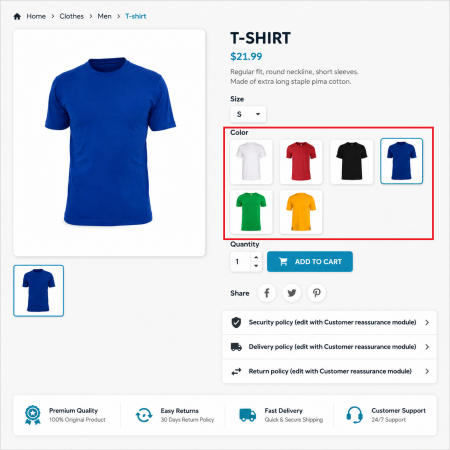
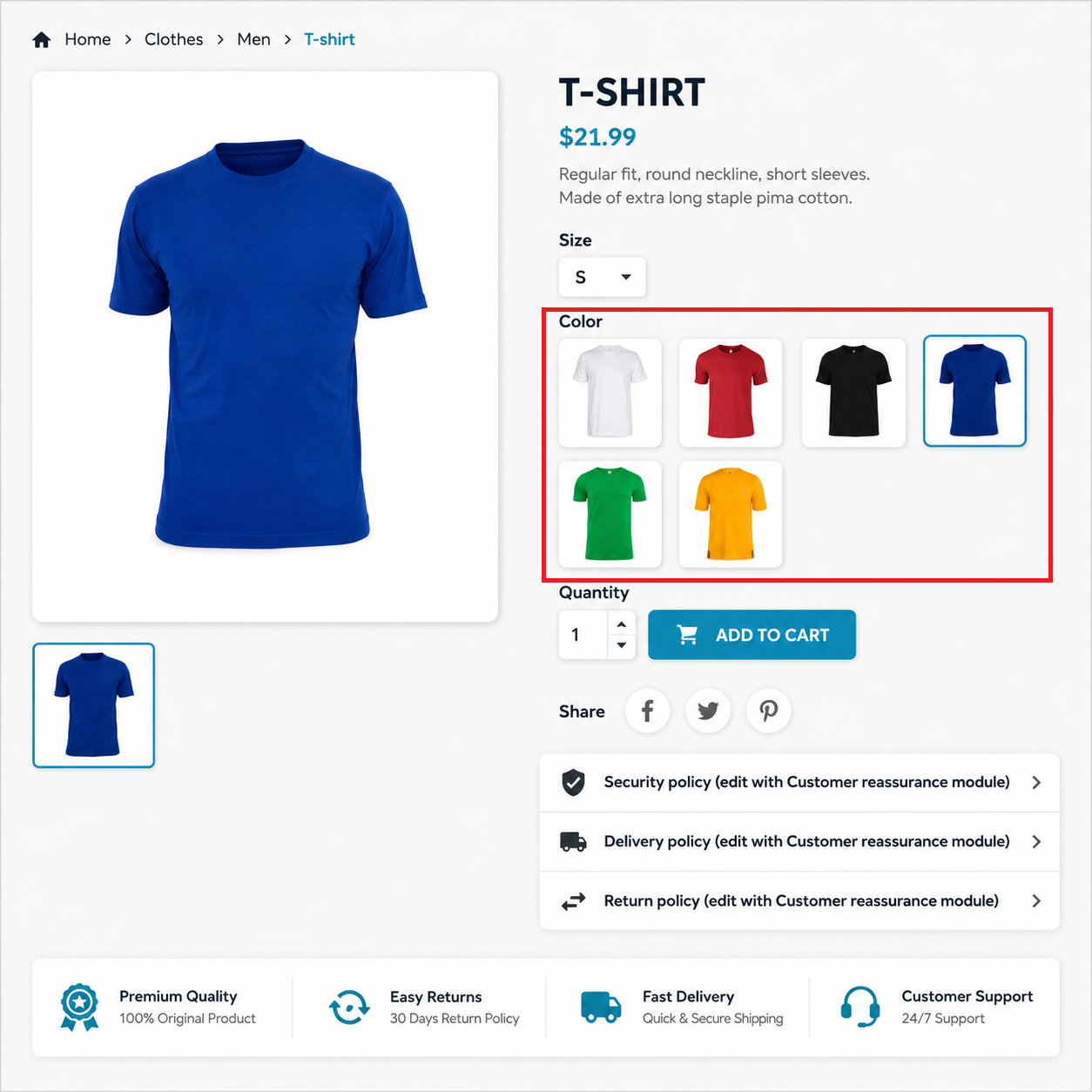
The customer sees available product variations displayed as actual image-based swatches instead of relying only on basic color selectors.
The customer clicks the swatch representing the desired color, pattern, material, or design.
The product image can update to reflect the selected combination, giving the customer a visual preview of the chosen variation.
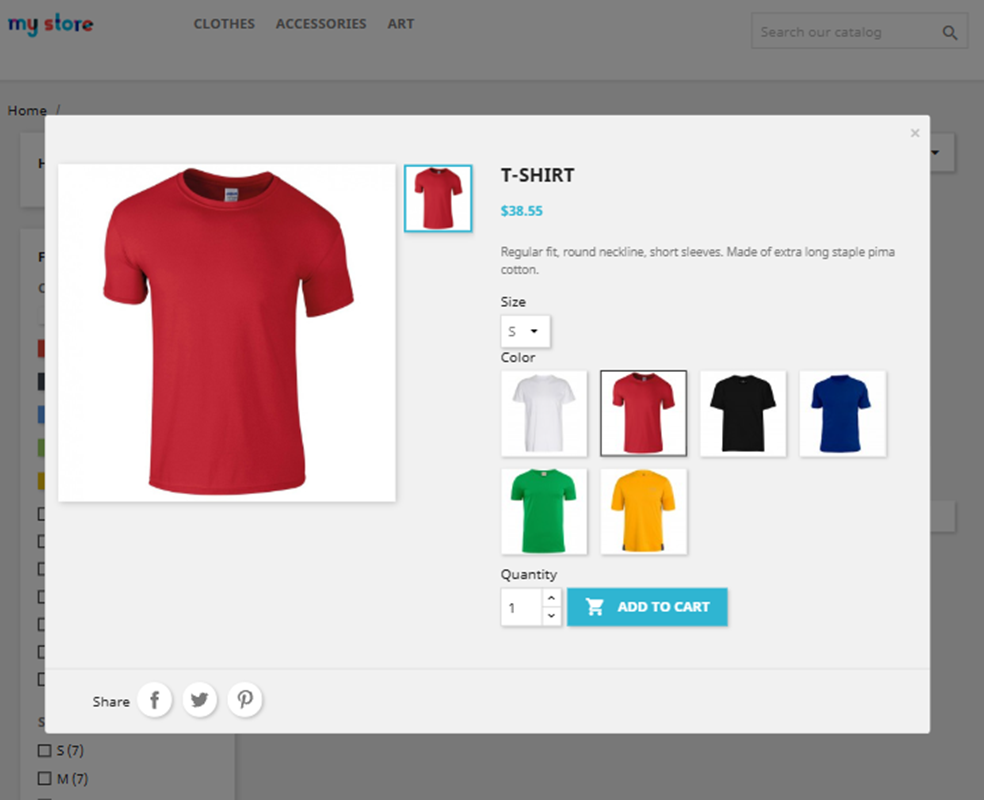
After selecting the preferred combination and other required product options, the customer continues with the normal PrestaShop purchasing process.
Complete workflow:
Browse Product → View Image Swatches → Select Combination → Preview Product → Add to Cart.
Replace basic variation selectors with actual product images and create a more professional product presentation.
Display visual swatches on product detail pages and catalog listings to make available options more visible.
Help customers distinguish between similar colors, patterns, textures, and material finishes.
Give shoppers a clearer visual understanding of the selected product combination before purchasing.
Allow customers to explore product variations directly from product listings without opening every product page.
Enhance your existing PrestaShop product combination structure without creating separate products for every variation.
Make the process of exploring and choosing product variations more intuitive.
Present product options through an attractive and consistent visual interface.
A visual product selection interface makes it easier for shoppers to understand what they are purchasing.
See actual product variations: View real combination images rather than relying only on color names.
Choose the right option: Identify preferred colors, patterns, materials, and designs.
Preview selected combinations: See the corresponding product image update after selecting a swatch.
Explore variations while browsing: Discover available options on catalog listing pages.
Make informed decisions: Understand the visual appearance of the selected product before purchasing.
Enjoy interactive shopping: Select product variations through attractive image-based selectors.
Save browsing effort: Explore different combinations without opening separate product pages.
Shop across devices: Enjoy a responsive product selection interface.
The module is particularly useful for businesses where product appearance influences purchasing decisions.
Display clothing colors, fabric patterns, prints, textures, and different styles using actual product combination images.
Example: A shirt available in black, white, navy blue, floral, and striped designs.
Show different shoe colors, materials, finishes, and styles through visual swatches.
Example: Sneakers available in white leather, black suede, blue fabric, and other designs.
Display different upholstery materials, wood finishes, fabric patterns, and furniture colors.
Example: A sofa available in grey fabric, beige fabric, brown leather, and patterned upholstery.
Help customers distinguish between different fabric prints, textures, shades, and designs.
Example: A textile product available in multiple floral, geometric, striped, and plain patterns.
Show different colors, finishes, materials, and decorative styles.
Example: A bracelet available in gold, silver, rose gold, and different visual designs.
Present different device colors, finishes, and visually identifiable variations.
Example: A mobile phone case available in transparent, black, blue, floral, and printed designs.
Show customers different visual combinations of customizable products.
Example: Products available in multiple colors, materials, patterns, and finishes.
Imagine an online fashion store selling a shirt in six different designs.
With standard selectors, customers may only see names such as:
Black.
White.
Blue.
Floral.
Striped.
Printed.
These labels do not always communicate the actual appearance of the product.
With Product Combination Swatch Images, each option can be represented by its actual product combination image.
Customers can select the floral design, preview its corresponding image, switch to the striped design, and compare the available options.
This makes product exploration more visual and helps shoppers understand exactly which variation they are selecting.
The result: A more informative product presentation and a more convenient shopping journey.
Improve your product presentation further with other Sathi modules designed for eCommerce stores.
Display custom image-based attribute swatches for colors, patterns, materials, and other product attribute values.
This is a complementary solution for merchants who want to customize the visual presentation of individual product attributes.
Add product demonstrations, promotional videos, tutorials, and reviews to your product pages. Combine visual product variations with video content to provide customers with more product information.
Display quantity-based pricing and bulk purchase discounts on product pages, helping customers understand available savings before purchasing.
Install Product Combination Swatch Images using the standard PrestaShop module installation process.
Download the Product Combination Swatch Images ZIP package after purchase.
Log in to your PrestaShop Back Office.
Navigate to Modules → Module Manager.
Click Upload a module.
Select the downloaded module ZIP package.
Upload and install the module.
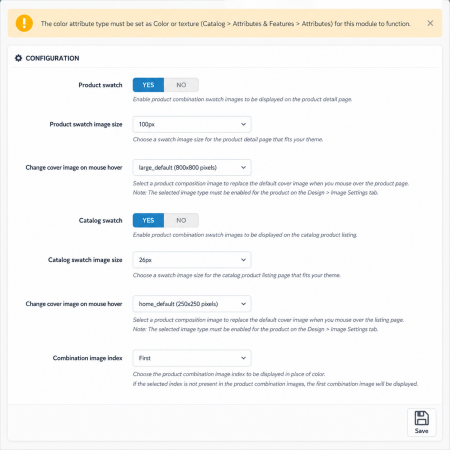
Open the module configuration page.
Review the available swatch display settings.
Make sure your products have the required PrestaShop attributes and combinations.
Assign the appropriate images to product combinations.
Configure the supported product detail page and catalog listing display.
Save your configuration.
Clear the PrestaShop cache if required.
Visit your storefront and test image swatch selection and product image updates.
Once configured, customers can explore product combinations through the visual selectors supported by the module.
Product Combination Swatch Images is developed to support a wide range of PrestaShop installations.
Listed compatibility:
PrestaShop 1.6.x
PrestaShop 1.7.x
PrestaShop 8.x
PrestaShop 9.x
Supported compatibility range: PrestaShop 1.6.x to 9.2.x.
Additional product information:
Module version: 3.4.0.
Developer: Nxtal.
Uses existing PrestaShop product combinations.
Product detail page integration.
Catalog and product listing integration.
Store Demo available.
Back Office Demo available.
30-day refund policy.
One year of free customer support.
Compatibility with individual themes and customized product templates may require additional testing.
Product Combination Swatch Images is a PrestaShop module that displays actual product combination images as visual swatches instead of relying only on traditional color selectors and basic variation boxes. It helps customers explore and preview product variations more easily.
Standard color swatches generally display a color code, color name, or simple color indicator. Combination image swatches display actual product images representing the variations, making it easier to identify patterns, textures, materials, prints, and finishes.
Yes. When a customer selects a swatch, the product image can update to represent the selected product combination, allowing shoppers to preview their preferred variation.
Yes. The module supports displaying visual combination swatches on catalog and product listing pages, helping customers discover product variations while browsing categories.
Yes. You can display actual product combination images as visual selectors directly on product detail pages.
Yes. Image-based combination swatches are useful for different colors, patterns, prints, fabric textures, materials, finishes, and other visually identifiable product variations.
Yes. The module is designed to work with your existing PrestaShop product attributes and combinations, allowing you to enhance their visual presentation without restructuring your catalog.
No. The module is designed to use existing product combinations rather than requiring a separate product page for every color, pattern, or material variation.
Yes. It is particularly useful for clothing, footwear, accessories, furniture, fabrics, home décor, and other businesses where visual differences between product variations matter.
The module is designed to provide a responsive product selection experience across desktop, tablet, and mobile devices. The final appearance may also depend on your PrestaShop theme.
Yes. Your products should have the required PrestaShop attributes, combinations, and associated images configured correctly so the module can present the available variations.
The listed compatibility range is PrestaShop 1.6.x through 9.2.x. Check the module listing and demo for compatibility with your specific store and theme.
Stop relying only on color names and basic variation boxes to communicate what your products look like.
With the Product Combination Swatch Images PrestaShop Module, display actual product combination images, let customers explore different variations, and preview selected products through interactive image-based swatches.
Give shoppers a clearer understanding of available options on product detail pages and catalog listings.
Make product selection more visual, intuitive, and convenient with Sathi!
| Vendor | Nxtal |
|---|---|
| Last update | Nov 20, 2026 |
| Version | 3.4.0 |
| Required store version | From 1.6.x to 9.2.x |
| Publication date | Sep 05, 2026 |
| Return Policy | You can return the product within the 30 Days return period for a full refund. No questions asked. |
| Customer Support | Enjoy one year of free customer support, including installation, troubleshooting, and usage guidance. |
| Description | This product is compatible with the specified versions and includes all the latest updates to enhance functionality and user experience. |
 Social Wall Feeds Facebook and Twitter Prestashop Module
 Buy Now Button | Quick Order Prestashop Module
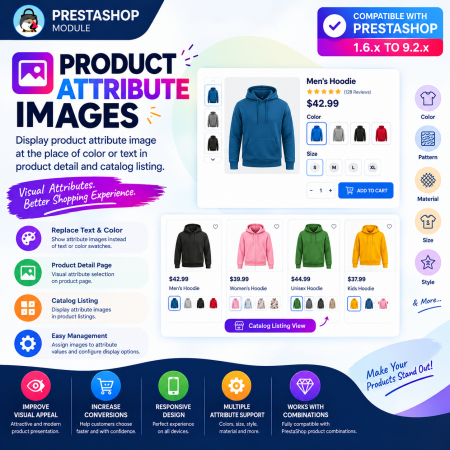
 Product Attribute Images – Visual Swatches for PrestaShop
 Auto Change Country Language and Currency Prestashop Module
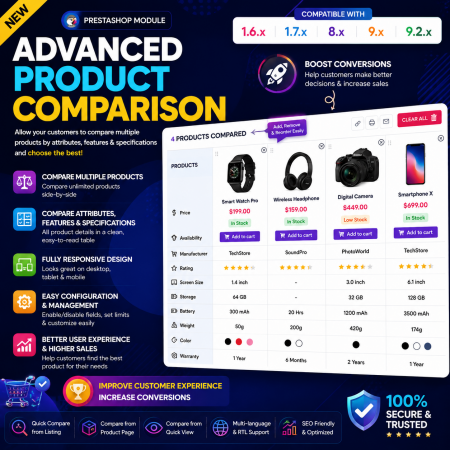
 Advance Product Comparison – Compare Products in PrestaShop

 Time Limited Offers & Countdown Timer Module for PrestaShop
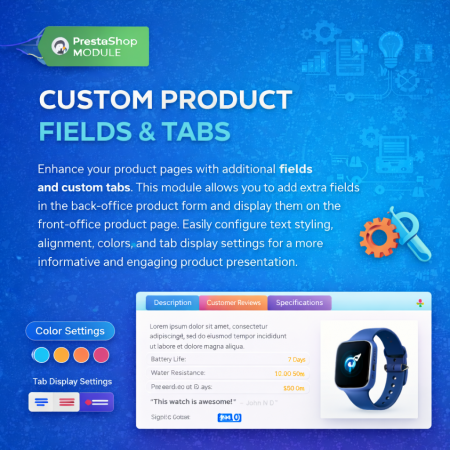
 Additional Product Fields And Tabs Prestashop Module
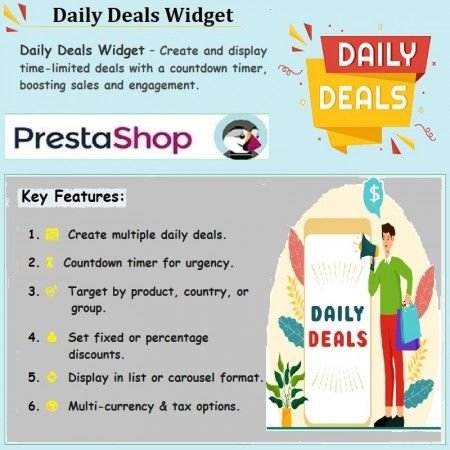
 Daily Deals Widget with Countdown Timer for PrestaShop Module

 Enable or Disable Carriers with Conditions PrestaShop Module
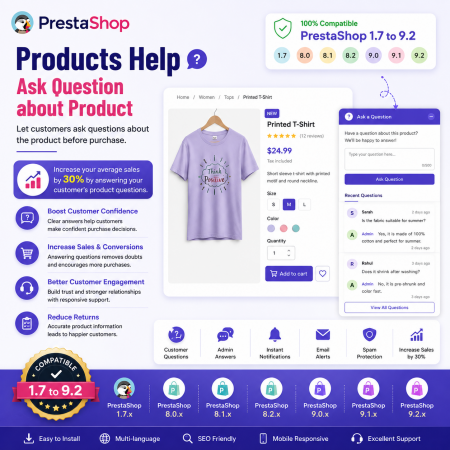
 Products Help – Ask Questions About Products for PrestaShop
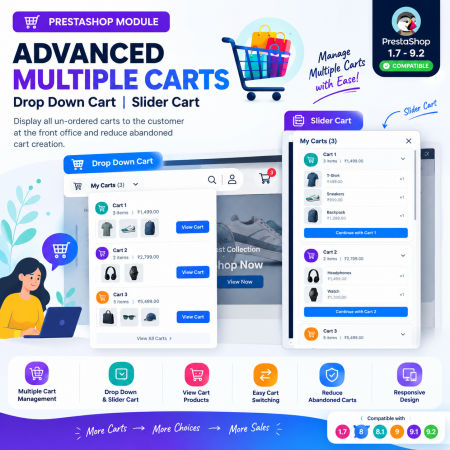
 Advanced Multiple Carts – Dropdown & Slider Cart for PrestaShop
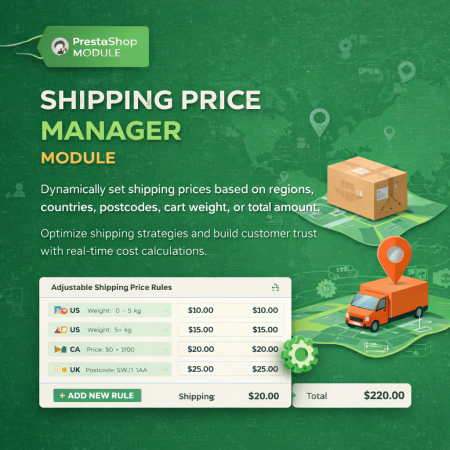
 Shipping Price Manager Prestashop Module
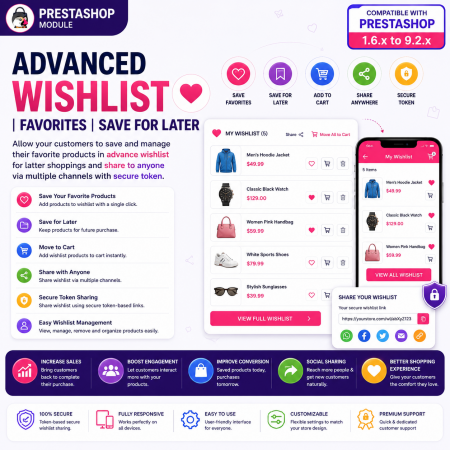
 Advanced Wishlist for PrestaShop – Favorites, Save for Later & Wishlist Sharing Module
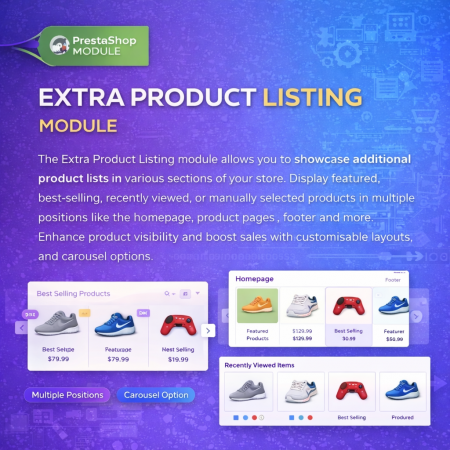
 Extra Product Listing module Prestashop Module

 Advanced URL Redirection (301, 302, 404) Module for PrestaShop
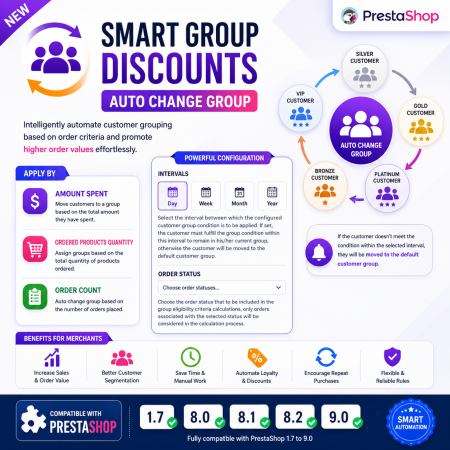
 Smart Group Discounts & Automatic Customer Group Changes for PrestaShop Module
Make product variation selection more visual with the Product Combination Swatch Images PrestaShop Module.
Replace standard color selectors and basic variation boxes with actual product combination images. Let customers explore different colors, patterns, materials, textures, and styles through attractive image-based swatches.
When a customer selects a swatch, the product image can update to reflect the selected combination, helping shoppers preview their preferred variation before adding it to the cart.
Display combination image swatches on both product detail pages and catalog listings. Work with your existing PrestaShop product combinations and create a more intuitive, engaging, and professional shopping experience.
Ideal for fashion, footwear, furniture, home décor, electronics, accessories, and any eCommerce store selling products with visually different variations.
Key Benefits:
Replace standard color selectors with actual combination image swatches.
Display product variations using images instead of relying only on color names.
Support colors, patterns, materials, and other product attributes.
Dynamically update product images when customers select combinations.
Display swatches on product pages and catalog listings.
Help customers identify and compare product variations more easily.
Improve product presentation and shopping experience.
Work with existing PrestaShop product combinations.
Provide a responsive variation-selection experience across devices.
Give customers a clearer and more visual way to explore your product variations with Product Combination Swatch Images for PrestaShop.
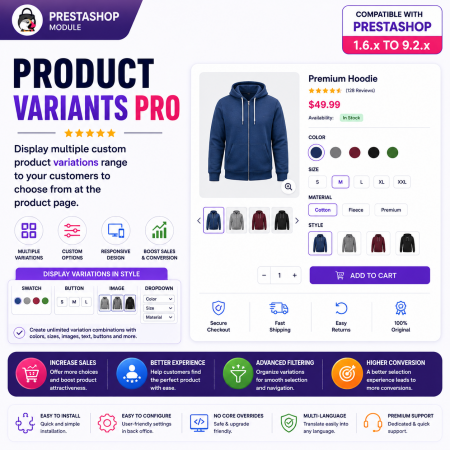
 Product Variants Pro – Custom Variant Groups for PrestaShop

Encrypted payment gateways ensuring your financial and personal data remain 100% protected.

Every module includes professional installation assistance, free updates, and reliable troubleshooting.

Rigorously tested PrestaShop & WooCommerce extensions designed for maximum speed and zero bloat.

Transparent policies, clean documentation, and dedicated assistance if you run into any compatibility hurdles.