- -$40.00

This module enhances the shopping experience by allowing customers to easily explore product variations such as...

The module allows merchants to enhance product images with customizable stickers and labels. Whether it’s...

The Quantity Discount Table module for PrestaShop makes bulk pricing clear and attractive by...

This module allows you to offer free shipping based on flexible conditions, such as location, carrier, cart value,...

The module automatically adjusts language, currency, and country settings based on the customer's location....

Vendor
Version
Last update
Prestashop version
Managing website redirections is one of the most important aspects of maintaining a healthy online store. Broken links, deleted products, changed URLs, and incorrect navigation not only frustrate customers but can also negatively impact your search engine rankings and overall conversion rate.
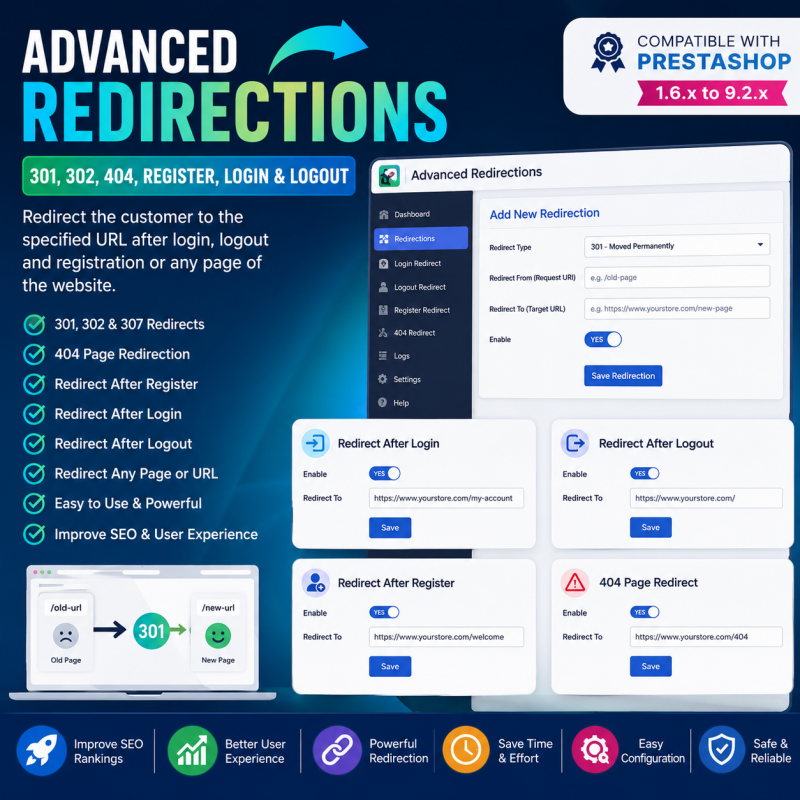
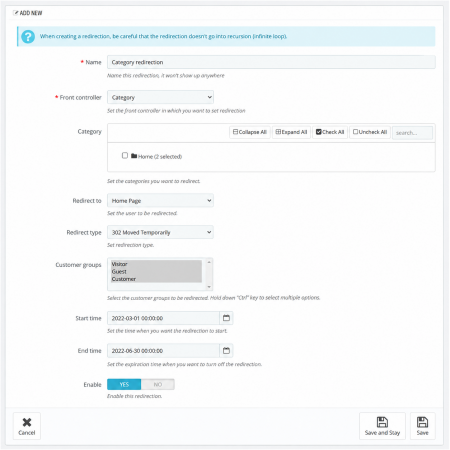
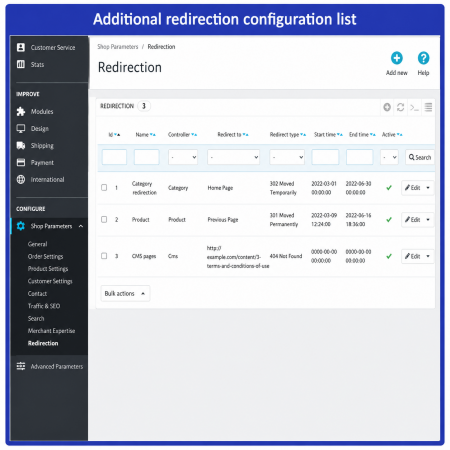
Advanced Redirections – 301, 302, 404, Register, Login & Logout is a complete redirection management solution for PrestaShop that gives you full control over customer navigation and URL redirections without requiring any programming knowledge.
Manage URL changes, handle broken links, and guide customers to the right pages after registration, login, and logout.
Store URLs and customer journeys can change over time. Products may be discontinued, pages may be moved, and customers may need to land on a more relevant page after signing in or creating an account. Without suitable redirection, visitors can encounter broken links or be sent to pages that do not match their expectations.
Advanced Redirections for PrestaShop brings important redirection tasks together in one module. It is designed to help store owners manage permanent and temporary URL changes, address 404-related navigation issues, and control where customers are sent after registration, login, and logout.
Use 301 redirects for permanent URL changes and 302 redirects for temporary changes. Improve navigation around unavailable URLs and configure customer destinations after key account actions. The goal is a clearer browsing experience and more organized URL management.
Redirect an old or permanently moved URL to its new destination. Useful when changing product, category, or other page addresses.
Send visitors to another URL temporarily when a page is unavailable or a temporary change is required.
Address broken or unavailable URLs by directing visitors toward a relevant destination instead of leaving them at an unhelpful dead end.
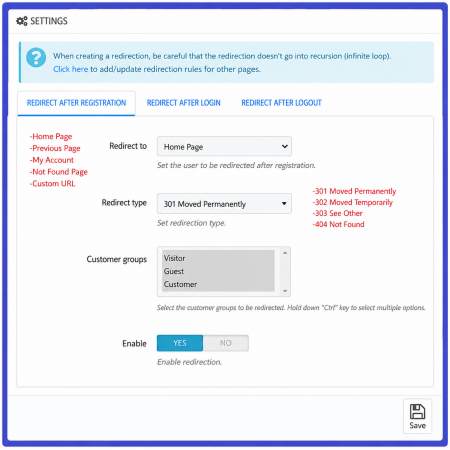
Guide newly registered customers to a suitable page after they create an account.
Choose a more relevant destination for customers after they successfully log in to your store.
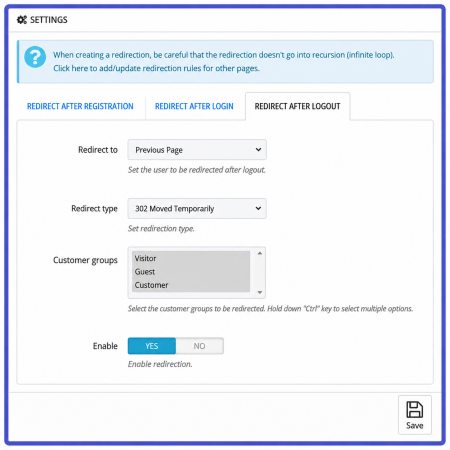
Direct customers to an appropriate page after they log out, helping create a more consistent account experience.
| Redirect | Purpose | Typical use |
|---|---|---|
| 301 | Permanent redirect | A page has permanently moved to a new URL. |
| 302 | Temporary redirect | A page is temporarily available at another URL. |
Choose the redirect type according to the actual situation. A 301 redirect is not a guarantee of retaining search rankings; the destination should be relevant, and redirects should be checked for chains and loops.
Install the module in your PrestaShop store and open its configuration page.
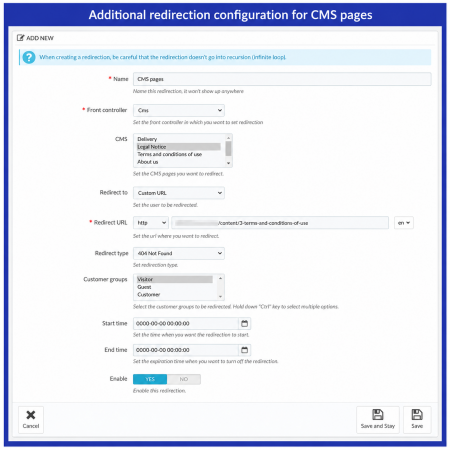
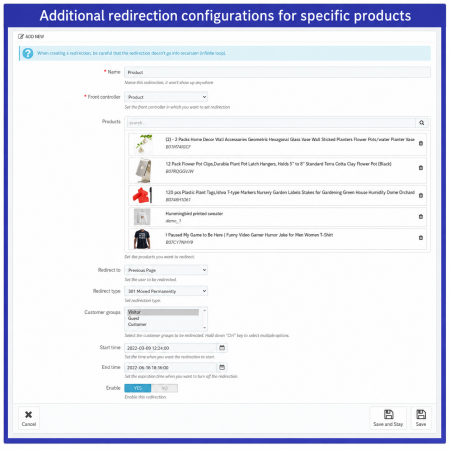
Set up the required redirect behavior for URLs that have changed or need a new destination.
Use a permanent or temporary redirect according to the purpose of the URL change.
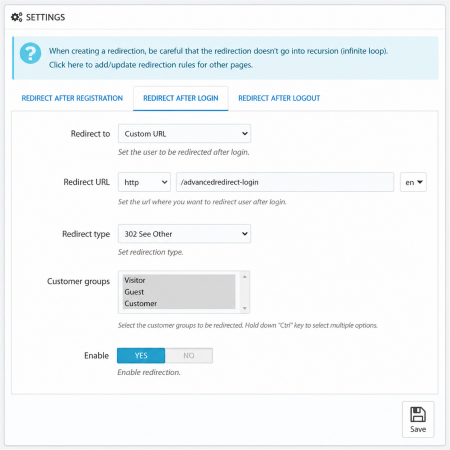
Set the desired destination behavior for registration, login, and logout where supported by the module settings.
Changing a URL without considering its previous address can create a poor experience for visitors who follow old links. It can also complicate search-engine crawling and indexing. Using the correct redirect for a genuine URL change helps communicate where content has moved.
For best results, redirect each old URL to the closest relevant destination, avoid redirect chains and loops, and periodically review important links. Redirects support SEO maintenance, but they do not guarantee rankings or indexing outcomes.
A 301 redirect indicates that a URL has permanently moved to another address. It is commonly used when a product, category, or page URL changes permanently.
A 302 redirect indicates a temporary move. It is useful when visitors should be sent to another page for a limited period.
A 404 response means that the requested page cannot be found. Providing an appropriate destination for relevant broken links can help visitors continue browsing your store.
The module is designed to cover customer redirection after login, along with registration and logout. The available destination choices depend on the module's configuration options.
Use 301 when the move is permanent and 302 when it is temporary. Selecting the correct status helps browsers and search engines understand the intended change.
No. Correct redirects can help preserve URL continuity, but rankings depend on many factors, including content relevance, technical health, and search-engine processing.
Manage important URL changes, address broken-link journeys, and guide customers through registration, login, and logout with Advanced Redirections.
| Vendor | Nxtal |
|---|---|
| Last update | Nov 03, 2026 |
| Version | 2.0.0 |
| Required store version | From 1.6.x to 9.2.x |
| Publication date | Aug 07, 2026 |
| Return Policy | You can return the product within the 30 Days return period for a full refund. No questions asked. |
| Customer Support | Enjoy one year of free customer support, including installation, troubleshooting, and usage guidance. |
| Description | This product is compatible with the specified versions and includes all the latest updates to enhance functionality and user experience. |

 Offer Your Price – Make an Offer Module for PrestaShop

 Display Add to Cart Button on Product Listing Prestashop Module
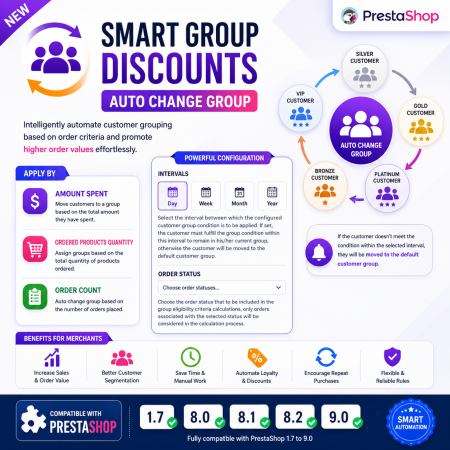
 Smart Group Discounts & Automatic Customer Group Changes for PrestaShop Module

 Social Network Integration Prestashop Module
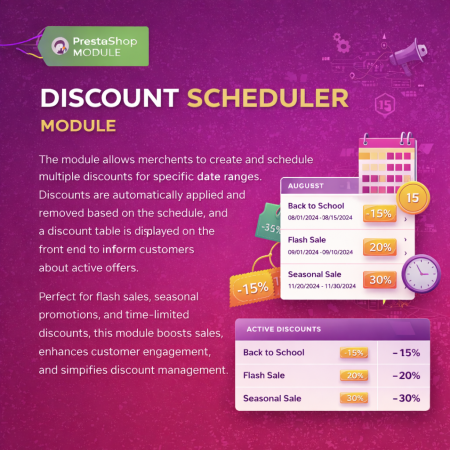
 Multiple discount date wise discount Prestashop Module

 Google Translator (Front Office, Back Office, Module) Prestashop Module
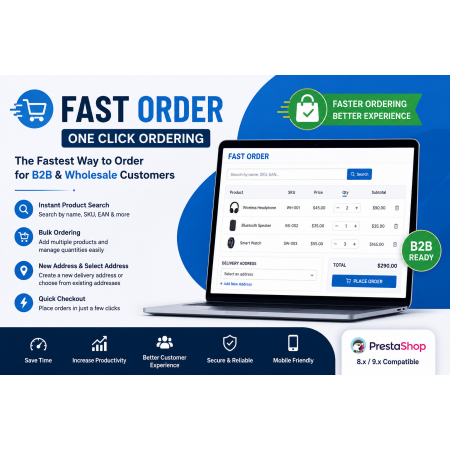
 Fast Order with Instant and File Search for PrestaShop Module
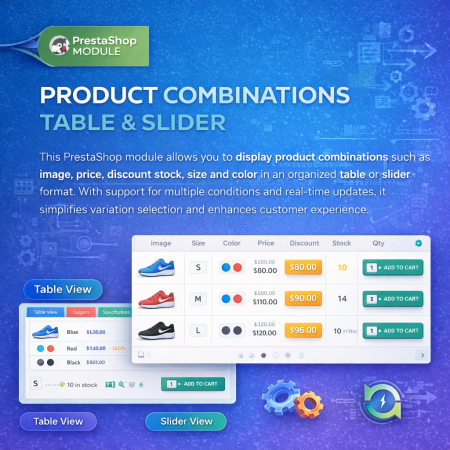
 Product Combination Table & Slider Prestashop Module

 PrestaShop Smart Similar Products – Attribute, Price & Feature Matching
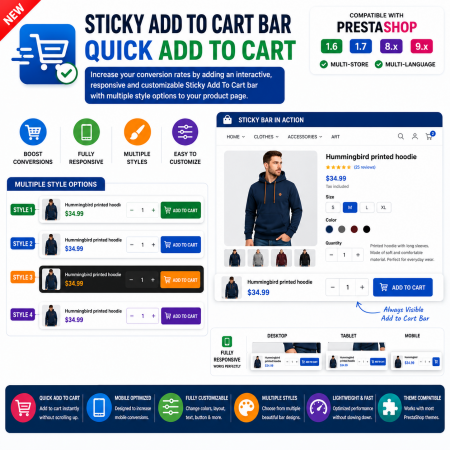
 Sticky Add to Cart Bar – Quick Add to Cart for PrestaShop
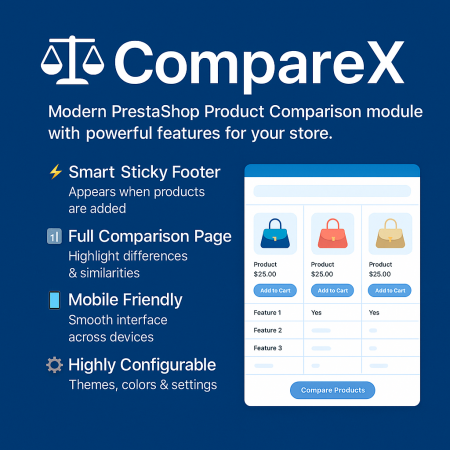
 Advance Product Comparison For Prestashop module
 Advance Product Stickers & Labels Prestashop Module

 Additional Product Fields And Tabs Prestashop Module

 Advance Custom Carousels | Sliders Prestashop Module
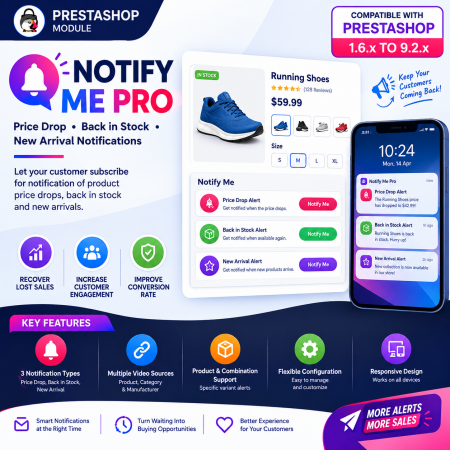
 PrestaShop Notify Me Pro | Price Drop, New Arrivals & Stock Alerts Module

 Save & Share My Shopping Cart Prestashop Module
Managing website redirections is one of the most important aspects of maintaining a healthy online store. Broken links, deleted products, changed URLs, and incorrect navigation not only frustrate customers but can also negatively impact your search engine rankings and overall conversion rate.
Advanced Redirections – 301, 302, 404, Register, Login & Logout is a complete redirection management solution for PrestaShop that gives you full control over customer navigation and URL redirections without requiring any programming knowledge.

Encrypted payment gateways ensuring your financial and personal data remain 100% protected.

Every module includes professional installation assistance, free updates, and reliable troubleshooting.

Rigorously tested PrestaShop & WooCommerce extensions designed for maximum speed and zero bloat.

Transparent policies, clean documentation, and dedicated assistance if you run into any compatibility hurdles.