
- -$40.00
- New

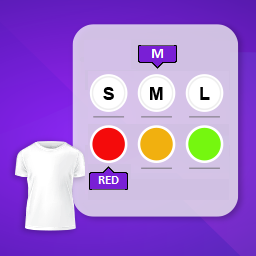
This module enhances the shopping experience by allowing customers to easily explore product variations such as...

The module allows merchants to enhance product images with customizable stickers and labels. Whether it’s...
The Quantity Discount Table module for PrestaShop makes bulk pricing clear and attractive by...

This module allows you to offer free shipping based on flexible conditions, such as location, carrier, cart value,...

The module automatically adjusts language, currency, and country settings based on the customer's location....


Vendor
Version
Last update
Prestashop version
Let your customers name their price and negotiate better deals with the Offer Your Price – Make an Offer PrestaShop Module!
Allow shoppers to submit their desired product price and negotiate directly with your store. Review each offer, accept or reject it, or propose your own counter price to turn price-sensitive visitors into potential buyers.
Key Benefits:
Allow customers to make their own price offers.
Enable offers for selected products or your entire store.
Accept, reject or counter customer offers.
Negotiate better prices with potential buyers.
Manage customer price requests from the Back Office.
Encourage purchases from customers who hesitate because of product pricing.
Give customers more flexibility while keeping complete control over your store's pricing!
Let customers propose the price they are willing to pay and give your business the opportunity to negotiate. Accept, reject or counter customer offers while maintaining complete control over your product pricing.
Not every customer is willing to purchase a product at its displayed price. Some shoppers have a specific budget, others are comparing prices across different stores, and many would prefer to negotiate before making a purchase.
The Offer Your Price – Make an Offer PrestaShop Module introduces a flexible price negotiation experience to your online store. Instead of displaying a fixed price as the only purchasing option, you can allow customers to submit their preferred price directly from the product page.
Store administrators can review every submitted offer and decide whether to accept it, reject it or negotiate by proposing a different price. This creates an opportunity to convert price-sensitive visitors into customers without giving up control over your store's pricing strategy.
Imagine a customer visiting your store, finding exactly the product they want, and then leaving without purchasing simply because the displayed price is slightly higher than their budget.
Another customer may be interested in purchasing multiple quantities but wants a better price before placing the order. A B2B buyer may also expect personalized pricing rather than standard retail prices.
Without a negotiation option, these customers have very limited choices: accept the listed price, contact your support team manually or leave your store and look for another seller.
The real problem is not always the product or the customer's interest. Sometimes, it is simply a pricing disagreement that prevents a purchase.
With this module, customers can submit their preferred product price directly from your store. You can review the offer and accept it, reject it or propose a counter price. Instead of immediately losing a potential sale, you get an opportunity to negotiate a mutually acceptable deal.
Allow customers to communicate their preferred prices without leaving your website.
Accept, reject or counter offers according to your business objectives and product margins.
Create another opportunity to convert shoppers who hesitate because of product pricing.
Keep the final pricing decision in your hands instead of automatically accepting customer offers.
A simple negotiation workflow between customers and store administrators.
The customer visits a product with the Make an Offer option enabled.
The customer enters a preferred price and optionally adds a message explaining the request.
The merchant receives the request and evaluates the proposed price.
Accept, reject or propose a different price to the customer.
When an offer is accepted, the customer can proceed according to the approved offer conditions.
This module is especially useful for stores where pricing flexibility and customer negotiation can create additional purchasing opportunities.
Allow shoppers to negotiate prices on premium electronics, computers, smartphones and accessories.
Provide price negotiation opportunities for expensive furniture, decorative items and home furnishings.
Give business buyers an opportunity to discuss better pricing for larger purchasing requirements.
Support business customers who expect personalized pricing and individual commercial arrangements.
Explore flexible pricing opportunities for products that need additional promotional attention.
Offer a more personalized purchasing experience to shoppers interested in expensive or premium products.
Give your business an additional way to engage customers, handle price objections and negotiate purchases without sacrificing control over your pricing.
Make shopping more flexible by giving customers an opportunity to communicate their preferred prices directly to your business.
Start accepting customer price offers in your PrestaShop store with a straightforward installation process.
Designed for modern PrestaShop installations, the module supports the following listed versions:
Check the product compatibility information for your specific PrestaShop installation and theme before purchasing.
It is a price negotiation module that allows customers to submit their desired product prices directly from your PrestaShop store. Merchants can review each offer and accept, reject or counter the proposed price.
Customers can propose the price they are willing to pay for products where the Make an Offer feature is enabled. The merchant retains the final decision on whether to accept or negotiate the offer.
Yes. Administrators can accept, reject or propose a different price in response to customer offers, maintaining control over the negotiation process.
Yes. The module supports product-specific offer availability, allowing merchants to choose where customer price negotiations should be enabled.
Yes. Customers can optionally include additional information or comments with their proposed price to help the merchant understand their request.
Yes. Customers can view their offer history and follow the status of their submitted requests, including Pending, Accepted, Rejected and Negotiation statuses.
Yes. It can be useful for B2B businesses, wholesale stores and merchants selling high-value products where customers may require personalized pricing or negotiation opportunities.
No. A customer-submitted offer does not automatically change your store's listed product price. The merchant must review and respond to the offer according to the configured workflow.
The product listing specifies compatibility with PrestaShop 1.7.x and newer supported versions, including the listed 8.x and 9.x releases. Please verify the exact version compatibility before installation.
Give customers the opportunity to propose their desired prices while keeping complete control over every deal. Turn price objections into negotiation opportunities and create a more flexible shopping experience with Offer Your Price for PrestaShop.
Start negotiating smarter with Sathi today!
| Vendor | Nxtal |
|---|---|
| Last update | Oct 31, 2026 |
| Version | 3.3.0 |
| Required store version | From 1.7.x to 9.2.x |
| Publication date | Sep 11, 2026 |
| Return Policy | You can return the product within the 30 Days return period for a full refund. No questions asked. |
| Customer Support | Enjoy one year of free customer support, including installation, troubleshooting, and usage guidance. |
| Description | This product is compatible with the specified versions and includes all the latest updates to enhance functionality and user experience. |
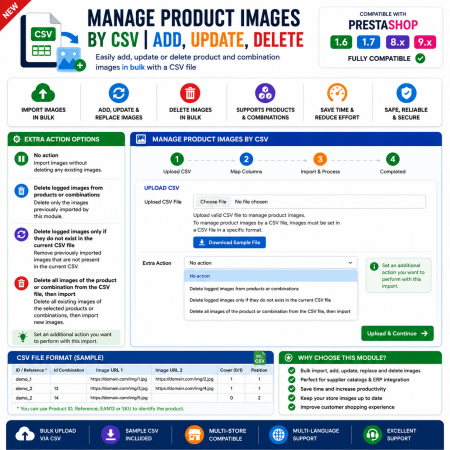
 Manage Product Images By CSV | Add, Update, Delete Prestashop Module
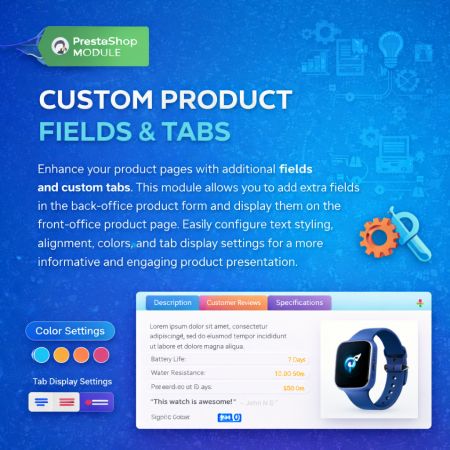
 Additional Product Fields And Tabs Prestashop Module
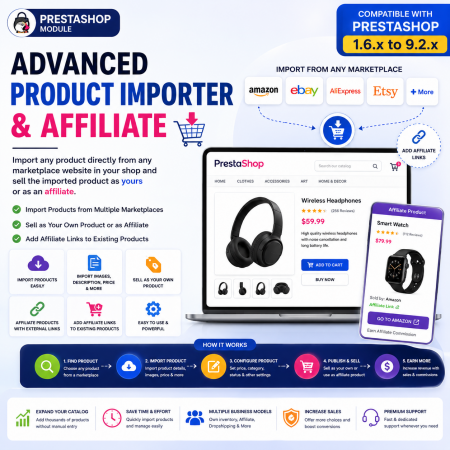
 Advanced Product Importer & Affiliate Module for PrestaShop – Import Products from 100s of Marketplaces
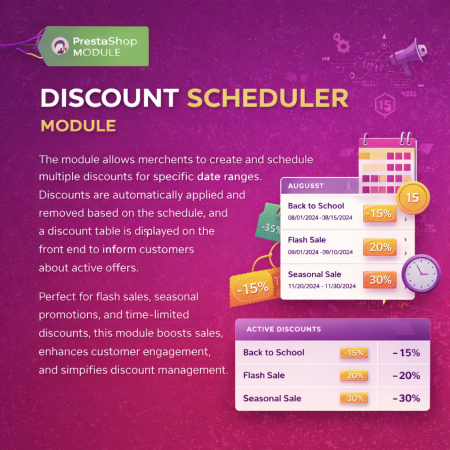
 Multiple discount date wise discount Prestashop Module

 Advanced Shops, Products Reviews and Ratings Prestashop Module

 Bundle Product - Mix Product Prestashop Module
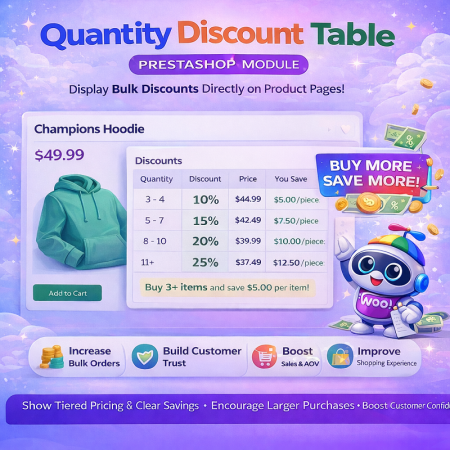 Quantity Discount Table & Grid Module for PrestaShop
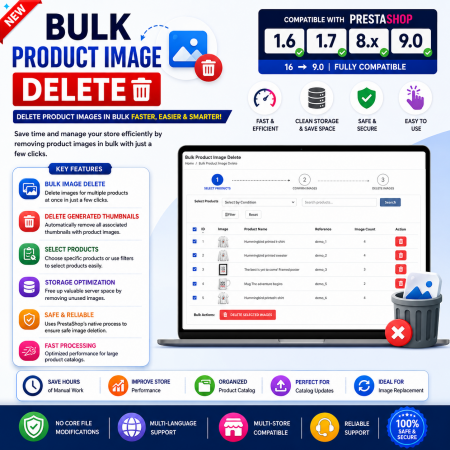
 Bulk Product Image Delete Prestashop Module
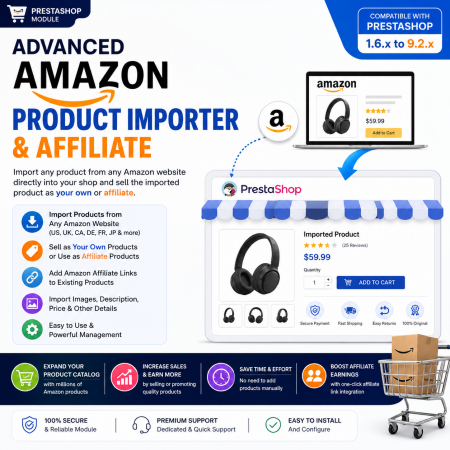
 Advanced Amazon Product Importer & Affiliate Module for PrestaShop – Import Products from Amazon
Let your customers name their price and negotiate better deals with the Offer Your Price – Make an Offer PrestaShop Module!
Allow shoppers to submit their desired product price and negotiate directly with your store. Review each offer, accept or reject it, or propose your own counter price to turn price-sensitive visitors into potential buyers.
Key Benefits:
Allow customers to make their own price offers.
Enable offers for selected products or your entire store.
Accept, reject or counter customer offers.
Negotiate better prices with potential buyers.
Manage customer price requests from the Back Office.
Encourage purchases from customers who hesitate because of product pricing.
Give customers more flexibility while keeping complete control over your store's pricing!

Encrypted payment gateways ensuring your financial and personal data remain 100% protected.

Every module includes professional installation assistance, free updates, and reliable troubleshooting.

Rigorously tested PrestaShop & WooCommerce extensions designed for maximum speed and zero bloat.

Transparent policies, clean documentation, and dedicated assistance if you run into any compatibility hurdles.