- -$40.00

This module enhances the shopping experience by allowing customers to easily explore product variations such as...

The module allows merchants to enhance product images with customizable stickers and labels. Whether it’s...

The Quantity Discount Table & Grid Module for PrestaShop helps merchants display...

This module allows you to offer free shipping based on flexible conditions, such as location, carrier, cart value,...

The module automatically adjusts language, currency, and country settings based on the customer's location....





Vendor
Version
Last update
Prestashop version
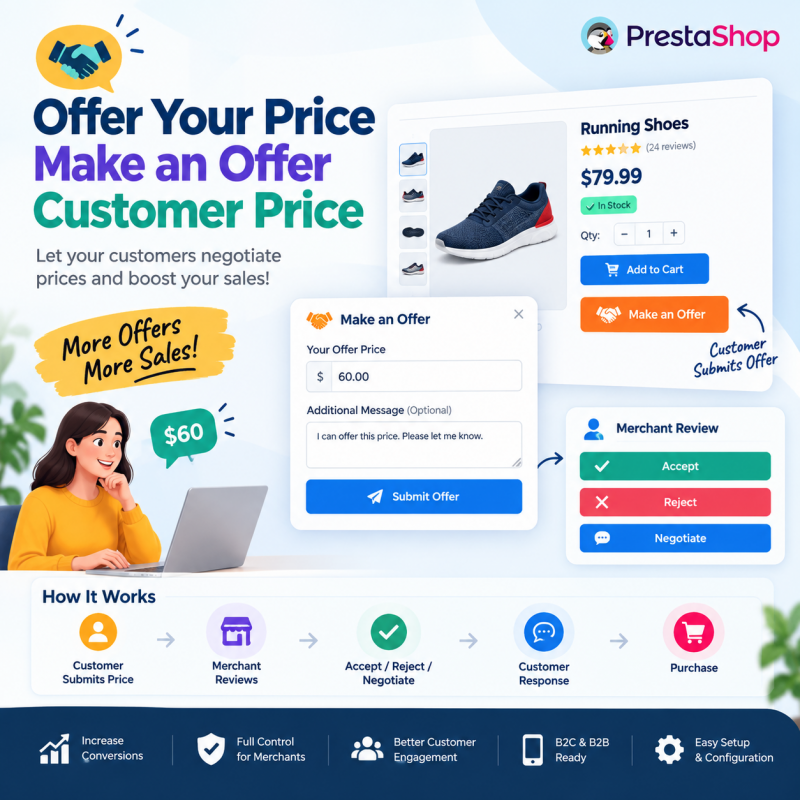
Give customers the freedom to propose their own product prices with the Offer Your Price – Make an Offer PrestaShop Module.
Allow shoppers to submit price offers directly from product pages and let your store administrators accept, reject, or counter those offers. Manage customer negotiations from your PrestaShop Back Office while maintaining complete control over your product pricing.
Enable price negotiation for selected products, collect optional customer messages, track offer statuses, and let customers follow their negotiation history.
Ideal for B2B stores, wholesale businesses, electronics retailers, furniture shops, premium products, and merchants looking to turn price objections into additional sales opportunities.
Key Benefits:
Allow customers to make their own price offers.
Enable offers for selected products or your entire store.
Accept, reject or counter customer offers.
Negotiate better prices with potential buyers.
Manage customer price requests from the Back Office.
Encourage purchases from customers who hesitate because of product pricing.
Give customers more flexibility while keeping complete control over your store's pricing!
Let Customers Propose Their Price. Negotiate Better Deals. Keep Control of Your Pricing.
Not every customer is ready to purchase a product at its displayed price. Some shoppers have a specific budget, some compare prices across different stores, and others expect personalized pricing before making a purchase.
The Offer Your Price – Make an Offer PrestaShop Module introduces a flexible price negotiation system that allows customers to propose the amount they are willing to pay directly from your online store.
Instead of losing interested shoppers because of a pricing disagreement, give them an opportunity to submit their own offers. Your store administrators can review every request and decide whether to accept the proposed price, reject it, or respond with a counteroffer.
You remain in control of your product prices, while customers receive a convenient way to communicate their purchasing expectations.
Whether you sell electronics, furniture, premium products, wholesale goods, or business-to-business products, this module helps you create personalized pricing opportunities without automatically reducing your regular catalog prices.
A fixed product price does not always match every customer's budget or purchasing requirements.
Imagine a shopper visiting your store, finding the product they want, and leaving without purchasing simply because the displayed price is slightly above their budget.
Another customer may want to purchase multiple quantities but expect a better deal. A business buyer may also prefer discussing commercial pricing before placing a large order.
Without a negotiation option, these customers have limited choices:
Purchase at the displayed price.
Contact your support team manually.
Search for a better deal elsewhere.
Abandon the purchase entirely.
The Offer Your Price module provides another option.
Allow customers to submit their preferred prices directly from your product pages. Your administrators can review those offers, communicate a decision, and negotiate a mutually acceptable price.
Customer Interest → Submit Price Offer → Merchant Review → Accept / Reject / Counteroffer → Purchase Opportunity
This workflow gives your business an additional way to engage interested shoppers while protecting your pricing strategy.
Some customers genuinely want your products but are unwilling or unable to purchase at the displayed price.
Solution: Let interested shoppers submit their preferred prices instead of immediately leaving your store.
Customers may want to discuss pricing but have no convenient way to communicate their expectations directly from a product page.
Solution: Provide a dedicated Make an Offer option that allows customers to submit price requests online.
Handling price requests through separate emails, phone calls, and messaging platforms can make negotiations difficult to organize.
Solution: Manage submitted offers through your PrestaShop Back Office.
Wholesale buyers and customers purchasing multiple quantities may expect personalized pricing.
Solution: Give eligible customers an opportunity to propose their preferred product prices.
Some products may require additional promotional flexibility to attract interested shoppers.
Solution: Enable price negotiation for selected products where flexible pricing makes business sense.
Retail customers, business buyers, and bulk purchasers may have different purchasing expectations.
Solution: Negotiate individual offers while maintaining control over the final approved price.
Allow customers to communicate their preferred product prices without leaving your website or relying on external communication channels.
Accept, reject, or counter customer offers according to your business requirements and product margins.
Give interested shoppers another opportunity to continue purchasing when the displayed price does not match their expectations.
Customers can propose prices, but your administrators retain the final decision over every offer.
Enable the Make an Offer feature for selected products instead of changing your entire catalog pricing policy.
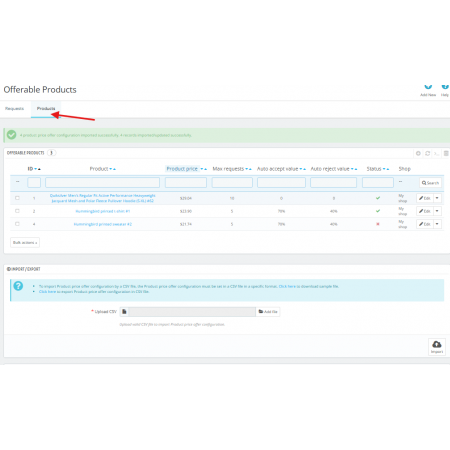
Review submitted requests and manage customer negotiations from your PrestaShop Back Office.
Give customers the freedom to propose the amount they are willing to pay for eligible products.
Instead of displaying a fixed price as the only purchasing option, provide an additional negotiation opportunity directly on the product page.
Key capabilities:
Allow customers to submit their preferred product prices.
Provide a dedicated Make an Offer option.
Collect price proposals directly from product pages.
Support customer-initiated price negotiations.
Give shoppers an alternative to accepting the displayed price immediately.
Business benefit: Engage interested customers who may otherwise abandon their shopping journey because of price differences.
Every customer has different purchasing expectations, and not every proposed price will be suitable for your business.
Maintain complete control over the negotiation process by reviewing each offer and choosing the appropriate response.
Available merchant responses:
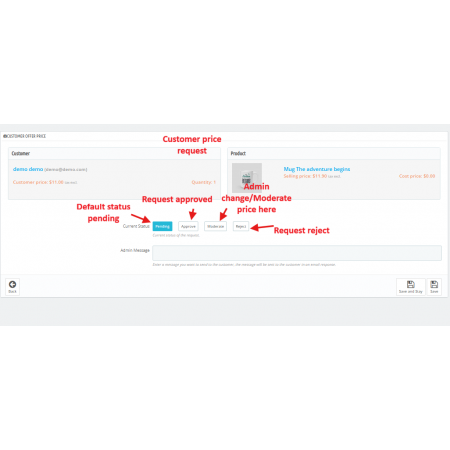
Accept: Approve a customer's proposed price.
Reject: Decline an offer that does not meet your pricing requirements.
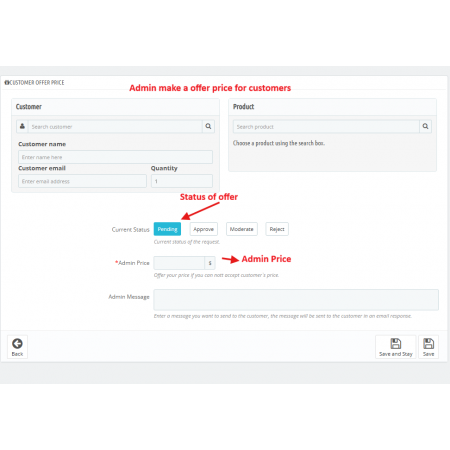
Counteroffer: Propose a different price and continue the negotiation.
Business benefit: Find opportunities for mutually acceptable deals without automatically accepting customer-submitted prices.
Not every product needs a negotiation option.
Some products may have fixed prices, while others may offer enough pricing flexibility to support customer negotiations.
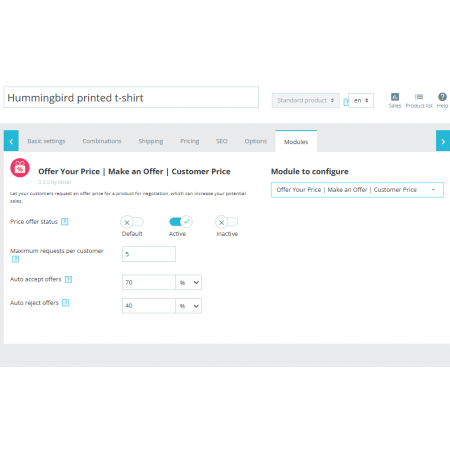
Enable the Make an Offer feature for selected products according to your business strategy.
Key capabilities:
Select products that support price offers.
Keep standard pricing for other products.
Provide negotiation opportunities where appropriate.
Apply flexible pricing selectively across your catalog.
Business benefit: Offer pricing flexibility without changing the purchasing experience for your entire store.
A proposed price does not always explain the customer's actual requirements.
For example, a customer may want to purchase multiple units, request a better price for a business order, or explain why a particular price is suitable.
Allow customers to include additional comments with their price offers.
Key capabilities:
Collect optional customer messages.
Understand the reason behind a proposed price.
Review additional purchasing information.
Make more informed negotiation decisions.
Improve communication between customers and merchants.
Business benefit: Understand customer expectations and respond to offers with better context.
Managing price requests through separate communication channels can become difficult as customer inquiries increase.
Keep submitted offers organized through your PrestaShop administration area.
Key capabilities:
Review submitted customer offers.
Manage negotiation requests centrally.
Respond to customer price proposals.
Accept, reject, or counter offers.
Handle pricing discussions through your store administration workflow.
Business benefit: Reduce dependence on scattered manual price discussions and make offer management more organized.
Customers and administrators need to understand the current state of a negotiation.
Use offer statuses to distinguish between new requests and offers that have already received a response.
Supported offer statuses:
Pending: The offer is awaiting an administrator's response.
Accepted: The merchant has approved the offer.
Rejected: The merchant has declined the offer.
Negotiation: The offer is under discussion through a counteroffer.
Business benefit: Make customer negotiations easier to follow and manage.
Different products and storefronts have different requirements for presenting price negotiation options.
Configure the Make an Offer display according to the supported locations and product eligibility settings.
Key capabilities:
Configure where the offer option appears.
Control product-specific offer availability.
Provide a dedicated price negotiation entry point.
Adapt the feature to your store's purchasing experience.
Business benefit: Integrate price negotiation into your storefront where it is most useful.
Providing flexible pricing does not mean giving customers unlimited control over your product prices.
Maintain your pricing strategy through the offer rules and price conditions supported by the module.
Key capabilities:
Configure applicable offer conditions.
Define supported minimum or acceptable price limits.
Evaluate proposed prices before approval.
Protect product margins through merchant review.
Maintain control over accepted offers.
Business benefit: Balance customer pricing flexibility with your business's profitability requirements.
Customers may submit multiple offers or negotiate prices for different products.
Provide visibility into their previous offer requests so they can follow their negotiation activity.
Key capabilities:
Display previous customer offers.
Show offer status information.
Help customers follow pending negotiations.
Provide visibility into accepted and rejected offers.
Make price discussions easier to track.
Business benefit: Create a more transparent customer negotiation experience.
Customers should be able to submit price offers conveniently regardless of the device they use.
The module provides a responsive interface designed for different screen sizes.
Supported browsing experiences:
Desktop computers.
Laptops.
Tablets.
Smartphones.
Business benefit: Allow customers to participate in price negotiations while browsing your store on different devices.
The module creates a straightforward negotiation workflow between customers and store administrators.
Customers visit your PrestaShop store and open a product where the Make an Offer option is enabled.
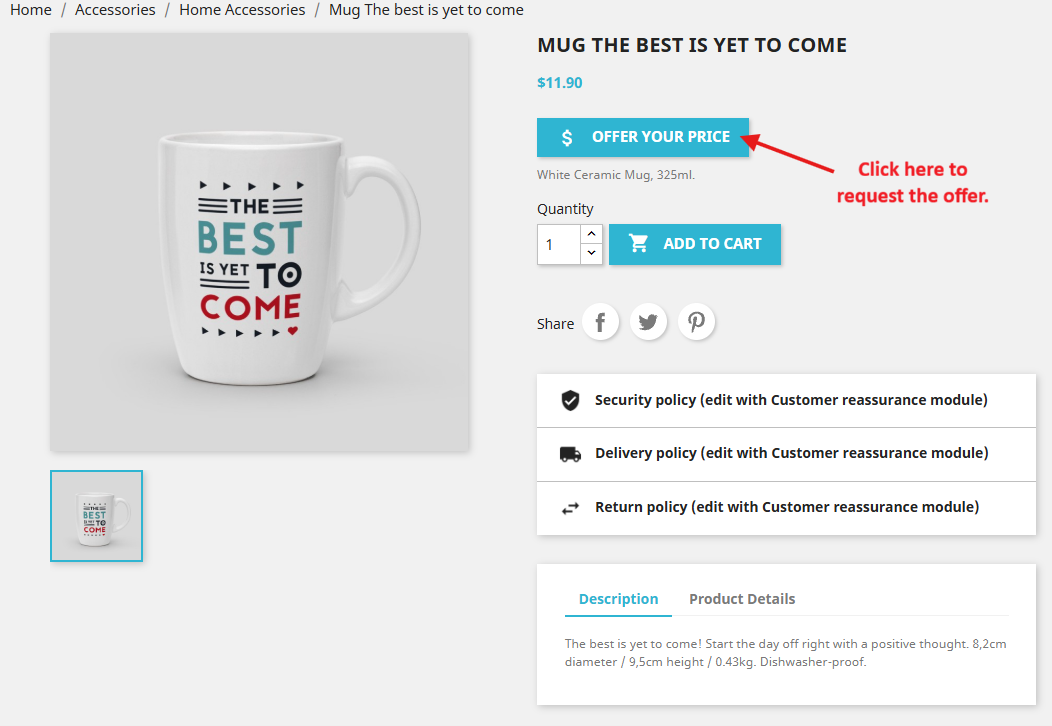
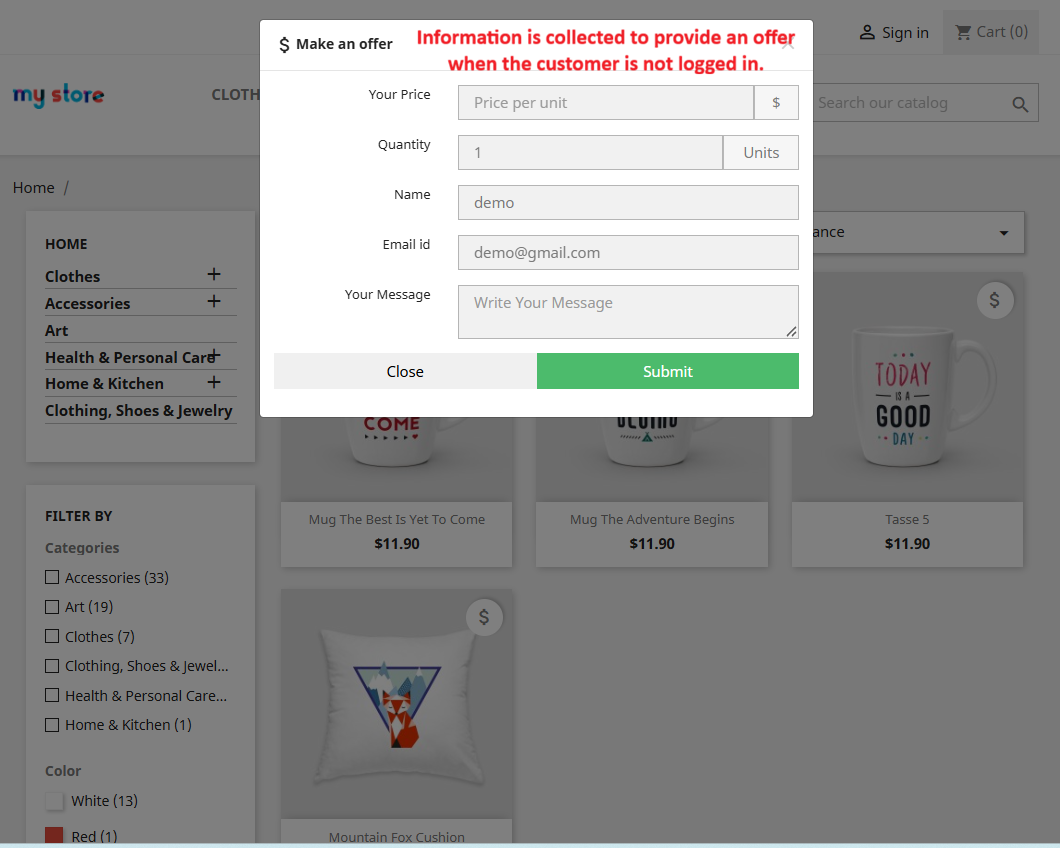
Customers enter the price they are willing to pay. They can also include an optional message explaining their requirements.
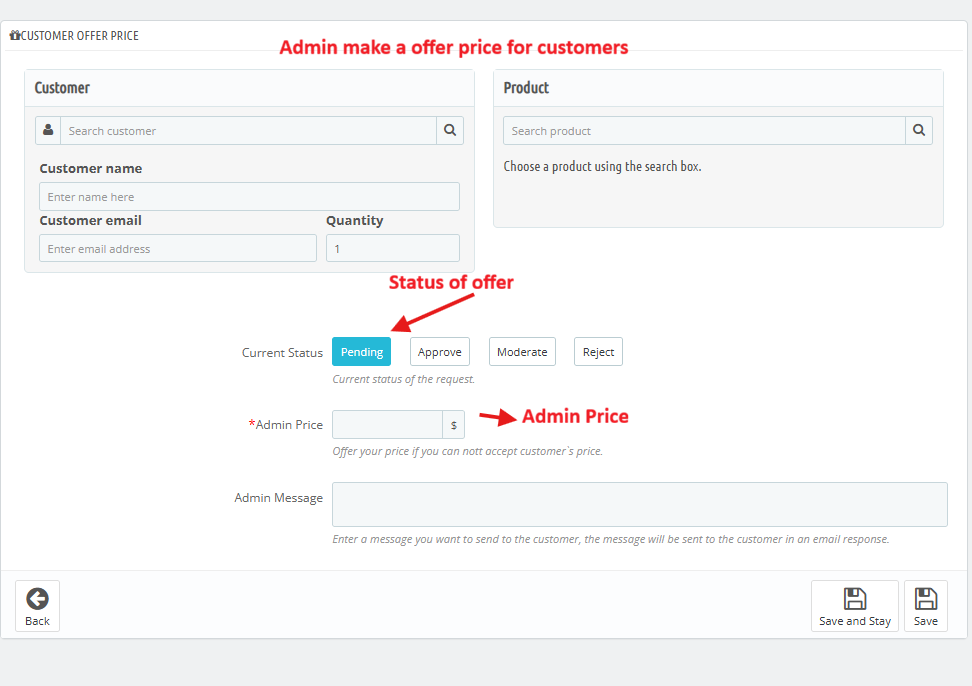
The store administrator receives the submitted request and evaluates the proposed price according to product costs, margins, and business requirements.
The merchant can choose one of three responses:
Accept the customer's offer.
Reject the customer's offer.
Submit a counteroffer with a different price.
When an offer is accepted, the customer can proceed with the purchase according to the module's approved offer and checkout workflow.
The result: A structured negotiation process that gives customers pricing flexibility while keeping the final decision with your business.
This module is particularly useful for stores where personalized pricing and customer negotiations can create additional purchasing opportunities.
Allow customers to negotiate prices on premium electronics, computers, smartphones, accessories, and other high-value products.
Example: A customer interested in purchasing a laptop submits a price offer based on their available budget.
Offer negotiation opportunities for expensive furniture, decorative items, home furnishings, and customized products.
Example: A shopper proposes a different price for a premium sofa or furniture set.
Give business buyers another way to communicate their pricing expectations for larger purchasing requirements.
Example: A retailer interested in purchasing multiple units submits a price proposal for the order.
Support business customers who may expect personalized commercial pricing instead of standard retail prices.
Example: A business buyer submits an offer for products intended for resale or organizational use.
Create additional opportunities to negotiate on selected products that need more promotional attention.
Example: A customer proposes an acceptable price for an older product model.
Provide a more personalized purchasing experience for customers interested in expensive or premium products.
Example: A shopper submits a price proposal for luxury accessories or premium equipment.
For eligible products and services, allow customers to communicate their pricing expectations before proceeding with a purchase.
Example: A customer requests a different price for a specialized product package.
Engage customers who hesitate because the listed product price does not match their expectations.
Give interested shoppers an alternative to abandoning their shopping journey over price differences.
Review every submitted offer and decide which prices are suitable for your business.
Respond to different customer requirements, purchasing situations, and business needs.
Create direct interactions between customers and your store through structured price negotiations.
Handle customer offers from your PrestaShop Back Office rather than depending entirely on separate communication channels.
Provide a more flexible purchasing experience for business customers and larger purchasing requirements.
Observe which products attract price offers and use that information to better understand customer expectations.
Enable negotiations selectively without automatically changing the displayed prices of all products.
Make shopping more flexible by giving customers an opportunity to communicate their preferred prices.
Propose a preferred price for eligible products.
Submit offers directly from your online store.
Include optional comments with price requests.
Receive responses from the merchant.
Follow submitted offer statuses.
Continue negotiations through counteroffers.
View previous offer requests.
Explore mutually acceptable purchasing opportunities.
Customers get a convenient way to discuss pricing, while your store maintains control over the final decision.
A customer who requests a lower price is not necessarily an uninterested customer.
In many situations, the customer already likes the product but needs a price that better matches their budget, purchasing quantity, or business requirements.
Without a structured negotiation option, these conversations may never happen.
A Make an Offer feature creates an additional communication channel between the customer and merchant.
Instead of losing an interested shopper immediately, your business gets an opportunity to understand the request, evaluate the proposed price, and negotiate a suitable deal.
This is particularly useful in industries where product margins, order quantities, and customer requirements vary.
Price negotiation is not about accepting every offer. It is about creating opportunities to convert customer interest into a mutually acceptable purchase.
Install the Offer Your Price module using the standard PrestaShop module installation process.
Download the Offer Your Price module ZIP package after purchase.
Log in to your PrestaShop Back Office.
Navigate to Modules → Module Manager.
Click Upload a module.
Select the downloaded ZIP package.
Upload and install the module.
Open the module configuration page.
Configure the Make an Offer display settings.
Select the products where price negotiation should be enabled.
Configure the applicable offer rules and price conditions.
Save your configuration.
Visit your storefront and test the customer offer submission workflow.
Test merchant responses, including acceptance, rejection, and counteroffers.
Your store can now provide a structured price negotiation experience for eligible products.
The module is designed for the following PrestaShop versions:
PrestaShop 1.7.x
PrestaShop 8.x
PrestaShop 9.x
Check the exact supported release and your store's theme compatibility before purchasing or installing the module.
It is a price negotiation extension that allows customers to propose their preferred product prices directly from your PrestaShop store. Merchants can review submitted offers and accept, reject, or counter them.
Customers can propose the amount they are willing to pay for products where the Make an Offer feature is enabled. However, the merchant retains the final decision on whether to accept or negotiate the proposed price.
Yes. The administrator can accept a customer's proposed price, reject an unsuitable offer, or respond with a different price through a counteroffer.
Yes. The module supports product-specific offer availability, allowing merchants to choose which products should provide customers with a price negotiation option.
Yes. Customers can optionally include additional comments with their proposed prices to explain their requirements or purchasing expectations.
Yes. Customers can view their previous offer requests and follow their negotiation statuses, including Pending, Accepted, Rejected, and Negotiation.
Yes. It is particularly useful for B2B stores, wholesale businesses, and merchants selling high-value products where customers may require personalized pricing or commercial negotiations.
No. A submitted offer does not automatically change your store's regular catalog price. The merchant must review and respond to the offer according to the configured negotiation workflow.
The module allows merchants to retain control over offer approvals and supports configurable offer rules and price conditions where available. Administrators should evaluate offers before accepting them.
Yes. It can support price negotiation use cases for wholesale and bulk buyers who want to communicate their preferred pricing before purchasing.
The module provides a responsive interface designed to support customer price offers across desktop, tablet, and mobile devices.
The listed supported versions include PrestaShop 1.7.x, 8.x, and 9.x. Check the module's exact compatibility information before installation.
Give customers the freedom to propose their preferred prices while keeping complete control over every deal.
With the Offer Your Price – Make an Offer PrestaShop Module, you can accept customer price requests, negotiate better deals, manage offers from your Back Office, and create additional opportunities to convert interested shoppers into customers.
Stop treating every pricing objection as a lost sale. Start turning customer price requests into meaningful business conversations.
Negotiate Smarter. Sell More Flexibly. Grow Your PrestaShop Business with Sathi!
| Vendor | Nxtal |
|---|---|
| Last update | Nov 20, 2026 |
| Version | 3.3.0 |
| Required store version | From 1.7.x to 9.2.x |
| Publication date | Sep 11, 2026 |
| Return Policy | You can return the product within the 30 Days return period for a full refund. No questions asked. |
| Customer Support | Enjoy one year of free customer support, including installation, troubleshooting, and usage guidance. |
| Description | This product is compatible with the specified versions and includes all the latest updates to enhance functionality and user experience. |

 Advanced Shop & Product Reviews and Ratings Module for PrestaShop
 Bundle Product - Mix Product Prestashop Module
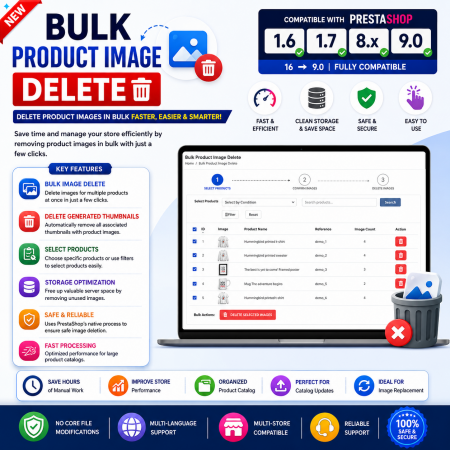
 Bulk Product Image Delete for PrestaShop
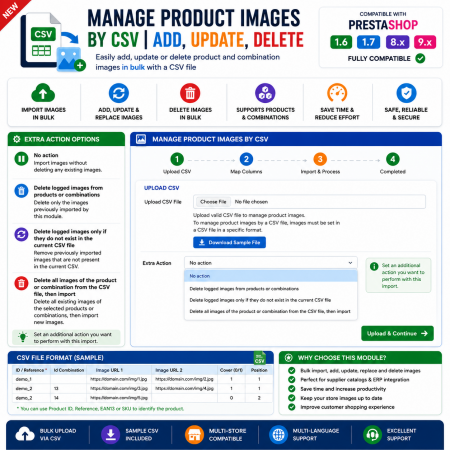
 Manage PrestaShop Product Images by CSV – Add, Update & Delete
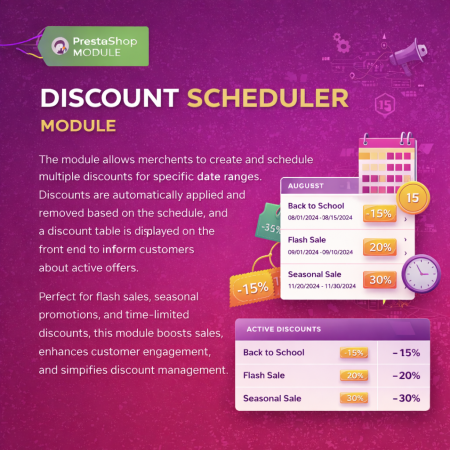
 Multiple discount date wise discount Prestashop Module
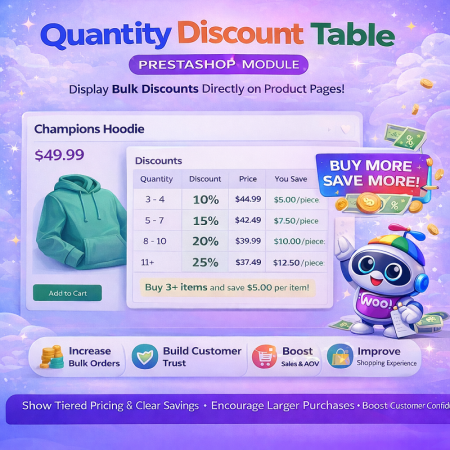 Quantity Discount Table & Grid PrestaShop Module
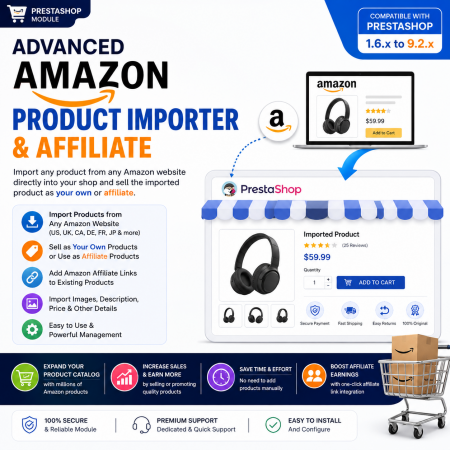
 Advanced Amazon Product Importer & Affiliate Module for PrestaShop – Import Products from Amazon
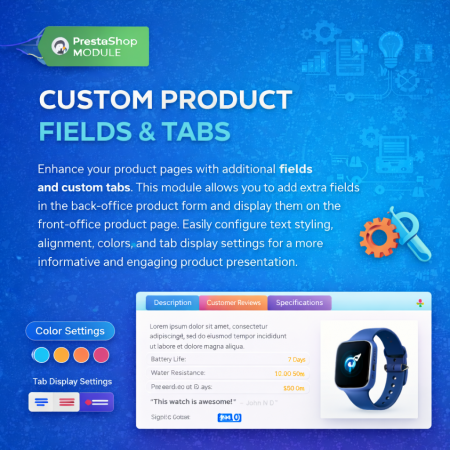
 Additional Product Fields And Tabs Prestashop Module
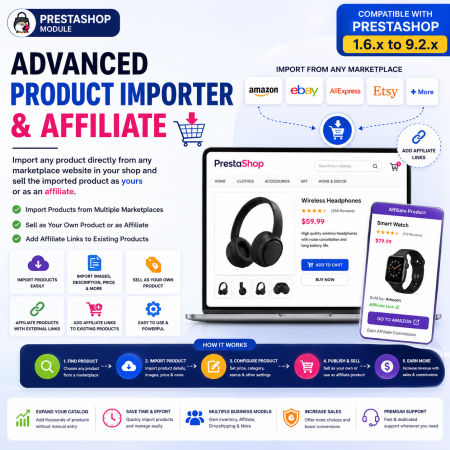
 Advanced Product Importer & Affiliate (100+ websites) Module for PrestaShop
Give customers the freedom to propose their own product prices with the Offer Your Price – Make an Offer PrestaShop Module.
Allow shoppers to submit price offers directly from product pages and let your store administrators accept, reject, or counter those offers. Manage customer negotiations from your PrestaShop Back Office while maintaining complete control over your product pricing.
Enable price negotiation for selected products, collect optional customer messages, track offer statuses, and let customers follow their negotiation history.
Ideal for B2B stores, wholesale businesses, electronics retailers, furniture shops, premium products, and merchants looking to turn price objections into additional sales opportunities.
Key Benefits:
Allow customers to make their own price offers.
Enable offers for selected products or your entire store.
Accept, reject or counter customer offers.
Negotiate better prices with potential buyers.
Manage customer price requests from the Back Office.
Encourage purchases from customers who hesitate because of product pricing.
Give customers more flexibility while keeping complete control over your store's pricing!

 Product Video – YouTube, Vimeo, External Links & Video Upload for PrestaShop
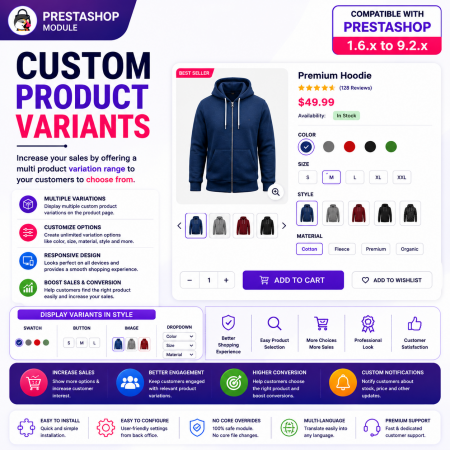
 Custom Product Variants – Display Separate Products as Variations in PrestaShop
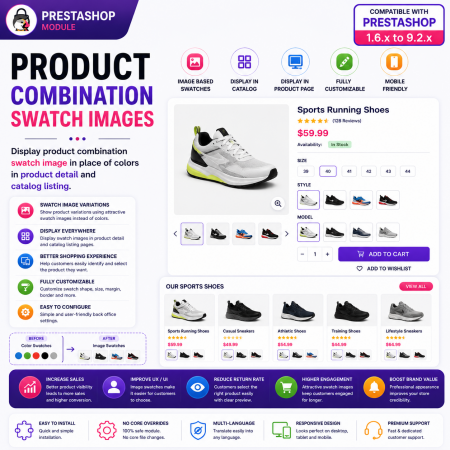
 Product Combination Swatch Images – Visual Product Variations for PrestaShop
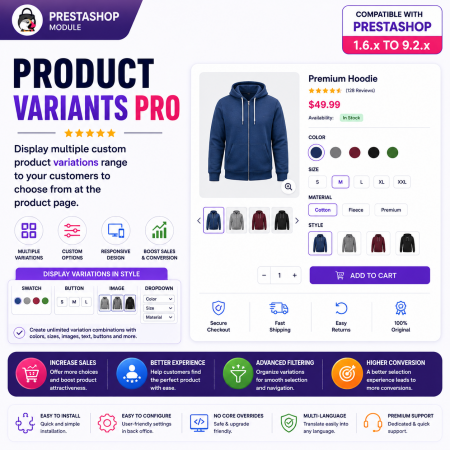
 Product Variants Pro – Custom Variant Groups for PrestaShop

Encrypted payment gateways ensuring your financial and personal data remain 100% protected.

Every module includes professional installation assistance, free updates, and reliable troubleshooting.

Rigorously tested PrestaShop & WooCommerce extensions designed for maximum speed and zero bloat.

Transparent policies, clean documentation, and dedicated assistance if you run into any compatibility hurdles.