- -$40.00


This module enhances the shopping experience by allowing customers to easily explore product variations such as...

The module allows merchants to enhance product images with customizable stickers and labels. Whether it’s...

Make bulk pricing visible and encourage larger orders with the Quantity Discount Table Grid PrestaShop Module.
...
Take complete control of your store's free shipping strategy with the Free Shipping by Zone & Carrier...

The module automatically adjusts language, currency, and country settings based on the customer's location....

Vendor
Version
Last update
Prestashop version
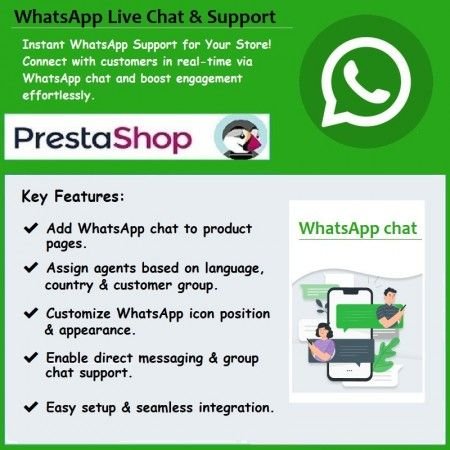
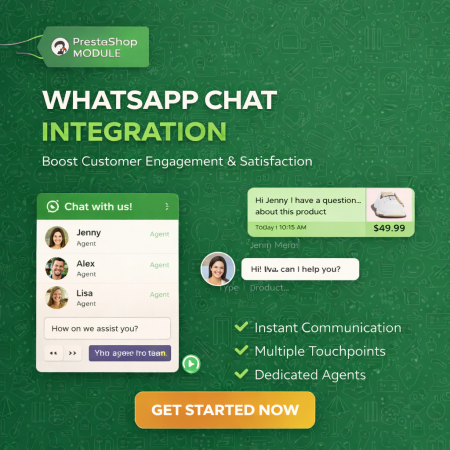
Connect with your customers instantly using the WhatsApp Live Chat & Support PrestaShop Module. Add convenient WhatsApp contact options to your storefront and help shoppers communicate with the right support agent before making a purchase.
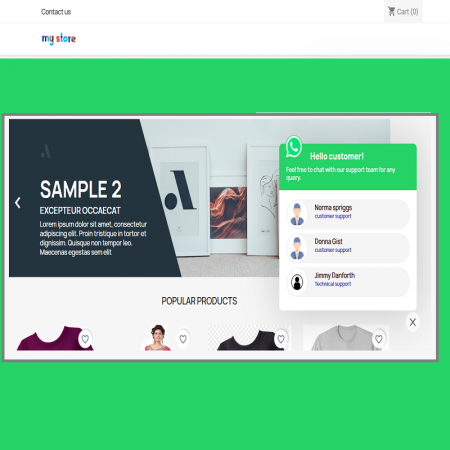
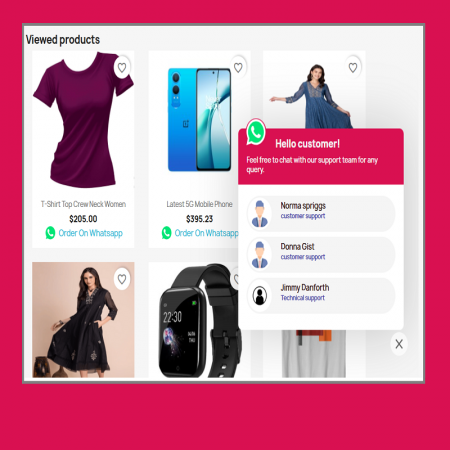
Manage multiple WhatsApp support agents and organize them by language, country, customer group, and working hours. Display WhatsApp contact buttons on product pages and product listings, configure predefined messages, create WhatsApp groups, and control which products display support options.
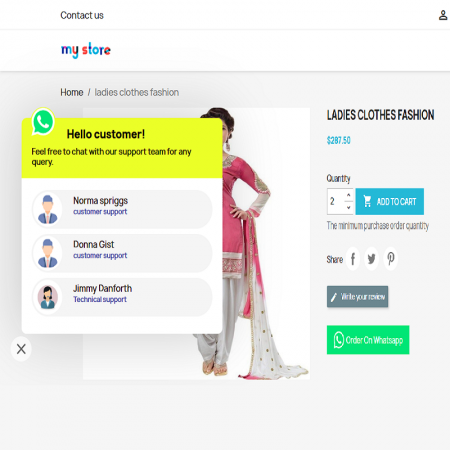
Customize the floating WhatsApp chatbox, manage agent availability, and provide a mobile-friendly customer communication experience.
Whether you run a small online shop or a multilingual eCommerce business, this module helps organize customer inquiries, improve product communication, and make your support team more accessible directly from your PrestaShop store.
Connect with Customers Instantly. Organize Your Support Team. Turn Product Inquiries into Sales Opportunities.
Customer communication plays an important role in eCommerce success. Before placing an order, shoppers often have questions about product specifications, availability, sizes, colors, delivery, payment methods, and other purchasing details.
If customers cannot find a convenient way to contact your store, they may leave without completing their purchase.
The WhatsApp Live Chat & Support PrestaShop Module makes customer communication easier by integrating WhatsApp contact options directly into your online store.
Instead of displaying just one WhatsApp number, you can manage multiple support agents and organize them according to languages, countries, customer groups, and working hours. Customers can choose an appropriate contact and start a WhatsApp conversation directly from your storefront.
The module also supports product-specific WhatsApp buttons, product listing contact options, predefined messages, WhatsApp group integration, customizable chatbox appearance, and individual product visibility controls.
Whether you operate a small online shop or a growing international eCommerce business, this module helps make customer support more accessible and keeps your communication workflow organized.
Customers often need assistance at different stages of their shopping journey.
A visitor browsing a product may want to confirm its availability. Another shopper may need help choosing the correct size, while an existing customer may have questions about an order or delivery.
Traditional contact forms and email communication may not provide the quick conversational experience these customers expect.
The WhatsApp Live Chat & Support module provides a convenient way for customers to connect with your support team using WhatsApp.
Add WhatsApp contact options to your PrestaShop storefront and allow visitors to reach the appropriate support agent without searching for contact details.
Add multiple WhatsApp support agents to your store.
Organize agents by country and language.
Assign agents to specific customer groups.
Configure individual agent working hours and availability.
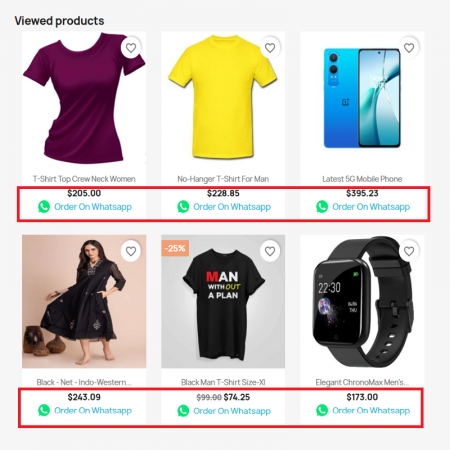
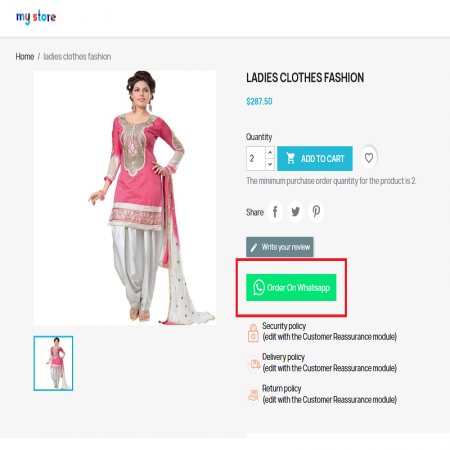
Display WhatsApp buttons on product pages.
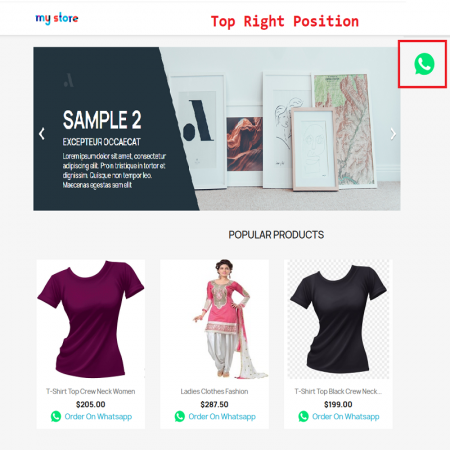
Display contact options on supported product listing pages.
Control WhatsApp button visibility for individual products.
Configure predefined WhatsApp messages.
Create and manage WhatsApp groups.
Customize chatbox appearance, position, and colors.
Allow customers to share the current page URL in conversations.
Provide a responsive WhatsApp contact experience on desktop and mobile.
The result: Customers can reach your business more conveniently, while store administrators can manage multiple support contacts through a dedicated PrestaShop interface.
Give website visitors a convenient way to contact your store through WhatsApp instead of relying entirely on traditional contact forms.
Manage several support contacts instead of depending on a single WhatsApp number. Organize your agents according to your business requirements.
Display WhatsApp contact options directly on product pages so customers can ask questions about the products they are considering.
Assign support agents according to their supported languages, helping customers find a more suitable contact.
Organize your support team according to countries and provide relevant contact options for different customer markets.
Configure agent working schedules to help customers identify suitable support contacts based on their availability.
Control where WhatsApp buttons appear and select which products should display customer contact options.
Make your PrestaShop store more accessible by adding WhatsApp contact options to your storefront.
Customers can select a WhatsApp contact and start a conversation using their available WhatsApp application.
Key features:
Add WhatsApp contact options to your storefront.
Allow customers to start direct conversations with support agents.
Configure WhatsApp contact details.
Customize the appearance of the WhatsApp chatbox.
Support desktop and mobile customer interactions.
Make it easier for shoppers to contact your business.
Business benefit: Reduce the effort required for customers to find your contact information and encourage more direct communication.
A single support number may not be sufficient for businesses handling inquiries from different customer groups, countries, or languages.
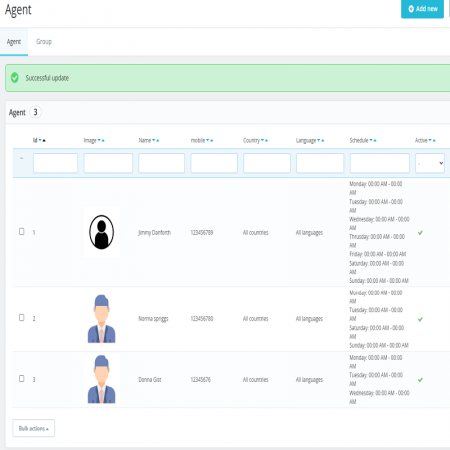
The multiple-agent functionality allows you to manage several WhatsApp support contacts from your PrestaShop Back Office.
Key features:
Add multiple WhatsApp support agents.
Configure individual agent names.
Add WhatsApp mobile numbers with country codes.
Upload agent profile images.
Configure individual working hours.
Assign supported languages.
Assign countries.
Associate agents with customer groups.
Organize agents using configured WhatsApp groups.
Business benefit: Build an organized support team and make it easier to direct customers toward relevant support contacts.
Product pages are among the most important places where customers make purchasing decisions.
Shoppers may need additional information before adding an item to their cart. A conveniently placed WhatsApp button gives them another way to ask questions.
Key features:
Display WhatsApp contact buttons on product pages.
Allow customers to initiate product-related inquiries.
Provide direct access to configured support agents.
Support product-specific communication.
Make customer assistance accessible during product browsing.
Example customer inquiries:
"Is this product available in size XL?"
"Can you provide more information about this product?"
"Do you have this product in another color?"
"Can you confirm the product specifications?"
"Is this item suitable for my requirements?"
Business benefit: Help customers resolve product-related questions before purchasing and reduce the chances of losing interested shoppers because they cannot easily contact your store.
Customers often discover products through category pages, search results, and product listings.
Allow shoppers to access WhatsApp support from supported product-listing locations instead of requiring them to open every product individually.
Key features:
Display WhatsApp contact buttons on product listing pages.
Support the configured product-list display hook.
Provide contact access during product browsing.
Help customers ask questions before opening individual product pages.
Business benefit: Make customer support accessible earlier in the product discovery journey.
Not every product requires the same level of customer assistance.
Some products may need detailed explanations, while others may be straightforward to purchase without contacting support.
The per-product visibility functionality allows you to choose which products should display a WhatsApp support button and which should not.
Key features:
Control WhatsApp button visibility for individual products.
Select products that should display contact options.
Exclude products that do not require WhatsApp assistance.
Customize the customer communication experience according to product requirements.
Business benefit: Keep product pages clean and display WhatsApp contact options where they provide the most value.
Customers should be able to identify appropriate support contacts based on their working schedules.
Configure individual agent availability and working hours to organize how your support team is presented to shoppers.
Key features:
Configure agent working schedules.
Manage individual availability settings.
Organize support contacts according to working hours.
Help customers identify suitable agents.
Support different schedules across your support team.
Business benefit: Provide clearer expectations around agent availability and organize customer communication more effectively.
Businesses serving international or multilingual customers often need different support contacts for different markets.
The module allows you to organize agents according to supported countries and languages.
Key features:
Assign agents to specific countries.
Configure supported languages.
Organize support contacts for different customer markets.
Associate agents with relevant customer groups.
Support multilingual and international communication workflows.
Business benefit: Help customers find support contacts that better match their communication requirements.
Some businesses prefer to organize customer communication around dedicated WhatsApp groups.
The module provides WhatsApp group management functionality to support group-based customer communication.
Key features:
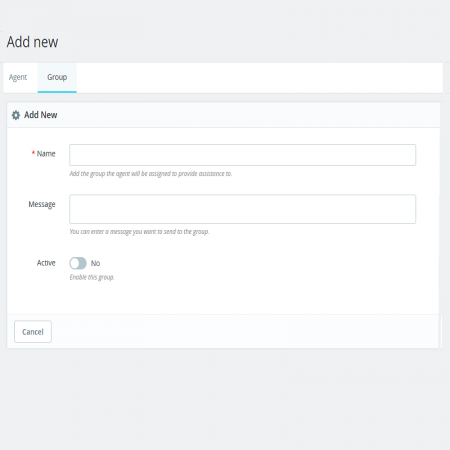
Create WhatsApp support groups.
Configure group names.
Manage groups through the PrestaShop Back Office.
Associate agents with configured groups.
Organize group-based customer assistance and updates.
Business benefit: Keep group-related support contacts organized and support community-oriented communication strategies.
Note: Group integration provides a way to organize WhatsApp group contacts; it does not imply automated WhatsApp group messaging or management of group conversations inside PrestaShop.
Make it easier for customers to start conversations by providing ready-to-send messages.
Instead of typing a new message from scratch, customers can begin with a predefined message configured for the WhatsApp contact experience.
Key features:
Configure predefined WhatsApp messages.
Provide a starting message for customer inquiries.
Reduce the effort needed to initiate a conversation.
Support more consistent customer inquiry formats.
Make product-related communication easier to start.
Business benefit: Encourage customers to initiate conversations and help them communicate their requirements more clearly.
Your WhatsApp contact interface should complement your store design.
Customize the chatbox appearance so that it fits naturally into your existing storefront.
Key features:
Customize WhatsApp chatbox position.
Configure button colors.
Adjust supported chatbox design options.
Customize the WhatsApp contact icon appearance.
Maintain a consistent visual experience with your store.
Business benefit: Integrate WhatsApp contact options into your website without making the storefront experience feel disconnected.
When customers contact your support team from a product or category page, sharing the relevant page link can make communication easier.
The module supports sharing the current page URL while initiating a WhatsApp conversation.
Key features:
Include the current page URL in customer communication.
Help agents identify the page being discussed.
Support product-specific inquiries.
Make it easier for customers to share relevant store content.
Business benefit: Reduce confusion during product inquiries and help customers and support agents discuss the same page.
Many customers browse online stores using smartphones.
A responsive WhatsApp contact experience helps shoppers access support across different screen sizes and devices.
Key features:
Mobile-friendly WhatsApp contact interface.
Responsive chatbox presentation.
Convenient contact access across desktop and mobile.
Support for customers browsing your store on different devices.
Business benefit: Make customer communication accessible regardless of how visitors access your website.
When contact information is difficult to locate, customers may leave your website instead of asking questions.
Solution: Add WhatsApp contact options to your storefront and provide a more accessible communication channel.
Shoppers often need clarification about product specifications, availability, size, color, or other details.
Solution: Display WhatsApp buttons on product pages and supported product listing locations so customers can contact your team while browsing.
A single contact person may struggle to handle inquiries from multiple countries, languages, or customer groups.
Solution: Add multiple support agents and organize them by country, language, customer group, and availability.
Customers may not know whether a particular support agent is available.
Solution: Configure individual agent working hours and availability to organize support contacts more clearly.
Some shoppers do not know what information to include in their initial message.
Solution: Configure predefined WhatsApp messages to provide customers with a convenient starting point.
Displaying WhatsApp buttons on every product may not be suitable for every store.
Solution: Use individual product visibility controls to choose which products display WhatsApp contact options.
Support agents may have difficulty identifying which product or page a customer is discussing.
Solution: Use the current page URL sharing functionality to provide relevant page context when customers initiate a conversation.
The customer communication process is simple.
A shopper visits your PrestaShop website and browses products, categories, or other supported pages.
The customer sees the WhatsApp contact button or chatbox configured for that storefront location.
The customer selects an appropriate WhatsApp contact based on the available agent information and configured assignments.
WhatsApp opens with the selected support contact and any applicable predefined message or page context.
The support agent responds to the customer's inquiry through WhatsApp.
Complete workflow:
Customer Visits → Selects WhatsApp → Chooses Support Contact → Starts Conversation → Receives Assistance.
Give shoppers a convenient way to communicate with your store while browsing products.
Answer product-related questions and help customers get additional information before placing an order.
Manage multiple WhatsApp agents and organize them according to languages, countries, customer groups, and working hours.
Place contact options where customers are actively exploring products and making purchasing decisions.
Organize agents for different countries and language requirements.
Provide predefined messages and direct WhatsApp access to simplify the process of starting conversations.
Choose where WhatsApp buttons appear and control visibility for individual products.
Provide a convenient communication option for customers browsing from smartphones and tablets.
Customers may need help choosing the right size, color, fabric, or style.
Display WhatsApp buttons on product pages and let shoppers contact your team before purchasing.
Customers often need detailed information about specifications, compatibility, accessories, and product availability.
Provide direct WhatsApp contact options to help shoppers ask questions.
Customers may need assistance with product dimensions, colors, materials, and customization requirements.
Use product-specific WhatsApp inquiries to make communication easier.
Organize multiple agents to handle customer inquiries across different languages and markets.
Assign agents to specific countries and languages to support a more organized international customer communication workflow.
Use customer-group assignments to organize support contacts for different types of business customers.
Manage different support representatives with individual working hours, profile images, and WhatsApp contact numbers.
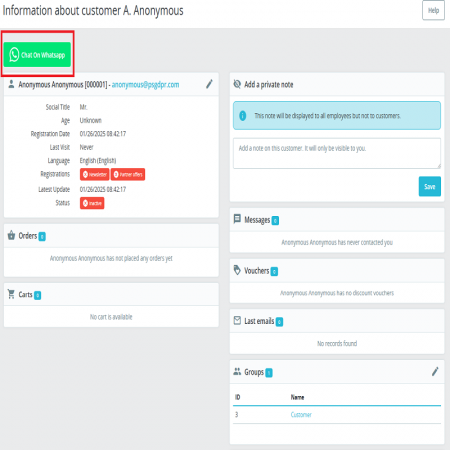
Manage your customer communication settings through the dedicated WhatsApp Support administration area.
After installation, access:
Customers → WhatsApp Support
The management area provides access to the module's agent and group configuration.
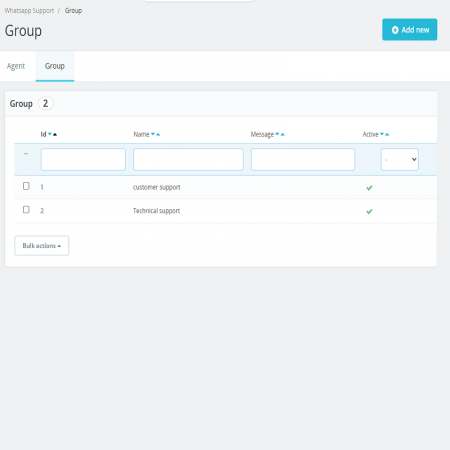
Create new WhatsApp groups.
Configure group names.
Save and organize group records.
Assign groups to relevant support agents.
Add new support agents.
Configure agent names.
Add WhatsApp mobile numbers with country codes.
Upload agent profile images.
Set individual working hours and availability.
Assign supported languages.
Configure country assignments.
Associate agents with customer groups.
Assign configured WhatsApp groups.
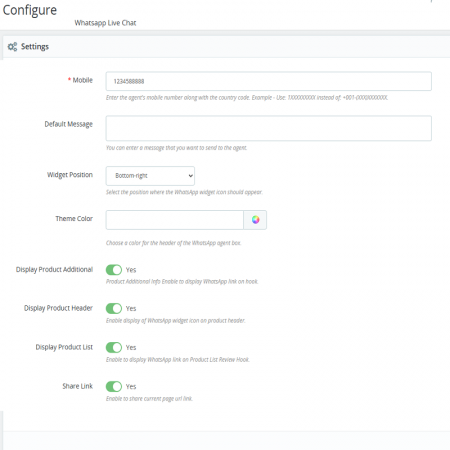
Configure WhatsApp contact display.
Set chatbox appearance and position.
Manage predefined messages.
Configure supported product page display.
Enable product-list contact buttons through the supported hook.
Manage individual product visibility.
Test customer-facing WhatsApp contact options.
Follow these steps to install and configure the WhatsApp Live Chat & Support module.
Download the WhatsApp Live Chat & Support module ZIP package from Sathi.
Log in to your PrestaShop Back Office.
Navigate to:
Modules → Module Manager
Click Upload a module, select the downloaded ZIP package, and complete the installation.
After installation, navigate to:
Customers → WhatsApp Support
This is the dedicated administration area for managing WhatsApp groups and agents.
If you want to organize your agents using WhatsApp groups:
Open WhatsApp Support → Groups.
Click Add Group.
Enter the group name.
Save the group.
You can then associate the configured group with relevant agents.
 |
 |
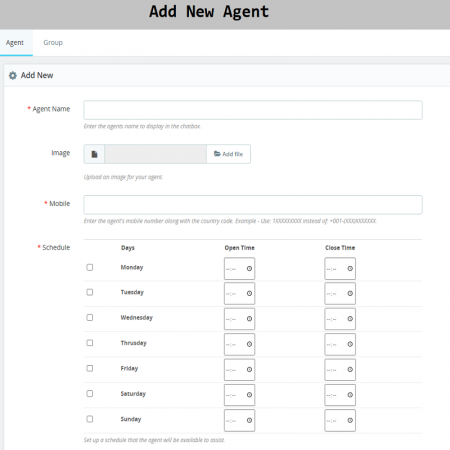
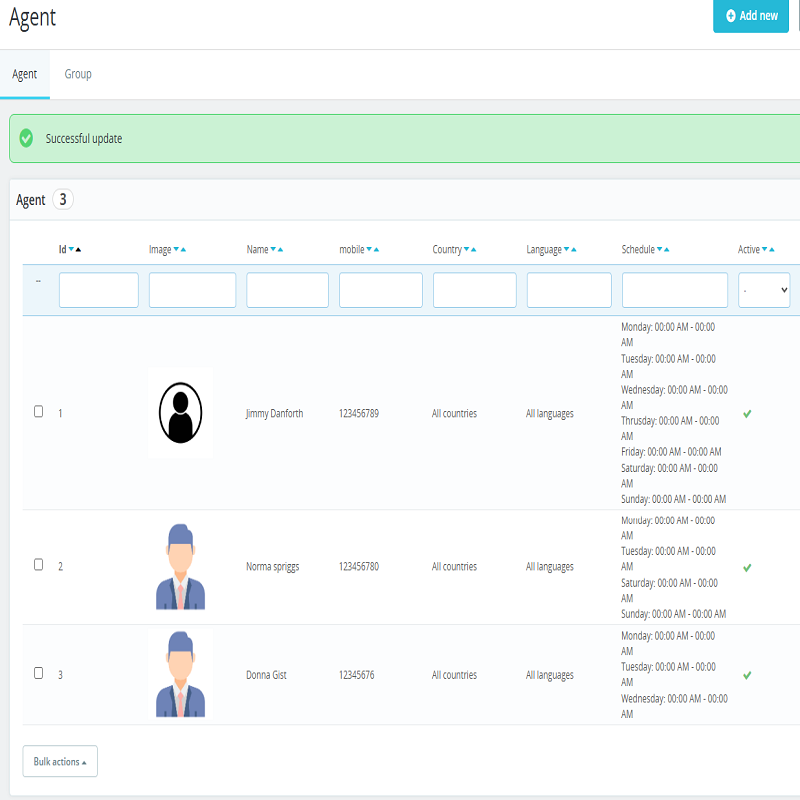
Navigate to: WhatsApp Support → Agents
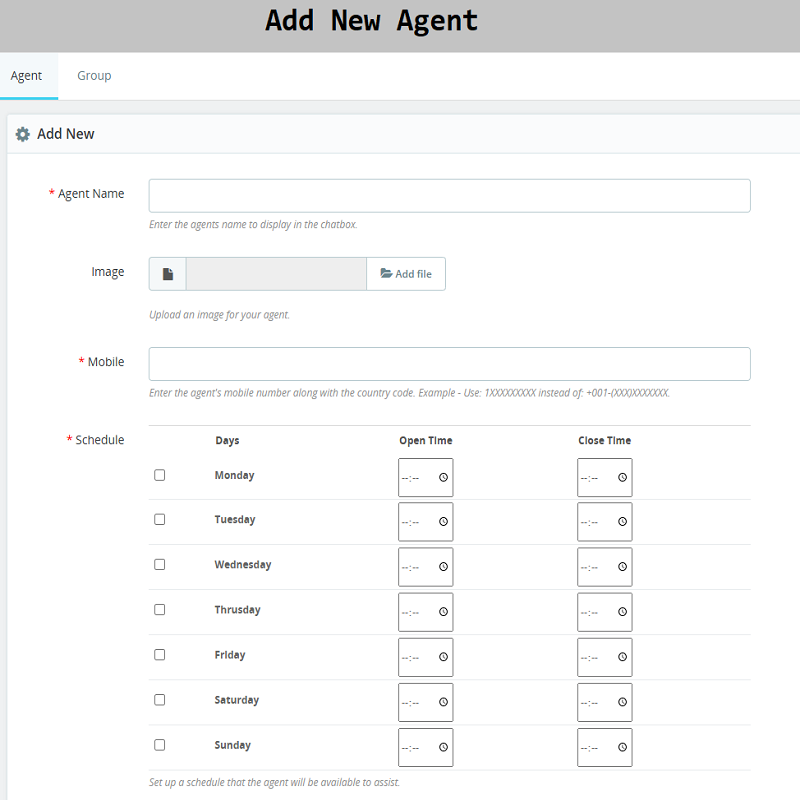
Click Add Agent and enter the requested information.
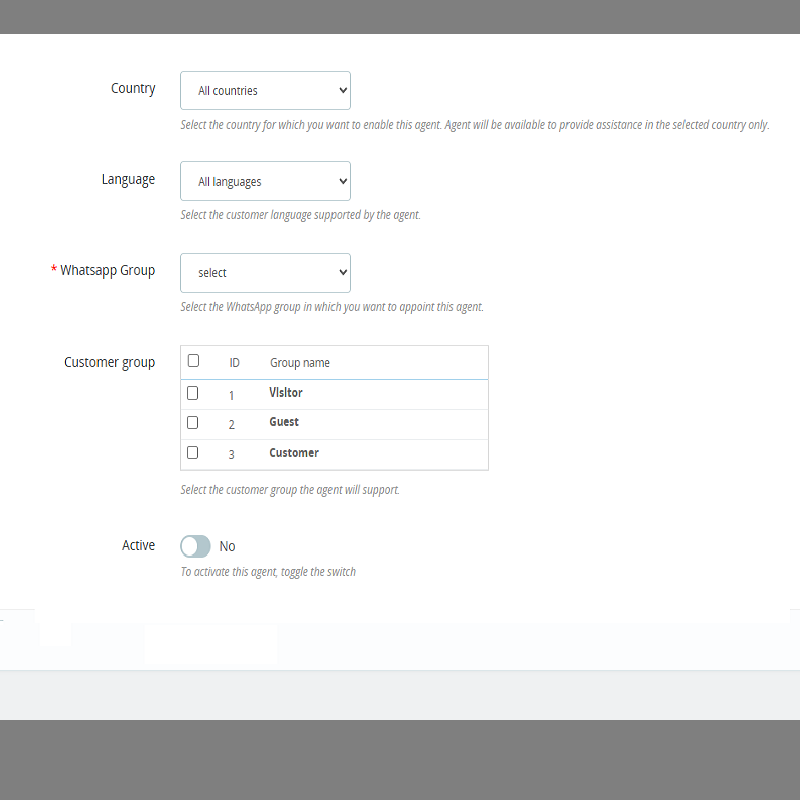
Configure the following details:
Agent name.
WhatsApp mobile number with country code.
Agent profile image.
Working hours and availability.
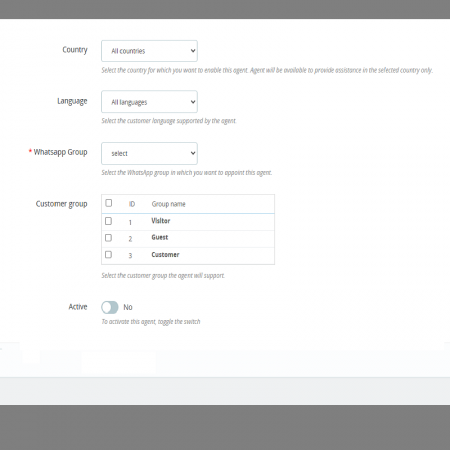
Supported languages.
Customer group assignments.
Country assignment.
Associated WhatsApp group.
 |
 |
 |
Save the agent configuration.
Review the module's available display settings.
Configure the supported WhatsApp contact options, chatbox appearance, product page buttons, and product-list display.
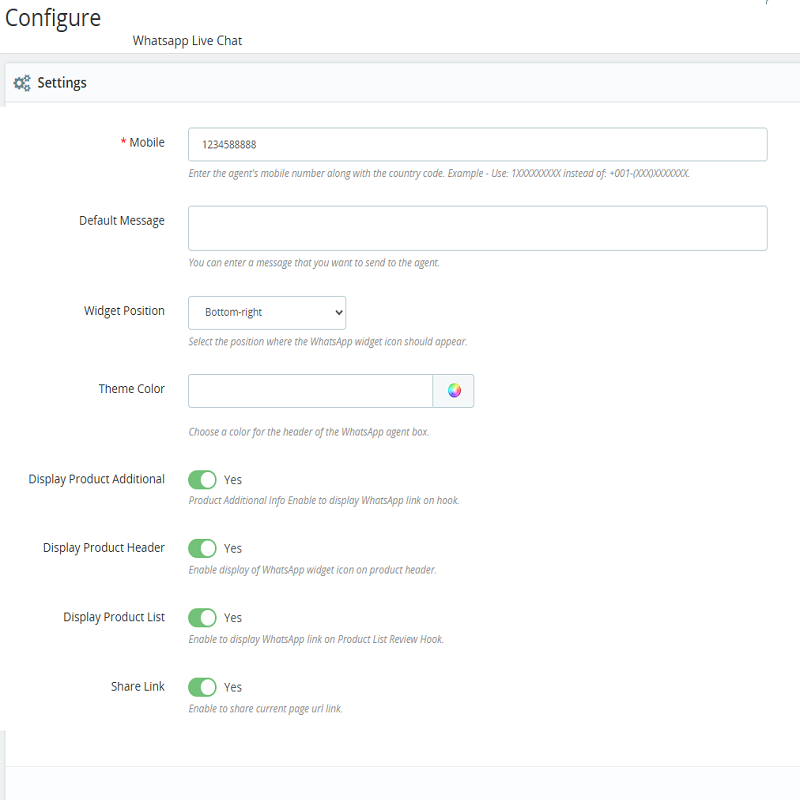
Choose which individual products should show or hide WhatsApp contact buttons.
Visit your storefront and test the following:
Floating WhatsApp contact button.
Agent selection and contact details.
Product page WhatsApp button.
Product listing WhatsApp button.
Predefined messages.
Current page URL sharing.
Agent availability and display.
Mobile and desktop layouts.
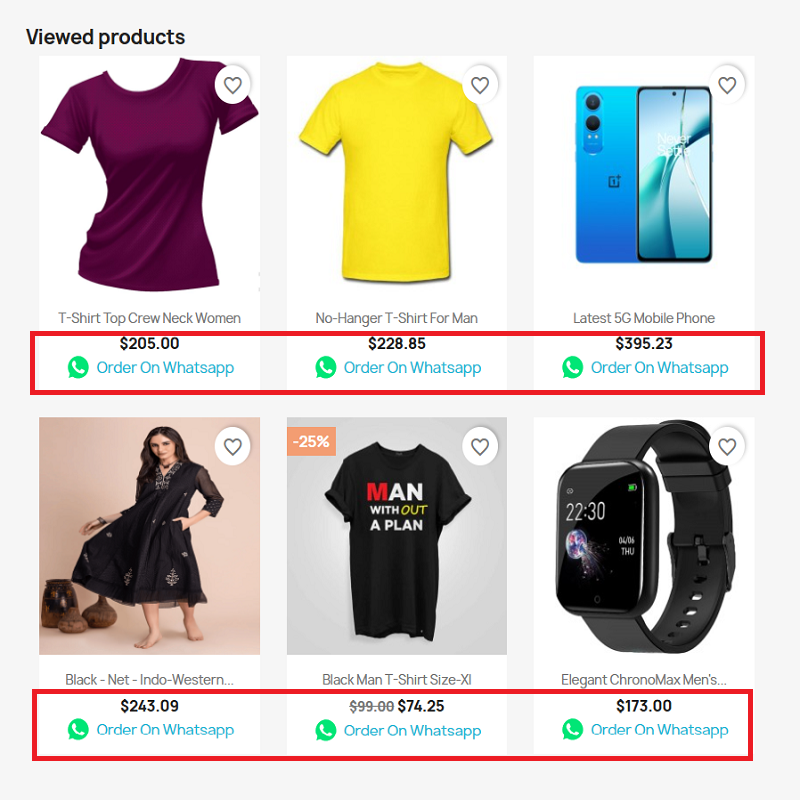 |
 |
 |
Confirm that each configured contact opens the correct WhatsApp conversation.
Always create a backup before installing or updating a PrestaShop module. Testing on a staging environment is recommended before applying changes to a production store.
It is a PrestaShop customer communication module that adds WhatsApp contact options to your storefront. It supports multiple agents, product-specific contact buttons, country and language assignments, working hours, predefined messages, and customizable chatbox settings.
Yes. You can create multiple support agents, each with their own name, WhatsApp number, profile image, working hours, language assignments, country, and customer-group configuration.
Yes. The module supports WhatsApp contact buttons on product pages, allowing customers to contact your support team while viewing a particular product.
Yes. The module supports WhatsApp buttons on product listing locations through its supported display hook.
Yes. You can organize agents according to their supported languages to help customers find relevant support contacts.
Yes. The module provides country assignment options for organizing WhatsApp support contacts across different customer markets.
Yes. You can configure individual working hours and availability for your support agents.
Yes. The per-product visibility functionality allows you to choose which products should display WhatsApp contact buttons and which should not.
Yes. Configure predefined messages to help customers start conversations more easily.
Yes. You can create and manage WhatsApp group records and associate configured groups with support agents.
The module supports sharing the current page URL when customers initiate WhatsApp communication, helping provide context for product-related inquiries.
Yes. You can customize supported appearance settings, including the WhatsApp icon position, colors, and chatbox design.
Yes. The module provides a responsive contact experience designed for desktop and mobile storefront visitors.
The module provides WhatsApp contact options and predefined messages to initiate customer conversations. It should not be confused with a WhatsApp Business API automation platform for automated campaigns or bulk messaging.
Customers need access to WhatsApp to continue the conversation through the WhatsApp service. Availability depends on their device and WhatsApp setup.
Customers should not have to struggle to find your support team when they need assistance.
With the WhatsApp Live Chat & Support PrestaShop Module, you can bring WhatsApp communication directly into your storefront, manage multiple support agents, organize contacts by country and language, and make product-related inquiries easier.
Whether you operate a local retail shop, multilingual online store, wholesale business, or international eCommerce website, provide customers with a convenient way to reach your business.
Connect with customers, organize your support team, and create better shopping conversations with Sathi.
| Vendor | Sathi |
|---|---|
| Last update | Nov 25, 2026 |
| Version | 2.0.0 |
| Required store version | From 1.6.x to 9.2.x |
| Publication date | Mar 18, 2025 |
| Return Policy | You can return the product within the 30-days-return period for a full refund. No questions asked. |
| Customer Support | Enjoy one year of free customer support, including installation, troubleshooting, and usage guidance. |
| Description | This product is compatible with the specified versions and includes all the latest updates to enhance functionality and user experience. |

 Super Assistant Lite – Free AI Chatbot for WooCommerce & WordPress
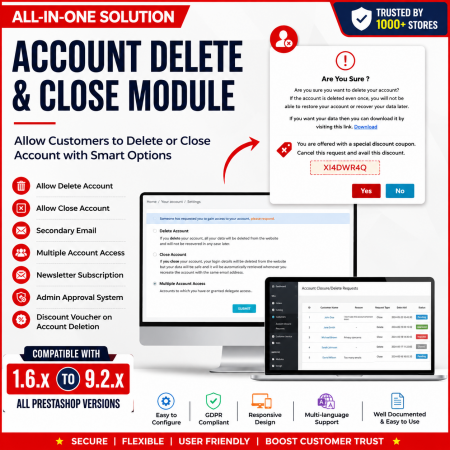
 Customer Account Settings – Customer Account Management Module for PrestaShop
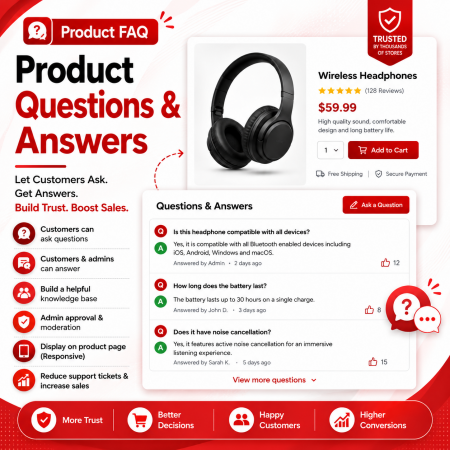
 Product FAQ – Product Questions & Answers Module for PrestaShop
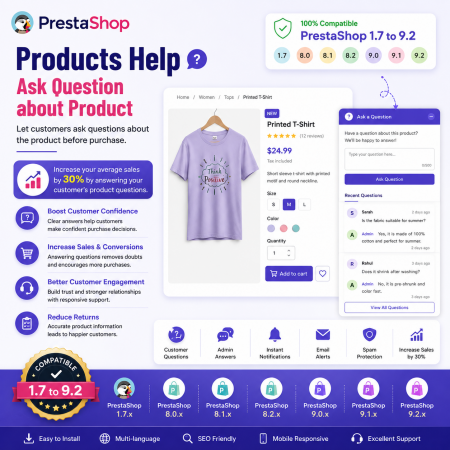
 Products Help – Ask Questions About Products in PrestaShop

 Display Product Slider & Grid – Product Showcase Module for PrestaShop
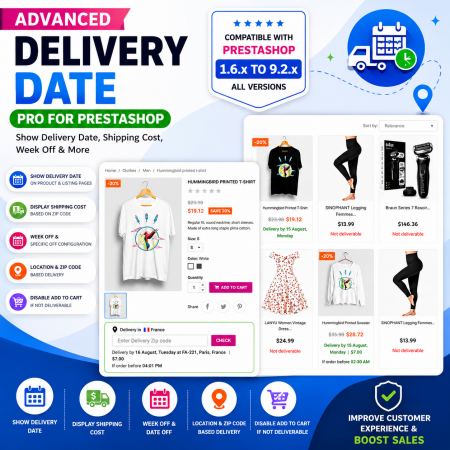
 Proposed Delivery Date and Cost Module for PrestaShop

 Buy Now Button & Quick Order – One-Click Checkout Module for PrestaShop

 Daily Deals Widget – Multiple Promotional Campaigns with Countdown Timer for PrestaShop
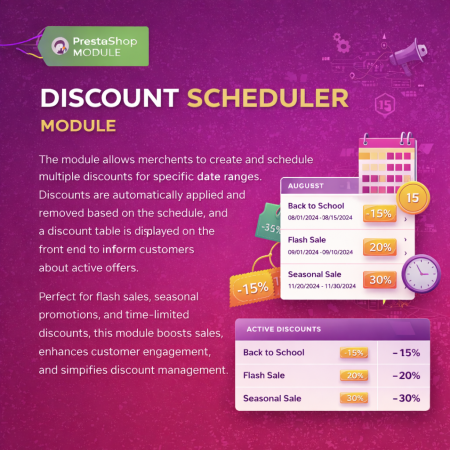
 Multiple discount date wise discount Prestashop Module
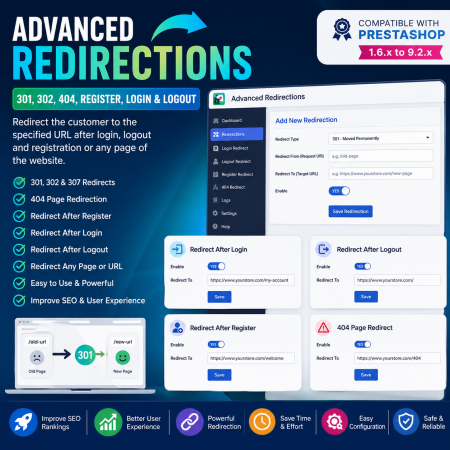
 Advanced Redirections – 301, 302, 404 & Customer Redirects for PrestaShop

 Extra Product Listing & Product Recommendations Module for PrestaShop

 Google Translator – Front Office, Back Office & Module Translation for PrestaShop

 Google Schema Markup – Rich Snippets & Structured Data SEO Module for PrestaShop
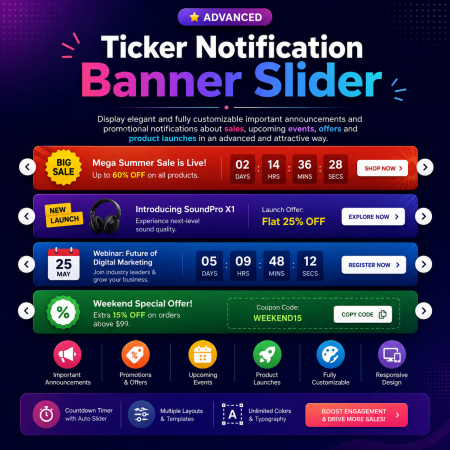
 Ticker Notification Banner – Announcement Bar Module for PrestaShop

 Save & Share My Shopping Cart – Save, Share and Restore Carts in PrestaShop
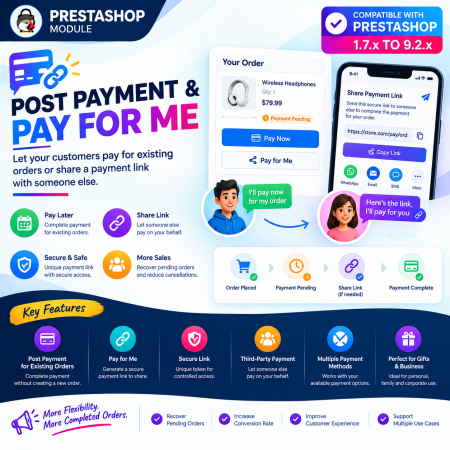
 Post Payment & Pay for Me Module for PrestaShop
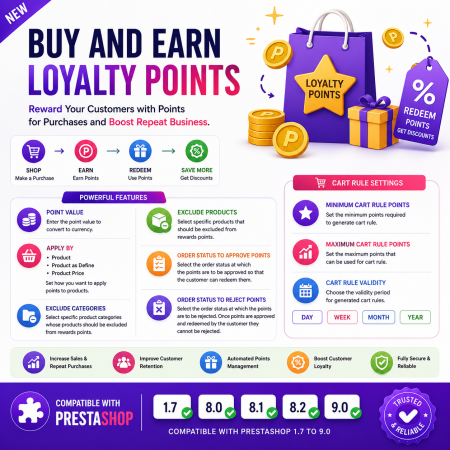
 Buy and Earn Loyalty Points – Customer Rewards Module for PrestaShop
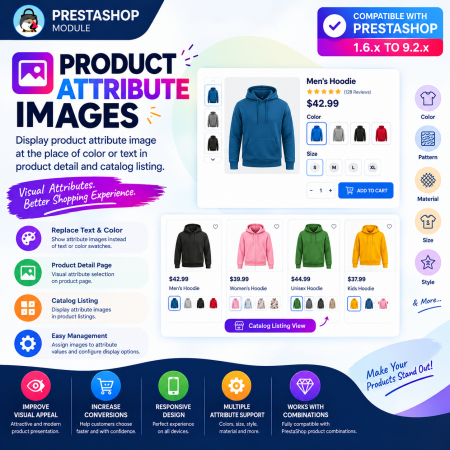
 Product Attribute Images – Visual Swatches for PrestaShop
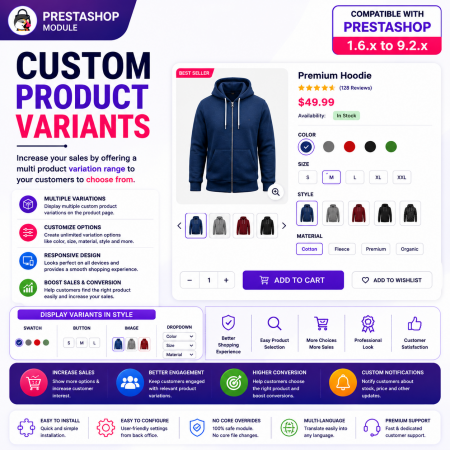
 Custom Product Variants – Display Separate Products as Variations in PrestaShop
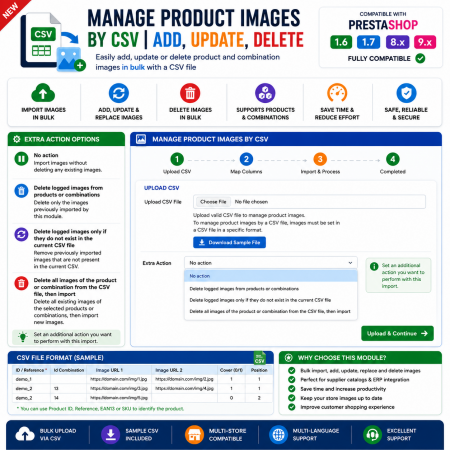
 Manage PrestaShop Product Images by CSV – Add, Update & Delete
Connect with your customers instantly using the WhatsApp Live Chat & Support PrestaShop Module. Add convenient WhatsApp contact options to your storefront and help shoppers communicate with the right support agent before making a purchase.
Manage multiple WhatsApp support agents and organize them by language, country, customer group, and working hours. Display WhatsApp contact buttons on product pages and product listings, configure predefined messages, create WhatsApp groups, and control which products display support options.
Customize the floating WhatsApp chatbox, manage agent availability, and provide a mobile-friendly customer communication experience.
Whether you run a small online shop or a multilingual eCommerce business, this module helps organize customer inquiries, improve product communication, and make your support team more accessible directly from your PrestaShop store.
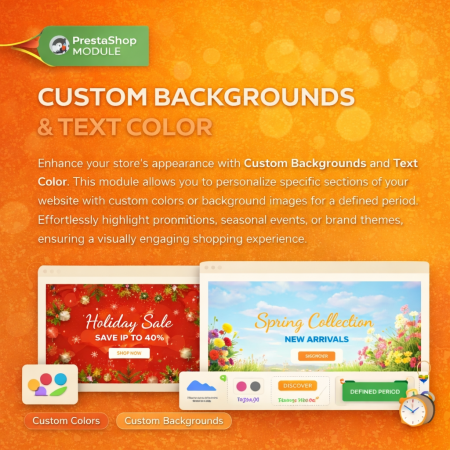
 Custom Background & Text Color – PrestaShop Website Design Customization Module

Encrypted payment gateways ensuring your financial and personal data remain 100% protected.

Every module includes professional installation assistance, free updates, and reliable troubleshooting.

Rigorously tested PrestaShop & WooCommerce extensions designed for maximum speed and zero bloat.

Transparent policies, clean documentation, and dedicated assistance if you run into any compatibility hurdles.