- -$40.00


This module enhances the shopping experience by allowing customers to easily explore product variations such as...

The module allows merchants to enhance product images with customizable stickers and labels. Whether it’s...

Make bulk pricing visible and encourage larger orders with the Quantity Discount Table Grid PrestaShop Module.
...
Take complete control of your store's free shipping strategy with the Free Shipping by Zone & Carrier...

The module automatically adjusts language, currency, and country settings based on the customer's location....





Vendor
Version
Last update
Prestashop version
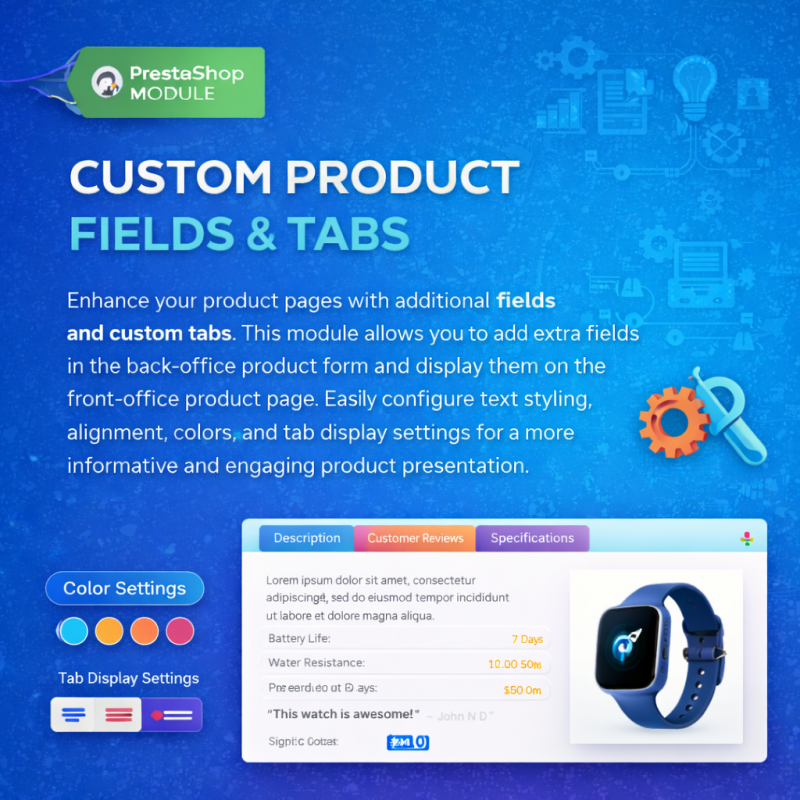
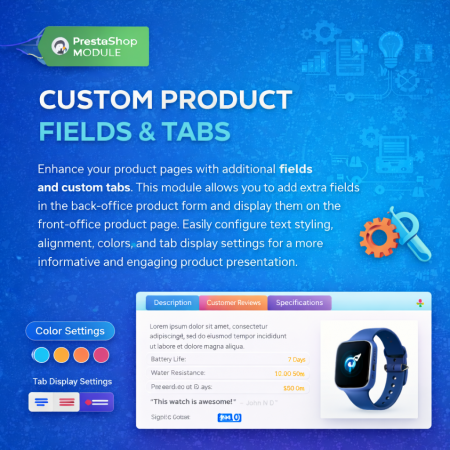
Make your product pages more informative and professionally organized with the Additional Product Fields and Tabs PrestaShop Module.
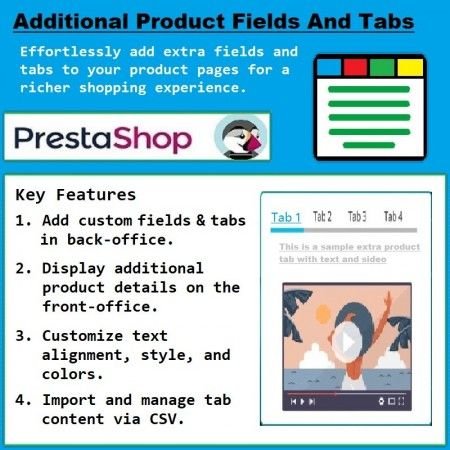
Add extra product information through additional fields in your PrestaShop Back Office product form and display custom content directly on your storefront product pages. Organize important details into custom tabs, customize text alignment, colors, styles, borders, shadows, and title backgrounds to match your store design.
Easily manage tab content with CSV import functionality, including the option to update existing tabs and download a sample CSV file for the correct import format.
Whether you want to display product specifications, installation instructions, warranty information, technical details, shipping information, or other product-related content, this module helps you create clearer, more informative, and better-structured product pages.
Give customers the additional information they need to make confident purchasing decisions while keeping your product presentation organized and professional.
Add More Product Information. Create Custom Tabs. Build Better Product Pages.
Your product page is one of the most important parts of your online store. Customers visit product pages to understand product features, compare specifications, review important information, and decide whether a product meets their requirements.
However, the default product page layout may not always provide enough flexibility to present every type of product-related information in the way your business needs.
For example, you may want to display technical specifications, installation instructions, warranty details, product benefits, shipping information, care instructions, or other additional content without making the main product description unnecessarily long.
The Additional Product Fields and Tabs PrestaShop Module helps solve this problem by allowing you to add additional fields to your Back Office product form and display extra product information through custom content and tabs on your storefront product pages.
You can customize text alignment, colors, styles, borders, shadows, title backgrounds, and tab display styles to create a more organized product presentation.
The module also includes CSV tab import functionality, making it easier to manage tab content and update existing tabs without manually recreating every entry.
Whether you operate a fashion store, electronics shop, furniture business, automotive parts store, or general eCommerce website, this module helps you provide customers with more detailed and structured product information.
Product information plays an important role in online purchasing decisions.
Customers cannot physically examine products before ordering. They depend on the information provided on your product pages to understand what they are buying.
A basic product description may not be sufficient when you sell products that require additional explanations, technical specifications, usage instructions, or detailed product information.
Common challenges faced by PrestaShop merchants include:
Limited flexibility when presenting additional product details.
Product descriptions becoming unnecessarily long.
Important specifications getting mixed with general descriptions.
Difficulty organizing different types of product information.
Inconsistent presentation of additional product content.
Repetitive manual work when managing product tabs.
Difficulty maintaining a professional and readable product page layout.
The Additional Product Fields and Tabs module provides a dedicated solution for organizing extra product information.
Add additional fields through your Back Office product form, display relevant content on the storefront, and organize product information using custom tabs.
The result is a more structured product page where customers can find relevant information more easily.
Extend your product information presentation with additional fields in the PrestaShop Back Office product form.
Organize additional information into separate content sections so customers can explore different product details without relying entirely on one long description.
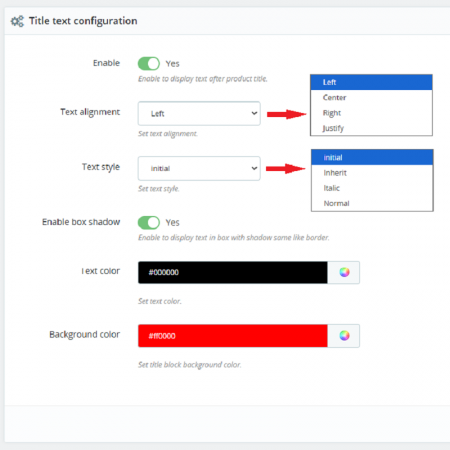
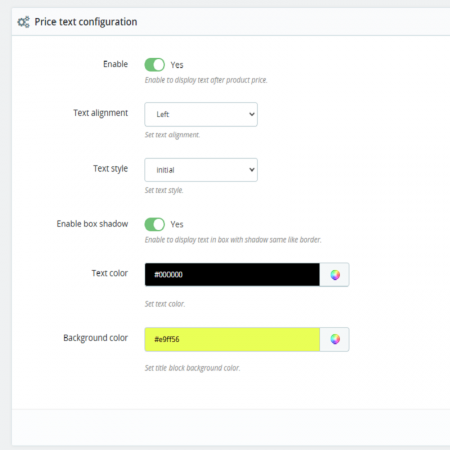
Adjust text alignment, colors, styles, borders, shadows, and title backgrounds to match your store's visual identity.
Present important details in a structured format that makes product pages easier to read and understand.
Save time when managing tab content by importing tabs through a CSV file. Use the sample CSV file to prepare your data in the required format.
Provide customers with additional product information that helps them understand product features, specifications, and important details before purchasing.
Every product can have different information requirements.
For example, an electronics product may require technical specifications, while a clothing product may need material details, washing instructions, or size-related information.
The module allows you to add additional fields to the PrestaShop Back Office product form so you can manage extra product content from your administration area.
Key capabilities:
Add additional fields to the Back Office product form.
Manage extra product-related information.
Extend the information presented on product pages.
Keep additional product content within your product-management workflow.
Business benefit: Organize product-specific information without relying entirely on the standard product description.
Additional product information becomes useful when customers can access it directly from the storefront.
Display custom content on product pages to provide visitors with more details about the products they are considering.
Key capabilities:
Display additional product content on the storefront.
Present information beyond the standard product description.
Improve the organization of product details.
Support more informative product presentations.
Business benefit: Help customers understand your products by making relevant information available directly on the product page.
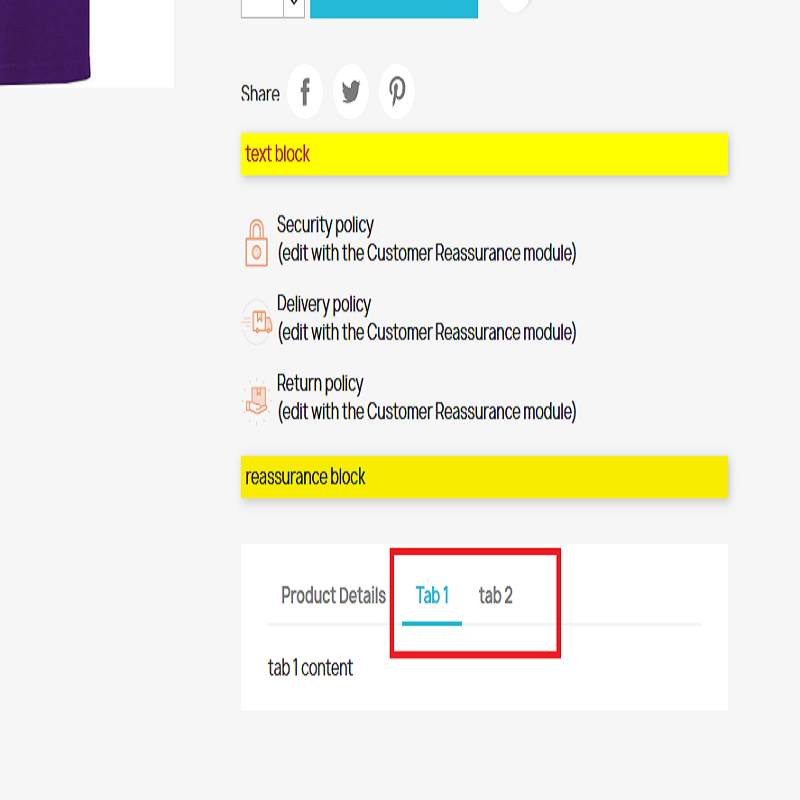
Organize different types of product information into separate tabs.
Instead of placing every detail inside one long description, present information in dedicated sections that customers can explore.
For example, a product page can organize information into sections such as:
Technical Specifications
Product Features
Installation Instructions
Warranty Information
Shipping Information
Usage Instructions
Product Benefits
Additional Details
These are examples of how you can organize your content, rather than predefined tab names supplied by the module.
Key capabilities:
Create additional product information tabs.
Display custom tab content on product pages.
Choose different tab display styles.
Organize product details into separate sections.
Present additional information in a more readable format.
Business benefit: Reduce information clutter and help customers locate the product details they need.
Your additional product content should look consistent with your store's design.
The module provides text customization options that help you control how additional information appears on the storefront.
Customization capabilities:
Customize text alignment.
Change text colors.
Customize text styling.
Adjust the visual presentation of additional content.
Business benefit: Create visually consistent product information sections that fit your store's design.
Important product information can be easier to notice when it is visually separated from surrounding content.
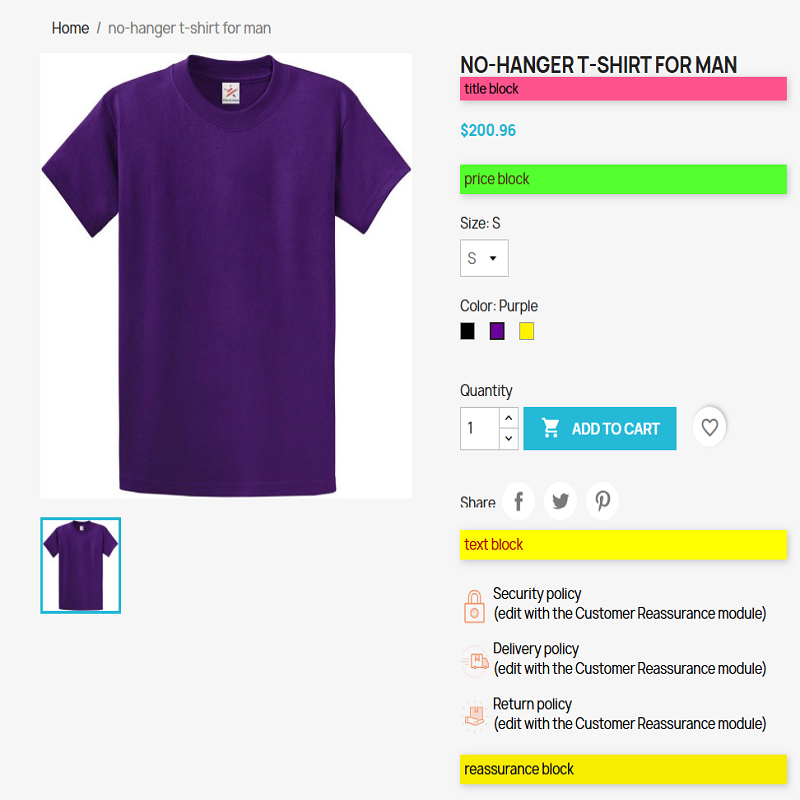
The module provides an option to display additional text inside a bordered box with a shadow effect.
This is useful when you want to highlight information such as:
Product highlights.
Important product notices.
Special instructions.
Additional product benefits.
Important customer information.
Key capabilities:
Enable bordered content boxes.
Add a shadow effect.
Separate additional information visually from surrounding content.
Business benefit: Improve content presentation and make selected product information more noticeable.
Make additional content headings easier to identify with customized title backgrounds.
The module allows you to set the title block background color to improve the visual separation between headings and their corresponding content.
Key capabilities:
Customize title block background color.
Improve heading visibility.
Create a more organized content layout.
Match additional information sections with your website's design.
Business benefit: Make product information sections visually clearer and easier to scan.
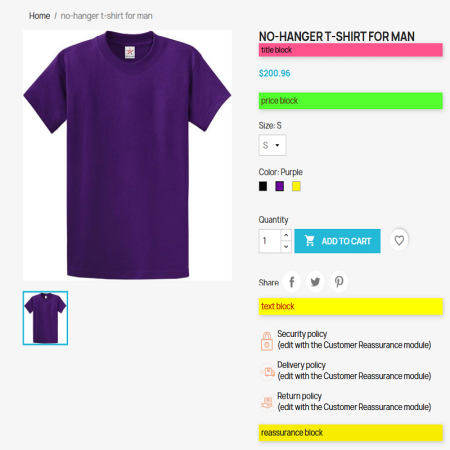
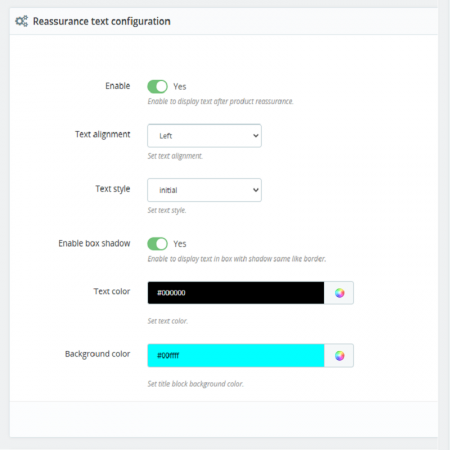
The module provides an option to display additional text after the product additional information and reassurance sections.
This gives merchants another way to organize where extra product content appears within the product page layout.
Key capabilities:
Display additional text after product additional information.
Display additional text after the reassurance section.
Keep supplementary product content within the storefront product page.
Business benefit: Present additional product information in a more deliberate location without mixing every detail into the main description.
Managing additional content across multiple products can become time-consuming when every tab must be handled individually.
The module provides CSV import functionality to simplify tab management.
Prepare your tab data in a CSV file and import it into your store using the module's supported format.
Key capabilities:
Import tabs through CSV files.
Update existing tabs using the available update option.
Download a sample CSV file.
Prepare tab data using the sample import format.
Simplify bulk tab management.
Business benefit: Reduce repetitive manual tab management and make it easier to maintain product information when working with multiple entries.
The module provides a straightforward workflow for adding and displaying additional product information.
Log in to your PrestaShop Back Office and open the product you want to update.
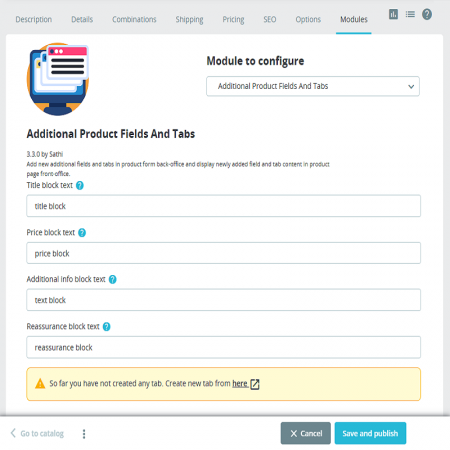
Use the additional fields provided by the module to enter the extra product details you want to display.
Prepare the content you want customers to see and organize relevant information into custom tabs.
Adjust text alignment, colors, styles, borders, shadows, and title background colors according to your store design.
Choose the available tab display style and configure the additional content placement options.
Save the product information and visit the storefront product page to review how the additional content appears to customers.
For tab management using CSV, download the sample file, prepare your data in the supported format, and import it through the module.
This workflow helps you maintain more informative and consistently organized product pages.
Different products require different types of information. The module can help merchants organize additional product details according to their industry and customer requirements.
Electronics customers often compare technical details before purchasing.
You can organize additional information such as:
Technical specifications.
Processor and memory information.
Connectivity details.
Compatibility information.
Installation instructions.
Warranty information.
Example: A laptop product page can present technical specifications in a separate tab instead of placing every specification inside the main description.
Fashion customers often want more information about product materials, care, and construction.
You can organize:
Fabric information.
Material composition.
Washing instructions.
Product care details.
Additional product features.
Manufacturing information.
Example: A clothing product page can separate material information and care instructions into dedicated sections.
Furniture products often require detailed dimensions and material information.
You can present:
Product dimensions.
Material details.
Assembly instructions.
Maintenance information.
Product specifications.
Additional usage instructions.
Example: A furniture product page can display assembly instructions and maintenance information in separate tabs.
Automotive customers frequently need compatibility and technical information before purchasing.
You can organize:
Product specifications.
Vehicle compatibility details.
Installation instructions.
Usage information.
Warranty details.
Additional technical notes.
Example: A replacement automotive part can display compatibility information separately from its general product description.
Beauty products may require additional information to help customers understand their usage and composition.
You can organize:
Ingredients.
Usage instructions.
Product benefits.
Storage recommendations.
Product information.
Important notices.
Example: A skincare product page can separate ingredients and usage instructions into dedicated content sections.
Business buyers may require detailed technical information before placing an order.
You can present:
Technical documentation.
Product specifications.
Operating instructions.
Installation information.
Maintenance details.
Additional product notes.
Example: An industrial equipment product page can organize technical specifications and operating instructions into separate tabs.
Separate important product details into meaningful sections instead of placing everything in one long description.
Give customers access to additional product information that supports their purchasing decisions.
Use text styling, title backgrounds, borders, and shadows to create a more organized content layout.
Use CSV import functionality to manage tab entries more efficiently.
Present specifications, instructions, warranty details, and other relevant information in a structured format.
Create useful, relevant product information that can add context to your product pages.
Well-written additional content can help search engines understand your products more clearly when it provides genuinely useful and unique information. However, adding tabs alone does not guarantee higher Google rankings.
Customers benefit from product pages that make important information easier to find.
Access more detailed product information.
Explore specifications in organized sections.
Find product instructions more easily.
Review additional product details before purchasing.
Navigate separate information tabs.
Understand product features more clearly.
Enjoy a cleaner and more structured product presentation.
A well-organized product page helps customers spend less time searching for information and more time evaluating whether a product meets their needs.
When your store contains many products or additional information entries, manually managing every tab can become repetitive.
The CSV import functionality helps simplify this process.
Download the sample CSV file provided by the module.
Prepare your tab data according to the sample format.
Add the information required for your tab entries.
Upload the prepared CSV file through the module's import functionality.
Use the available option to update existing tabs when required.
Review the imported information in your store.
Why use CSV import?
Reduce repetitive manual entry.
Simplify tab content management.
Work with prepared tab data.
Update existing tab entries using the supported option.
Make tab administration more efficient.
Always use the supplied sample file to follow the module's expected CSV structure.
Installing Additional Product Fields and Tabs is straightforward.
Download the module ZIP package from Sathi.
Log in to your store administration panel.
Go to: Modules → Module Manager
Click the Upload a module option and select the downloaded ZIP package.
After uploading, click Install to activate the module.
Return to Module Manager, locate Additional Product Fields and Tabs, and click Configure.
Review the available settings and customize additional product fields, content appearance, tab styles, and other supported options.
Open a product page and verify that the additional information and custom tabs appear as expected.
 |
 |
Your product pages are now ready to present additional information using the module's supported functionality.
It is a product page customization module that allows store owners to add additional fields to the Back Office product form and display extra product information through custom content and tabs on storefront product pages.
Yes. The module provides additional fields in the Back Office product form for managing extra product-related information.
Yes. You can display custom product information through additional tabs and choose from the available tab display styles.
Yes. The module provides options to customize text alignment, colors, text styles, bordered boxes, shadow effects, and title block background colors.
Yes. The module provides an option to display additional text after the product additional information and reassurance sections.
Yes. You can import tabs using a CSV file. The module also provides a sample CSV file to help you prepare the correct import format.
Yes. The CSV import functionality includes an option to update existing tabs.
You can organize additional product-related content such as technical specifications, warranty details, installation instructions, product features, usage information, and shipping information.
The actual content depends on what you enter into the module's supported fields and tabs.
Yes. The additional fields help organize product information, while CSV tab import can simplify the management of tab entries.
No module can guarantee higher Google rankings simply by adding tabs. However, useful, original, product-specific content can improve information quality and help search engines understand your product pages.
The published product compatibility information lists PrestaShop versions 1.6 through 9.0. Please check the latest module release and compatibility requirements before installing it on a newer PrestaShop version.
A good product page should do more than display a product name, price, and basic description. It should help customers understand what they are buying.
With the Additional Product Fields and Tabs PrestaShop Module, you can extend your product information presentation, create custom tabs, customize content styling, and manage tab entries through CSV import.
Give customers a more organized way to explore product details while making product information management more convenient for your store.
Improve your PrestaShop product pages with additional fields and custom tabs from Sathi today!
| Vendor | Sathi |
|---|---|
| Last update | Nov 25, 2026 |
| Version | 3.3.1 |
| Required store version | From 1.6.x to 9.2.x |
| Publication date | Feb 24, 2025 |
| Return Policy | You can return the product within the Free 30 Days Return period for a full refund. No questions asked. |
| Customer Support | Enjoy one year of free customer support, including installation, troubleshooting, and usage guidance. |
| Description | This product is compatible with the specified versions and includes all the latest updates to enhance functionality and user experience. |
Version:3.3.1
 Show Product Attributes Or Combinations Prestashop Module
 Product FAQ – Product Questions & Answers Module for PrestaShop
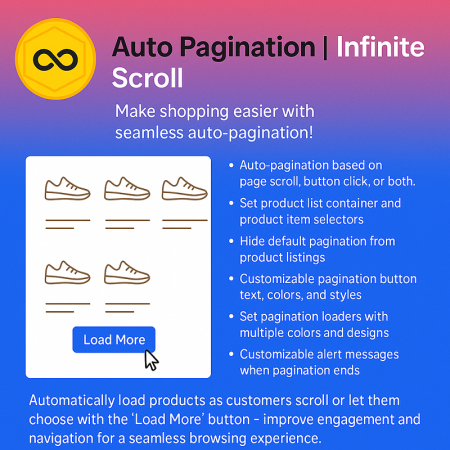
 Auto Pagination & Infinite Scroll – AJAX Product Loading Module for PrestaShop

 Loyalty, Referral & Affiliate Programs Module for PrestaShop
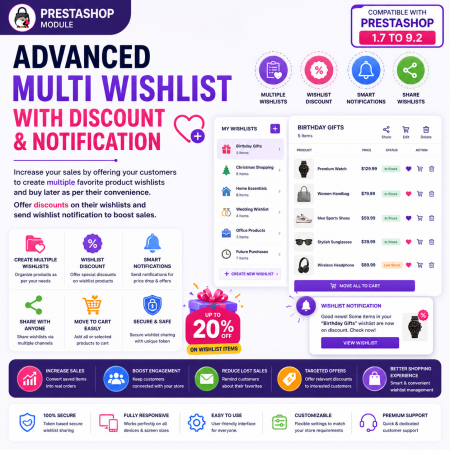
 Advanced Multi Wishlist for PrestaShop – Multiple Wishlists, Discounts & Notifications

 Google Translator – Front Office, Back Office & Module Translation for PrestaShop

 Google Schema Markup – Rich Snippets & Structured Data SEO Module for PrestaShop
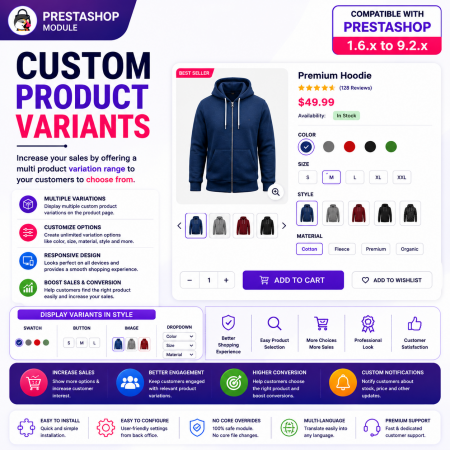
 Custom Product Variants – Display Separate Products as Variations in PrestaShop
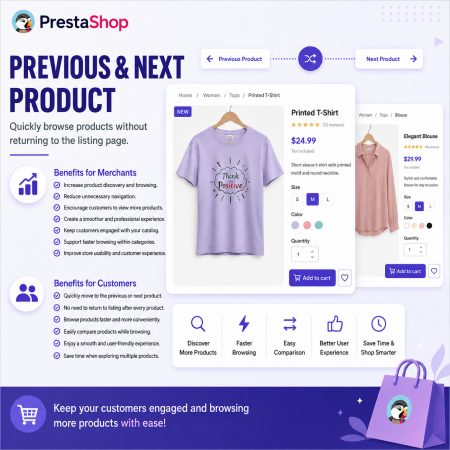
 Advanced Product Navigation – Previous & Next Product Links for PrestaShop

 Enable or Disable Carriers with Conditions – PrestaShop Conditional Shipping Module
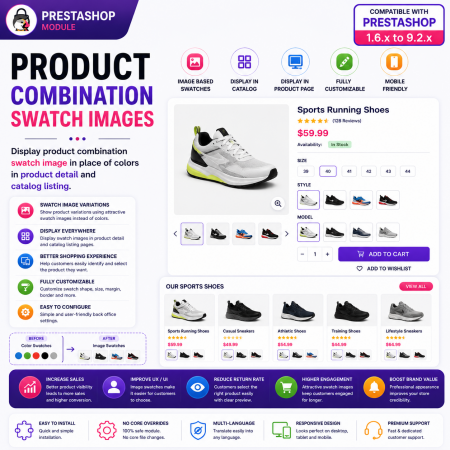
 Product Combination Swatch Images – Visual Product Variations for PrestaShop
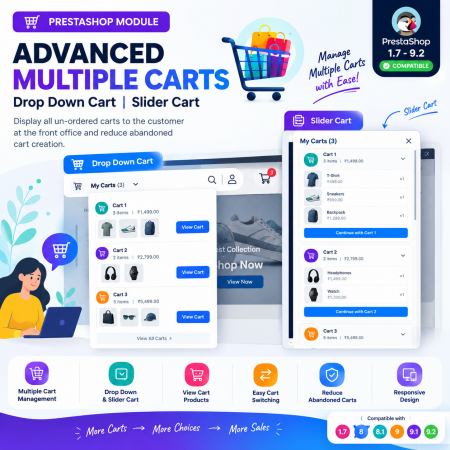
 Advanced Multiple Carts, Dropdown Cart & Slider Cart for PrestaShop
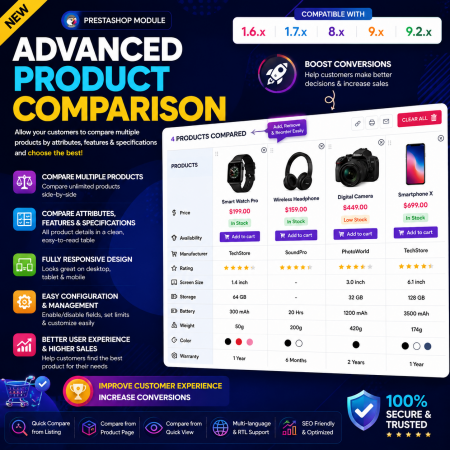
 Advance Product Comparison – Compare Products Side by Side in PrestaShop
 Customer Account Settings – Customer Account Management Module for PrestaShop
 Custom Background & Text Color – PrestaShop Website Design Customization Module
 Price Tax Switcher – Display Tax Included or Excluded Prices in PrestaShop
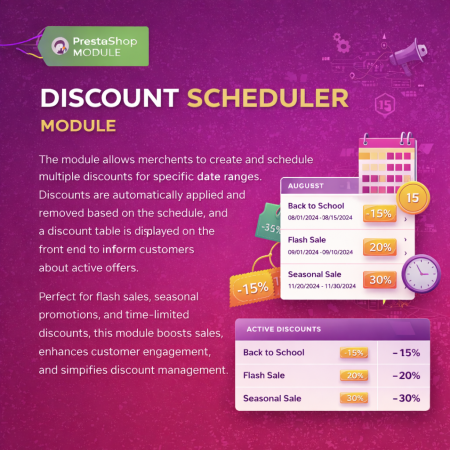
 Multiple discount date wise discount Prestashop Module
Product FAQ – Product Questions & Answers Module for PrestaShop
Make your product pages more informative and professionally organized with the Additional Product Fields and Tabs PrestaShop Module.
Add extra product information through additional fields in your PrestaShop Back Office product form and display custom content directly on your storefront product pages. Organize important details into custom tabs, customize text alignment, colors, styles, borders, shadows, and title backgrounds to match your store design.
Easily manage tab content with CSV import functionality, including the option to update existing tabs and download a sample CSV file for the correct import format.
Whether you want to display product specifications, installation instructions, warranty information, technical details, shipping information, or other product-related content, this module helps you create clearer, more informative, and better-structured product pages.
Give customers the additional information they need to make confident purchasing decisions while keeping your product presentation organized and professional.

 WhatsApp Live Chat & Support – Multiple Agents Module for PrestaShop
Custom Background & Text Color – PrestaShop Website Design Customization Module

Encrypted payment gateways ensuring your financial and personal data remain 100% protected.

Every module includes professional installation assistance, free updates, and reliable troubleshooting.

Rigorously tested PrestaShop & WooCommerce extensions designed for maximum speed and zero bloat.

Transparent policies, clean documentation, and dedicated assistance if you run into any compatibility hurdles.