- -$40.00


This module enhances the shopping experience by allowing customers to easily explore product variations such as...

The module allows merchants to enhance product images with customizable stickers and labels. Whether it’s...

The Quantity Discount Table & Grid Module for PrestaShop helps merchants display...

This module allows you to offer free shipping based on flexible conditions, such as location, carrier, cart value,...

The module automatically adjusts language, currency, and country settings based on the customer's location....

Vendor
Version
Last update
Prestashop version
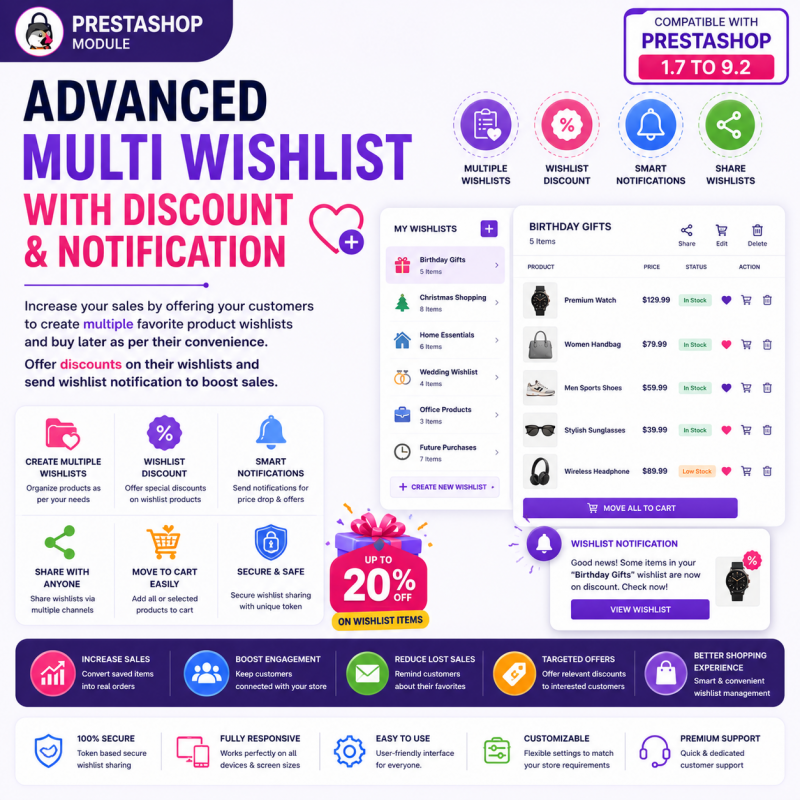
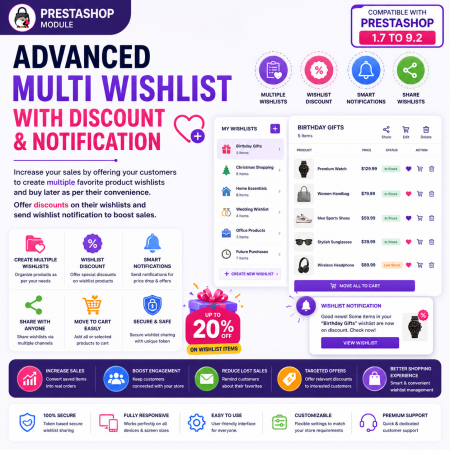
Transform customer wishlists into powerful sales opportunities with Advanced Multi Wishlist for PrestaShop.
Allow customers to create multiple personalized wishlists, organize their favorite products, and save items for future purchases. Go beyond a traditional wishlist with special wishlist discounts, price change alerts, promotional notifications, and convenient add-to-cart functionality.
Customers can organize products into separate lists for gifts, personal shopping, home essentials, and special occasions. Meanwhile, store owners can use wishlist-based promotions and relevant notifications to reconnect with interested shoppers and encourage repeat visits.
Build stronger customer relationships, improve product engagement, and turn saved products into future purchasing opportunities with this advanced PrestaShop wishlist module.
A complete wishlist management solution designed to help PrestaShop merchants reconnect with interested shoppers and turn saved products into purchases.
Multiple Wishlists. Special Discounts. Smart Notifications. More Opportunities to Sell.
Turn customer interest into purchasing opportunities with Advanced Multi Wishlist with Discount and Notification for PrestaShop.
Not every visitor is ready to purchase immediately. Some customers want to compare products, wait for a price reduction, prepare for a special occasion, or simply save their favorite items for later.
A traditional wishlist provides a basic way to save products, but it may not offer enough flexibility for customers who want to organize their shopping plans or receive relevant updates about their saved products.
This module takes wishlist functionality further by combining multiple personalized wishlists, special wishlist discounts, price change notifications, promotional updates, and convenient add-to-cart functionality.
Customers can create separate wishlists, give each list a meaningful name, organize their favorite products, and return whenever they are ready to purchase. Store administrators can use wishlist-specific promotions and notifications to reconnect with interested shoppers and encourage them to complete their purchases.
Whether you operate a fashion store, electronics shop, furniture business, beauty store, or general eCommerce website, Advanced Multi Wishlist helps transform saved products into valuable customer engagement and sales opportunities.
A wishlist is an important part of the online shopping experience. It allows customers to save products they like without having to purchase them immediately.
However, customers often have different reasons for saving products.
For example:
Someone may want to create a birthday gift list.
A customer may save furniture for a future home renovation.
Another shopper may want to compare products before buying.
A customer may save expensive products and wait for a special discount.
Someone preparing for a wedding may want to organize products for different occasions.
When every saved product is placed into a single general wishlist, managing these shopping plans can become inconvenient.
Advanced Multi Wishlist solves this problem by allowing customers to create multiple independent wishlists with personalized names.
But the benefits do not stop at product organization.
The module also introduces wishlist-specific discounts and notification capabilities, helping merchants reconnect with customers who have already demonstrated interest in their products.
Discover → Save → Organize → Get Notified → Redeem Offers → Purchase
This customer journey connects product interest with relevant promotional opportunities and makes it easier for shoppers to return to their saved products.
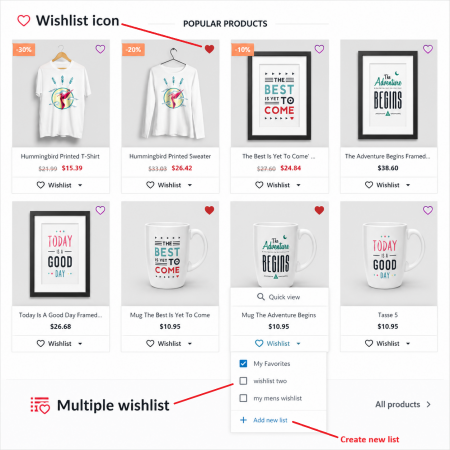
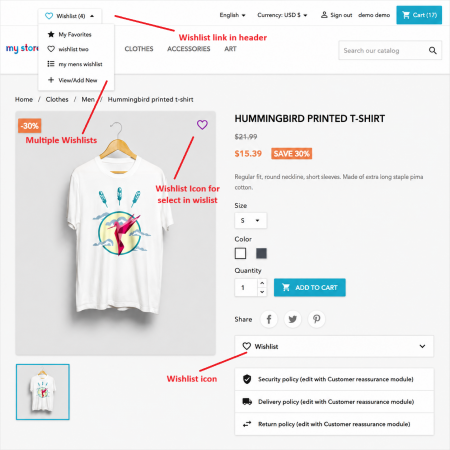
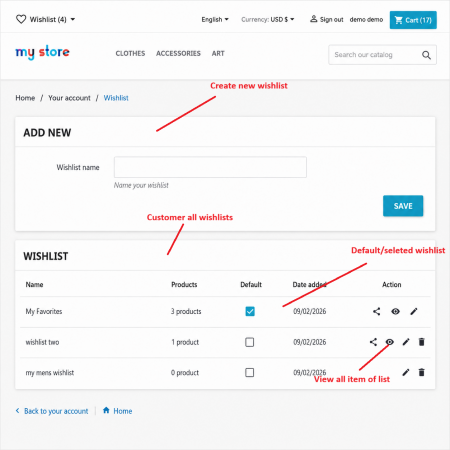
Allow customers to create multiple independent product lists instead of keeping every favorite item in one collection.
Customers can give their lists meaningful names according to their shopping plans, personal preferences, or special occasions.
Create special promotional opportunities for wishlist products and encourage interested customers to complete their purchases.
Keep customers informed about relevant price changes affecting their saved products through the supported notification functionality.
Reconnect with customers when their saved products are included in promotional campaigns or special offers.
Allow customers to move products from their wishlists directly into their shopping cart when they are ready to purchase.
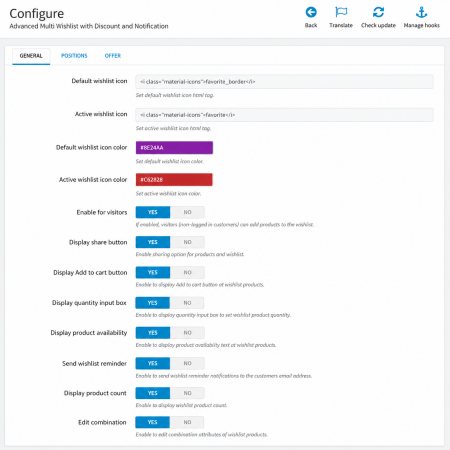
Manage the module's available wishlist, discount, and notification settings through the PrestaShop Back Office.
Give customers greater flexibility by allowing them to maintain multiple wishlists instead of storing every favorite product in one general collection.
Customers can organize saved products according to different shopping requirements and return to individual lists whenever needed.
Key capabilities:
Create multiple independent wishlists.
Maintain separate product collections.
Organize products according to shopping preferences.
Keep different shopping plans separate.
Manage saved products more conveniently.
Revisit individual wishlists whenever required.
Business benefit: Make product organization easier and encourage customers to use wishlists as part of their regular shopping experience.
A wishlist becomes more useful when customers can identify its purpose immediately.
Allow customers to assign meaningful names to their individual lists instead of managing several collections with generic names.
Example wishlist names:
Birthday Gifts
Wedding Shopping
Home Essentials
Personal Favorites
Future Purchases
Holiday Shopping
Baby Products
Office Requirements
Key benefits:
Give each wishlist a recognizable name.
Organize products by purpose or occasion.
Make multiple wishlists easier to manage.
Improve the overall customer wishlist experience.
Business benefit: Offer a more personalized product-saving experience that accommodates different customer shopping habits.
Customers often save products because they are interested but are not ready to purchase immediately.
A relevant promotional offer can provide an additional reason to revisit the product and complete the order.
The wishlist discount functionality allows merchants to create special discount opportunities for products customers have already saved.
Key capabilities:
Offer special discounts for wishlist products.
Create additional purchasing incentives.
Encourage customers to revisit saved items.
Support promotional campaigns based on wishlist interest.
Connect product-saving activity with future purchases.
Business benefit: Make saved products more attractive and encourage shoppers to move closer to completing their purchases.
Price is an important factor in online purchasing decisions.
Some customers save products because they are waiting for a better price. Without relevant updates, they may forget about those products or miss an opportunity to purchase.
The price change notification functionality helps keep customers informed about relevant price changes affecting their wishlist products.
Key capabilities:
Notify customers about supported price changes.
Keep shoppers informed about saved products.
Support price-related customer engagement.
Encourage customers to revisit products when prices change.
Business benefit: Reconnect with interested shoppers when a saved product becomes more attractive from a pricing perspective.
Your store may regularly run seasonal promotions, special discounts, and product-specific campaigns.
Customers who have already saved a product have demonstrated an interest in that item. Relevant promotional notifications can help bring that product back to their attention.
Key capabilities:
Notify customers about relevant wishlist promotions.
Keep customers informed about special offers.
Encourage shoppers to revisit saved products.
Support promotional engagement.
Create additional opportunities for repeat visits.
Business benefit: Make promotional communication more relevant by connecting it with products customers have already shown interest in.
Wishlists should not be forgotten after customers save their favorite products.
The module includes wishlist notification capabilities that help maintain communication with customers about relevant updates and purchasing opportunities.
Key benefits:
Keep customers connected with saved products.
Provide relevant wishlist updates.
Support promotional communication.
Encourage customers to revisit their saved collections.
Improve engagement beyond the initial website visit.
Business benefit: Turn the wishlist into an ongoing customer engagement channel rather than a passive product collection.
Saving products is only the first step. Customers should also have a convenient way to purchase them when they are ready.
Allow customers to move saved products directly from their wishlists to the shopping cart.
Key capabilities:
Access saved products from individual wishlists.
Move products into the shopping cart.
Reduce the effort required to locate saved items.
Simplify the transition from product discovery to purchasing.
Support a more convenient shopping workflow.
Business benefit: Reduce unnecessary steps between a customer's saved product and the checkout process.
Give customers a more organized way to manage their favorite products across multiple lists.
Key capabilities:
Add products to wishlists.
Remove products they no longer want.
Organize products into different collections.
Manage separate shopping plans.
Return to saved products whenever convenient.
Business benefit: Improve the usefulness of the wishlist feature and make it easier for customers to maintain their product collections.
Every store has different promotional and customer engagement requirements.
Advanced Multi Wishlist provides back-office configuration options to manage the supported wishlist, discount, and notification functionality.
Key capabilities:
Configure module settings from the PrestaShop Back Office.
Manage available wishlist functionality.
Configure supported discount options.
Configure available notification settings.
Adapt the module to your store's requirements.
Business benefit: Manage your wishlist strategy from your existing PrestaShop administration environment.
Customers do not always save products for the same reason. Different wishlists help them organize products according to their personal shopping plans.
Here are some practical examples.
Customers can create a separate collection for birthday gifts and save products they may want to purchase for friends or family members.
Example products: Watches, clothing, accessories, perfumes, and electronics.
Customers planning to furnish or renovate their homes can maintain a dedicated collection of useful household products.
Example products: Furniture, appliances, lighting, kitchen accessories, and home décor.
Customers preparing for a wedding can organize different products for their upcoming occasion.
Example products: Jewelry, clothing, decorations, gifts, and accessories.
Customers can save products they like but do not intend to purchase immediately.
Example products: Smartphones, laptops, expensive accessories, and lifestyle products.
Customers can maintain a collection of their favorite products for convenient future reference.
Example products: Clothing, footwear, cosmetics, electronics, and everyday essentials.
These personalized lists make the wishlist experience more flexible and useful for different shopping requirements.
A wishlist represents more than a collection of saved products. It also provides an additional signal of customer interest.
When customers save products, they are showing that those products have attracted their attention.
Store owners can use this interest to create relevant promotional opportunities.
Give customers additional incentives to purchase products they have already saved.
A relevant discount can help reduce purchase hesitation and encourage shoppers to return.
Use wishlist notifications to remind customers about relevant saved-product updates and promotional opportunities.
Rather than communicating only about general store promotions, focus on relevant products customers have previously saved.
Keep customers connected with your store through relevant wishlist updates and offers.
Give customers additional reasons to revisit products they saved during previous shopping sessions.
The objective: Connect existing customer interest with meaningful promotional opportunities.
Customers may save products and forget about them. Others may be waiting for a price reduction or a suitable promotional offer.
Wishlist notifications help maintain communication with these interested shoppers.
Keep customers informed about supported price changes affecting products in their wishlists.
For example, a customer saves a product at its original price. If the price is reduced and the relevant notification is supported and configured, the customer can be informed about the change.
Let customers know when their saved products become part of a promotional campaign or special offer.
For example, customers who have saved selected products can be informed when relevant promotions become available.
Provide relevant updates concerning saved products and wishlist-related purchasing opportunities.
Important: Notification channels, triggers, timing, and delivery conditions depend on the functionality and configuration available in your installed module version.
Advanced Multi Wishlist helps merchants use customer interest as an additional resource for marketing and sales engagement.
Encourage customers to return to products they have already saved and consider purchasing.
Use relevant notifications and special wishlist discounts to reconnect with interested shoppers.
Give customers more reasons to revisit your store through personalized wishlists and promotional incentives.
Use wishlist-related promotional opportunities to focus on products customers have already shown interest in.
Wishlist activity can provide additional insights into which products customers are interested in, helping merchants plan promotions and product strategies.
Notifications and discounts can give customers reasons to return even after their initial shopping session.
Provide flexible product organization and convenient purchasing options.
Turn wishlists into a useful part of the customer journey rather than a simple save-for-later feature.
Customers receive a more convenient and personalized shopping experience.
Create multiple independent wishlists.
Give each list a personalized name.
Organize products for different occasions.
Save favorite products for future purchases.
Add and remove products from saved lists.
Move products between shopping collections.
Receive relevant wishlist notifications.
Stay informed about supported price changes.
Discover special promotions for saved products.
Move saved products directly to the shopping cart.
The result is a more flexible way to organize shopping plans and return to favorite products whenever customers are ready.
Advanced Multi Wishlist creates a simple customer journey that connects product discovery with future purchasing opportunities.
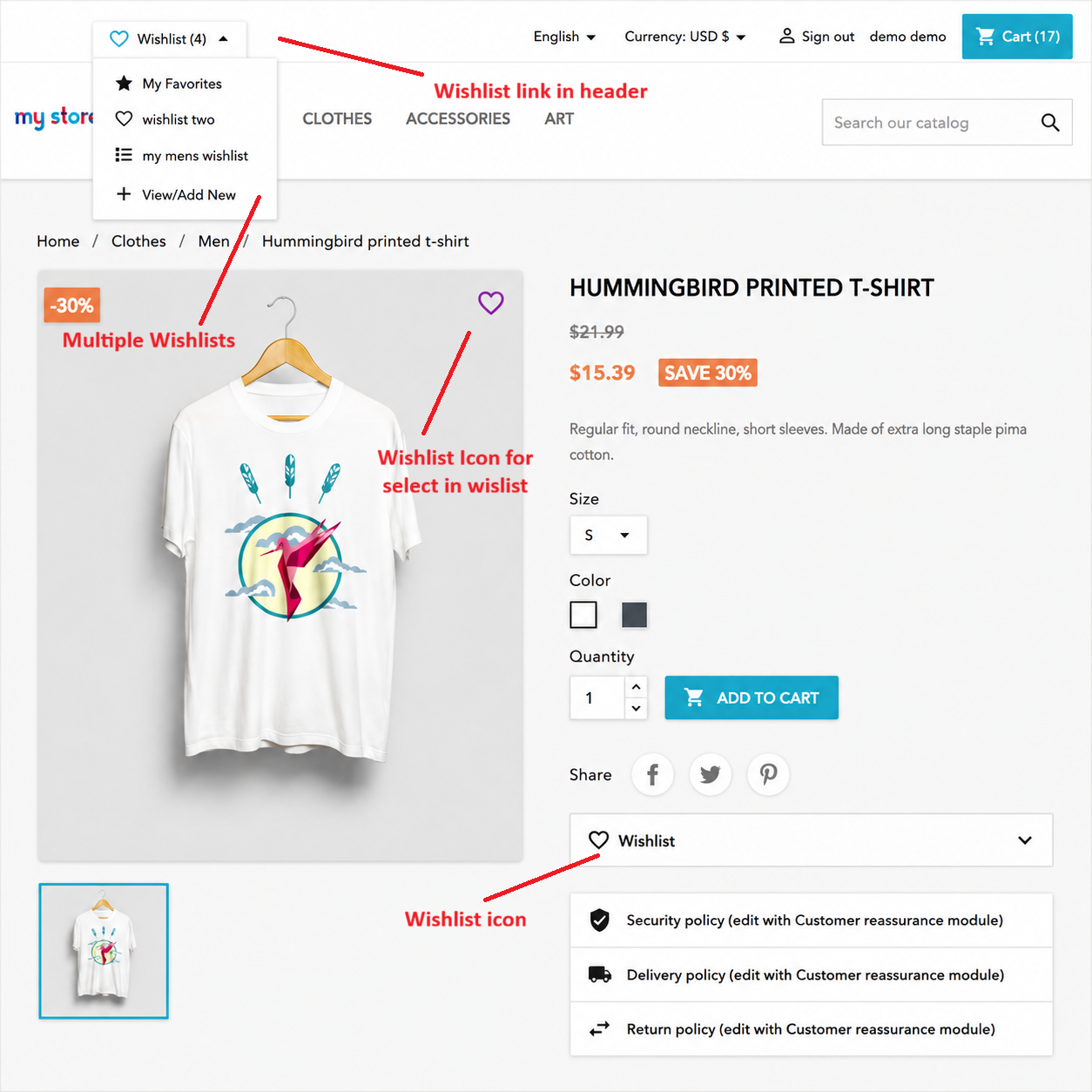
Customers browse your PrestaShop store and find products they are interested in purchasing.
 |
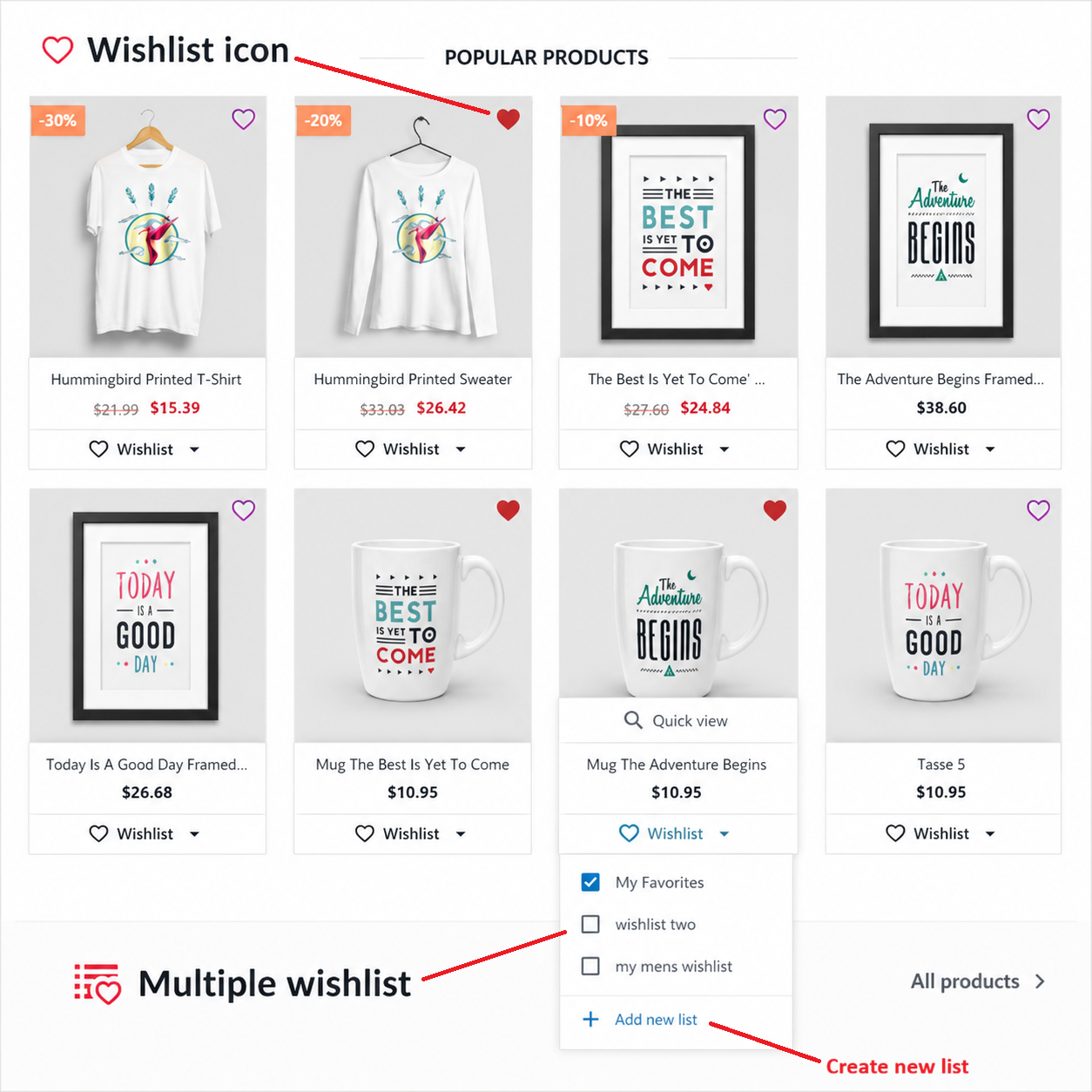 |
Customers add interesting products to their wishlists instead of purchasing immediately.
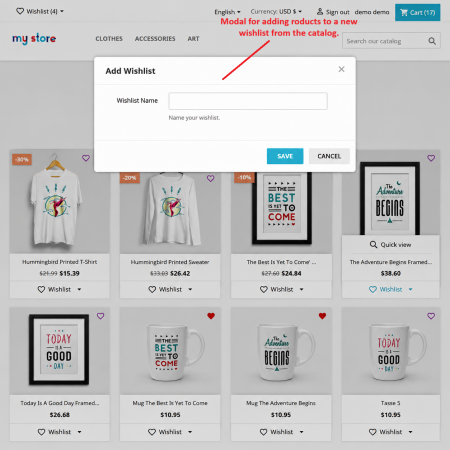
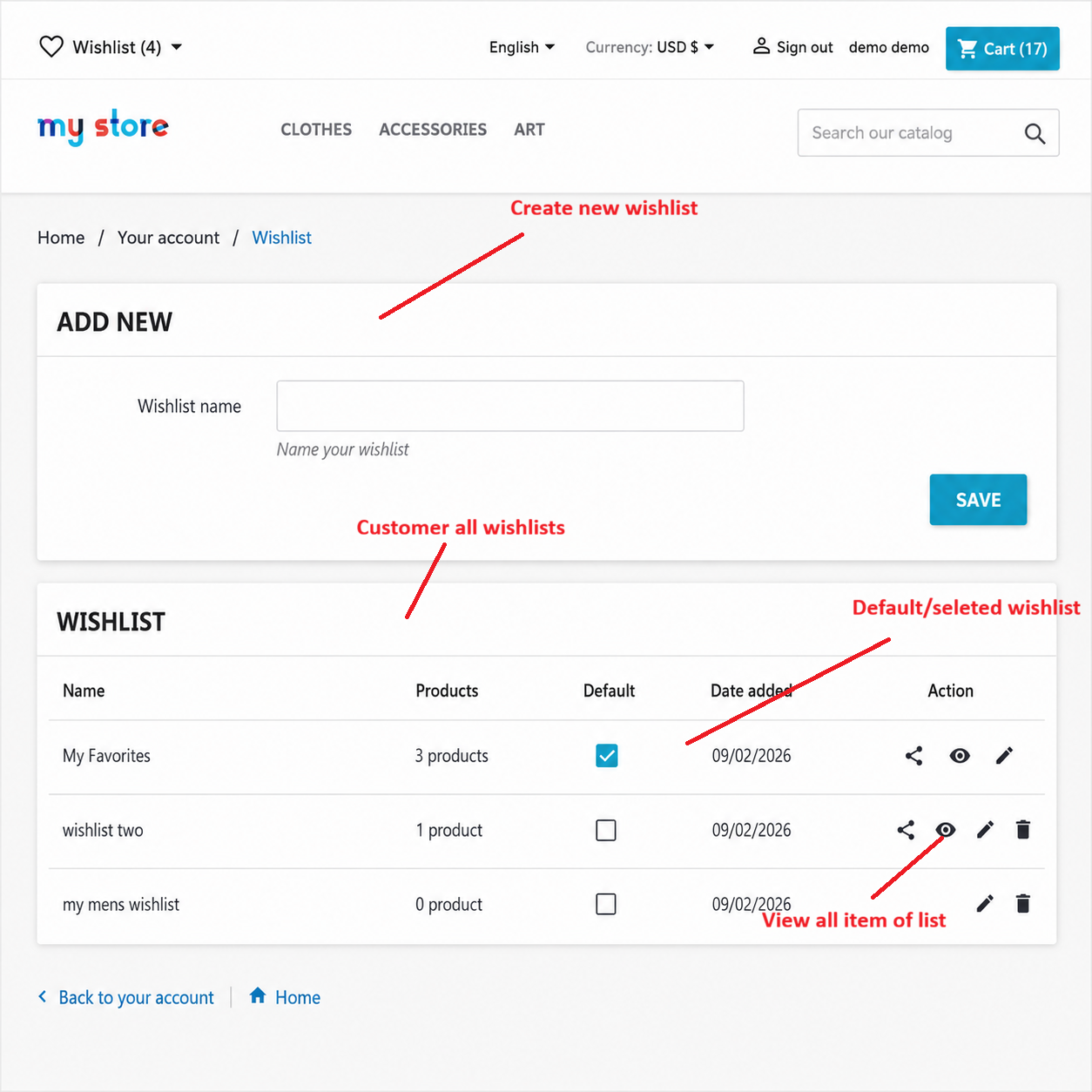
Customers create separate lists and give them personalized names according to their shopping plans.
 |
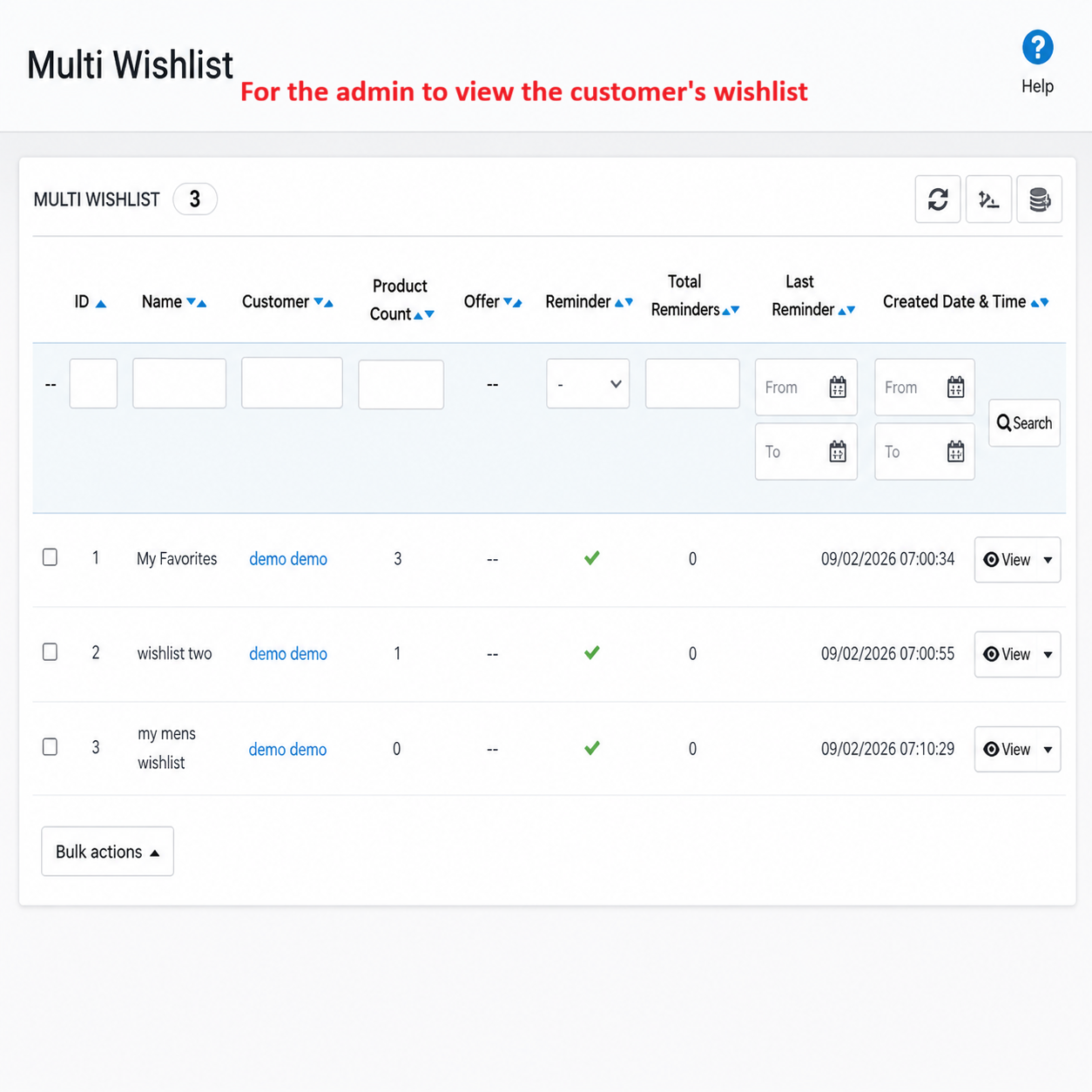
Merchants configure supported wishlist discounts and notification options from the Back Office.
 |
Customers can receive supported notifications about price changes, promotional opportunities, and wishlist-related updates.
Customers revisit their saved products when they receive relevant updates or are ready to purchase.
Customers move their selected wishlist products directly into their shopping cart.
Customers proceed through the normal PrestaShop checkout process.
The result: A connected customer journey that helps transform saved products into future purchase opportunities.
A traditional wishlist focuses primarily on saving favorite products. Advanced Multi Wishlist expands that experience with personalized product organization and additional promotional engagement capabilities.
| Functionality | Basic wishlist | Advanced Multi Wishlist |
|---|---|---|
| Save products for later | ✓ | ✓ |
| Multiple independent wishlists | Varies | ✓ |
| Personalized wishlist names | Varies | ✓ |
| Wishlist-specific discounts | Varies | ✓ |
| Price change notifications | Varies | ✓ |
| Promotional notifications | Varies | ✓ |
| Wishlist updates | Varies | ✓ |
| Move products directly to cart | Varies | ✓ |
This comparison illustrates the module's additional capabilities and is not a claim that every basic or third-party wishlist extension lacks these features.
Advanced Multi Wishlist can be useful for many types of online stores.
Customers can create different lists for clothing, shoes, accessories, and seasonal shopping.
Shoppers can save expensive products, compare alternatives, and revisit their favorite electronics when suitable offers become available.
Customers can organize furniture, home appliances, and decorative products into separate shopping collections.
Shoppers can maintain personalized lists of cosmetics, skincare, perfumes, and beauty accessories.
Customers can organize favorite jewelry pieces and save gift ideas for special occasions.
Parents can maintain separate lists for baby essentials, toys, clothing, and upcoming requirements.
Any online store can use multiple wishlists to improve product organization and encourage customers to return.
Combine Advanced Multi Wishlist with other Sathi solutions to create a stronger customer engagement and sales recovery strategy.
Keep interested customers informed about price reductions, product availability, and new arrivals.
Encourage repeat purchases and customer recommendations through loyalty points, referral incentives, and product-sharing rewards.
Present quantity-based discounts clearly and encourage customers to purchase larger quantities.
Get started with Advanced Multi Wishlist using the standard PrestaShop module installation process.
Download the Advanced Multi Wishlist module ZIP package from Sathi.
Log in to your PrestaShop Back Office.
Navigate to Modules → Module Manager.
Click Upload a module.
Select the downloaded module ZIP package.
Upload and install the module.
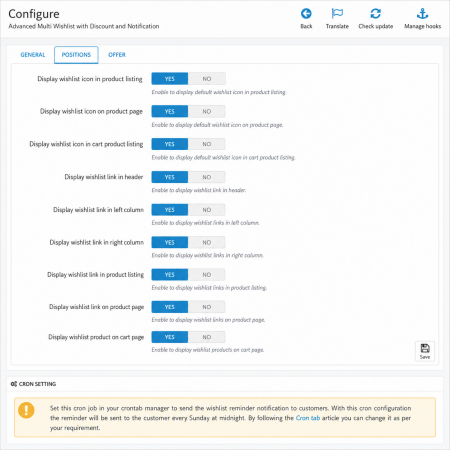
Open the module configuration page.
Configure the available wishlist settings.
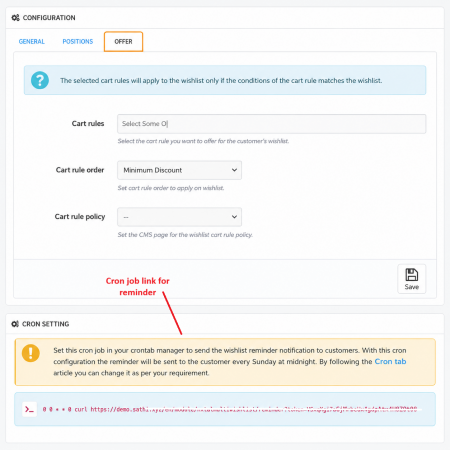
Set up supported wishlist discount options.
Configure the available notification functionality.
Save your configuration.
Visit your storefront and test wishlist creation, product management, and purchasing workflows.
Once configured, customers can start organizing their favorite products through multiple wishlists.
A 30-day refund period according to the product listing terms.
One year of customer support, including installation and troubleshooting guidance, according to the product listing.
Explore the customer-facing wishlist experience before purchasing.
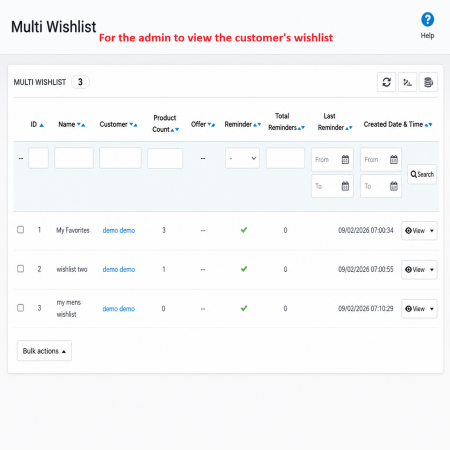
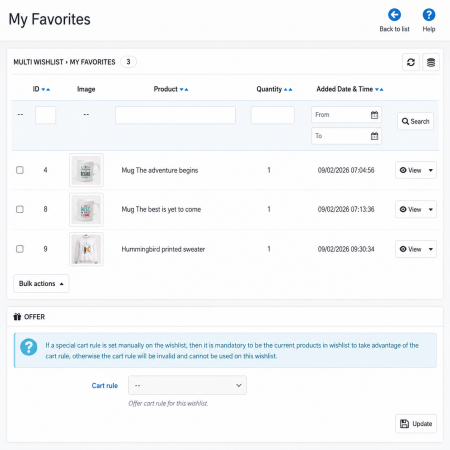
Examine the module administration and configuration interface.
Version 5.5.0.
Listed compatibility: PrestaShop 1.7.x through 9.2.x.
Always verify the latest compatibility information and module requirements before installation.
Advanced Multi Wishlist is a customer engagement module that allows shoppers to create multiple personalized wishlists, organize favorite products, receive relevant wishlist notifications, and benefit from special wishlist discounts.
Yes. Customers can create multiple independent wishlists instead of saving every product in one general collection.
Yes. Customers can assign meaningful names to their wishlists, such as Birthday Gifts, Home Essentials, Wedding Shopping, or Future Purchases.
Yes. The module supports organizing saved products across different wishlists, including moving products between lists.
Yes. The module includes wishlist-specific discount functionality to create promotional opportunities for saved products.
Yes. Price change notification functionality helps inform customers about supported changes affecting products in their wishlists, subject to the available configuration.
Yes. The module supports promotional notifications to help keep customers informed about relevant offers and promotions related to their saved products.
Yes. Customers can move saved products from their wishlists directly to the shopping cart, making purchasing more convenient.
Yes. Customers can create separate wishlists for birthdays, weddings, holidays, home essentials, personal shopping, and future purchases.
The module provides additional engagement opportunities through personalized wishlists, special discounts, and notifications. These features can encourage customers to revisit your store and purchase saved products.
Yes. The module provides Back Office configuration options for its supported wishlist, discount, and notification functionality.
According to the product listing, the module supports PrestaShop 1.7.x through 9.2.x.
The current listed module version is 5.5.0.
Yes. The product listing provides a storefront demo and a Back Office demo so you can explore both customer-facing and administrative functionality.
Yes. The product listing includes one year of free support and a 30-day refund period, subject to the applicable purchase terms.
Customers who save products have already demonstrated an interest in your store. Give them a better way to organize their favorite items and more reasons to return.
With Advanced Multi Wishlist for PrestaShop, you can combine multiple personalized wishlists, wishlist-specific discounts, price change alerts, promotional notifications, and convenient add-to-cart functionality.
Build stronger customer relationships, encourage repeat visits, and make your saved-product experience more valuable.
Upgrade Your PrestaShop Wishlist Experience with Sathi Today!
| Vendor | Nxtal |
|---|---|
| Last update | Nov 23, 2026 |
| Version | 5.5.0 |
| Required store version | From 1.7.x to 9.2.x |
| Publication date | Sep 02, 2026 |
| Return Policy | You can return the product within the 30 Days return period for a full refund. No questions asked. |
| Customer Support | Enjoy one year of free customer support, including installation, troubleshooting, and usage guidance. |
| Description | This product is compatible with the specified versions and includes all the latest updates to enhance functionality and user experience. |
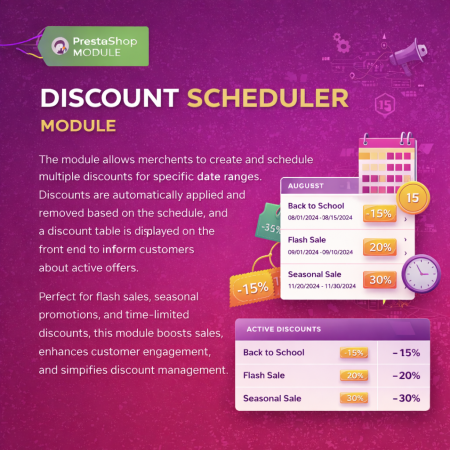
 Multiple discount date wise discount Prestashop Module
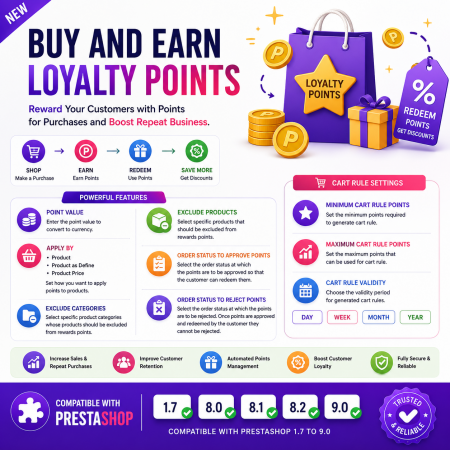
 Buy and Earn Loyalty Points for PrestaShop
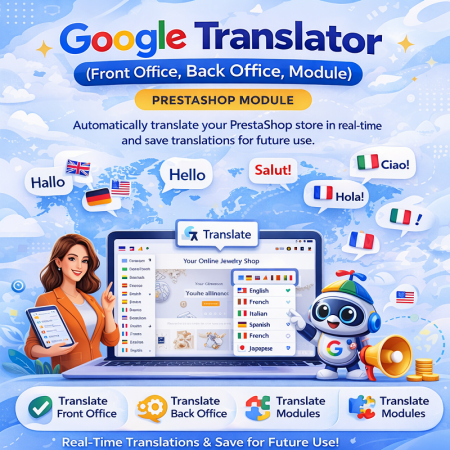
 Google Translator (Front Office, Back Office, Module) Prestashop Module
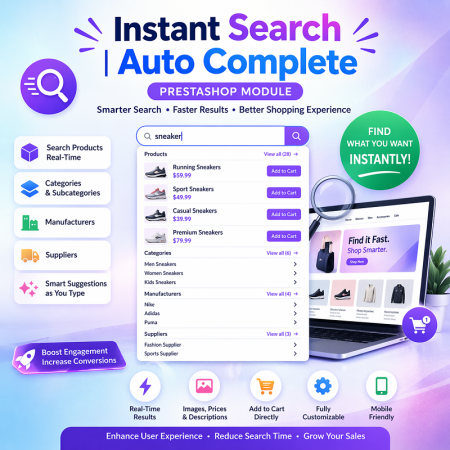
 Instant Search | Auto Complete Prestashop Module
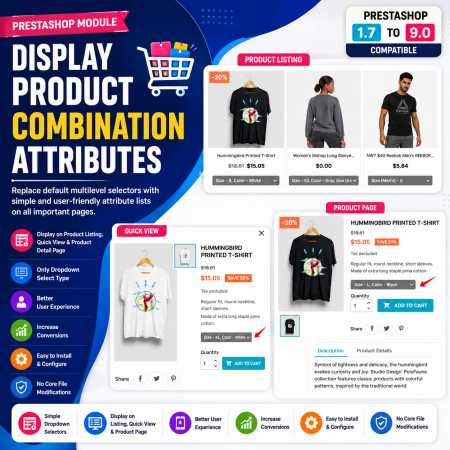
 Display Product Combination Attributes Module for PrestaShop
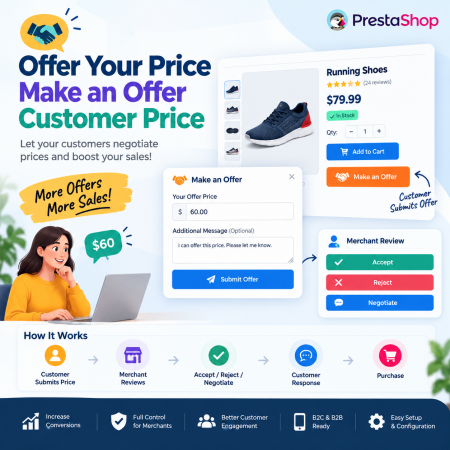
 Offer Your Price – Make an Offer & Price Negotiation Module for PrestaShop
 Advanced URL Redirection (301, 302, 404) Module for PrestaShop
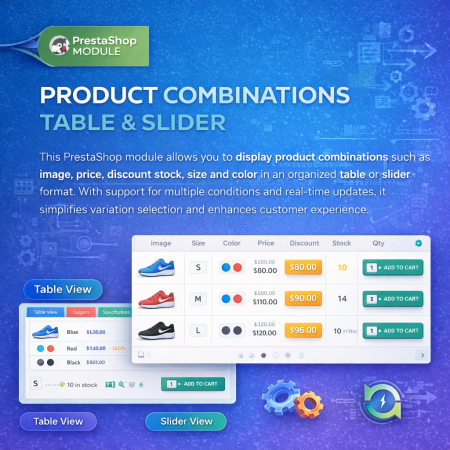
 Product Combination Table & Slider Prestashop Module
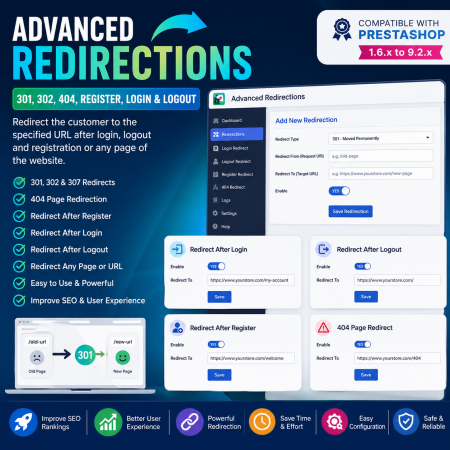
 Advanced Redirections – 301, 302, 404 & Customer Redirects for PrestaShop
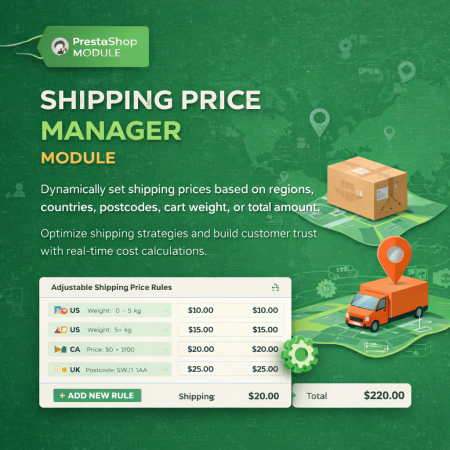
 Shipping Price Manager Prestashop Module
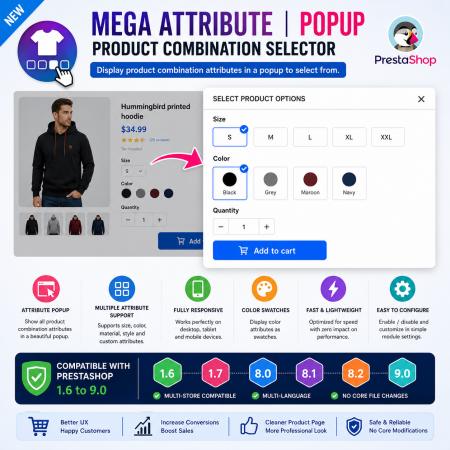
 Mega Attribute Popup Module for PrestaShop
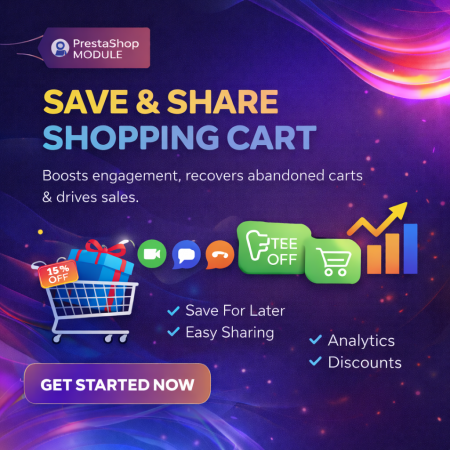
 Save & Share Cart PrestaShop Module
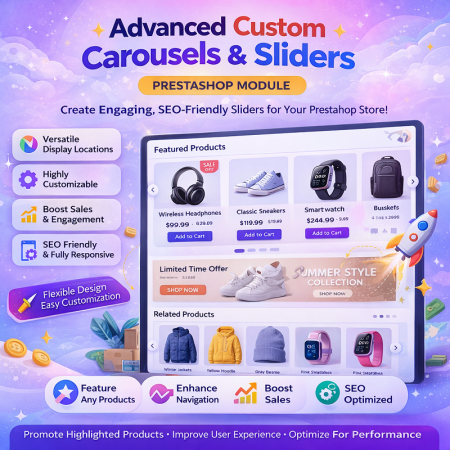
 Advance Custom Carousels | Sliders Prestashop Module
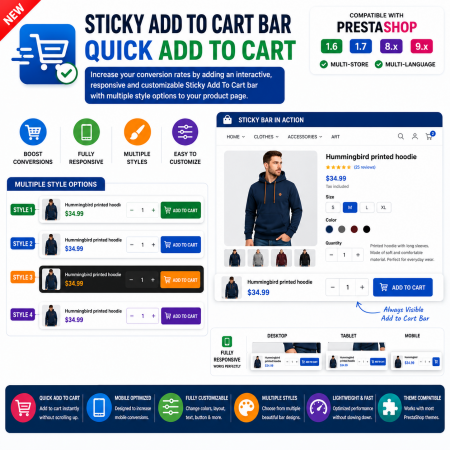
 Sticky Add to Cart Bar – Quick Add to Cart for PrestaShop
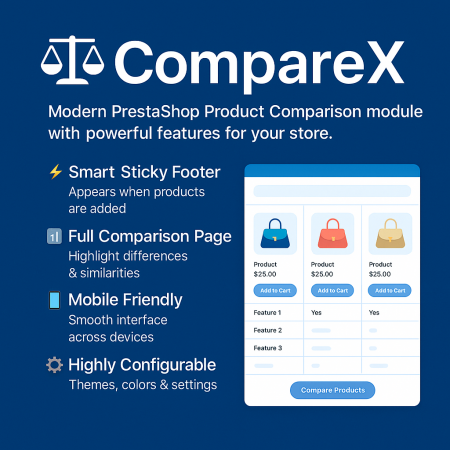
 Advanced Product Comparison Module for PrestaShop | Compare Products
 Show Product Attributes Or Combinations Prestashop Module
Transform customer wishlists into powerful sales opportunities with Advanced Multi Wishlist for PrestaShop.
Allow customers to create multiple personalized wishlists, organize their favorite products, and save items for future purchases. Go beyond a traditional wishlist with special wishlist discounts, price change alerts, promotional notifications, and convenient add-to-cart functionality.
Customers can organize products into separate lists for gifts, personal shopping, home essentials, and special occasions. Meanwhile, store owners can use wishlist-based promotions and relevant notifications to reconnect with interested shoppers and encourage repeat visits.
Build stronger customer relationships, improve product engagement, and turn saved products into future purchasing opportunities with this advanced PrestaShop wishlist module.
A complete wishlist management solution designed to help PrestaShop merchants reconnect with interested shoppers and turn saved products into purchases.

Encrypted payment gateways ensuring your financial and personal data remain 100% protected.

Every module includes professional installation assistance, free updates, and reliable troubleshooting.

Rigorously tested PrestaShop & WooCommerce extensions designed for maximum speed and zero bloat.

Transparent policies, clean documentation, and dedicated assistance if you run into any compatibility hurdles.