- -$40.00


This module enhances the shopping experience by allowing customers to easily explore product variations such as...

The module allows merchants to enhance product images with customizable stickers and labels. Whether it’s...

The Quantity Discount Table & Grid Module for PrestaShop helps merchants display...

This module allows you to offer free shipping based on flexible conditions, such as location, carrier, cart value,...

The module automatically adjusts language, currency, and country settings based on the customer's location....

Vendor
Version
Last update
Prestashop version
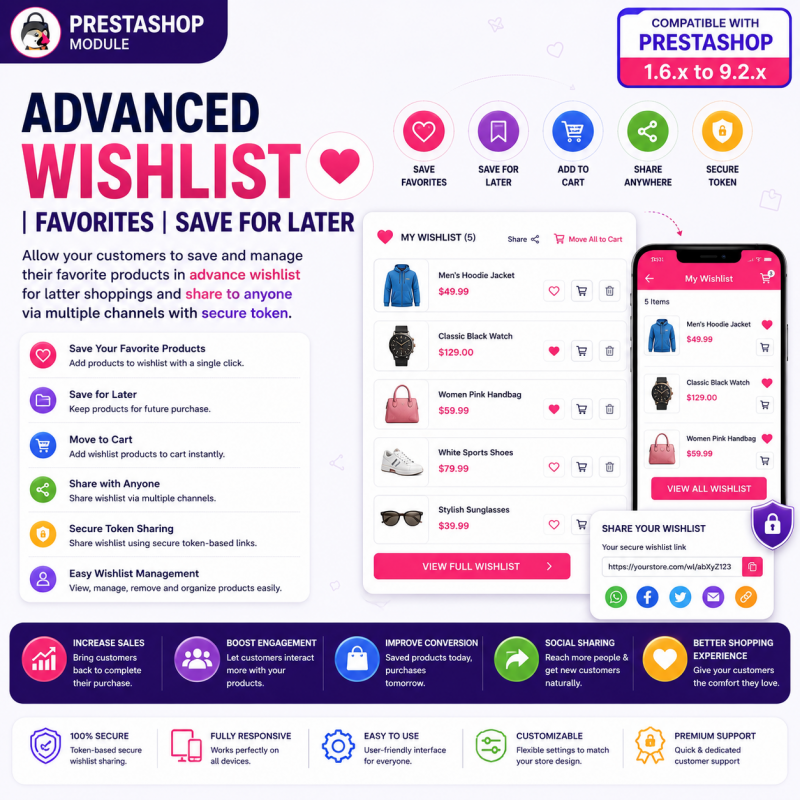
Make shopping easier with the Advanced Wishlist, Favorites & Save for Later PrestaShop Module. Allow customers to save their favorite products, manage personal wishlists, and return to their selected items whenever they are ready to purchase.
Customers can save products for later, remove unwanted items, add saved products directly to their shopping cart, and securely share individual products or their entire wishlist using token-based sharing links.
Whether shoppers are comparing products, planning future purchases, creating gift lists, or sharing recommendations with friends and family, this advanced PrestaShop wishlist solution makes it easier to remember, organize, revisit, and purchase favorite products.
Improve shopping convenience, encourage return visits, and help customers stay connected with the products they love.
Save Products. Organize Favorites. Share Wishlists. Shop Whenever You're Ready.
Not every customer is ready to purchase when they first visit your online store. Some shoppers want to compare products, explore different options, plan their next purchase, or save items they would like to buy later.
Without a convenient wishlist, customers may forget products they previously discovered or spend additional time searching for the same items again. This creates unnecessary friction in the shopping experience and can result in lost purchase opportunities.
The Advanced Wishlist | Favorites | Save for Later PrestaShop Module gives customers a simple and convenient way to save products, organize their favorite items, revisit them whenever they want, and purchase them when they are ready.
Beyond traditional wishlist functionality, this module includes secure, token-based wishlist sharing. Customers can share selected products or their entire wishlist with friends and family through dedicated sharing links.
Whether customers are planning future purchases, comparing products, preparing gift lists, or recommending products to others, this module makes shopping more convenient while helping your store maintain customer interest.
A customer visits your store and discovers several interesting products. However, they are not ready to buy immediately.
They might want to:
Compare different products before making a decision.
Save an interesting item for their next shopping session.
Keep track of products they plan to purchase later.
Share their favorite products with friends and family.
Create a personal collection of products they would love to receive as gifts.
Without a wishlist feature, customers may need to remember product names, bookmark individual pages, or search through your catalog again.
The Advanced Wishlist module solves this problem by providing customers with a dedicated place to keep their preferred products.
Save Favorites: Add preferred products to a personal wishlist.
Save for Later: Keep products separate from the immediate shopping cart.
Manage Wishlist: View, organize, and remove saved products.
Add to Cart: Move saved products directly into the shopping cart.
Share Wishlist: Generate secure links to share selected products or an entire wishlist.
Plan Purchases: Revisit saved products whenever customers are ready to buy.
The result is a more flexible shopping experience that allows customers to discover products today and make purchasing decisions later.
Customers frequently browse online stores without completing a purchase during their first visit.
Some are researching products, some are comparing prices, and others are simply exploring what your store offers.
If customers cannot save their preferred products, they may lose track of the items they intended to purchase.
1. Customers Forget Interesting Products
Visitors discover products they like but may not remember their names or locations when they return.
2. Finding Products Again Takes Time
Customers have to browse categories, repeat searches, or revisit product pages to find previously viewed items.
3. Managing Shopping Preferences Is Difficult
Without a dedicated wishlist, customers have no convenient place to collect products they are considering.
4. Sharing Product Recommendations Is Inconvenient
Customers who want to show products to friends and family must share individual product links manually.
5. Future Purchase Opportunities Can Be Lost
A shopper who is interested but not immediately ready to purchase may leave without an easy way to revisit the selected products.
Save favorite products for future purchases.
Access saved items through a personal customer account.
View and manage selected products in one place.
Remove products that are no longer interesting.
Share individual products or complete wishlists through secure links.
Add saved products directly to the shopping cart.
Return to previously selected products without searching again.
By reducing the effort required to revisit products, your store provides a more convenient shopping journey.
Give every customer a convenient way to collect their preferred products.
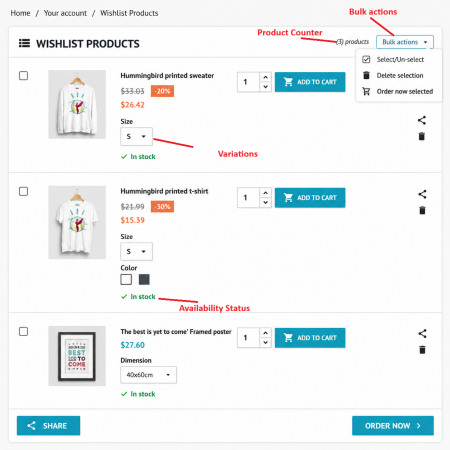
The wishlist feature allows shoppers to save items they like without having to purchase them immediately. Customers can return to their saved collection and continue exploring their selected products whenever they wish.
Key features:
Save favorite products to a personal wishlist.
Keep preferred products accessible for future visits.
View saved products in one dedicated location.
Remove unwanted products from the wishlist.
Maintain a convenient collection of shopping preferences.
Make it easier to revisit previously discovered products.
Business benefit: Help customers maintain interest in your products and provide a convenient path back to items they are considering purchasing.
A wishlist and a shopping cart serve different purposes.
The shopping cart is generally used for products a customer intends to purchase, while a wishlist is useful for products they are interested in but have not yet decided to buy.
The Save for Later feature allows customers to keep these products in a separate collection rather than adding everything to their cart.
Key features:
Save products without immediately purchasing them.
Keep future purchase ideas separate from current shopping.
Revisit saved items whenever needed.
Continue shopping without losing track of preferred products.
Maintain a collection of products under consideration.
Business benefit: Support customers who need more time to make purchasing decisions and give them a convenient way to return to their preferred products.
When customers are ready to purchase, they should not have to search for their favorite products again.
Allow shoppers to move saved wishlist products directly into their shopping cart.
Key features:
Add saved products to the shopping cart.
Simplify the transition from product discovery to purchase.
Reduce unnecessary product searches.
Make previously selected products easier to purchase.
Provide a more convenient shopping experience.
Business benefit: Reduce friction between saving a product and purchasing it, making the shopping journey more straightforward.
Make product discovery more social by allowing customers to share their saved products with other people.
The module generates token-based wishlist sharing links that customers can use to share selected products or their complete wishlist.
Instead of manually copying multiple product URLs, customers can share their collection through a dedicated link.
Key features:
Generate token-based wishlist sharing links.
Share selected products or the entire wishlist.
Allow recipients to access the shared collection through its dedicated link.
Make product recommendations easier.
Support gift planning and shopping discussions.
Provide a more convenient way to share product collections.
Business benefit: Create additional opportunities for product discovery through customer recommendations and shared shopping preferences.
Privacy advantage: Token-based links provide a dedicated sharing mechanism instead of requiring customers to publicly display their personal wishlist. Share links should be treated as private links and only distributed to intended recipients.
Customers often want to show their favorite products to friends, family members, or other people before making a purchase.
The module provides wishlist sharing options through the customer interface, allowing shoppers to distribute their saved product collections through supported sharing channels.
Key features:
Share wishlist links with other people.
Recommend favorite products.
Make product collections easier to distribute.
Support collaborative gift planning.
Introduce more people to products available in your store.
Business benefit: Encourage customer recommendations and create additional product discovery opportunities beyond your website.
Give customers control over their saved products through a dedicated wishlist management experience.
Customers can revisit their collection, check previously selected products, and remove items they are no longer interested in.
Key features:
View saved products.
Add preferred products to the wishlist.
Remove unwanted products.
Manage favorite product collections.
Revisit products whenever required.
Access saved shopping preferences through the customer interface.
Business benefit: Improve usability by providing customers with a simple way to manage their shopping interests.
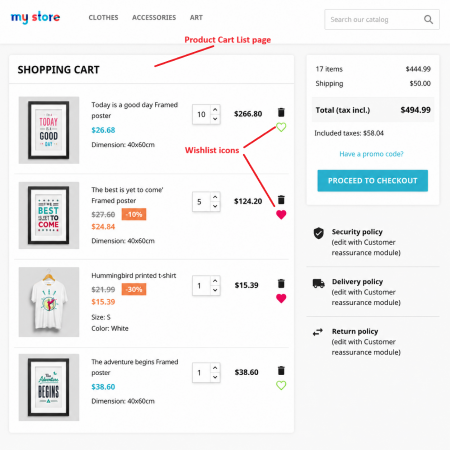
Make saving products a natural part of the browsing experience.
Customers should be able to save products while exploring your catalog rather than navigating away from the product they are viewing.
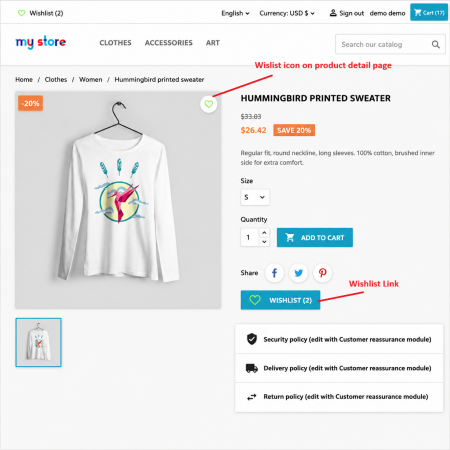
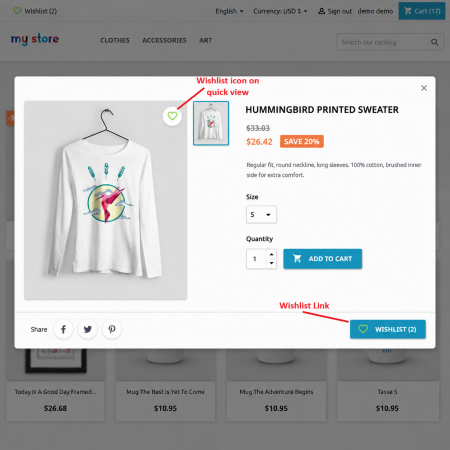
The module provides wishlist or favorite functionality in supported store locations, making product saving more convenient.
Key features:
Provide a Wishlist or Favorite option.
Allow customers to save products while browsing.
Make product bookmarking more convenient.
Encourage shoppers to build personal product collections.
Simplify the process of returning to preferred products.
Business benefit: Reduce the effort involved in saving products and make wishlist functionality a natural part of product discovery.
Customers browse online stores using desktops, laptops, tablets, and mobile devices.
A wishlist should remain easy to use regardless of the device customers choose.
The module supports a consistent wishlist experience across supported store layouts and devices.
Key benefits:
Convenient wishlist access.
Easier product browsing.
Simple product management.
Comfortable interaction on mobile screens.
A more consistent shopping experience across devices.
Business benefit: Make it easier for customers to save and revisit products from different devices.
The module creates a simple journey from discovering a product to purchasing or sharing it.
Step 1 – Discover Products
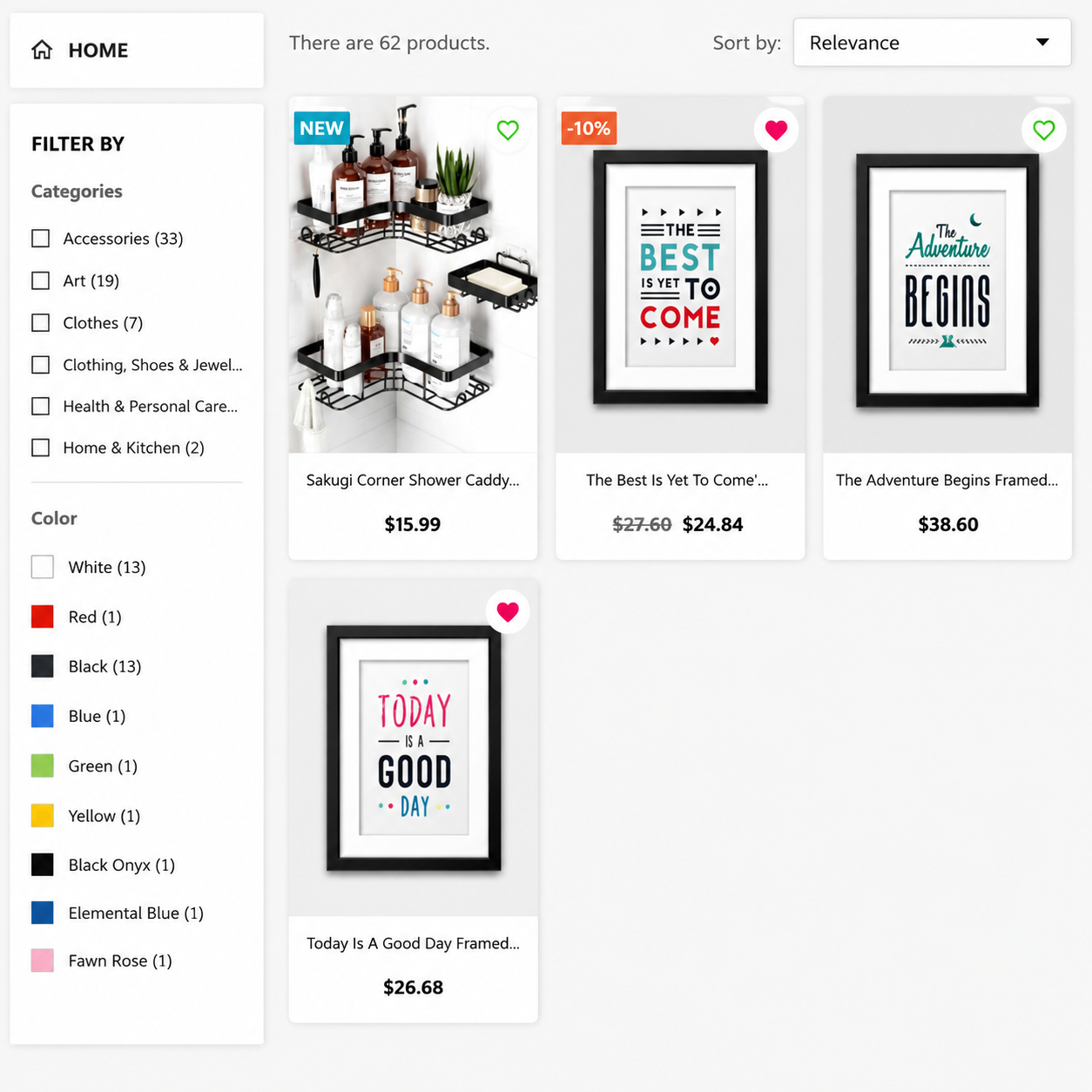
Customers browse your PrestaShop catalog and explore products they are interested in.
 |
 |
 |
Step 2 – Save Favorites
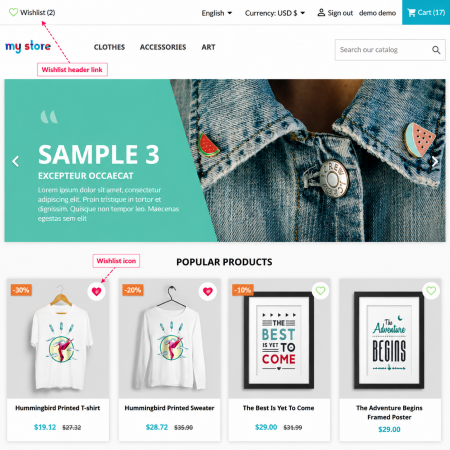
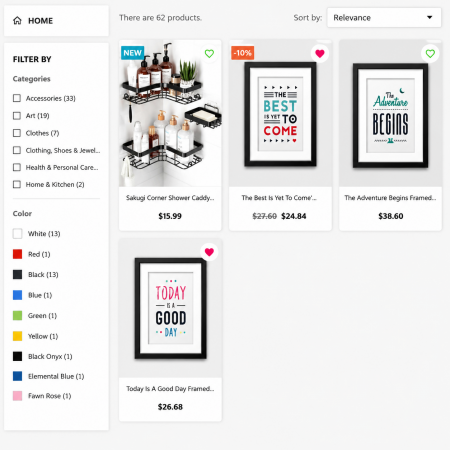
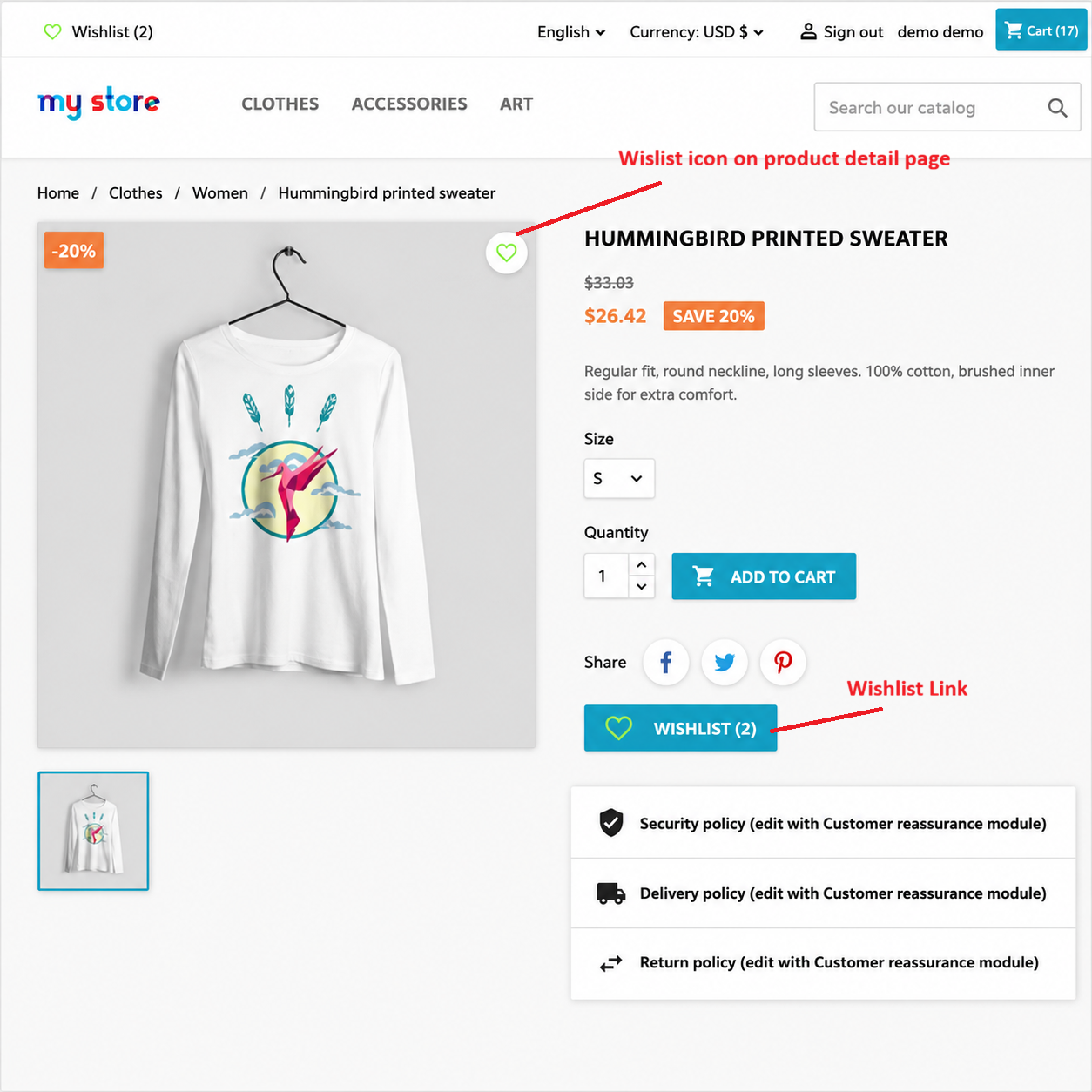
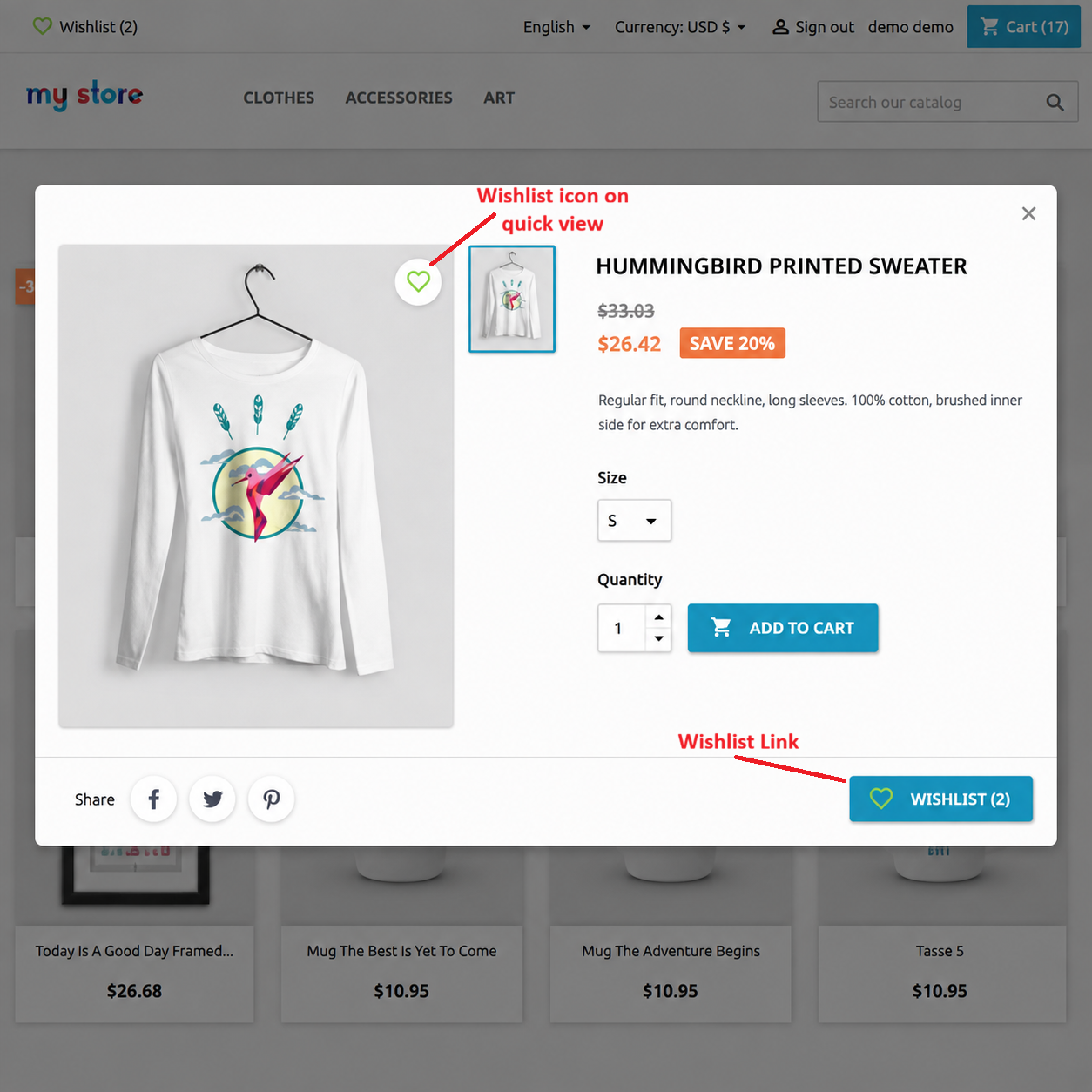
When customers find a product they like, they use the Wishlist or Favorite option to save it for later.
Step 3 – Manage Saved Products
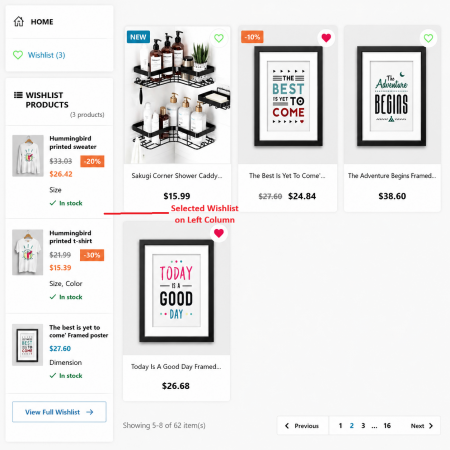
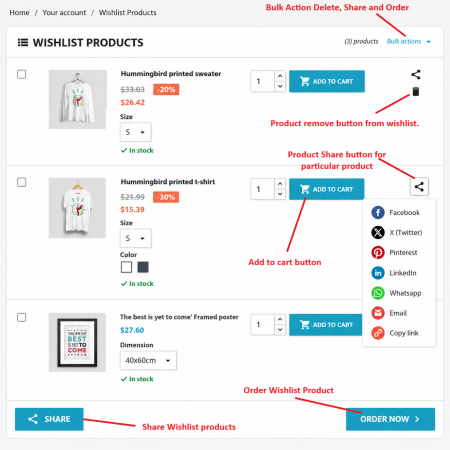
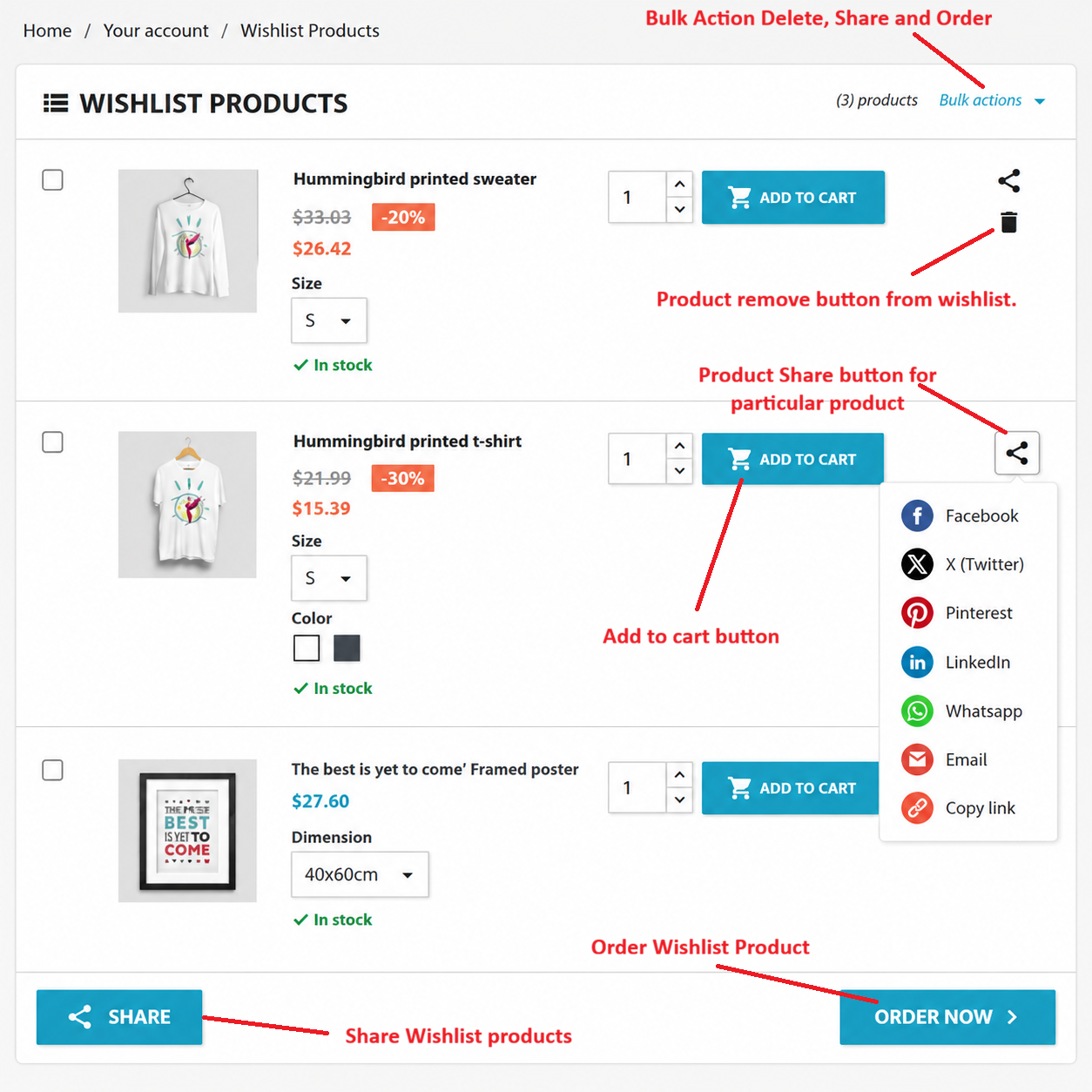
Customers visit their wishlist to view saved items, review their selections, and remove products they no longer need.
Step 4 – Share Wishlist
Customers can generate secure token-based sharing links to share selected products or their complete wishlist with friends and family.
 |
Step 5 – Return and Revisit
Customers can return to their saved product collection whenever they are ready to continue shopping.
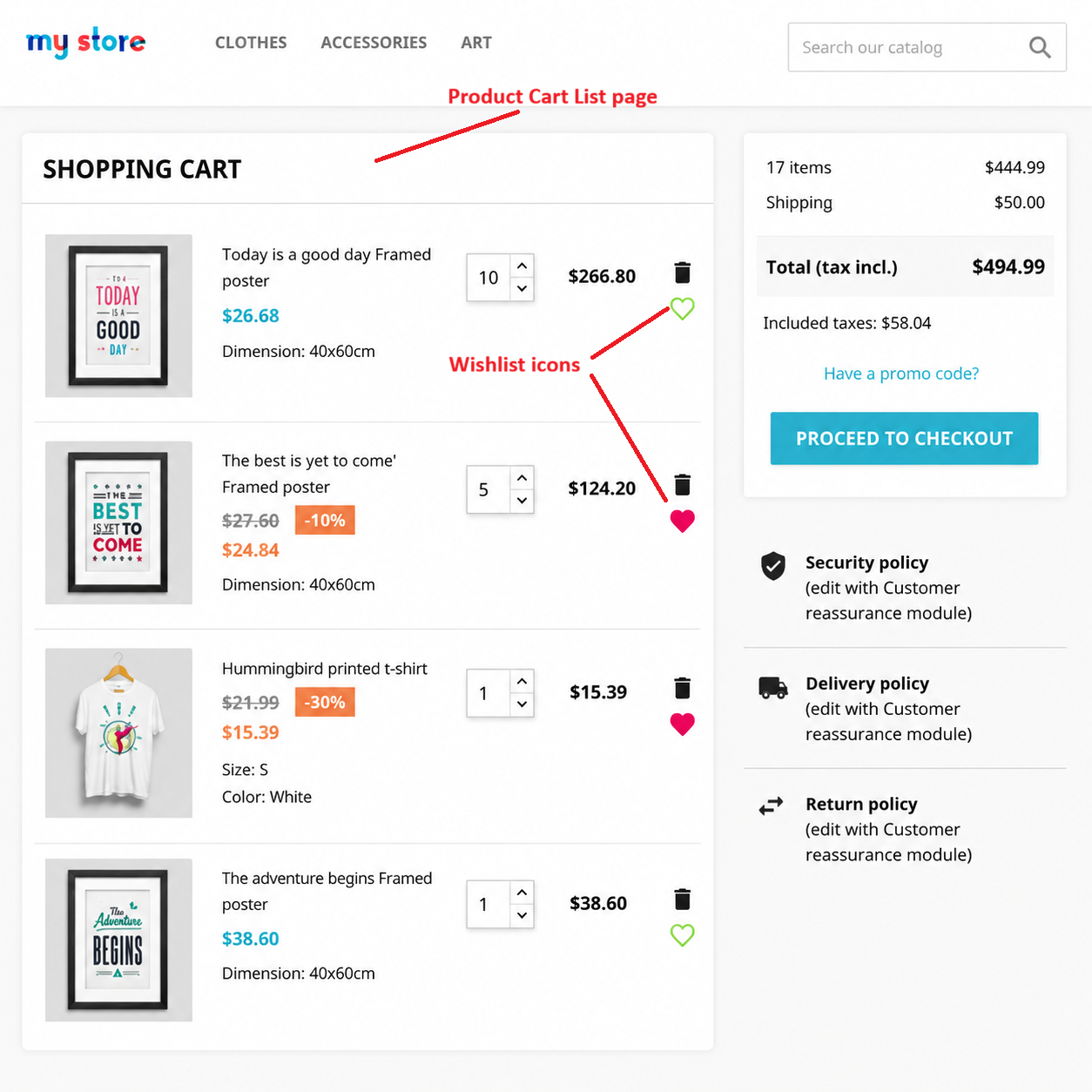
Step 6 – Add Products to Cart
When customers decide to purchase, they can move their saved products directly into their shopping cart.
 |
Step 7 – Complete the Purchase
Customers proceed through the regular PrestaShop checkout process to place their order.
This workflow allows customers to separate product discovery, purchase planning, sharing, and buying into convenient stages.
An advanced wishlist is useful for almost every eCommerce business because customers often need time to decide what they want to purchase.
Customers can save dresses, shirts, shoes, bags, and accessories they like. They can compare different styles and return to their favorites when ready to order.
Example: A shopper saves three dresses and two pairs of shoes before deciding which combination to purchase.
Customers researching electronics often compare several models before making a decision.
Example: A shopper saves different smartphones, laptops, or headphones to revisit and compare later.
Customers can maintain collections of their favorite skincare products, cosmetics, fragrances, and personal care items.
Example: A customer saves preferred skincare products and returns to purchase them during their next shopping session.
Large or expensive purchases often require planning and discussion with family members.
Example: A customer saves furniture, lighting, and home decoration products and shares the wishlist with family before making a purchase.
The wishlist sharing feature makes it easier for customers to communicate what they would like to receive as a gift.
Example: A customer creates a wishlist for a birthday, wedding, anniversary, or holiday and shares the link with friends and family.
Customers can save jewelry, watches, handbags, and accessories they are considering purchasing.
Example: A shopper creates a collection of preferred jewelry products and revisits the list before a special occasion.
Business buyers may need to review multiple products before placing an order.
Example: A buyer saves office supplies, equipment, or inventory items to create a convenient reference collection for future purchasing decisions.
An advanced wishlist is not simply a product bookmarking feature. It helps improve the way customers interact with your catalog.
Encourage Return Visits
Customers have a convenient place to revisit previously selected products instead of starting their search again.
Reduce Product Discovery Friction
Saved collections make it easier to find products that customers have already considered.
Support Purchase Decisions
Customers can collect products while comparing options, discussing purchases, or planning their budgets.
Create More Product Exposure
Secure wishlist sharing allows customers to introduce your products to friends and family.
Simplify Future Shopping
Directly adding wishlist products to the cart reduces unnecessary steps when customers are ready to buy.
Improve Shopping Convenience
Give customers more flexibility to browse, save, share, and purchase at their own pace.
Support Gift Planning
Shared wishlists make it easier for customers to communicate their product preferences for special occasions.
Many shoppers are interested in products but do not always make immediate purchasing decisions.
A conventional shopping cart is designed around immediate purchase intent. A wishlist provides a separate space for future purchase intent.
This module combines the most useful parts of a modern wishlist experience:
Personal customer wishlists.
Product favorites and bookmarking.
Save for Later functionality.
Direct wishlist-to-cart actions.
Secure token-based sharing.
Sharing individual products or entire wishlists.
Customer wishlist management.
Responsive shopping experience.
By combining these capabilities, your store can offer customers a more flexible way to interact with products throughout their shopping journey.
Install the Advanced Wishlist module through the standard PrestaShop Back Office.
Installation steps:
Download the module ZIP package after purchase.
Log in to your PrestaShop Back Office.
Navigate to Modules → Module Manager.
Select Upload a module.
Choose the downloaded module ZIP file.
Upload and install the module.
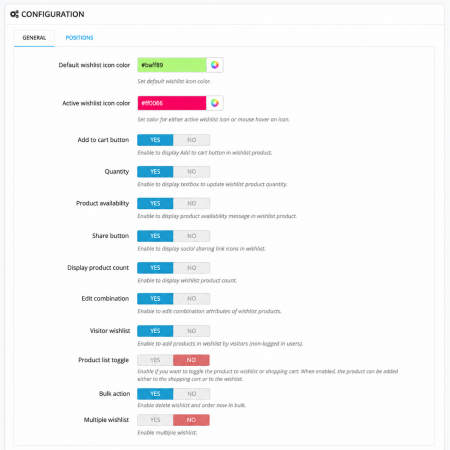
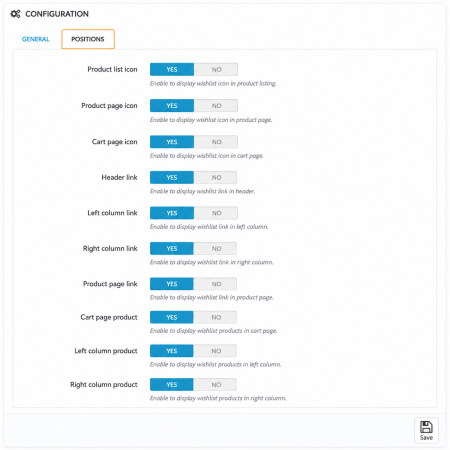
Open the module configuration page, if provided.
Review the available wishlist and sharing options.
Save your configuration.
Visit your storefront and test product saving, wishlist management, sharing links, and adding products to the cart.
After installation, customers can use the wishlist functionality provided by the module in your storefront.
The module is intended for PrestaShop stores across supported platform generations.
Compatibility range to verify against the current module release:
PrestaShop 1.6.x
PrestaShop 1.7.x
PrestaShop 8.x
PrestaShop 9.x
Please check the module's official compatibility information before installing it on your specific PrestaShop version.
An advanced wishlist module allows customers to save their favorite products, manage personal product collections, revisit saved items, share wishlists, and add saved products to their shopping carts when they are ready to purchase.
Yes. Customers can use the wishlist or Save for Later functionality to keep preferred products in their personal collection without immediately adding them to their shopping cart.
Yes. Customers can access their wishlist, view saved products, and remove items they are no longer interested in.
Yes. The secure token-based sharing feature allows customers to share their wishlist through a dedicated link.
Yes. Customers can share selected products or their complete wishlist using the sharing functionality provided by the module.
The module generates a dedicated token-based link for sharing wishlist content. Customers can distribute this link with friends and family so they can access the shared product collection.
Yes. Customers can move saved wishlist products directly into their shopping cart when they decide to purchase.
Yes. Customers can create a collection of products they would like to receive and share it with friends and family for birthdays, weddings, holidays, and other special occasions.
Yes. A wishlist gives customers a convenient way to interact with your catalog, save products, revisit their preferences, and share product collections. It can create additional opportunities for return visits and future purchases.
The module is designed to provide a consistent wishlist experience across supported desktop, tablet, and mobile storefront layouts.
No. A shopping cart is generally used for products customers intend to purchase, while a wishlist is designed for products they want to remember, compare, share, or purchase later.
Don't let customers lose track of products they love.
With the Advanced Wishlist | Favorites | Save for Later PrestaShop Module, you can give shoppers a convenient way to save products, manage their preferences, share wishlists securely, and return whenever they are ready to purchase.
From everyday product bookmarking to future purchase planning and gift-list sharing, this module makes your online store more convenient and customer-friendly.
Help customers save what they love today and make purchasing easier tomorrow with Sathi.
| Vendor | Nxtal |
|---|---|
| Last update | Nov 23, 2026 |
| Version | 3.11.0 |
| Required store version | From 1.6.x to 9.2.x |
| Publication date | Aug 31, 2026 |
| Return Policy | You can return the product within the 30 Days return period for a full refund. No questions asked. |
| Customer Support | Enjoy one year of free customer support, including installation, troubleshooting, and usage guidance. |
| Description | This product is compatible with the specified versions and includes all the latest updates to enhance functionality and user experience. |
 Ticker Notification Banner – Announcement Bar Module for PrestaShop
 Daily Deals Widget with Countdown Timer for PrestaShop Module

 Loyalty, Referral & Affiliate Programs Module for PrestaShop
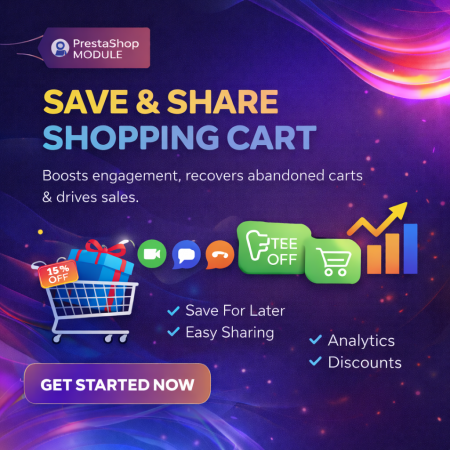
 Save & Share Cart PrestaShop Module

 Social Wall Feeds Facebook and Twitter Prestashop Module
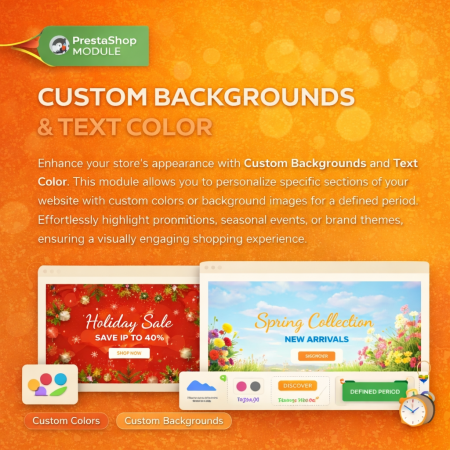
 Custom Background And Text Color Prestashop Module
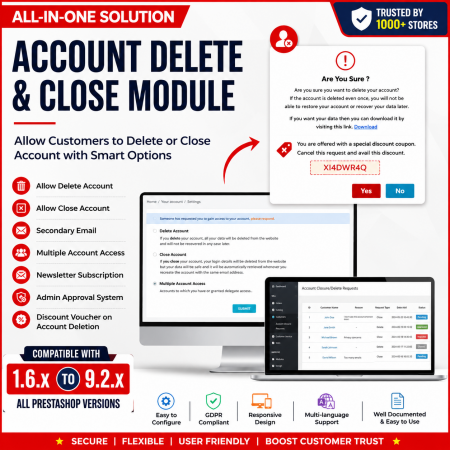
 Customer Account Settings – PrestaShop Customer Management Module
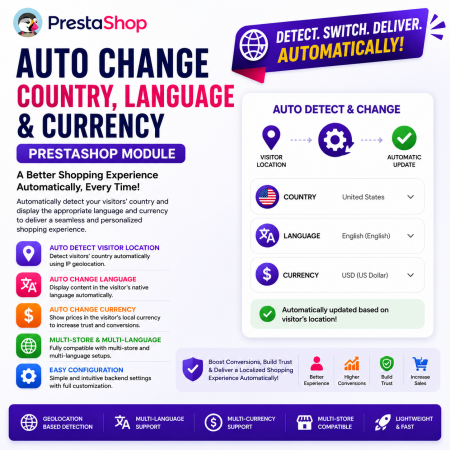 Auto Change Country Language and Currency Prestashop Module
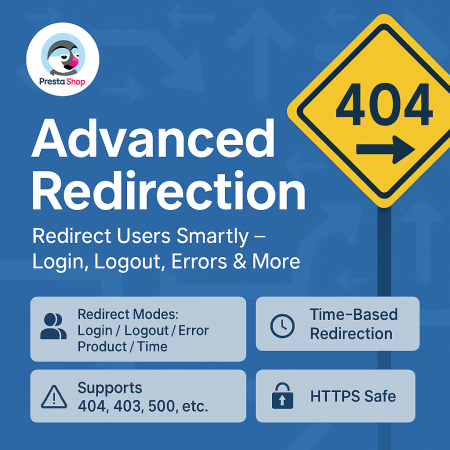
 Advanced URL Redirection (301, 302, 404) Module for PrestaShop
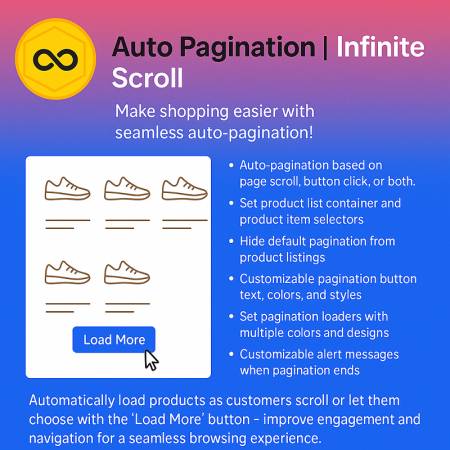
 Auto Pagination | Infinite Scroll Prestashop Module
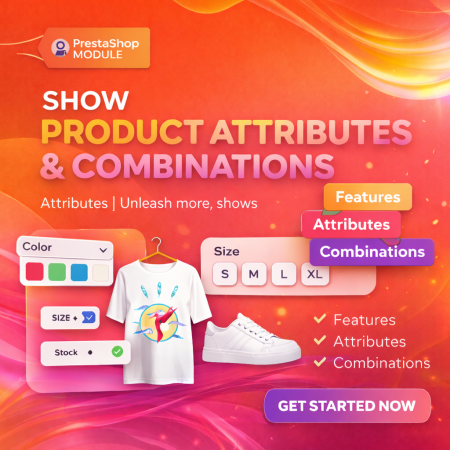 Show Product Attributes Or Combinations Prestashop Module
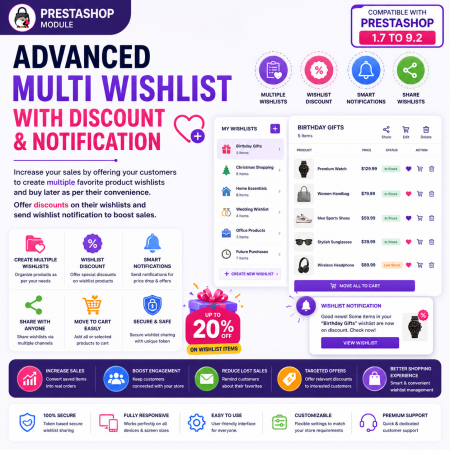
 Advanced Multi Wishlist for PrestaShop – Multiple Wishlists, Discounts & Notifications
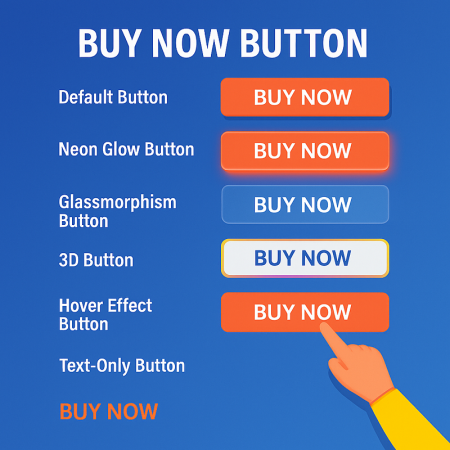
 Buy Now Button | Quick Order Prestashop Module

 Display Price Tax Inclusive or Exclusive Prestashop Module
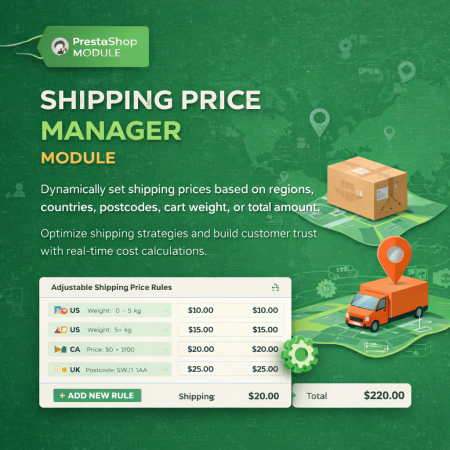
 Shipping Price Manager Prestashop Module
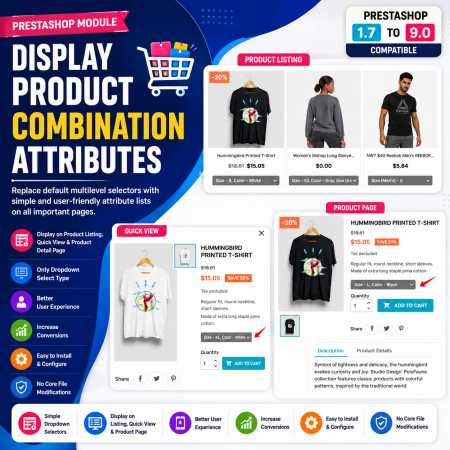
 Display Product Combination Attributes Module for PrestaShop
Make shopping easier with the Advanced Wishlist, Favorites & Save for Later PrestaShop Module. Allow customers to save their favorite products, manage personal wishlists, and return to their selected items whenever they are ready to purchase.
Customers can save products for later, remove unwanted items, add saved products directly to their shopping cart, and securely share individual products or their entire wishlist using token-based sharing links.
Whether shoppers are comparing products, planning future purchases, creating gift lists, or sharing recommendations with friends and family, this advanced PrestaShop wishlist solution makes it easier to remember, organize, revisit, and purchase favorite products.
Improve shopping convenience, encourage return visits, and help customers stay connected with the products they love.
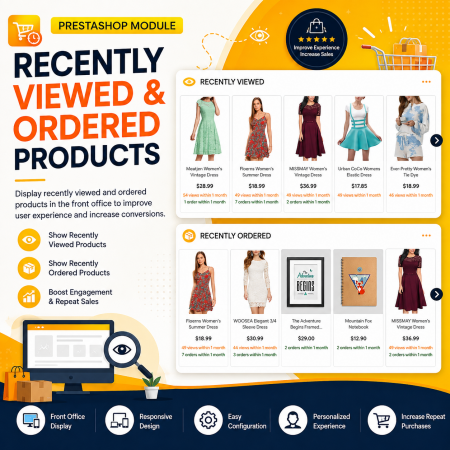
 Recently Viewed and Ordered Products – Product History Module for PrestaShop
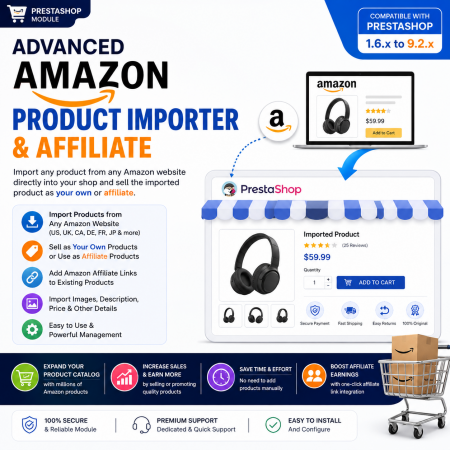
 Advanced Amazon Product Importer & Affiliate Module for PrestaShop
Advanced Multi Wishlist for PrestaShop – Multiple Wishlists, Discounts & Notifications

Encrypted payment gateways ensuring your financial and personal data remain 100% protected.

Every module includes professional installation assistance, free updates, and reliable troubleshooting.

Rigorously tested PrestaShop & WooCommerce extensions designed for maximum speed and zero bloat.

Transparent policies, clean documentation, and dedicated assistance if you run into any compatibility hurdles.