- -$40.00


This module enhances the shopping experience by allowing customers to easily explore product variations such as...

The module allows merchants to enhance product images with customizable stickers and labels. Whether it’s...

Make bulk pricing visible and encourage larger orders with the Quantity Discount Table Grid PrestaShop Module.
...
Take complete control of your store's free shipping strategy with the Free Shipping by Zone & Carrier...

The module automatically adjusts language, currency, and country settings based on the customer's location....






Vendor
Version
Last update
Prestashop version
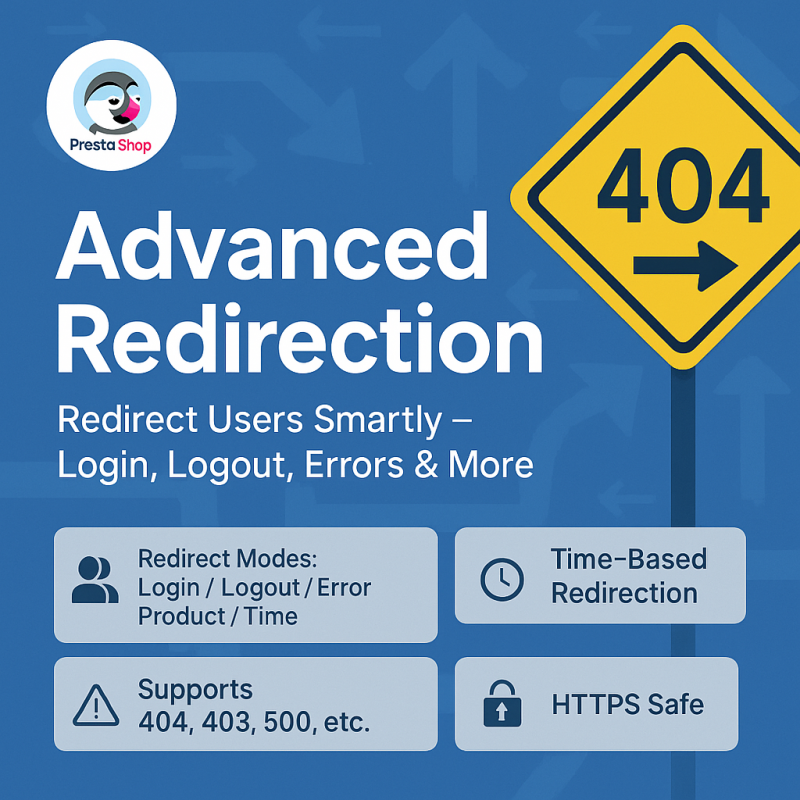
Take control of your store navigation with the Advanced URL Redirection Module for PrestaShop.
Create flexible URL redirection rules based on customer actions, HTTP error codes, page controllers, selected products, and scheduled dates or days. Redirect customers after login, logout, or registration, configure destinations for supported 404, 403, and 500 error situations, and manage product or page-based navigation from one convenient back-office interface.
Plan temporary promotions using start dates, end dates, and recurring daily or weekly schedules. Create unlimited redirection rules to manage changing store requirements without manually creating every rule in code.
Improve customer navigation, handle broken-page situations, manage campaign destinations, and maintain better control over your PrestaShop store's URL redirection strategy.
Take Control of Store Navigation. Manage Redirect Rules. Guide Customers to the Right Destination.
URL redirection is an important part of managing an eCommerce website. Products change, pages become unavailable, promotional campaigns start and end, and customer navigation requirements evolve as your business grows.
Without a flexible redirection strategy, visitors may encounter broken pages, reach irrelevant destinations, or fail to find the information they need.
The Advanced URL Redirection Module for PrestaShop gives store owners a centralized solution for managing different URL redirection scenarios directly from the PrestaShop Back Office.
Create redirection rules based on customer actions, HTTP error codes, supported page controllers, selected products, and scheduled dates or days.
Whether you want to redirect customers after login, handle 404 errors, guide visitors away from selected products, or automatically manage promotional destinations during a campaign, this module helps you organize your redirection strategy without manually creating every rule in code.
Manage unlimited redirection rules through an easy-to-use administration interface and maintain greater control over how visitors navigate your online store.
Every online store contains multiple URLs serving different purposes. Product pages, categories, CMS pages, customer account pages, and promotional landing pages all contribute to the shopping experience.
However, these URLs do not always remain relevant.
For example:
A customer tries to access a product that is no longer available.
A visitor opens a URL that returns a 404 error.
A customer needs to reach a specific destination after signing in.
A promotional campaign requires visitors to reach a dedicated landing page.
A selected page or product needs to redirect visitors to another destination.
A temporary business requirement calls for scheduled navigation changes.
Managing these situations individually can make store administration complicated.
The Advanced URL Redirection module brings these requirements together in one centralized solution.
You can create rules for supported customer actions, error conditions, controllers, products, and scheduled periods, then manage them through your store's back-office interface.
Create a smarter navigation strategy for your PrestaShop store with flexible and manageable redirection rules.
A well-managed redirection strategy helps store owners control how visitors move through their websites.
Without suitable redirect rules, several common situations can interrupt the customer journey.
Customers sometimes access outdated links, deleted URLs, restricted pages, or unavailable resources.
An error page without a useful next step can interrupt their shopping experience.
How the module helps:
Configure redirection destinations for supported HTTP error situations, including 404, 403, and 500 responses.
After logging in, logging out, or registering, customers may need to reach a more relevant page based on your store requirements.
How the module helps:
Configure customer-action-based redirection rules to guide customers to selected destinations after these account activities.
Your store may need to redirect visitors from selected products or supported page controllers to alternative destinations.
How the module helps:
Create product-based and controller-based redirection rules to manage the navigation scenarios supported by the module.
Seasonal sales, limited-time offers, and promotional landing pages often require changes to website navigation.
Manually changing these destinations repeatedly can become inconvenient.
How the module helps:
Schedule redirection rules using start dates, end dates, and supported recurring daily or weekly schedules.
Different products, pages, errors, and customer activities may require different destinations.
Managing every scenario separately can make administration less efficient.
How the module helps:
Use a centralized back-office interface to create and manage unlimited redirection rules.
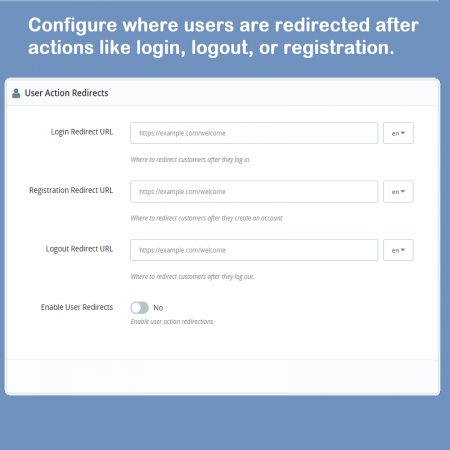
Control where customers are redirected after important account activities.
Customer navigation does not always need to follow the same destination. Depending on your business requirements, you may want to direct customers to a particular page after signing in, logging out, or completing registration.
The module allows you to create separate redirection rules for supported customer actions.
Key features:
Configure redirection after customer login.
Configure redirection after customer logout.
Configure redirection after customer registration.
Define relevant destinations for supported account actions.
Manage account-related navigation rules centrally.
Practical use cases:
Redirect customers to a welcome page after registration.
Send customers to a selected landing page after login.
Guide visitors to a suitable public page after logout.
Direct newly registered customers to a promotional destination.
Business benefit: Create a more controlled customer journey and guide shoppers toward relevant store pages after account activities.
Visitors may encounter HTTP errors while navigating an online store.
If an error situation does not provide a useful next step, visitors may leave your website instead of continuing their shopping journey.
The module allows you to configure destinations for supported HTTP error codes.
Supported error scenarios:
404 – Page Not Found
A visitor requests a page that cannot be found.
Configure a suitable destination to guide the visitor toward an available page instead of leaving them at an unhelpful error destination.
403 – Forbidden
A visitor attempts to access a resource for which access is denied.
Configure the relevant redirection behavior according to your store's requirements.
500 – Internal Server Error
A server-side error occurs while processing a request.
Configure the intended destination for supported error handling scenarios.
Key benefits:
Configure 404 error redirection.
Configure 403 error redirection.
Configure 500 error redirection.
Provide alternative destinations for supported error conditions.
Centralize error-related redirection rules.
Business benefit: Give visitors a more useful navigation path when supported error situations occur.
Technical note: A 500 error may originate from a serious server or application failure. A redirect rule is not a replacement for diagnosing and fixing the underlying error. Similarly, 403 access restrictions should not be bypassed by indiscriminate redirection.
PrestaShop uses controllers to handle different types of storefront pages.
Depending on your store requirements, you may want to configure redirection rules for selected page types.
The module supports controller-based rules for relevant PrestaShop pages.
Supported controller examples:
Category pages.
CMS pages.
Manufacturer pages.
Key features:
Create controller-based redirection rules.
Select supported page types.
Define the required destination.
Manage different page navigation scenarios.
Organize controller-related redirects from the Back Office.
Practical use cases:
Redirect visitors from a selected category page to another relevant destination.
Guide visitors from a particular CMS page to an updated information page.
Redirect visitors from a manufacturer page according to your store requirements.
Business benefit: Gain more control over page-level navigation without manually creating every supported rule in code.
Product URLs are among the most important destinations in an eCommerce store.
Sometimes a selected product may need to direct visitors to another page because of changes in your catalog or business requirements.
The product-based redirection feature allows you to configure rules for selected products.
Key features:
Create product-specific redirection rules.
Select products from your store.
Define the destination for selected products.
Manage product navigation requirements.
Maintain multiple product-based rules.
Practical use cases:
Redirect visitors from an old product to its replacement.
Guide customers toward a newer version of a product.
Direct visitors to a relevant alternative product or category.
Manage product-related promotional destinations.
Business benefit: Maintain a more organized product navigation strategy and guide visitors toward relevant alternatives.
Not every redirection rule needs to remain active permanently.
Promotional campaigns, seasonal sales, and temporary store requirements often need navigation changes for a defined period.
The scheduled redirection feature allows you to organize rules around specific dates and recurring schedules.
Key features:
Schedule redirection rules for specific dates.
Configure rule start dates.
Configure rule end dates.
Set supported recurring daily schedules.
Set supported recurring weekly schedules.
Manage time-dependent redirection requirements.
Practical use cases:
Redirect visitors to a festival sale page during a promotional period.
Guide customers toward a seasonal collection.
Activate campaign destinations on selected days.
Manage recurring promotional navigation.
Control temporary page redirection requirements.
Business benefit: Plan redirection campaigns in advance and reduce repetitive manual changes.
Control when a redirection rule should apply using date-based settings.
This is particularly useful when managing temporary promotional destinations or time-limited navigation requirements.
Key features:
Define the beginning of a redirection period.
Define the end of a redirection period.
Organize time-limited rules.
Combine date conditions with supported scheduling options.
Manage temporary redirection requirements.
Example:
Suppose your store is running a special promotional campaign from December 20 to December 31.
You can configure the relevant rule with a start date and an end date to manage the campaign's redirection period.
Business benefit: Maintain better control over when time-sensitive redirection rules should apply.
Some business requirements follow a repeating schedule rather than a single date range.
For example, a store may run special promotions on particular days of the week.
The module supports recurring daily and weekly scheduling for applicable redirection rules.
Key features:
Configure daily recurring rules.
Configure weekly recurring rules.
Manage recurring navigation requirements.
Support scheduled promotional activities.
Practical use cases:
Weekend promotional landing pages.
Weekly special-offer destinations.
Recurring campaign navigation.
Scheduled business-day navigation.
Business benefit: Organize repetitive redirection requirements without having to recreate the same rule every time.
Every store has different navigation requirements.
A small store may need only a few redirection rules, while a large catalog may require separate rules for numerous products, pages, customer activities, and campaigns.
The module allows you to create unlimited redirection rules according to your store requirements.
Key benefits:
Create multiple redirection rules.
Manage different redirection scenarios.
Support product-based navigation.
Organize controller-based rules.
Manage customer-action redirects.
Configure scheduled destinations.
Business benefit: Scale your redirection management as your store's navigation requirements grow.
Managing redirects should not require manually writing every rule in code.
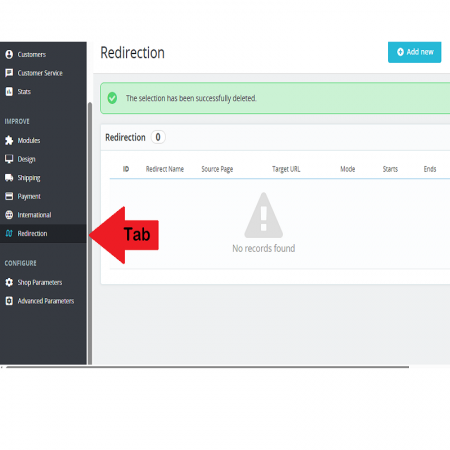
The module provides an administration interface for creating and managing supported redirection scenarios.
Key benefits:
Configure redirection rules from the Back Office.
Manage multiple redirect scenarios.
Organize customer-action rules.
Configure supported error redirections.
Manage product and controller rules.
Set scheduling conditions.
Maintain a centralized redirection workflow.
Business benefit: Make everyday redirect management more convenient for store administrators.
The module follows a simple configuration workflow.
Select the supported type of redirection you want to configure.
For example:
Customer login, logout, or registration.
HTTP error code.
Supported controller.
Selected product.
Specify the destination where visitors should be redirected when the configured condition is met.
If the rule is time-dependent, configure the relevant start date, end date, and supported recurring schedule.
Save the configuration through the module's administration interface.
When the applicable conditions are met, the module applies the configured redirection behavior.
The complete workflow:
Choose Scenario → Select Condition → Define Destination → Configure Schedule → Save Rule → Manage Navigation.
The Advanced URL Redirection module can support different business and marketing requirements.
When product destinations change, store owners may need to guide visitors toward alternative products.
Use product-based rules to direct customers from selected products to more relevant destinations.
During festivals, seasonal sales, and special events, store owners may want to direct visitors toward dedicated promotional pages.
Use scheduled redirects to manage time-sensitive campaign destinations.
Create a more controlled account journey by configuring destinations after login, logout, and registration.
Help visitors find useful destinations when supported 404 error situations occur.
Manage selected category and CMS page navigation requirements using controller-based redirection rules.
Configure redirection rules for supported manufacturer pages when your store structure or marketing strategy changes.
Use daily and weekly scheduling to organize recurring promotional destinations.
Improve Customer Navigation
Guide customers toward relevant destinations after selected actions and supported error situations.
Reduce Lost Traffic Opportunities
Provide alternative destinations when visitors encounter configured error conditions.
Simplify Redirect Administration
Manage different redirection scenarios from one back-office interface.
Support SEO Maintenance
Manage URL destinations when page structures or product destinations change. Appropriate permanent redirects can help search engines understand URL changes.
Plan Promotional Campaigns
Use scheduled rules to manage temporary and recurring campaign destinations.
Improve Product Discovery
Redirect visitors from selected product pages toward more relevant alternatives.
Save Administration Time
Reduce the need to manually create every supported redirection rule in code.
Choosing the right redirect type is important when managing an eCommerce website.
A 301 redirect indicates that a URL has permanently moved to another destination.
Use it when:
A product URL has permanently changed.
A page has been permanently replaced.
Your website structure has changed.
An old page has a suitable permanent replacement.
A 302 redirect indicates that a URL is temporarily pointing to another destination.
Use it when:
Running a temporary promotional campaign.
Redirecting visitors during a temporary page change.
Managing temporary navigation requirements.
A 404 response indicates that the requested resource cannot be found.
Use appropriate error handling and redirect visitors only when a genuinely relevant destination exists.
Important: Redirect status behavior depends on the module's actual configuration and implementation. Always test the HTTP response code returned by your store. A temporary campaign redirect should not automatically be treated as a permanent URL migration.
Redirect visitors from selected products to newer collections, alternative styles, or seasonal promotions.
Manage navigation when product models are replaced or promotional destinations change.
Guide visitors toward relevant product collections and scheduled promotional pages.
Manage category, manufacturer, and product navigation as your catalog evolves.
Organize account-related navigation and selected page redirection according to business requirements.
Manage a wide range of product, page, error, and scheduled redirection scenarios from a centralized administration interface.
Install the module using the standard PrestaShop module upload process.
Log in to your PrestaShop administration panel using an administrator account.
Navigate to:
Modules → Module Manager
Click the Upload a module button and select the downloaded stredirect.zip file from your computer.
Wait for the upload to complete and click the Install option.
After successful installation, locate Advanced URL Redirection in the Module Manager and open its configuration page.
Configure the required redirection scenarios:
Customer action redirections.
HTTP error redirections.
Controller-based rules.
Product-based rules.
Date-based and recurring schedules.
Visit the relevant URLs and perform the applicable customer actions to verify that the configured rules work correctly.
Check the returned HTTP status codes, destinations, and scheduling behavior.
Your Advanced URL Redirection module is now ready to help manage your PrestaShop store navigation.
It is a PrestaShop extension that allows store owners to create and manage redirection rules based on customer actions, HTTP errors, supported page controllers, selected products, and scheduling conditions.
Yes. You can configure a destination for customers after logging in according to your redirection rules.
Yes. The module supports customer-action-based redirection after login, logout, and registration.
Yes. You can configure redirection destinations for supported HTTP 404 error situations.
Yes. The module supports redirection rules for HTTP 403 and 500 error scenarios.
Yes. Product-based redirection rules allow you to configure destinations for selected products.
The supplied functionality includes category, CMS, and manufacturer controllers.
Yes. You can configure start dates and end dates to manage time-specific redirection rules.
Yes. The module supports recurring daily and weekly schedules for applicable rules.
Yes. The module supports unlimited redirection rules, allowing you to manage different navigation requirements within your store.
The module provides a back-office configuration interface, so you can manage supported redirection rules without manually creating every rule in code.
Yes. Scheduled redirection rules can help manage temporary destinations for seasonal sales, festivals, and promotional campaigns.
A properly implemented 301 redirect tells search engines that a URL has permanently moved. It can help preserve the relationship between old and replacement URLs when used correctly.
Use a 302 for temporary redirection requirements and a 301 when the URL has permanently moved. Select the appropriate behavior for your actual use case.
Visit the original URL or use an HTTP response checker to inspect the returned status code and destination. Also test scheduled rules during their applicable periods.
Managing URL changes, customer navigation, error situations, and promotional campaigns should not require complicated manual development work.
With the Advanced URL Redirection Module for PrestaShop, you can create flexible rules for customer actions, HTTP errors, selected products, supported page controllers, and scheduled navigation.
Organize multiple redirection scenarios, plan temporary campaigns, guide visitors toward relevant destinations, and manage your store's URL redirection strategy from one convenient back-office interface.
Make your PrestaShop store navigation more flexible and easier to manage with Sathi Advanced URL Redirection.
| Vendor | Sathi |
|---|---|
| Last update | Nov 24, 2026 |
| Version | 1.3.0 |
| Required store version | From 1.6.x to 9.2.x |
| Publication date | Jul 26, 2025 |
| Multishop compatibility | Yes |
| Return Policy | You can return the product within the 30 days return period for a full refund. No questions asked. |
| Customer Support | Enjoy one year of free customer support, including installation, troubleshooting, and usage guidance. |
| Description | This product is compatible with the specified versions and includes all the latest updates to enhance functionality and user experience. |
Version:1.3.0

 Save & Share My Shopping Cart – Save, Share and Restore Carts in PrestaShop

 Product Video – YouTube, Vimeo, External Links & Video Upload for PrestaShop
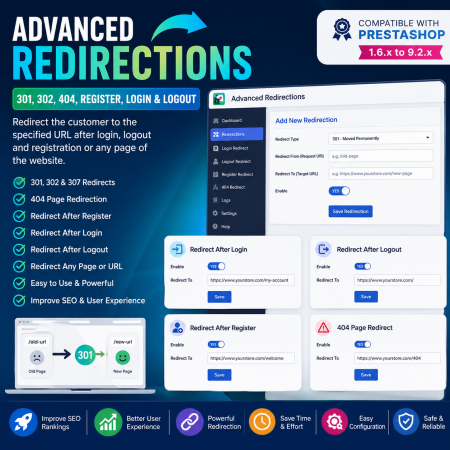
 Advanced Redirections – 301, 302, 404 & Customer Redirects for PrestaShop
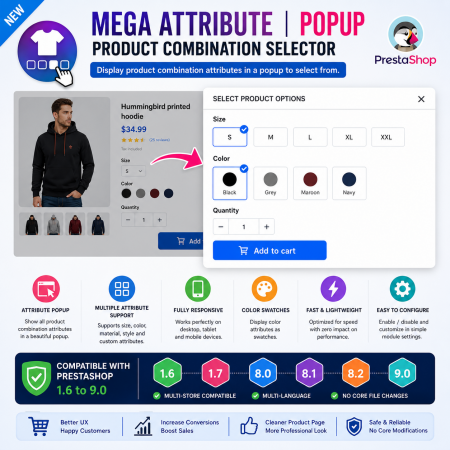
 Mega Attribute Popup – Product Attribute Selection Module for PrestaShop
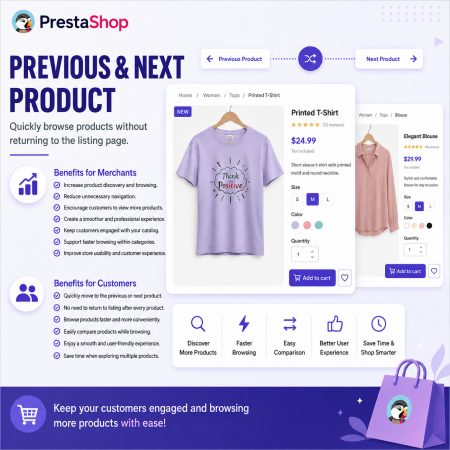
 Advanced Product Navigation – Previous & Next Product Links for PrestaShop
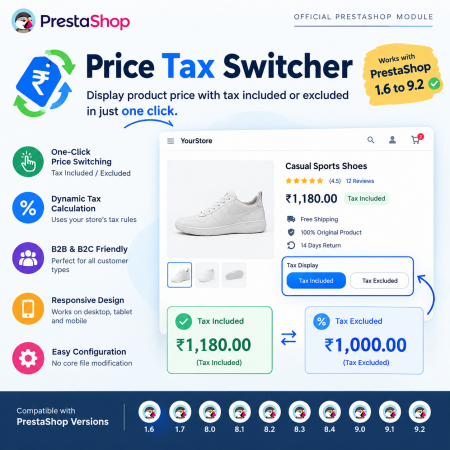
 Price Tax Switcher – Display Tax Included or Excluded Prices in PrestaShop

 Advanced Custom Product Carousels & Sliders for PrestaShop
 Show Product Attributes Or Combinations Prestashop Module

 Instant Search & Auto Complete – Advanced Live Search Module for PrestaShop
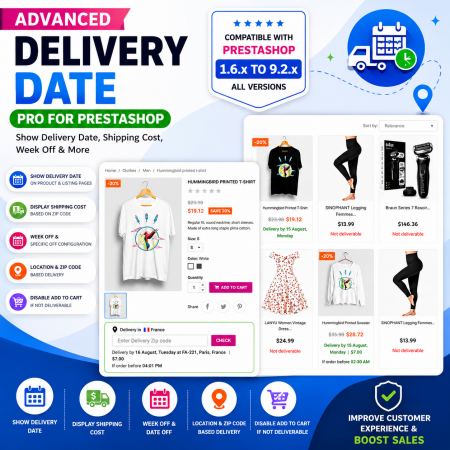
 Proposed Delivery Date and Cost Module for PrestaShop

 Auto Pagination & Infinite Scroll – AJAX Product Loading Module for PrestaShop
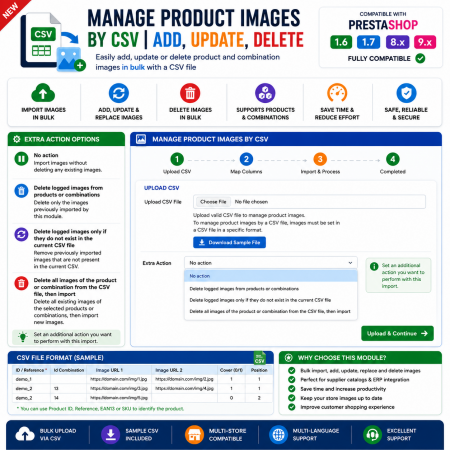
 Manage PrestaShop Product Images by CSV – Add, Update & Delete
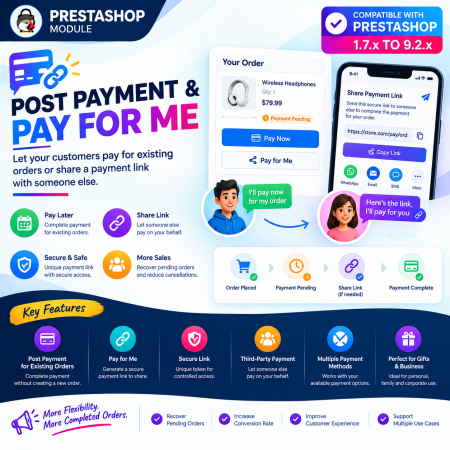
 Post Payment & Pay for Me Module for PrestaShop

 WhatsApp Live Chat & Support – Multiple Agents Module for PrestaShop

 Extra Product Listing & Product Recommendations Module for PrestaShop

 Advanced Product Importer & Affiliate (100+ websites) Module for PrestaShop
Take control of your store navigation with the Advanced URL Redirection Module for PrestaShop.
Create flexible URL redirection rules based on customer actions, HTTP error codes, page controllers, selected products, and scheduled dates or days. Redirect customers after login, logout, or registration, configure destinations for supported 404, 403, and 500 error situations, and manage product or page-based navigation from one convenient back-office interface.
Plan temporary promotions using start dates, end dates, and recurring daily or weekly schedules. Create unlimited redirection rules to manage changing store requirements without manually creating every rule in code.
Improve customer navigation, handle broken-page situations, manage campaign destinations, and maintain better control over your PrestaShop store's URL redirection strategy.

 Display Product Slider & Grid – Product Showcase Module for PrestaShop

 Enable or Disable Carriers with Conditions – PrestaShop Conditional Shipping Module
Auto Pagination & Infinite Scroll – AJAX Product Loading Module for PrestaShop

 Buy Now Button & Quick Order – One-Click Checkout Module for PrestaShop

 Advanced Google SEO – XML & HTML Sitemap Generator for PrestaShop
Extra Product Listing & Product Recommendations Module for PrestaShop
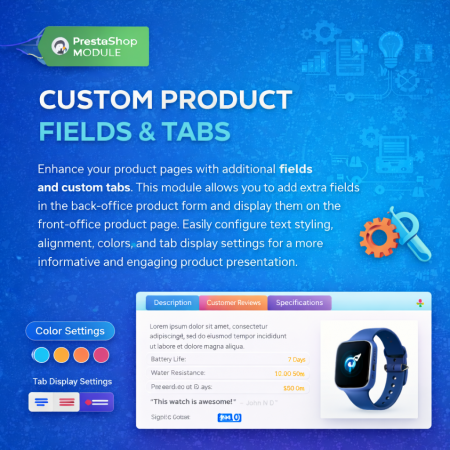
 Additional Product Fields and Custom Tabs – PrestaShop Product Page Customization Module
WhatsApp Live Chat & Support – Multiple Agents Module for PrestaShop

Encrypted payment gateways ensuring your financial and personal data remain 100% protected.

Every module includes professional installation assistance, free updates, and reliable troubleshooting.

Rigorously tested PrestaShop & WooCommerce extensions designed for maximum speed and zero bloat.

Transparent policies, clean documentation, and dedicated assistance if you run into any compatibility hurdles.