- -$40.00


This module enhances the shopping experience by allowing customers to easily explore product variations such as...

The module allows merchants to enhance product images with customizable stickers and labels. Whether it’s...

Make bulk pricing visible and encourage larger orders with the Quantity Discount Table Grid PrestaShop Module.
...
Take complete control of your store's free shipping strategy with the Free Shipping by Zone & Carrier...

Make international shopping easier with the Auto Change Country, Language & Currency PrestaShop...


Vendor
Version
Last update
Prestashop version
Make product discovery faster and easier with the Instant Search & Auto Complete PrestaShop Module.
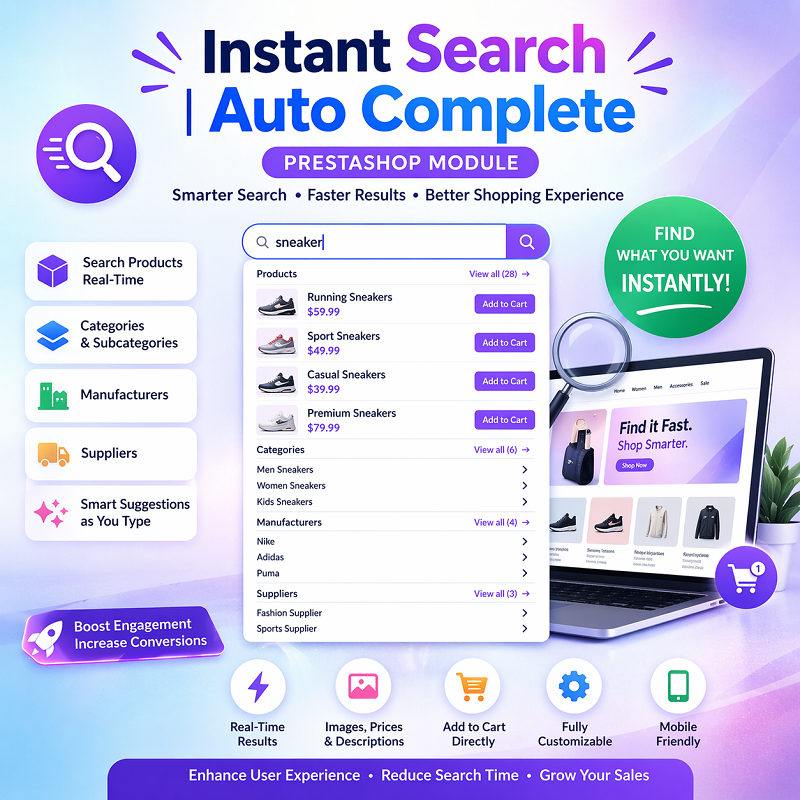
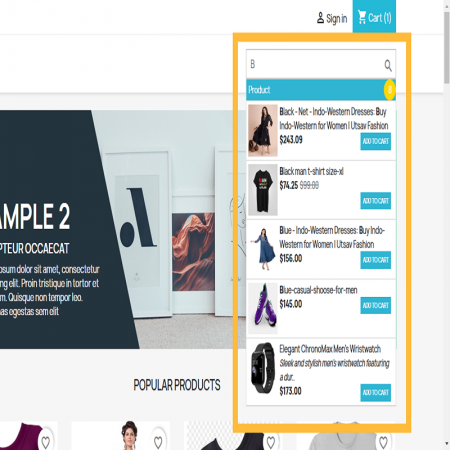
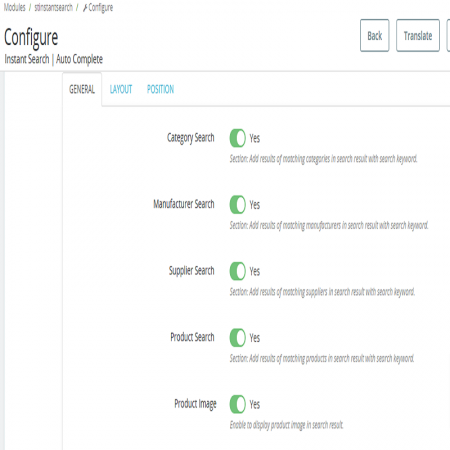
Transform your store's standard search experience into an interactive live search system that displays relevant results as customers type. Search across products, categories, manufacturers, and suppliers without requiring shoppers to wait for a separate search results page.
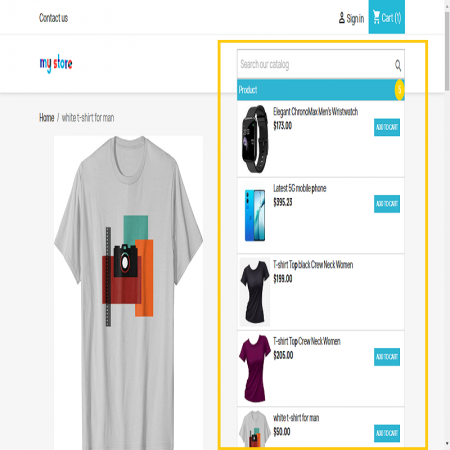
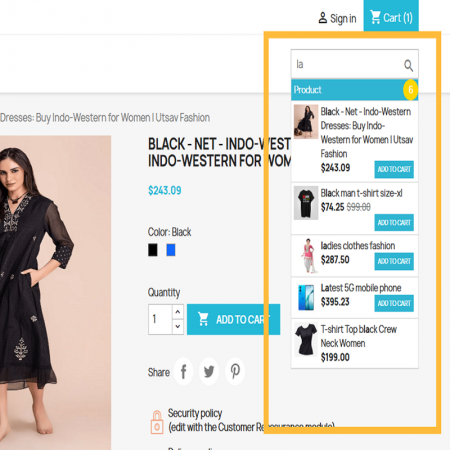
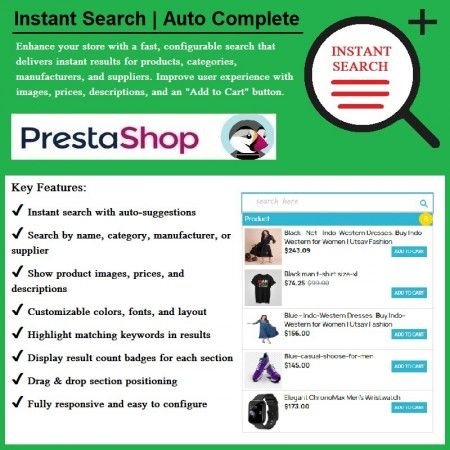
Display product images, prices, short descriptions, highlighted matching keywords, and direct Add to Cart buttons inside the autocomplete results. Help customers identify products quickly and move from searching to shopping with fewer steps.
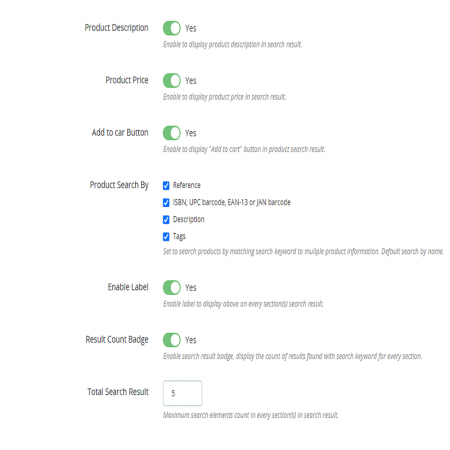
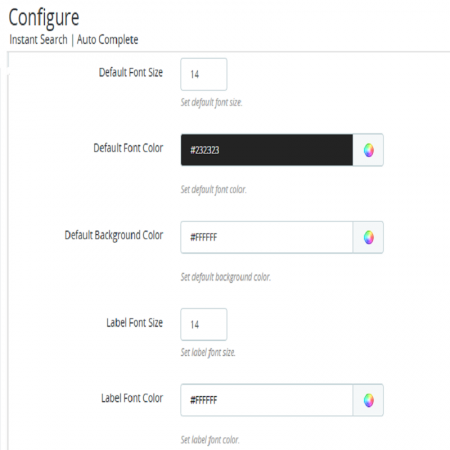
Customize search result colors, fonts, labels, badges, section positions, and the number of results displayed. Arrange search sections using drag-and-drop controls to create a search experience that matches your store design.
Whether you operate a fashion store, electronics shop, cosmetics business, wholesale website, or large product catalog, improve product discovery and make shopping more convenient with this advanced PrestaShop live search module.
Compatible with PrestaShop 1.6, 1.7, 8.x and 9.x.
Find Products Faster. Improve Product Discovery. Make Shopping Easier.
When customers visit an online store, they usually have a product or category in mind. They expect to find what they are looking for quickly.
However, traditional search functionality often requires customers to enter a search term, submit a form, wait for a new page, and manually browse through the results. This creates unnecessary steps, especially in stores with large product catalogs.
A slow or limited search experience can make product discovery frustrating and may cause potential customers to leave without finding what they need.
The Instant Search & Auto Complete PrestaShop Module transforms your standard store search into an interactive, real-time product discovery experience.
As customers type into the search box, the module displays relevant suggestions for products, categories, manufacturers, and suppliers. Instead of displaying only product names, it can show product images, prices, short descriptions, highlighted matching keywords, and direct Add to Cart buttons.
Customers can identify relevant products, explore available results, and start shopping directly from the search suggestions.
With flexible display and design settings, you can customize the appearance, arrangement, and behavior of your search results to match your store's branding.
Search is one of the most important navigation features in an eCommerce store.
Customers use it to find specific products, explore categories, discover brands, and locate products from particular suppliers.
A basic search experience may force shoppers to navigate through several pages before finding the right item.
The Instant Search & Auto Complete module makes this process more convenient by displaying matching results while customers are typing.
Instead of showing only text-based suggestions, the module provides a richer search interface with multiple types of results.
Search across multiple store sections:
Products.
Categories.
Manufacturers.
Suppliers.
Display useful product information:
Product images.
Product names.
Product prices.
Short product descriptions.
Highlighted matching keywords.
Direct Add to Cart buttons.
Customize the search interface:
Font sizes and colors.
Background colors.
Label styling.
Result count badges.
Hover effects.
Search section positions.
Maximum results per section.
The result is a more informative search experience that helps customers discover relevant products with fewer navigation steps.
Imagine a customer searching for a particular pair of shoes in a store containing hundreds or thousands of products.
With a traditional search experience, the customer may need to submit the query, browse a separate results page, open multiple product pages, and return to the listing to compare products.
This takes time and interrupts the shopping journey.
An autocomplete search system helps simplify the process.
1. Customers must wait for a separate search results page
Traditional search requires customers to submit a query before viewing results.
Solution: Display relevant suggestions while customers type.
2. Product names alone are not always enough
Customers often need images, prices, and descriptions to identify the correct product.
Solution: Display rich product information directly in search results.
3. Important store sections may be difficult to discover
Customers may search for a brand, category, or supplier rather than a specific product.
Solution: Display products, categories, manufacturers, and suppliers in separate search sections.
4. Customers need extra steps to purchase a product
After finding an item, shoppers may need to open its product page before adding it to the cart.
Solution: Display an Add to Cart button directly within eligible product search results.
5. Default search styling may not match your store design
Search result colors, labels, and layouts may need customization to fit your website.
Solution: Customize the appearance, section order, badges, and result presentation.
Give customers immediate search feedback as they enter their queries.
The module displays matching suggestions dynamically, helping shoppers discover relevant products and store sections without waiting for a separate search results page.
Key benefits:
Display search results while customers type.
Make product discovery more convenient.
Reduce unnecessary search navigation.
Help customers identify relevant results quickly.
Create a more interactive search experience.
Business benefit: Make it easier for visitors to move from product searches to relevant shopping opportunities.
Customers do not always search using product names. Sometimes they know the category, manufacturer, or supplier they want.
The module supports multiple search result sections in one autocomplete interface.
Products
Display matching products so customers can quickly identify the items they want to purchase.
Categories
Help shoppers discover relevant product categories and explore your catalog.
Manufacturers
Allow customers to discover products associated with matching manufacturers or brands.
Suppliers
Make supplier information easier to discover through the search interface.
Key benefits:
Search multiple store sections.
Display results in organized sections.
Improve product and category discovery.
Make manufacturers and suppliers easier to find.
Help customers navigate large product catalogs.
Product discovery becomes easier when customers can see useful information before opening a product page.
The module enhances autocomplete results by displaying important product details.
Available product information:
Product image.
Product name.
Product price.
Short product description.
Matching keyword highlights.
Add to Cart button.
Customers can use these details to identify relevant products more easily.
Customers may not remember the exact product name. They might search using a product feature, descriptive term, or keyword.
The module supports product searches using product names and descriptions, along with supported product attributes.
Key benefits:
Find products using product names.
Search using descriptive keywords.
Support searches across product attributes.
Make product discovery more flexible.
Help customers find relevant items even when they do not know the exact product title.
Help customers understand why a product or store section appears in the search results.
The module highlights matching keywords in search results, making relevant information easier to identify.
Key benefits:
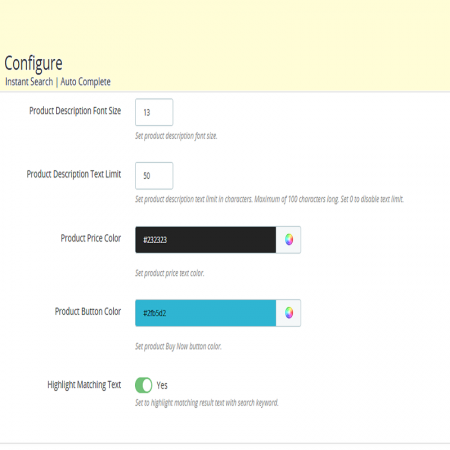
Highlight matching search terms.
Make results easier to scan.
Improve visual identification of relevant suggestions.
Help shoppers understand matching results.
Reduce the number of steps between product discovery and purchasing.
The module allows you to display an Add to Cart button within product search results.
Customers can add eligible products to their shopping cart directly from the autocomplete interface instead of always opening the product page first.
Key benefits:
Direct Add to Cart functionality.
Faster access to eligible products.
Fewer navigation steps.
A more convenient shopping experience.
Better connection between search and purchasing.
Product descriptions can contain more information than customers need during a quick search.
The module allows you to customize the displayed product description text limit, up to 100 characters.
This helps maintain a compact search interface while still providing useful product information.
Key benefits:
Control description length.
Keep search results compact.
Avoid unnecessarily long product previews.
Maintain a cleaner autocomplete layout.
Your search interface should complement your store's branding.
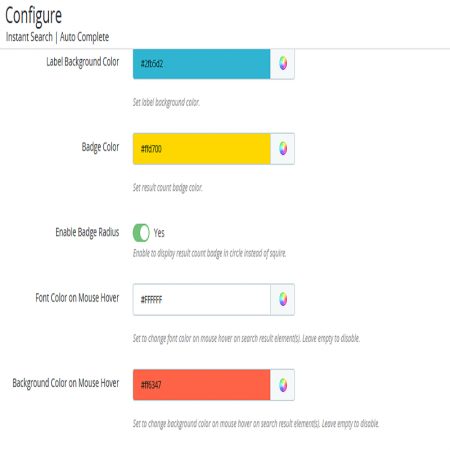
The module includes appearance settings that allow you to customize the visual presentation of autocomplete results.
Adjust the appearance of search result text and backgrounds.
Customization options:
Search result font size.
Search result font color.
Search result background color.
Label font size.
Label font color.
Label background color.
Create a search interface that visually matches your store theme.
Display the number of matching results using visual count badges.
The module supports customization of badge colors and shapes.
Badge customization:
Enable or disable result count badges.
Customize badge colors.
Choose circular badges.
Choose square badges.
These visual indicators help customers understand the number of available results in each search section.
Improve the visual feedback when customers interact with search results.
Configure:
Hover text color.
Hover background color.
These options help make interactive search results easier to distinguish.
Different stores may want to prioritize different types of search results.
For example, a product-focused store may prefer products to appear first, while a brand-oriented store may want manufacturers to receive greater visibility.
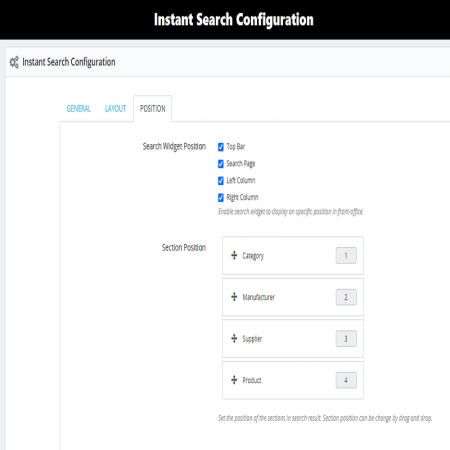
The module allows administrators to rearrange search result sections using drag-and-drop controls.
Key benefits:
Reorder search result sections.
Prioritize important store sections.
Organize search results according to business requirements.
Create a more relevant search presentation.
Displaying too many search suggestions can make the autocomplete interface unnecessarily large.
The module allows you to configure the maximum number of results displayed per section.
Key benefits:
Control product suggestion quantity.
Limit category results.
Manage manufacturer results.
Manage supplier results.
Maintain a more organized search interface.
Control whether the search widget is enabled and define its position in the storefront.
This provides flexibility when integrating the instant search experience into your store's front-office layout.
An effective search experience helps customers discover products and navigate your catalog more conveniently.
Help customers find relevant products using instant suggestions instead of requiring them to navigate through multiple pages.
Display relevant information while customers type and reduce unnecessary steps in the product discovery journey.
Display product, category, manufacturer, and supplier results together to provide more ways to discover your catalog.
Allow customers to add eligible products directly to the cart from search suggestions.
A rich autocomplete interface gives customers more useful information and interactive search options.
Organize results into separate sections and control how many suggestions appear in each section.
Customize search result colors, fonts, badges, hover effects, and section order.
Customers benefit from a more convenient way to search and discover products.
See suggestions while typing.
Discover products without waiting for a separate results page.
View product images and prices.
Read short product descriptions.
Identify matching search keywords.
Discover relevant categories.
Find manufacturers and suppliers.
Add eligible products to the cart directly from search results.
Enjoy a visually organized search experience.
Customers often search by clothing type, brand, or product description.
Use instant search to help shoppers discover relevant fashion products and view product images and prices before opening individual product pages.
Help customers find electronics, accessories, and products using names and descriptive search terms.
Displaying images, descriptions, and prices helps shoppers identify relevant products quickly.
Make it easier for customers to find beauty products, product categories, manufacturers, and suppliers through a unified autocomplete interface.
Help visitors discover furniture, lighting, kitchen accessories, and home decoration products using real-time suggestions.
Customers who purchase from large catalogs often know the product, manufacturer, or supplier they need.
Multi-section search helps make these catalog areas easier to discover.
Allow shoppers to search for products across multiple categories and view useful product information before adding eligible items to their cart.
Consider a customer searching for a wireless mouse.
Step 1 – Start Typing
The customer enters "wireless mouse" into your store's search field.
Step 2 – View Instant Suggestions
The module displays matching products and relevant results while the customer types.
Step 3 – Identify the Right Product
The customer views product images, names, prices, and short descriptions.
Step 4 – Explore Other Results
The customer can also discover relevant categories, manufacturers, and suppliers.
Step 5 – Add to Cart
The customer uses the Add to Cart button available in the product search results.
Step 6 – Continue Shopping
The customer can continue browsing or proceed with the normal checkout process.
This workflow makes product discovery more direct and convenient.
Install the Instant Search & Auto Complete module using the standard PrestaShop module installation process.
Download the module ZIP package from Sathi after purchase.
Sign in to your PrestaShop administration panel.
Navigate to: Modules → Module Manager
Click Upload a module, select the downloaded ZIP package, and complete the installation.
Open the module configuration page and enable the instant search functionality.
Customize the available options:
Search result appearance.
Font and background colors.
Label styling.
Result count badges.
Hover effects.
Section ordering.
Maximum results per section.
Search widget position.
Save the settings after completing your customization.
Visit your storefront and enter different search terms.
Verify that products, categories, manufacturers, and suppliers appear as expected.
Test the product images, descriptions, prices, and Add to Cart functionality.
Your instant search experience is now ready for customers.
It is an advanced PrestaShop search extension that displays real-time suggestions for products, categories, manufacturers, and suppliers while customers type into the search field.
When a customer enters a search query, the module displays matching suggestions dynamically in the autocomplete interface, helping shoppers discover relevant results without waiting for a separate search results page.
Yes. The module supports search results for products, categories, manufacturers, and suppliers.
Yes. Product autocomplete results can display product images, names, prices, and short descriptions.
Yes. You can enable an Add to Cart button in product search suggestions, allowing customers to add eligible products directly from the search interface.
Yes. You can customize font sizes, text colors, background colors, label styling, result count badges, and hover effects.
Yes. The module provides drag-and-drop controls to rearrange the search sections according to your store requirements.
Yes. You can configure the maximum number of results displayed in each search section.
Yes. The module allows you to configure the product description text limit, up to 100 characters.
Yes. Its multi-section search and configurable result limits help organize product discovery across large catalogs. Actual search performance will also depend on your hosting environment, catalog size, database, and store configuration.
Yes. The module provides an option to enable the search widget and define its position in the storefront.
The published compatibility range includes PrestaShop 1.6.x, 1.7.x, 8.x, and 9.x.
Your customers should not have to spend unnecessary time searching for the products they want.
With the Instant Search & Auto Complete PrestaShop Module, transform your standard search experience into an interactive product discovery system.
Display products, categories, manufacturers, and suppliers as customers type. Show useful product information, highlight matching keywords, customize the search interface, and provide direct Add to Cart functionality.
Make your product catalog easier to explore and give customers a more convenient way to find what they need.
Upgrade your PrestaShop search experience with Sathi's Instant Search & Auto Complete Module today!
| Vendor | Sathi |
|---|---|
| Last update | Nov 25, 2026 |
| Version | 3.2.0 |
| Required store version | From 1.6.x to 9.2.x |
| Publication date | Feb 21, 2025 |
| Return Policy | You can return the product within the 30 dyas return period for a full refund. No questions asked. |
| Customer Support | Enjoy one year of free customer support, including installation, troubleshooting, and usage guidance. |
| Description | This product is compatible with the specified versions and includes all the latest updates to enhance functionality and user experience. |
Version:3.2.0
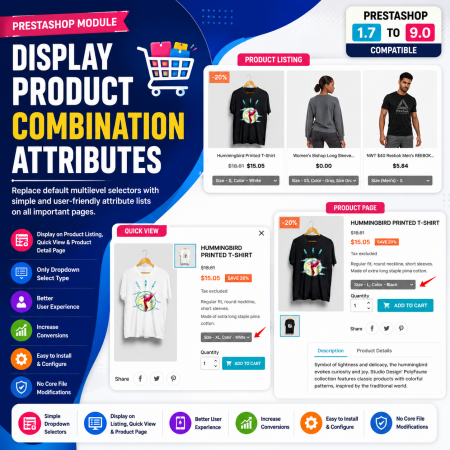
 Display Product Combination Attributes – Product Variations Module for PrestaShop
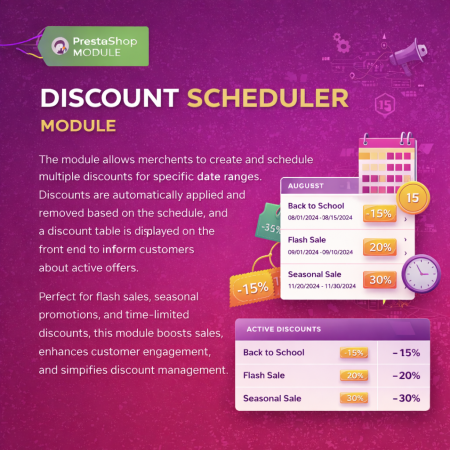
 Multiple discount date wise discount Prestashop Module
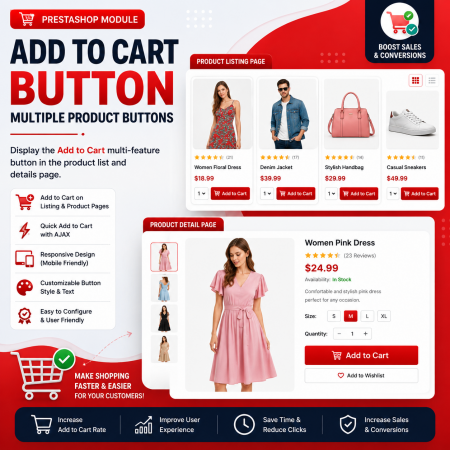
 Advanced Add to Cart Button Module for PrestaShop – Simplify Product Shopping
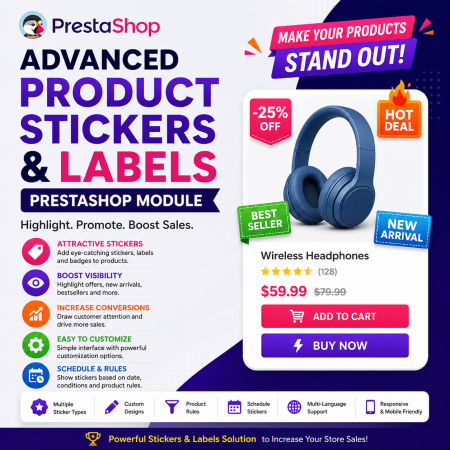 Advance Product Stickers & Labels Prestashop Module
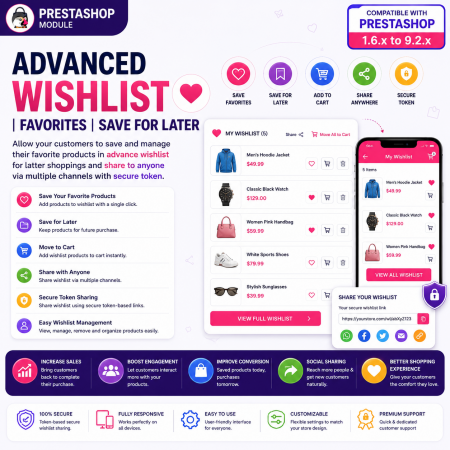
 Advanced Wishlist, Favorites & Save for Later Module for PrestaShop

 WhatsApp Live Chat – Customer Support & Multi-Agent Chat Module for PrestaShop
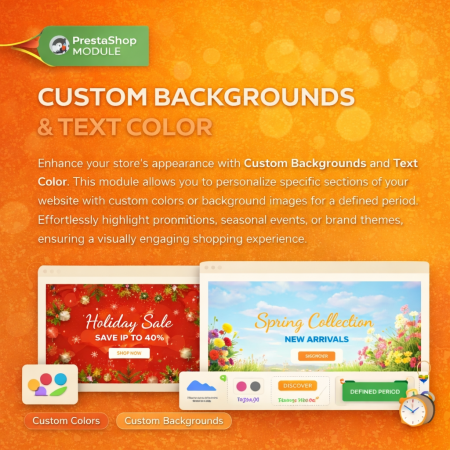
 Custom Background & Text Color – PrestaShop Website Design Customization Module
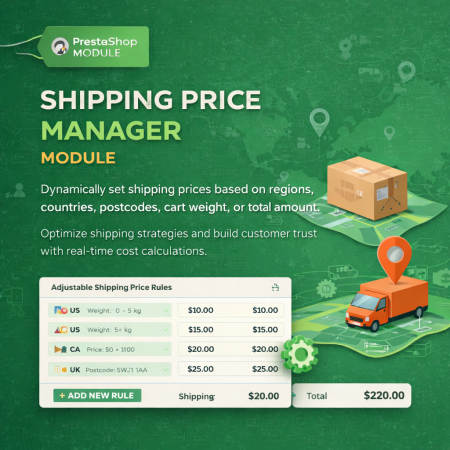
 Shipping Price Manager – Dynamic Shipping Cost Management Module for PrestaShop
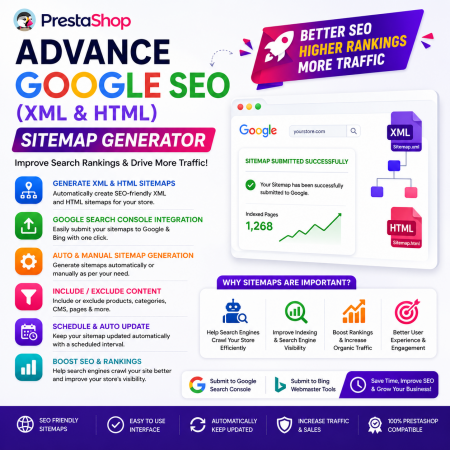
 Advanced Google SEO – XML & HTML Sitemap Generator for PrestaShop

 Advanced Custom Product Carousels & Sliders for PrestaShop
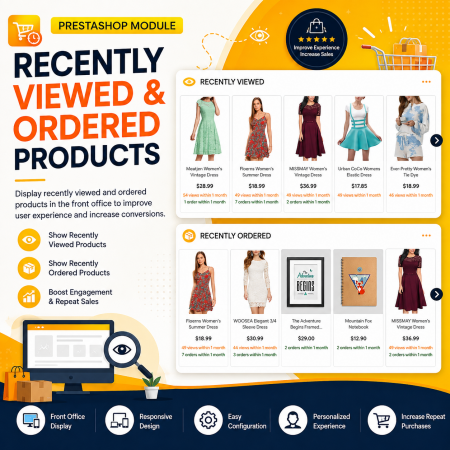
 Recently Viewed and Ordered Products – Product History Module for PrestaShop
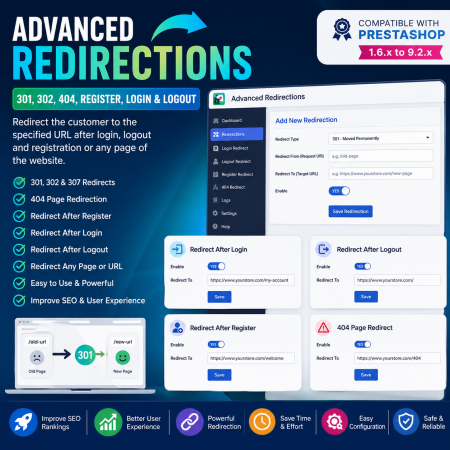
 Advanced Redirections – 301, 302, 404 & Customer Redirects for PrestaShop
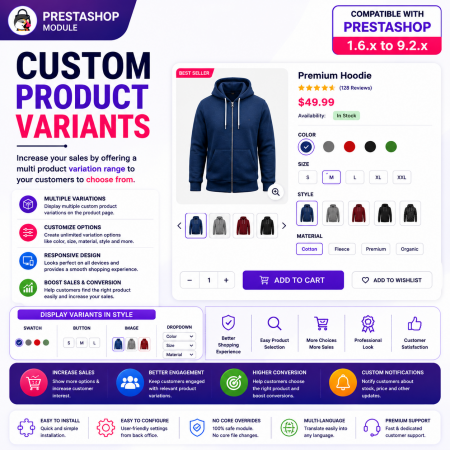
 Custom Product Variants – Display Separate Products as Variations in PrestaShop
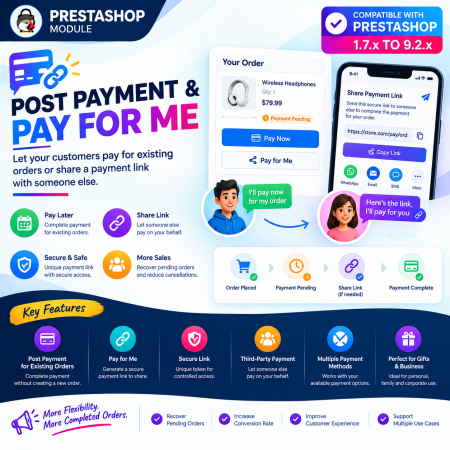
 Post Payment & Pay for Me Module for PrestaShop
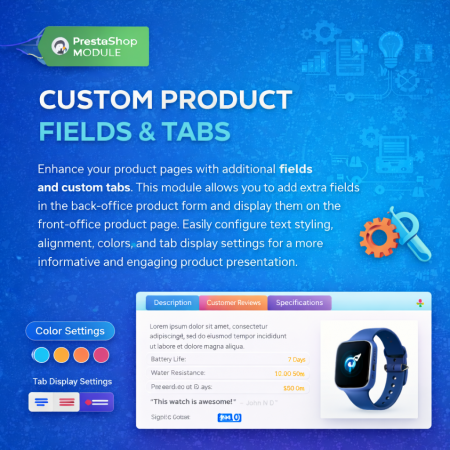
 Additional Product Fields and Custom Tabs – PrestaShop Product Page Customization Module

 Social Wall Feeds – Facebook & Twitter Integration Module for PrestaShop
Make product discovery faster and easier with the Instant Search & Auto Complete PrestaShop Module.
Transform your store's standard search experience into an interactive live search system that displays relevant results as customers type. Search across products, categories, manufacturers, and suppliers without requiring shoppers to wait for a separate search results page.
Display product images, prices, short descriptions, highlighted matching keywords, and direct Add to Cart buttons inside the autocomplete results. Help customers identify products quickly and move from searching to shopping with fewer steps.
Customize search result colors, fonts, labels, badges, section positions, and the number of results displayed. Arrange search sections using drag-and-drop controls to create a search experience that matches your store design.
Whether you operate a fashion store, electronics shop, cosmetics business, wholesale website, or large product catalog, improve product discovery and make shopping more convenient with this advanced PrestaShop live search module.
Compatible with PrestaShop 1.6, 1.7, 8.x and 9.x.

 Advanced Google SEO – XML & HTML Sitemap Generator for PrestaShop

 Time Limited Offers & Countdown Timer – Flash Sale Module for PrestaShop
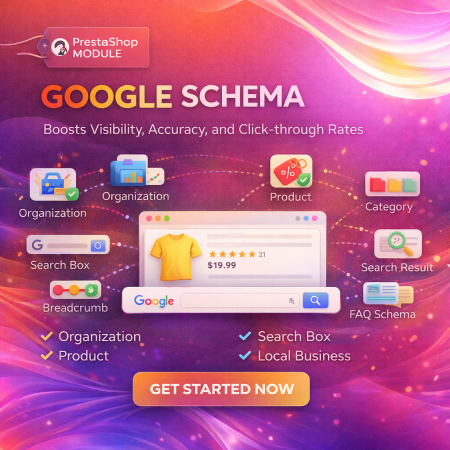
 Google Schema Markup – Rich Snippets & Structured Data SEO Module for PrestaShop

Encrypted payment gateways ensuring your financial and personal data remain 100% protected.

Every module includes professional installation assistance, free updates, and reliable troubleshooting.

Rigorously tested PrestaShop & WooCommerce extensions designed for maximum speed and zero bloat.

Transparent policies, clean documentation, and dedicated assistance if you run into any compatibility hurdles.