
- -$40.00


This module enhances the shopping experience by allowing customers to easily explore product variations such as...

The module allows merchants to enhance product images with customizable stickers and labels. Whether it’s...

Make bulk pricing visible and encourage larger orders with the Quantity Discount Table Grid PrestaShop Module.
...
Take complete control of your store's free shipping strategy with the Free Shipping by Zone & Carrier...

Make international shopping easier with the Auto Change Country, Language & Currency PrestaShop...








Vendor
Version
Last update
Prestashop version
Create powerful flash sales and time-limited promotions with the Time Limited Offers & Countdown Timer PrestaShop Module.
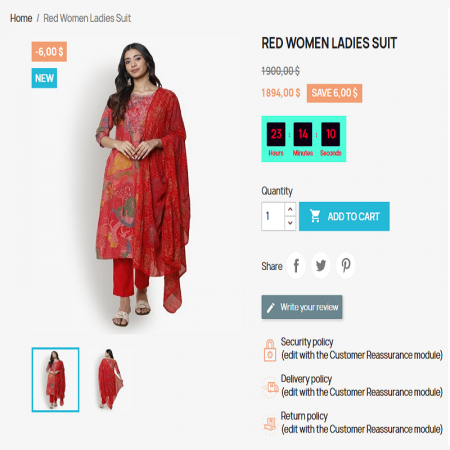
Encourage customers to purchase before promotional discounts expire by displaying attractive animated countdown timers directly on your product pages and promotional banners.
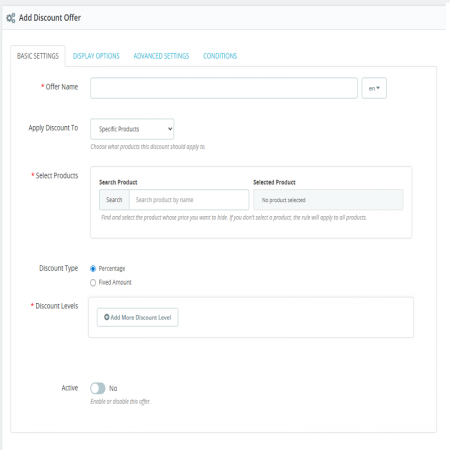
Create automatic expiring discounts for selected products, categories, manufacturers, and targeted product groups. Configure multiple discount levels for different stages of a campaign, such as 50% off during the first two hours and 30% off during the next three hours.
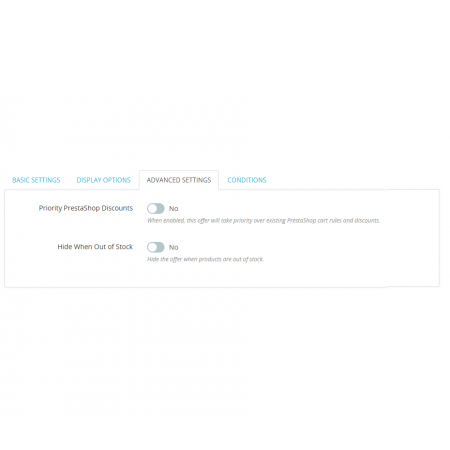
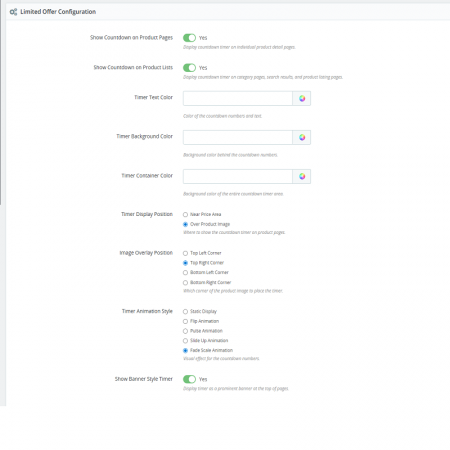
Choose from flip, slide, fade, and pulse countdown animations. Position timers near product prices or over product images, highlight campaigns with promotional banners, and automatically disable offers for out-of-stock products.
The built-in statistics dashboard helps you review promotional campaign performance, while responsive timer displays provide a consistent shopping experience across desktop and mobile devices.
Whether you are running seasonal sales, weekend promotions, product launches, clearance events, or limited-time flash deals, this PrestaShop countdown timer module helps you manage promotions and communicate offer deadlines more effectively.
Create Flash Sales. Display Animated Countdown Timers. Automate Promotional Discounts.
A discount can attract customer attention, but without a clear deadline, shoppers may postpone their purchasing decisions. They might add products to their wishlist, leave items in their cart, or decide to return later.
For eCommerce businesses, this creates an important marketing challenge: how can you make promotional offers more noticeable and encourage customers to take advantage of them while they are available?
The Time Limited Offers & Countdown Timer PrestaShop Module provides a practical solution for managing time-sensitive promotions directly from your store.
Create limited-time discounts, display animated countdown timers, configure multiple discount levels, and highlight promotional campaigns with attractive banners. Your offers can expire automatically according to their configured durations, reducing the need to manage every campaign manually.
Whether you operate a fashion store, electronics shop, beauty business, home improvement store, or general eCommerce website, this module helps you create more engaging promotional campaigns.
Traditional discounts show customers that a product is available at a reduced price. However, they do not always communicate how long the offer will remain available.
A countdown timer adds a visible deadline to a promotion, helping customers understand when an offer is scheduled to end.
With this PrestaShop module, you can create targeted promotional campaigns with automatic discount expiry and animated countdown displays.
Select the products or product groups you want to promote.
Configure discount amounts and campaign durations.
Create multiple discount levels for different time stages.
Choose an animated countdown style.
Position the timer near the product price or on the product image.
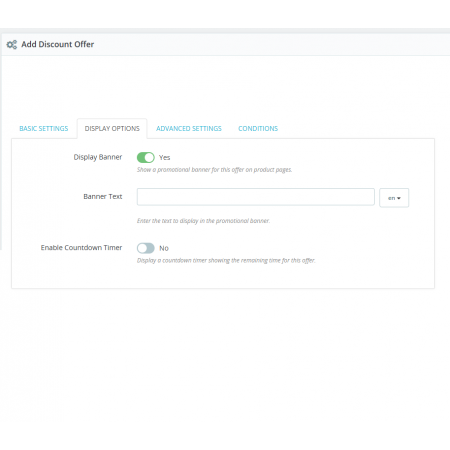
Highlight promotions through promotional banners.
Automatically disable offers for out-of-stock products.
Review campaign performance through the statistics dashboard.
The result: A structured promotional workflow that combines discount management, visual urgency, automatic expiry, and campaign monitoring.
Running discounts is a common eCommerce marketing strategy, but managing promotional deadlines and communicating them effectively can be challenging.
Problem 1 – Customers Postpone Purchases
When a promotion has no clearly visible deadline, customers may decide to purchase later.
Solution: Display an animated countdown timer that communicates how much time remains before an offer expires.
Problem 2 – Discounts Lack Promotional Visibility
A reduced price does not always communicate that a deal is available for a limited period.
Solution: Highlight promotional offers using countdown displays and dedicated promotional banners.
Problem 3 – Manual Discount Management Takes Time
Store administrators may need to create, monitor, and remove promotional discounts manually.
Solution: Configure offer durations and let the module handle automatic promotional expiry.
Problem 4 – One Discount Level Is Not Suitable for Every Campaign
Some promotional strategies require higher discounts during the initial stage and different discounts during later stages.
Solution: Create multi-level discounts with separate discount amounts and time durations.
Problem 5 – Out-of-Stock Products Should Not Continue Showing Active Offers
A product may become unavailable while its promotional campaign is still running.
Solution: Use stock-based offer handling to automatically disable offers for out-of-stock products.
Problem 6 – Campaign Performance Is Difficult to Review
Store owners need information to understand how their promotional campaigns are performing.
Solution: Use the built-in statistics dashboard to review available promotional performance data.
Create promotional discounts that remain active for a configured period.
Instead of manually managing the end of every promotional campaign, define the offer duration and let the module automatically expire the configured discounts.
Key capabilities:
Create time-limited product discounts.
Apply offers to selected products.
Target product categories.
Target manufacturers.
Configure promotional offer durations.
Automatically expire discounts when their configured time ends.
Manage multiple promotional offers from the module.
Business benefits:
Reduce manual promotional management.
Organize limited-time campaigns.
Make discount deadlines clearer.
Run short-term marketing campaigns more conveniently.
A countdown timer makes promotional deadlines visible to customers.
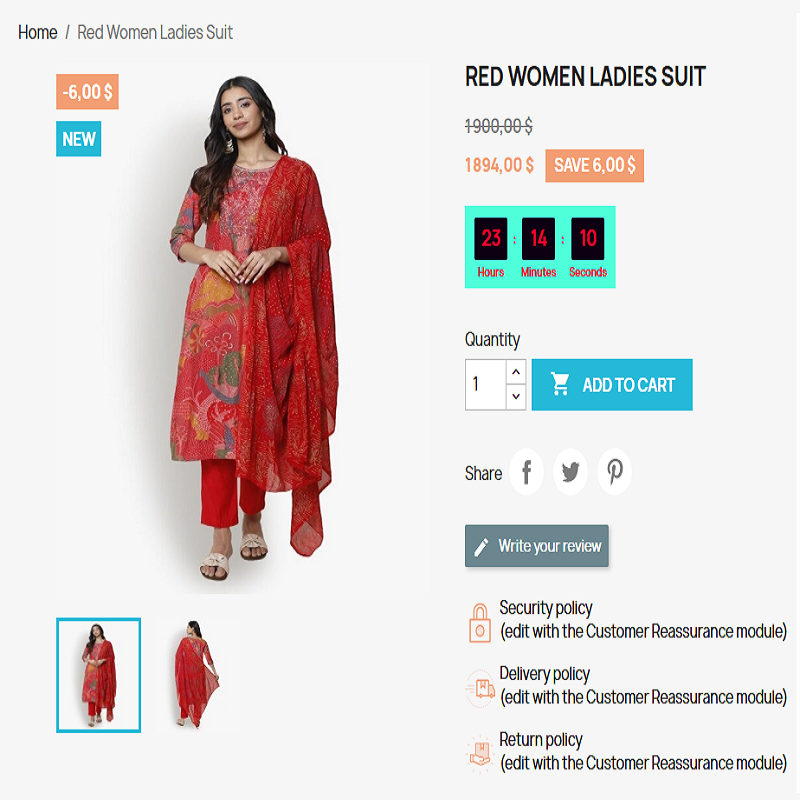
Display the remaining time directly on product pages so shoppers can understand how long they have to take advantage of an offer.
Choose from four animation styles:
Flip Animation
Display countdown numbers using a flip-style visual effect for an attention-grabbing promotional appearance.
Slide Animation
Use sliding number transitions to create a smooth countdown presentation.
Fade Animation
Display changing countdown values with a fading transition.
Pulse Animation
Use a pulsing visual effect to make promotional countdowns more noticeable.
Key capabilities:
Four countdown animation styles.
Real-time countdown presentation.
Product-page countdown displays.
Responsive visual presentation.
Multiple timer design options.
Business benefits:
Make promotional deadlines easier to notice and give your product pages a more engaging promotional appearance.
Not every flash sale needs to use the same discount throughout its entire duration.
With multi-level discount configuration, you can create different discount amounts for different stages of a promotional campaign.
For example:
| Campaign stage | Discount |
|---|---|
| First 2 hours | 50% OFF |
| Next 3 hours | 30% OFF |
| Remaining campaign period | Configure your offer |
This example illustrates how staged discounts can be used to encourage early purchases while keeping a promotion active for a longer period.
Key capabilities:
Configure multiple discount levels.
Define different time durations for campaign stages.
Set different discount amounts for each stage.
Create staged promotional strategies.
Manage time-based discount changes through the offer configuration.
Business benefits:
Encourage customers to take advantage of early offers.
Create more flexible flash sale campaigns.
Test different promotional discount strategies.
Build campaigns around specific marketing objectives.
The position of a promotional timer can influence how easily customers notice an offer.
Choose where the countdown timer should appear on your product pages.
Available placement options:
Near the product price.
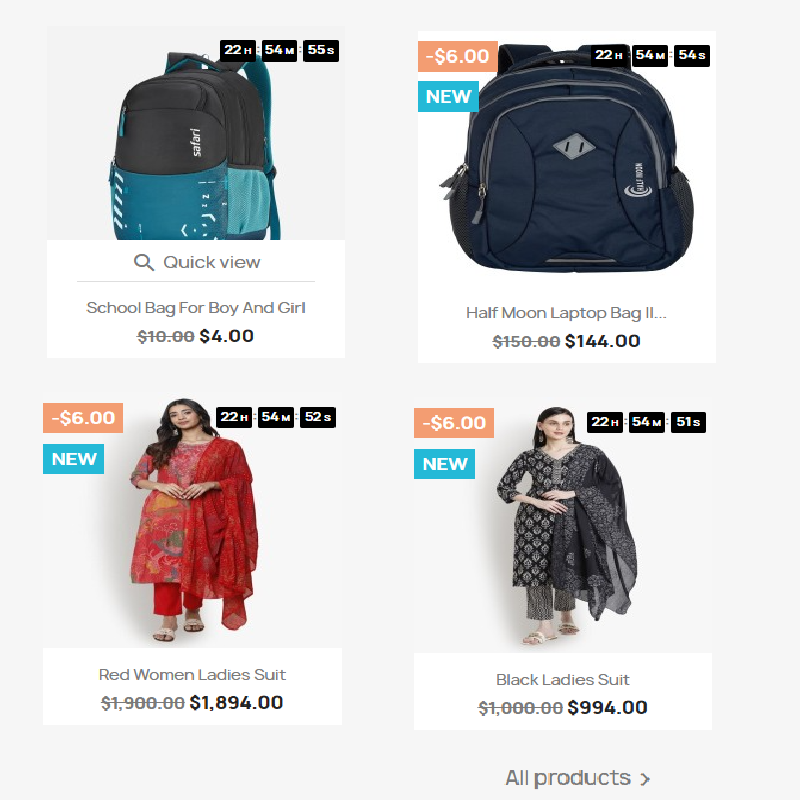
On product images.
Displaying the countdown close to the product price connects the promotional deadline with the discounted price.
Displaying it over the product image gives the promotion an additional visual presence.
Business benefits:
Highlight limited-time offers.
Improve promotional visibility.
Keep important offer information close to product details.
Create a more engaging product presentation.
Promotional banners help store owners communicate important campaigns and draw attention to special offers.
Use promotional banners with animated countdown timers to highlight limited-time promotions.
Use cases:
Weekend flash sales.
Seasonal promotions.
Holiday discount campaigns.
Clearance sales.
New product launch offers.
Special shopping events.
Business benefits:
Highlight promotional campaigns.
Make campaign deadlines more visible.
Support store-wide promotional communication.
Create additional opportunities to attract customer attention.
Not every promotion needs to apply to your entire catalog.
Target specific products and product groups according to your promotional objectives.
Supported targeting options include:
Selected products.
Product categories.
Manufacturers.
Product price ranges.
Bestselling products.
New arrivals.
Other supported product targeting criteria.
Business benefits:
Promote selected product collections.
Create category-specific discounts.
Highlight new arrivals.
Run promotions on bestselling products.
Focus campaigns on products within selected price ranges.
Avoid applying the same offer to your entire catalog.
Product availability is an important consideration when running promotional campaigns.
A promotional discount should not continue appearing as an active offer for a product that is no longer available.
The module provides stock-based offer handling that automatically disables offers for out-of-stock products.
Key benefits:
Account for product availability.
Disable offers for out-of-stock products.
Avoid displaying active promotions on unavailable products.
Maintain a more consistent promotional experience.
Running promotional campaigns is only one part of a successful marketing strategy. Store owners also need a way to review campaign performance.
The module includes a statistics dashboard that provides promotional performance information.
Key benefits:
Review promotional performance data.
Monitor campaign-related statistics.
Understand how your promotional activities are performing.
Use available insights when planning future offers.
The statistics dashboard helps you evaluate your promotional activities instead of relying entirely on assumptions.
Customers visit online stores using desktop computers, tablets, and smartphones.
A promotional timer should remain understandable and visually appropriate across different screen sizes.
The module provides responsive countdown displays and promotional elements that adapt to different devices.
Key benefits:
Mobile-friendly countdown displays.
Responsive promotional elements.
Consistent promotional visibility.
Better presentation across desktop and mobile storefronts.
Creating a promotional campaign follows a simple workflow.
Open the module administration area and create a new time-limited campaign.
Choose the products, categories, manufacturers, or supported product groups you want to include.
Define the promotional discount and its duration.
If you want to run a staged flash sale, configure multiple discount levels for different time periods.
Choose your preferred animation:
Flip.
Slide.
Fade.
Pulse.
Select the display position near the product price or on product images.
You can also configure promotional banners to highlight the campaign.
Save the offer configuration.
The module displays the configured countdown timers and applies the promotional discounts according to the campaign settings.
The configured offer expires automatically when its duration ends.
Use the statistics dashboard to review available campaign performance information.
This workflow makes it easier to organize and manage time-sensitive promotions directly from your PrestaShop administration area.
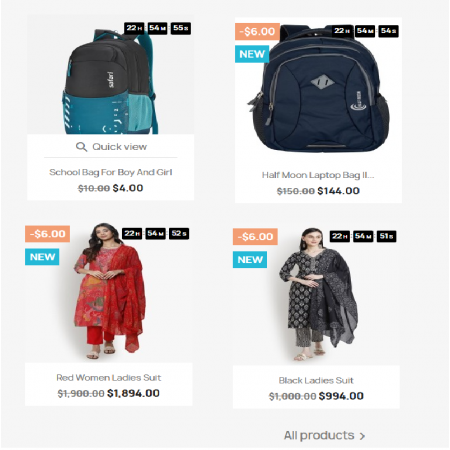
Run limited-time discounts on selected clothing collections, seasonal fashion products, shoes, and accessories.
Example: A weekend fashion sale with a countdown timer displayed near discounted product prices.
Create short-term promotional campaigns for smartphones, headphones, computers, accessories, and electronic gadgets.
Example: A limited-time electronics offer with a higher initial discount followed by a lower discount during the next campaign stage.
Promote skincare products, cosmetics, fragrances, and beauty collections through time-sensitive offers.
Example: A seasonal beauty sale with promotional banners and animated countdown displays.
Run promotional campaigns for furniture, home accessories, kitchen products, and interior decoration collections.
Example: A clearance campaign targeting selected categories.
Create introductory promotional offers for newly added products.
Example: A launch promotion with a special discount during the first few hours.
Use countdown timers for:
New Year sales.
Christmas promotions.
Black Friday campaigns.
Cyber Monday offers.
Summer sales.
Winter clearance.
Special shopping events.
Target popular products and use limited-time offers to highlight selected bestselling items.
Improve Promotional Visibility
Make limited-time discounts more noticeable through animated timers and promotional banners.
Automate Discount Expiry
Reduce the effort involved in manually removing promotional discounts when campaigns end.
Create Flexible Marketing Campaigns
Configure different discount amounts for different campaign stages.
Target the Right Products
Apply promotional offers to selected products, categories, manufacturers, and other supported product groups.
Respect Product Availability
Automatically disable promotional offers for out-of-stock products.
Monitor Campaign Performance
Review available promotional statistics and use the information to improve future campaigns.
Create Better Shopping Experiences
Communicate promotional deadlines clearly and help shoppers understand the time remaining on an offer.
The Time Limited Offers module is designed to work with PrestaShop's existing pricing and promotional infrastructure.
Integration highlights:
Integrates with PrestaShop's Specific Price discount system.
Supports compatibility with existing catalog price rules and cart rules according to the module's product information.
Uses custom database tables for flexible offer management.
Provides product targeting and countdown display controls.
Manages configured promotional offer durations and expiry.
The integration helps store owners introduce time-limited promotional campaigns while working within their existing PrestaShop store environment.
Follow these steps to install the Time Limited Offers & Countdown Timer module.
Download the module ZIP package from Sathi.
Log in to your PrestaShop administration panel using an administrator account.
Navigate to:
Modules → Module Manager → Upload a Module
Select the downloaded ZIP package and wait for the upload to complete.
Click Install and wait for the installation process to finish.
Open the module configuration page and review the available global settings.
Navigate to the Time Limited Offers menu and create a new campaign.
Select your target products or product groups.
Set the discount amount, campaign duration, and any additional discount stages.
Choose the countdown animation and timer display position.
Configure promotional banners where required.
Save your configuration and check the campaign on your storefront.
Verify the discounted price, countdown display, automatic expiry, and out-of-stock handling before launching the promotion to customers.
 |
 |
 |
Recommendation: Back up your store files and database before installation. Test discount calculations and promotional display behavior in your store environment before activating a live campaign.
The module's listed compatibility range is:
PrestaShop 1.7.x
PrestaShop 8.x
PrestaShop 9.x
PrestaShop 9.2.x
Supported version range: PrestaShop 1.7.x to 9.2.x.
Check your specific store environment and module requirements before installation.
A countdown timer module displays the remaining time for a promotional offer. It helps communicate promotional deadlines and encourages customers to consider purchasing before an offer expires.
Yes. You can configure promotional discounts with defined durations. The module automatically expires the configured offers when their durations end.
Yes. The module supports product targeting through selected products, categories, manufacturers, price ranges, bestsellers, new arrivals, and other supported targeting criteria.
The module supports four animation styles: Flip, Slide, Fade, and Pulse.
Yes. The multi-level discount feature allows you to configure different discount amounts for different stages of a promotional campaign.
For example, you can offer 50% off during the first two hours and 30% off during the next three hours.
You can choose to display the countdown timer near product prices or on product images.
Yes. The module supports promotional banners with animated countdown timers to highlight time-limited campaigns.
The module provides stock-based offer handling that automatically disables offers for products that are out of stock.
Yes. You can target selected categories and other supported product groups to create category-specific promotional campaigns.
Yes. The module includes a statistics dashboard that helps store owners review available promotional performance information.
Yes. The module uses responsive design for countdown timers and promotional elements across different screen sizes.
Yes. It integrates with PrestaShop's Specific Price discount system and is designed to work with existing catalog price rules and cart rules according to the module's product information.
Yes. It is suitable for Black Friday, Cyber Monday, Christmas, New Year, clearance sales, weekend deals, seasonal campaigns, and other time-sensitive promotions.
The listed compatibility range is PrestaShop 1.7.x to 9.2.x.
A successful promotional campaign needs more than a discounted price. Customers should be able to recognize the offer, understand its benefits, and see how long it remains available.
With the Time Limited Offers & Countdown Timer PrestaShop Module, create targeted flash sales, display animated countdown timers, configure multi-stage discounts, and automate promotional expiry.
Whether you are planning a seasonal sale, a weekend promotion, a clearance campaign, or a product launch, this module gives you a structured way to manage time-sensitive offers directly from your PrestaShop store.
Create smarter flash sales, communicate clear promotional deadlines, and make your PrestaShop promotions more engaging with Sathi!
| Vendor | Sathi |
|---|---|
| Last update | Nov 25, 2026 |
| Version | 1.0.0 |
| Required store version | From 1.7.x to 9.2.x |
| Publication date | Jul 04, 2025 |
| Return Policy | You can return the product within the 30 days return period for a full refund. No questions asked. |
| Customer Support | Enjoy one year of free customer support, including installation, troubleshooting, and usage guidance. |
| Description | This product is compatible with the specified versions and includes all the latest updates to enhance functionality and user experience. |
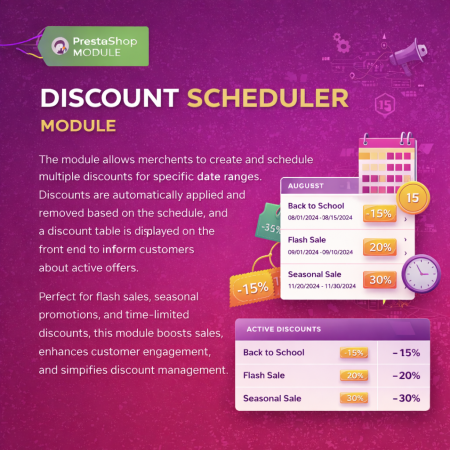
 Multiple discount date wise discount Prestashop Module
 Advance Product Stickers & Labels Prestashop Module

 Daily Deals Widget – Multiple Promotional Campaigns with Countdown Timer for PrestaShop
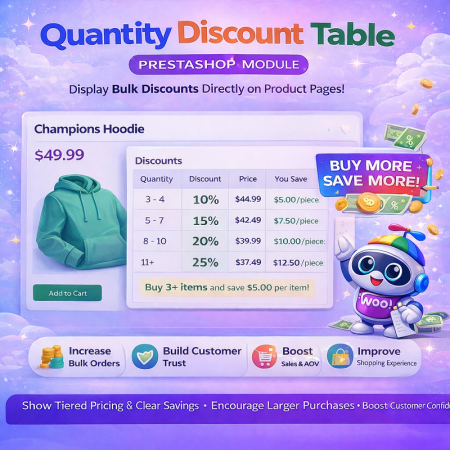 Quantity Discount Table & Grid – Bulk Pricing Display Module for PrestaShop
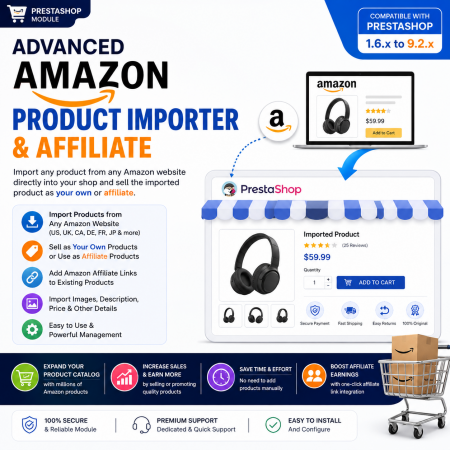
 Advanced Amazon Product Importer & Affiliate Module for PrestaShop
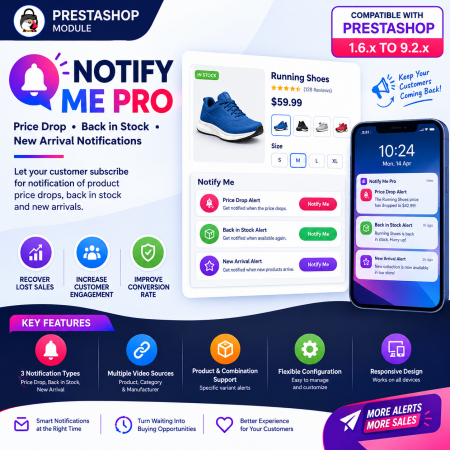
 Notify Me Pro – Price Drop, Back in Stock & New Arrivals Notifications for PrestaShop
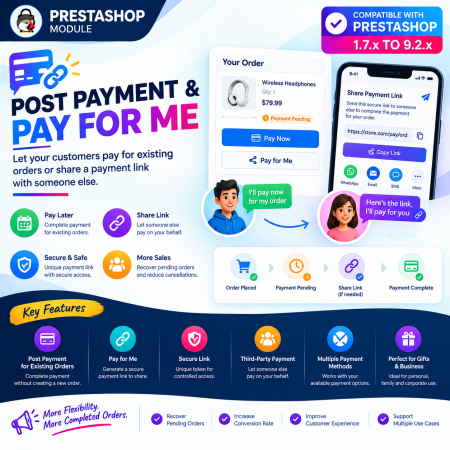
 Post Payment & Pay for Me Module for PrestaShop
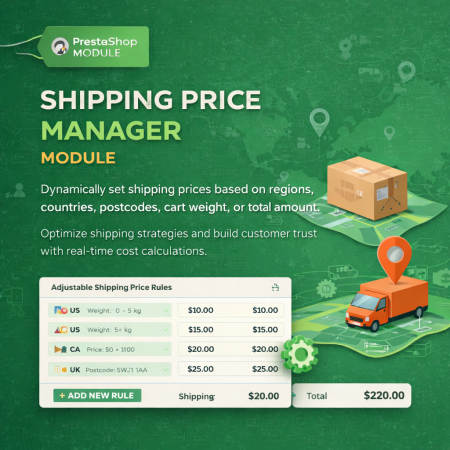
 Shipping Price Manager – Dynamic Shipping Cost Management Module for PrestaShop
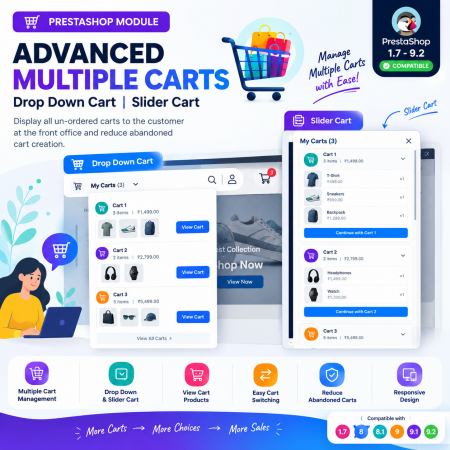
 Advanced Multiple Carts, Dropdown Cart & Slider Cart for PrestaShop

 Display Add to Cart Button on Product Listing – Quick Add to Cart Module for PrestaShop
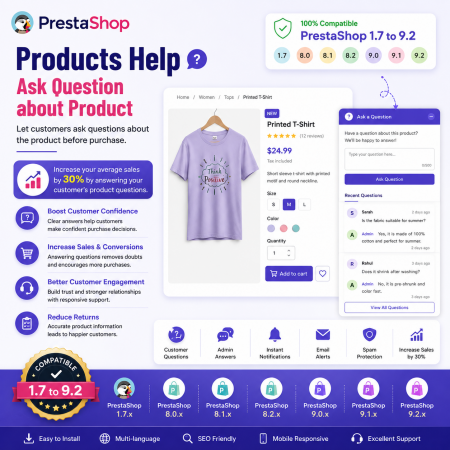
 Products Help – Ask Questions About Products in PrestaShop

 WhatsApp Live Chat & Support – Multiple Agents Module for PrestaShop

 Advanced Custom Product Carousels & Sliders for PrestaShop
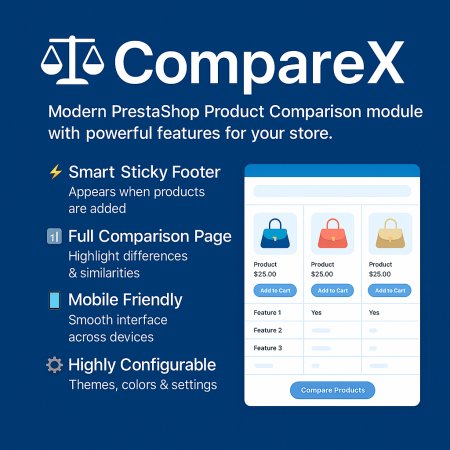
 Advance Product Comparison – Compare Products Side by Side in PrestaShop
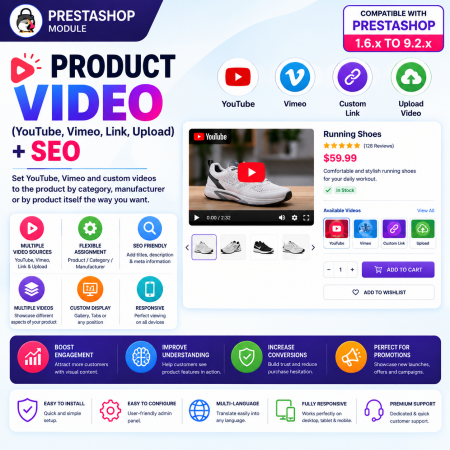
 Product Video – YouTube, Vimeo, External Links & Video Upload for PrestaShop
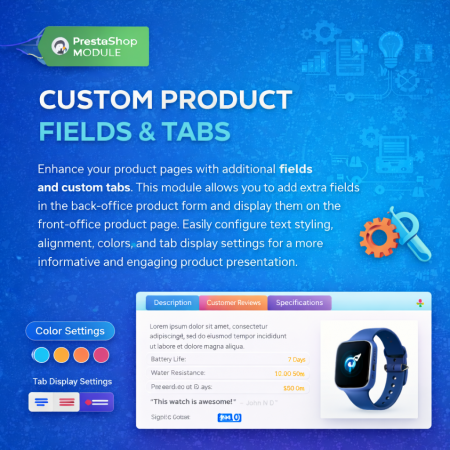
 Additional Product Fields and Custom Tabs – PrestaShop Product Page Customization Module

 Loyalty, Referral & Affiliate Programs Module for PrestaShop
 Hide Product Price – Control Product Price Visibility in PrestaShop

 Save & Share My Shopping Cart – Save, Share and Restore Carts in PrestaShop
 Product Attribute Images – Visual Swatches for PrestaShop
Create powerful flash sales and time-limited promotions with the Time Limited Offers & Countdown Timer PrestaShop Module.
Encourage customers to purchase before promotional discounts expire by displaying attractive animated countdown timers directly on your product pages and promotional banners.
Create automatic expiring discounts for selected products, categories, manufacturers, and targeted product groups. Configure multiple discount levels for different stages of a campaign, such as 50% off during the first two hours and 30% off during the next three hours.
Choose from flip, slide, fade, and pulse countdown animations. Position timers near product prices or over product images, highlight campaigns with promotional banners, and automatically disable offers for out-of-stock products.
The built-in statistics dashboard helps you review promotional campaign performance, while responsive timer displays provide a consistent shopping experience across desktop and mobile devices.
Whether you are running seasonal sales, weekend promotions, product launches, clearance events, or limited-time flash deals, this PrestaShop countdown timer module helps you manage promotions and communicate offer deadlines more effectively.

 Google Schema Markup – Rich Snippets & Structured Data SEO Module for PrestaShop

Encrypted payment gateways ensuring your financial and personal data remain 100% protected.

Every module includes professional installation assistance, free updates, and reliable troubleshooting.

Rigorously tested PrestaShop & WooCommerce extensions designed for maximum speed and zero bloat.

Transparent policies, clean documentation, and dedicated assistance if you run into any compatibility hurdles.