- -$40.00


This module enhances the shopping experience by allowing customers to easily explore product variations such as...

The module allows merchants to enhance product images with customizable stickers and labels. Whether it’s...

Make bulk pricing visible and encourage larger orders with the Quantity Discount Table Grid PrestaShop Module.
...
Take complete control of your store's free shipping strategy with the Free Shipping by Zone & Carrier...

The module automatically adjusts language, currency, and country settings based on the customer's location....

Vendor
Version
Last update
Prestashop version
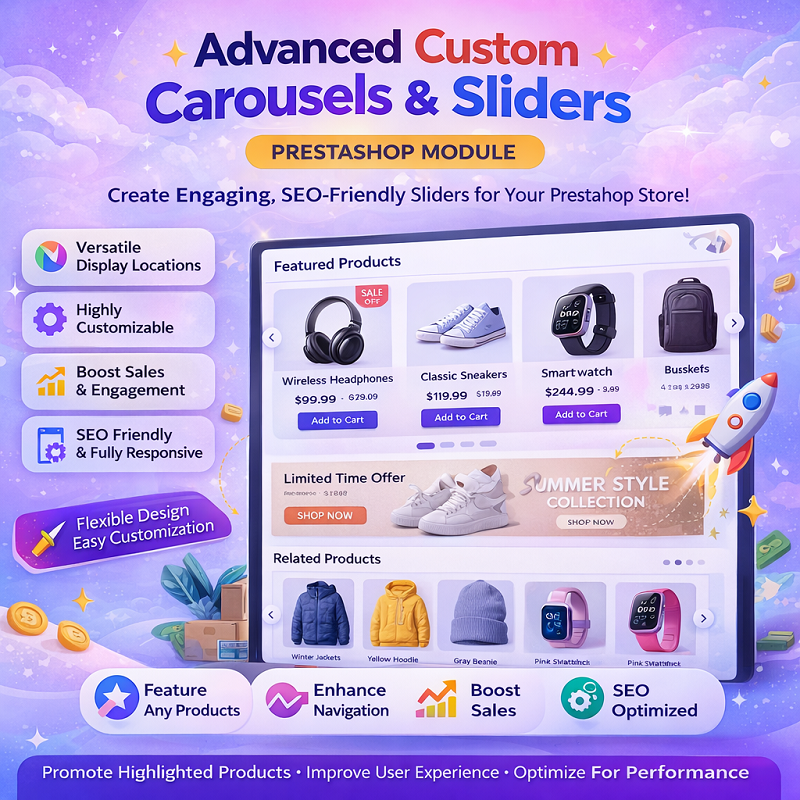
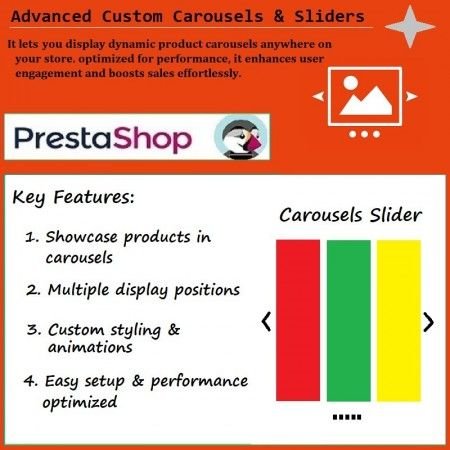
Showcase products more effectively with the Advance Custom Carousels & Sliders PrestaShop Module.
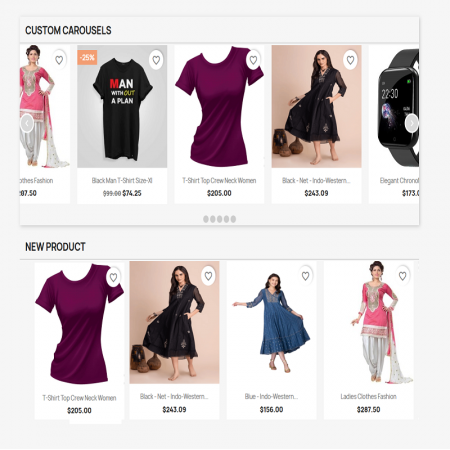
Create multiple customizable product carousels to display featured products, category-based products, manufacturer collections, supplier products, or individually selected products across different areas of your online store.
Choose where your carousels appear, including the homepage, header, footer, sidebar, product pages, shopping cart, and other supported positions. Customize colors, backgrounds, text, margins, shadows, navigation arrows, pagination bullets, autoplay, looping, and transition effects to match your store's design.
With flexible product selection, multiple display positions, and easy Back Office configuration, this module helps improve product discoverability, highlight promotional collections, simplify product navigation, and create a more engaging shopping experience.
Give your customers more opportunities to discover products with dynamic, responsive, and SEO-friendly product carousels for PrestaShop.
Showcase More Products. Improve Product Discovery. Create Engaging Shopping Experiences.
Your online store may contain hundreds or even thousands of products, but customers cannot discover everything by browsing only the homepage or standard category listings.
Important products can easily get overlooked. New arrivals, best sellers, discounted products, manufacturer collections, and featured items deserve more visibility throughout your store.
The Advance Custom Carousels & Sliders PrestaShop Module helps solve this problem by allowing you to create multiple customizable product carousels and display them in different areas of your online store.
Show products based on categories, manufacturers, suppliers, or your own specific product selections. Choose where each carousel appears, customize its appearance, and control how customers navigate through the displayed products.
Whether you want to highlight popular products on your homepage, display related collections on product pages, promote selected items in the shopping cart, or showcase manufacturer-specific products, this module provides flexible product display options from one centralized Back Office configuration.
Create a more engaging shopping experience and give customers additional opportunities to discover products throughout their shopping journey.
Product visibility plays an important role in eCommerce.
When customers visit your store, they may initially see only a small selection of products. If your best-selling items, new arrivals, special offers, or relevant product collections are difficult to find, shoppers may leave without discovering products that match their interests.
Traditional product listings are useful, but they do not always provide the flexibility needed to highlight different product collections in strategic store locations.
The Advance Custom Carousels & Sliders module gives you more control over how products are presented.
You can create multiple carousels for different promotional and merchandising purposes, select the products you want to display, choose their positions, and customize their visual appearance.
Highlight featured products on your homepage.
Display category-specific product collections.
Showcase products from selected manufacturers.
Promote supplier-based product collections.
Display individually selected products.
Highlight new, discounted, and popular products.
Add product carousels to multiple supported store positions.
Customize navigation, scrolling, and visual effects.
The result: Customers get more opportunities to explore your catalog, while you gain greater flexibility over how products are promoted across your PrestaShop store.
A product carousel is more than a decorative website element. When used strategically, it can help guide customers toward products they might otherwise overlook.
Bring selected products into prominent store locations instead of relying exclusively on standard product listings.
Help customers explore featured collections, categories, manufacturers, and specific product selections.
Display multiple products in a compact horizontal slider, allowing shoppers to browse a collection without requiring a separate page for every product.
Use different carousels for new arrivals, best sellers, special offers, featured collections, and other merchandising campaigns.
Customize carousel colors, backgrounds, text, margins, shadows, navigation, and animation settings to match your website design.
Choose the products to display, select their placement, and configure scrolling behavior according to your store's requirements.
Every product collection serves a different purpose. A homepage promotion may require featured products, while a manufacturer page may need a collection of products from a particular brand.
The module supports different product carousel types so you can organize product displays around your merchandising objectives.
Available carousel selection options:
Category-based product carousels.
Manufacturer-based product carousels.
Supplier-based product carousels.
Specific product selection carousels.
Display products belonging to selected categories.
For example, create separate product sliders for:
Mobile phones.
Fashion and clothing.
Electronics.
Home accessories.
Beauty products.
Sports equipment.
Use category-based carousels to introduce shoppers to different sections of your catalog.
Showcase products associated with selected manufacturers.
This is particularly useful when customers are interested in a specific brand and want to explore its available products.
Display products associated with selected suppliers.
Use this option to organize product presentations around your supplier catalog and make specific product collections easier to discover.
Create a carousel using products you specifically want to promote.
This is useful for highlighting selected items, seasonal collections, promotional products, or products that deserve additional visibility.
Business benefit: Choose the right products for each carousel instead of displaying the same generic product collection everywhere.
The location of a product carousel can influence whether customers notice it.
A homepage carousel can introduce popular products, while a product-page carousel can help customers discover additional items.
The module supports multiple display positions across your PrestaShop store.
Supported display locations include:
Homepage.
Header.
Footer.
Sidebar.
Product pages.
Shopping cart page.
Order details page.
Other supported module hook positions.
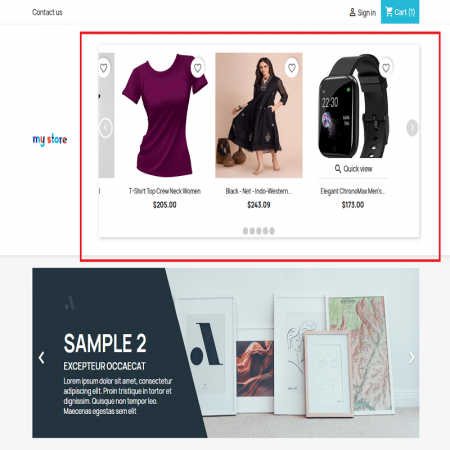
Highlight new arrivals, best sellers, featured products, and promotional collections directly on your homepage.
Display additional product collections while customers are exploring individual products.
Use this area to showcase relevant categories or selected product collections.
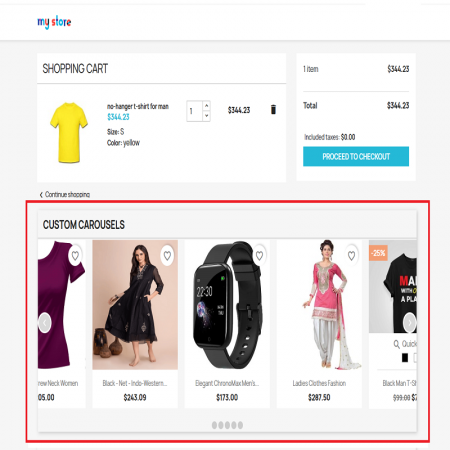
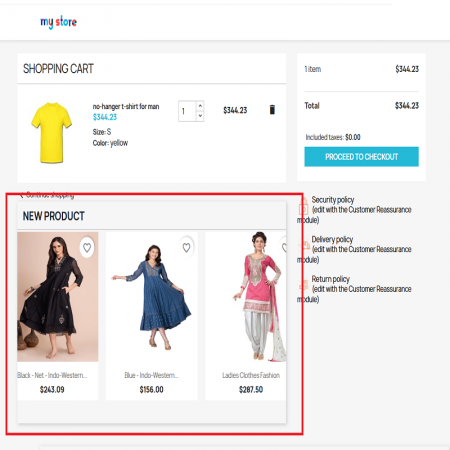
Present additional product selections while customers review their shopping cart.
This provides another opportunity to introduce products before checkout.
Use additional store locations to showcase selected products without relying entirely on the homepage.
Business benefit: Increase the opportunities for customers to discover products at different stages of their shopping journey.
Different stores have different requirements for product navigation.
Some merchants prefer automatic scrolling to attract attention, while others want customers to control the browsing experience manually.
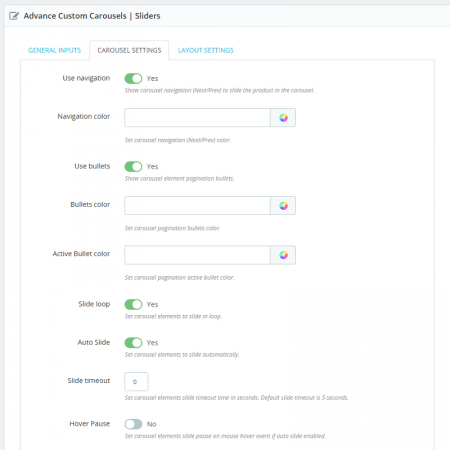
The module provides navigation settings that allow you to customize how visitors interact with product sliders.
Navigation features:
Enable or disable navigation arrows.
Enable or disable pagination bullets.
Configure automatic sliding.
Configure continuous looping.
Support manual product navigation.
Customize the carousel browsing experience.
Allow customers to move forward and backward through displayed products using navigation arrows.
Provide visual navigation indicators to help visitors understand their position within a carousel.
Enable automatic product sliding to showcase different products without requiring customers to interact manually.
Configure continuous looping so customers can continue browsing through the carousel.
Business benefit: Create a navigation experience that matches your website design and product presentation strategy.
Your product sliders should look like a natural part of your website rather than an unrelated third-party component.
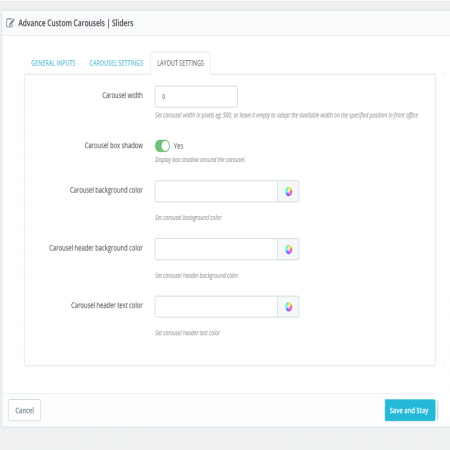
The module provides styling options to customize carousel appearance.
Available styling options:
Customize text colors.
Change background colors.
Configure margins.
Customize shadows.
Adjust visual presentation.
Configure carousel layout.
Customize navigation appearance.
Create product carousels that complement your existing PrestaShop theme and store branding.
Choose colors that match your website's overall design.
Adjust carousel background presentation to make product sections visually distinct.
Control the visual spacing around carousel elements to create a cleaner product display.
Use shadow settings to enhance the appearance of carousel sections and their visual presentation.
Business benefit: Maintain a consistent storefront design while creating distinctive product display sections.
Static product listings may not always attract customer attention.
Smooth transitions and visual effects can make product carousels more engaging and help shoppers notice different product collections.
The module supports dynamic carousel transitions and label animations.
Animation features:
Smooth image transitions.
Dynamic carousel movement.
Label animation effects.
Configurable visual behavior.
Automatic and manual navigation options.
Use these effects to create attractive product sections while maintaining a consistent shopping experience.
Business benefit: Make product collections more visually engaging and encourage customers to explore additional items.
A carousel usually displays only a selection of products from a larger collection.
Customers may want to explore the complete category, manufacturer collection, or promotional page.
The module provides a configurable Show More button that can link to a specific destination.
Key benefits:
Add a clickable Show More link.
Redirect customers to a selected page.
Provide access to additional products.
Connect featured product displays with relevant store pages.
Encourage customers to explore complete collections.
Example: Display six selected electronics products on the homepage and use the Show More button to direct customers to the complete electronics category.
Business benefit: Connect compact product presentations with larger product collections and simplify product navigation.
Different product collections deserve different display strategies.
The module supports creating and managing multiple product carousels through the PrestaShop Back Office.
For example, you can organize your store with separate carousels such as:
Trending Products.
Best Sellers.
New Arrivals.
Featured Products.
Manufacturer Collections.
Discounted Products.
Selected Product Collections.
Each carousel can be configured with its own product selection, display location, and appearance settings.
Business benefit: Organize your product merchandising strategy without depending on a single product slider.
A visually attractive store should also provide a smooth browsing experience.
The module is designed with lightweight, performance-oriented carousel functionality.
Its published feature set focuses on:
Fast-loading carousel presentation.
Lightweight implementation.
Optimized product display.
Responsive carousel presentation.
SEO-friendly product showcasing.
A well-organized product display can improve usability while avoiding unnecessary visual complexity.
Business benefit: Create dynamic product sections while keeping performance and search visibility in mind. Actual loading performance depends on the store theme, hosting, images, and other installed modules.
You should not need to edit theme templates every time you want to create a new product carousel.
The module provides a centralized configuration workflow through the PrestaShop Back Office.
Configuration workflow:
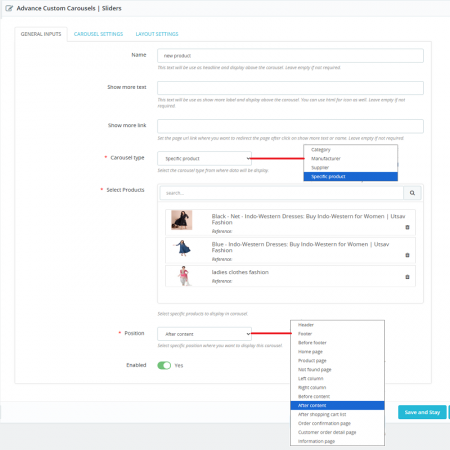
Choose a carousel type.
Select the relevant category, manufacturer, supplier, or specific products.
Select the display position.
Customize styling options.
Configure navigation settings.
Enable automatic sliding or looping.
Configure transition effects.
Set up the Show More destination.
Save your configuration and check the storefront.
Business benefit: Manage product presentations from your store administration instead of manually modifying theme code for every carousel.
Creating a customized product carousel follows a straightforward process.
Step 1 – Choose Your Carousel Type
Decide whether you want to display products from a category, manufacturer, supplier, or specific product selection.
Step 2 – Select Products
Choose the product collection you want customers to discover.
Step 3 – Select Display Position
Choose where the carousel should appear, such as the homepage, header, footer, sidebar, product page, shopping cart, or another supported position.
Step 4 – Customize Carousel Appearance
Configure colors, backgrounds, text, margins, shadows, transitions, and other available styling options.
Step 5 – Configure Navigation
Enable or disable arrows and pagination bullets, and configure autoplay and looping according to your preferences.
Step 6 – Configure the Show More Link
If required, add a destination link so customers can explore the complete product collection.
Step 7 – Save and Preview
Save your configuration and visit the storefront to check the carousel's appearance and behavior.
Step 8 – Create Additional Carousels
Repeat the process to build different product sections for different store locations and promotional objectives.
Here are practical examples of how different businesses can use custom product carousels.
Create separate sliders for men's clothing, women's clothing, footwear, accessories, and seasonal collections.
Example carousels:
New Fashion Arrivals.
Trending Dresses.
Best-Selling Shoes.
Summer Collection.
Selected Fashion Brands.
Help customers discover electronics products and accessories through organized product collections.
Example carousels:
Latest Smartphones.
Best-Selling Laptops.
Wireless Accessories.
Gaming Products.
Products from Selected Manufacturers.
Showcase beauty collections and help shoppers explore products from different categories and manufacturers.
Example carousels:
Skincare Products.
Makeup Essentials.
Hair Care Collection.
Popular Beauty Products.
New Arrivals.
Organize product discovery around different rooms, product types, and home collections.
Example carousels:
Living Room Furniture.
Bedroom Collections.
Kitchen Accessories.
Home Decoration.
Featured Furniture Products.
Promote different sports categories, equipment collections, and selected product groups.
Example carousels:
Fitness Equipment.
Running Accessories.
Sportswear.
Gym Essentials.
Popular Sports Products.
Use multiple carousels to organize a large catalog into smaller, easier-to-explore collections.
Example carousels:
Trending Products.
Recently Added Products.
Featured Collections.
Discounted Products.
Popular Manufacturers.
Give selected products more exposure by displaying them in strategic store locations.
Highlight new arrivals, featured products, popular collections, and selected promotional items.
Make it easier for customers to browse multiple products through horizontal sliders.
Use relevant product collections on product pages and shopping cart pages to introduce additional products.
Help shoppers discover categories, manufacturers, suppliers, and selected collections without searching manually.
Organize your products into attractive sections that match your store's branding.
Create separate carousels for different business objectives and store locations.
Your customers benefit from better-organized product discovery.
Explore multiple products in a compact slider.
Discover featured and popular products.
Browse category-specific collections.
Find products from selected manufacturers.
Explore additional products without navigating through multiple pages.
Use navigation arrows and pagination controls.
Access complete collections through Show More links.
Enjoy a visually engaging and responsive product browsing experience.
Getting started with Advance Custom Carousels & Sliders is straightforward.
Download the module ZIP package from Sathi after purchasing the product.
Sign in to your PrestaShop administration panel.
Navigate to:
Modules → Module Manager
Click Upload a Module and select the downloaded ZIP package.
Wait for the installation process to complete.
Find Advance Custom Carousels in your module list and open its configuration page.
Choose your preferred carousel type:
Category.
Manufacturer.
Supplier.
Specific Products.
Choose the desired location for your carousel, such as the homepage, header, footer, sidebar, product page, shopping cart, or another supported position.
Configure the available options, including:
Width and visual styling.
Colors and backgrounds.
Navigation arrows.
Pagination bullets.
Automatic sliding.
Loop behavior.
Transition effects.
Show More destination.
Save your configuration and visit the storefront.
Check that the carousel appears in the selected location and that its navigation and display settings work as expected.
Repeat the process to create additional product sections for different collections and store positions.
Check the current module package and your store environment before installation, especially if you are using PrestaShop 9.x.
It is a product display module that allows store owners to create multiple customizable product carousels and display them in different areas of a PrestaShop store.
Yes. The module supports multiple carousels so you can create separate product sections for different categories, manufacturers, suppliers, and selected product collections.
You can create carousels based on categories, manufacturers, suppliers, or specific product selections.
Supported positions include the homepage, header, footer, sidebar, product pages, shopping cart, order details, and other supported hook positions.
Yes. Available styling options include colors, backgrounds, text, margins, shadows, and layout-related settings.
Yes. You can configure autoplay for automatic carousel movement.
Yes. The module supports navigation arrows and pagination bullets, which can be enabled or disabled through configuration.
Yes. You can configure loop behavior for continuous product navigation.
Yes. The module provides a Show More button that can link customers to a specific destination page.
Yes. Product pages are among the supported display locations, allowing you to introduce additional product collections while customers browse individual products.
Yes. Create separate carousels for categories, manufacturers, suppliers, and specific product selections according to your merchandising requirements.
The module is described as responsive. Actual appearance and behavior should be tested with your installed PrestaShop theme and mobile devices.
The module is designed for SEO-friendly product showcasing and helps make selected products easier to discover through store navigation. It does not guarantee higher Google rankings or replace technical SEO, optimized product pages, and quality content.
The current product listing specifies PrestaShop 1.7 through 8.2. Check the latest package information before using it with newer versions.
Your products deserve more visibility than a standard catalog listing can provide.
With Advance Custom Carousels & Sliders for PrestaShop, you can create multiple product collections, highlight important items, organize product displays, and showcase products throughout your store.
From homepage featured products to category collections, manufacturer sliders, and product-page recommendations, build a more engaging product discovery experience with flexible carousel placement and customization.
Improve product visibility. Simplify product discovery. Create better shopping experiences with Sathi's Advance Custom Carousels & Sliders PrestaShop Module.
| Vendor | Sathi |
|---|---|
| Last update | Nov 25, 2026 |
| Version | 5.2.1 |
| Required store version | From 1.7.x to 9.2.x |
| Publication date | Mar 15, 2025 |
| Return Policy | You can return the product within the 30 Days return period for a full refund. No questions asked. |
| Customer Support | Enjoy one year of free customer support, including installation, troubleshooting, and usage guidance. |
| Description | This product is compatible with the specified versions and includes all the latest updates to enhance functionality and user experience. |
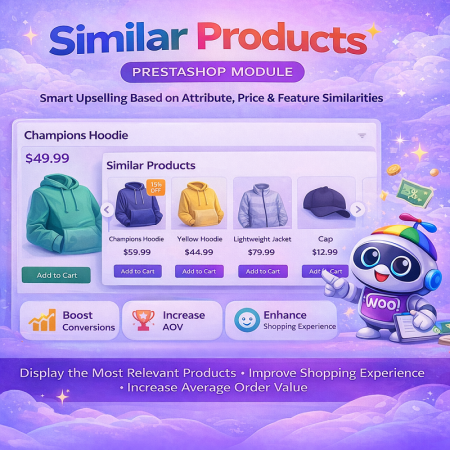
 Smart Similar Products – Automated Product Recommendations for PrestaShop
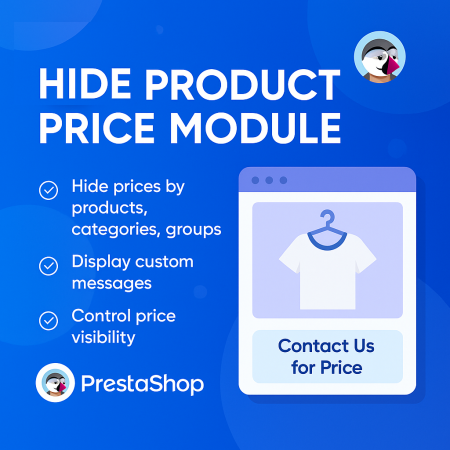
 Hide Product Price – Control Product Price Visibility in PrestaShop
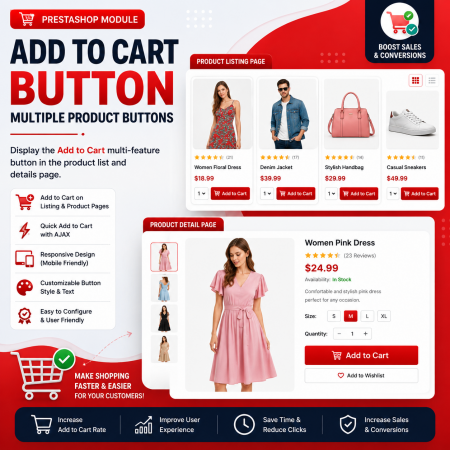
 Advanced Add to Cart Button Module for PrestaShop – Simplify Product Shopping

 Display Product Slider & Grid – Product Showcase Module for PrestaShop
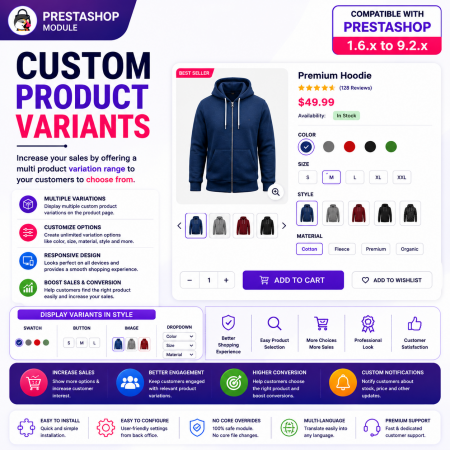
 Custom Product Variants – Display Separate Products as Variations in PrestaShop
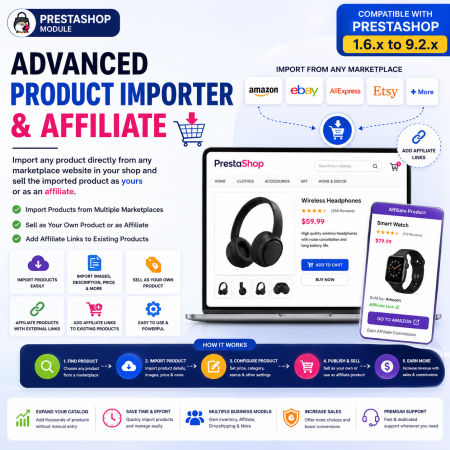
 Advanced Product Importer & Affiliate (100+ websites) Module for PrestaShop
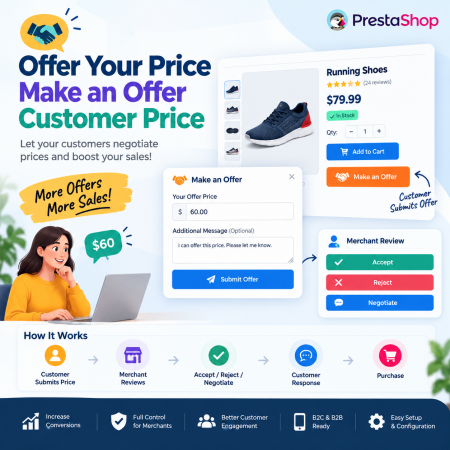
 Offer Your Price – Make an Offer & Price Negotiation Module for PrestaShop
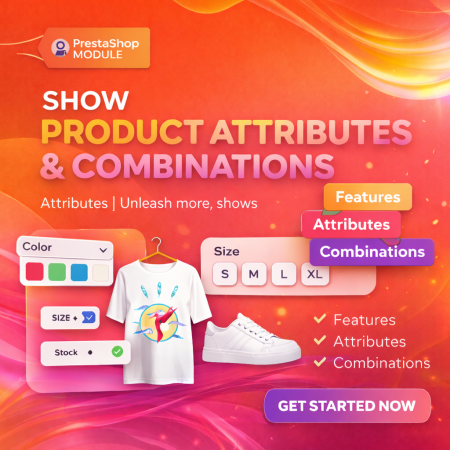 Show Product Attributes Or Combinations Prestashop Module
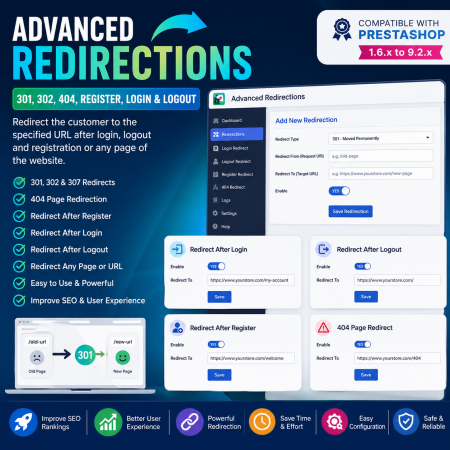
 Advanced Redirections – 301, 302, 404 & Customer Redirects for PrestaShop

 Daily Deals Widget – Multiple Promotional Campaigns with Countdown Timer for PrestaShop
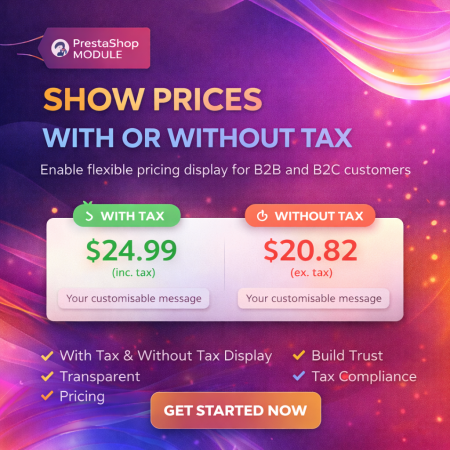
 Display Prices Tax Inclusive or Exclusive – PrestaShop B2B & B2C Tax Display Module
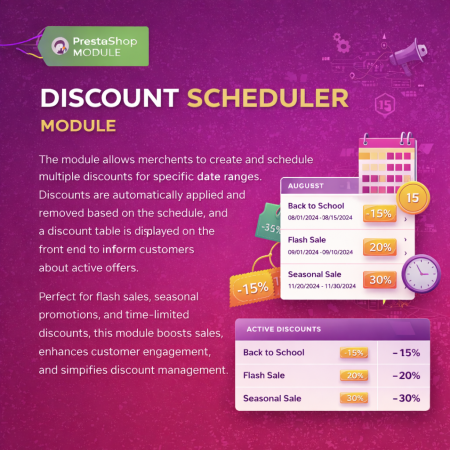
 Multiple discount date wise discount Prestashop Module
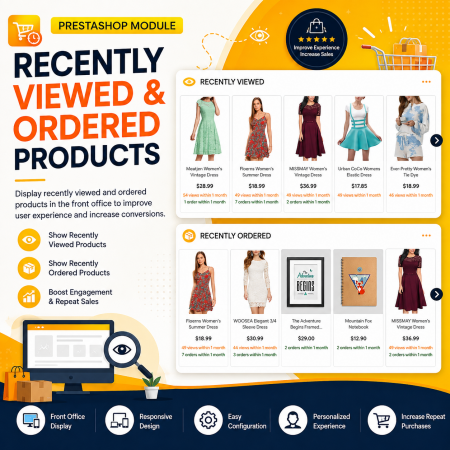
 Recently Viewed and Ordered Products – Product History Module for PrestaShop
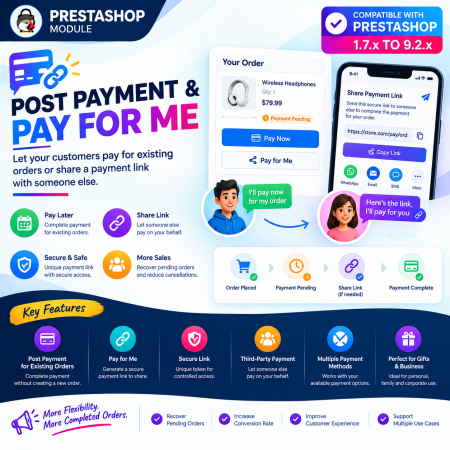
 Post Payment & Pay for Me Module for PrestaShop

 Social Wall Feeds – Facebook & Twitter Integration Module for PrestaShop
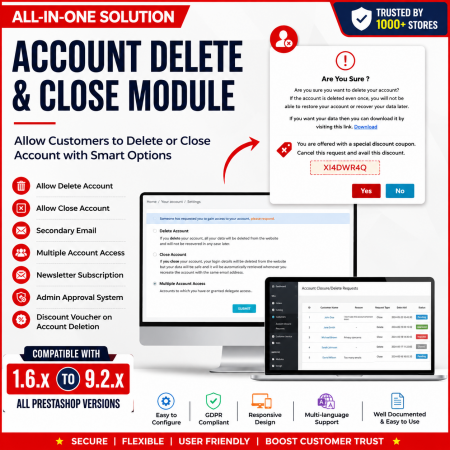
 Customer Account Settings – Customer Account Management Module for PrestaShop
Showcase products more effectively with the Advance Custom Carousels & Sliders PrestaShop Module.
Create multiple customizable product carousels to display featured products, category-based products, manufacturer collections, supplier products, or individually selected products across different areas of your online store.
Choose where your carousels appear, including the homepage, header, footer, sidebar, product pages, shopping cart, and other supported positions. Customize colors, backgrounds, text, margins, shadows, navigation arrows, pagination bullets, autoplay, looping, and transition effects to match your store's design.
With flexible product selection, multiple display positions, and easy Back Office configuration, this module helps improve product discoverability, highlight promotional collections, simplify product navigation, and create a more engaging shopping experience.
Give your customers more opportunities to discover products with dynamic, responsive, and SEO-friendly product carousels for PrestaShop.
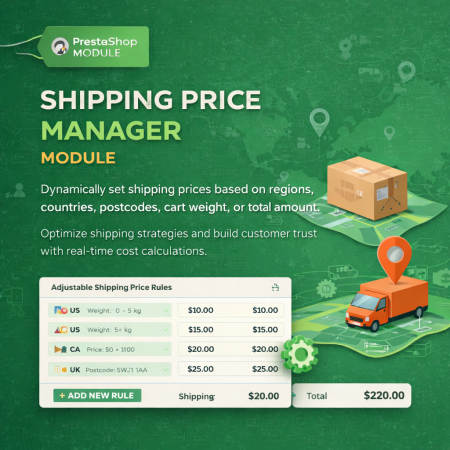
 Shipping Price Manager – Dynamic Shipping Cost Management Module for PrestaShop

 Google Translator – Front Office, Back Office & Module Translation for PrestaShop

 Advanced URL Redirection Module for PrestaShop – 301, 302, 404 & Scheduled Redirects
Display Product Slider & Grid – Product Showcase Module for PrestaShop

 Enable or Disable Carriers with Conditions – PrestaShop Conditional Shipping Module
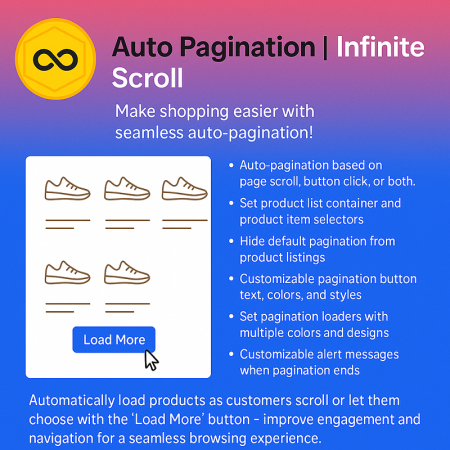
 Auto Pagination & Infinite Scroll – AJAX Product Loading Module for PrestaShop

 Buy Now Button & Quick Order – One-Click Checkout Module for PrestaShop
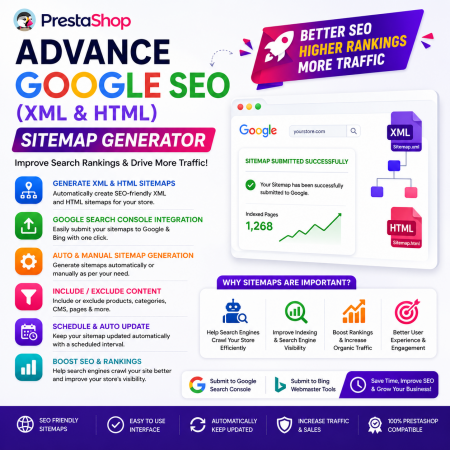
 Advanced Google SEO – XML & HTML Sitemap Generator for PrestaShop

Encrypted payment gateways ensuring your financial and personal data remain 100% protected.

Every module includes professional installation assistance, free updates, and reliable troubleshooting.

Rigorously tested PrestaShop & WooCommerce extensions designed for maximum speed and zero bloat.

Transparent policies, clean documentation, and dedicated assistance if you run into any compatibility hurdles.