- -$40.00


This module enhances the shopping experience by allowing customers to easily explore product variations such as...

The module allows merchants to enhance product images with customizable stickers and labels. Whether it’s...

Make bulk pricing visible and encourage larger orders with the Quantity Discount...

This module allows you to offer free shipping based on flexible conditions, such as location, carrier, cart value,...

The module automatically adjusts language, currency, and country settings based on the customer's location....

Vendor
Version
Last update
Prestashop version
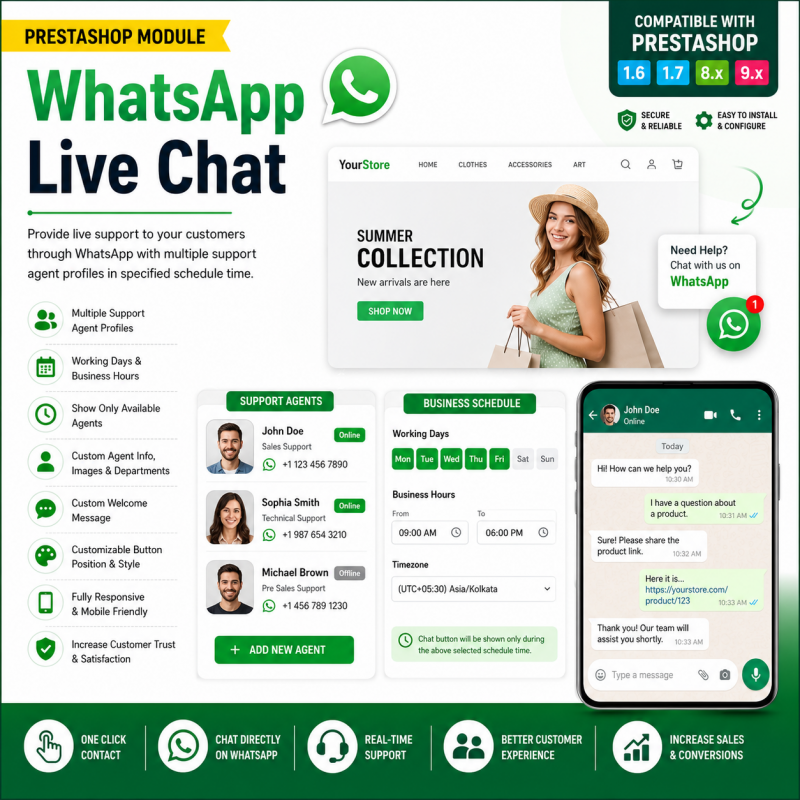
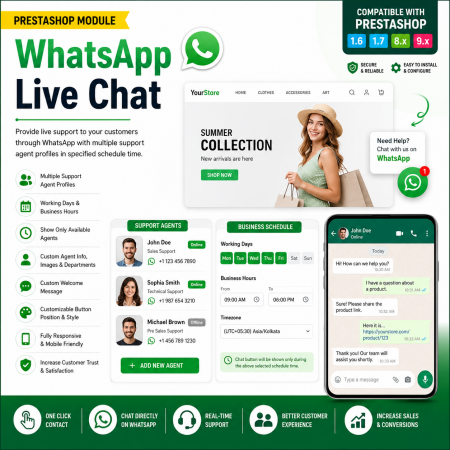
Connect your PrestaShop store with WhatsApp and make customer communication easier with the WhatsApp Live Chat Module.
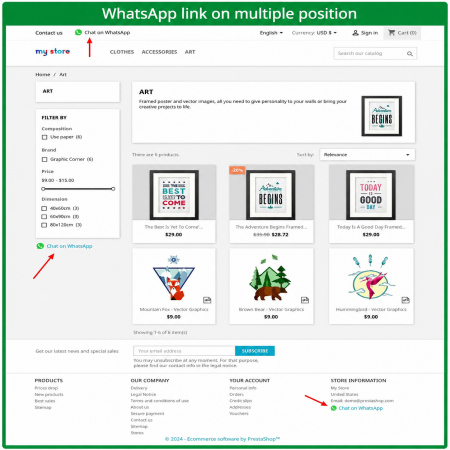
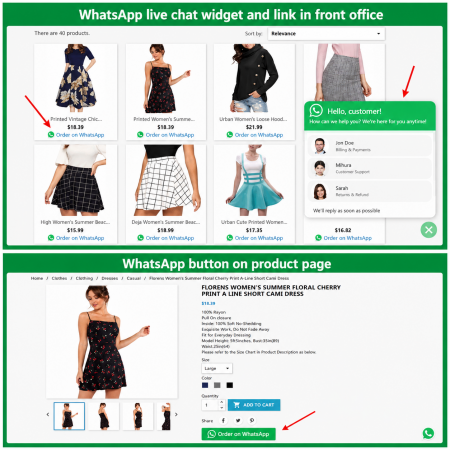
Allow visitors to contact your business directly through WhatsApp while browsing your products and pages. Customers can ask questions about product details, pricing, availability, delivery, and shopping assistance without searching for your contact information.
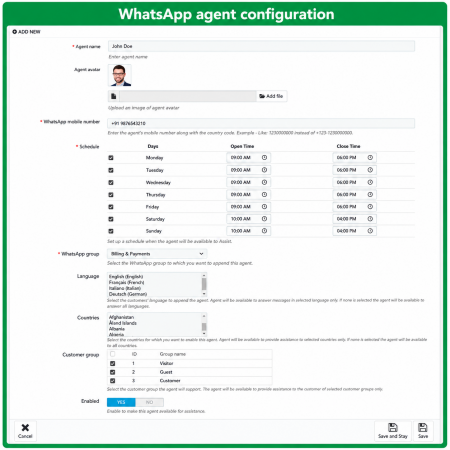
Configure multiple support agents, assign WhatsApp contact numbers, manage availability schedules, and customize the chat display according to your store requirements.
Whether you run a fashion boutique, electronics store, beauty shop, or general eCommerce business, provide customers with a familiar and convenient communication channel.
Make your store easier to contact, improve pre-purchase assistance, and build stronger customer relationships with WhatsApp Live Chat for PrestaShop.
Make Your Store Easier to Contact. Improve Customer Communication. Build Buyer Confidence.
Customers often have questions before making a purchase. They may want to confirm product availability, understand product specifications, ask about delivery charges, check pricing, or get help choosing the right product.
When customers cannot find a convenient way to contact your business, they may leave your website without getting the information they need.
The WhatsApp Live Chat Module for PrestaShop makes customer communication easier by connecting your online store with WhatsApp. It provides visitors with a convenient contact option so they can start conversations with your business directly from your website.
Instead of asking customers to search for your phone number or email address, provide a WhatsApp contact button that helps them reach your support team with just a click.
Configure multiple support agents, add their WhatsApp contact numbers, manage availability schedules, and customize the chat display according to your business requirements.
Whether you operate a small online shop or a growing eCommerce business, WhatsApp Live Chat helps make your store more accessible and customer-friendly.
Customer communication is an important part of the online shopping experience.
Customers often need additional information before placing an order. They may have questions about product features, available sizes, colors, payment methods, delivery options, or return policies.
Traditional contact methods such as email forms and contact pages may require customers to navigate away from the product they are viewing.
WhatsApp provides a familiar messaging platform where customers can conveniently continue conversations with your business.
With the WhatsApp Live Chat PrestaShop Module, you can provide a direct communication option on your storefront and make it easier for visitors to request assistance.
Give customers an easy way to contact your business.
Reduce the effort required to find store contact information.
Answer pre-purchase product questions through WhatsApp.
Provide convenient customer assistance.
Configure multiple support agents and contact numbers.
Organize agent availability using schedules.
Customize the WhatsApp contact experience according to your store.
Make every customer interaction easier by providing a familiar communication channel directly from your PrestaShop website.
Give visitors a convenient way to start a WhatsApp conversation with your business.
Instead of navigating to a separate contact page, customers can use the WhatsApp contact option available on your storefront.
When visitors click the contact option, WhatsApp opens with the configured business number so they can start a conversation.
Key benefits:
Direct connection between your PrestaShop store and WhatsApp.
Convenient contact option for website visitors.
Easy access to customer support.
Familiar messaging experience.
Reduced friction when customers need assistance.
Business benefit: Make it easier for potential buyers to ask questions and receive information before purchasing.
Different customer inquiries may need attention from different members of your support team.
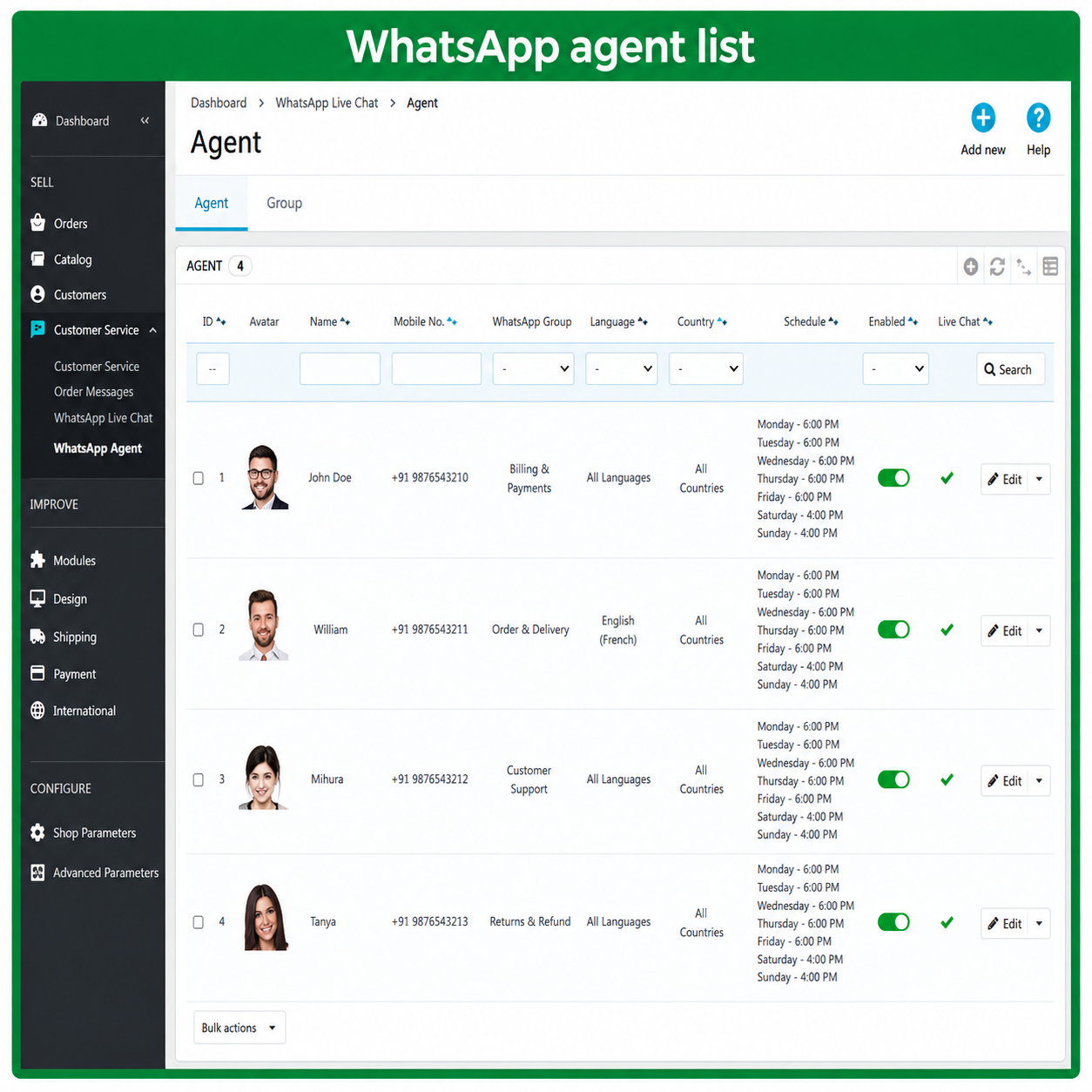
The multiple-agent functionality allows you to configure multiple support agents with their respective WhatsApp contact numbers.
This provides a more organized approach to customer communication, especially for stores with different support responsibilities.
Key benefits:
Add multiple customer support agents.
Configure individual WhatsApp contact numbers.
Provide customers with available support contacts.
Organize customer communication around your support team.
Support different customer assistance requirements.
Business benefit: Give your customers more convenient access to your support team instead of depending on a single contact number.
Customer support availability can vary depending on business hours, employee schedules, and support responsibilities.
Configure availability schedules for your support agents so the WhatsApp contact experience can reflect their working availability.
Key benefits:
Configure support agent schedules.
Organize contact availability.
Align customer communication with business working hours.
Help visitors identify available support options.
Business benefit: Create a more organized customer communication process and set clearer expectations about support availability.
The customer contact experience should fit naturally into your website design.
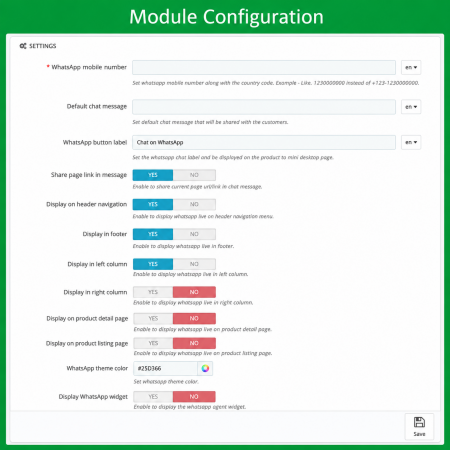
Use the available display settings to configure how the WhatsApp contact option appears on your PrestaShop storefront.
Key benefits:
Configure the WhatsApp contact display.
Adjust available display settings.
Integrate the contact option into your store experience.
Provide a convenient communication entry point for visitors.
Business benefit: Make WhatsApp contact accessible without unnecessarily complicating the shopping experience.
Customers frequently need answers before deciding whether to buy a product.
WhatsApp provides a convenient channel for asking questions while browsing your online store.
Customers can contact your business about:
Product specifications.
Available sizes and colors.
Product availability.
Pricing and product details.
Delivery information.
Payment-related questions.
Shopping assistance.
General store inquiries.
Business benefit: Help potential customers get the information they need and make more confident purchasing decisions.
Many customers already use WhatsApp for everyday communication.
By providing WhatsApp as a store contact option, you allow visitors to communicate through a platform they already recognize.
Key benefits:
Familiar messaging interface.
Convenient communication on supported devices.
Easy transition from website browsing to WhatsApp.
A direct communication channel between customers and your business.
Business benefit: Reduce the learning effort associated with unfamiliar customer support systems.
The module provides a simple customer communication journey.
A visitor opens your PrestaShop website and browses products, categories, or other store pages.
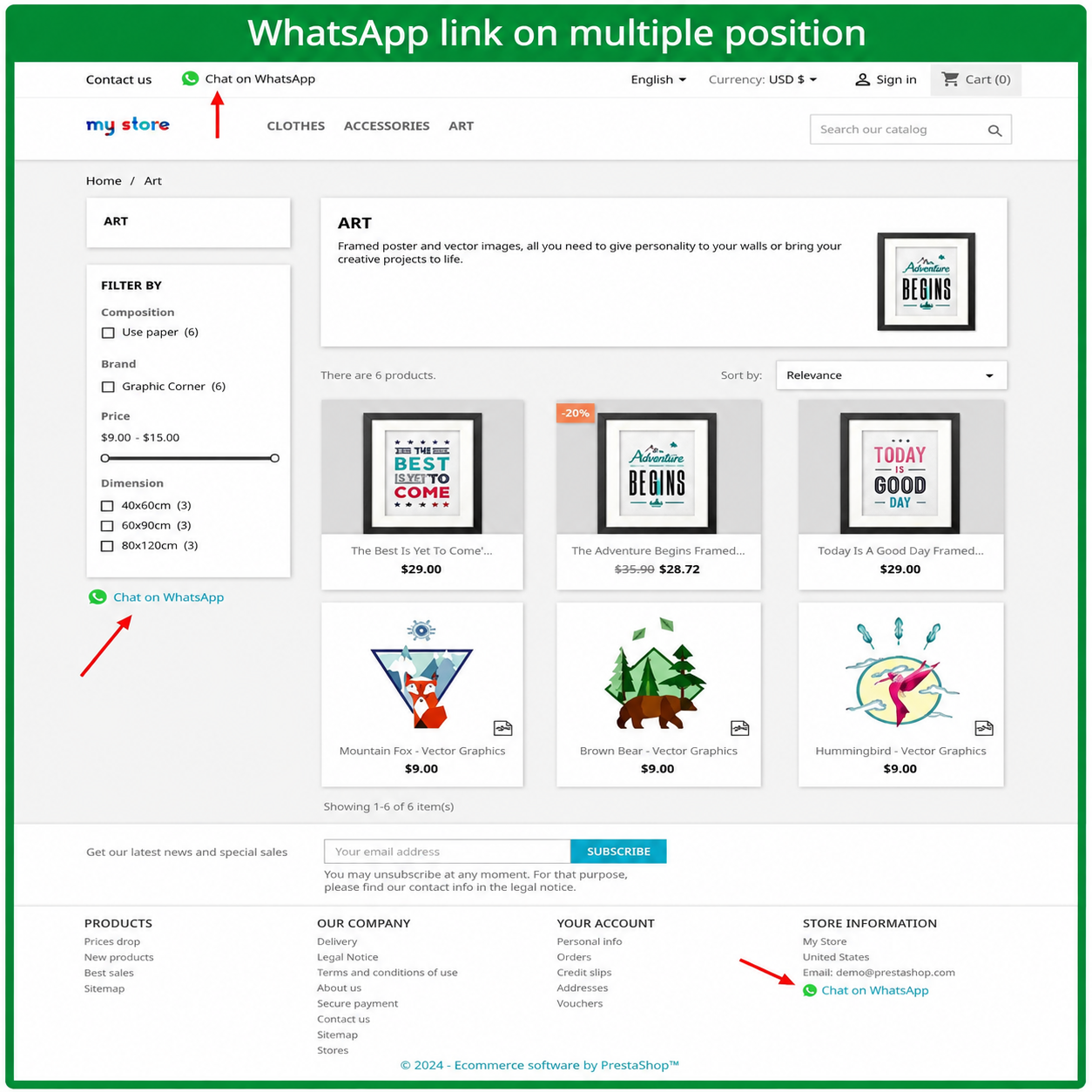
The visitor clicks the WhatsApp contact option displayed on your storefront.
The customer is redirected to WhatsApp using the configured support contact number.
The visitor sends a message to your business and asks questions or requests assistance.
Your configured support agent receives and responds to the customer's message through the connected WhatsApp account.
The result: A simple communication journey that helps customers reach your business without searching for contact details.
A convenient contact option can make a meaningful difference in the customer shopping journey.
Customers should not have to search through multiple pages to find your contact details.
WhatsApp Live Chat provides a direct communication entry point on your storefront.
Many shoppers need additional information before placing an order.
Give them a convenient way to ask questions about products, pricing, delivery, and availability.
When customers know they can contact your business easily, they have another way to resolve doubts before purchasing.
Allow visitors to use a familiar messaging application instead of requiring them to complete a traditional contact form.
A customer asking about a product may already have purchase intent. A convenient support channel gives your team an opportunity to assist that shopper.
Note: WhatsApp Live Chat provides a contact channel. Actual response times, sales conversions, and customer satisfaction depend on your support team's availability and service quality.
WhatsApp customer support can be useful across many eCommerce industries.
Customers may need help with sizes, colors, fabrics, fitting, product availability, and styling.
Allow shoppers to contact your business through WhatsApp to ask questions about clothing and accessories.
Electronics customers often require additional product information before purchasing.
Use WhatsApp to handle inquiries about specifications, compatibility, warranty information, and availability.
Customers may want product recommendations, ingredient information, usage instructions, or help selecting suitable products.
Provide a convenient contact channel for these questions.
Furniture purchases often involve questions about dimensions, materials, colors, delivery, and installation.
WhatsApp makes it easier for shoppers to contact your team for additional information.
Business buyers may need information about products, pricing, availability, and ordering procedures.
Configure relevant support contacts to make communication easier.
Whether you sell groceries, accessories, lifestyle products, gifts, or everyday essentials, WhatsApp provides an additional way for customers to reach your business.
Using WhatsApp as a customer communication channel can support several important business objectives.
Improve customer accessibility: Give visitors a convenient way to contact your store.
Support purchase decisions: Help customers resolve product-related questions before ordering.
Organize support contacts: Configure multiple agents instead of relying on a single contact number.
Manage support availability: Configure agent schedules according to your business requirements.
Build stronger customer relationships: Make your business more approachable through familiar messaging.
Support sales conversations: Allow interested shoppers to discuss products and services directly with your team.
Improve communication convenience: Reduce the need for customers to search for phone numbers or email addresses.
Installing WhatsApp Live Chat in your PrestaShop store is straightforward.
Follow these steps to get started.
Download the WhatsApp Live Chat module ZIP package from Sathi.
Log in to your PrestaShop administration panel.
Navigate to:
Modules → Module Manager → Upload a Module
Select the downloaded ZIP package.
Upload the package and complete the installation process.
Locate WhatsApp Live Chat in the Module Manager and open its configuration page.
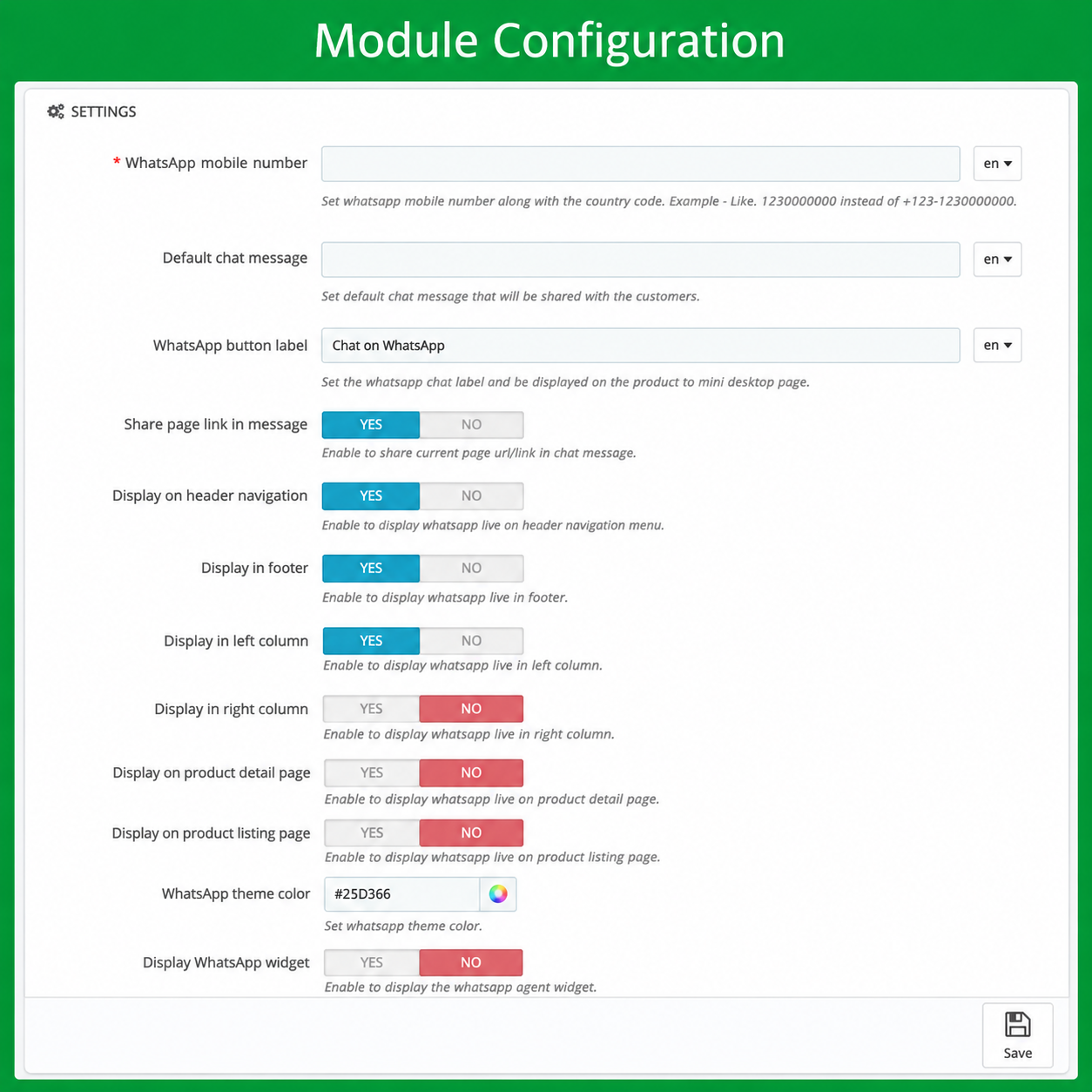
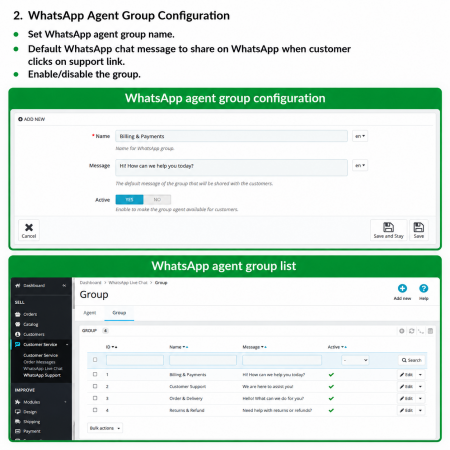
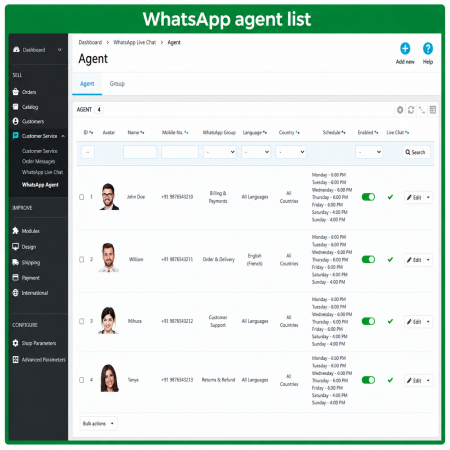
Create your support agent entries and configure their respective WhatsApp contact numbers.
 |
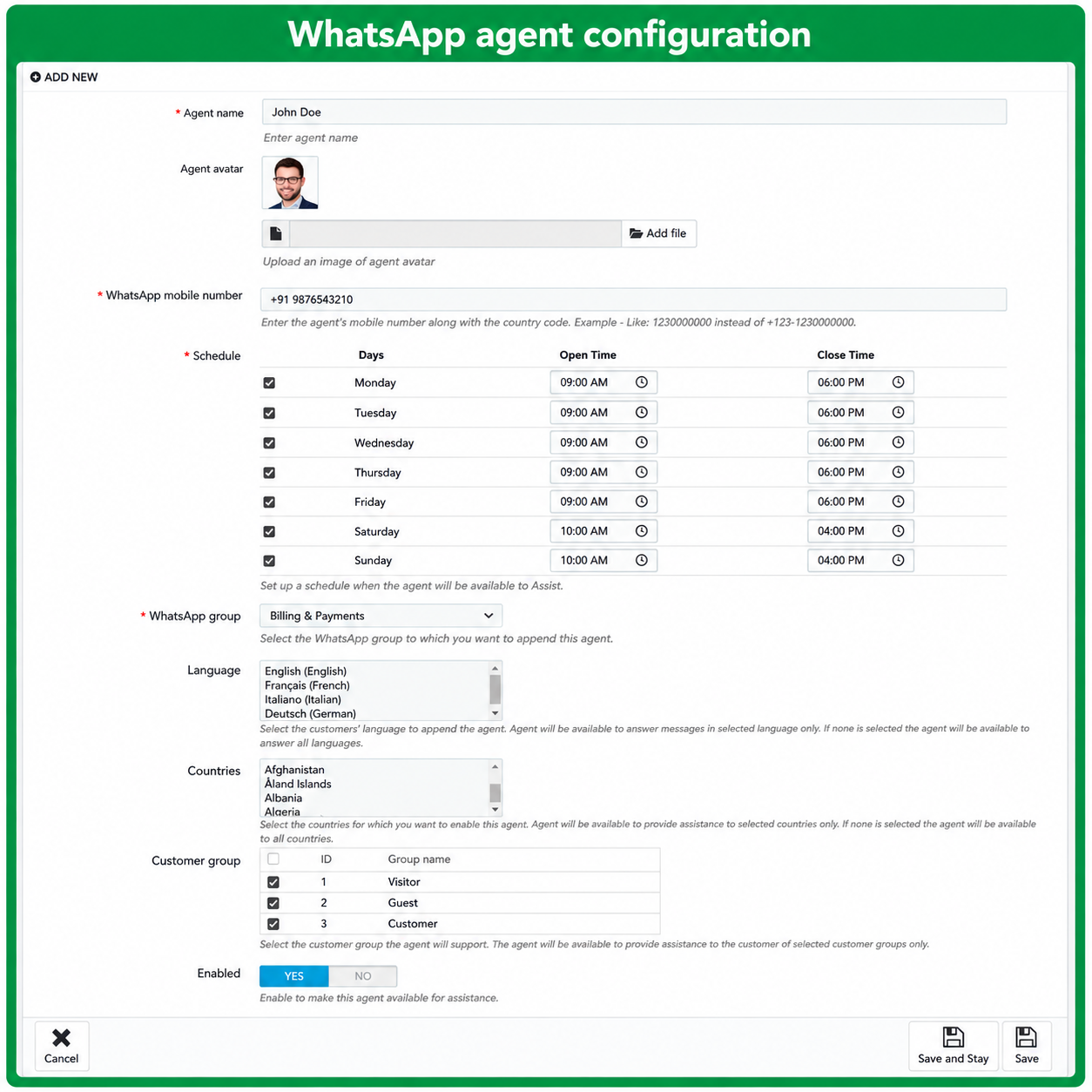 |
Set the available working schedules for your support agents according to your business requirements.
Review the available storefront display options and configure the WhatsApp contact experience.
Save your settings and visit your storefront.
Click the WhatsApp contact option and verify that WhatsApp opens with the correct configured support number.

Your store is now ready to provide customers with a convenient WhatsApp contact option.
It is a customer communication module that connects your PrestaShop store with WhatsApp. It allows visitors to contact your business directly through a WhatsApp contact option on your storefront.
Yes. Customers can click the WhatsApp contact option, open WhatsApp with the configured support number, and start a conversation with your business.
Yes. The module supports configuring multiple support agents with their respective WhatsApp contact numbers.
Yes. You can configure availability schedules for your support agents to organize customer contact availability according to your business hours.
The contact workflow uses WhatsApp links, allowing customers to continue conversations through WhatsApp on supported mobile devices. Desktop visitors can also use supported WhatsApp access methods.
Yes. Customers can use WhatsApp to ask your team about product details, specifications, pricing, availability, delivery, and other shopping-related questions.
The WhatsApp contact workflow does not require customers to create a PrestaShop account. They can start a conversation using the configured WhatsApp contact option, subject to WhatsApp access requirements.
The module provides a WhatsApp contact channel. Your configured support agents handle conversations through their WhatsApp accounts. Automated chatbot responses are not part of the described functionality.
No. The module connects your PrestaShop storefront with configured WhatsApp contact numbers. Your business continues to manage conversations through WhatsApp or WhatsApp Business.
Yes. It is useful for fashion, electronics, beauty, furniture, lifestyle, B2B, wholesale, and general eCommerce stores.
Customers value businesses that are easy to reach when they need assistance.
With the WhatsApp Live Chat Module for PrestaShop, you can provide a convenient communication channel, configure multiple support agents, organize their availability, and help customers connect with your business through WhatsApp.
Make product inquiries easier, support customer purchase decisions, and build stronger relationships with your shoppers.
Connect your PrestaShop store with WhatsApp and make customer communication simpler with Sathi!
| Vendor | Nxtal |
|---|---|
| Last update | Nov 24, 2026 |
| Version | 2.0.0 |
| Required store version | From 1.6.x to 9.2.x |
| Publication date | Aug 01, 2026 |
| Return Policy | You can return the product within the 30 Days return period for a full refund. No questions asked. |
| Customer Support | Enjoy one year of free customer support, including installation, troubleshooting, and usage guidance. |
| Description | This product is compatible with the specified versions and includes all the latest updates to enhance functionality and user experience. |

 Super Assistant Lite – Free AI Chatbot for WooCommerce & WordPress
 Product FAQ – Product Questions & Answers Module for PrestaShop
 Ticker Notification Banner – Announcement Bar Module for PrestaShop

 Google Schema Markup & Rich Snippets Module for PrestaShop
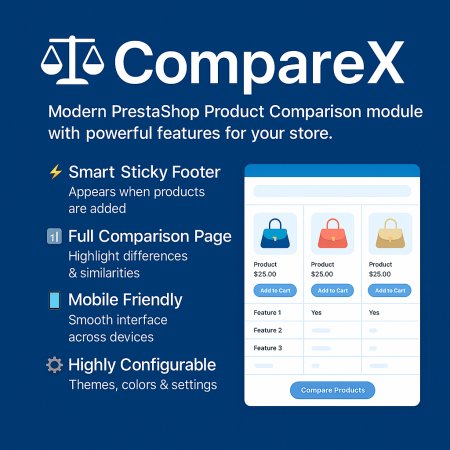
 Advance Product Comparison – Compare Products Side by Side in PrestaShop
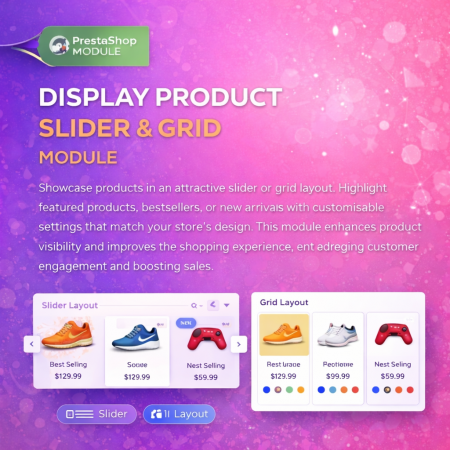
 Display Product Slider & Grid Prestashop Module

 Advance Google SEO (XML & HTML) Sitemap Generator Prestashop Module
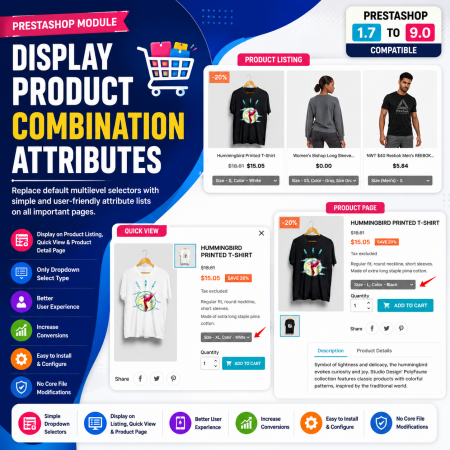
 Display Product Combination Attributes – Product Variations Module for PrestaShop

 Social Wall Feeds Facebook and Twitter Prestashop Module
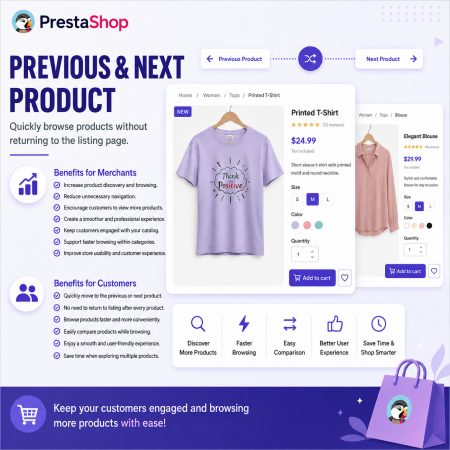
 Advanced Product Navigation – Previous & Next Product Links for PrestaShop
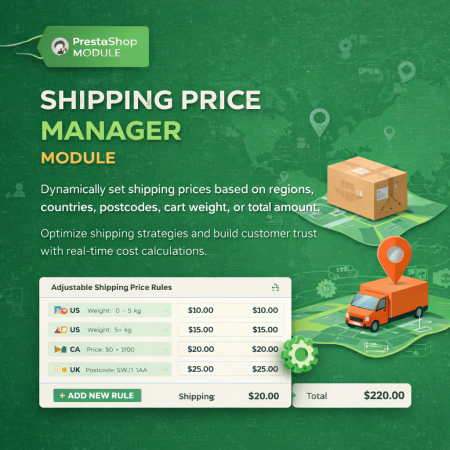
 Shipping Price Manager Prestashop Module
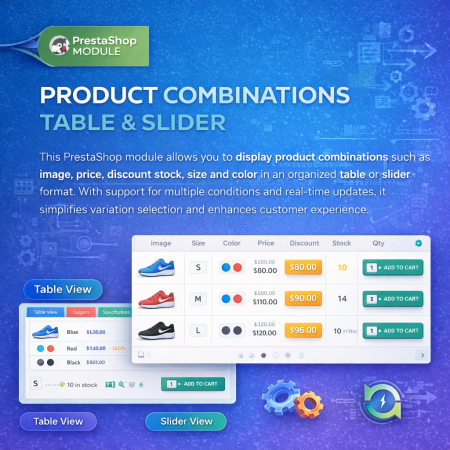
 Product Combination Table & Slider Prestashop Module
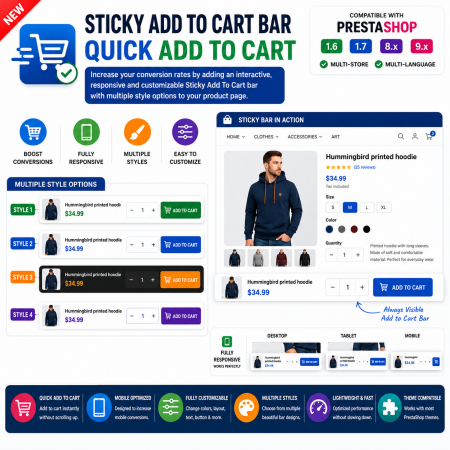
 Sticky Add to Cart Bar – Quick Add to Cart Module for PrestaShop

 Display Add to Cart Button on Product Listing Prestashop Module
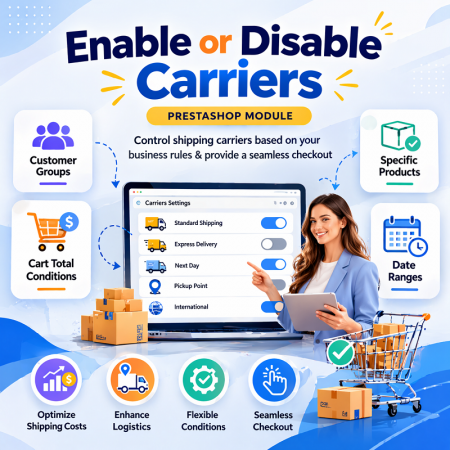
 Enable or Disable Carriers with Conditions PrestaShop Module
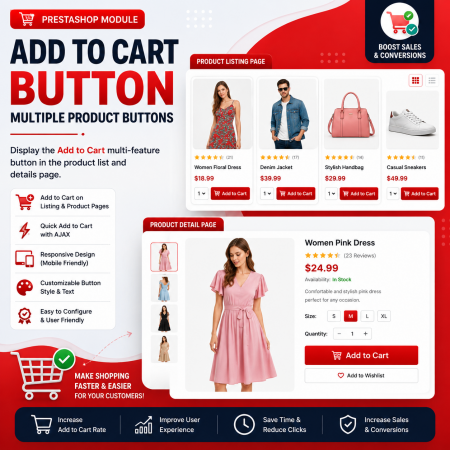
 Advanced Add to Cart Button Module for PrestaShop – Simplify Product Shopping
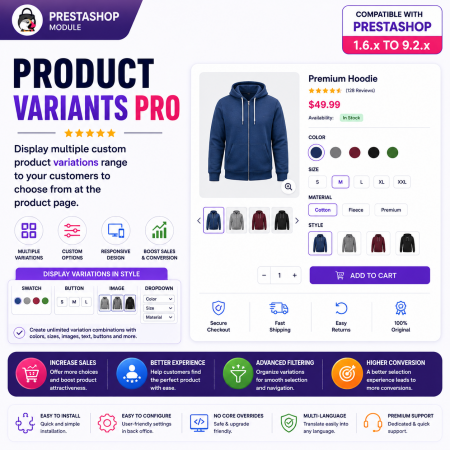
 Product Variants Pro – Custom Variant Groups for PrestaShop
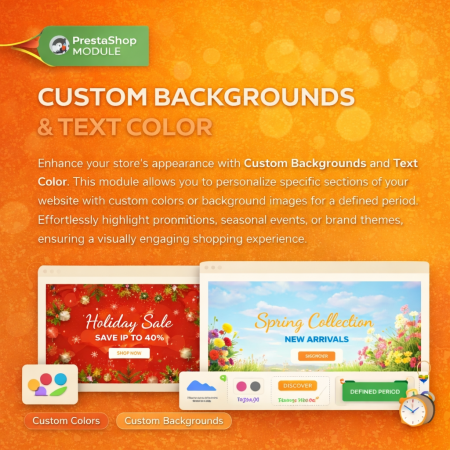
 Custom Background And Text Color Prestashop Module
Connect your PrestaShop store with WhatsApp and make customer communication easier with the WhatsApp Live Chat Module.
Allow visitors to contact your business directly through WhatsApp while browsing your products and pages. Customers can ask questions about product details, pricing, availability, delivery, and shopping assistance without searching for your contact information.
Configure multiple support agents, assign WhatsApp contact numbers, manage availability schedules, and customize the chat display according to your store requirements.
Whether you run a fashion boutique, electronics store, beauty shop, or general eCommerce business, provide customers with a familiar and convenient communication channel.
Make your store easier to contact, improve pre-purchase assistance, and build stronger customer relationships with WhatsApp Live Chat for PrestaShop.

Encrypted payment gateways ensuring your financial and personal data remain 100% protected.

Every module includes professional installation assistance, free updates, and reliable troubleshooting.

Rigorously tested PrestaShop & WooCommerce extensions designed for maximum speed and zero bloat.

Transparent policies, clean documentation, and dedicated assistance if you run into any compatibility hurdles.