- -$40.00


Make product selection easier with the Show Product Attributes or Combinations PrestaShop Module.
Display...

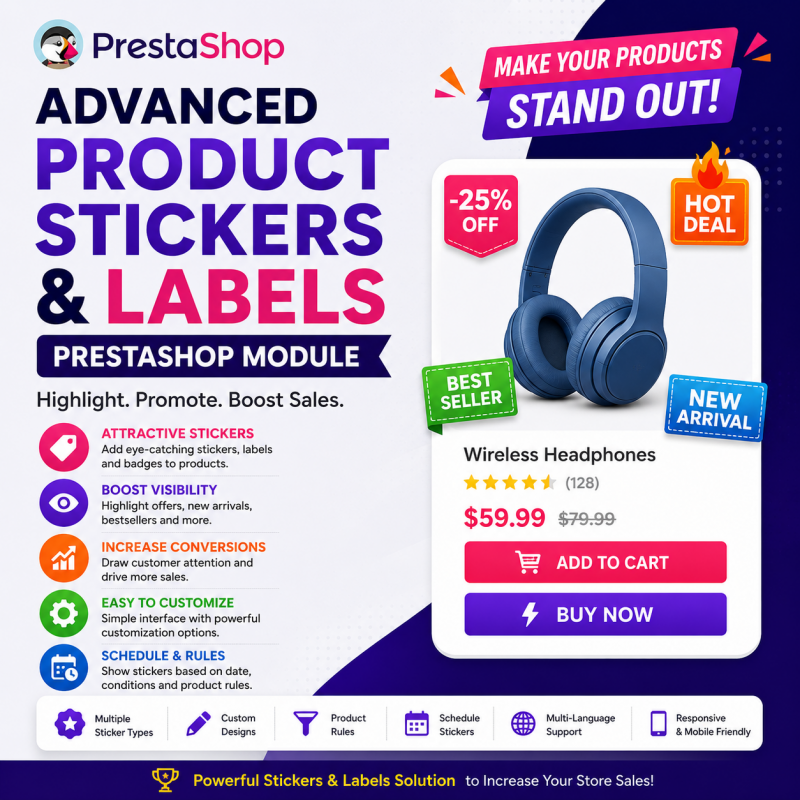
Make your products stand out with the Advance Product Stickers & Labels PrestaShop Module....

Make bulk pricing visible and encourage larger orders with the Quantity Discount Table Grid PrestaShop Module.
...
Take complete control of your store's free shipping strategy with the Free Shipping by Zone & Carrier...

Make international shopping easier with the Auto Change Country, Language & Currency PrestaShop Module.
...

Vendor
Version
Last update
Prestashop version
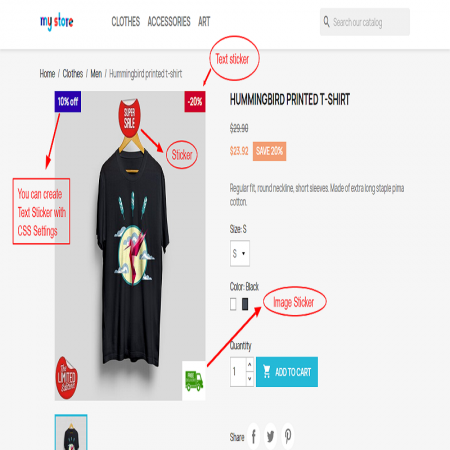
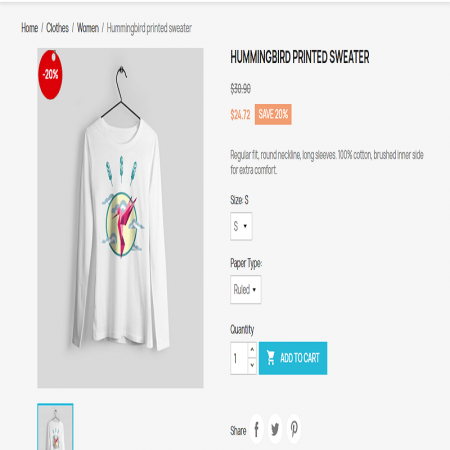
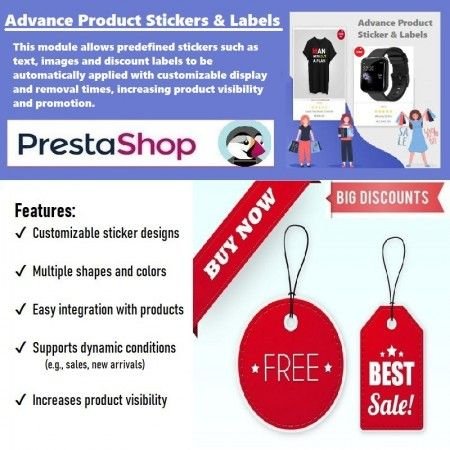
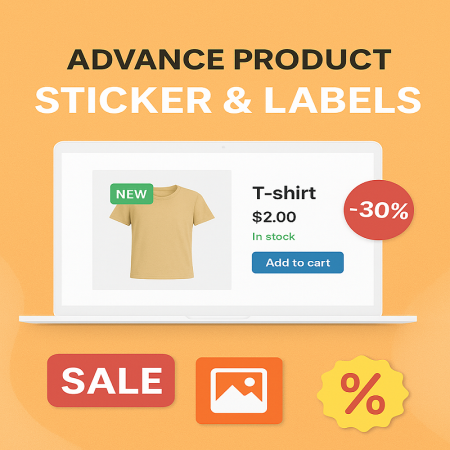
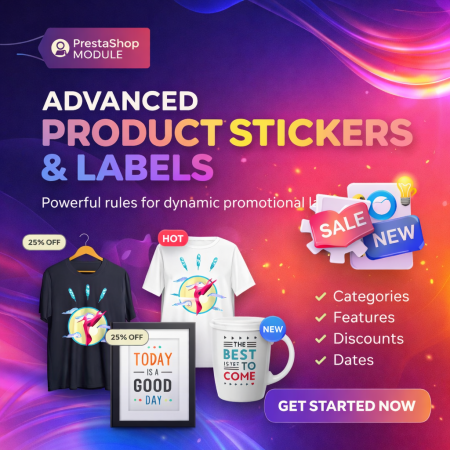
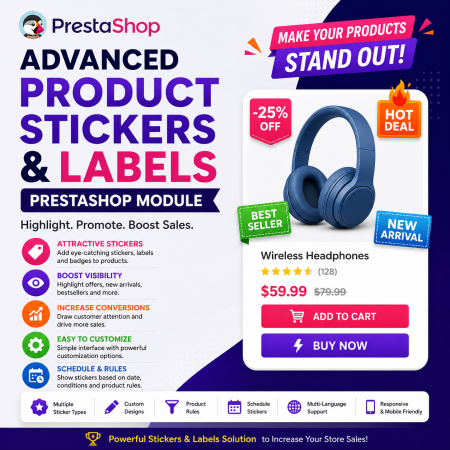
Make your products stand out with the Advance Product Stickers & Labels PrestaShop Module. Create attractive product badges, sale stickers, discount labels, new arrival tags, custom image stickers, and personalized text labels to highlight important product information and promotional offers.
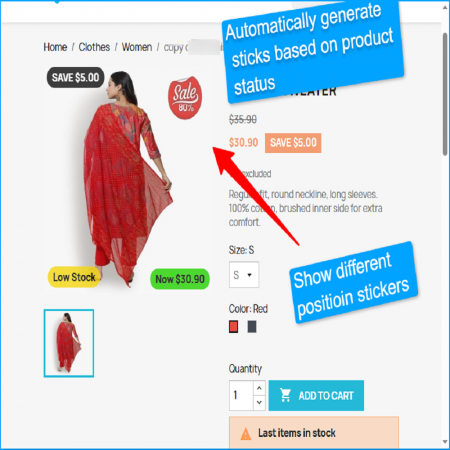
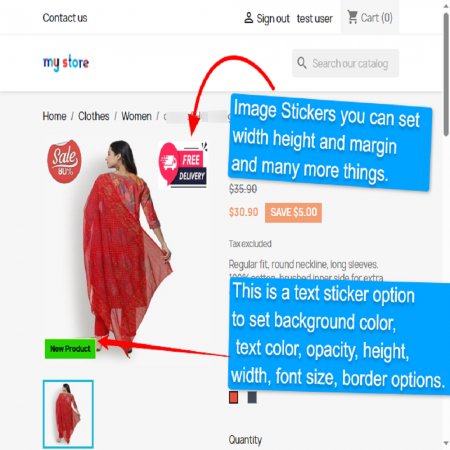
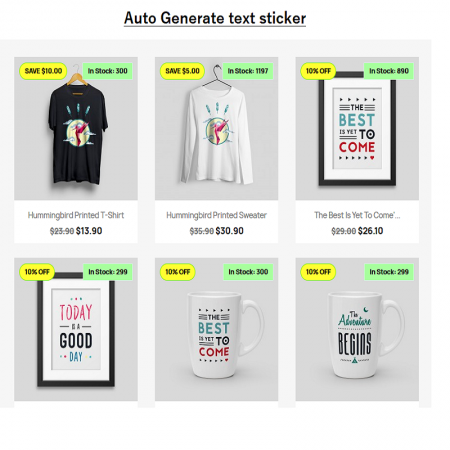
Automatically generate product stickers based on discounts, price drops, stock levels, new arrivals, product prices, categories, manufacturers, and customer groups. Upload custom sticker images, design text labels with different colors and fonts, display multiple stickers on the same product, and position them exactly where you want.
Make your promotions more engaging with animated stickers, opacity controls, automatic sticker alternation, scheduling, and clickable promotional links. You can even assign stickers to specific product combinations and preview their appearance before saving.
Whether you want to highlight discounted products, promote new collections, display limited-time offers, or create branded product badges, this PrestaShop product stickers module gives you a flexible way to improve product visibility and make your store more attractive.
Make Products Stand Out. Highlight Promotions. Turn Product Visibility into More Shopping Opportunities.
In a competitive eCommerce store, customers often browse dozens of products before deciding what to purchase. Even when you offer attractive discounts, introduce new collections, or launch special promotions, customers may overlook important products if promotional information is not immediately visible.
A simple product image does not always communicate whether an item is discounted, newly launched, exclusive, low in stock, or part of a special campaign.
The Advance Product Stickers & Labels PrestaShop Module solves this merchandising challenge by allowing you to display attractive, customizable stickers and promotional labels directly on product images.
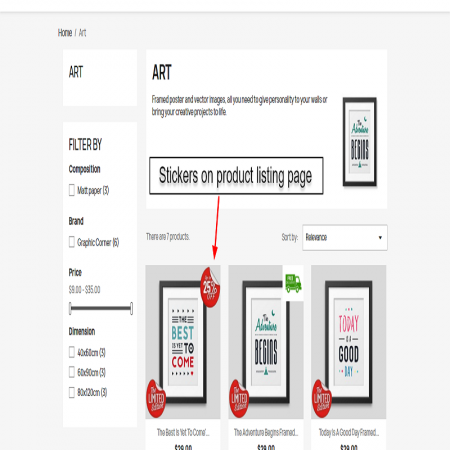
Create professional Sale, New, Discount, Exclusive, Limited Offer, Best Seller, and other product badges. Upload your own sticker images, design personalized text labels, apply animated effects, and automatically display stickers according to product conditions.
You can also target specific products, categories, manufacturers, customer groups, and product combinations. Display multiple stickers simultaneously, alternate them automatically, schedule their appearance and removal, and add clickable links to direct customers toward special offers.
Whether you manage a fashion store, electronics shop, cosmetics website, furniture business, or a large product catalog, this module helps you communicate important product information visually without manually editing product images or writing additional code.
Product presentation plays an important role in online shopping decisions.
Customers need to quickly recognize important product information, such as:
Which products are currently on sale?
Which products have recently arrived?
Which products have exclusive promotional offers?
Which products have limited availability?
Which products belong to a special campaign?
Which products deserve additional attention?
Without visible product labels, customers may need to open individual product pages or read detailed descriptions to discover these promotional details.
The Advance Product Stickers & Labels module makes this information more noticeable by placing customizable visual labels directly over product images.
Instead of using the same basic badge across your entire catalog, create different sticker styles and automatically display them according to your marketing requirements.
Create a more informative product catalog where customers can recognize important offers and product highlights at a glance.
A discounted price alone may not attract enough attention, especially when customers browse large product catalogs.
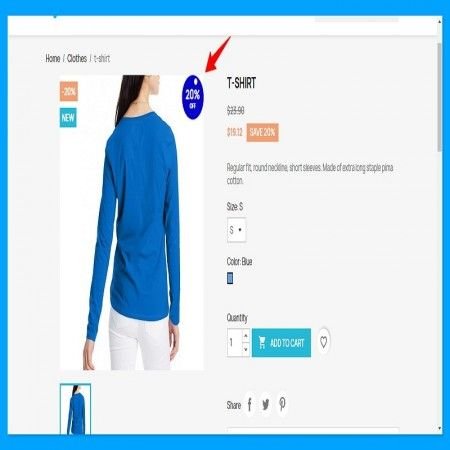
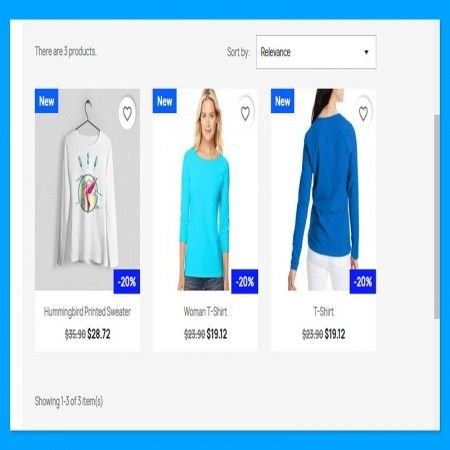
Solution: Add attractive Sale, Discount, or Special Offer stickers directly to product images to make promotional products easier to identify.
Customers may not recognize newly launched products among existing catalog items.
Solution: Automatically display New or New Arrival stickers on recently added products to highlight fresh collections.
Updating product labels individually becomes inconvenient when you manage hundreds or thousands of products.
Solution: Use automatic sticker generation and targeting conditions based on price, discount, stock, product category, manufacturer, and other supported product conditions.
Displaying several promotional messages on the same product image can create visual clutter.
Solution: Display multiple stickers with automatic alternation and configurable switching intervals, allowing customers to see different messages in the same position.
Standard product badges may not match your store's visual identity or marketing campaigns.
Solution: Upload custom sticker images or create personalized text stickers with adjustable colors, fonts, sizes, and positions.
Expired offers and outdated product labels can make your store look unprofessional.
Solution: Configure sticker display duration and automatic removal to manage time-based promotions more efficiently.
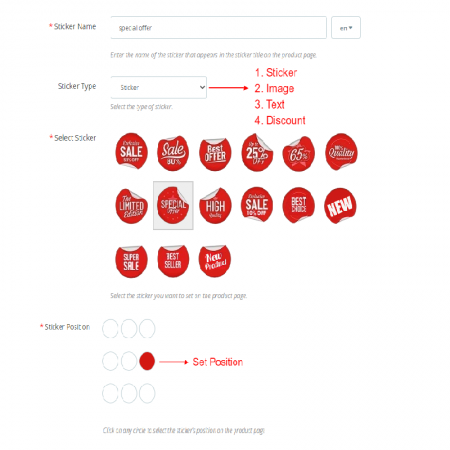
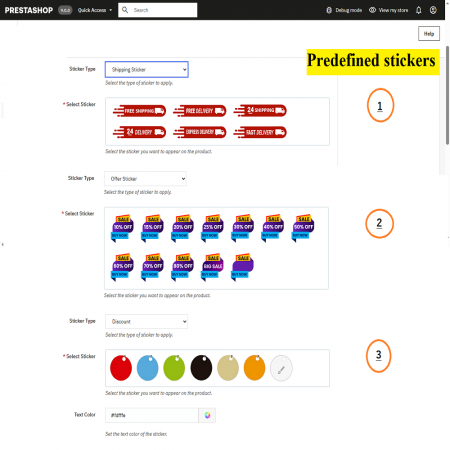
Start creating attractive product labels using predefined sticker designs.
Choose from ready-to-use promotional stickers to highlight important product information without designing every badge from scratch.
Examples of predefined stickers:
Sale
New
Exclusive
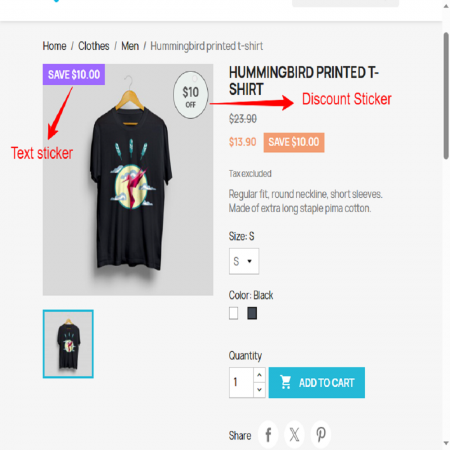
Discount
Special Offer
Promotional labels
Other available predefined designs
Benefits:
Quickly highlight discounted products.
Identify newly launched products.
Communicate exclusive offers.
Improve promotional visibility.
Maintain consistent product presentation.
Use predefined stickers to make your product catalog more informative and visually appealing.
Every brand has its own promotional style. Standard badges may not always match your website's design or campaign requirements.
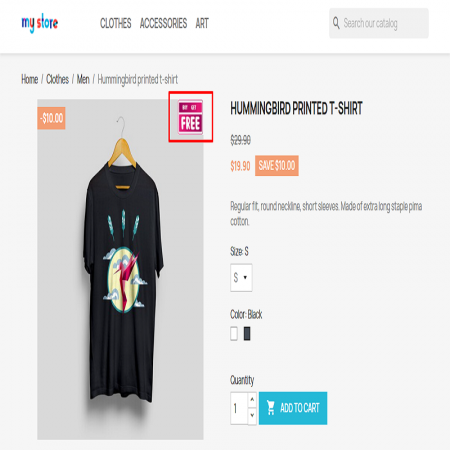
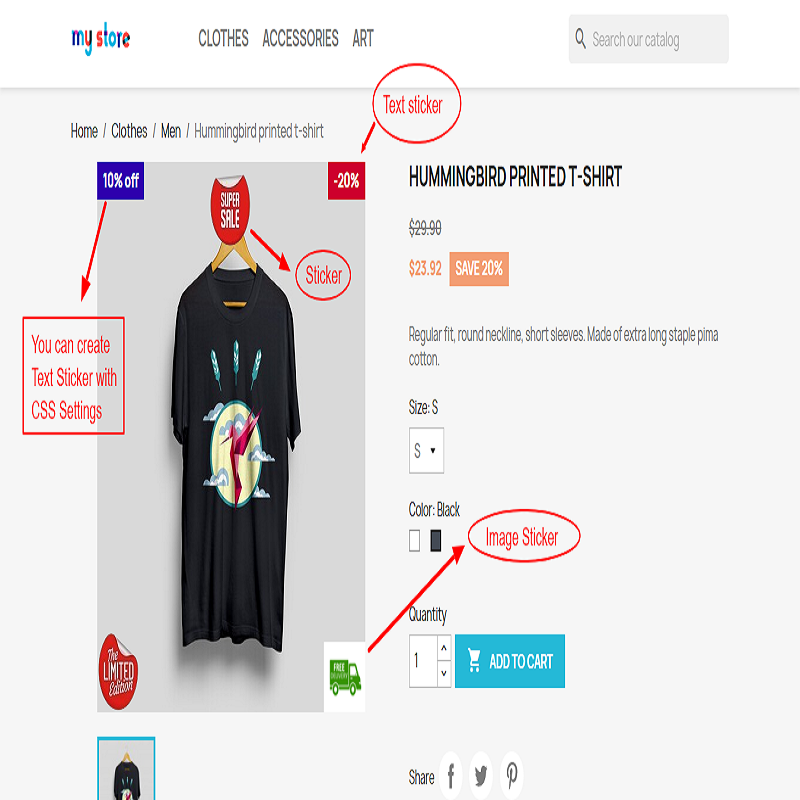
With custom image stickers, you can upload your own sticker artwork and use it on product images.
Key capabilities:
Upload custom sticker images.
Use branded promotional graphics.
Create unique product labels.
Match stickers with your website design.
Highlight seasonal campaigns and special offers.
Use personalized artwork for different product categories.
Practical examples:
Festival Sale badges.
Black Friday promotional stickers.
Christmas Special labels.
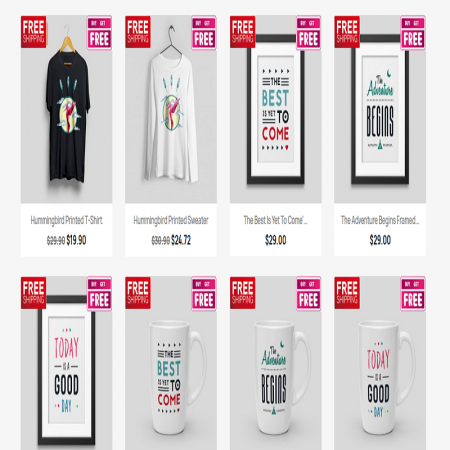
Free Shipping badges.
Premium Collection stickers.
Limited Edition product labels.
Custom image stickers help you create a recognizable visual identity across your product catalog.
Sometimes you need a promotional message that is not available in predefined sticker designs.
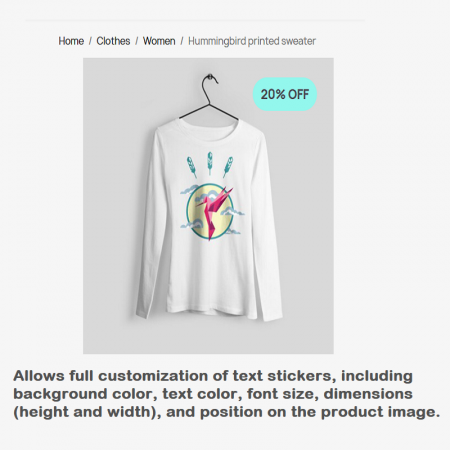
The custom text sticker feature allows you to create your own product labels using personalized text and styling options.
Customization options:
Custom sticker text.
Text color.
Font selection.
Font size.
Sticker position.
Personalized promotional messages.
Example labels:
30% OFF
Limited Time Offer
Best Seller
New Arrival
Hot Deal
Exclusive Product
Special Price
Trending Now
Create labels that communicate the exact message you want customers to notice.
One product may have several important selling points.
For example, a product could be newly launched, discounted, and part of a special promotional campaign at the same time.
The module allows you to display multiple stickers on the same product image.
Key benefits:
Highlight multiple product attributes.
Display different promotional messages.
Combine discount and new-arrival badges.
Communicate several offers on one product.
Create more informative product presentations.
Give customers more useful visual information without creating separate product listings.
Sometimes you want to display different promotional messages in the same location instead of placing too many badges around the product image.
The module supports assigning multiple stickers to the same position.
For example, you can configure different labels in the top-right corner of a product image.
Benefits:
Use the same image area for different messages.
Keep product layouts organized.
Avoid unnecessary sticker placement across the image.
Highlight multiple promotional conditions.
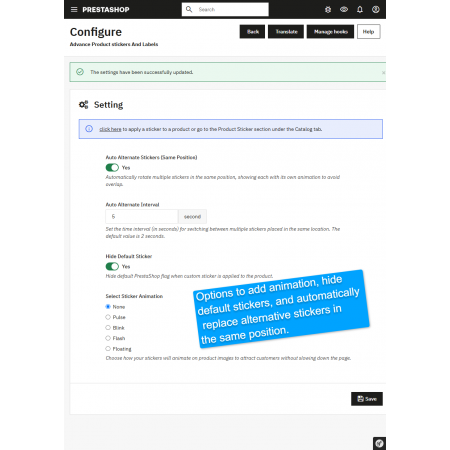
When multiple stickers are assigned to the same position, the module can automatically alternate between them.
Instead of displaying every sticker simultaneously, customers see one sticker at a time in a continuous loop.
Key capabilities:
Automatic sticker switching.
Display multiple labels in the same position.
Continuous alternation.
Configurable switching intervals.
Support for faster or slower sticker transitions.
Example:
A product can display the following promotional labels in sequence:
SALE – 30% OFF
NEW COLLECTION
LIMITED OFFER
FREE SHIPPING
This approach helps communicate multiple product highlights while keeping the image area organized.
Choose where your product stickers appear on product images.
Positioning is important because stickers should attract attention without unnecessarily hiding important product details.
Available positioning examples:
Top-left.
Top-right.
Bottom-left.
Bottom-right.
Other supported image positions.
Use different positions to organize promotional information and create attractive product presentations.
Managing promotional labels manually for every product can be time-consuming.
The automatic sticker generation feature helps you display relevant product labels according to supported product conditions.
Automatic sticker conditions include:
Discounted products.
Price-drop products.
Low-stock products.
Newly added products.
Examples:
Automatically highlight discounted products with a Sale badge.
Display a Price Drop sticker when applicable.
Highlight products with low stock.
Show New stickers for recently added products.
This makes product promotion more efficient and reduces the need for repetitive manual sticker assignment.
Not every product needs the same promotional label.
The module allows you to assign stickers to specific products according to your marketing requirements.
Use cases:
Highlight selected promotional products.
Feature seasonal collections.
Promote limited-edition products.
Mark selected best-selling items.
Create custom campaigns for individual products.
You can choose the products that deserve additional visual attention instead of applying the same sticker across your entire catalog.
Create category-specific promotions by automatically applying stickers to products belonging to selected categories.
Examples:
Display Summer Sale stickers on summer clothing.
Highlight New Collection products in fashion categories.
Promote discounted products in electronics.
Add seasonal labels to home decoration products.
Highlight special collections within selected categories.
Business benefit: Manage category-level promotions more efficiently and maintain consistent labeling across related products.
Different brands may have different promotional requirements.
Use manufacturer-based targeting to display stickers on products associated with selected manufacturers or brands.
Examples:
Highlight selected manufacturer promotions.
Display Exclusive Brand labels.
Promote products from a particular brand.
Highlight special manufacturer collections.
Create brand-specific promotional campaigns.
This is particularly useful for multi-brand retailers and stores with large product catalogs.
New arrivals are important for stores that frequently introduce new collections and products.
Automatically display new-product stickers on newly added products to make them easier to recognize.
Benefits:
Highlight newly launched products.
Promote fresh collections.
Improve visibility of recent catalog additions.
Encourage customers to explore new products.
This feature is especially useful for fashion, cosmetics, electronics, and lifestyle stores.
Different products may require different promotional messages depending on their price range.
The module supports price-based sticker conditions to help you display appropriate labels according to product prices.
Example marketing strategies:
Highlight premium-priced products.
Promote products within a selected price range.
Apply special labels to budget-friendly products.
Create visual campaigns for selected price segments.
Use price-based targeting to organize promotional labels around your store's product pricing strategy.
Not every customer needs to see the same promotional information.
The module supports displaying stickers to selected customer groups or membership levels.
Practical use cases:
Show exclusive promotional labels to selected customer groups.
Highlight membership-specific offers.
Create targeted visual campaigns.
Support customer-group-based merchandising.
Personalize promotional visibility.
This provides additional flexibility for stores that serve different customer segments.
Products with combinations or variations may have different promotional requirements.
For example, a clothing product may have several sizes and colors, but only a specific combination may be part of a promotion.
The module supports assigning stickers to specific product combinations.
Examples:
Highlight a discounted color variation.
Mark a selected size as part of a special offer.
Promote particular product combinations.
Display combination-specific promotional information.
Business benefit: Provide more relevant promotional visibility for stores that sell products with multiple combinations and attributes.
Promotional labels should appear and disappear according to your campaign schedule.
The module provides time-based sticker management to help you control promotional visibility.
Key capabilities:
Configure sticker display duration.
Schedule when stickers should appear.
Set automatic sticker removal.
Manage temporary promotional labels.
Support time-limited marketing campaigns.
Example:
Create a weekend promotion by configuring the relevant sticker to appear during the campaign period and be automatically removed afterward.
This helps prevent outdated promotional messages from remaining visible after a campaign ends.
Product stickers can do more than communicate promotional information.
The module allows you to add clickable links to stickers, helping direct customers to relevant promotional destinations.
Possible destinations:
Special offer pages.
Seasonal promotional pages.
Campaign landing pages.
Selected promotional content.
Other relevant store pages.
Example:
A sticker displaying "Summer Sale" can direct customers to your Summer Sale landing page.
This turns product image labels into additional promotional navigation opportunities.
Static labels are useful, but animated stickers can attract additional visual attention.
The module supports engaging sticker animation effects to make promotional labels more noticeable.
Available animation examples:
Blink.
Pulse.
Flash.
Float.
Other supported animation effects.
Benefits:
Highlight important promotions.
Draw attention to selected products.
Create more engaging product images.
Add movement to promotional labels.
Make important stickers visually distinctive.
Use animations carefully to maintain a professional appearance and avoid distracting customers from product information.
Control how strongly stickers appear over product images.
The opacity setting allows you to adjust sticker transparency according to your preferred visual style.
Benefits:
Create subtle promotional labels.
Make important badges more prominent.
Maintain better visual balance.
Match sticker appearance with product photography.
Customize the visual intensity of product promotions.
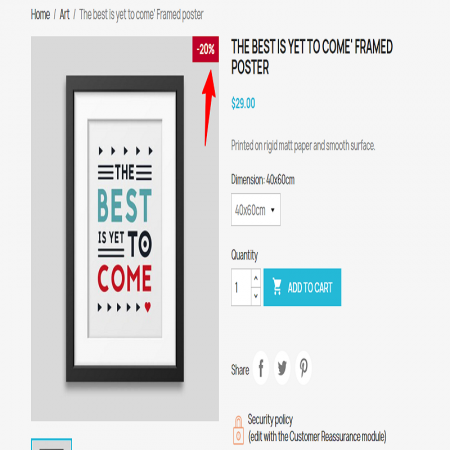
PrestaShop may display its own default product labels, such as discount or new-product badges.
When you use customized stickers, these default labels may create duplicate information or unnecessary visual clutter.
The module provides an option to automatically hide PrestaShop's default stickers when custom stickers are used.
Benefits:
Avoid duplicate promotional labels.
Maintain a cleaner product image.
Use your own customized sticker designs.
Create a more consistent product presentation.
Designing product labels is easier when you can see how they will appear before applying them.
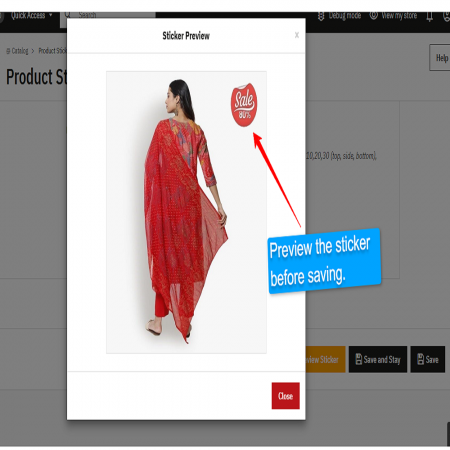
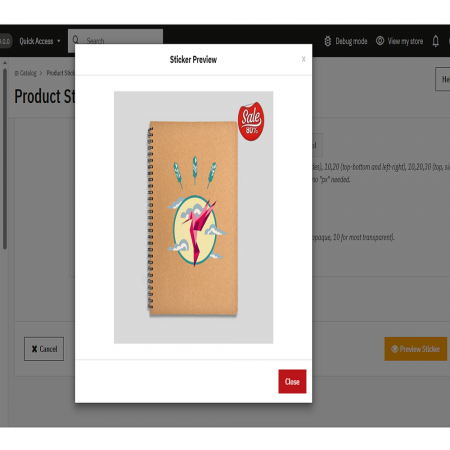
The live sticker preview feature lets you review your sticker design and make adjustments before saving.
Preview and customization capabilities:
Preview sticker appearance.
Adjust sticker position.
Review text styling.
Change sticker design.
Preview animation effects.
Check visual placement before applying changes.
Business benefit: Reduce trial and error and create more accurate product sticker designs.
The Advance Product Stickers & Labels module can support different promotional strategies across various eCommerce industries.
Fashion stores frequently launch new collections, seasonal discounts, and limited-edition products.
Use stickers such as:
New Collection.
Summer Sale.
Limited Edition.
Best Seller.
Exclusive Design.
Apply combination-specific stickers to highlight selected sizes or colors.
Electronics retailers can use product labels to communicate special pricing and promotional campaigns.
Examples:
Special Offer.
Price Drop.
Hot Deal.
Limited Stock.
New Arrival.
Promote new beauty products, special collections, and seasonal offers.
Examples:
New Launch.
Trending.
Exclusive Collection.
Special Discount.
Limited Offer.
Highlight selected furniture collections and promotional products.
Examples:
New Design.
Premium Collection.
Clearance Sale.
Special Price.
Best Seller.
Highlight discounted products and products with limited stock.
Examples:
Daily Deal.
Special Price.
Discount.
Limited Stock.
Use manufacturer-based sticker targeting to display promotional labels for selected brands and product collections.
Create time-based campaigns for:
Black Friday.
Cyber Monday.
Christmas.
New Year.
Valentine's Day.
Summer Sale.
End-of-Season Sale.
Schedule relevant stickers and remove them automatically after the promotion ends.
Make important products and promotional offers easier to recognize through attractive visual labels.
Communicate discounts directly on product images instead of relying only on product prices and descriptions.
Automatically generate stickers according to product conditions and targeting criteria.
Use custom image and text stickers to maintain a recognizable promotional style throughout your catalog.
Use multiple stickers, automatic alternation, scheduling, and clickable links to support different marketing campaigns.
Help customers identify new arrivals, discounted products, low-stock items, and exclusive offers more quickly.
Use automatic category, manufacturer, price, and product-condition targeting instead of repeatedly editing individual product labels.
Provide additional visual information that helps customers understand product highlights while browsing.
Customers benefit from clearer product presentation and more visible promotional information.
Quickly recognize discounted products.
Identify newly added products.
Notice special promotional offers.
Discover exclusive collections.
Recognize selected product variations.
Access linked promotional pages.
Browse a more informative product catalog.
A better product presentation can help customers make more informed shopping decisions.
Getting started is simple. You can configure your product stickers directly from the PrestaShop Back Office.
Download the Advance Product Stickers & Labels ZIP package from Sathi.
Log in to your PrestaShop Back Office.
Navigate to Modules → Module Manager.
Click Upload a Module, select the downloaded ZIP file, and complete the installation.
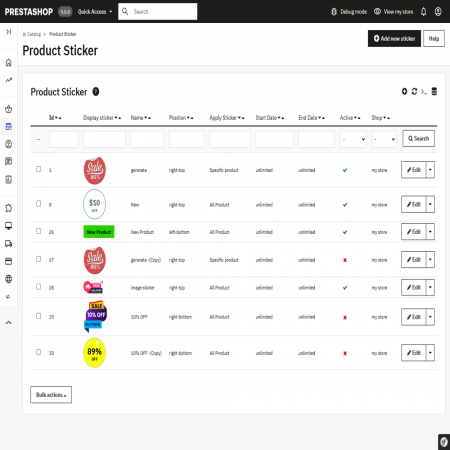
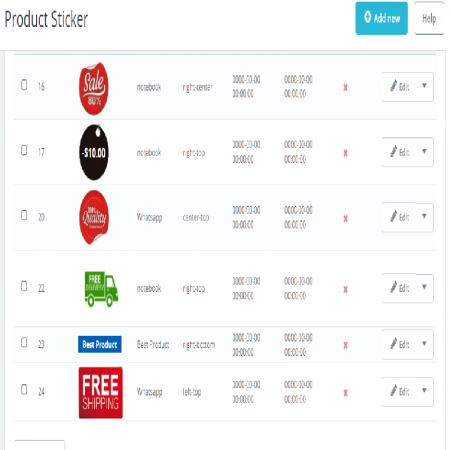
After installation, navigate to the Catalog section and open the Product Sticker tab.
Locate the sticker configuration options.
Choose from the available predefined stickers, or create your own promotional labels.
You can use:
Predefined stickers.
Custom image stickers.
Custom text stickers.
Customize the sticker according to your requirements.
Configure supported options such as:
Sticker position.
Text color and font.
Font size.
Opacity.
Animation effects.
Display duration.
Switching interval.
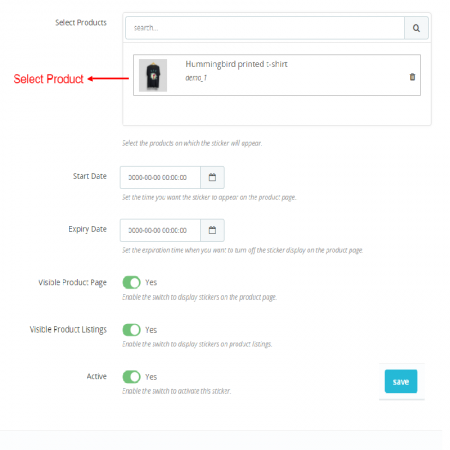
Choose the products where you want stickers to appear.
Use supported targeting conditions such as product, category, manufacturer, customer group, price, stock, discount, and product combination.
Set the relevant display schedule and automatic removal conditions for time-based promotions.
If multiple stickers share the same position, configure their automatic alternation and switching interval.
Use the live preview to review sticker appearance, position, styling, and animation before saving.
Save your configuration and visit your storefront to verify how the stickers appear on your product images.
 |
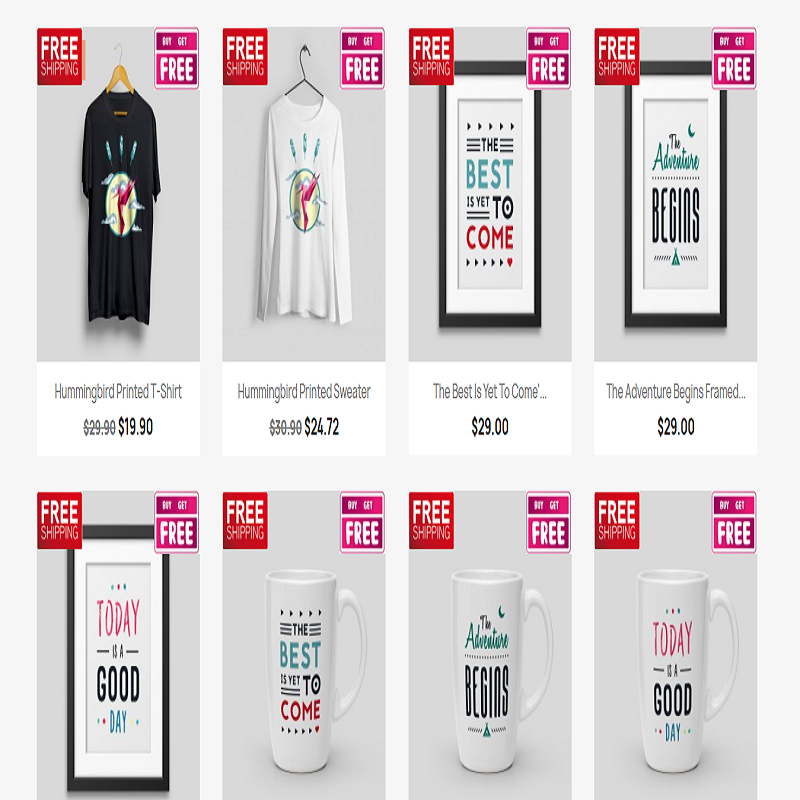 |
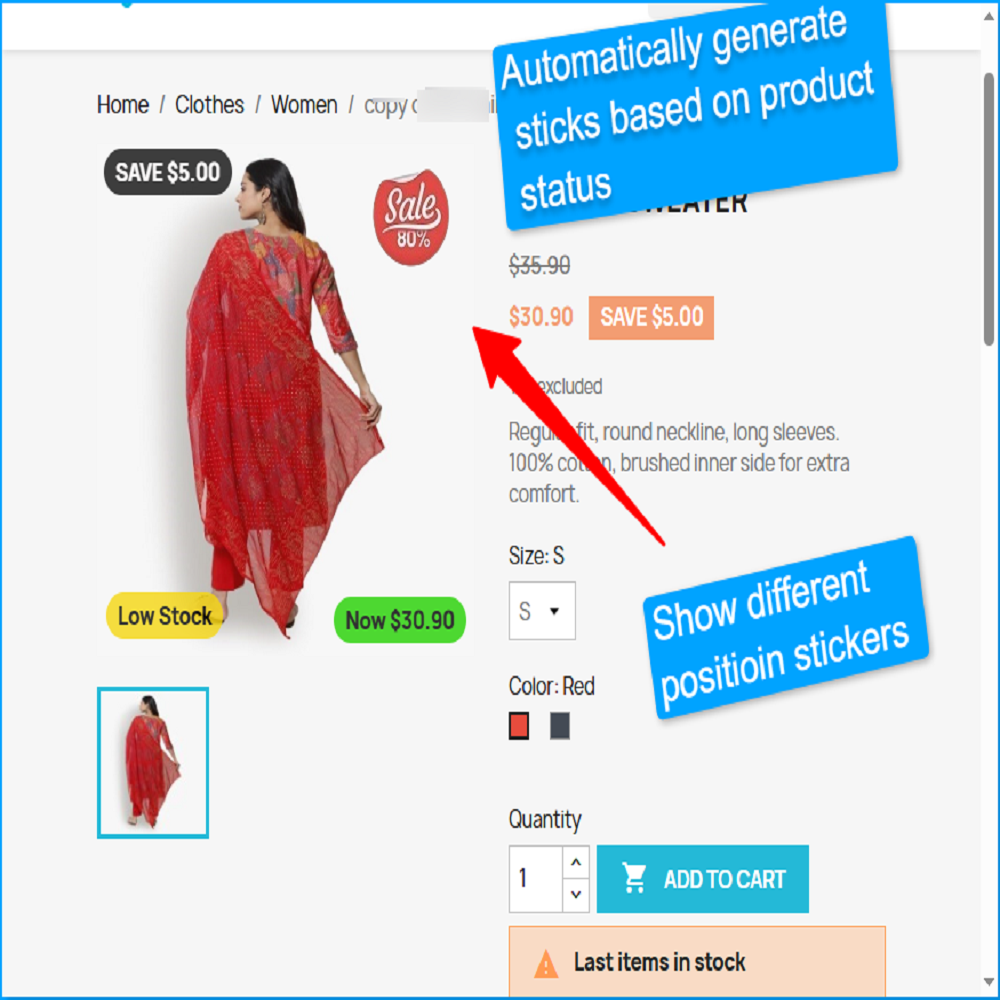 |
Your product labels are now ready to support your store's promotional strategy.
It is a product merchandising and promotional labeling module that allows store owners to display customizable stickers and badges directly on product images. You can use predefined stickers, custom images, text labels, animations, and automatic display conditions.
Yes. You can upload custom sticker images or create personalized text stickers with options for text color, font, size, and position.
Yes. The module supports displaying multiple stickers on the same product image.
Yes. You can assign multiple stickers to the same position and configure them to alternate automatically, showing one sticker at a time.
Yes. You can configure the interval between automatic sticker changes to control how quickly or slowly stickers alternate.
Yes. The module supports automatic sticker generation based on product conditions such as discounts, price drops, low stock, and new arrivals.
Yes. Category-based targeting allows you to automatically apply stickers to products within selected categories.
Yes. You can apply stickers to products from selected manufacturers or brands.
Yes. The module supports customer-group-based sticker visibility, allowing you to display selected labels to particular customer groups or membership levels.
Yes. You can assign stickers to specific product combinations, making it useful for stores selling products with different sizes, colors, and other variations.
Yes. You can configure sticker display duration and automatic removal to manage time-limited promotions.
Yes. You can make stickers clickable and direct customers to relevant promotional pages or special offers.
Yes. The module supports animation effects such as blink, pulse, flash, and float.
Yes. Opacity control allows you to adjust sticker transparency according to your preferred product image design.
Yes. The module provides an option to hide PrestaShop's default stickers when custom stickers are used.
Yes. The live preview feature allows you to review sticker appearance and adjust position, text styling, and animation before saving.
Yes. The published product specifications list multishop compatibility.
The listed compatibility range is PrestaShop 1.6.x to 9.2.x.
Your product images are among the most important elements of your online store. Make them more informative and promotional with attractive product stickers and labels.
With the Advance Product Stickers & Labels PrestaShop Module, you can create custom product badges, highlight discounts, promote new arrivals, display automatic labels, manage seasonal campaigns, and make product images more engaging.
From simple Sale and New stickers to advanced automatic targeting, combination-specific labels, animated promotions, and clickable marketing badges, everything is designed to give you greater control over your product presentation.
Make your products stand out, communicate your promotions clearly, and create a more engaging shopping experience with Sathi.
| Vendor | Sathi |
|---|---|
| Last update | Nov 26, 2026 |
| Version | 2.1.2 |
| Required store version | From 1.6.x to 9.2.x |
| Publication date | Dec 31, 2024 |
| Multishop compatibility | Yes |
| Return Policy | You can return the product within the 30 days return period for a full refund. No questions asked. |
| Customer Support | Enjoy one year of free customer support, including installation, troubleshooting, and usage guidance. |
| Description | This product is compatible with the specified versions and includes all the latest updates to enhance functionality and user experience. |
Version:2.0.1
Version:2.0.2
Version:2.1.2
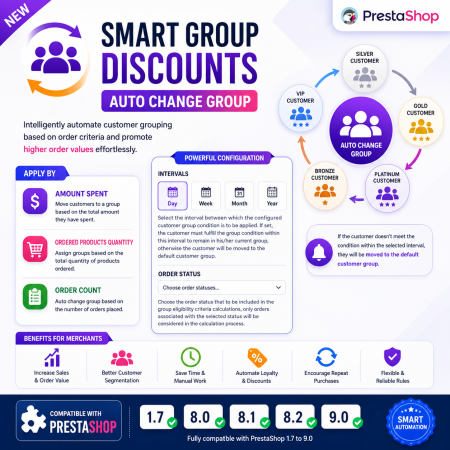
 Smart Group Discounts & Automatic Customer Group Changes for PrestaShop
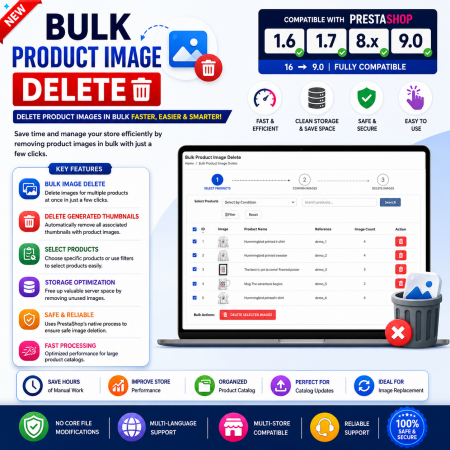
 Bulk Product Image Delete – Remove Product Images in Bulk in PrestaShop
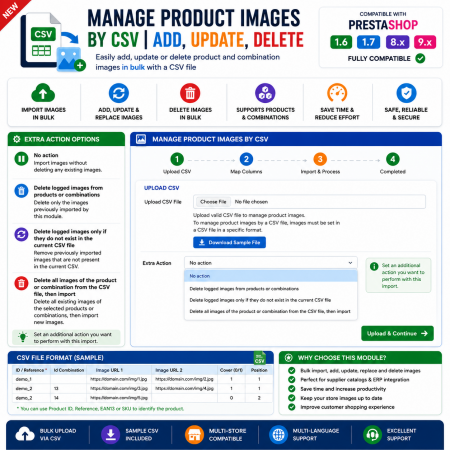
 Manage PrestaShop Product Images by CSV – Add, Update & Delete
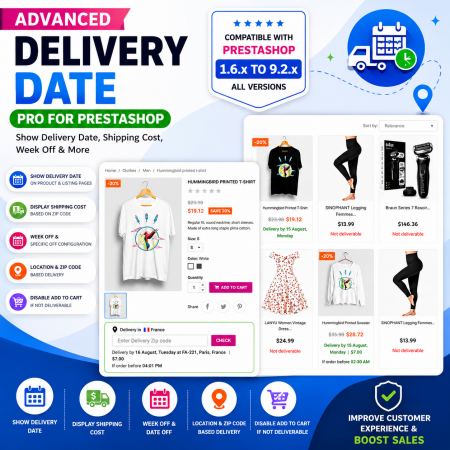
 Proposed Delivery Date and Cost Module for PrestaShop
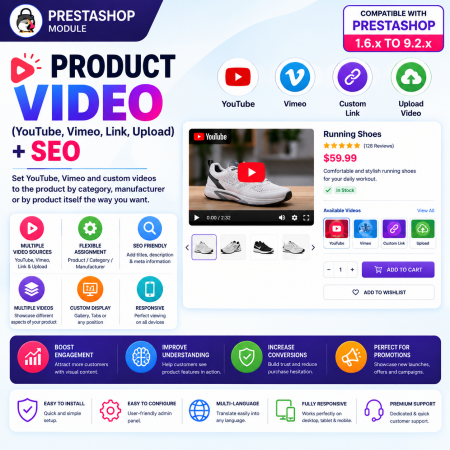
 Product Video – YouTube, Vimeo, External Links & Video Upload for PrestaShop
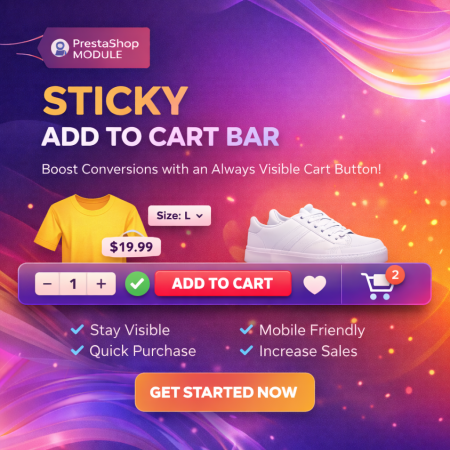
 Sticky Add to Cart Bar – Floating Add to Cart Button Module for PrestaShop

 Advanced Custom Product Carousels & Sliders for PrestaShop

 WhatsApp Live Chat & Support – Multiple Agents Module for PrestaShop
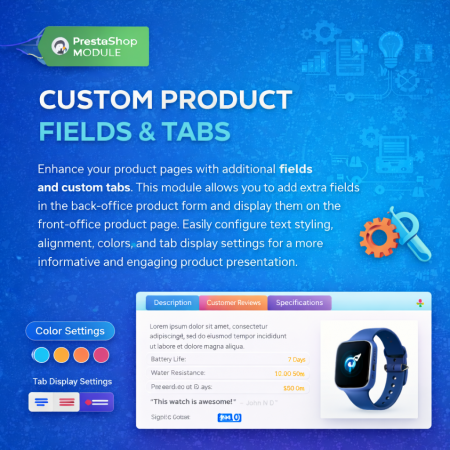
 Additional Product Fields and Custom Tabs – PrestaShop Product Page Customization Module
Smart Group Discounts & Automatic Customer Group Changes for PrestaShop
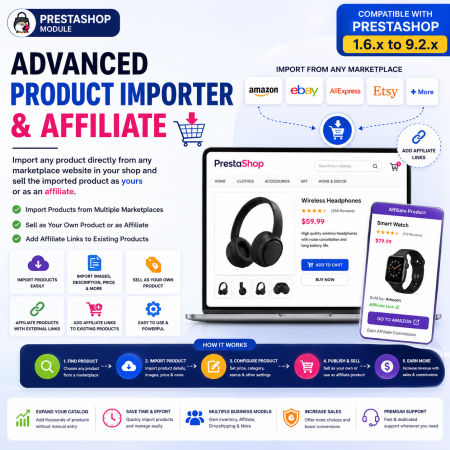
 Advanced Product Importer & Affiliate (100+ websites) Module for PrestaShop
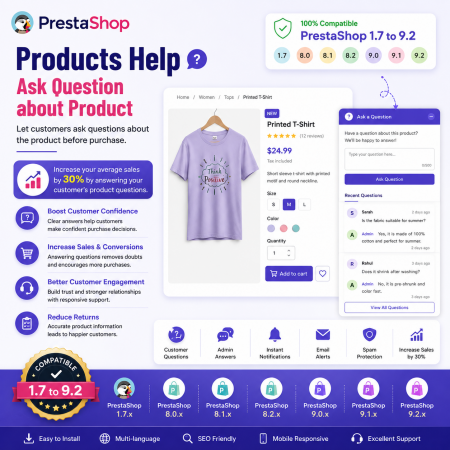
 Products Help – Ask Questions About Products in PrestaShop
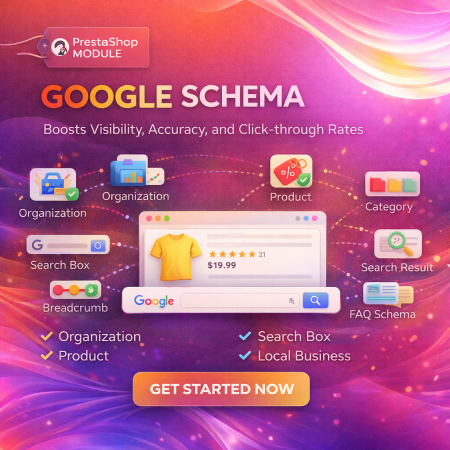
 Google Schema Markup – Rich Snippets & Structured Data SEO Module for PrestaShop
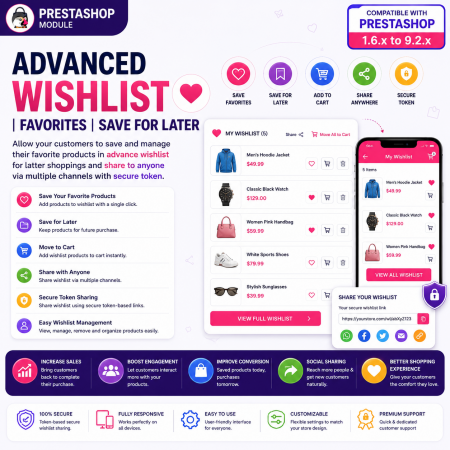
 Advanced Wishlist, Favorites & Save for Later Module for PrestaShop
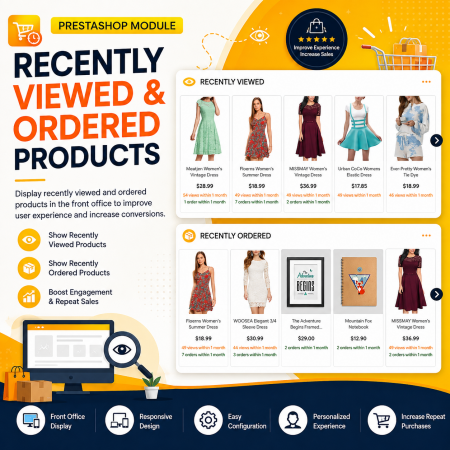
 Recently Viewed and Ordered Products – Product History Module for PrestaShop
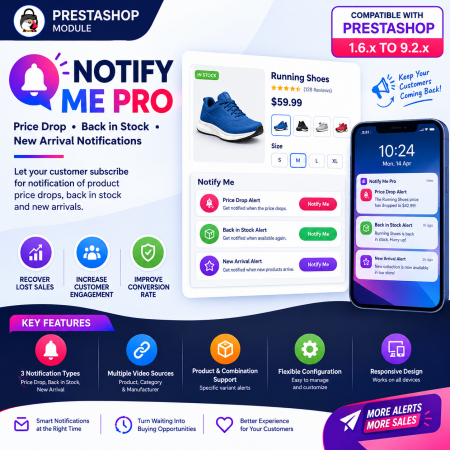
 Notify Me Pro – Price Drop, Back in Stock & New Arrivals Notifications for PrestaShop
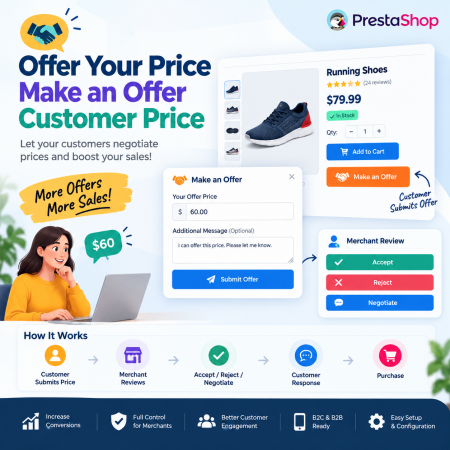
 Offer Your Price – Make an Offer & Price Negotiation Module for PrestaShop
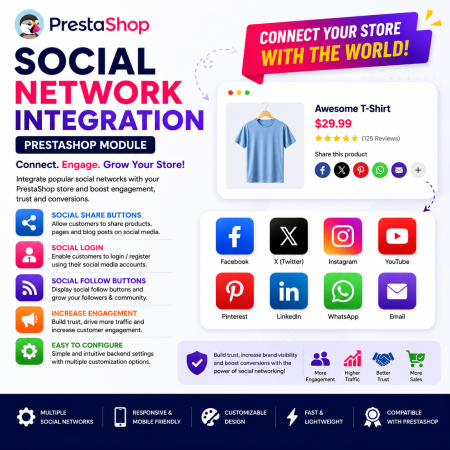
 Social Network Integration – Connect Your PrestaShop Store with 70+ Social Networks
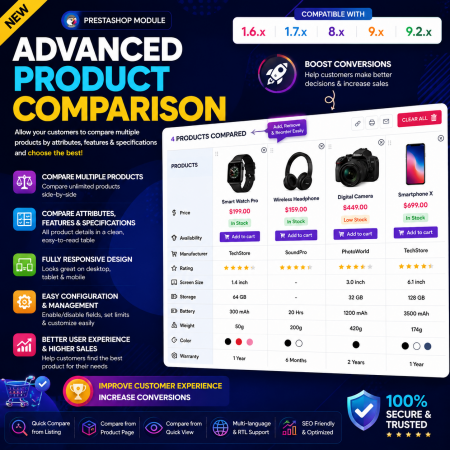
 Advance Product Comparison – Compare Products Side by Side in PrestaShop
Make your products stand out with the Advance Product Stickers & Labels PrestaShop Module. Create attractive product badges, sale stickers, discount labels, new arrival tags, custom image stickers, and personalized text labels to highlight important product information and promotional offers.
Automatically generate product stickers based on discounts, price drops, stock levels, new arrivals, product prices, categories, manufacturers, and customer groups. Upload custom sticker images, design text labels with different colors and fonts, display multiple stickers on the same product, and position them exactly where you want.
Make your promotions more engaging with animated stickers, opacity controls, automatic sticker alternation, scheduling, and clickable promotional links. You can even assign stickers to specific product combinations and preview their appearance before saving.
Whether you want to highlight discounted products, promote new collections, display limited-time offers, or create branded product badges, this PrestaShop product stickers module gives you a flexible way to improve product visibility and make your store more attractive.

Encrypted payment gateways ensuring your financial and personal data remain 100% protected.

Every module includes professional installation assistance, free updates, and reliable troubleshooting.

Rigorously tested PrestaShop & WooCommerce extensions designed for maximum speed and zero bloat.

Transparent policies, clean documentation, and dedicated assistance if you run into any compatibility hurdles.