- -$40.00


This module enhances the shopping experience by allowing customers to easily explore product variations such as...

The module allows merchants to enhance product images with customizable stickers and labels. Whether it’s...

Make bulk pricing visible and encourage larger orders with the Quantity Discount...

This module allows you to offer free shipping based on flexible conditions, such as location, carrier, cart value,...

The module automatically adjusts language, currency, and country settings based on the customer's location....

Vendor
Version
Last update
Prestashop version
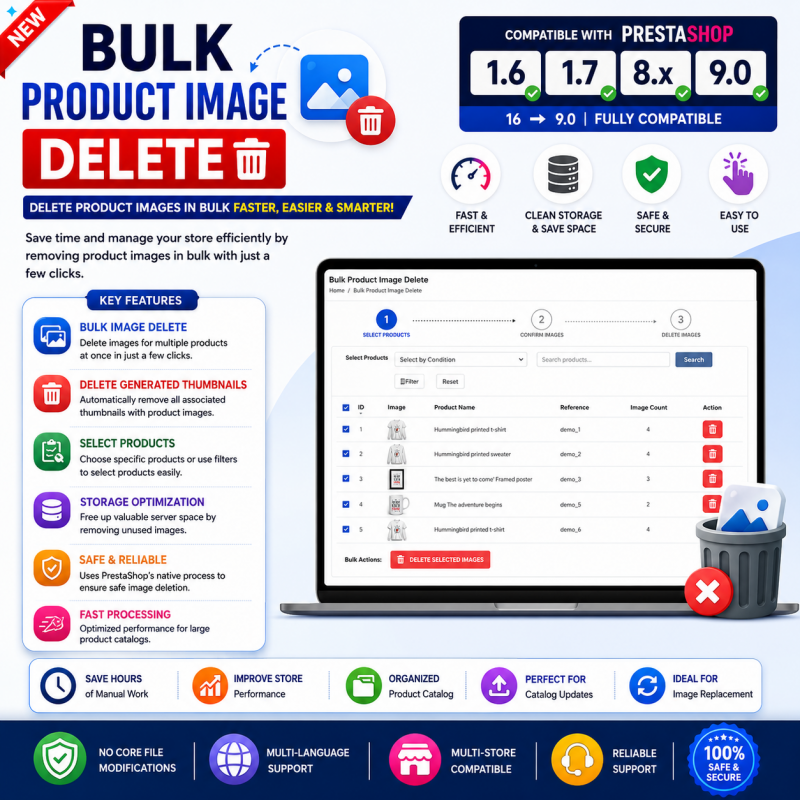
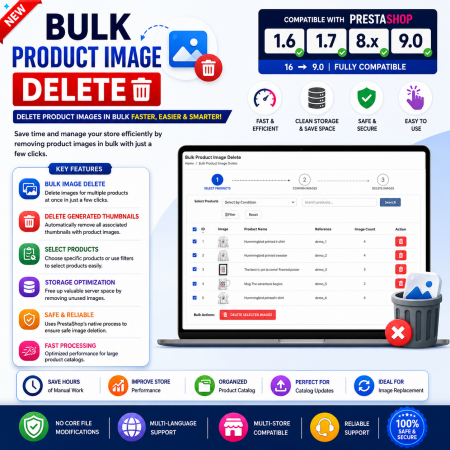
Clean up your PrestaShop product catalogue faster with the Bulk Product Image Delete Module.
Managing product images becomes increasingly difficult as your online store grows. Outdated photos, unnecessary visuals, and unwanted product images can accumulate over time, making catalogue maintenance a repetitive task.
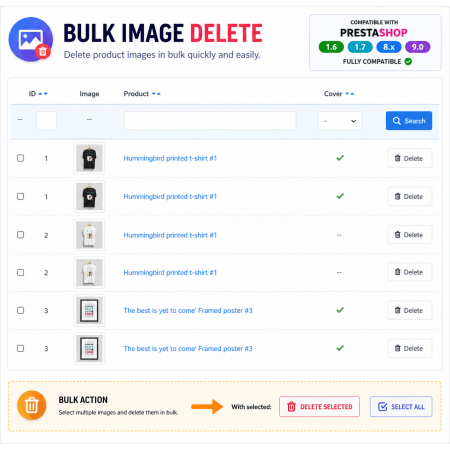
This PrestaShop module simplifies product image cleanup by providing a dedicated bulk image deletion workflow. Instead of relying entirely on individual image removal, store administrators can manage unwanted product image deletion through a centralized module solution.
Whether you manage a small online shop or a large product catalogue, simplify image maintenance, reduce repetitive administrative work, and keep your product visuals organized.
Make PrestaShop product image cleanup easier with Sathi.
Clean Up Product Images. Simplify Catalogue Maintenance. Save Administrative Time.
Product images are an essential part of every online store. They help customers understand products, compare options, and make confident purchasing decisions.
However, managing product images becomes increasingly challenging as your product catalogue grows. Over time, stores accumulate outdated product photos, unnecessary visuals, duplicate images, and images that are no longer relevant to current product listings.
Removing these images individually can involve repetitive administrative work, especially when managing hundreds or thousands of products.
The Bulk Product Image Delete PrestaShop Module is designed to simplify this process by providing a dedicated solution for bulk product image deletion.
Instead of relying entirely on repetitive individual image removal, store administrators can use a centralized bulk image cleanup workflow to maintain their product catalogues more efficiently.
Whether you operate a fashion store, electronics shop, furniture website, wholesale business, or a large multi-category eCommerce store, this module helps make product image maintenance a more manageable part of your daily store administration.
As your PrestaShop catalogue grows, maintaining product images becomes an important part of store management.
Products may have multiple images, outdated promotional visuals, previous product photographs, or unnecessary images that are no longer required.
Keeping these images without regular maintenance can make catalogue administration more difficult.
Outdated product photographs remain in the catalogue.
Unnecessary product images accumulate over time.
Removing images individually requires repetitive administrative actions.
Large product catalogues make image maintenance more time-consuming.
Product image collections become difficult to organize.
Store administrators need a dedicated way to handle bulk image removal.
The Bulk Product Image Delete module addresses this maintenance challenge with a dedicated bulk deletion solution for PrestaShop.
Review Images → Identify Unwanted Images → Perform Bulk Deletion → Verify Results
This approach helps store administrators handle image cleanup as a structured catalogue maintenance task.
Handle unwanted product image removal through a dedicated bulk deletion workflow instead of depending entirely on individual image deletion.
Make catalogue maintenance more manageable when your store contains a large number of product images.
Clean up product image collections by removing visuals that are no longer needed.
Maintain more relevant product image collections according to your current catalogue requirements.
Use a module specifically designed for bulk product image deletion within your PrestaShop store-management environment.
Removing product images one at a time can become a repetitive task when managing a large catalogue.
The bulk deletion functionality provides a dedicated approach to handling unwanted product image removal.
Key benefits:
Manage product image deletion through a bulk workflow.
Simplify repetitive image cleanup operations.
Handle catalogue image maintenance more efficiently.
Reduce dependence on individual image removal.
Support ongoing product catalogue maintenance.
Business benefit: Make large-scale product image cleanup more manageable and reduce repetitive administrative effort.
Over time, product image collections may contain visuals that are no longer relevant to the current products or promotional requirements.
The module helps store administrators approach image cleanup through a dedicated deletion solution.
Key benefits:
Remove unwanted product visuals.
Support outdated image cleanup.
Maintain relevant product image collections.
Organize product catalogue images.
Simplify regular image maintenance.
Business benefit: Keep product image collections aligned with your current catalogue requirements.
Product catalogue maintenance involves more than updating product names, descriptions, and prices. Image management is also an important part of maintaining accurate product information.
Bulk Product Image Delete provides a focused tool for managing product image removal.
Key benefits:
Include image cleanup in regular catalogue maintenance.
Simplify image removal operations.
Support large product catalogue administration.
Make product image maintenance more manageable.
Maintain more organized product visuals.
Business benefit: Improve your overall product catalogue maintenance workflow.
When your store contains many products, repeatedly opening individual product records to remove unnecessary images can take considerable administrative effort.
A bulk image deletion workflow helps reduce this repetitive approach.
Key benefits:
Reduce repetitive individual image cleanup actions.
Handle image maintenance as a dedicated task.
Simplify catalogue administration.
Save administrative effort during bulk cleanup operations.
Business benefit: Spend less time on repetitive image maintenance and more time managing important store activities.
Use a specialized PrestaShop module for product image deletion rather than treating image cleanup as an unrelated manual maintenance task.
Key benefits:
Dedicated bulk product image deletion solution.
Designed for PrestaShop administration.
Supports product catalogue maintenance.
Centralized module-based management workflow.
Business benefit: Keep product image cleanup within your existing PrestaShop administration environment.
Install and access the module through the standard PrestaShop module-management interface.
Key benefits:
Standard ZIP-based module installation.
Access through PrestaShop Back Office.
Dedicated module configuration page.
Convenient integration into store administration.
Business benefit: Manage your product image cleanup solution from your familiar PrestaShop administration environment.
As a catalogue grows, unnecessary images can accumulate across different products.
Solution: Use a dedicated bulk image deletion workflow to manage unwanted product visuals.
Removing images individually can become repetitive when many products require maintenance.
Solution: Simplify image removal through a bulk-oriented workflow.
Products may be updated, redesigned, or replaced with new promotional visuals.
Solution: Include outdated image removal in your regular catalogue maintenance process.
Large catalogues require regular attention to product descriptions, prices, combinations, and images.
Solution: Use a dedicated image cleanup tool to make product image maintenance more manageable.
Store administrators should not have to spend unnecessary time on repetitive catalogue maintenance activities.
Solution: Centralize bulk image deletion through a dedicated PrestaShop module.
Follow a structured approach to maintain your product image collections.
Identify outdated, unwanted, duplicate, or unnecessary product visuals that need to be removed.
Log in to your PrestaShop Back Office and access the installed module.
Use the image-management and deletion controls provided by the module to perform the intended cleanup operation.
Execute the deletion operation according to the module's available functionality and the intended scope of cleanup.
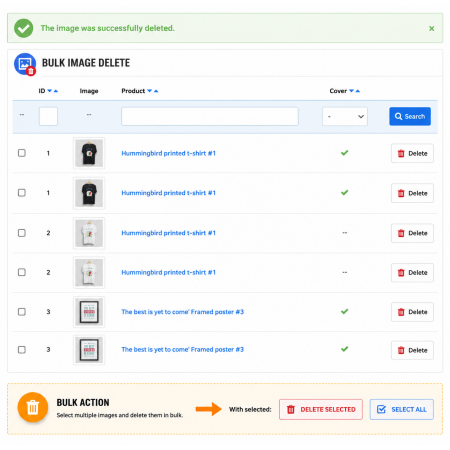
Review the affected products on your storefront and confirm that the intended images have been removed.
Important: The exact image selection, filtering, and deletion controls depend on the installed module version. Always review the actual deletion scope before confirming a bulk operation.
Bulk product image deletion is particularly useful for businesses that regularly update their product catalogues or manage large numbers of product visuals.
Fashion retailers frequently replace seasonal photography, promotional images, and outdated product visuals.
Use a dedicated bulk image cleanup solution to simplify product image maintenance.
Electronics stores often maintain multiple product images, including product angles, packaging photographs, and promotional visuals.
Make unnecessary image removal part of your regular catalogue maintenance.
Furniture and home decor websites often maintain large product image collections.
A dedicated bulk deletion tool can help simplify image maintenance.
Wholesale businesses may manage extensive product catalogues containing numerous product images.
Make bulk image deletion a more manageable part of routine store administration.
Stores selling products across multiple categories can benefit from a dedicated image maintenance solution.
If your store contains hundreds or thousands of products, repetitive individual image deletion can become an administrative challenge.
This module is designed to support a more efficient approach to bulk image cleanup.
Simplified image maintenance: Manage unwanted product image removal through a dedicated solution.
Less repetitive work: Reduce reliance on individual image cleanup operations.
Better catalogue organization: Maintain product image collections according to current requirements.
Easier administration: Keep bulk image deletion within your PrestaShop Back Office workflow.
Improved maintenance workflow: Include product image cleanup in regular catalogue administration.
Time-saving potential: Make image maintenance more manageable, especially for larger catalogues.
Better control over catalogue content: Review and manage outdated product visuals as part of your store maintenance process.
Product images directly affect how your products appear on your storefront. Bulk deletion should therefore be handled carefully.
Before performing a large deletion operation, follow these recommendations.
Back up your PrestaShop database and product image directory before performing bulk image deletion.
Make sure you understand which product images are included in the deletion operation.
Check whether an image is used as a product cover or as an important product visual.
Review whether images are associated with product combinations such as different colors or variations.
Perform a small test on a staging environment or a limited sample of products before processing a larger catalogue.
After deletion, review affected product pages to ensure the correct images remain available.
Important: Deleting product images can affect storefront presentation. Always confirm the deletion scope and create backups before proceeding.
Install the module through the standard PrestaShop Back Office module installation process.
Download the Bulk Product Image Delete ZIP package to your computer.
Log in to your PrestaShop Back Office.
Navigate to:
Modules → Module Manager
Click the Upload a module option and select the downloaded ZIP package.
Wait for PrestaShop to upload and install the module.
Locate Bulk Product Image Delete in the Module Manager and open its configuration page.
Understand the available image deletion controls and the scope of the operation.
Test the module on a small set of product images and verify the results before performing larger cleanup operations.
Installation tip: Always maintain a recent backup of your database and product image directory before bulk deletion.
It is a PrestaShop module designed to simplify product image cleanup through a dedicated bulk image deletion workflow. It helps store administrators remove unwanted product visuals without relying entirely on repetitive individual image removal.
When your store contains many products, removing unnecessary images individually can become time-consuming. A dedicated bulk deletion solution helps make catalogue image maintenance more manageable.
Yes. The module is intended to help manage unwanted product image removal, including outdated visuals that are no longer required in your catalogue.
Yes. It is particularly relevant to stores with large product catalogues where repetitive individual image deletion can create additional administrative work.
Yes. Removing an image that is used by a product can affect how that product appears on your storefront. Always verify the intended deletion scope and retain important cover and combination images.
Yes. Create a backup of your database and product image directory before performing bulk deletion. This provides an additional recovery option if an unintended image is removed.
Yes. It can be included in your regular product image maintenance process whenever unwanted visuals need to be removed.
Download the ZIP package, navigate to Modules → Module Manager in your PrestaShop Back Office, upload the package, and complete the installation.
The purpose of the module is product image deletion, not product description or general product data management. Review the module's actual deletion behavior before running an operation.
Yes. Both types of businesses regularly maintain product photographs and promotional visuals, making a bulk image cleanup solution useful for their catalogue administration.
Product image management is an important part of maintaining a professional online store.
As your catalogue grows, unnecessary image cleanup can become repetitive and difficult to manage manually.
With the Bulk Product Image Delete PrestaShop Module, you get a dedicated solution for simplifying bulk product image removal and making catalogue maintenance more manageable.
Reduce repetitive image cleanup work, maintain relevant product visuals, and keep your product catalogue organized.
Simplify PrestaShop product image management with Sathi today!
| Vendor | Nxtal |
|---|---|
| Last update | Nov 24, 2026 |
| Version | 2.0.0 |
| Required store version | From 1.6.x to 9.2.x |
| Publication date | Jul 24, 2026 |
| Return Policy | You can return the product within the 30 Days return period for a full refund. No questions asked. |
| Customer Support | Enjoy one year of free customer support, including installation, troubleshooting, and usage guidance. |
| Description | This product is compatible with the specified versions and includes all the latest updates to enhance functionality and user experience. |

 Smart Similar Products – Automated Product Recommendations for PrestaShop
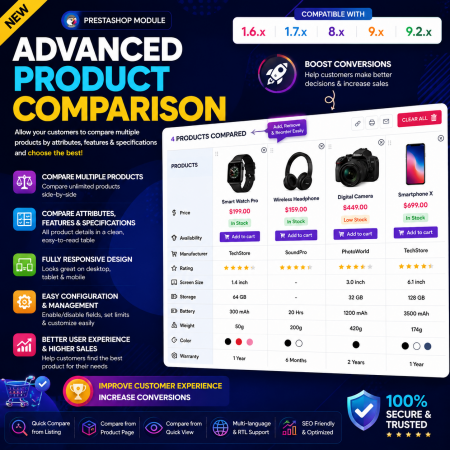
 Advance Product Comparison – Compare Products Side by Side in PrestaShop
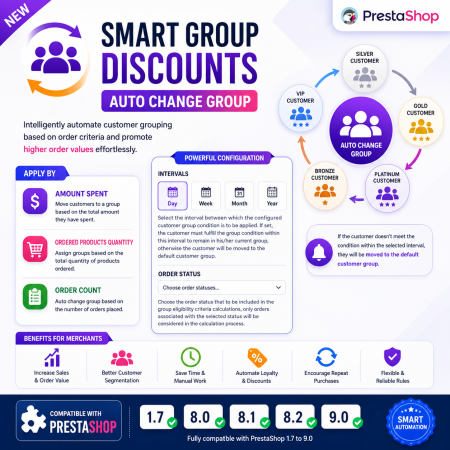
 Smart Group Discounts & Automatic Customer Group Changes for PrestaShop

 WhatsApp Live Chat – Customer Support & Multi-Agent Chat Module for PrestaShop
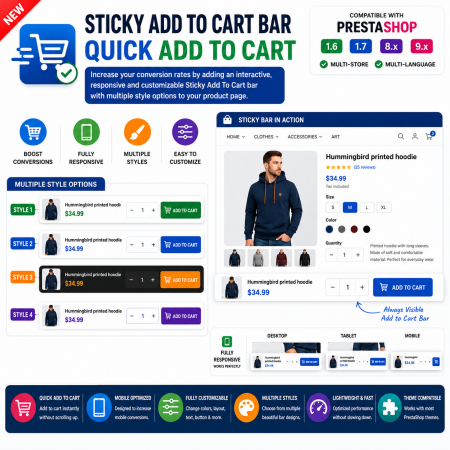
 Sticky Add to Cart Bar – Quick Add to Cart Module for PrestaShop
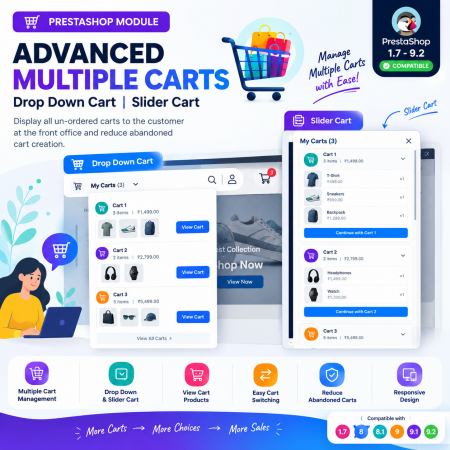
 Advanced Multiple Carts, Dropdown Cart & Slider Cart for PrestaShop

 Advanced Add to Cart Button Module for PrestaShop – Simplify Product Shopping
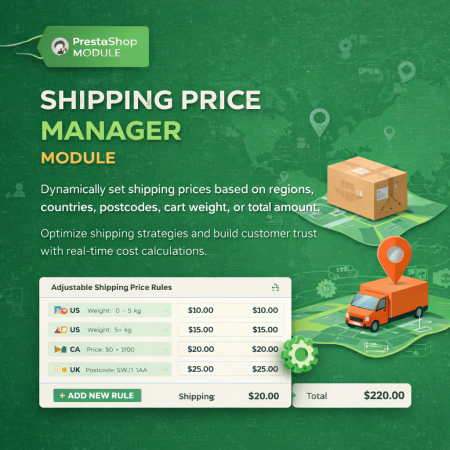
 Shipping Price Manager Prestashop Module

 Sticky Add to Cart Bar Prestashop Module

 Advance Custom Carousels | Sliders Prestashop Module
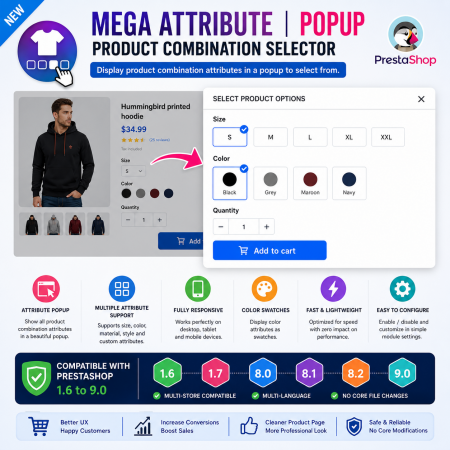
 Mega Attribute Popup – Product Attribute Selection Module for PrestaShop
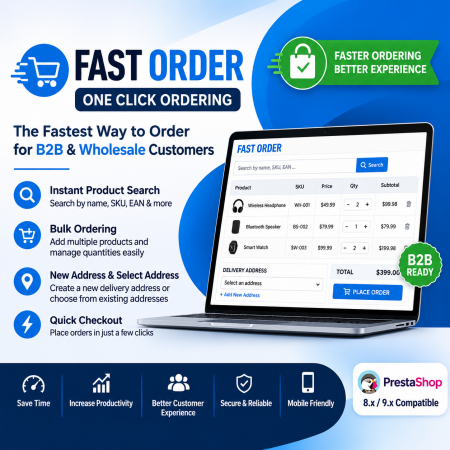
 Fast Order with Instant and File Search – Quick Ordering Module for PrestaShop

 Recently Viewed and Ordered Products – Product History Module for PrestaShop

 Advanced Shop & Product Reviews and Ratings Module for PrestaShop

 Notify Me Pro – Price Drop, Back in Stock & New Arrivals Notifications for PrestaShop
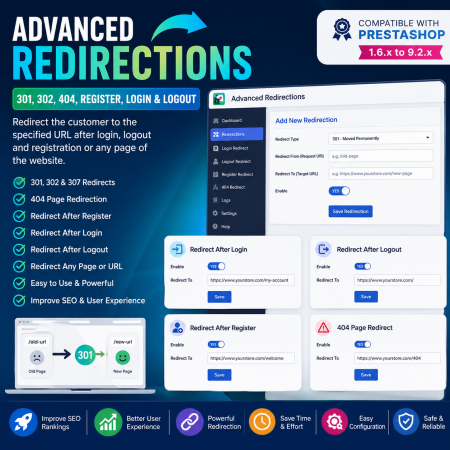
 Advanced Redirections – 301, 302, 404 & Customer Redirects for PrestaShop
Clean up your PrestaShop product catalogue faster with the Bulk Product Image Delete Module.
Managing product images becomes increasingly difficult as your online store grows. Outdated photos, unnecessary visuals, and unwanted product images can accumulate over time, making catalogue maintenance a repetitive task.
This PrestaShop module simplifies product image cleanup by providing a dedicated bulk image deletion workflow. Instead of relying entirely on individual image removal, store administrators can manage unwanted product image deletion through a centralized module solution.
Whether you manage a small online shop or a large product catalogue, simplify image maintenance, reduce repetitive administrative work, and keep your product visuals organized.
Make PrestaShop product image cleanup easier with Sathi.

Encrypted payment gateways ensuring your financial and personal data remain 100% protected.

Every module includes professional installation assistance, free updates, and reliable troubleshooting.

Rigorously tested PrestaShop & WooCommerce extensions designed for maximum speed and zero bloat.

Transparent policies, clean documentation, and dedicated assistance if you run into any compatibility hurdles.