
- -$40.00


This module enhances the shopping experience by allowing customers to easily explore product variations such as...

The module allows merchants to enhance product images with customizable stickers and labels. Whether it’s...

Make bulk pricing visible and encourage larger orders with the Quantity Discount Table Grid PrestaShop Module.
...
Take complete control of your store's free shipping strategy with the Free Shipping by Zone & Carrier...

Make international shopping easier with the Auto Change Country, Language & Currency PrestaShop...


Vendor
Version
Last update
Prestashop version
Promote more products and create time-sensitive shopping experiences with the Daily Deals Widget for PrestaShop.
Create multiple promotional campaigns with individual products, custom discounts, scheduled start and end dates, and countdown timers. Display upcoming and active deals using attractive carousel or list layouts in different front-office positions.
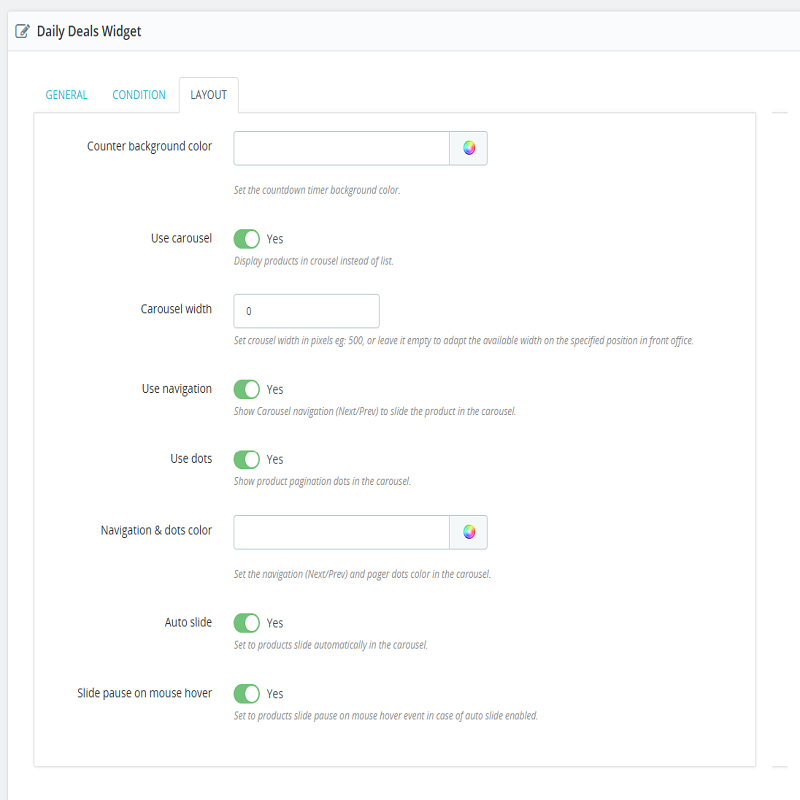
Customize carousel width, navigation arrows, pagination dots, colors, automatic sliding, and deal status messages such as "Coming Soon" and "Ending Soon".
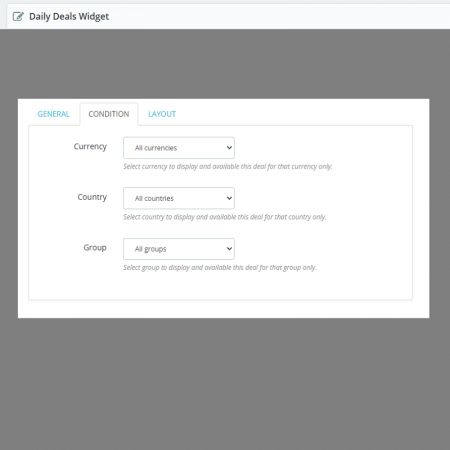
Control promotional availability with currency, country, and customer group restrictions. Choose discount types and configure whether discounts are calculated with or without taxes.
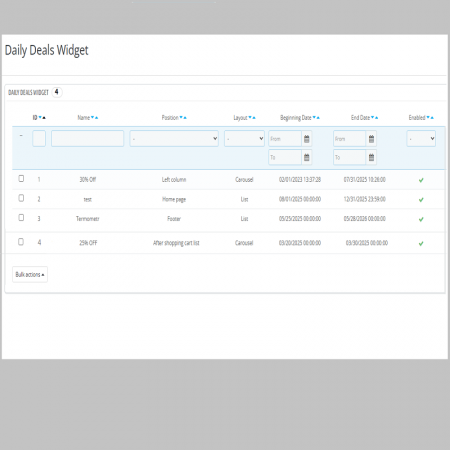
Manage all your promotional campaigns from one convenient PrestaShop back-office interface and make it easier for customers to discover your latest offers.
Create multiple deals. Schedule promotions. Display countdown timers. Make every campaign easier to discover.
Create Multiple Promotional Campaigns. Highlight Special Offers. Make Every Deal Count.
Promotional campaigns are an important part of eCommerce marketing. Whether you are running seasonal sales, weekend offers, product promotions, or limited-time discounts, presenting your offers at the right time can help customers discover products they might otherwise overlook.
However, managing several promotional campaigns can become complicated. Store owners need to select products, configure discounts, schedule campaign dates, control customer eligibility, and decide where promotional products should appear.
The Daily Deals Widget for PrestaShop provides a centralized solution for managing and displaying multiple promotional campaigns throughout your online store.
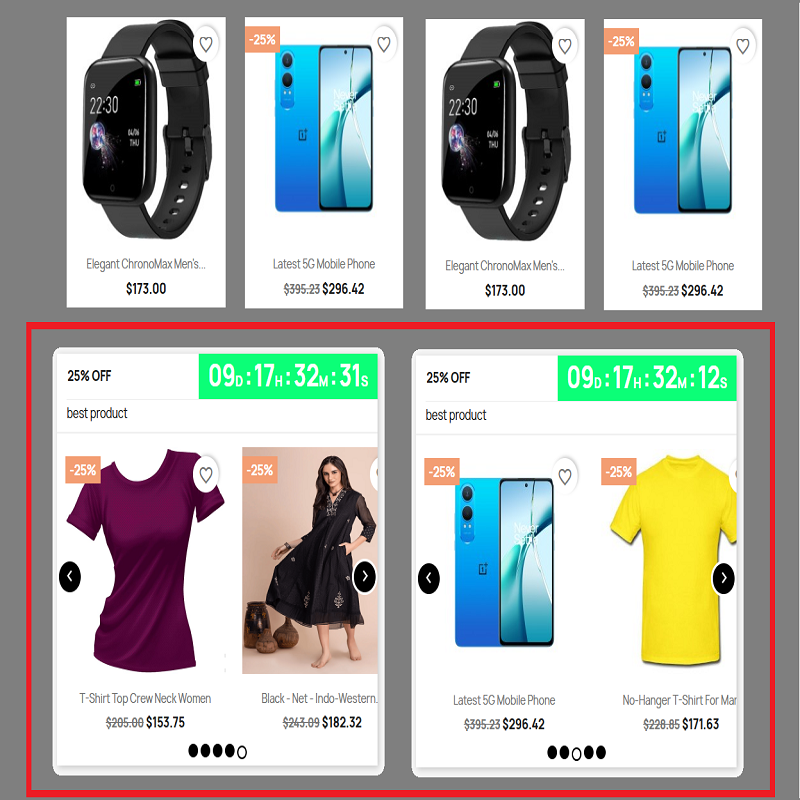
Create individual deal widgets with custom names, descriptions, selected products, discount values, and scheduled start and end dates. Display upcoming and active deals using attractive product carousels or list layouts, with countdown timers that communicate the remaining offer duration.
Customize the widget appearance, configure carousel navigation, control automatic sliding, and restrict promotional availability by currency, country, and customer group.
Whether you operate a fashion store, electronics shop, beauty business, home and lifestyle store, or general eCommerce website, this module helps you organize promotional campaigns and present daily deals in a more engaging way.
Running promotions is easy when you have only one discount campaign. The challenge begins when you need to promote different products with different discount values, schedules, and customer eligibility conditions.
For example:
A weekend promotion for selected fashion products.
A seasonal discount campaign for electronics.
An upcoming offer that customers can discover before its start date.
A limited-time promotion that ends at a specific date and time.
A special campaign available only to selected countries or customer groups.
Managing these campaigns separately requires a structured promotional workflow.
The Daily Deals Widget makes this process easier by allowing you to create multiple independent deal widgets from one convenient Back Office interface.
Each deal can have its own products, name, description, discount configuration, schedule, countdown, and availability restrictions.
Create Deal → Select Products → Configure Discounts → Schedule Dates → Customize Display → Promote Offers
This workflow helps you manage your promotional activities while presenting relevant offers where customers can discover them.
Create multiple deal widgets for different products, categories, promotional periods, and marketing campaigns.
You are not limited to a single promotional display for your entire store.
Display countdown timers for active offers so customers can see how much time remains before a promotional campaign ends.
Define campaign start and end dates to organize promotional activities in advance.
Use customized status messages such as "Coming Soon" and "Ending Soon" to communicate deal availability.
Choose between carousel and list layouts depending on your website design and promotional requirements.
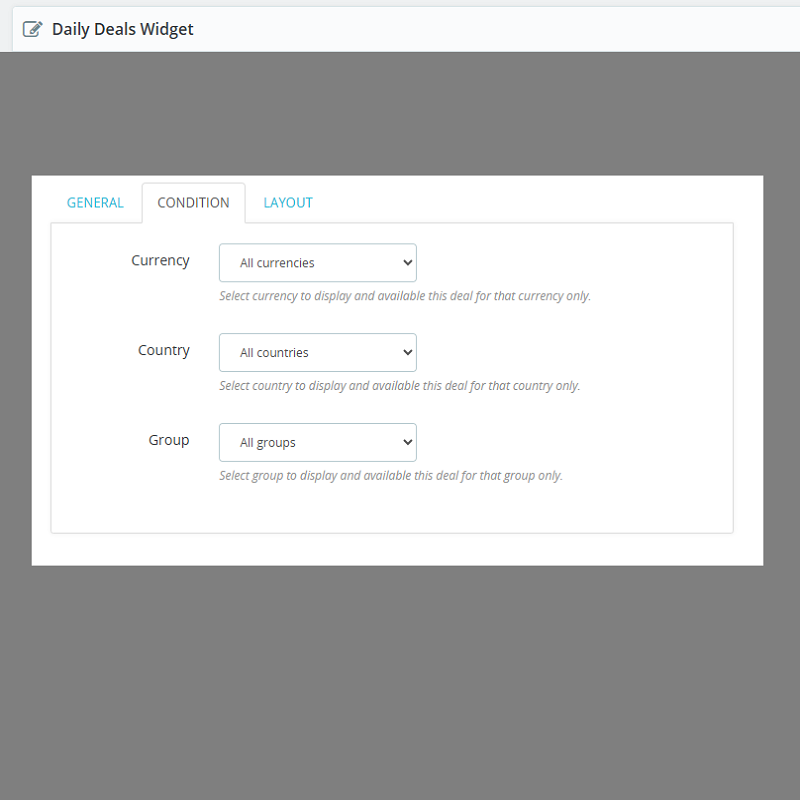
Configure promotional restrictions based on selected currencies, countries, and customer groups.
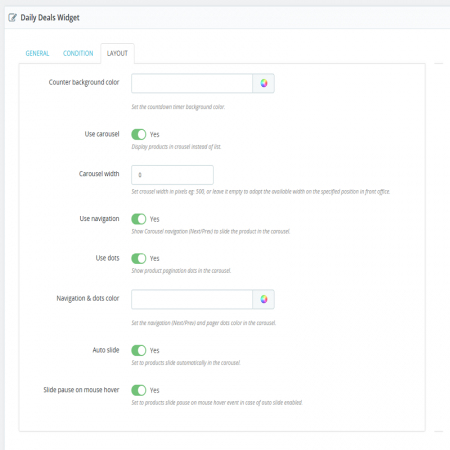
Adjust carousel width, navigation arrows, pagination dots, colors, and automatic sliding to create a presentation that fits your store.
Different promotional campaigns often have different objectives. A seasonal sale may promote an entire collection, while a special product campaign may highlight only a few selected products.
The module allows you to create multiple individual deal widgets so you can manage different campaigns independently.
Key features:
Create multiple promotional deal widgets.
Manage different product campaigns separately.
Configure individual deal information.
Display upcoming and active promotions.
Organize promotional activities through one administration interface.
Business benefit: Manage several promotional campaigns without depending on a single fixed daily-deal section.
Make every promotional campaign easy to identify and understand.
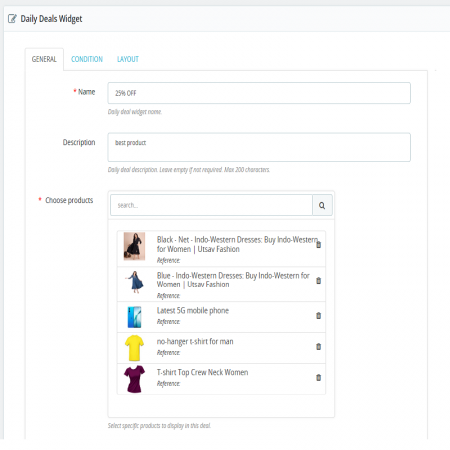
Add a custom name and description for each deal to communicate the purpose of the promotion.
Key features:
Set an individual deal name.
Add a custom promotional description.
Support descriptions of up to 200 characters.
Communicate campaign information clearly.
Organize different promotions using descriptive titles.
Example campaign names:
Weekend Special Deals
Summer Shopping Offers
Electronics Flash Deals
New Collection Promotions
Limited-Time Product Offers
Festive Shopping Deals
Business benefit: Create recognizable promotional campaigns that communicate the offer's purpose to customers.
Not every product needs to participate in every promotional campaign.
Choose the specific products you want to include in each deal widget.
Key features:
Select products for individual deals.
Promote selected products instead of displaying your entire catalog.
Organize products into different promotional campaigns.
Showcase products relevant to each campaign.
Business benefit: Focus customer attention on the products you want to promote rather than displaying unrelated catalog items.
Different campaigns require different discount strategies.
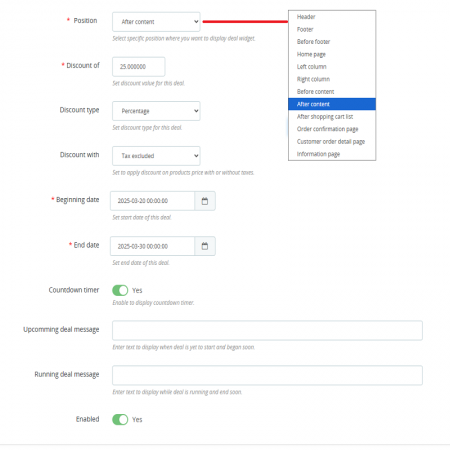
Configure the discount value and discount type for each promotional deal according to your marketing requirements.
Key features:
Set an individual discount value.
Select the supported discount type.
Configure discounts with taxes.
Configure discounts without taxes.
Manage discount presentation according to your store's pricing requirements.
Business benefit: Organize different promotional pricing strategies while maintaining control over how discounts are calculated.
Promotional timing matters.
An upcoming offer should not be presented as an active deal, and an expired campaign should not continue to appear as an ongoing promotion.
The module allows you to define start and end dates for each deal.
Key features:
Configure an individual campaign start date.
Configure an individual campaign end date.
Schedule upcoming promotions.
Manage limited-duration promotional campaigns.
Control the promotional period for each deal.
Business benefit: Plan your promotional activities in advance and maintain better control over when offers are presented to customers.
A clear deadline can help customers understand how long an offer remains available.
Enable countdown timers to display the remaining time for active promotional campaigns.
Key features:
Enable countdown timers for deals.
Communicate remaining offer duration.
Highlight time-sensitive promotions.
Help customers understand when a deal is ending.
Support limited-time promotional campaigns.
Business benefit: Make promotional deadlines more visible and encourage customers to consider offers while they are available.
Note: A countdown timer communicates the configured campaign deadline. It does not guarantee additional sales or create artificial stock scarcity.
Some promotional campaigns may be intended for customers shopping with a particular currency.
The module allows merchants to restrict deal availability based on selected currencies.
Key features:
Configure currency-based deal restrictions.
Target promotions to selected currencies.
Organize offers according to supported store currencies.
Business benefit: Present promotional campaigns according to the currency requirements of your international store.
Different markets may have different promotional requirements.
Restrict deals to selected countries to control where a particular promotion should be available.
Key features:
Configure country restrictions.
Select eligible countries for a deal.
Manage market-specific promotions.
Organize promotional campaigns for different geographical audiences.
Business benefit: Create country-specific promotional campaigns for stores serving customers across multiple markets.
Not every promotional offer needs to be available to every customer.
Use customer group restrictions to configure deal eligibility for selected customer groups.
Key features:
Restrict deals by customer group.
Target promotional campaigns to selected groups.
Organize group-specific offers.
Support differentiated promotional strategies.
Business benefit: Manage targeted promotional opportunities for different customer segments.
The way promotional products are presented can influence how easily customers discover them.
Choose the layout that works best for your store design.
Carousel layout:
Display deal products in a horizontal carousel.
Allow customers to browse products using navigation controls.
Configure carousel width.
Enable automatic sliding.
Customize navigation arrows and pagination dots.
List layout:
Present promotional products in a list format.
Use a straightforward product presentation.
Choose a layout suitable for your store's available display space.
Business benefit: Present promotional products in a layout that matches your storefront design and customer browsing experience.
Different stores use different theme layouts and content widths.
Configure the carousel width in pixels or allow it to adapt to the available space.
Key features:
Set a custom carousel width in pixels.
Allow flexible width based on available space.
Adapt promotional product displays to different store layouts.
Business benefit: Make your deal widgets fit more naturally into your website design.
Give customers convenient controls for browsing promotional products.
Configure how customers move between deal items.
Key features:
Enable or disable Next navigation arrows.
Enable or disable Previous navigation arrows.
Enable or disable pagination dots.
Customize navigation arrow colors.
Customize pagination-dot colors.
Business benefit: Control the browsing experience and maintain a visual style that complements your storefront.
Keep promotional products moving through the carousel automatically.
Enable automatic sliding so customers can discover additional products without manually selecting every navigation control.
Key features:
Enable automatic carousel sliding.
Display multiple promotional products through carousel rotation.
Provide an alternative to manual product browsing.
Business benefit: Give additional promotional products an opportunity to become visible within the deal widget.
Customers should understand whether an offer is upcoming, active, or approaching its end.
Customize the messages displayed for deal statuses.
Supported message examples:
Coming Soon
Limited Time
Ending Soon
Key features:
Customize the Coming Soon message.
Customize the Ending Soon message.
Communicate promotional availability.
Make campaign status easier to understand.
Business benefit: Provide clearer promotional information and help customers distinguish upcoming offers from active campaigns.
A promotional widget is useful only when customers can discover it.
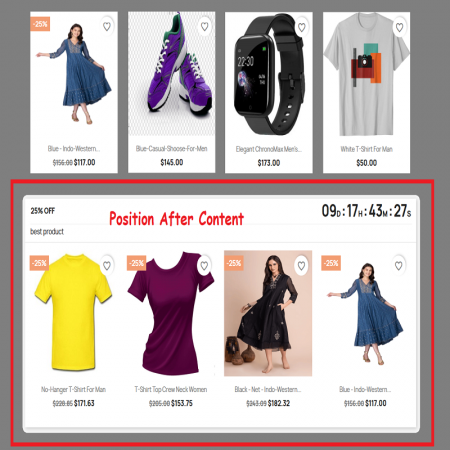
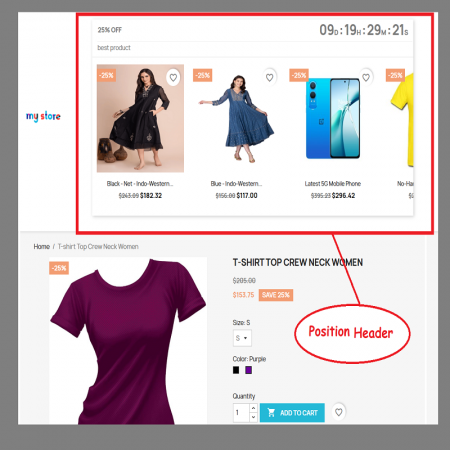
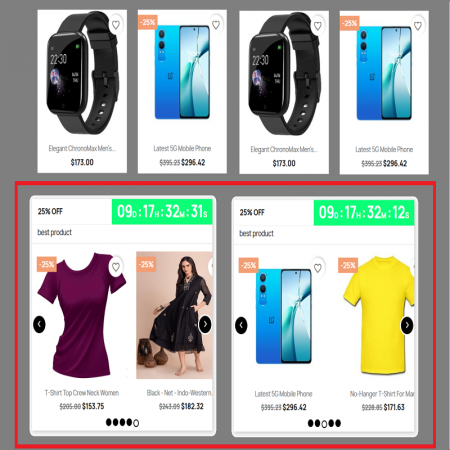
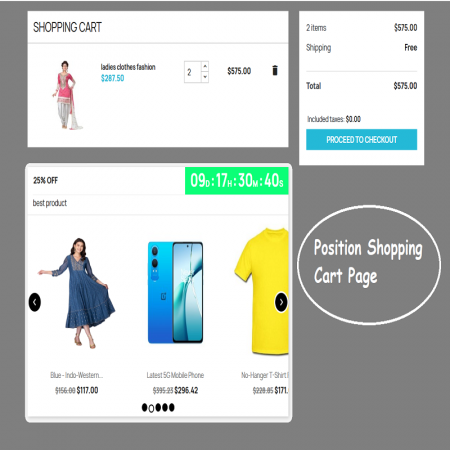
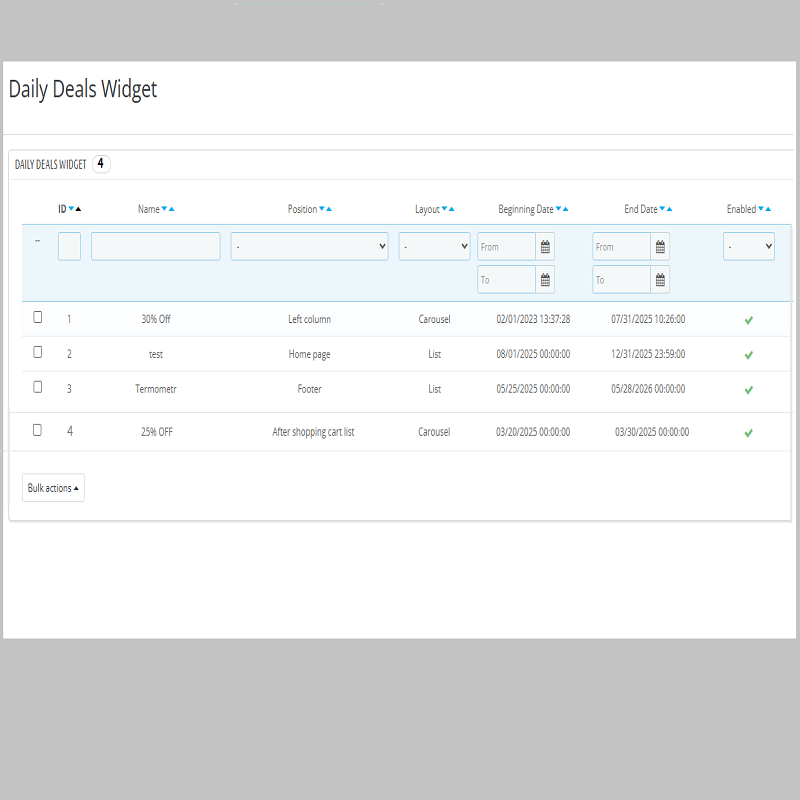
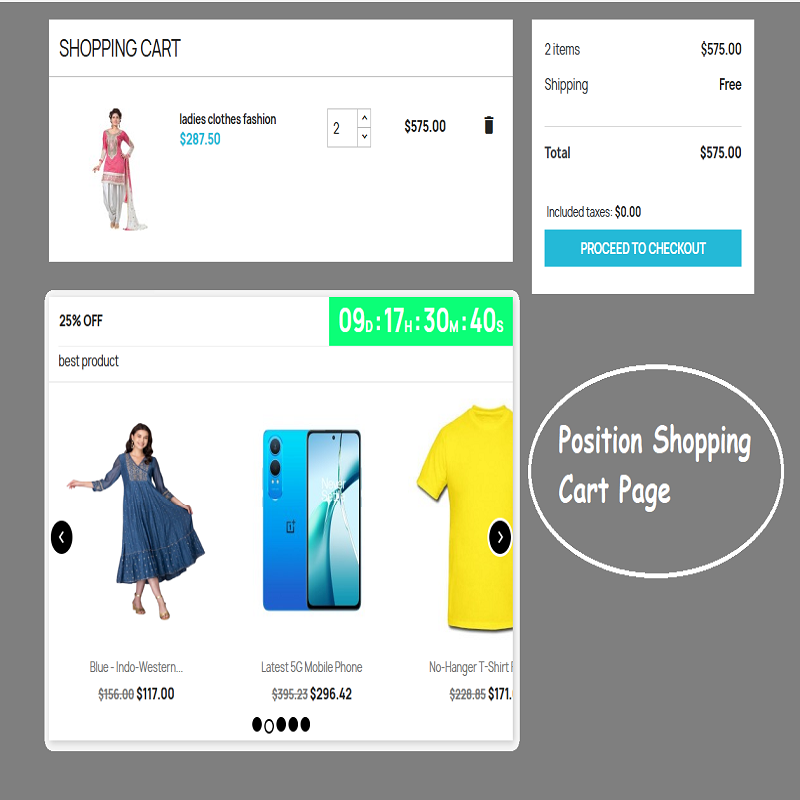
Choose from the available front-office positions to display your deal widgets in suitable areas of your PrestaShop store.
Key features:
Select available front-office display positions.
Place different promotional widgets in suitable store areas.
Improve the visibility of selected campaigns.
Organize promotional content throughout the storefront.
Business benefit: Bring promotional products closer to customers while they browse your store.
The module supports a date-based promotional workflow that helps merchants communicate different deal stages.
Prepare your next promotional campaign and define its future start date.
Customers can see the upcoming deal with your customized "Coming Soon" message before the campaign begins.
Ideal for:
Seasonal sales announcements.
Upcoming product promotions.
Weekend offers.
Festive campaigns.
Scheduled promotional events.
When the configured promotional period begins, customers can discover the active deal and view its associated countdown timer.
Ideal for:
Flash promotions.
Weekend discounts.
Product-specific sales.
Limited-duration campaigns.
Special promotional events.
Use your customized "Ending Soon" message to communicate when an active promotional campaign is approaching its end.
Ideal for:
Final hours of a sale.
Closing seasonal promotions.
Weekend offer deadlines.
Limited-time product campaigns.
The actual deal status and countdown behavior depend on the configured campaign dates and module settings.
When promotional products are displayed in less visible areas, customers may overlook them.
Solution: Display multiple deal widgets in available front-office positions to improve promotional product visibility.
Different products may need different discounts, schedules, and promotional messages.
Solution: Create separate deal widgets with individual names, descriptions, products, discount values, and campaign dates.
Without clear deadlines, customers may not understand how long a promotional offer remains available.
Solution: Enable countdown timers and customize messages such as "Coming Soon" and "Ending Soon".
A regular product listing may not communicate the promotional nature of selected products.
Solution: Use dedicated deal widgets with carousel or list layouts and configurable navigation.
International stores and stores with different customer segments may need targeted promotions.
Solution: Restrict deals by selected currencies, countries, and customer groups.
Different promotional campaigns may require different discount types and tax calculation preferences.
Solution: Configure discount values and types individually, with options to apply discounts with or without taxes.
Fixed-width product displays may not fit every theme or content area.
Solution: Customize carousel width, navigation arrows, pagination dots, colors, and automatic sliding behavior.
Managing a promotional campaign involves four straightforward steps.
Create a new deal widget from the module administration interface.
 |
 |
Enter a custom deal name and description, then select the products you want to promote.
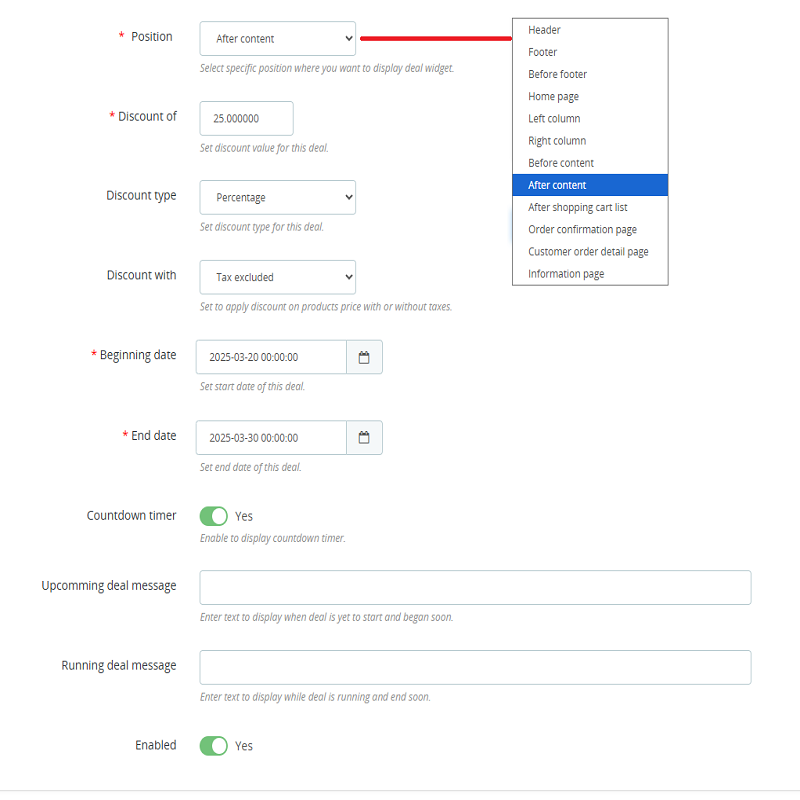
Choose the supported discount type and enter the discount value.
Configure whether the discount should be applied with or without taxes.
Set the campaign start and end dates.
Enable the countdown timer and configure currency, country, and customer group restrictions when required.
 |
 |
 |
Choose an available front-office position.
Select carousel or list layout and configure carousel width, navigation arrows, pagination dots, colors, and automatic sliding.
Customize deal status messages and save your configuration.
 |
 |
 |
Promote selected clothing collections, footwear, accessories, and seasonal fashion products.
Create separate campaigns for summer collections, winter offers, weekend discounts, and new arrivals.
Highlight selected mobile phones, accessories, computers, headphones, and other electronic products.
Schedule special promotional campaigns for individual products and customer groups.
Promote skincare, makeup, haircare, and personal care products through dedicated deal widgets.
Organize different promotional campaigns for selected products and markets.
Highlight furniture, kitchen accessories, home decoration, and lifestyle products.
Use separate promotional widgets for seasonal campaigns and selected product collections.
Promote sports equipment, fitness accessories, clothing, and workout products through scheduled deals.
Configure promotional availability according to selected currencies and countries.
Manage campaigns for different markets through separate deal configurations.
Create targeted promotional campaigns for selected customer groups and manage eligibility according to your business requirements.
Manage multiple promotional campaigns independently.
Promote selected products in different storefront positions.
Schedule promotional offers in advance.
Configure individual discount values and types.
Choose tax-inclusive or tax-exclusive discount application.
Restrict deals by currency, country, and customer group.
Display upcoming and active deals.
Communicate promotional deadlines with countdown timers.
Customize carousel and list presentations.
Match promotional displays with your website design.
Organize different marketing campaigns from one administration interface.
Discover promotional products more easily.
See upcoming offers and their availability status.
Understand how much time remains for active deals.
Browse promotional products using carousel or list layouts.
Find offers relevant to their eligible currency, country, and customer group.
Enjoy a more organized promotional shopping experience.
Install the Daily Deals Widget through the standard PrestaShop module installation process.
Download the Daily Deals Widget ZIP package from Sathi.
Sign in to your store administration panel using an administrator account.
Go to: Modules → Module Manager
Click the Upload a module button.
Select the downloaded Daily Deals Widget ZIP file and wait for the upload process to finish.
Complete the installation and locate Daily Deals Widget in the installed modules list.
Open the module configuration page to start managing promotional campaigns.
Enter a deal name and description, select the products, and configure the discount type and value.
Set the start and end dates and enable the countdown timer if required.
Configure selected currencies, countries, and customer groups according to your promotional requirements.
Choose an available front-office position and select the carousel or list layout.
Configure width, navigation arrows, pagination dots, colors, automatic sliding, and status messages.
Save your settings and verify that the deal widget displays correctly on your storefront.
Recommended testing checklist:
Check the selected promotional products.
Verify the configured discount value and type.
Confirm tax-inclusive or tax-exclusive discount behavior.
Check campaign start and end dates.
Verify currency, country, and customer group restrictions.
Test countdown timer behavior.
Check the Coming Soon and Ending Soon messages.
Test carousel navigation and automatic sliding.
Verify the selected front-office display position.
Installation recommendation: Back up your store files and database before installing or updating the module.
The published compatibility range for this module is:
PrestaShop 1.7.x
PrestaShop 8.x
PrestaShop 9.x
PrestaShop 9.2.x
Supported range: PrestaShop 1.7.x to 9.2.x.
Check your store environment and the module's current technical requirements before installation.
It is a promotional campaign management module that allows merchants to create multiple deal widgets, select products, configure discounts, schedule campaigns, and display promotional products with countdown timers.
Yes. You can create multiple independent deal widgets and configure their names, descriptions, products, discounts, and campaign schedules separately.
Yes. You can choose specific products to include in each promotional campaign.
Yes. Define individual start and end dates for each deal to organize upcoming and active promotional campaigns.
Yes. You can enable countdown timers so customers can see the remaining time for active promotional deals.
Yes. The module allows you to customize these deal status messages to communicate promotional availability to customers.
Yes. You can configure country-based restrictions for individual deals.
Yes. Currency restrictions allow you to control promotional availability according to selected store currencies.
Yes. The module supports customer group restrictions for targeted promotional campaigns.
Yes. The module provides options to configure discounts with or without taxes.
Yes. You can choose between carousel and list layouts for displaying promotional products.
Yes. You can configure carousel width, navigation arrows, pagination dots, navigation colors, pagination colors, and automatic sliding.
You can select from the available front-office positions provided by the module.
Yes. Currency and country restrictions make it useful for stores operating in multiple markets.
The published compatibility range is PrestaShop 1.7.x through 9.2.x.
A successful promotional strategy needs more than discounted prices. Customers should be able to discover offers, understand their availability, and browse promotional products conveniently.
With the Daily Deals Widget with Countdown Timer for PrestaShop, you can create multiple scheduled promotional campaigns, configure flexible discounts, target specific customers, and display products through customizable deal widgets.
From upcoming seasonal promotions to active limited-time offers, manage your daily deals through one convenient Back Office interface.
Promote smarter. Schedule better. Showcase more deals with Sathi's Daily Deals Widget for PrestaShop.
| Vendor | Sathi |
|---|---|
| Last update | Nov 25, 2026 |
| Version | 5.1.0 |
| Required store version | From 1.7.x to 9.2.x |
| Publication date | Mar 20, 2025 |
| Return Policy | You can return the product within the 30 days returns period for a full refund. No questions asked. |
| Customer Support | Enjoy one year of free customer support, including installation, troubleshooting, and usage guidance. |
| Description | This product is compatible with the specified versions and includes all the latest updates to enhance functionality and user experience. |
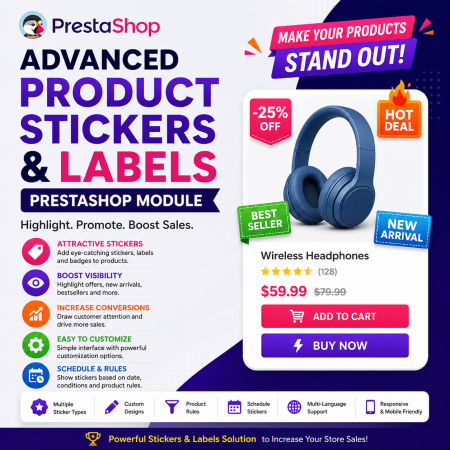 Advance Product Stickers & Labels Prestashop Module

 Time Limited Offers & Countdown Timer – Flash Sale Module for PrestaShop
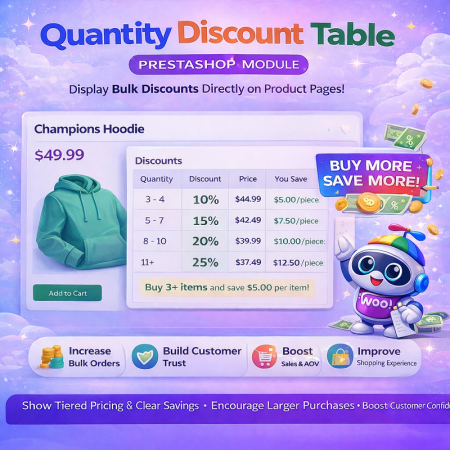 Quantity Discount Table & Grid – Bulk Pricing Display Module for PrestaShop
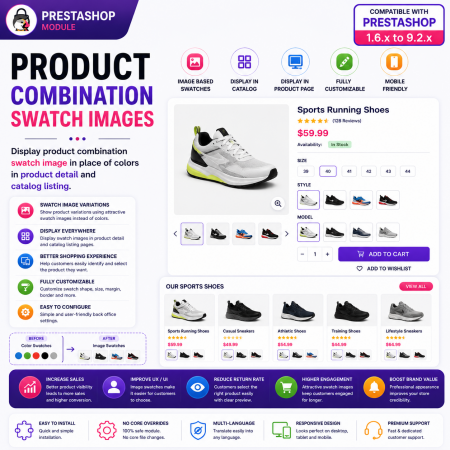
 Product Combination Swatch Images – Visual Product Variations for PrestaShop
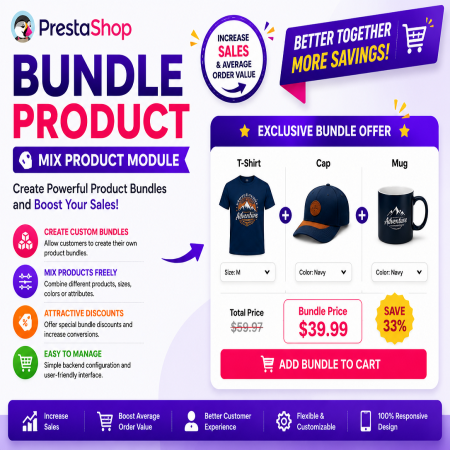
 Bundle Product - Mix Product Prestashop Module
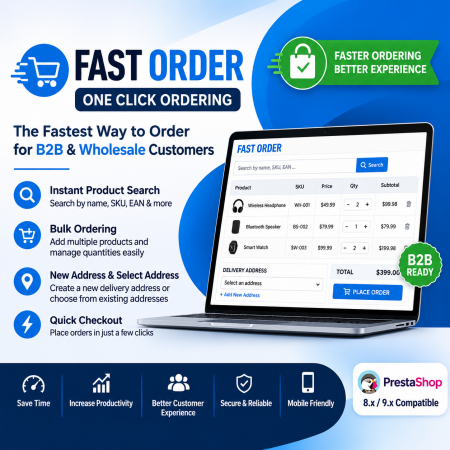
 Fast Order with Instant and File Search – Quick Ordering Module for PrestaShop
 Hide Product Price – Control Product Price Visibility in PrestaShop
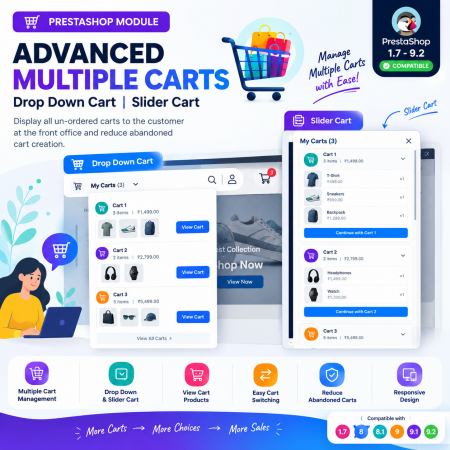
 Advanced Multiple Carts, Dropdown Cart & Slider Cart for PrestaShop
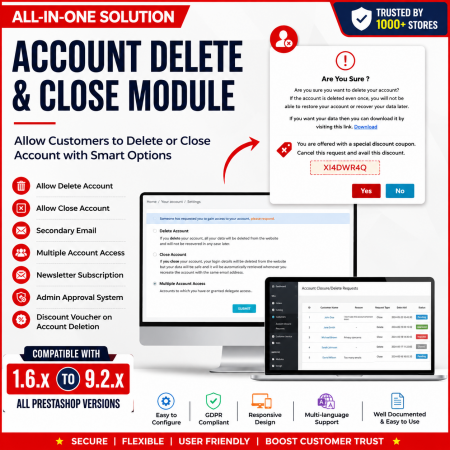
 Customer Account Settings – Customer Account Management Module for PrestaShop
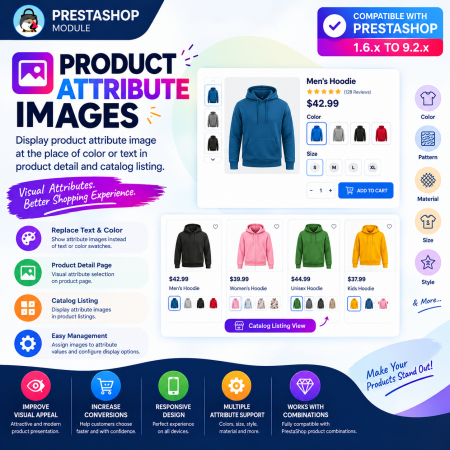
 Product Attribute Images – Visual Swatches for PrestaShop
Quantity Discount Table & Grid – Bulk Pricing Display Module for PrestaShop
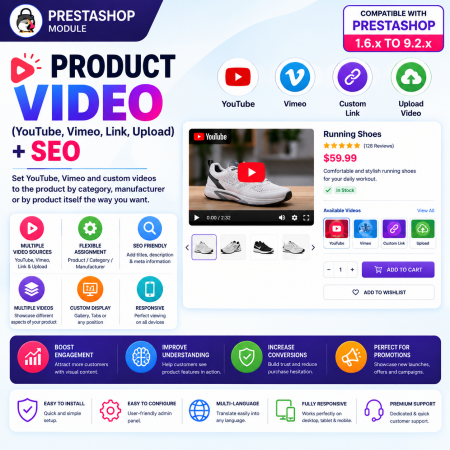
 Product Video – YouTube, Vimeo, External Links & Video Upload for PrestaShop
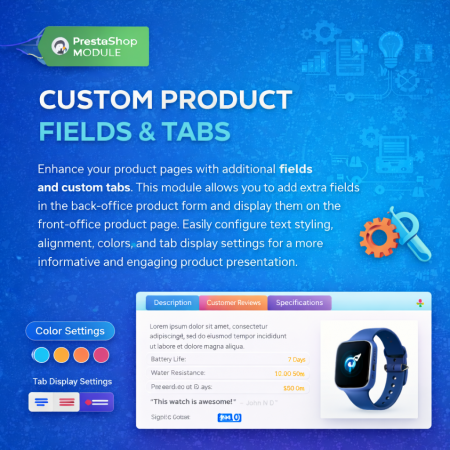
 Additional Product Fields and Custom Tabs – PrestaShop Product Page Customization Module
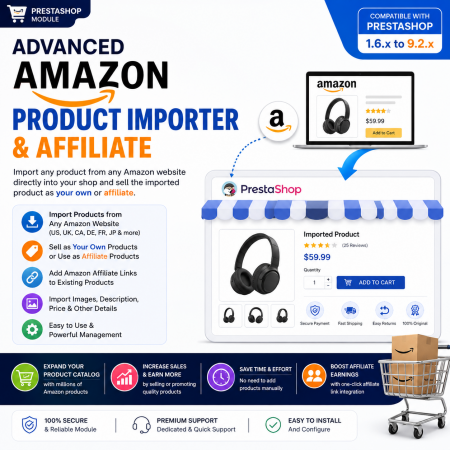
 Advanced Amazon Product Importer & Affiliate Module for PrestaShop
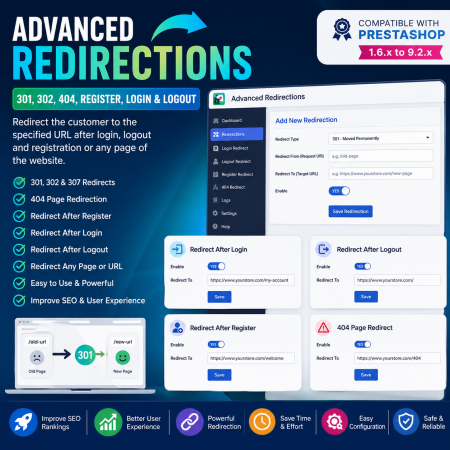
 Advanced Redirections – 301, 302, 404 & Customer Redirects for PrestaShop
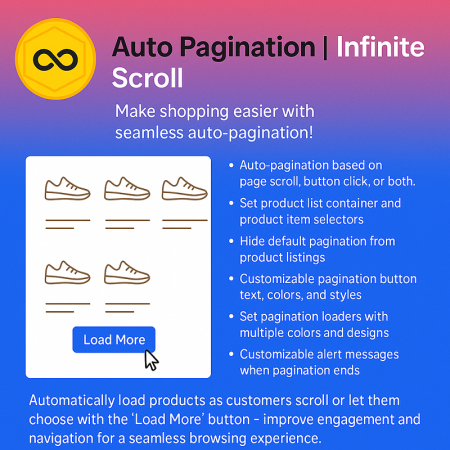
 Auto Pagination & Infinite Scroll – AJAX Product Loading Module for PrestaShop
Time Limited Offers & Countdown Timer – Flash Sale Module for PrestaShop

 Buy Now Button & Quick Order – One-Click Checkout Module for PrestaShop
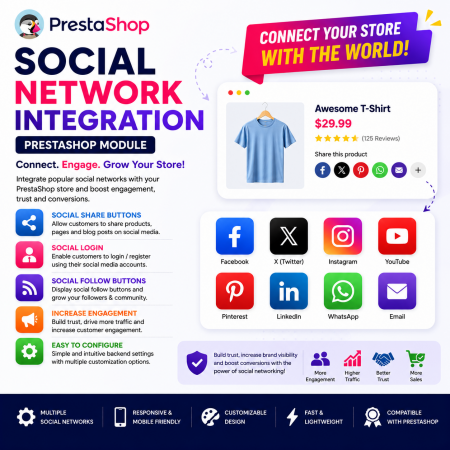
 Social Network Integration Prestashop Module
Promote more products and create time-sensitive shopping experiences with the Daily Deals Widget for PrestaShop.
Create multiple promotional campaigns with individual products, custom discounts, scheduled start and end dates, and countdown timers. Display upcoming and active deals using attractive carousel or list layouts in different front-office positions.
Customize carousel width, navigation arrows, pagination dots, colors, automatic sliding, and deal status messages such as "Coming Soon" and "Ending Soon".
Control promotional availability with currency, country, and customer group restrictions. Choose discount types and configure whether discounts are calculated with or without taxes.
Manage all your promotional campaigns from one convenient PrestaShop back-office interface and make it easier for customers to discover your latest offers.
Create multiple deals. Schedule promotions. Display countdown timers. Make every campaign easier to discover.

Encrypted payment gateways ensuring your financial and personal data remain 100% protected.

Every module includes professional installation assistance, free updates, and reliable troubleshooting.

Rigorously tested PrestaShop & WooCommerce extensions designed for maximum speed and zero bloat.

Transparent policies, clean documentation, and dedicated assistance if you run into any compatibility hurdles.