- -$40.00


Make product selection easier with the Show Product Attributes or Combinations PrestaShop Module.
Display...

Make your products stand out with the Advance Product Stickers & Labels PrestaShop Module....

Make bulk pricing visible and encourage larger orders with the Quantity Discount Table Grid PrestaShop Module.
...
Take complete control of your store's free shipping strategy with the Free Shipping by Zone & Carrier...

Make international shopping easier with the Auto Change Country, Language & Currency PrestaShop Module.
...



Vendor
Version
Last update
Prestashop version
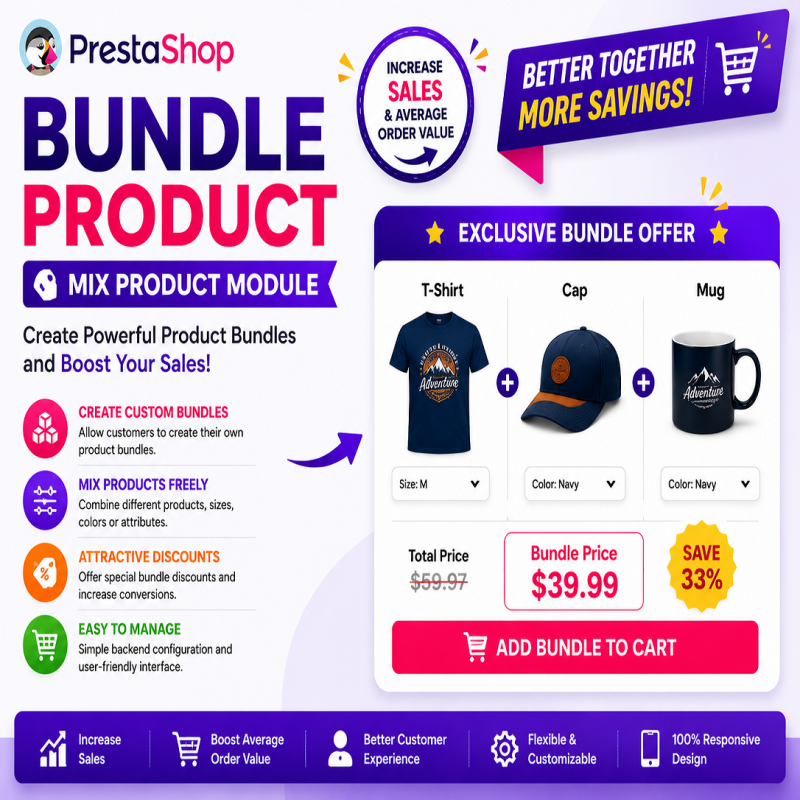
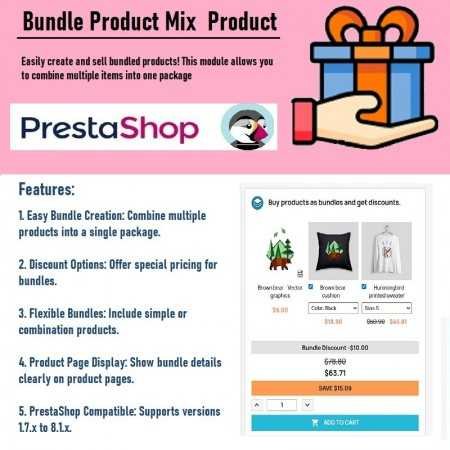
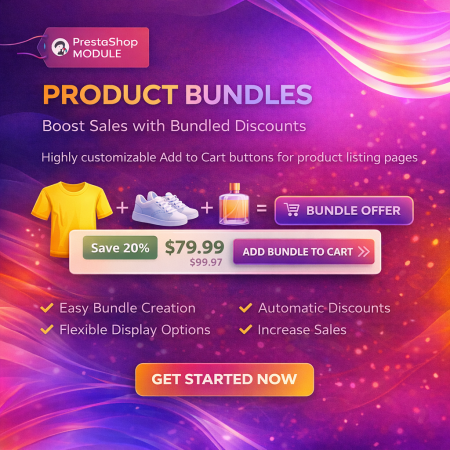
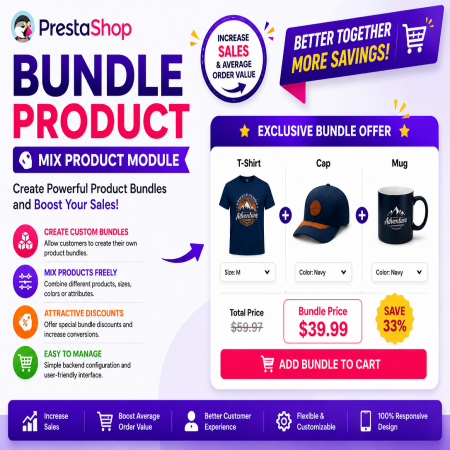
Increase your PrestaShop sales with attractive product bundles and flexible mix-and-match offers using the Bundle Product – Mix Product PrestaShop Module.
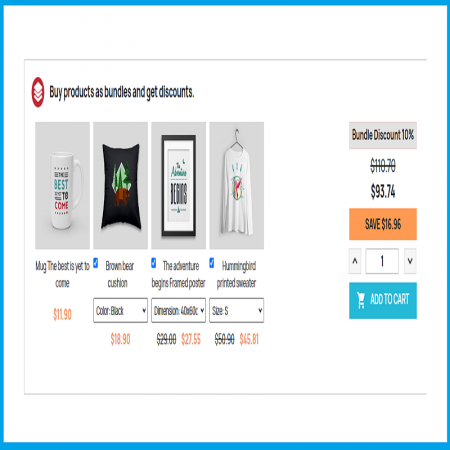
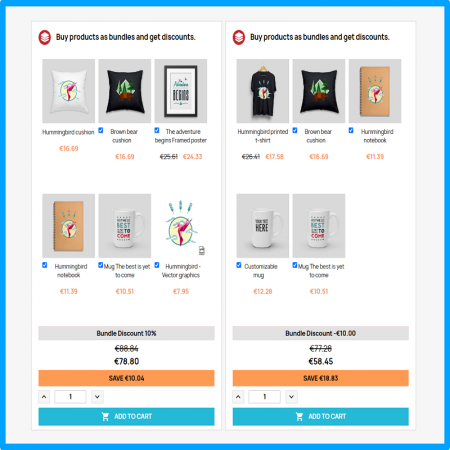
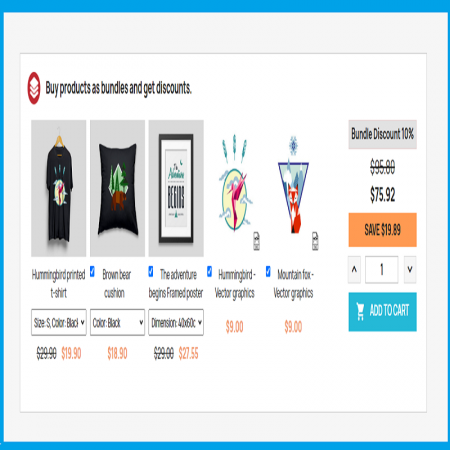
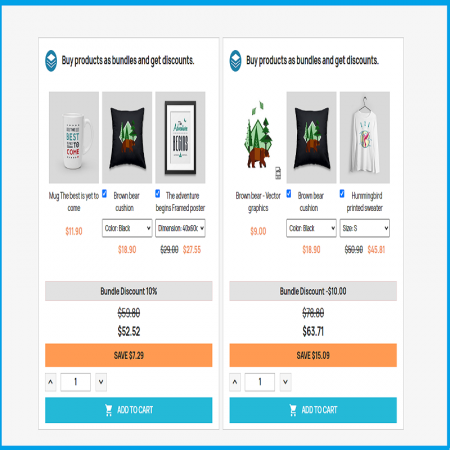
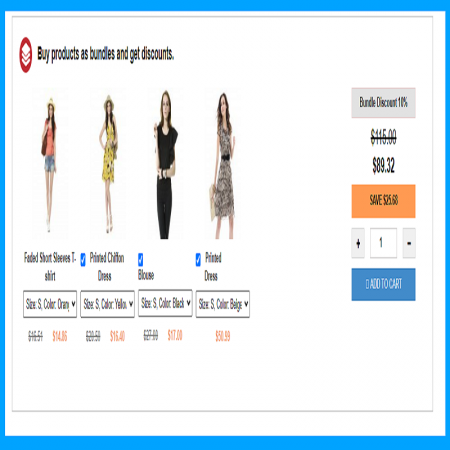
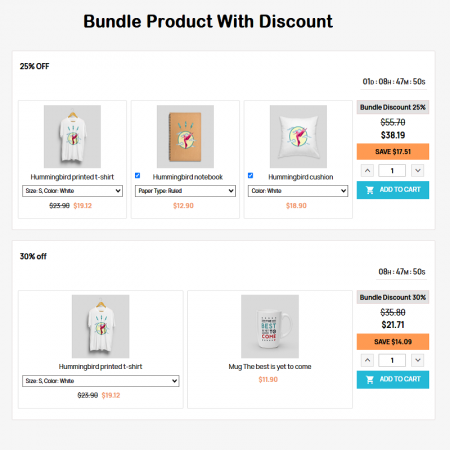
Create customized product bundles by grouping multiple products together and offering attractive discounts when customers purchase the bundle. Let shoppers select their preferred products, choose available combinations such as size and color, and include or exclude optional bundle items using checkboxes.
Configure flexible bundle discounts, schedule promotional offers with start and end dates, display countdown timers, and control where bundles appear across your store. Showcase product bundles on individual product pages or your homepage with customizable layouts, background colors, and display limits.
Whether you want to sell complementary products, create promotional packages, increase average order value, or move slow-selling inventory, this PrestaShop product bundling module gives you a practical way to create and manage attractive bundle offers.
Create product combinations. Offer automatic discounts. Encourage customers to buy more with every order.
Create Custom Product Bundles. Offer Better Deals. Increase Your Average Order Value.
Selling individual products is not always the best way to increase the value of every customer order. Many shoppers are interested in purchasing complementary products together, but they may not realize which items work well together or whether buying them as a package offers better value.
For store owners, promoting related products individually can also make it difficult to create attractive promotional offers, sell complementary items, and move slow-moving inventory.
The Bundle Product – Mix & Match Product PrestaShop Module provides a flexible product bundling solution that allows you to group multiple products into customized packages and offer discounts when customers purchase bundled items together.
Create product combinations, configure bundle discounts, allow customers to choose available product attributes, and let shoppers select optional bundle items through checkboxes.
You can also schedule promotional bundles, display countdown timers, control bundle placement, and customize the appearance of bundle sections on your storefront.
Whether you operate a fashion store, electronics shop, beauty business, grocery website, or general eCommerce store, product bundling gives you another way to promote related products and encourage customers to purchase more items in a single order.
Customers often purchase products that naturally complement one another.
For example:
A laptop with a mouse and laptop bag.
A smartphone with a protective case and screen protector.
A shirt with matching trousers and accessories.
A skincare product with a cleanser and moisturizer.
A camera with a memory card and camera bag.
Instead of displaying these products only as separate shopping choices, you can group them into attractive product bundles and offer customers a combined promotional price.
The Bundle Product Mix Product module helps store owners create and manage these promotional packages directly from the PrestaShop Back Office.
Create custom bundles using multiple products.
Offer discounts on bundled product combinations.
Configure flexible bundle pricing and promotional rules.
Let customers select available product attributes such as size and color.
Allow customers to include or exclude optional bundle products.
Schedule bundle availability with start and end dates.
Display countdown timers for limited-time offers.
Show bundles on product pages and the homepage.
Customize bundle layouts, positions, and background colors.
Control the maximum number of bundles displayed.
Automatically hide expired promotional bundles.
Create a smarter shopping experience where customers discover related products together and receive an incentive to purchase them as a package.
Many online stores sell complementary products individually, even when customers would benefit from purchasing them together.
This creates several missed opportunities:
Customers may overlook related products.
Shoppers need to search for each complementary item separately.
Individual product promotions may not encourage larger orders.
Slow-moving products can remain in inventory for longer.
Store owners may need to manage promotional offers manually.
Limited-time promotions can be difficult to communicate effectively.
This module addresses these challenges by bringing product grouping, bundle discounts, customer selections, promotional scheduling, and storefront presentation into one solution.
Encourage customers to purchase multiple related products together through attractive bundle offers.
Group products that naturally work together and make them easier for customers to discover.
Provide a combined promotional price that gives customers an incentive to purchase the complete bundle.
Combine selected slow-selling products with popular products to create attractive promotional packages.
Use scheduled bundle availability and countdown timers to highlight special offers.
Create, edit, and manage product bundles from your PrestaShop administration area.
Build promotional packages by grouping multiple products into a single bundle.
Instead of requiring customers to discover each product separately, present related products together as a convenient shopping offer.
Key features:
Select multiple products for a bundle.
Create customized product combinations.
Group complementary products together.
Configure bundle-specific promotional pricing.
Edit and update existing bundles.
Manage bundle products through the Back Office.
Business benefits:
Encourage customers to purchase multiple items.
Promote related products together.
Create attractive promotional packages.
Improve product discovery.
Support cross-selling strategies.
Example: Create a laptop bundle containing a laptop, wireless mouse, and laptop bag.
Give customers an additional reason to purchase multiple products together by offering special bundle discounts.
Store owners can configure discounts for product combinations instead of relying only on individual product discounts.
Key features:
Set discounts for product bundles.
Apply discounts automatically to qualifying bundle purchases.
Configure fixed discount offers for selected product combinations.
Support bundle rules such as Buy X, Get Y.
Configure promotional pricing for mixed product bundles.
Business benefits:
Make bundle offers more attractive.
Encourage customers to purchase related products.
Simplify promotional pricing.
Connect multiple product purchases with a combined offer.
Example: Offer a special bundle price when customers purchase a smartphone, protective case, and screen protector together.
Give shoppers more flexibility by allowing them to select from available products within a configured bundle.
Mix-and-match offers are useful when customers want a combination that suits their personal preferences.
Key features:
Create mixed product bundles.
Configure the products available within a bundle.
Allow customers to select or deselect optional products.
Use checkboxes for individual product selection.
Present bundle items together in a convenient interface.
Business benefits:
Give customers more control over bundle purchases.
Create flexible promotional packages.
Promote multiple related products.
Support different customer preferences.
Example: Create a clothing bundle where shoppers can choose which optional accessories they want to include.
Many PrestaShop products have multiple combinations, such as size, color, material, or version.
A bundle should accommodate these variations so customers can select the correct product combination.
The module allows customers to choose available attributes for individual bundle items.
Key features:
Support attribute selection for bundle products.
Allow customers to select available sizes.
Allow customers to choose available colors.
Support product combination selection.
Include selected product combinations in the bundle add-to-cart operation.
Business benefits:
Support variable products in promotional bundles.
Give customers more purchasing flexibility.
Reduce confusion when selecting product variations.
Make bundles suitable for fashion, footwear, and other combination-based products.
Example: Create a clothing package containing a T-shirt and trousers, allowing customers to select their preferred sizes and available colors.
Not every customer wants every item included in a bundle.
Allow shoppers to select or deselect individual optional products using checkboxes, according to the bundle configuration.
Key features:
Display bundle items with selection checkboxes.
Allow customers to select individual items.
Allow customers to deselect optional products.
Include selected items in the bundle purchase.
Provide a more flexible bundle selection experience.
Business benefits:
Reduce unnecessary product selections.
Give shoppers more control over their purchases.
Create more flexible product packages.
Support personalized bundle offers.
Example: A camera bundle can include a camera and memory card, with an optional camera bag that customers can select if required.
Once customers have selected their preferred bundle products and available attributes, make the purchasing process convenient.
The module integrates bundle purchasing with the PrestaShop shopping cart.
Key features:
Add selected bundle items to the cart.
Process the selected product combinations.
Include configured product quantities.
Support one-click bundle add-to-cart.
Make bundled product purchasing more convenient.
Business benefits:
Reduce the effort required to add multiple products.
Make bundle purchasing more straightforward.
Improve the shopping experience.
Help customers purchase complementary products together.
Not every promotional bundle should remain available indefinitely.
Schedule product bundles according to your marketing calendar, seasonal campaigns, or special promotional events.
Key features:
Define bundle start dates.
Define bundle end dates.
Schedule promotional availability.
Control when bundles are displayed.
Automatically hide expired bundles.
Business benefits:
Plan seasonal promotions in advance.
Create limited-time product offers.
Manage promotional campaigns more efficiently.
Keep expired offers from appearing on the storefront.
Example: Create a special holiday gift bundle that becomes available during a selected promotional period and disappears after the campaign ends.
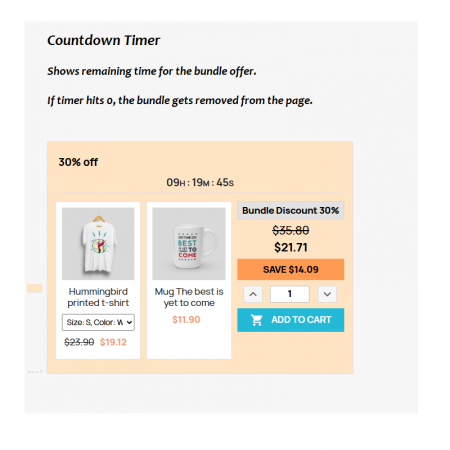
Create urgency around promotional bundles by displaying a countdown timer.
A visible countdown communicates how much time remains before a scheduled offer expires.
Key features:
Enable countdown timers for product bundles.
Display remaining promotional time.
Support time-limited bundle campaigns.
Automatically hide expired bundles.
Highlight special promotional offers.
Business benefits:
Make promotional deadlines more visible.
Encourage customers to consider limited-time offers.
Improve the presentation of seasonal campaigns.
Support urgency-based marketing strategies.
Example: Display a countdown for a weekend electronics bundle promotion.
Product pages are important places to introduce complementary products.
Show relevant bundle offers directly on individual product pages so shoppers can discover package deals while viewing an item.
Key features:
Enable product bundles on product pages.
Configure the display position.
Control bundle section placement.
Present related bundle offers alongside individual products.
Business benefits:
Promote complementary products at the point of purchase.
Increase visibility of bundle offers.
Encourage customers to consider additional products.
Support product cross-selling.
Example: When customers view a laptop, display a laptop accessories bundle on the same product page.
Give special bundle promotions additional visibility by showcasing them on your store homepage.
The homepage is an important discovery area for new and returning visitors.
Key features:
Enable product bundles on the homepage.
Showcase selected promotional packages.
Control the number of displayed bundles.
Customize bundle presentation.
Highlight special shopping offers.
Business benefits:
Increase visibility of promotional bundles.
Introduce package deals to homepage visitors.
Promote seasonal campaigns.
Encourage shoppers to explore more products.
Different themes and store layouts have different presentation requirements.
Choose the available display position that works best for your storefront.
Key features:
Configure bundle display positions.
Control where bundle sections appear.
Support product-page placement.
Support homepage placement.
Organize promotional sections according to your store layout.
Present your product bundles in a layout that fits your website design.
Key features:
Choose between full-width and half-width bundle layouts.
Configure the bundle container background color.
Customize bundle section presentation.
Control the maximum number of displayed bundles.
Set the maximum bundle limit, with zero meaning all bundles.
Business benefits:
Maintain a consistent storefront appearance.
Present promotional offers more clearly.
Avoid displaying too many bundles at once.
Organize promotional content according to your theme.
Creating and purchasing a bundle follows a straightforward process.
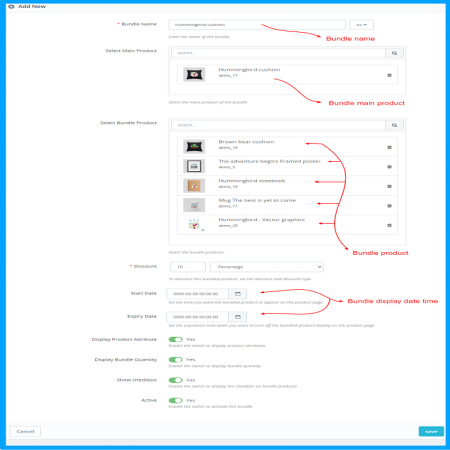
The store administrator opens the Product Bundles section in the PrestaShop Back Office and creates a new bundle.
Choose multiple products from your catalog and group them into a promotional package.
Set the applicable bundle discount or promotional pricing rule, such as a fixed discount or supported Buy X, Get Y offer.
Allow customers to choose available product attributes and select or deselect optional products using checkboxes.
Define when the bundle becomes available and when the offer expires.
Choose the display position, homepage or product-page visibility, layout, background color, and maximum number of bundles.
Save the bundle and make it available according to its configured schedule.
Customers visit your storefront, explore the available bundle items, choose their preferred attributes, and select optional products.
Customers add their selected bundle items to the shopping cart with the configured product quantities.
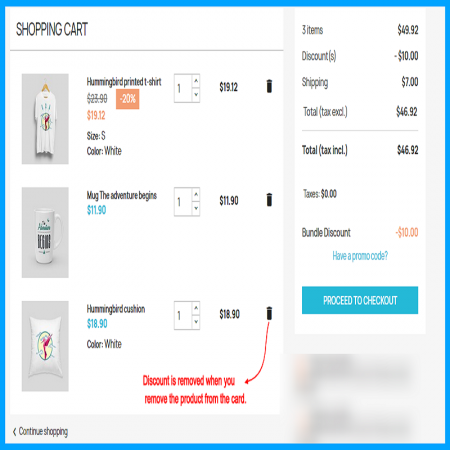
The qualifying bundle discount is applied automatically according to the configured bundle rules.
The result: A convenient shopping experience for customers and a practical product promotion strategy for store owners.
Product bundling can support many eCommerce business models.
Create clothing combinations that make shopping easier.
Bundle ideas:
T-shirt + trousers + belt.
Shirt + tie + formal accessories.
Dress + handbag + matching accessories.
Shoes + socks + shoe care products.
Allow shoppers to select available sizes and colors for individual items.
Promote complementary electronics and accessories together.
Bundle ideas:
Laptop + wireless mouse + laptop bag.
Smartphone + screen protector + protective case.
Desktop computer + keyboard + mouse.
Camera + memory card + camera bag.
Create product packages for daily beauty routines and skincare needs.
Bundle ideas:
Face wash + moisturizer + sunscreen.
Shampoo + conditioner + hair serum.
Makeup kit + brushes + beauty accessories.
Skincare starter kit with multiple products.
Group products that customers commonly purchase together.
Bundle ideas:
Cookware + kitchen utensils.
Dinner set + serving accessories.
Bedsheet + pillow covers.
Kitchen appliance + compatible accessories.
Create convenient shopping packages.
Bundle ideas:
Breakfast essentials.
Snacks and beverages.
Monthly household essentials.
Cooking ingredients packages.
Encourage customers to purchase complementary sports equipment.
Bundle ideas:
Yoga mat + resistance bands + water bottle.
Gym gloves + shaker + workout accessories.
Running shoes + socks + sports accessories.
Encourage customers to purchase multiple complementary products in one order rather than purchasing a single item.
Introduce related products through carefully created bundle offers.
Combine selected inventory with popular products to create attractive promotional packages.
Give complementary products additional exposure by featuring them inside bundles.
Use scheduled offers and countdown timers to support seasonal and limited-time promotions.
Let customers explore and purchase multiple related products through a single bundle interface.
Allow shoppers to choose product attributes and select optional items according to their requirements.
Managing promotional product packages should not require complicated manual operations.
The module provides a dedicated Product Bundles management area in the PrestaShop Back Office.
Administration workflow:
Open the PrestaShop Back Office.
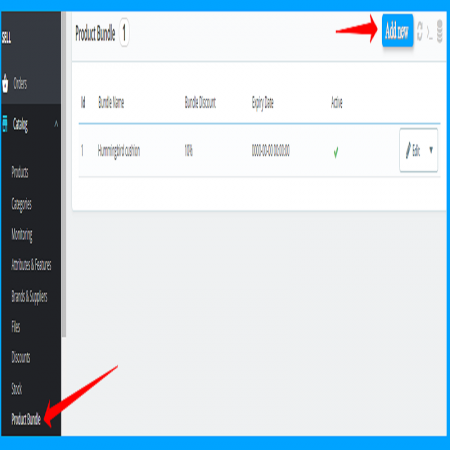
Navigate to the Catalog section.
Open the Product Bundles tab.
Click Add New.
Select the products to include.
Configure the bundle discount.
Set available customer selections.
Configure start and end dates.
Save the bundle.
You can also manage the module's display settings, including bundle positions, homepage visibility, product-page visibility, countdown timers, background color, layout, and maximum bundle display limit.
Individual product discounts and product bundles serve different promotional purposes.
An individual discount reduces the price of a particular product. A product bundle encourages customers to purchase a combination of related products together.
| Individual product discount | Product bundle promotion |
|---|---|
| Promotes one product | Promotes multiple products |
| Focuses on individual pricing | Focuses on combined purchasing |
| May not encourage additional purchases | Encourages complementary purchases |
| Usually applies to a single item | Supports configured product combinations |
| Limited product cross-selling opportunity | Creates a dedicated cross-selling offer |
The Bundle Product Mix Product module helps you create promotions around complete product combinations instead of relying only on individual product price reductions.
Follow these steps to install and configure the module.
Download the Bundle Product Mix Product module ZIP package from Sathi.
Log in to your PrestaShop Back Office.
Navigate to:
Modules → Module Manager → Upload a Module
Select the downloaded ZIP package and complete the installation.
Find Bundle Product Mix Product in the installed modules list and click Configure.
Configure the available display options:
Bundle display position.
Number of bundles displayed.
Product-page visibility.
Homepage visibility.
Countdown timer visibility.
Bundle container background color.
Full-width or half-width layout.
Navigate to:
Catalog → Product Bundles
Click Add New to create your first bundle.
Choose the products you want to group together and configure the relevant bundle settings.
Set the bundle discount and configure available product attributes and optional product selections.
Configure the start and end dates for your promotional bundle.
Save your bundle, visit the storefront, and test product selections, variations, pricing, countdown visibility, and add-to-cart functionality.
Your product bundle is now ready to be presented to customers according to its configuration.
A product bundle module allows store owners to group multiple products into a single promotional package and offer discounts when customers purchase the qualifying bundle.
Yes. You can select multiple products from your catalog and create customized bundles according to your promotional requirements.
Yes. The module supports bundle discounts and automatic discount application for qualifying bundle purchases.
Yes. You can configure mixed product bundles and allow customers to select available products using the supported bundle selection interface.
Yes. Customers can select available product attributes, such as size and color, for individual bundle products.
Yes. Optional product selection using checkboxes allows customers to select or deselect individual bundle items according to the bundle configuration.
Yes. The published module features include support for bundle rules such as Buy X, Get Y and fixed discounts on selected product combinations.
Yes. You can configure start and end dates to control when bundles are available.
Yes. You can enable countdown timers to show the remaining time for limited-time bundle promotions.
Yes. The module provides an option to enable product bundles on your homepage.
Yes. You can enable bundle display on product pages and configure the available display position.
Yes. You can choose between full-width and half-width layouts and define the background color of the bundle container.
Yes. Configure the maximum bundle display limit. Setting the limit to zero displays all bundles.
The module can automatically hide expired bundles to keep the storefront focused on currently available promotional offers.
Yes. It is suitable for different eCommerce industries, including fashion, electronics, beauty, home and kitchen, grocery, and sports stores.
The product page lists compatibility from PrestaShop 1.6 through PrestaShop 9.2.x.
Give customers more reasons to purchase complementary products together.
With the Bundle Product – Mix & Match Product PrestaShop Module, you can create custom promotional packages, configure automatic discounts, offer product attribute selection, and present attractive limited-time bundle offers throughout your store.
Whether you want to increase average order value, improve cross-selling, promote complementary products, or move slow-selling inventory, this module gives you the flexibility to build product bundle campaigns around your business goals.
Start creating attractive product bundles with Sathi and turn individual products into better shopping offers!
| Vendor | Sathi |
|---|---|
| Last update | Nov 26, 2026 |
| Version | 2.0.0 |
| Required store version | From 1.6 to 9.2.x |
| Publication date | Aug 14, 2024 |
| Return Policy | You can return the product within the 30 days return period for a full refund. No questions asked. |
| Customer Support | Enjoy one year of free customer support, including installation, troubleshooting, and usage guidance. |
| Description | This product is compatible with the specified versions and includes all the latest updates to enhance functionality and user experience. |
Version:2.0.0

 Daily Deals Widget – Multiple Promotional Campaigns with Countdown Timer for PrestaShop
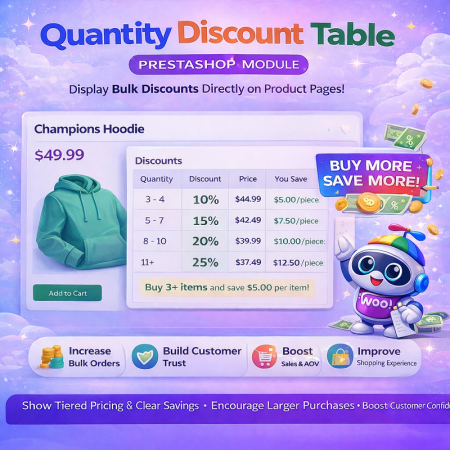 Quantity Discount Table & Grid – Bulk Pricing Display Module for PrestaShop
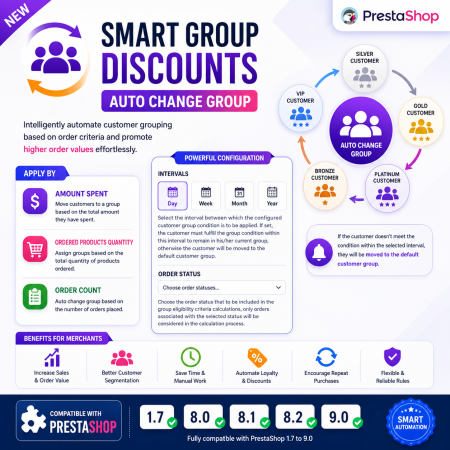
 Smart Group Discounts & Automatic Customer Group Changes for PrestaShop
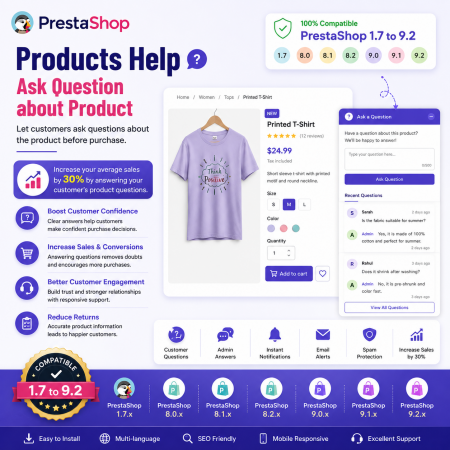
 Products Help – Ask Questions About Products in PrestaShop

 Advanced Google SEO – XML & HTML Sitemap Generator for PrestaShop
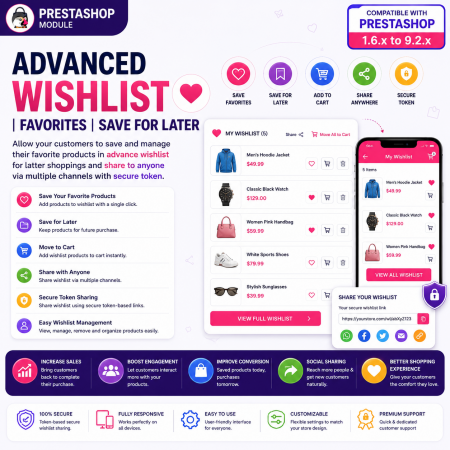
 Advanced Wishlist, Favorites & Save for Later Module for PrestaShop

 Extra Product Listing & Product Recommendations Module for PrestaShop

 Buy Now Button & Quick Order – One-Click Checkout Module for PrestaShop
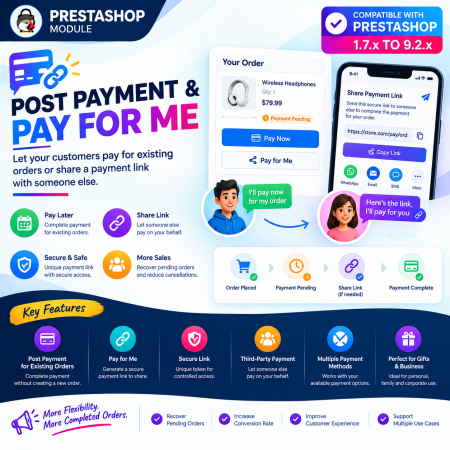
 Post Payment & Pay for Me Module for PrestaShop
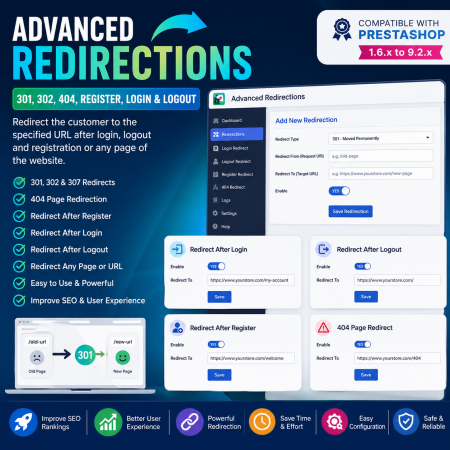
 Advanced Redirections – 301, 302, 404 & Customer Redirects for PrestaShop
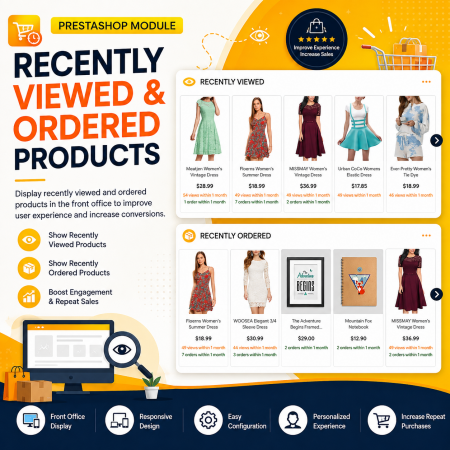
 Recently Viewed and Ordered Products – Product History Module for PrestaShop
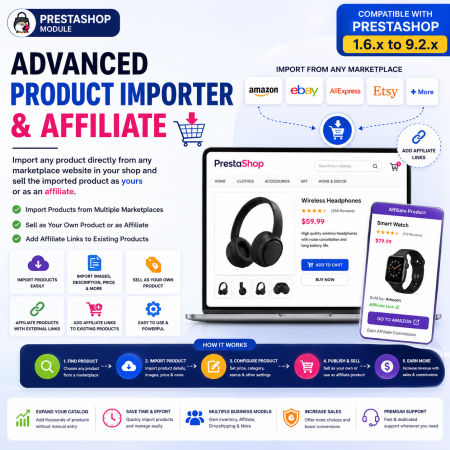
 Advanced Product Importer & Affiliate (100+ websites) Module for PrestaShop
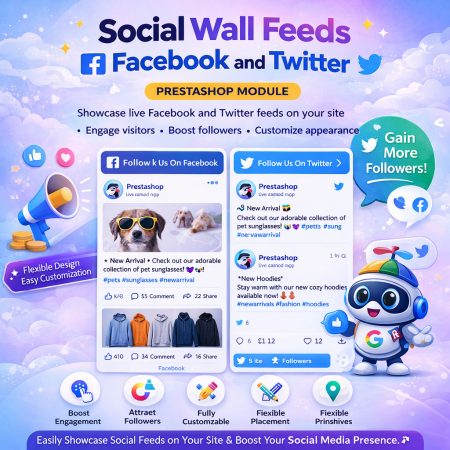
 Social Wall Feeds – Facebook & Twitter Integration Module for PrestaShop
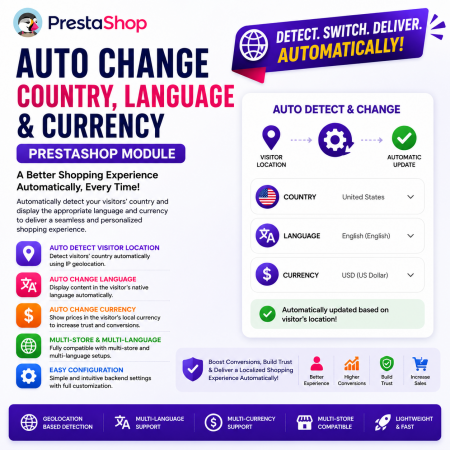 Automatic Country, Language & Currency Detection Module for PrestaShop
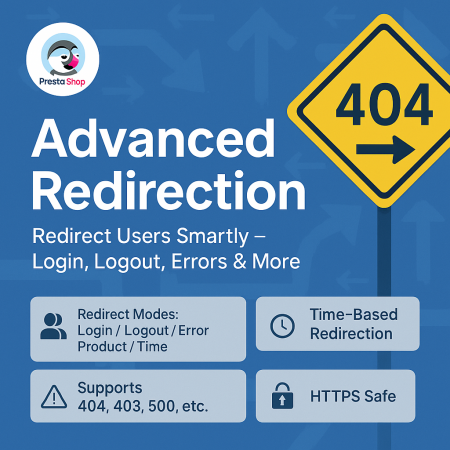
 Advanced URL Redirection Module for PrestaShop – 301, 302, 404 & Scheduled Redirects
 Product Variants Pro – Custom Variant Groups for PrestaShop
 Shipping Price Manager – Dynamic Shipping Cost Management Module for PrestaShop

 Instant Search & Auto Complete – Advanced Live Search Module for PrestaShop
 Custom Product Variants – Display Separate Products as Variations in PrestaShop
Increase your PrestaShop sales with attractive product bundles and flexible mix-and-match offers using the Bundle Product – Mix Product PrestaShop Module.
Create customized product bundles by grouping multiple products together and offering attractive discounts when customers purchase the bundle. Let shoppers select their preferred products, choose available combinations such as size and color, and include or exclude optional bundle items using checkboxes.
Configure flexible bundle discounts, schedule promotional offers with start and end dates, display countdown timers, and control where bundles appear across your store. Showcase product bundles on individual product pages or your homepage with customizable layouts, background colors, and display limits.
Whether you want to sell complementary products, create promotional packages, increase average order value, or move slow-selling inventory, this PrestaShop product bundling module gives you a practical way to create and manage attractive bundle offers.
Create product combinations. Offer automatic discounts. Encourage customers to buy more with every order.
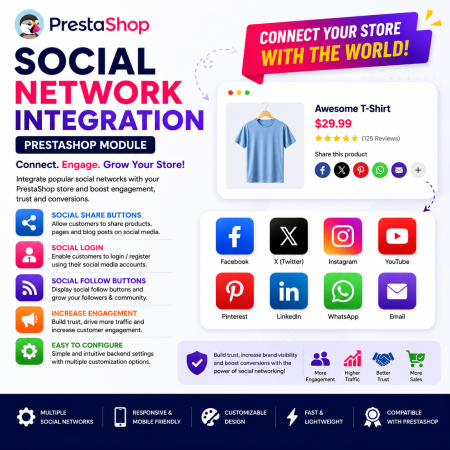
 Social Network Integration – Connect Your PrestaShop Store with 70+ Social Networks

Encrypted payment gateways ensuring your financial and personal data remain 100% protected.

Every module includes professional installation assistance, free updates, and reliable troubleshooting.

Rigorously tested PrestaShop & WooCommerce extensions designed for maximum speed and zero bloat.

Transparent policies, clean documentation, and dedicated assistance if you run into any compatibility hurdles.