- -$40.00


Make product selection easier with the Show Product Attributes or Combinations PrestaShop Module.
Display...

Make your products stand out with the Advance Product Stickers & Labels PrestaShop Module....

Make bulk pricing visible and encourage larger orders with the Quantity Discount Table Grid PrestaShop Module.
...
Take complete control of your store's free shipping strategy with the Free Shipping by Zone & Carrier...

Make international shopping easier with the Auto Change Country, Language & Currency PrestaShop Module.
...

Vendor
Version
Last update
Prestashop version
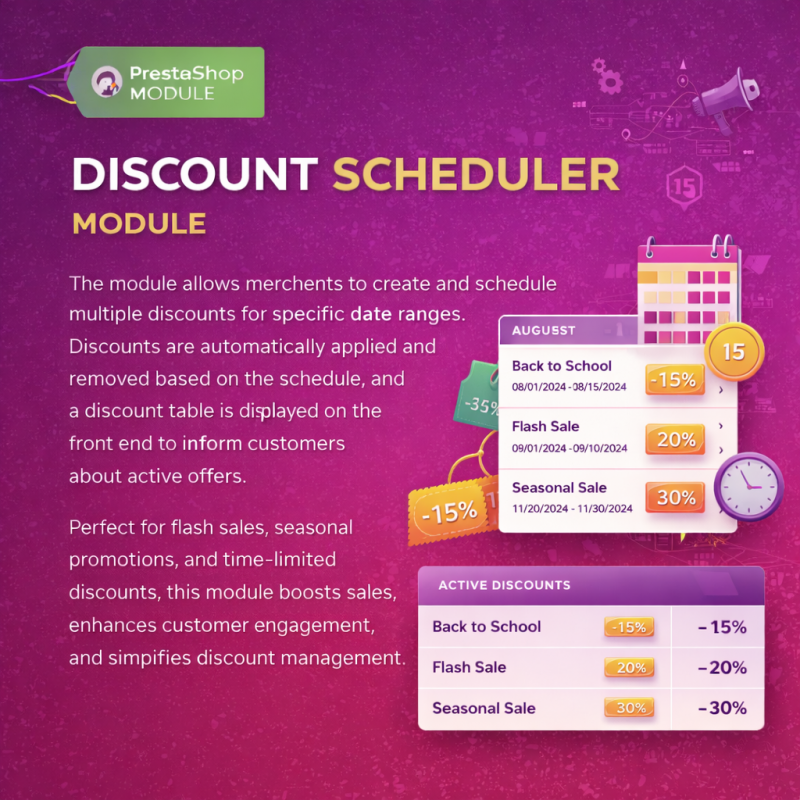
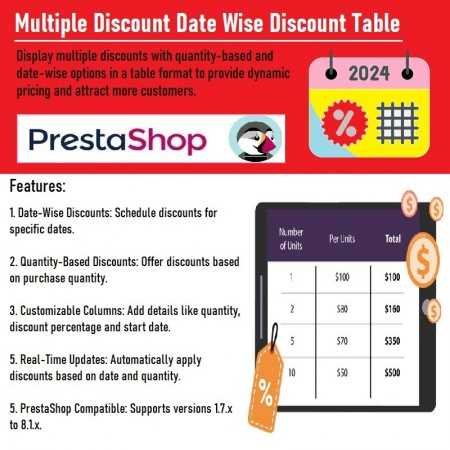
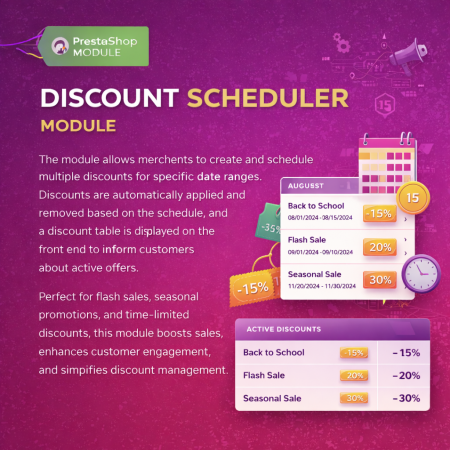
Automate your promotional pricing with the Multiple Discount Date-Wise Discount PrestaShop Module. Schedule multiple discount periods for individual products, define precise start and end dates, and let PrestaShop automatically activate and expire promotional prices.
Plan Black Friday offers, weekend sales, seasonal promotions, hourly flash deals, and upcoming discount campaigns without manually updating product prices. Display a responsive front-office discount table with promotional prices, discount percentages, active offers, and countdown timelines to help customers understand available deals and shop at the right time.
Manage all your scheduled discounts directly from the PrestaShop Back Office. Add, edit, and delete discount periods, customize the front-office table appearance, and organize your promotional calendar in advance.
Key benefits:
Schedule multiple discount periods for individual products.
Set precise discount start and end dates and times.
Automatically activate and expire promotional prices.
Display active and upcoming discounts on product pages.
Show discount percentages and countdown timelines.
Customize the front-office discount table.
Plan seasonal campaigns and flash sales in advance.
Reduce manual price updates and promotional management work.
Give your customers clearer promotional information and make time-limited offers easier to manage with this PrestaShop discount scheduling solution.
Schedule Multiple Discounts. Automate Flash Sales. Increase Promotional Visibility.
Running promotions is an important part of eCommerce marketing, but managing time-sensitive discounts can quickly become a repetitive task. Store owners frequently need to change product prices for weekend offers, seasonal campaigns, special events, holiday sales, and limited-time promotions.
Manually activating and removing discounts creates unnecessary administrative work. If a promotion starts late or an expired discount remains active, it can affect your pricing strategy, profit margins, and customer experience.
The Multiple Discount Date-Wise Discount PrestaShop Module provides a smarter way to manage promotional pricing. Schedule multiple discount periods for individual products, define exact start and end dates, and let the module automatically apply and remove discounts according to your promotional calendar.
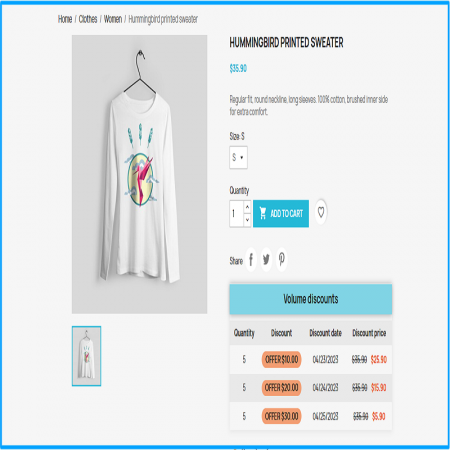
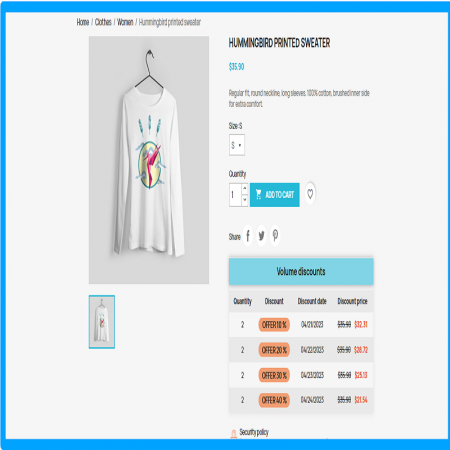
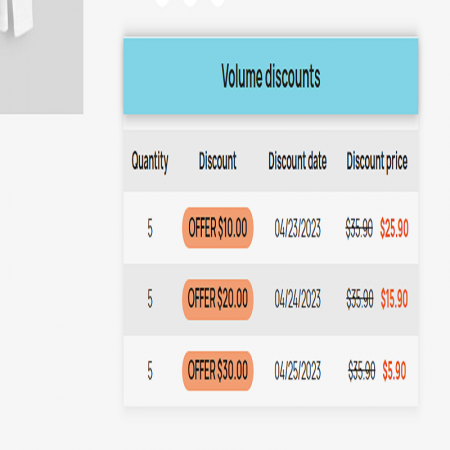
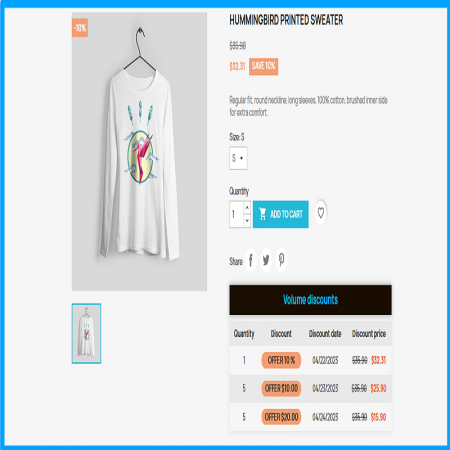
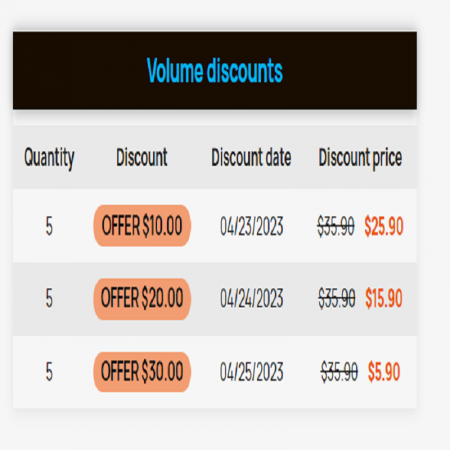
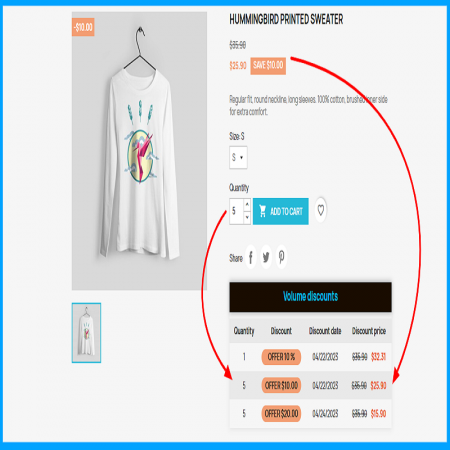
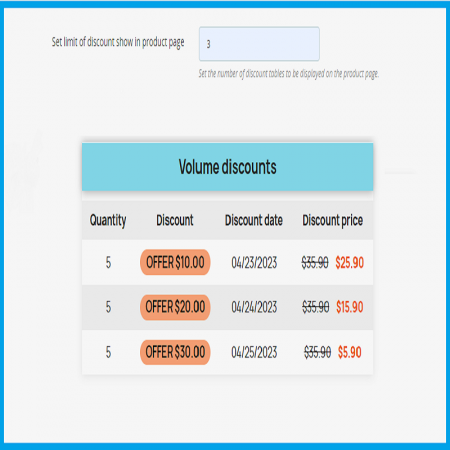
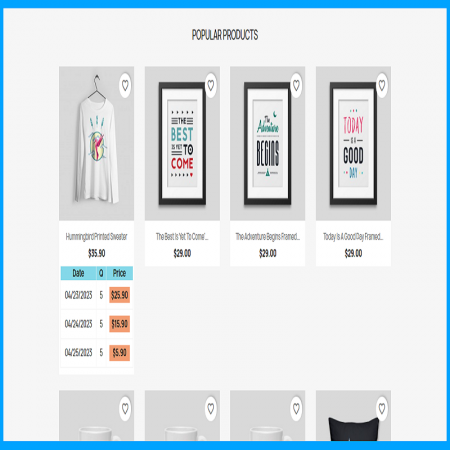
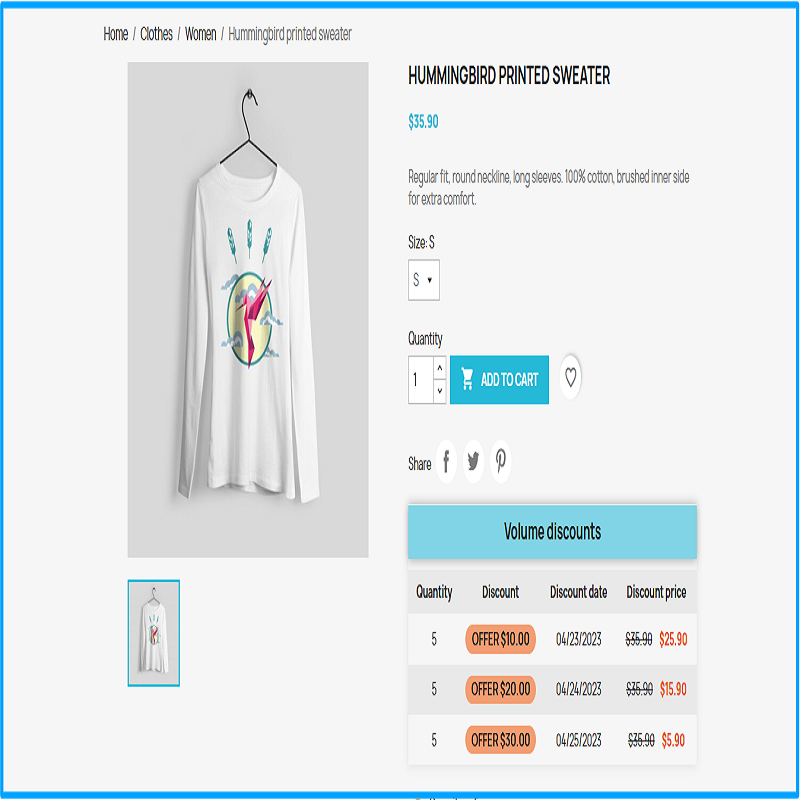
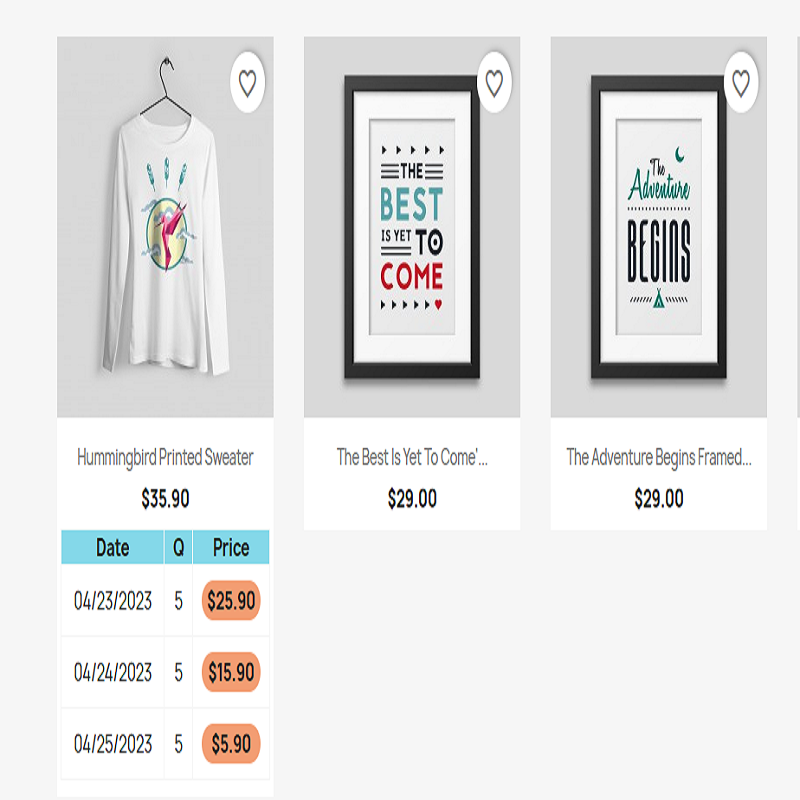
Customers can also see promotional information directly on product pages through a dynamic discount table that displays available offers, discount percentages, promotional pricing, and countdown timelines.
Whether you are planning a Black Friday campaign, weekend promotion, Christmas sale, seasonal clearance, or hourly flash deal, this PrestaShop discount scheduler helps you organize your promotional pricing in advance.
Managing discounts manually is not always practical, especially when your store has many products and several promotional campaigns throughout the year.
Imagine planning three different promotions for the same product:
Weekend Sale: 10% discount.
Special Shopping Event: 20% discount.
Clearance Promotion: 30% discount.
Each promotion has its own start and end date. Without an organized scheduling solution, you may need to revisit your store administration and manually update promotional prices whenever a campaign begins or finishes.
The Multiple Discount Date-Wise Discount module simplifies this process.
Create multiple discount periods for your products, specify their schedules, and let the module manage promotional pricing automatically.
Select Product → Create Discount → Set Start Date → Set End Date → Automatic Activation → Automatic Expiration
Once your discount schedule is configured, the module handles the promotional timing according to your defined dates and times.
You can prepare your promotional calendar in advance instead of repeatedly modifying product prices during every campaign.
Default discount management may require additional manual work when a store runs several time-sensitive campaigns.
Here are some common challenges faced by online store owners.
Store administrators may need to revisit product settings whenever a new promotion starts or an existing discount ends.
When several products are involved, this becomes a time-consuming process.
Solution: Schedule multiple discount periods in advance and automate their activation and expiration.
An expired promotional offer that remains active can result in unexpected discounts and reduced profit margins.
Solution: Define exact start and end dates so promotional pricing follows the configured schedule automatically.
Black Friday, Christmas, weekend promotions, clearance events, and special shopping campaigns often require different discount periods.
Solution: Organize multiple date-wise discount schedules for individual products from one dedicated administration interface.
When upcoming offers and promotional periods are not clearly communicated, customers may miss important deals or postpone their purchases.
Solution: Display promotional details through a front-office discount table with discount percentages and countdown timelines.
Constantly editing product prices takes time that store owners could spend planning marketing campaigns and improving their business.
Solution: Prepare your promotional calendar in advance and reduce repetitive manual price management.
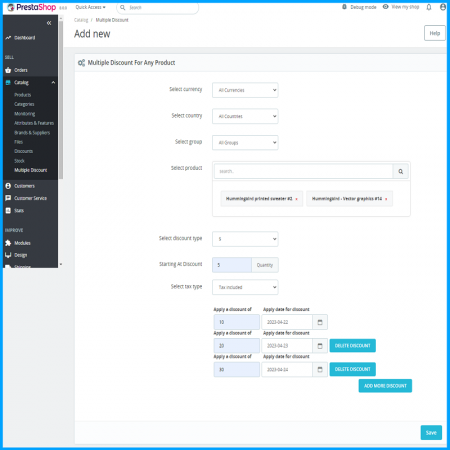
Create multiple promotional discount periods for the same product instead of managing every campaign as a separate manual price update.
This feature is particularly useful when you want to organize several promotional events throughout a month, season, or year.
Key capabilities:
Create multiple discount periods for a product.
Define separate start and end dates for each discount.
Configure different discount values for different promotional periods.
Plan upcoming promotional campaigns in advance.
Organize product-specific promotional schedules.
Manage several offers through the module administration interface.
Example:
>
| Promotion | Discount | Scheduled period |
|---|---|---|
| Weekend Sale | 10% | Friday–Sunday |
| Special Sale | 20% | Configured campaign dates |
| Clearance Sale | 30% | Configured clearance dates |
Illustrative example. Actual discount dates and values depend on your configuration.
Business benefit: Manage multiple promotional campaigns without repeatedly editing product pricing manually.
Never depend entirely on remembering when a promotion should start or finish.
Set the discount schedule once and allow the module to manage the promotional timing automatically.
Key capabilities:
Configure precise discount start dates.
Configure precise discount end dates.
Schedule discount activation in advance.
Automatically activate discounts during their configured periods.
Automatically remove promotional pricing after expiration.
Manage scheduled offers without manual back-office price changes.
Run time-sensitive promotions according to your promotional calendar.
The module's scheduling functionality does not require you to create separate manual activation and expiration tasks for each campaign.
Business benefit: Reduce human errors, prevent forgotten promotional updates, and save time when managing multiple discount campaigns.
Customers should be able to understand promotional offers before adding products to their shopping carts.
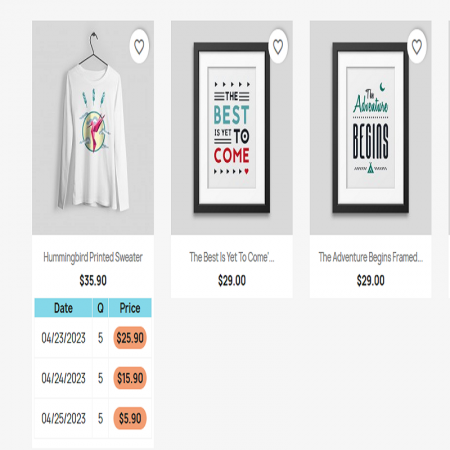
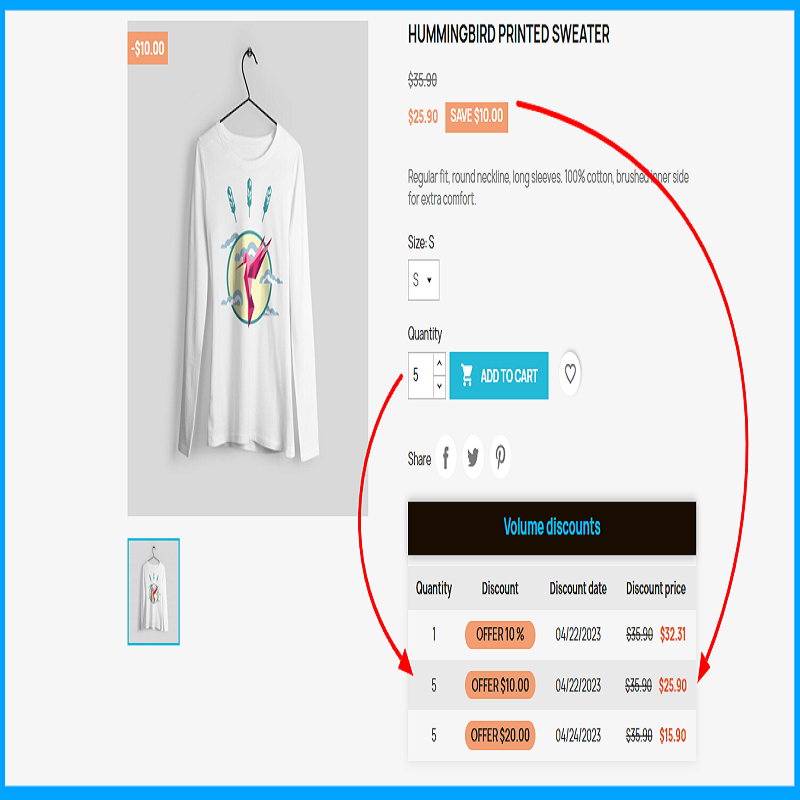
The module displays a structured discount table directly on product pages, helping shoppers understand the available promotional information.
Key capabilities:
Display promotional discount information on product pages.
Show applicable discount periods.
Present discount percentages.
Display promotional price information.
Show active and upcoming promotional offers.
Present countdown timelines.
Provide a structured view of scheduled discounts.
Use a responsive layout for different screen sizes.
Business benefit: Improve promotional visibility and help customers understand when they can take advantage of special offers.
Time-sensitive promotions can be more compelling when customers understand how long an offer will remain available.
The module supports countdown timelines in the front-office discount display, making promotional timing easier to understand.
Key capabilities:
Show countdown information for promotional periods.
Communicate the remaining time of time-limited offers.
Highlight the timing of scheduled promotions.
Help shoppers recognize promotional deadlines.
Support flash-sale and seasonal campaign presentation.
Business benefit: Create clearer promotional communication and encourage customers to consider completing purchases before an offer expires.
Flash sales are useful for creating short promotional campaigns around special events, weekends, and seasonal shopping periods.
However, managing several flash sales manually can be inconvenient.
The module allows you to prepare time-based discount campaigns in advance.
Popular flash sale applications:
Weekend flash sales.
Black Friday promotions.
Cyber Monday campaigns.
Christmas shopping offers.
New Year discounts.
Seasonal clearance sales.
Special shopping events.
Limited-time product promotions.
Hourly promotional campaigns.
Business benefit: Organize your flash-sale calendar in advance and reduce the effort involved in manually changing product prices for each campaign.
You should not need programming knowledge to organize promotional discount schedules.
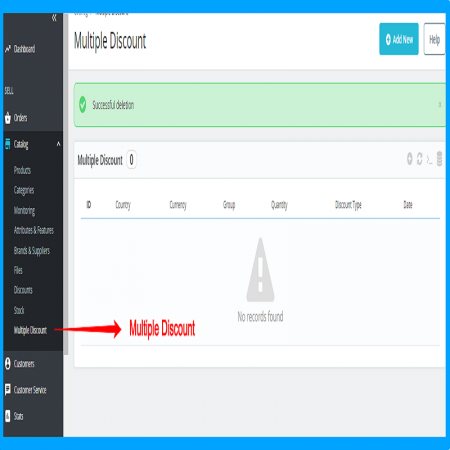
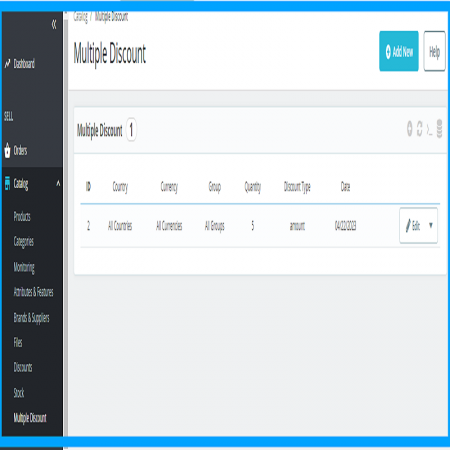
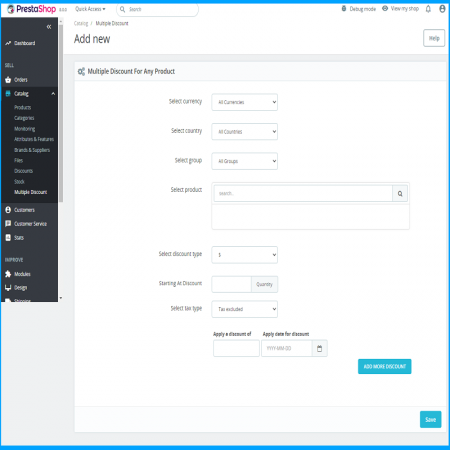
The module provides a dedicated administration interface for managing date-wise discounts.
Key capabilities:
Add new date-wise discounts.
Edit existing discount schedules.
Delete promotional discount entries.
Select target products.
Configure discount values.
Set promotional start dates and end dates.
Manage multiple discount periods from the Back Office.
Business benefit: Make promotional pricing administration easier and keep your discount campaigns organized in one place.
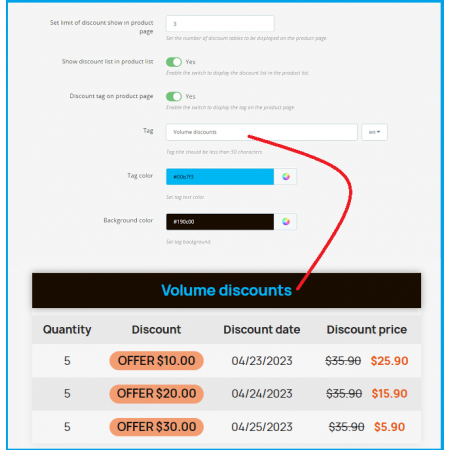
Every online store has its own visual identity. The promotional discount table should fit naturally into your existing product page design.
The module provides display customization options for adapting the table to your store's appearance.
Key capabilities:
Customize discount table styling.
Adjust table layout.
Configure displayed data fields.
Match promotional information with your theme's visual design.
Present discount information in a structured format.
Business benefit: Display promotional information in a way that complements your storefront design and shopping experience.
Product page performance is important for customer experience and eCommerce usability.
The module is designed with an optimized query architecture to support promotional discount management without unnecessary database overhead.
Key benefits:
Lightweight discount management approach.
Optimized database queries.
Efficient promotional information retrieval.
Designed to support stores managing promotions across large product catalogs.
Performance in an individual store will still depend on its hosting, theme, database, and other installed modules.
Managing your promotional calendar becomes straightforward with a simple scheduling workflow.
Choose the product for which you want to create a promotional discount.
Add a new discount entry and configure the promotional discount value.
Specify exactly when the promotional price should become active.
Define when the promotional period should finish.
Create additional discount schedules for the same product or other products according to your promotional strategy.
Enable the front-office discount table to show relevant promotional details to customers.
The module automatically activates and expires discounts according to the configured schedule.
Your promotional workflow is ready:
Configure Once → Schedule Ahead → Activate Automatically → Display Offers → Expire Automatically.
The Multiple Discount Date-Wise Discount module can support many different eCommerce marketing strategies.
Prepare special discounts for major shopping events.
Schedule promotional prices in advance and display the relevant offers on product pages so customers can understand available deals.
Run special Friday, Saturday, and Sunday promotions without manually changing product prices every weekend.
Prepare holiday discount schedules ahead of time and organize multiple campaigns for different product categories.
Clear seasonal inventory by planning different promotional periods for products that need additional sales attention.
Offer introductory discounts during a defined promotional period and automatically end the offer when the campaign finishes.
Run discounts for Valentine's Day, Mother's Day, Father's Day, Independence Day, anniversary sales, and other special occasions.
Create short-duration promotional campaigns to highlight selected products and communicate offer deadlines.
A well-organized discount scheduling strategy can improve promotional management and support your store's marketing objectives.
Save Administration Time
Prepare multiple discount periods in advance rather than repeatedly updating product prices manually.
Reduce Pricing Mistakes
Automatic activation and expiration help prevent forgotten promotional changes.
Plan Marketing Campaigns Ahead
Organize upcoming promotional events according to your business calendar.
Improve Promotional Visibility
Display relevant discount information directly on product pages.
Encourage Purchase Decisions
Countdown timelines and clearly presented time-limited offers can give customers an additional reason to consider purchasing.
Manage Multiple Products More Effectively
Organize product-specific promotional schedules through a dedicated module interface.
Support Different Marketing Strategies
Use the same scheduling solution for flash sales, seasonal promotions, weekend deals, and special shopping events.
Customers also benefit from clear and well-organized promotional pricing.
See promotional discounts directly on product pages.
Understand available discount percentages.
View scheduled promotional information.
Identify time-limited offers.
See countdown timelines for relevant promotions.
Enjoy automatic promotional pricing without entering coupon codes.
Browse promotional offers through a responsive discount table.
The result is a more transparent promotional shopping experience.
Date-wise discount scheduling is useful for almost every product-based online business.
Schedule discounts for seasonal clothing, new collections, footwear, and accessories.
Plan special promotional periods for smartphones, laptops, gadgets, and accessories.
Create time-limited promotions for skincare, cosmetics, and personal care products.
Schedule promotional pricing for furniture, kitchen accessories, home decoration, and lifestyle products.
Run seasonal promotions for sportswear, fitness equipment, and accessories.
Organize product-specific promotional campaigns across different categories and product collections.
Managing promotional prices should not become a daily administrative burden.
The Sathi Multiple Discount Date-Wise Discount module brings discount scheduling, automatic promotional pricing, front-office discount visibility, and promotional calendar management into one solution.
What makes it valuable:
Multiple discount schedules for products.
Precise date and time configuration.
Automatic discount activation.
Automatic discount expiration.
Front-office promotional discount table.
Countdown timelines.
Customizable discount table appearance.
Easy Back Office management.
Lightweight and optimized query architecture.
Suitable for different seasonal and promotional campaigns.
Instead of manually managing every promotional change, spend more time planning campaigns and improving your store.
Installing and configuring the module is straightforward.
Download the Multiple Discount Date-Wise Discount ZIP package from Sathi.
Log in to your store administration panel.
Navigate to:
Modules → Module Manager
Click the Upload a Module option, select the downloaded ZIP package, and complete the installation.
Find Multiple Discount Date-Wise Discount in your installed modules and click Configure.
Choose the products you want to promote and create the required discount entries.
Configure:
Discount value.
Promotional start date.
Promotional end date.
Additional discount periods where required.
Enable the discount table display option so customers can view promotional information on product pages.
Adjust the available display styling, layout, and data fields according to your storefront design.
Review the configured product discounts and verify that active, upcoming, and expired promotional periods behave as expected.
Your scheduled discount campaigns are now ready to run.
 |
 |
 |
It is a discount scheduling extension that allows PrestaShop store owners to create multiple promotional discount periods for products. You can configure start and end dates and automatically manage promotional pricing.
Yes. You can create multiple separate date ranges and promotional discount rules for the same product, allowing you to plan different campaigns in advance.
Yes. The module automatically activates promotional discounts when their configured start dates and times are reached.
Yes. When a scheduled discount period ends, the module automatically removes the promotional pricing according to its configured end date and time.
No separate manual cron job is required for the module's documented discount scheduling functionality.
No. The scheduled discounts are applied directly to the relevant product pricing during their active promotional periods. Customers do not need to enter separate coupon codes to receive these scheduled discounts.
Yes. The module provides a front-office discount table that can display active and upcoming promotional information on product pages.
Yes. The front-office discount table supports countdown timelines to communicate the timing of time-limited promotions.
Yes. The discount table is designed to adapt to desktop, tablet, and mobile screen sizes.
Yes. You can customize available styling, layout, and displayed data fields to better match your store's theme.
Yes. It is suitable for Black Friday, Cyber Monday, Christmas, New Year, weekend sales, seasonal clearance campaigns, and other scheduled promotions.
Yes. You can select target products and manage their date-wise promotional discount schedules through the module's administration interface.
The published compatibility range is PrestaShop 1.7.0 through 9.2.x.
Yes. The published offer includes one year of free technical support, installation assistance, troubleshooting, and free version updates.
Yes. The product page advertises a 30-day money-back guarantee. Please refer to Sathi's published refund policy for applicable terms.
Stop wasting valuable time manually updating product prices for every promotional event.
With the Multiple Discount Date-Wise Discount PrestaShop Module, you can plan promotional campaigns in advance, schedule multiple discount periods, automate discount activation and expiration, and display attractive promotional information directly on product pages.
From weekend flash sales to major seasonal shopping events, take control of your promotional calendar and provide customers with clearer, time-sensitive offers.
Get the Sathi Multiple Discount Date-Wise Discount Module today and make promotional pricing easier to manage!
| Vendor | Sathi |
|---|---|
| Last update | Nov 26, 2026 |
| Version | 1.1.0 |
| Required store version | From 1.7.0 to 9.2.x |
| Publication date | Dec 02, 2023 |
| Return Policy | You can return the product within the 30 days period for a full refund. No questions asked. |
| Customer Support | Enjoy one year of free customer support, including installation, troubleshooting, and usage guidance. |
| Description | This product is compatible with the specified versions and includes all the latest updates to enhance functionality and user experience. |
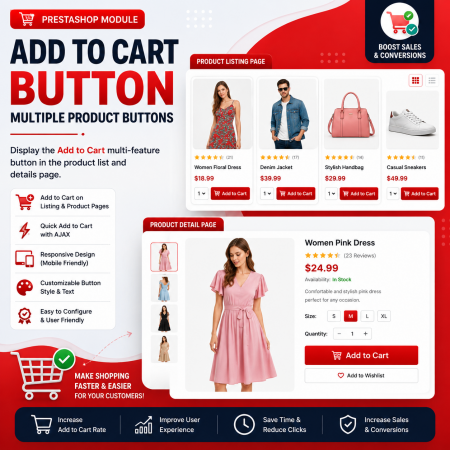
 Advanced Add to Cart Button Module for PrestaShop – Simplify Product Shopping
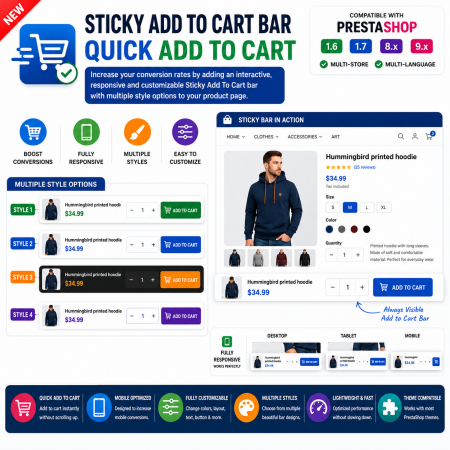
 Sticky Add to Cart Bar – Quick Add to Cart Module for PrestaShop

 Time Limited Offers & Countdown Timer – Flash Sale Module for PrestaShop
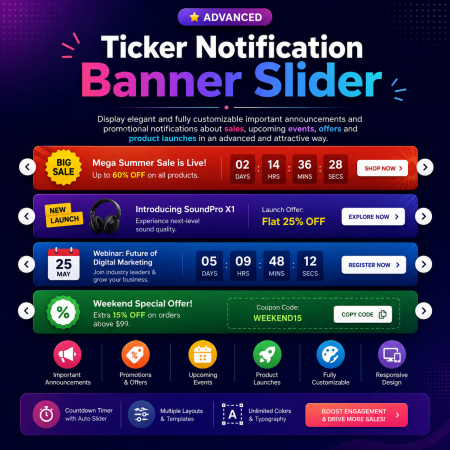
 Ticker Notification Banner – Announcement Bar Module for PrestaShop

 Advanced Amazon Product Importer & Affiliate Module for PrestaShop
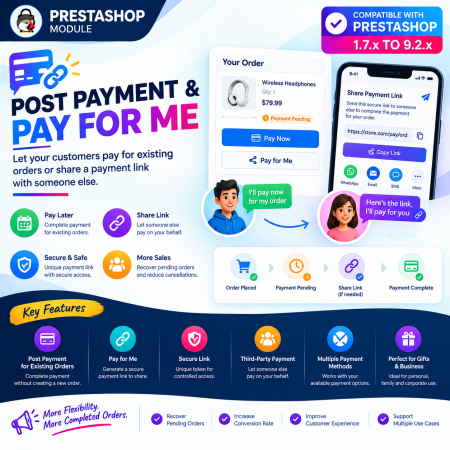
 Post Payment & Pay for Me Module for PrestaShop

 Offer Your Price – Make an Offer & Price Negotiation Module for PrestaShop
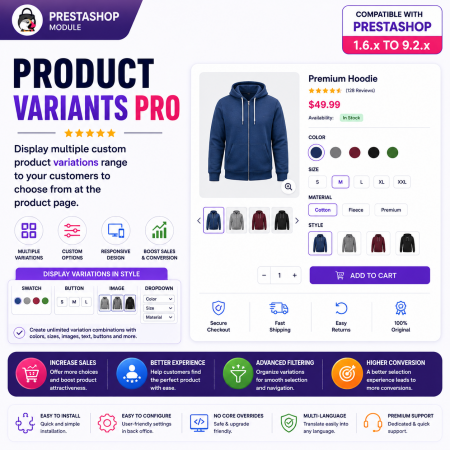
 Product Variants Pro – Custom Variant Groups for PrestaShop

 Loyalty, Referral & Affiliate Programs Module for PrestaShop

 Display Product Slider & Grid – Product Showcase Module for PrestaShop
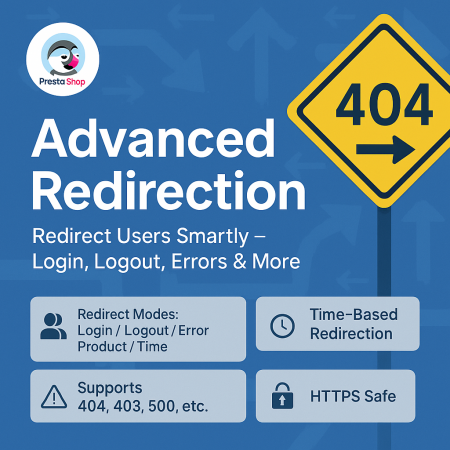
 Advanced URL Redirection Module for PrestaShop – 301, 302, 404 & Scheduled Redirects
 Show Product Attributes or Combinations in PrestaShop Product Pages & Listings
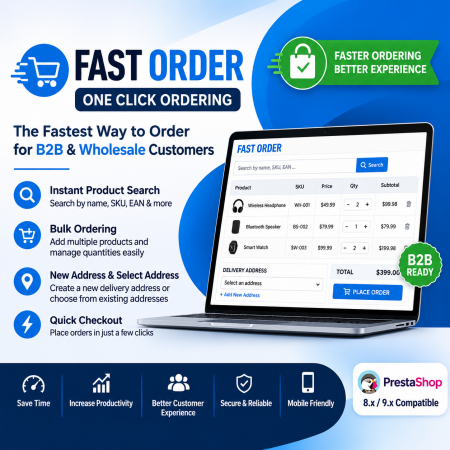
 Fast Order with Instant and File Search – Quick Ordering Module for PrestaShop

 Product Video – YouTube, Vimeo, External Links & Video Upload for PrestaShop

 Smart Similar Products – Automated Product Recommendations for PrestaShop

 Social Wall Feeds – Facebook & Twitter Integration Module for PrestaShop
Automate your promotional pricing with the Multiple Discount Date-Wise Discount PrestaShop Module. Schedule multiple discount periods for individual products, define precise start and end dates, and let PrestaShop automatically activate and expire promotional prices.
Plan Black Friday offers, weekend sales, seasonal promotions, hourly flash deals, and upcoming discount campaigns without manually updating product prices. Display a responsive front-office discount table with promotional prices, discount percentages, active offers, and countdown timelines to help customers understand available deals and shop at the right time.
Manage all your scheduled discounts directly from the PrestaShop Back Office. Add, edit, and delete discount periods, customize the front-office table appearance, and organize your promotional calendar in advance.
Key benefits:
Schedule multiple discount periods for individual products.
Set precise discount start and end dates and times.
Automatically activate and expire promotional prices.
Display active and upcoming discounts on product pages.
Show discount percentages and countdown timelines.
Customize the front-office discount table.
Plan seasonal campaigns and flash sales in advance.
Reduce manual price updates and promotional management work.
Give your customers clearer promotional information and make time-limited offers easier to manage with this PrestaShop discount scheduling solution.

Encrypted payment gateways ensuring your financial and personal data remain 100% protected.

Every module includes professional installation assistance, free updates, and reliable troubleshooting.

Rigorously tested PrestaShop & WooCommerce extensions designed for maximum speed and zero bloat.

Transparent policies, clean documentation, and dedicated assistance if you run into any compatibility hurdles.