- -₹3,415.10


This module enhances the shopping experience by allowing customers to easily explore product variations such as...

The module allows merchants to enhance product images with customizable stickers and labels. Whether it’s...

Make bulk pricing visible and encourage larger orders with the Quantity Discount Table Grid PrestaShop Module.
...
This module allows you to offer free shipping based on flexible conditions, such as location, carrier, cart value,...

The module automatically adjusts language, currency, and country settings based on the customer's location....
Vendor
Version
Last update
Prestashop version
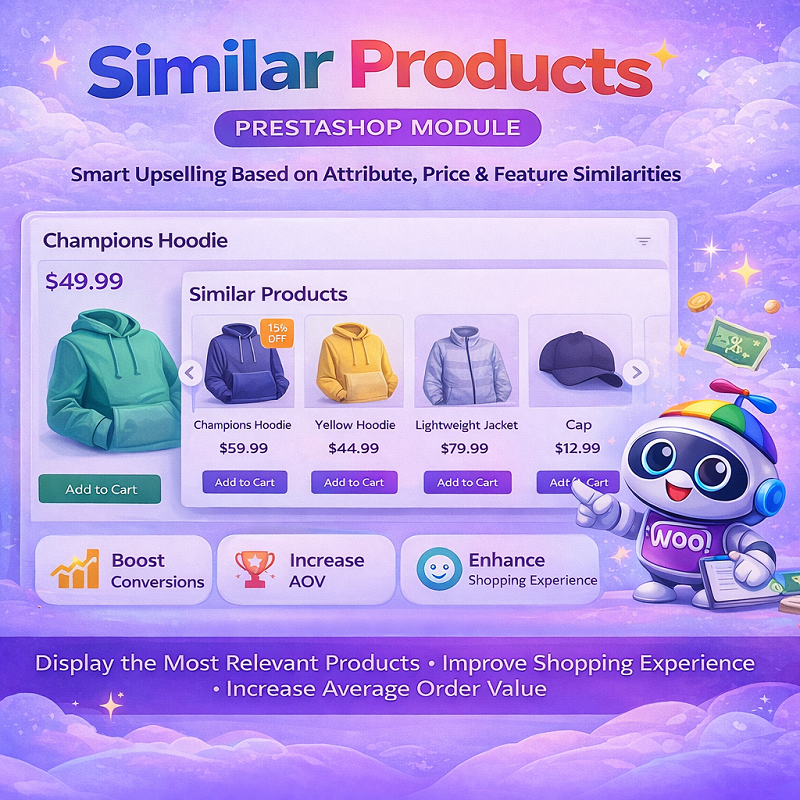
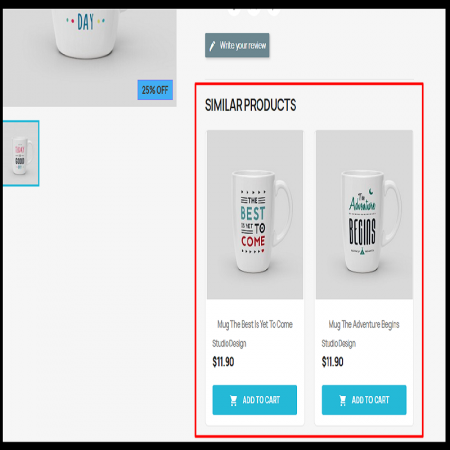
Help customers discover relevant product alternatives with the Smart Similar Products PrestaShop Module.
Automatically recommend similar products from the same category by comparing product attributes, price ranges, and features. Instead of manually selecting related products, this intelligent recommendation module evaluates configurable matching criteria and calculates similarity using adjustable weights.
Customize attribute, price, and feature matching independently, set price tolerance percentages, choose how many recommendations to display, and select where the recommendation section appears on your product pages.
Whether you sell fashion, electronics, home accessories, furniture, or other products, Smart Similar Products helps shoppers explore relevant alternatives, compare product options, and discover more items from your catalog.
Automate product recommendations. Improve product discovery. Make every product page more useful.
Help Customers Discover Better Alternatives. Automate Product Matching. Improve Product Discovery.
Customers visiting an online store often know what type of product they want, but they may not know which alternative best matches their requirements.
For example, someone viewing a black t-shirt may also be interested in other colors, similar sizes, or products within the same budget. A customer exploring a laptop may want to discover alternatives with similar specifications and technical features.
Finding these alternatives manually can take time, especially when your store has hundreds or thousands of products.
The Smart Similar Products PrestaShop Module solves this product discovery challenge with an automated similarity-matching engine.
Instead of relying entirely on manually selected related products, the module analyzes products from the same category and identifies relevant alternatives using configurable attributes, price ranges, and product features.
Store administrators can control which matching criteria are active, adjust their relative weights, configure price tolerance, and customize how recommendations appear on product pages.
Whether you operate a fashion boutique, electronics store, furniture shop, accessories website, or a large eCommerce catalog, Smart Similar Products helps customers explore relevant alternatives directly from the product they are viewing.
Product discovery plays an important role in the customer shopping journey.
When customers find a product they like, they often want to explore other options before making a purchasing decision.
However, manually browsing multiple category pages can make product discovery less convenient.
Traditional related-product strategies often depend on manually associating products or displaying recommendations that may not match the customer's actual requirements.
Smart Similar Products introduces a configurable, criteria-based approach to automated product recommendations.
The module compares products from the same category using three primary matching criteria:
Product Attributes: Compare characteristics such as color, size, and other available attribute values.
Product Price: Find products within a configurable price tolerance of the currently viewed product.
Product Features: Compare product specifications and feature values to identify similar alternatives.
Each criterion can be enabled or disabled independently, and its relative weight can be adjusted to control its importance in the similarity calculation.
The result is a more flexible product recommendation strategy that can be adapted to different types of catalogs.
The module follows a four-step recommendation process to identify similar products.
When a customer opens a product page, the module identifies the product currently being viewed.
This product becomes the reference for finding relevant alternatives.
The matching engine evaluates eligible products from the same category using the enabled criteria:
Attribute similarities.
Price range compatibility.
Product feature similarities.
Only the matching criteria enabled in the module configuration are used.
Each enabled matching criterion contributes to the similarity calculation according to its configured weight.
This allows store owners to prioritize the characteristics that matter most to their products.
For example:
A fashion store may prioritize color and size.
An electronics store may prioritize technical features.
A budget-focused catalog may prioritize price similarity.
The matching engine uses these configurable priorities to determine product similarity.
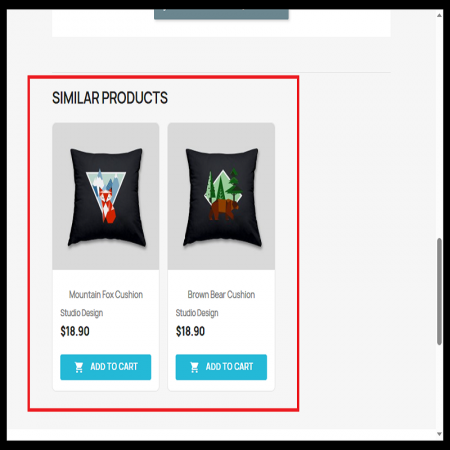
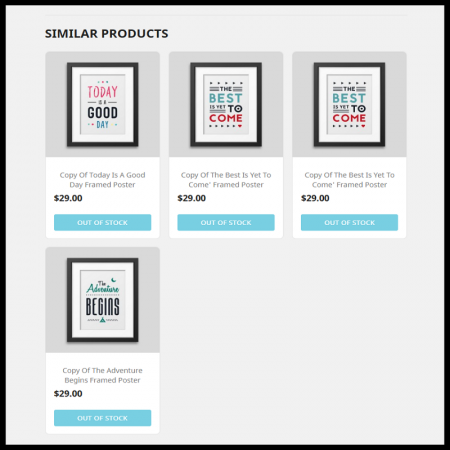
The module displays matching product suggestions in the selected product-page position.
Customers can explore alternatives without returning to the category page or manually searching the entire catalog.
Matching workflow:
Current Product → Compare Criteria → Calculate Similarity → Display Recommendations
Product attributes help customers identify alternatives with similar characteristics.
For example, fashion shoppers may want products with similar colors and sizes, while customers shopping for accessories may look for products with matching dimensions or other available attributes.
The module compares product attributes to identify similar products within the same category.
Key capabilities:
Compare product attributes such as color and size.
Evaluate available attribute values.
Enable or disable attribute-based matching.
Adjust the attribute matching weight.
Prioritize attribute similarities according to your catalog requirements.
Example:
A customer is viewing a medium-sized blue t-shirt. The module can use enabled attribute matching to identify other products with matching attribute values.
Business benefit: Help shoppers discover alternatives that share relevant product characteristics.
Price is one of the most important factors influencing online purchasing decisions.
Customers often compare products within a particular budget before deciding what to buy.
The price matching feature helps identify products priced within a configurable percentage tolerance of the current product.
Key capabilities:
Compare product prices.
Configure price tolerance as a percentage.
Find products within a similar price range.
Enable or disable price-based matching.
Adjust the price matching weight.
Example:
Suppose a customer is viewing a product priced at $100 and your configured price tolerance is 20%.
The recommendation engine can consider products priced within the corresponding 20% range, subject to the other enabled matching criteria.
Business benefit: Help customers explore alternative products within a similar budget instead of forcing them to search through multiple price ranges.
Product features describe important product specifications and characteristics.
These can be particularly valuable for stores selling electronics, appliances, furniture, equipment, and other specification-driven products.
The module compares product features to identify alternatives with similar specifications.
Key capabilities:
Compare available product features.
Evaluate feature values.
Enable or disable feature-based matching.
Adjust feature matching weight.
Prioritize technical specifications according to your product catalog.
Example:
A customer is viewing a laptop with specific processor, memory, and storage information. The module can use enabled feature matching to identify other products with similar feature values.
Business benefit: Help customers discover technically relevant alternatives and make more informed shopping decisions.
Not every product characteristic has the same importance.
For example, color may be more important than price for a fashion store, while technical specifications may be more important than color for an electronics store.
Smart Similar Products provides configurable matching weights so administrators can control the relative importance of different matching criteria.
Key capabilities:
Configure attribute matching weight.
Configure price matching weight.
Configure feature matching weight.
Enable or disable individual matching criteria.
Customize recommendation priorities according to your catalog.
Business benefit: Build a recommendation strategy that reflects your actual product characteristics rather than relying on generic product suggestions.
Product relevance starts with finding alternatives from an appropriate product category.
The module identifies similar products from the same category as the currently viewed product.
This helps maintain category relevance and reduces the chance of recommending unrelated product types.
Key capabilities:
Find recommendations within the same category.
Compare matching product characteristics.
Combine category relevance with enabled matching criteria.
Display alternative products directly on product pages.
Business benefit: Keep product recommendations focused and useful for customers exploring a specific product category.
The recommendation section should fit naturally into your existing product page layout.
Smart Similar Products provides display controls that allow store owners to customize how recommendations appear.
Key capabilities:
Customize the recommendation section title.
Set the number of products to display.
Choose the Product Footer display position.
Choose the Additional Info block display position.
Business benefit: Integrate similar product recommendations into important product-page areas without requiring manual product associations.
Customers may find a product they like but struggle to locate comparable options with similar characteristics.
Manually browsing multiple category pages can interrupt their shopping journey.
How the module helps:
Smart Similar Products automatically identifies relevant alternatives from the same category using configurable product attributes, price, and feature matching.
Customers can explore suggestions directly from the current product page.
Generic recommendations may show products that do not match the customer's preferred characteristics or budget.
This can reduce the usefulness of the recommendation section.
How the module helps:
The configurable matching engine evaluates product similarities using enabled criteria and adjustable weights.
Store owners can prioritize the characteristics that matter most to their product catalog.
Manually selecting related products becomes difficult when your catalog contains many products or changes frequently.
Store administrators may need to repeatedly update product associations to maintain relevant recommendations.
How the module helps:
The module automatically identifies similar products using the configured matching criteria instead of depending entirely on manually maintained related-product selections.
Different product categories require different recommendation strategies.
A clothing store may prioritize color and size, while an electronics store may focus on technical specifications.
How the module helps:
Enable or disable attribute, price, and feature matching independently and adjust their weights to create a recommendation strategy suitable for your catalog.
When similar products are difficult to discover, customers may need to return to category pages or perform additional searches.
How the module helps:
Display relevant product recommendations directly on product pages so shoppers can continue exploring alternatives within the same shopping journey.
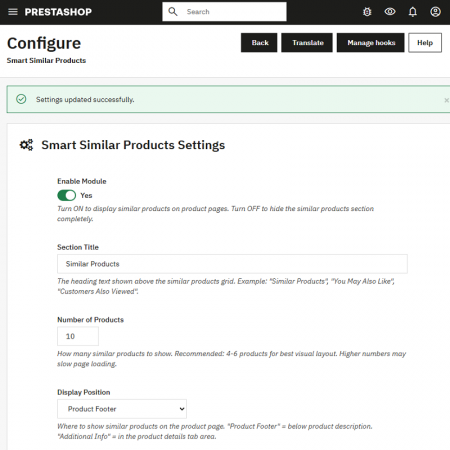
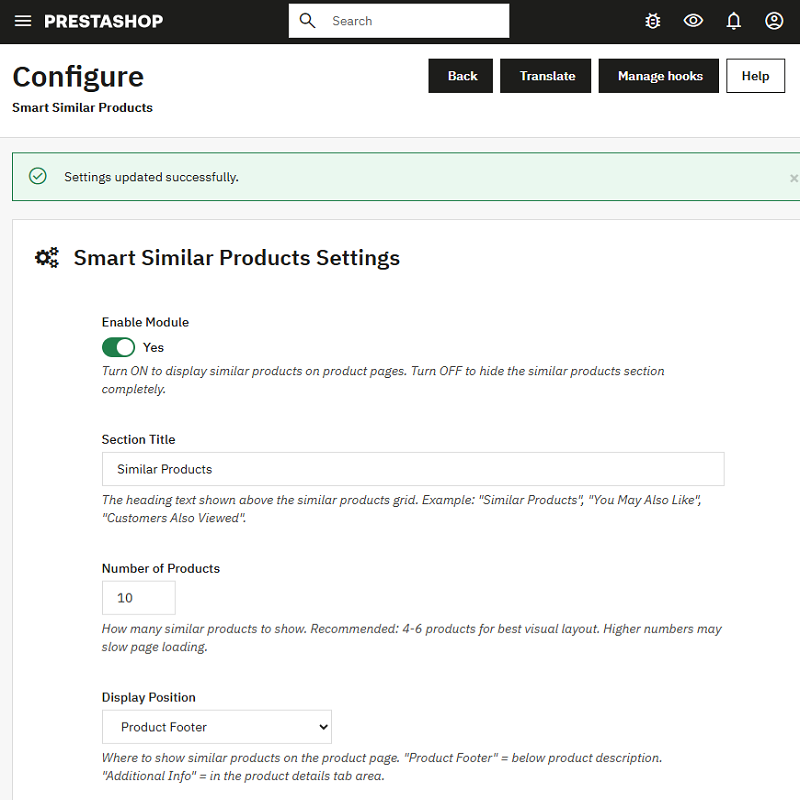
Manage your product recommendation strategy directly from the PrestaShop Back Office.
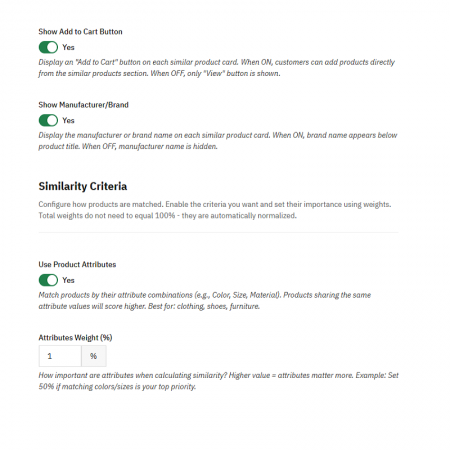
The configuration interface provides controls for both recommendation appearance and matching behavior.
Enable or disable the module.
Customize the similar products section title.
Set the number of products to display.
Choose the recommendation display position.
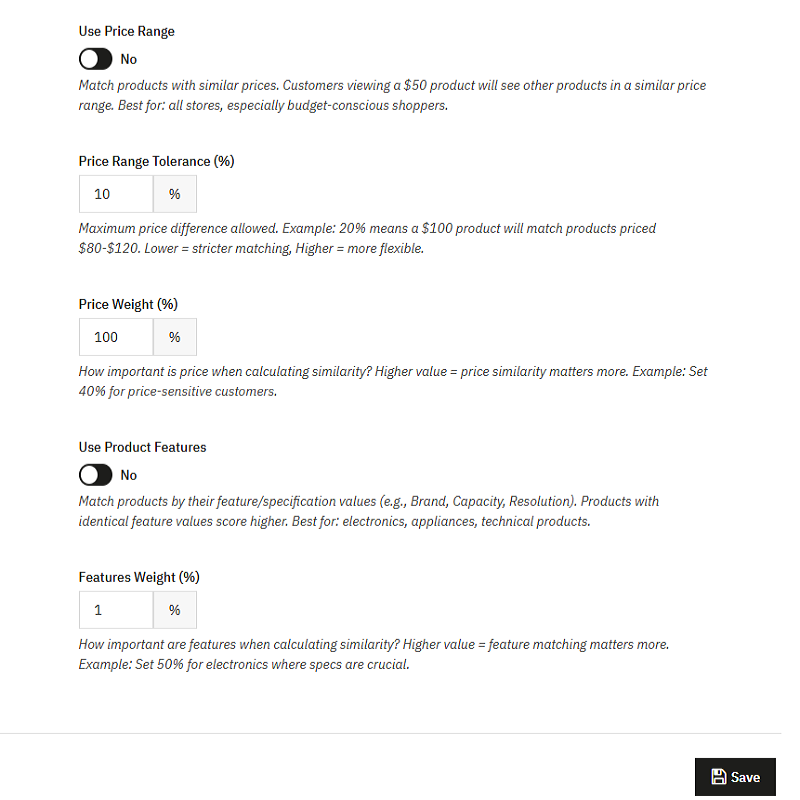
Enable or disable attribute matching.
Configure attribute matching weight.
Control the importance of attribute similarities.
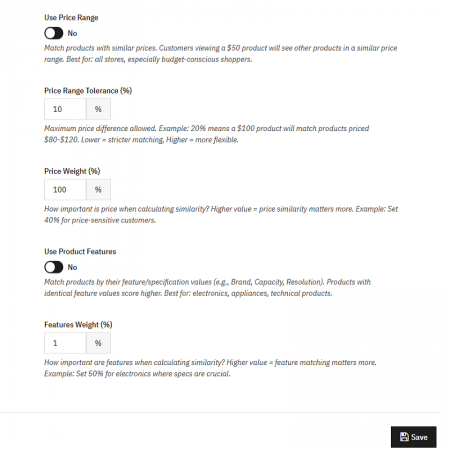
Enable or disable price matching.
Configure price tolerance percentage.
Adjust the price matching weight.
Enable or disable feature matching.
Configure feature matching weight.
Control the importance of product feature similarities.
These configuration options help you adapt the recommendation engine to your catalog and business objectives.
Smart Similar Products can support product discovery across different types of online stores.
Fashion customers frequently compare products based on color, size, and price.
Example use cases:
Recommend similar t-shirts in different colors.
Suggest alternative clothing with matching sizes.
Display products within a similar price range.
Help customers discover comparable fashion items.
Recommended matching priorities: Attributes and price.
Electronics customers often compare technical specifications before making a purchase.
Example use cases:
Recommend laptops with similar features.
Suggest comparable electronic accessories.
Display products within a similar budget.
Help customers discover alternatives with matching specifications.
Recommended matching priorities: Features and price.
Furniture and home product customers may compare products based on dimensions, materials, and other specifications.
Example use cases:
Recommend furniture with similar characteristics.
Suggest comparable home accessories.
Display products within a similar price range.
Help customers explore alternative home products.
Recommended matching priorities: Features and price.
Customers shopping for accessories often want similar products with matching attributes and prices.
Example use cases:
Recommend similar phone accessories.
Display alternative products with comparable characteristics.
Suggest products within the same budget.
Improve discovery across accessory categories.
Recommended matching priorities: Attributes and price.
Customers may explore alternative products with similar available features and pricing.
Example use cases:
Recommend comparable beauty products.
Suggest alternative personal care items.
Help shoppers discover products within their budget.
Recommended matching priorities: Features and price, depending on the catalog data.
Stores selling products across multiple categories can configure matching priorities to suit their catalogs.
Example use cases:
Automatically display alternative products.
Reduce dependence on manual related-product associations.
Encourage customers to explore additional catalog items.
Maintain relevant product suggestions on product pages.
Help customers find alternatives based on meaningful product similarities.
Display relevant product suggestions directly on product pages and encourage shoppers to explore more catalog items.
Automate similarity-based recommendations instead of manually associating every related product.
Use attributes, price, and product features to identify more relevant alternatives.
Adjust matching weights and activate only the criteria that suit your product catalog.
Place recommendations in the product footer or additional information block to make alternative products easier to discover.
Use automated matching to help manage product recommendations as your catalog expands.
Product recommendations are an important part of product discovery and the shopping journey.
When customers can easily find alternatives, they have more opportunities to compare products and identify options that better match their requirements.
Smart Similar Products supports this process by:
Presenting alternative products alongside the currently viewed product.
Helping customers explore similar products without repeating catalog searches.
Providing product suggestions based on configurable similarity criteria.
Making product discovery more convenient.
Encouraging additional exploration of your store catalog.
The module supports product discovery and can create opportunities for additional sales, although actual conversion improvements depend on your catalog quality, pricing, store design, and customer behavior.
Follow these steps to install and configure the module in your PrestaShop store.
Download the Smart Similar Products ZIP package from Sathi.
Log in to your PrestaShop Back Office.
Navigate to:
Modules → Module Manager
Click Upload a module and select the downloaded Smart Similar Products ZIP file.
Alternatively, upload the extracted module folder to your store's /modules/ directory using FTP or your hosting file manager.
Locate Smart Similar Products in Module Manager and click Install.
Open the module configuration page and configure:
Module activation.
Recommendation section title.
Number of products to display.
Display position.
Attribute matching.
Price matching.
Price tolerance percentage.
Feature matching.
Matching weights.
 |
 |
 |
Visit different product pages on your storefront.
Verify that:
The similar products section appears in the selected position.
The configured number of products is displayed when matching products are available.
Recommended products belong to the same category.
Enabled matching criteria influence the recommendations as expected.
The recommendation section works correctly with your store theme.
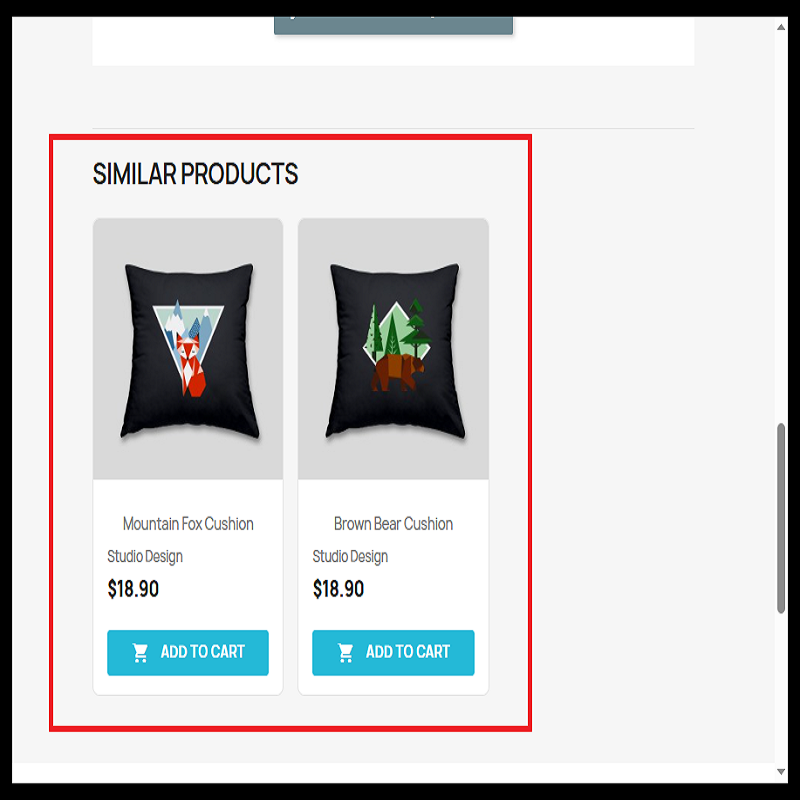 |
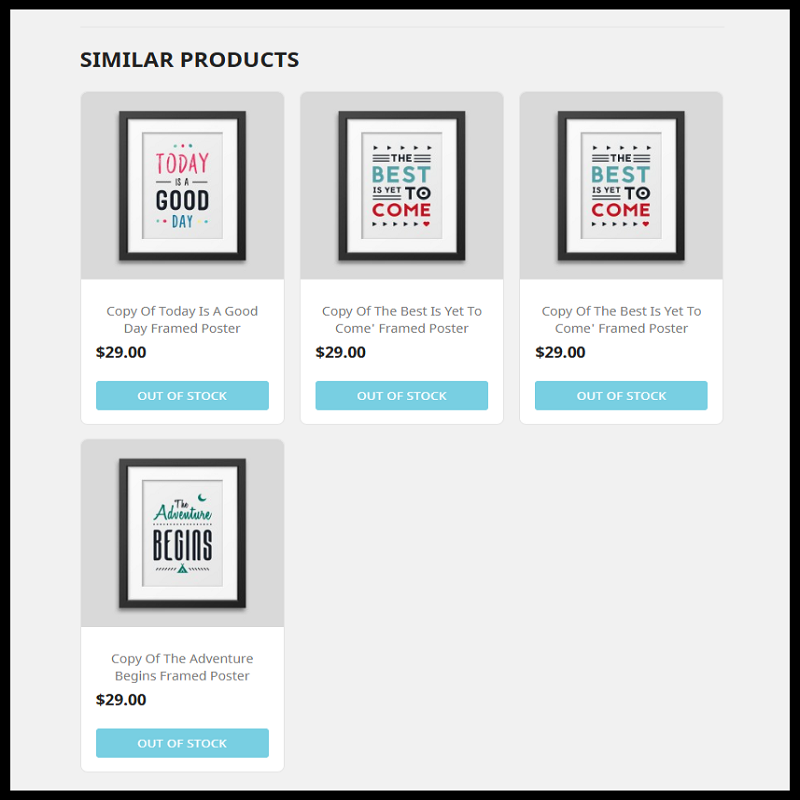 |
Your automated similar product recommendation system is now ready to support product discovery.
Smart Similar Products is an automated product recommendation module that identifies similar products from the same category by comparing product attributes, price ranges, and features.
The module identifies the current product, compares eligible products using enabled matching criteria, calculates weighted similarity, and displays recommendations in the selected product-page position.
Yes. The module supports attribute-based matching and allows you to enable or disable this criterion and adjust its matching weight.
Yes. You can enable price matching and configure a percentage tolerance to identify products within a similar price range.
Yes. The matching engine can compare product features and their available values to identify similar products.
Yes. You can independently enable or disable attribute, price, and feature matching and adjust their relative weights.
The module automatically generates recommendations using its similarity-matching criteria, reducing dependence on manually selected related-product associations.
Yes. You can configure how many similar products should appear in the recommendation section.
Yes. The module allows you to customize the title displayed above the similar product recommendations.
The module provides two display-position options: Product Footer and Additional Info block.
Yes. Fashion stores can use attribute matching for characteristics such as color and size, along with price matching, to help shoppers discover similar clothing and accessories.
Yes. Electronics stores can prioritize product feature matching and price similarity to help customers explore alternatives with comparable specifications.
The module improves product discovery by presenting similar alternatives directly on product pages. This can create additional opportunities for product exploration and purchases, although sales results depend on the store and its customers.
Yes. Each supported matching criterion can be enabled or disabled independently from the module configuration.
Customers should not have to search through your entire catalog to find products similar to the ones they already like.
With Smart Similar Products for PrestaShop, you can automate product recommendations using attribute, price, and feature matching.
Customize matching weights, control price tolerance, select the recommendation display position, and let your store suggest relevant alternatives automatically.
Whether you manage a fashion boutique, electronics shop, furniture store, or growing eCommerce catalog, make product discovery more convenient and reduce the effort required to maintain related-product suggestions.
Install Smart Similar Products from Sathi and help customers discover more relevant products from your store.
| Vendor | Sathi |
|---|---|
| Last update | Nov 24, 2026 |
| Version | 1.0.0 |
| Required store version | From 1.7.x to 9.2.x |
| Publication date | Nov 26, 2025 |
| Return Policy | You can return the product within the 30 days period for a full refund. No questions asked. |
| Customer Support | Enjoy one year of free customer support, including installation, troubleshooting, and usage guidance. |
| Description | This product is compatible with the specified versions and includes all the latest updates to enhance functionality and user experience. |
Version:1.0.0
 Advance Product Comparison – Compare Products Side by Side in PrestaShop
 Recently Viewed and Ordered Products – Product History Module for PrestaShop
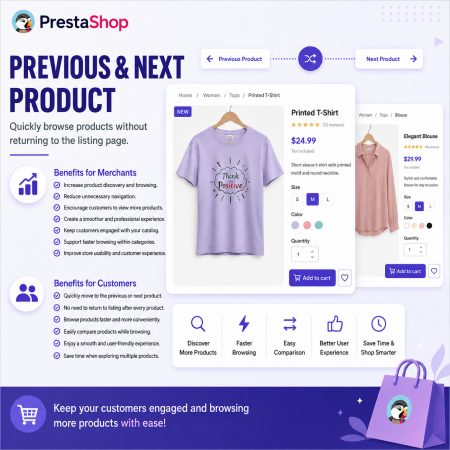
 Advanced Product Navigation – Previous & Next Product Links for PrestaShop
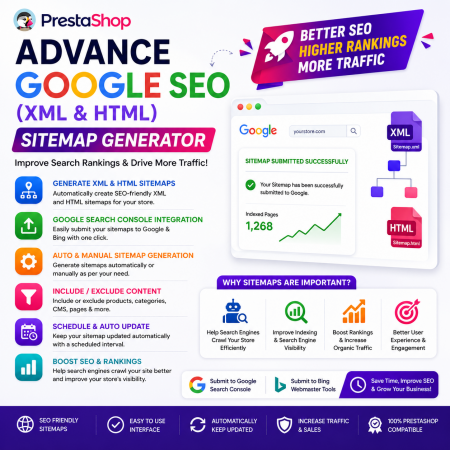
 Advance Google SEO (XML & HTML) Sitemap Generator Prestashop Module

 WhatsApp Live Chat – Customer Support & Multi-Agent Chat Module for PrestaShop

 Social Wall Feeds Facebook and Twitter Prestashop Module
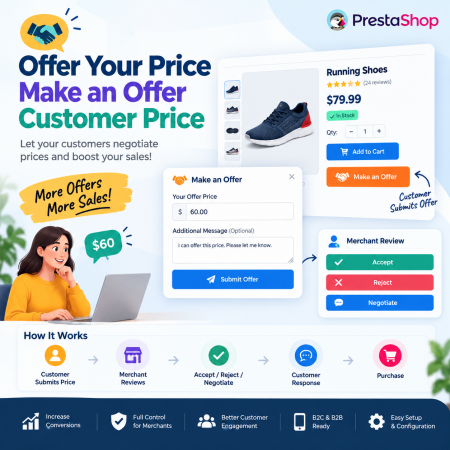
 Offer Your Price – Make an Offer & Price Negotiation Module for PrestaShop
 Ticker Notification Banner – Announcement Bar Module for PrestaShop
 Advanced URL Redirection (301, 302, 404) Module for PrestaShop
 Advanced Multiple Carts, Dropdown Cart & Slider Cart for PrestaShop

 Product Video – YouTube, Vimeo, External Links & Video Upload for PrestaShop
 Buy Now Button | Quick Order Prestashop Module
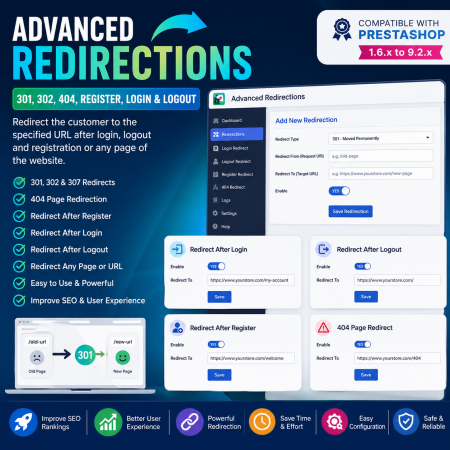
 Advanced Redirections – 301, 302, 404 & Customer Redirects for PrestaShop
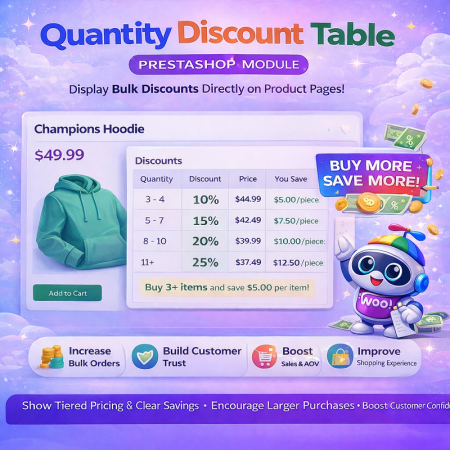 Quantity Discount Table & Grid – Bulk Pricing Display Module for PrestaShop
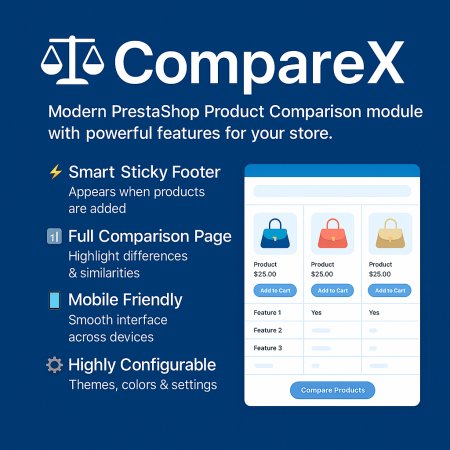
 Advance Product Comparison – Compare Products Side by Side in PrestaShop
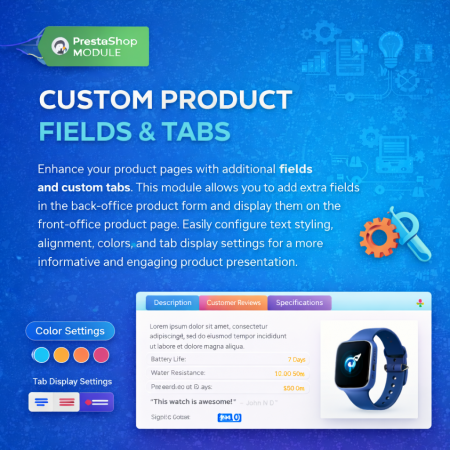
 Additional Product Fields And Tabs Prestashop Module
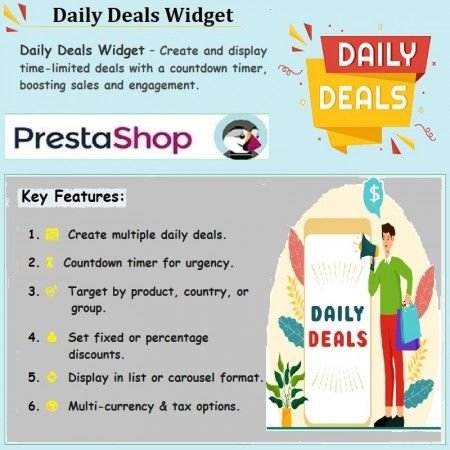
 Daily Deals Widget with Countdown Timer for PrestaShop Module
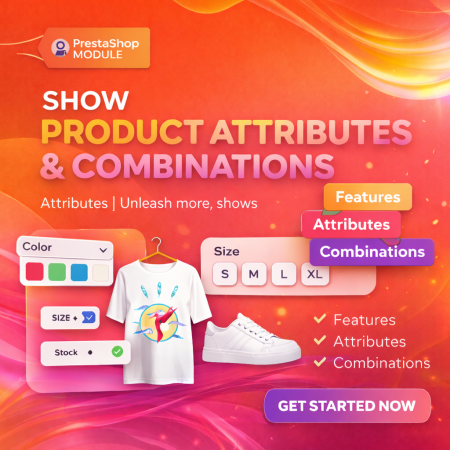 Show Product Attributes Or Combinations Prestashop Module
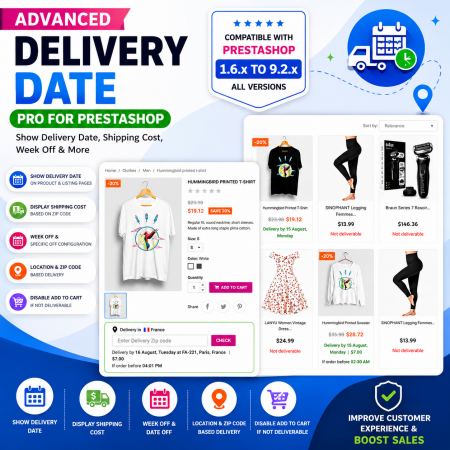
 Proposed Delivery Date and Cost Module for PrestaShop
Help customers discover relevant product alternatives with the Smart Similar Products PrestaShop Module.
Automatically recommend similar products from the same category by comparing product attributes, price ranges, and features. Instead of manually selecting related products, this intelligent recommendation module evaluates configurable matching criteria and calculates similarity using adjustable weights.
Customize attribute, price, and feature matching independently, set price tolerance percentages, choose how many recommendations to display, and select where the recommendation section appears on your product pages.
Whether you sell fashion, electronics, home accessories, furniture, or other products, Smart Similar Products helps shoppers explore relevant alternatives, compare product options, and discover more items from your catalog.
Automate product recommendations. Improve product discovery. Make every product page more useful.

 Save & Share My Shopping Cart – Save, Share and Restore Carts in PrestaShop

Encrypted payment gateways ensuring your financial and personal data remain 100% protected.

Every module includes professional installation assistance, free updates, and reliable troubleshooting.

Rigorously tested PrestaShop & WooCommerce extensions designed for maximum speed and zero bloat.

Transparent policies, clean documentation, and dedicated assistance if you run into any compatibility hurdles.