- -₹4,268.88


This module enhances the shopping experience by allowing customers to easily explore product variations such as...

The module allows merchants to enhance product images with customizable stickers and labels. Whether it’s...

Make bulk pricing visible and encourage larger orders with the Quantity Discount Table Grid PrestaShop Module.
...
Take complete control of your store's free shipping strategy with the Free Shipping by Zone & Carrier...

Make international shopping easier with the Auto Change Country, Language & Currency PrestaShop...

Vendor
Version
Last update
Prestashop version
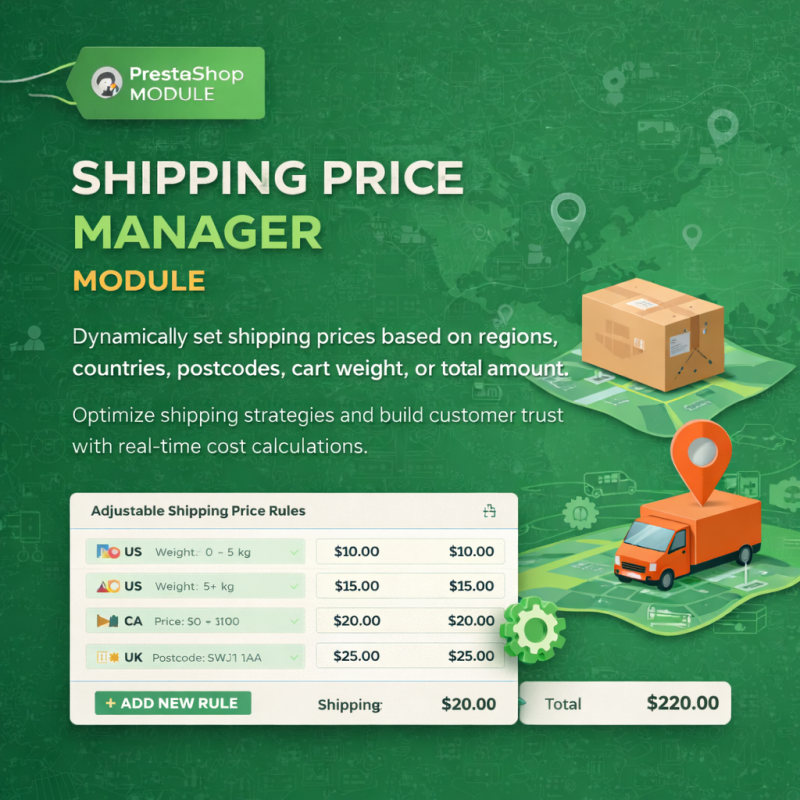
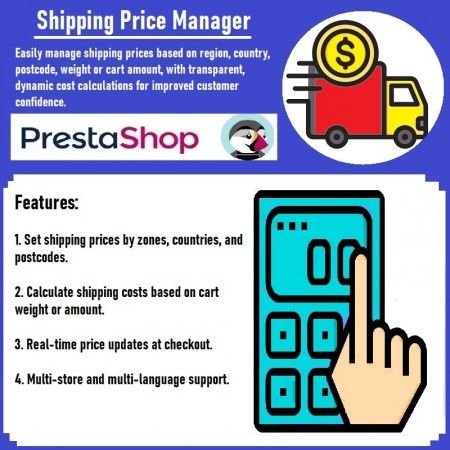
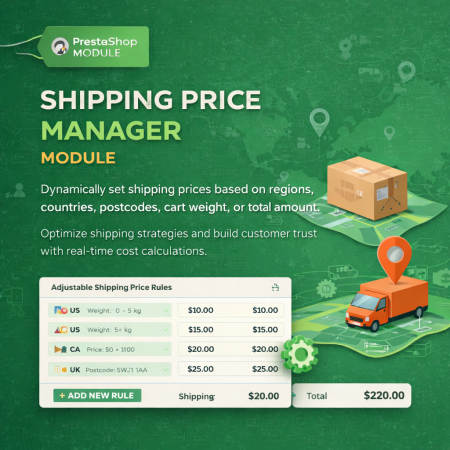
Take complete control of your delivery charges with the Shipping Price Manager PrestaShop Module. Create flexible shipping price rules based on country, state, city, postcode, postal code, delivery zone, carrier, cart weight, order value, customer, customer group, and geolocation.
Go beyond standard PrestaShop shipping configuration with an advanced rule builder that supports custom mathematical formulas for calculating dynamic delivery costs.
Manage city and postcode data easily using CSV import and export, organize your shipping configuration through dedicated Rules, Cities, and Zipcodes administration tabs, and create location-specific shipping strategies for different business requirements.
Whether you charge different delivery rates across regions, offer customer-group-based shipping discounts, or calculate shipping costs according to cart weight and order value, this module gives you greater flexibility and control.
Display accurate shipping costs during checkout, improve delivery price transparency, and build a shipping strategy that balances customer convenience with business profitability.
Calculate Smarter Shipping Rates. Manage Location-Based Delivery Prices. Control Your Shipping Costs.
Shipping costs are an important part of every eCommerce business. A delivery charge that works for one customer may not be suitable for another customer living in a different city, state, or delivery zone.
For example, delivering a lightweight product within your local city may cost significantly less than shipping a heavy package to a remote location. Similarly, different carriers, customer groups, order values, and delivery destinations may require different shipping prices.
PrestaShop provides standard shipping configuration options, but businesses with complex delivery requirements often need more flexibility.
The Shipping Price Manager PrestaShop Module provides an advanced solution for dynamically calculating shipping prices using multiple conditions, including country, state, city, postcode, carrier, cart weight, order value, customer, customer group, and geolocation.
Create custom shipping rules, use mathematical formulas to calculate delivery costs, and manage large location databases through CSV import and export.
Whether you operate a local delivery business, a nationwide online store, a wholesale business, or an international eCommerce website, this module helps you build a shipping pricing strategy that fits your operational requirements.
Every delivery destination has different shipping requirements.
A customer ordering a small product in your local area may qualify for a lower delivery charge, while a customer ordering heavy products from another state may require a different shipping calculation.
Similarly, different customer groups may receive different shipping rates based on your business strategy.
The Shipping Price Manager module allows you to create dynamic shipping prices using multiple criteria instead of depending only on basic shipping configurations.
Configure shipping costs based on:
Country and delivery zone.
State, region, and city.
ZIP code and postal code.
Selected shipping carrier.
Total cart weight.
Total cart amount.
Customer information.
Customer group.
Customer geolocation.
Custom mathematical formulas.
Combine the available conditions to create shipping strategies that reflect your delivery costs and business requirements.
The result: More control over delivery charges, better shipping cost management, and clearer shipping prices for customers during checkout.
Shipping costs directly influence your store's profitability and customer purchasing decisions.
If delivery charges are too high, customers may abandon their carts. If delivery charges are too low, your business may lose money on shipping and fulfillment.
Problem 1 – Different Delivery Costs Across Locations
Shipping a product to one city may cost less than delivering the same product to another city or remote postcode.
A single flat shipping price may not accurately represent these differences.
Solution: Create location-based shipping rules using country, state, city, postcode, and delivery zone.
Problem 2 – Shipping Costs Depend on Package Weight
Lightweight and heavy products often have different transportation costs.
Charging the same shipping price for every order can reduce your shipping profitability.
Solution: Calculate shipping prices using cart weight and custom mathematical formulas.
Problem 3 – Different Shipping Carriers Have Different Rates
Shipping providers may have different charges depending on the destination and shipment requirements.
Solution: Define shipping rules based on the selected carrier.
Problem 4 – Large Orders and Small Orders Need Different Shipping Strategies
Your shipping strategy may depend on the customer's total cart amount.
For example, you may want to offer a lower shipping charge for high-value orders.
Solution: Create rules based on cart amount and use formulas to calculate shipping charges.
Problem 5 – Different Customer Groups Need Different Shipping Prices
Wholesale customers, retail customers, and loyal customers may have different shipping arrangements.
Solution: Configure shipping prices based on customer information and customer groups.
Problem 6 – Managing Large Postal Code Databases Is Time-Consuming
Stores serving hundreds or thousands of cities and postcodes may find manual data entry difficult.
Solution: Import and export city and postcode information using CSV files.
Calculate delivery charges according to the customer's delivery destination.
Different cities, states, countries, and delivery zones can have different transportation costs.
The module allows you to create shipping rules using geographical information so your delivery prices can reflect location-specific requirements.
Supported location criteria:
Country.
Zone.
State or region.
City.
ZIP code.
Postal code.
Geolocation.
Business benefits:
Set different delivery prices for different regions.
Manage local and long-distance shipping costs.
Create location-specific shipping strategies.
Support different delivery requirements across geographical areas.
Improve shipping cost accuracy.
Example use case:
A store may want to charge different shipping prices for customers in Delhi, Mumbai, Bengaluru, and remote delivery locations.
Using location-based rules, you can configure different shipping rates according to your delivery strategy.
Not every location within the same city or state has identical delivery costs.
Some areas may have additional transportation expenses, limited delivery coverage, or special handling requirements.
The postal-code-based pricing feature helps you manage shipping charges at a more granular geographical level.
Key capabilities:
Create shipping rules using ZIP codes.
Manage postal-code information.
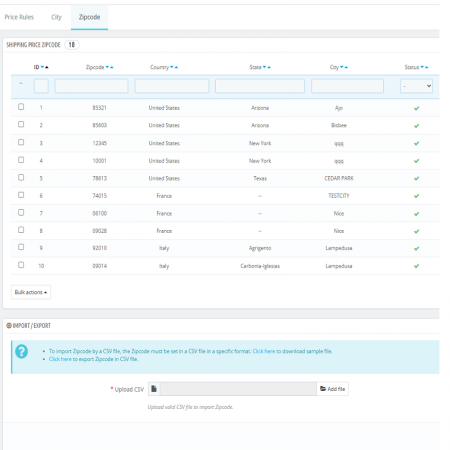
Organize postcode data through the dedicated Zipcodes administration tab.
Import postal-code data using CSV files.
Export postcode information for easier management.
Use postcode conditions as part of your shipping pricing strategy.
Example use case:
You can configure different shipping rates for nearby postal-code areas and remote delivery locations within the same city.
Business benefits:
More precise delivery pricing.
Better management of regional shipping expenses.
Easier handling of large postcode databases.
More flexibility for local delivery businesses.
City-based shipping is useful for businesses that serve multiple cities with different delivery costs.
Instead of using a single shipping price across all destinations, configure location-specific rules.
Key capabilities:
Maintain city information through the Cities administration tab.
Use city information in shipping price rules.
Manage city records through CSV import and export.
Organize location data for shipping calculations.
Example use case:
A business operating in multiple metropolitan areas may want to configure different delivery prices for each city according to its transportation expenses.
Business benefits:
Better control over city-wise shipping prices.
Simplified location data management.
Support for regional delivery strategies.
The weight of an order is one of the important factors influencing transportation costs.
A lightweight parcel may be inexpensive to deliver, while a heavy order may require additional shipping expenses.
The Shipping Price Manager module supports weight-based shipping price calculations.
Key capabilities:
Use total cart weight as a shipping calculation condition.
Create weight-sensitive shipping rules.
Combine cart weight with other supported conditions.
Use mathematical formulas for flexible shipping calculations.
Example use cases:
Charge different delivery prices for lightweight and heavy orders.
Calculate shipping costs according to weight-based pricing.
Create different shipping strategies for different product categories through their cart weights.
Business benefits:
Better control over weight-related delivery expenses.
More suitable shipping charges for different orders.
Reduced dependence on a single flat shipping rate.
Order value can be an important factor in your shipping strategy.
For example, you may want to provide different delivery prices for low-value and high-value orders.
The module supports shipping calculations based on the total cart amount.
Key capabilities:
Use cart total as a shipping calculation condition.
Configure amount-based shipping rules.
Combine cart amount with location and other supported conditions.
Use mathematical formulas for custom calculations.
Example use cases:
Offer reduced shipping charges for high-value orders.
Configure different shipping rates for different order values.
Create shipping pricing strategies that support promotional campaigns.
Business benefits:
More flexible shipping promotions.
Greater control over order-value-based delivery charges.
Support for shipping strategies designed to encourage larger purchases.
Different shipping carriers may have different transportation costs, service coverage, and delivery requirements.
The module allows you to use the selected carrier as a condition when calculating shipping prices.
Key capabilities:
Create shipping pricing rules based on carriers.
Apply carrier-specific shipping calculations.
Combine carrier conditions with supported location and cart criteria.
Build different shipping strategies for different delivery services.
Example use case:
You may want to apply one pricing strategy for a standard shipping carrier and another for an express delivery carrier.
Business benefits:
Better control over carrier-specific delivery charges.
More flexible carrier pricing.
Improved shipping cost management.
Not every customer needs to receive the same shipping price.
Many businesses have different customer categories, including retail buyers, wholesale buyers, distributors, and business customers.
The module supports customer and customer-group-based shipping conditions.
Key capabilities:
Use customer information in shipping rules.
Apply shipping strategies based on customer groups.
Support customer-group-based shipping discounts.
Combine customer conditions with other supported pricing criteria.
Example use cases:
Provide special shipping prices for wholesale customers.
Offer shipping discounts to selected customer groups.
Create different shipping arrangements for business and retail customers.
Business benefits:
Support customer-specific shipping strategies.
Improve flexibility for wholesale and B2B businesses.
Create shipping incentives for selected customer groups.
Geographical information can help businesses create more relevant shipping pricing strategies.
The module supports geolocation as a shipping rule criterion.
Use geographical information as part of your shipping configuration to support location-oriented delivery pricing.
Key benefits:
Support geolocation-based shipping conditions.
Build location-aware shipping strategies.
Combine geographical criteria with other supported shipping conditions.
Note: Geolocation accuracy and available location data depend on the geolocation information available to your store.
The rule builder is the central part of the Shipping Price Manager module.
Instead of maintaining separate manual shipping calculations for every delivery scenario, create configurable rules using the available conditions.
Supported rule criteria:
Country.
Zone.
State or region.
City.
ZIP code and postal code.
Carrier.
Cart weight.
Cart amount.
Customer.
Customer group.
Geolocation.
Create a shipping pricing strategy that matches your business requirements.
Business benefits:
Centralized shipping rule management.
Greater control over delivery pricing.
Support for multiple shipping conditions.
Flexible pricing configurations.
Easier management of complex shipping requirements.
Different businesses calculate shipping costs differently.
Some use a fixed delivery charge, while others calculate prices according to weight, order value, or additional location-related costs.
The module supports custom mathematical formulas through the MathEval library.
This provides additional flexibility for defining shipping price calculations.
Example mathematical expressions:
Fixed shipping charge
50
Weight-based calculation
20 + (weight * 10)
Cart-value-based calculation
100 + (total * 0.02)
Combined weight and cart-value calculation
30 + (weight * 8) + (total * 0.01)
These are illustrative mathematical examples. Use the actual variables and syntax supported by the installed module version when configuring formulas.
Business benefits:
Customize shipping calculations.
Support weight-based pricing strategies.
Calculate shipping costs using order-related values.
Reduce the need for manually calculating every delivery charge.
Adapt shipping pricing to different business models.
Managing location data manually can become difficult when your store delivers to hundreds or thousands of geographical areas.
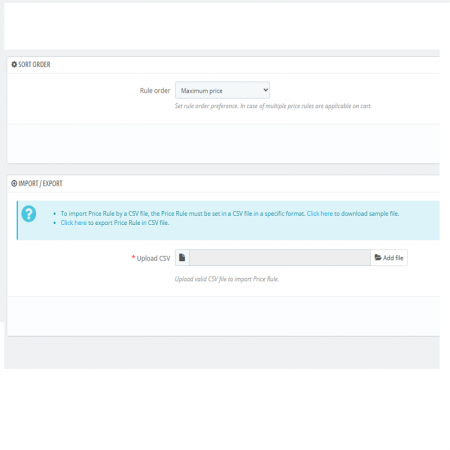
To simplify this process, the Shipping Price Manager module includes CSV import and export functionality.
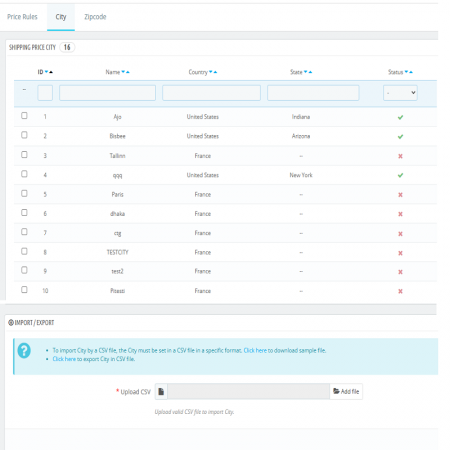
Use the dedicated Cities administration tab to manage city information used in your shipping configuration.
Benefits:
Organize city information.
Import city data using CSV files.
Export city records.
Simplify bulk location management.
Use the dedicated Zipcodes administration tab to manage postcode information.
Benefits:
Manage postcode records.
Import postcode data in bulk.
Export postcode information.
Simplify large geographical database maintenance.
Without bulk data management, entering thousands of city and postcode records manually can consume considerable administrative time.
CSV support makes location management easier, especially for stores with large delivery networks.
The module provides dedicated administration tabs to keep shipping configuration organized.
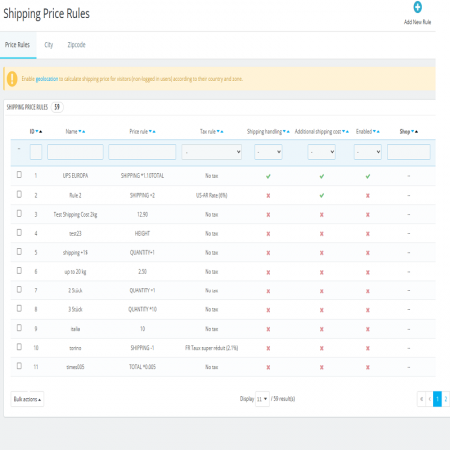
Create and manage shipping price rules according to your delivery requirements.
Use supported conditions such as location, carrier, cart amount, cart weight, customer, customer group, and geolocation.
Manage city information used in location-based shipping configuration.
Maintain postcode information and manage location records through CSV import and export.
This structured administration interface makes it easier to manage shipping rules and geographical data from your PrestaShop Back Office.
The module follows a straightforward shipping pricing workflow.
Step 1 – Customer Visits Your Store
A customer browses products and adds items to the shopping cart.
Step 2 – Customer Provides Delivery Information
During checkout, the customer enters the delivery address and selects an available shipping carrier.
Step 3 – Shipping Conditions Are Evaluated
The module uses supported information such as:
Delivery country.
State or region.
City.
ZIP code.
Carrier.
Cart weight.
Cart amount.
Customer and customer group.
Geolocation.
Step 4 – Shipping Pricing Rules Are Applied
The configured rules and supported mathematical formulas determine the applicable shipping price.
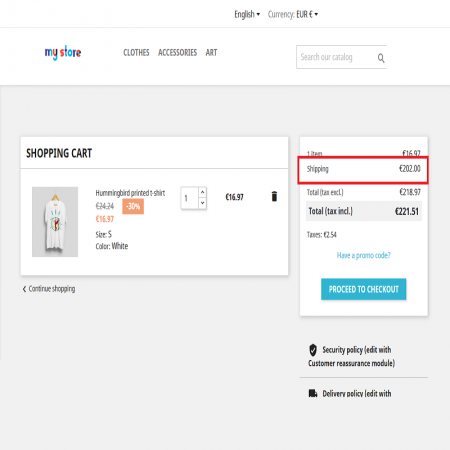
Step 5 – Shipping Cost Is Displayed at Checkout
The customer can see the calculated shipping charge during checkout, helping them understand the delivery cost before completing the purchase.
Step 6 – Customer Completes the Order
The customer proceeds with the order using the available shipping option and displayed delivery price.
This process connects your shipping pricing strategy with the customer's checkout experience.
The Shipping Price Manager module is useful for businesses with different delivery requirements.
A store delivers products to multiple cities and wants to charge different shipping prices based on delivery locations.
Use city, state, and postcode conditions to create location-specific shipping rules.
A business ships products across different states and geographical zones.
Configure different shipping rates according to the delivery destination.
A furniture, machinery, or equipment store needs shipping charges that reflect the weight of customer orders.
Use cart-weight conditions and mathematical formulas to calculate shipping prices.
A wholesale business wants to provide special shipping prices to registered business customers.
Use customer and customer-group conditions to create different shipping strategies.
A store uses different carriers for standard and express delivery.
Create carrier-based shipping rules to support different delivery pricing strategies.
A business wants to encourage customers to place larger orders by offering different shipping charges based on cart value.
Use cart-amount conditions to configure suitable shipping pricing rules.
A business has higher transportation expenses for certain remote delivery locations.
Use postcode, city, region, and other supported geographical criteria to configure location-specific charges.
Configure shipping prices based on delivery locations, cart weight, order value, and other supported conditions.
Create more specific delivery pricing rules instead of relying entirely on flat shipping charges.
Build pricing strategies that better reflect your actual delivery requirements and transportation expenses.
Manage rules, cities, and postal codes through dedicated administration tabs.
Use CSV import and export to simplify the management of large city and postcode databases.
Create customer-group-based shipping discounts and special delivery pricing strategies.
Display shipping costs during checkout so customers can understand the delivery charges before placing an order.
Build a flexible shipping strategy that can adapt to different products, customers, locations, and delivery requirements.
Shipping transparency is an important part of a positive checkout experience.
With dynamically calculated shipping prices, customers can benefit from:
Shipping prices based on relevant delivery conditions.
Clearer delivery charge information.
Location-specific shipping calculations.
Shipping prices that account for cart weight and order value.
Better visibility of delivery costs before completing checkout.
The goal is to make shipping prices more understandable while helping your store maintain a suitable delivery pricing strategy.
The Shipping Price Manager module includes support for multiple languages.
Supported languages:
English (EN).
French (FR).
German (DE).
Spanish (ES).
Italian (IT).
Dutch (NL).
Polish (PL).
Russian (RU).
This makes the module suitable for multilingual PrestaShop stores serving customers in different markets.
Install and configure Shipping Price Manager through your PrestaShop Back Office.
Download the Shipping Price Manager ZIP package from Sathi after purchasing the module.
Log in to your PrestaShop Back Office.
Navigate to: Modules → Module Manager → Upload a Module
Select the downloaded ZIP package and upload it.
Alternatively, upload the module through FTP to your PrestaShop modules directory.
Complete the installation process from the Module Manager.
Locate Shipping Price Manager and open its configuration page.
Navigate to the Rules tab.
Create shipping pricing rules using your available conditions, such as country, state, city, postcode, carrier, cart weight, cart amount, customer, and customer group.
If your shipping strategy requires custom calculations, configure the supported mathematical formulas using the module's rule builder.
If required, use the Cities and Zipcodes tabs to manage geographical information through CSV import and export.
Visit your storefront, add products to the cart, enter different delivery addresses, and test the available shipping options.
Verify that the calculated shipping charges match your configured pricing rules.
Once your configuration has been tested, your store can use the configured shipping pricing strategy during checkout.
Shipping Price Manager is an advanced shipping cost management module that allows store owners to calculate delivery prices dynamically using location, carrier, cart weight, cart amount, customer, customer group, and other supported conditions.
Yes. The module supports ZIP code and postal-code-based shipping conditions. You can also manage postcode information through the dedicated Zipcodes administration tab and CSV import/export functionality.
Yes. The module supports city-based shipping conditions, allowing you to create location-specific delivery pricing rules.
Yes. The module supports cart-weight-based shipping calculations. You can use weight conditions and supported mathematical formulas to configure your delivery pricing strategy.
Yes. You can use cart amount as a shipping calculation condition and configure different pricing strategies according to order value.
Yes. Carrier is one of the supported shipping rule conditions, allowing you to configure carrier-specific shipping pricing strategies.
Yes. The module supports customer and customer-group-based shipping conditions, which can be used to create special shipping prices and discounts for selected customer groups.
Yes. The module supports custom mathematical formulas through the MathEval library, providing greater flexibility for shipping cost calculations.
Yes. The module provides CSV import and export functionality for managing city and postcode information.
The module provides three dedicated administration tabs:
Rules.
Cities.
Zipcodes.
Yes. Geolocation is supported as one of the shipping rule criteria. The available geographical information depends on your store's geolocation configuration and data.
The module supports English, French, German, Spanish, Italian, Dutch, Polish, and Russian.
The listed compatibility range is PrestaShop 1.6.x through 9.2.x. Check the module's current release requirements before installation.
The module helps you manage shipping prices more accurately by configuring rates according to your delivery conditions. Actual shipping cost savings depend on your carrier agreements, delivery expenses, and pricing strategy.
Shipping prices should reflect your business requirements, delivery locations, transportation expenses, and customer expectations.
With the Shipping Price Manager PrestaShop Module, you can move beyond basic shipping configuration and create a more flexible pricing strategy.
Calculate delivery charges using location, postal code, carrier, cart weight, order value, customer group, and geolocation. Build custom shipping formulas, manage geographical information through CSV files, and organize your pricing rules through a dedicated administration interface.
Whether you manage local deliveries, nationwide shipping, wholesale orders, or multiple carrier services, Shipping Price Manager gives you the flexibility to manage delivery prices according to your business needs.
Make shipping calculations smarter. Keep delivery prices transparent. Manage your shipping costs with Sathi.
| Vendor | Sathi |
|---|---|
| Last update | Nov 25, 2026 |
| Version | 3.2.0 |
| Required store version | From 1.6.0 to 9.2.x |
| Publication date | Jan 24, 2025 |
| Return Policy | You can return the product within the 30 days period for a full refund. No questions asked. |
| Customer Support | Enjoy one year of free customer support, including installation, troubleshooting, and usage guidance. |
| Description | This product is compatible with the specified versions and includes all the latest updates to enhance functionality and user experience. |
 Free Shipping by Zone, Country & Carrier – Advanced Free Shipping Manager for PrestaShop

 Enable or Disable Carriers with Conditions – PrestaShop Conditional Shipping Module

 Hide Product Price – Control Product Price Visibility in PrestaShop

 Product Attribute Images – Visual Swatches for PrestaShop
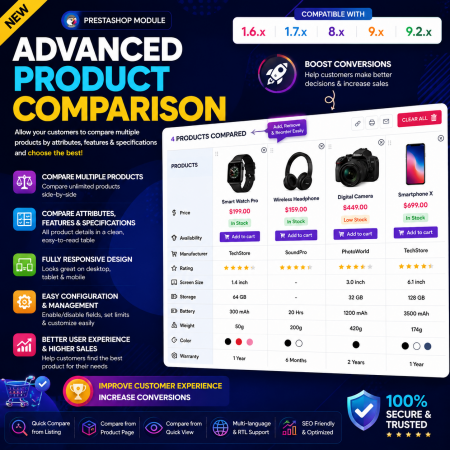
 Advance Product Comparison – Compare Products Side by Side in PrestaShop

 Google Schema Markup – Rich Snippets & Structured Data SEO Module for PrestaShop

 Auto Pagination & Infinite Scroll – AJAX Product Loading Module for PrestaShop
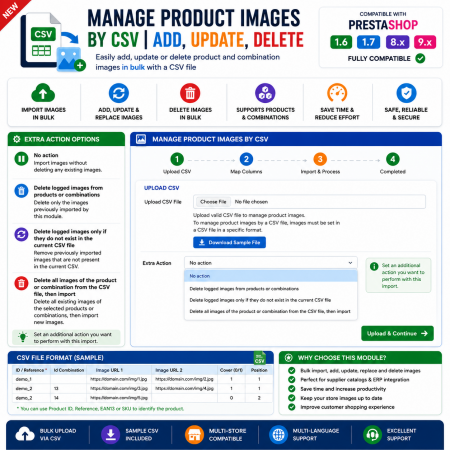
 Manage PrestaShop Product Images by CSV – Add, Update & Delete
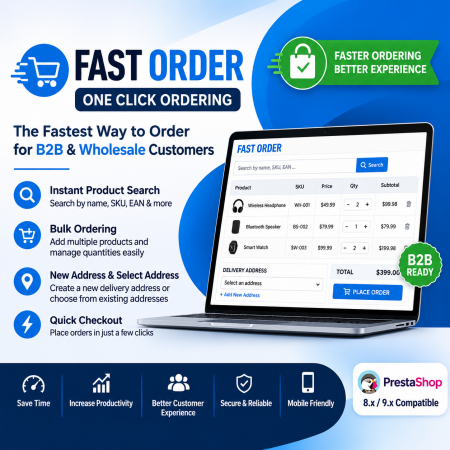
 Fast Order with Instant and File Search – Quick Ordering Module for PrestaShop
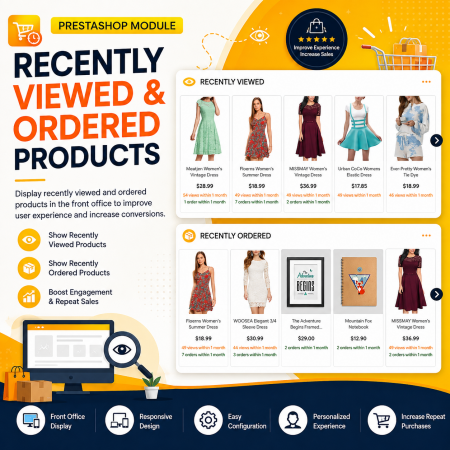
 Recently Viewed and Ordered Products – Product History Module for PrestaShop

 Advanced Wishlist, Favorites & Save for Later Module for PrestaShop

 Advanced Shop & Product Reviews and Ratings Module for PrestaShop
Free Shipping by Zone, Country & Carrier – Advanced Free Shipping Manager for PrestaShop

 Advanced Product Importer & Affiliate (100+ websites) Module for PrestaShop
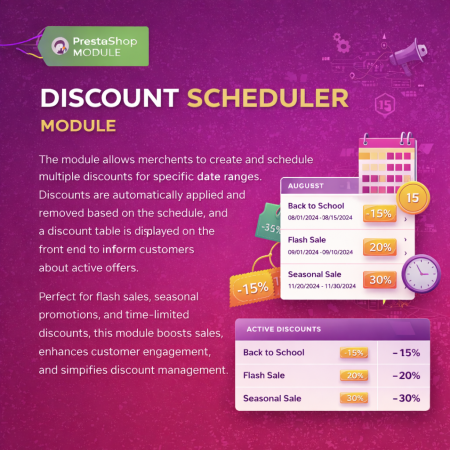
 Multiple discount date wise discount Prestashop Module

 Display Add to Cart Button on Product Listing – Quick Add to Cart Module for PrestaShop

 Display Product Slider & Grid – Product Showcase Module for PrestaShop
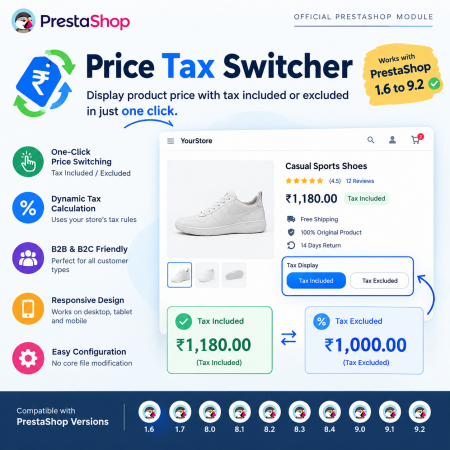
 Price Tax Switcher – Display Tax Included or Excluded Prices in PrestaShop
Take complete control of your delivery charges with the Shipping Price Manager PrestaShop Module. Create flexible shipping price rules based on country, state, city, postcode, postal code, delivery zone, carrier, cart weight, order value, customer, customer group, and geolocation.
Go beyond standard PrestaShop shipping configuration with an advanced rule builder that supports custom mathematical formulas for calculating dynamic delivery costs.
Manage city and postcode data easily using CSV import and export, organize your shipping configuration through dedicated Rules, Cities, and Zipcodes administration tabs, and create location-specific shipping strategies for different business requirements.
Whether you charge different delivery rates across regions, offer customer-group-based shipping discounts, or calculate shipping costs according to cart weight and order value, this module gives you greater flexibility and control.
Display accurate shipping costs during checkout, improve delivery price transparency, and build a shipping strategy that balances customer convenience with business profitability.

 Daily Deals Widget – Multiple Promotional Campaigns with Countdown Timer for PrestaShop

Encrypted payment gateways ensuring your financial and personal data remain 100% protected.

Every module includes professional installation assistance, free updates, and reliable troubleshooting.

Rigorously tested PrestaShop & WooCommerce extensions designed for maximum speed and zero bloat.

Transparent policies, clean documentation, and dedicated assistance if you run into any compatibility hurdles.