
- -₹3,415.10


This module enhances the shopping experience by allowing customers to easily explore product variations such as...

The module allows merchants to enhance product images with customizable stickers and labels. Whether it’s...

Make bulk pricing visible and encourage larger orders with the Quantity Discount Table Grid PrestaShop Module.
...
This module allows you to offer free shipping based on flexible conditions, such as location, carrier, cart value,...

The module automatically adjusts language, currency, and country settings based on the customer's location....




Vendor
Version
Last update
Prestashop version
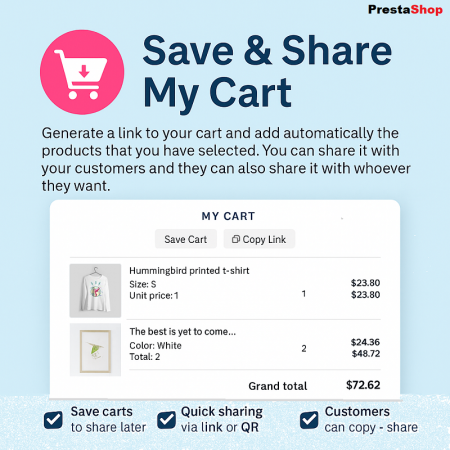
Make shopping more convenient with the Save & Share My Shopping Cart PrestaShop Module. Allow customers to save their shopping carts, share selected products through unique cart links, and restore saved or shared carts whenever they are ready to continue shopping.
Customers can organize their saved carts with custom names and notes, share shopping selections through WhatsApp, Facebook, Twitter, email, and other supported platforms, and return to their selected products with a convenient cart restoration process.
Store administrators can manage saved carts, configure cart expiration and limits, offer special discounts for shared carts, and monitor available cart engagement analytics, including clicks, shares, and conversions.
Whether customers are preparing a future purchase, sharing product selections with friends and family, or organizing multiple shopping plans, this module makes it easier to save, share, and continue shopping without rebuilding the cart from scratch.
Save a cart. Share a cart. Restore a cart. Make every shopping journey easier!
Save Shopping Carts. Share Product Selections. Restore Purchases Anytime.
Have you ever added several products to your shopping cart, left an online store, and later had to search for all those products again?
This is a common problem in eCommerce. Customers often browse products, compare different options, prepare shopping lists, or discuss their selections with friends and family before making a purchase. However, without a convenient way to save and share their shopping carts, they may lose their selected products or need to rebuild their carts when they return.
The Save & Share My Shopping Cart PrestaShop Module solves this problem by allowing customers to save their current shopping carts, generate shareable cart links, and restore saved or shared shopping selections whenever they want.
Customers can organize their saved carts using custom names and notes, share their product selections through popular communication platforms, and continue shopping without manually adding every product again.
For store owners, the module also provides useful cart-management capabilities, including configurable cart expiration, saved-cart limits, shared-cart discounts, back-office management, and available cart activity analytics.
Whether customers are planning future purchases, preparing group shopping lists, recommending products, or sharing product selections with others, this module makes shopping more flexible and convenient.
Shopping is not always a one-session activity.
A customer might spend time selecting products, comparing prices, choosing variations, and adding items to the cart. They may not be ready to purchase immediately.
Sometimes customers want to:
Save their shopping cart and purchase later.
Share selected products with friends or family.
Ask someone to review their shopping selections.
Prepare different shopping lists for different occasions.
Return to a previous cart without searching for products again.
Share a shopping selection with colleagues or other buyers.
Without a proper cart-saving solution, customers may lose their shopping progress or have to recreate their product selections manually.
The Save & Share My Shopping Cart module introduces a more convenient approach.
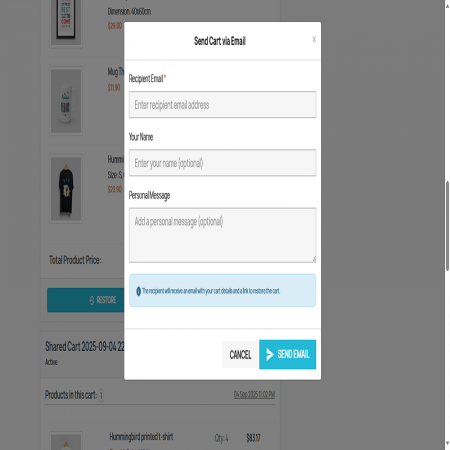
Customers can save their current cart, assign it a meaningful name, add notes, share it through a unique link, and restore it whenever they are ready to continue shopping.
Add Products → Save Cart → Organize Cart → Share Cart → Restore Cart → Continue Shopping
This simple workflow makes it easier for customers to manage their shopping selections while giving store owners additional opportunities to improve engagement and encourage purchases.
A standard shopping cart is primarily designed to hold products during the shopping process. However, customers often need more flexibility than simply adding items and proceeding to checkout.
Customers may spend considerable time selecting products but leave the website before completing their purchase.
When they return, they may have difficulty finding the same products again.
Solution: Allow customers to save their complete shopping cart and access it later.
Customers often want recommendations from friends, family members, or colleagues before purchasing.
Sharing individual product URLs can be inconvenient when a cart contains several different products.
Solution: Generate a unique shareable cart link that makes it easier to share an entire shopping selection.
Customers who return to your website may need to search for products and select their variations again.
This creates unnecessary effort and can discourage customers from continuing their purchase.
Solution: Provide a convenient cart restoration option so customers can continue with previously saved product selections.
Customers may prepare different shopping carts for different purposes, such as personal purchases, gifts, household requirements, or business orders.
Managing these selections can become confusing.
Solution: Allow customers to assign custom names and notes to their saved carts.
Store owners may want to understand whether customers are sharing shopping carts, opening shared links, and completing purchases.
Solution: Use the available cart activity analytics to monitor clicks, shares, and conversions.
Customers who receive shared shopping carts may need an additional reason to visit your store and complete their purchases.
Solution: Configure special discounts for shared carts to encourage shopping activity and create additional purchase incentives.
Give customers the freedom to continue shopping whenever they are ready.
The save-cart feature allows customers to preserve their current product selections instead of rebuilding their shopping carts during their next visit.
Key features:
Save the current shopping cart.
Preserve selected product items.
Maintain shopping selections for future access.
Return to previously saved carts.
Reduce the effort required to rebuild shopping carts.
Support customers who prefer to purchase later.
Business benefit: Make shopping more flexible and help customers retain their product selections throughout their buying journey.
Make product recommendations and shopping discussions easier.
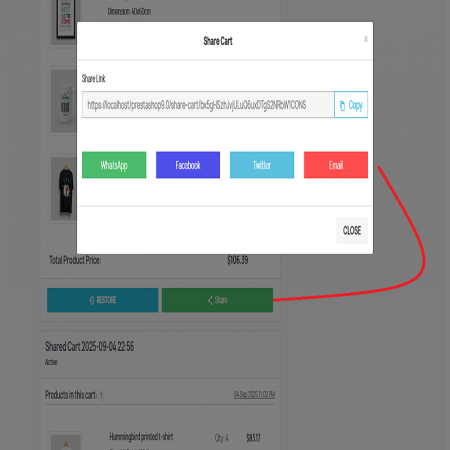
The module generates a unique shareable link for a saved shopping cart. Customers can send this link to friends, family members, colleagues, or other potential buyers.
Instead of sharing multiple product URLs separately, customers can share their selected shopping cart through one link.
Supported sharing options include:
WhatsApp.
Facebook.
Twitter / X.
Email.
Other supported sharing channels.
Key benefits:
Share multiple selected products together.
Generate unique cart-sharing links.
Make product recommendations easier.
Encourage customers to introduce products to others.
Create additional opportunities for store visits.
Business benefit: Turn customer shopping selections into shareable product recommendations and expand your store's potential reach.
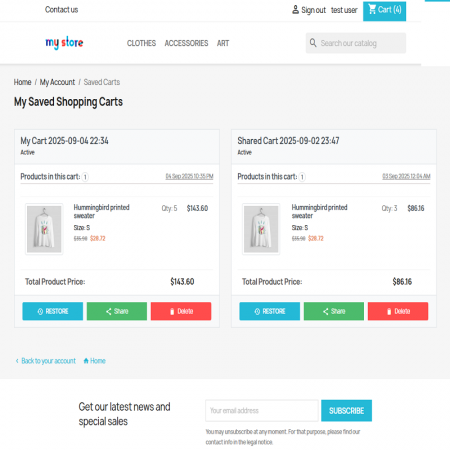
Give customers a dedicated place to access their previously saved shopping carts.
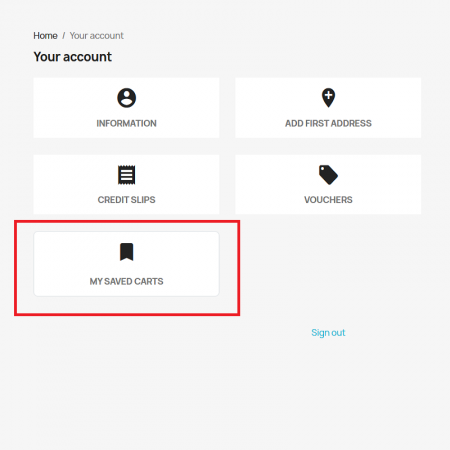
Instead of remembering individual product URLs or rebuilding shopping lists, customers can revisit their saved carts through their account area.
Key features:
Access previously saved shopping carts.
View saved cart selections.
Identify different shopping lists.
Manage saved shopping selections.
Restore carts when needed.
Business benefit: Make repeat shopping more convenient by keeping saved shopping selections accessible to customers.
Customers should not have to repeat the entire product-selection process when they want to continue shopping.
The cart restoration feature allows customers to restore saved or shared shopping selections and continue their purchase journey.
Key features:
Restore a previously saved shopping cart.
Open shared cart selections through their unique links.
Continue shopping with selected products.
Reduce manual product searching.
Simplify the transition from saved cart to checkout.
Business benefit: Reduce unnecessary steps in the shopping journey and make it easier for returning customers to resume their purchases.
Customers may have several saved shopping carts for different purposes.
A simple cart naming and note-taking feature helps them organize these selections.
For example, customers can create saved carts named:
Birthday Shopping.
Home Essentials.
Office Supplies.
Wedding Shopping.
Monthly Grocery List.
Electronics Wishlist.
Family Shopping.
Key features:
Assign custom names to saved carts.
Add personalized notes.
Identify different shopping selections.
Organize saved carts according to shopping requirements.
Make cart management more convenient.
Business benefit: Help customers organize their shopping plans and easily identify the cart they want to restore.
Managing saved shopping carts is important for stores that want to control how long cart information remains available.
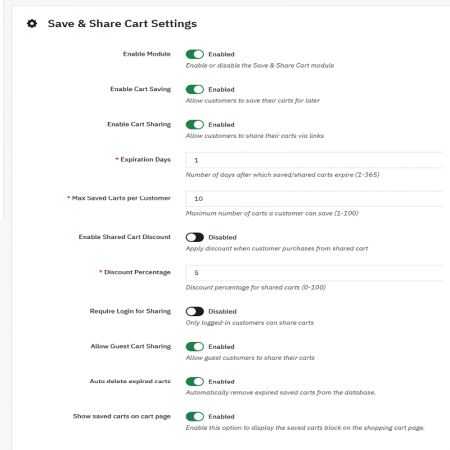
The module provides configurable expiration periods and saved-cart limits.
Key features:
Configure saved cart expiration periods.
Manage how long carts are retained.
Configure cart limits according to available settings.
Help control saved-cart records.
Maintain a more organized cart-management process.
Business benefit: Give store administrators greater control over saved-cart retention and management.
A shared shopping cart can become an additional promotional opportunity.
Customers who receive a shared cart may be encouraged to complete their purchases through special discount incentives.
The module provides discount options for shared carts to help store owners create additional purchase motivation.
Key features:
Configure available shared-cart discount options.
Encourage recipients to explore shared shopping selections.
Provide additional purchase incentives.
Support promotional campaigns around cart sharing.
Connect shared shopping activity with potential conversions.
Business benefit: Use shared-cart promotions to encourage recipients to visit your store and complete purchases.
Understanding customer behavior helps store owners make better marketing and business decisions.
The module provides available cart activity analytics to help you understand how customers interact with saved and shared shopping carts.
Track available activity such as:
Cart clicks.
Cart shares.
Shared-cart engagement.
Cart-related conversions.
Business benefits:
Understand customer interest in shared shopping carts.
Monitor available cart engagement.
Identify how customers interact with shared links.
Evaluate shared-cart promotional opportunities.
Use activity insights to improve your marketing approach.
Store administrators need control over saved-cart records and related activities.
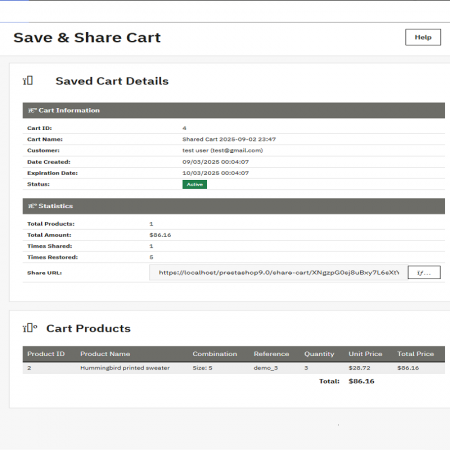
The module provides back-office cart-management functionality to help administrators maintain saved shopping carts.
Key features:
View saved shopping carts.
Manage saved-cart records.
Delete carts when required.
Expire saved carts when necessary.
Maintain better control over cart retention.
Business benefit: Keep saved-cart information organized and simplify administrative cart management.
Customers may access your store from desktops, laptops, tablets, and mobile phones.
The module is designed to provide a convenient cart-saving and sharing experience across different screen sizes.
Key benefits:
Responsive customer-facing experience.
Support for desktop shopping.
Support for tablet and mobile shopping.
Translation support for multilingual stores.
More accessible shopping cart interactions.
Business benefit: Provide a consistent cart-saving and sharing experience for customers using different devices and languages.
The module follows a straightforward process that allows customers to save, share, and restore shopping selections.
Customers browse your PrestaShop store and add their desired products to the shopping cart.
They can select different products and prepare their shopping selections as usual.
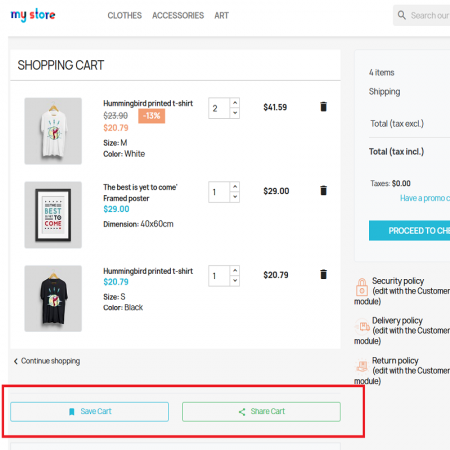
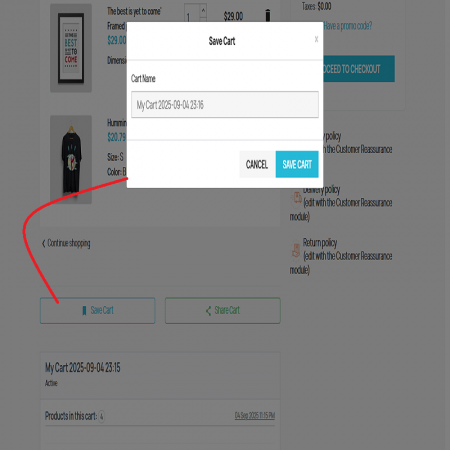
When customers are ready to save their selections, they use the save-cart functionality.
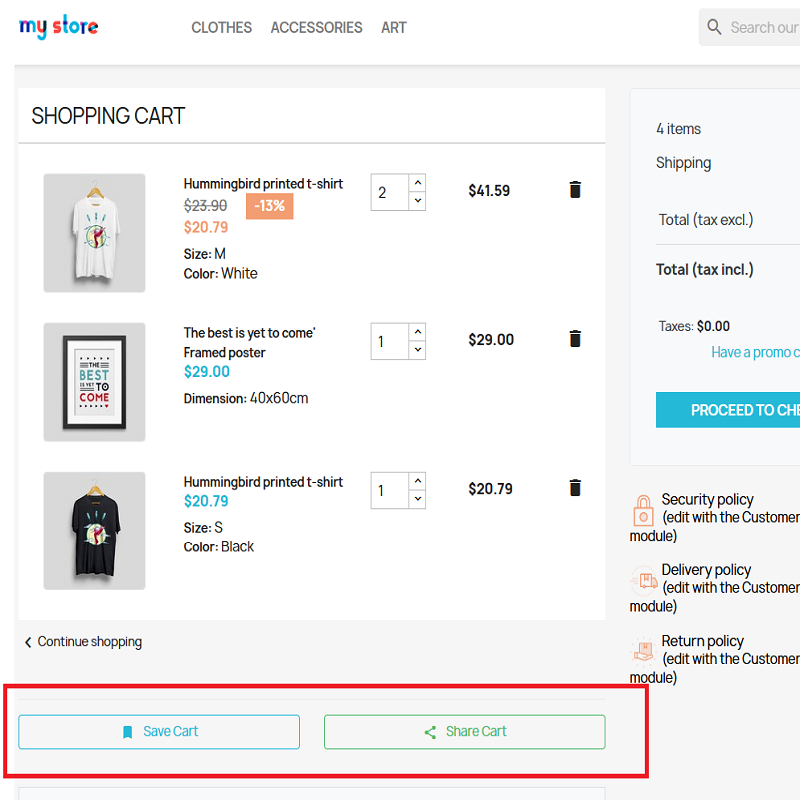 |
They can organize the saved cart with a custom name and optional notes.
Customers can generate a unique sharing link and send it through supported platforms such as WhatsApp, Facebook, Twitter, and email.
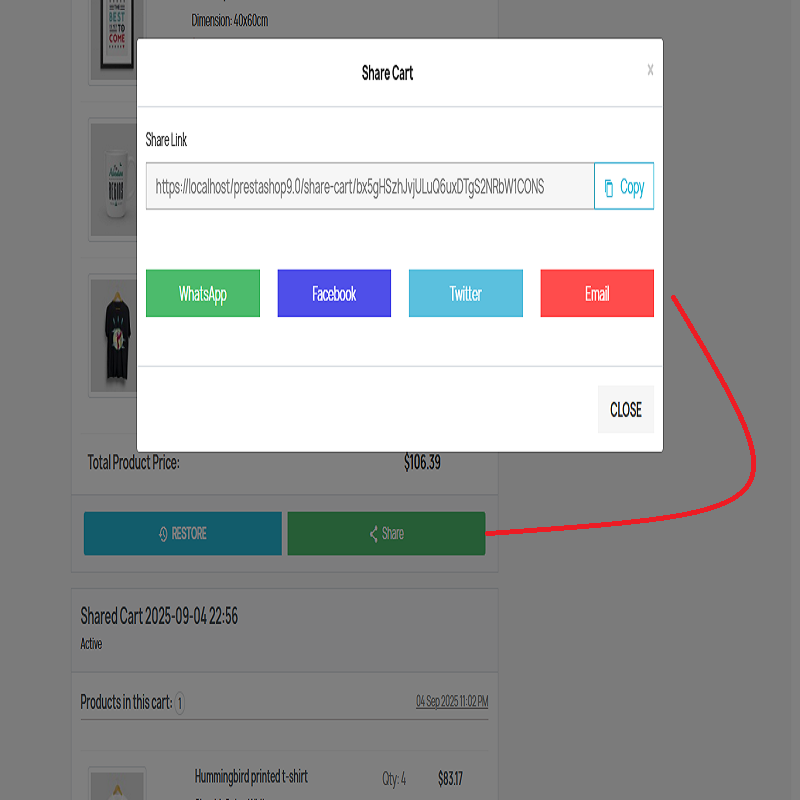 |
Recipients can open the shared cart link and view the selected shopping items.
Customers can restore their saved carts or continue with shared shopping selections.
The selected products are brought back into the shopping experience so customers can continue shopping.
Customers review their restored products, make any necessary changes, and proceed toward checkout.
If shared-cart discounts are configured, eligible customers can benefit from the available promotional incentives.
The Save & Share My Shopping Cart module is useful for different types of eCommerce businesses.
Customers often compare clothing, footwear, accessories, sizes, and colors before purchasing.
They can save an entire shopping selection and share it with friends or family for recommendations.
Example: A customer prepares a clothing cart for a special event and shares it with a friend before completing the purchase.
Customers may compare multiple electronic products and accessories before making a decision.
A saved cart helps them preserve their selected items, while sharing allows them to request advice from others.
Example: A customer prepares a cart containing a laptop, mouse, keyboard, and headphones and shares it with a colleague.
Furniture purchases often involve planning, comparing, and discussing product selections.
Customers can save their selected furniture and home accessories together and share the cart with family members.
Example: A customer creates a shopping cart for a living room makeover and shares it with family members.
Customers may prepare shopping lists for different days, occasions, or household requirements.
Custom cart names and notes make it easier to organize these selections.
Example: A customer saves separate carts for weekly groceries and monthly household essentials.
Business customers may prepare product selections for internal review or purchasing approval.
Sharing a cart can make it easier to communicate selected items with colleagues or purchasing teams.
Example: A purchasing employee creates a cart of office supplies and shares it with a manager before placing an order.
Customers often prepare product selections for birthdays, weddings, anniversaries, and other special events.
A shareable cart makes it easier to discuss gift selections with friends and family.
Example: A customer prepares a birthday gift cart and shares it with family members for suggestions.
Adding a save-and-share cart experience can support several important eCommerce objectives.
Allow customers to preserve shopping selections and return whenever they are ready to purchase.
Saved carts provide customers with a convenient reason to revisit their previous shopping selections.
Shared carts introduce selected products to people outside your existing website audience.
Customers can recommend multiple products together through a single shopping cart link.
Sharing carts helps customers discuss product selections with people whose opinions matter to them.
Special shared-cart discounts can provide an extra incentive for recipients to complete their purchases.
Available cart activity analytics help store owners monitor clicks, shares, and conversions.
Reduce the effort involved in searching for and adding previously selected products again.
A standard shopping cart primarily focuses on holding products for checkout.
Save & Share My Shopping Cart adds additional flexibility to the shopping experience.
| Capability | Regular shopping cart | Save & Share Cart |
|---|---|---|
| Add products | Yes | Yes |
| Save cart for later | Depends on store functionality | Yes |
| Organize saved carts | Not generally available | Yes |
| Custom cart names | Not generally available | Yes |
| Add cart notes | Not generally available | Yes |
| Share complete cart | Not generally available | Yes |
| Restore saved cart | Depends on store functionality | Yes |
| Shared-cart discounts | Not generally available | Available |
| Saved-cart management | Limited | Back-office management |
| Cart activity analytics | Depends on store functionality | Available analytics |
The module extends the shopping experience beyond basic cart functionality by introducing dedicated save, share, organize, and restore capabilities.
Install Save & Share My Shopping Cart using either the automatic module uploader or manual FTP installation.
Follow these steps to install the module from your PrestaShop Back Office.
Step 1: Log in to your PrestaShop administration panel.
Step 2: Navigate to Modules → Module Manager.
Step 3: Click the Upload a Module option.
Step 4: Select the downloaded stsavesharecart.zip file from your computer.
Step 5: Wait for the upload to finish and complete the installation.
Step 6: Locate Save & Share My Shopping Cart in the module list.
Step 7: Open the module configuration page and review the available options.
Step 8: Configure saved-cart settings, expiration, limits, shared-cart discounts, and other available options according to your store requirements.
If you prefer manual installation, use an FTP client or your hosting file manager.
Step 1: Download the module ZIP package.
Step 2: Extract the ZIP archive on your computer.
Step 3: Locate the extracted stsavesharecart directory.
Step 4: Connect to your website using FTP or your hosting File Manager.
Step 5: Navigate to your PrestaShop installation's /modules/ directory.
Step 6: Upload the complete stsavesharecart folder.
Step 7: Log in to your PrestaShop Back Office.
Step 8: Open Modules → Module Manager.
Step 9: Search for Save & Share My Shopping Cart and click Install.
Step 10: Open the module configuration page and configure the available settings.
After installation, test saving a cart, generating a sharing link, opening a shared cart, and restoring saved shopping selections.
It is a PrestaShop extension that allows customers to save their shopping carts, share product selections through unique links, and restore saved or shared carts whenever they want to continue shopping.
Yes. Customers can save their current shopping carts and access their saved selections later through the dedicated saved-cart functionality.
Yes. The module generates unique shareable cart links that customers can distribute through supported platforms such as WhatsApp, Facebook, Twitter, and email.
Yes. Customers can restore their saved shopping selections and continue shopping without manually searching for every product again.
Yes. Customers can share their shopping cart as a single link instead of sending separate product URLs for every selected item.
Yes. Customers can use custom cart names and notes to organize their saved shopping selections and identify different shopping plans.
Yes. The module provides cart expiration settings that allow store administrators to control how long saved carts are retained.
Yes. The module provides configurable saved-cart limits to help manage how many carts are retained.
Yes. The module provides discount options for shared carts to help encourage customers to visit your store and complete their purchases.
Yes. Available cart analytics include activity such as clicks, shares, and conversions, helping store owners understand customer engagement.
Yes. Store administrators can view, delete, or expire saved carts through the back-office management functionality.
Yes. The module is designed to provide a responsive shopping experience across desktop, tablet, and mobile devices.
Yes. The module includes translation support for multilingual PrestaShop stores.
Yes. Business customers can prepare shopping selections and share them with colleagues or purchasing managers before completing an order.
No. It extends the shopping experience by introducing additional save, share, organize, and restore capabilities alongside your store's existing cart functionality.
Customers should not have to lose their shopping progress just because they are not ready to purchase immediately.
With the Save & Share My Shopping Cart PrestaShop Module, give shoppers a convenient way to preserve their product selections, organize different shopping plans, share complete carts, and return whenever they are ready.
For store owners, shared-cart discounts, available activity analytics, and back-office cart management create additional opportunities to improve customer engagement and encourage purchases.
Let customers save their shopping selections, share their favorite products, and continue shopping whenever they want.
Get Save & Share My Shopping Cart from Sathi and make your PrestaShop shopping experience more flexible and convenient!
| Vendor | Sathi |
|---|---|
| Last update | Nov 24, 2026 |
| Version | 1.0.3 |
| Required store version | From 1.7.x to 9.2.x |
| Publication date | Sep 02, 2025 |
| Return Policy | You can return the product within the 30 days period for a full refund. No questions asked. |
| Customer Support | Enjoy one year of free customer support, including installation, troubleshooting, and usage guidance. |
| Description | This product is compatible with the specified versions and includes all the latest updates to enhance functionality and user experience. |
Version:1.0.2
Version:1.0.3
 Fast Order with Instant and File Search – Quick Ordering Module for PrestaShop

 Recently Viewed and Ordered Products – Product History Module for PrestaShop
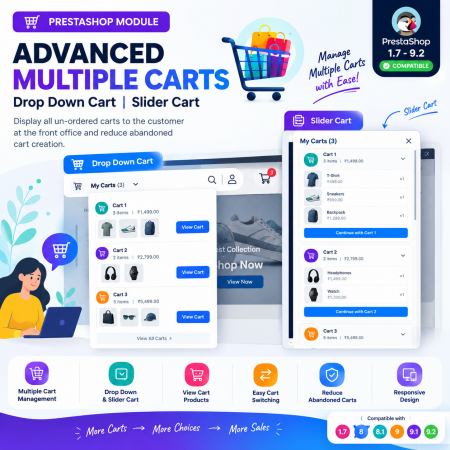
 Advanced Multiple Carts, Dropdown Cart & Slider Cart for PrestaShop

 Advanced URL Redirection (301, 302, 404) Module for PrestaShop

 WhatsApp Live Chat & Support PrestaShop Module

 Sticky Add to Cart Bar Prestashop Module

 Mega Attribute Popup – Product Attribute Selection Module for PrestaShop

 WhatsApp Live Chat – Customer Support & Multi-Agent Chat Module for PrestaShop

 Ticker Notification Banner – Announcement Bar Module for PrestaShop
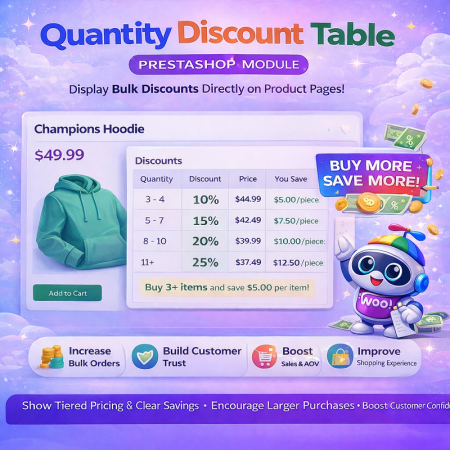 Quantity Discount Table & Grid – Bulk Pricing Display Module for PrestaShop
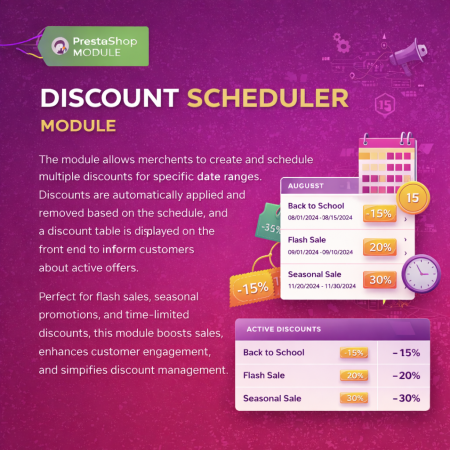
 Multiple discount date wise discount Prestashop Module
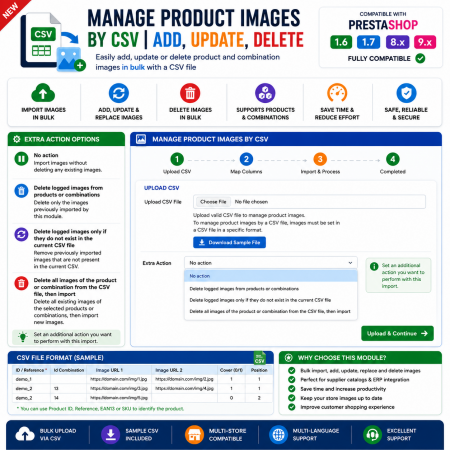
 Manage PrestaShop Product Images by CSV – Add, Update & Delete

 Google Schema Markup & Rich Snippets Module for PrestaShop

 Smart Similar Products – Automated Product Recommendations for PrestaShop

 Notify Me Pro – Price Drop, Back in Stock & New Arrivals Notifications for PrestaShop
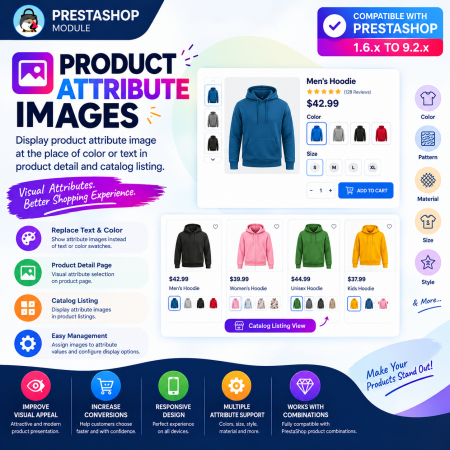
 Product Attribute Images – Visual Swatches for PrestaShop

 Hide Product Price Prestashop Module
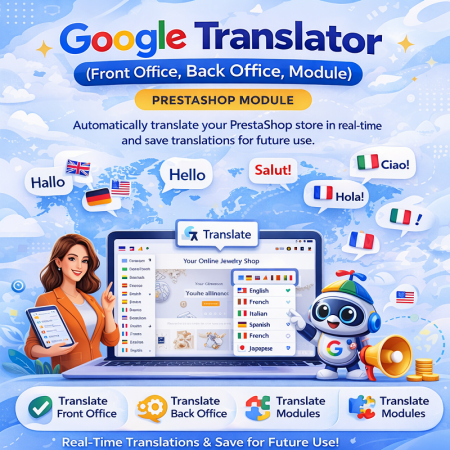
 Google Translator (Front Office, Back Office, Module) Prestashop Module
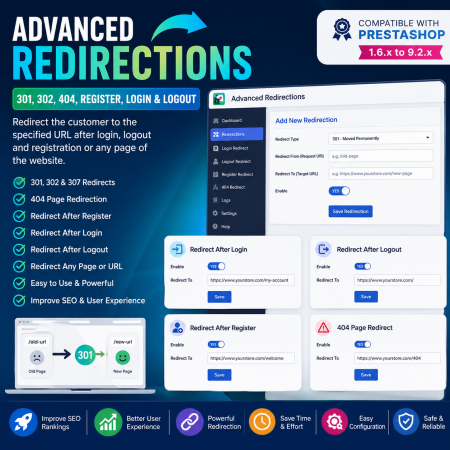
 Advanced Redirections – 301, 302, 404 & Customer Redirects for PrestaShop
Make shopping more convenient with the Save & Share My Shopping Cart PrestaShop Module. Allow customers to save their shopping carts, share selected products through unique cart links, and restore saved or shared carts whenever they are ready to continue shopping.
Customers can organize their saved carts with custom names and notes, share shopping selections through WhatsApp, Facebook, Twitter, email, and other supported platforms, and return to their selected products with a convenient cart restoration process.
Store administrators can manage saved carts, configure cart expiration and limits, offer special discounts for shared carts, and monitor available cart engagement analytics, including clicks, shares, and conversions.
Whether customers are preparing a future purchase, sharing product selections with friends and family, or organizing multiple shopping plans, this module makes it easier to save, share, and continue shopping without rebuilding the cart from scratch.
Save a cart. Share a cart. Restore a cart. Make every shopping journey easier!

Encrypted payment gateways ensuring your financial and personal data remain 100% protected.

Every module includes professional installation assistance, free updates, and reliable troubleshooting.

Rigorously tested PrestaShop & WooCommerce extensions designed for maximum speed and zero bloat.

Transparent policies, clean documentation, and dedicated assistance if you run into any compatibility hurdles.