Sometimes customers place an order on your PrestaShop store but cannot complete the payment immediately. They may want to use another payment method, arrange a bank transfer, pay later, or ask someone else to pay for their purchase.
In these situations, having a way to collect payment after checkout can make order management easier. Instead of asking customers to place another order, you can provide a payment link that takes them directly to the payment process for their existing order.
In this guide, we explain how PrestaShop payment links work, how merchants can collect payments for unpaid orders, how partial balances can be handled, and how another person can pay for a customer's order.
Why Do Some PrestaShop Orders Remain Unpaid?
Not every customer completes payment immediately after placing an order. There are several situations where an order may be created without receiving the full payment at checkout.
Bank transfers: Customers place an order and complete the bank transfer separately.
Bookings and reservations: A merchant creates an order before collecting the payment.
Payment arrangements: Customers need additional time to arrange their payment.
Third-party payments: A family member, friend or colleague is responsible for paying the order.
Partial payments: A customer has already paid part of the order amount and needs to settle the remaining balance.
Without a convenient post-order payment process, merchants may need to manually coordinate payments or ask customers to repeat parts of the checkout process.
Can Customers Pay for PrestaShop Orders After Checkout?
Yes. A post-order payment solution allows customers to pay for an existing order even when the original checkout has already been completed.
Instead of creating a duplicate order, the customer can return to the existing order and continue with its pending payment.
One approach is to provide a dedicated payment link associated with the existing order. The customer can open this link and proceed to the payment page without repeating the normal checkout steps.
How Do Shareable PrestaShop Payment Links Work?
A shareable payment link provides direct access to the payment process for an existing order. It is particularly useful when the person making the payment is different from the person who originally placed the order.
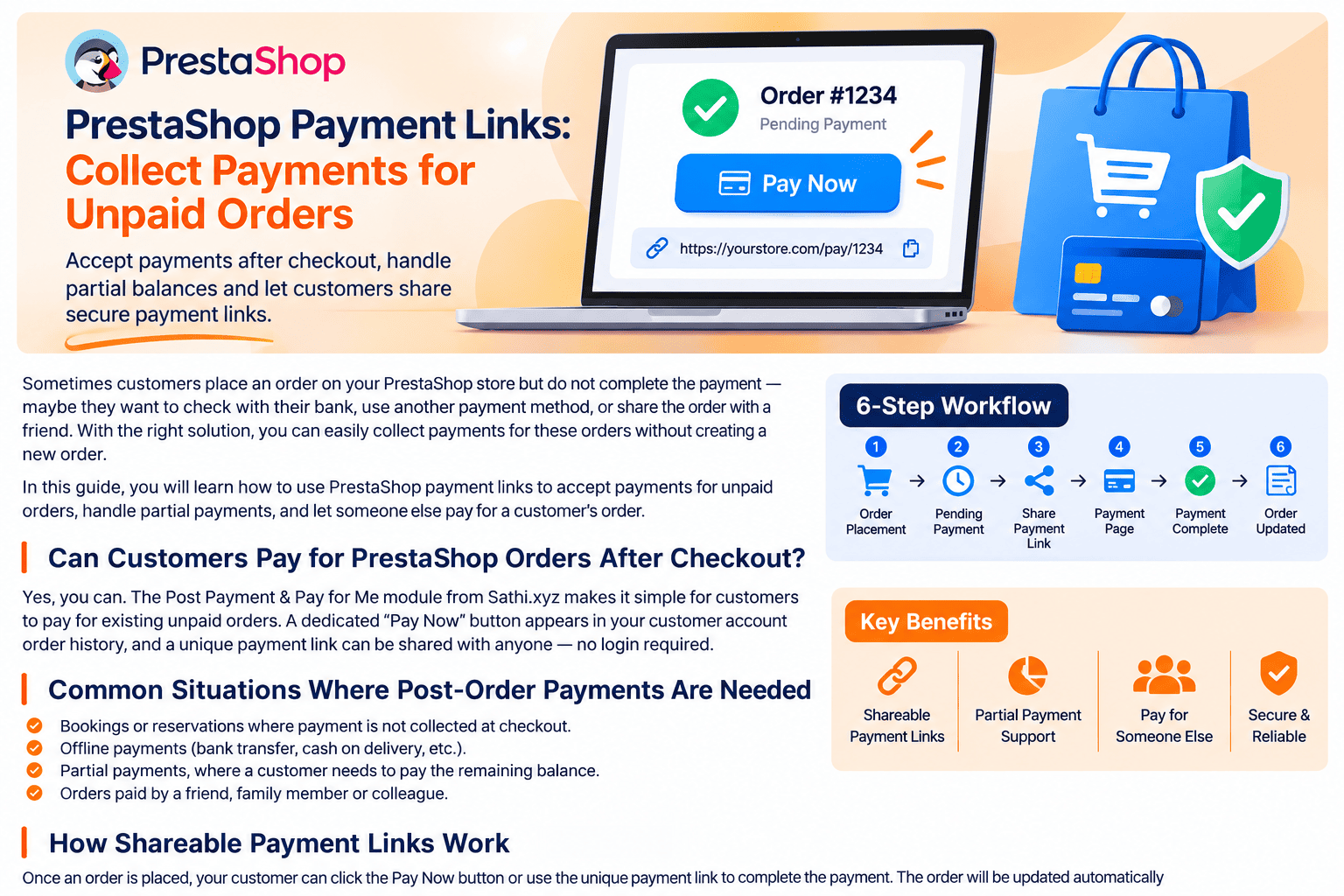
A typical post-order payment workflow looks like this:
Order placement: The customer places an order and it remains in a pending-payment status.
Payment link generation: A unique payment link is made available for the existing order.
Link sharing: The customer can share the payment link with the person who will make the payment.
Payment page: The recipient opens the link and sees the existing order information and payable amount.
Payment completion: The recipient selects an available payment method and completes the transaction.
Order update: After successful payment, the original order is updated using the configured order status.
This approach avoids the need to create a separate order simply because another person is making the payment.
When Should an Online Store Use Post-Order Payments?
1. Bookings and Reservations
Businesses offering appointments, event reservations, accommodation bookings or other services may need to create an order before collecting the payment.
A payment link provides a convenient way to collect the outstanding amount after the reservation has been created.
2. Orders Paid Through Bank Transfers
Some customers prefer bank transfers or other offline payment arrangements. Their order can be created first and the payment can be completed later through an available payment method.
3. Partial Payments and Remaining Balances
Consider an order worth €500 where the customer has already paid €200. The remaining balance is €300.
A post-order payment solution that supports outstanding balances can allow the merchant to collect the remaining €300 against the existing order instead of creating another order for the balance.
4. Payments Made by Someone Else
Sometimes the customer placing the order is not the person responsible for paying it. For example, a company employee may place an order while the finance department completes the payment.
A shareable payment link makes this arrangement easier because the payer does not necessarily need their own customer account in the store.
Standard Checkout vs Payment Retry vs Post-Order Payment
These approaches solve different payment situations. Understanding their differences helps merchants choose the right workflow.
Feature
Standard Checkout
Payment Retry
Post-Order Payment
When used
During checkout
After failed payment
After order creation
Existing order
Being created
Reused
Reused
Shareable link
Not normally
Depends on gateway
Can be supported
Third-party payer
Not the typical workflow
Depends on solution
Can be supported
How to Collect Payments for Existing Orders in PrestaShop
One way to implement this functionality is to use a dedicated PrestaShop module designed for post-order payments.
Install and configure the module in your PrestaShop store.
Configure the payment methods that should be available through the post-order payment process.
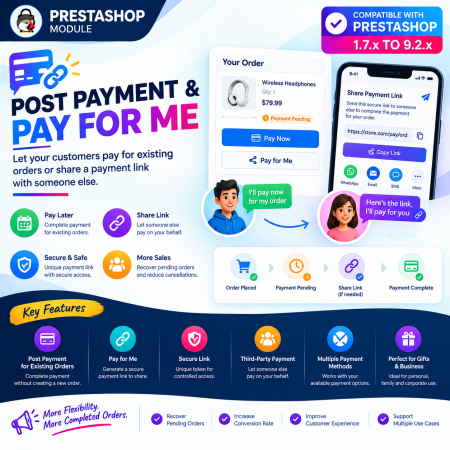
Customers can find a dedicated Pay Now option in their account order history and order details for eligible pending orders.
The module provides a unique payment link associated with the existing order.
The customer can share the link with another person. The recipient can access the payment page without logging into a customer account.
The payment page loads the existing order information and payable amount, without requiring the usual checkout address and shipping steps.
After successful payment, the original order receives the configured order status.
The payment link is designed for one-time use and cannot be reused after the order has been successfully paid.
The module also supports collecting outstanding balances on partially paid orders, making it useful for stores that need more flexible payment arrangements.
Benefits of Using a Dedicated Post-Order Payment Solution
No duplicate orders: Collect payments against the existing order.
Convenient payment sharing: Let another person complete the payment through a shareable link.
Order status management: Update the original order after successful payment according to the configured status.
Better payment flexibility: Support different order and payment arrangements.
Frequently Asked Questions
Can customers pay for an existing PrestaShop order?
Yes. A dedicated post-order payment solution can provide a payment page for an existing eligible unpaid order, allowing customers to complete payment after checkout.
Can someone else pay for a customer's PrestaShop order?
Yes. With a shareable payment link, the customer can send the payment URL to another person. With the Post Payment & Pay for Me module, the recipient does not need to log into a customer account to access the payment page.
Can I collect only the remaining balance of an order?
Yes. The Post Payment & Pay for Me module supports outstanding balance payments for eligible partially paid orders.
Does the customer need to repeat the checkout process?
No. The module's payment page loads the existing order information and amount without requiring the normal address and shipping checkout steps.
What happens after successful payment?
The original order is updated to the order status configured in the module. The payment link cannot subsequently be reused for that successfully paid order.
Which payment methods are available?
The payment page displays the real payment methods configured for the module's post-order payment process. Availability depends on your store's payment configuration.
Make Post-Order Payments Easier in Your PrestaShop Store
Collecting payment after checkout does not have to involve duplicate orders or complicated manual coordination. A dedicated payment link can simplify the process for merchants and customers, particularly when orders are paid later, partially paid or settled by someone else.
If you need this functionality in your PrestaShop store, explore the Post Payment & Pay for Me Module to learn more about its features, configuration and supported workflow.



















Leave a comment
Log in to post comments