Black Friday & Cyber Monday 2026: How to Prepare Your PrestaShop Store for More Sales
Black Friday and Cyber Monday are two of the biggest opportunities of the ecommerce calendar. Learn how to prepare your PrestaShop store, create better promotions, increase average order value, improve customer experience and turn seasonal traffic into more valuable sales.
Quick answer: The best way to prepare a PrestaShop store for Black Friday and Cyber Monday is to optimize the complete customer journey before the campaign starts. Review product pages, promotional pricing, product visibility, bundles, quantity discounts, customer support, mobile usability, performance and checkout before seasonal traffic arrives.
Black Friday 2026 takes place on Friday, November 27, while Cyber Monday 2026 falls on Monday, November 30. Although these events began as individual shopping days, ecommerce businesses increasingly treat them as part of a wider promotional period.
For a PrestaShop merchant, this period can bring new customers, repeat purchases and higher order values. But it also creates more competition. Shoppers can compare prices, features and offers across multiple stores within seconds.
That means a successful Black Friday and Cyber Monday campaign is about more than offering a discount. Your website needs to make products easy to understand, promotions easy to find and purchasing easy to complete.
This guide explains how to prepare your PrestaShop store for both Black Friday and Cyber Monday 2026, while showing how different ecommerce features can support your campaign.
Why Black Friday & Cyber Monday Matter for PrestaShop Stores
Black Friday and Cyber Monday can create a short period of significantly higher ecommerce activity. Customers who have been waiting to purchase may finally convert when they see a compelling promotion.
However, increased traffic does not automatically produce increased revenue. If visitors cannot understand your products, find your offers or complete checkout easily, additional traffic can simply result in more abandoned sessions.
🎯
Clear Promotions
Make the offer easy to understand. Customers should quickly know what they can save and what conditions apply.
🛒
Easier Shopping
Reduce unnecessary steps between discovering a product and completing the purchase.
📱
Mobile Experience
Make sure product pages, promotional messages and checkout remain easy to use on smaller screens.
💬
Fast Customer Support
Help shoppers answer questions about products, compatibility, delivery and promotions before they leave.
Black Friday vs Cyber Monday: What's the Difference?
Although Black Friday and Cyber Monday are closely connected, they can play different roles in your ecommerce campaign.
Black Friday
Black Friday is often the main promotional launch and can generate significant customer attention across product categories.
Good opportunities include:
Launching your main seasonal promotion
Highlighting best-selling products
Promoting bundles and quantity savings
Creating strong promotional visibility
Attracting new customers
Reactivating existing customers
Cyber Monday
Cyber Monday gives online stores another opportunity to convert shoppers who did not purchase during Black Friday or the weekend.
Good opportunities include:
Re-engaging Black Friday visitors
Recovering abandoned shopping journeys
Promoting online-focused offers
Creating final-day urgency
Targeting returning customers
Extending the seasonal campaign
The most effective strategy is therefore not to treat Cyber Monday as an unrelated campaign. Instead, use it as a second conversion opportunity within your overall Black Friday and Cyber Monday strategy.
1. Prepare Your PrestaShop Product Pages
Product pages are one of the most important parts of your Black Friday and Cyber Monday strategy. Visitors from search engines, advertising, email campaigns and social media can all eventually land on individual product pages.
Before the campaign begins, review the product pages responsible for your highest traffic, revenue or conversion potential.
Make the product value immediately clear
Customers should quickly understand:
What the product does
Which problem it solves
Who should use it
Which PrestaShop versions are supported
Which important features are included
What support is available
What the customer receives after purchase
What the current promotion means
Improve product combination visibility
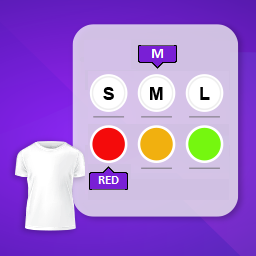
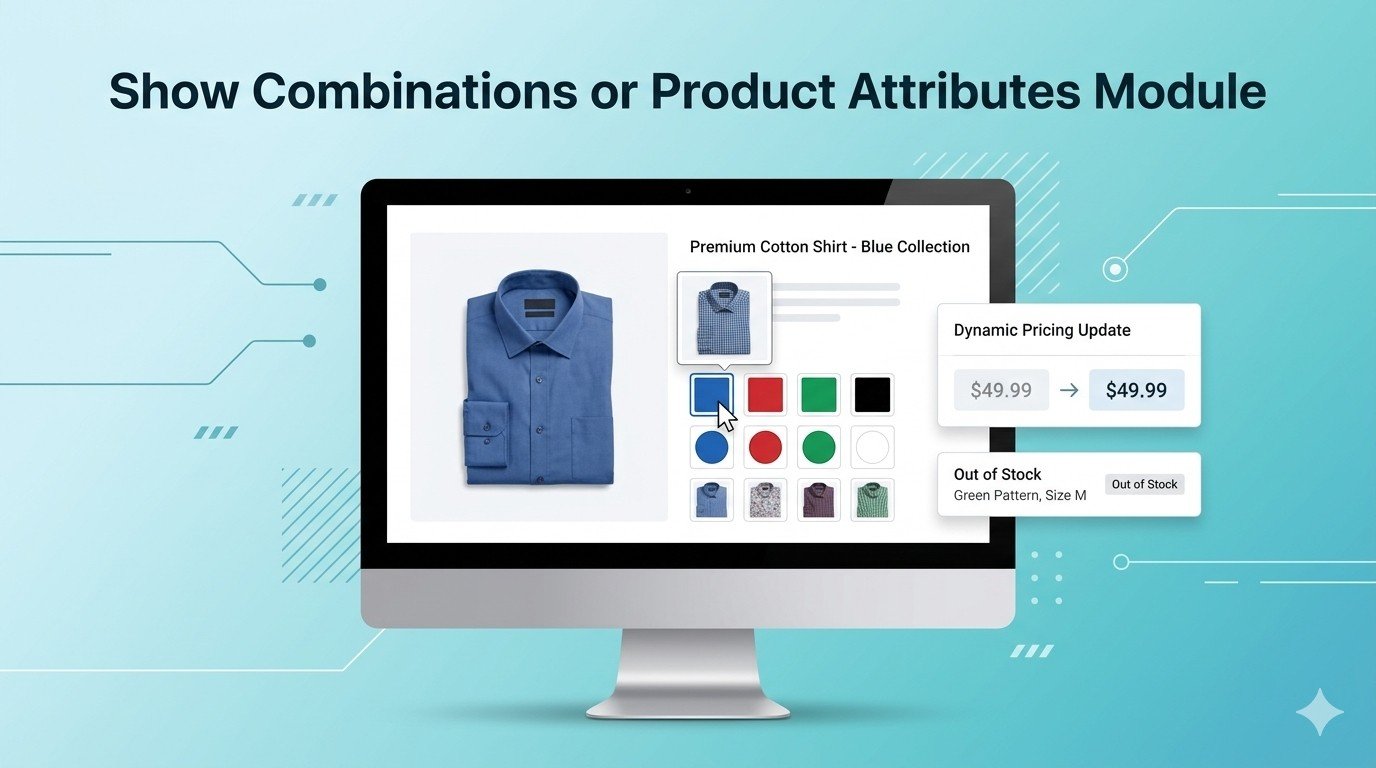
Stores selling products with multiple combinations should make attributes, combinations and prices easy to understand.
If shoppers need to click through several options before they can understand the available combinations, the buying process becomes unnecessarily complicated.
2. Create Clear Black Friday & Cyber Monday Promotions
A complicated promotion can reduce the value of an otherwise attractive offer.
Customers should not have to spend several minutes understanding how your discount works.
Make the conditions easy to understand
If your promotion has minimum order values, coupon codes, product conditions, customer restrictions or a specific validity period, make those conditions visible.
Promotion Type
Customer Benefit
Potential Business Objective
Percentage discount
Immediate price saving
Encourage conversion
Quantity discount
Buy more and save more
Increase order quantity
Product bundle
Multiple complementary products
Increase average order value
Limited-time promotion
Clear purchase deadline
Encourage faster decisions
The objective is not to create the most complicated Black Friday promotion. It is to create an offer that customers can understand immediately.
3. Increase Average Order Value During BFCM
Black Friday and Cyber Monday are not only opportunities to increase the number of orders. They can also help ecommerce businesses increase the value of each order.
Use quantity-based incentives
Quantity discounts can encourage customers to purchase multiple units when the additional saving is clear.
A higher discount does not always mean a better campaign. In many cases, a well-structured bundle or quantity incentive can create additional value without requiring the largest possible percentage reduction.
4. Make Black Friday Promotions Visible Across Your Store
Even an excellent promotion will have limited impact if customers do not notice it.
Your promotional message should appear naturally across important parts of the shopping journey, including the homepage, category pages, product pages and cart.
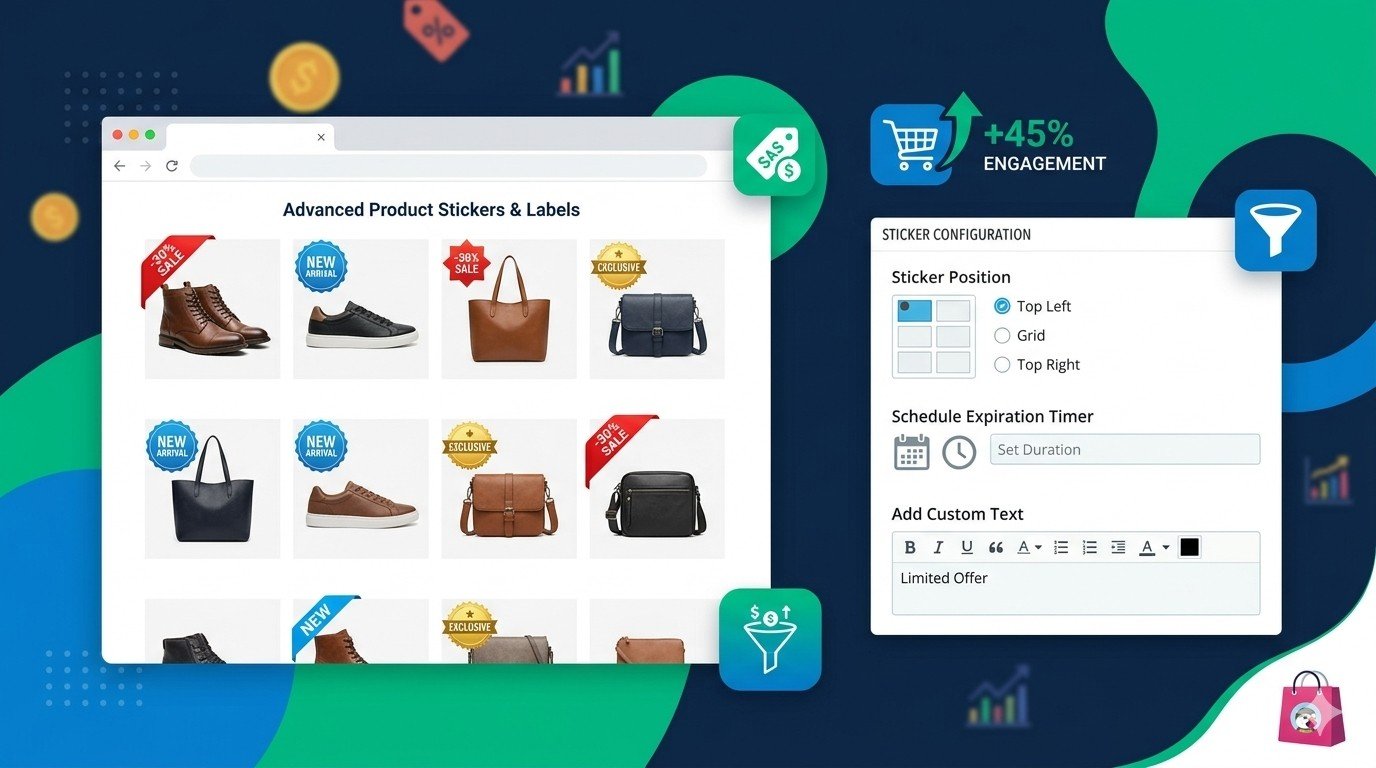
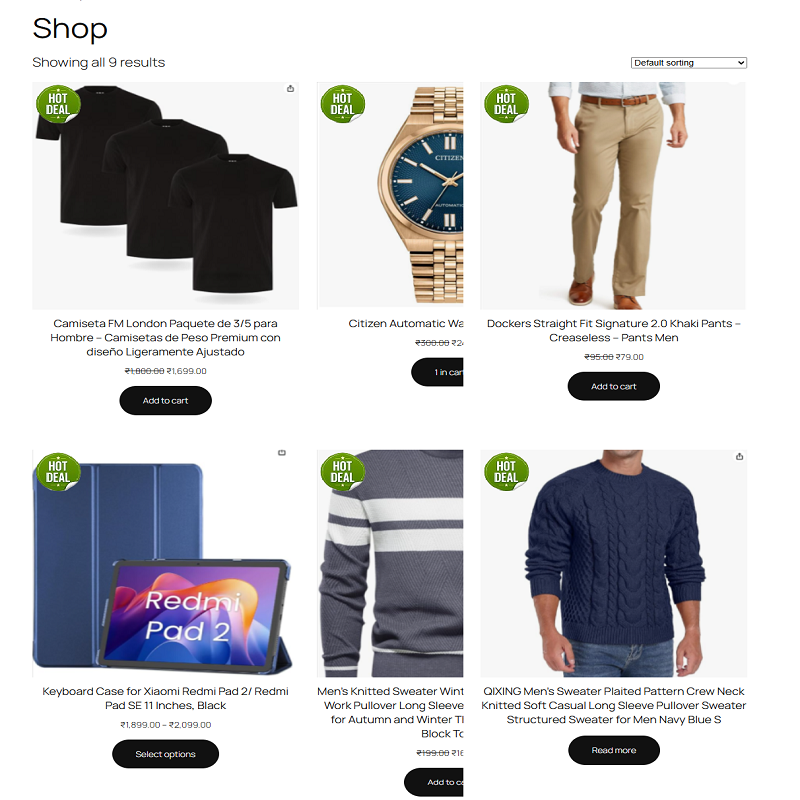
Use product stickers and promotional labels
Product images are often one of the first elements shoppers notice when browsing a category or search result.
Use the same terminology for the campaign throughout your store. If the campaign is called "Black Friday & Cyber Monday 2026", avoid switching between several unrelated names.
Consistency makes the campaign easier for customers to recognize and makes your internal linking and promotional content more coherent.
5. Prepare Customer Support Before the Campaign
Higher traffic can also mean more customer questions.
Shoppers may want to know whether a module supports their PrestaShop version, whether a feature is compatible with their configuration, how installation works or which product is most suitable for their needs.
If customers cannot get answers quickly, they may leave the store before purchasing.
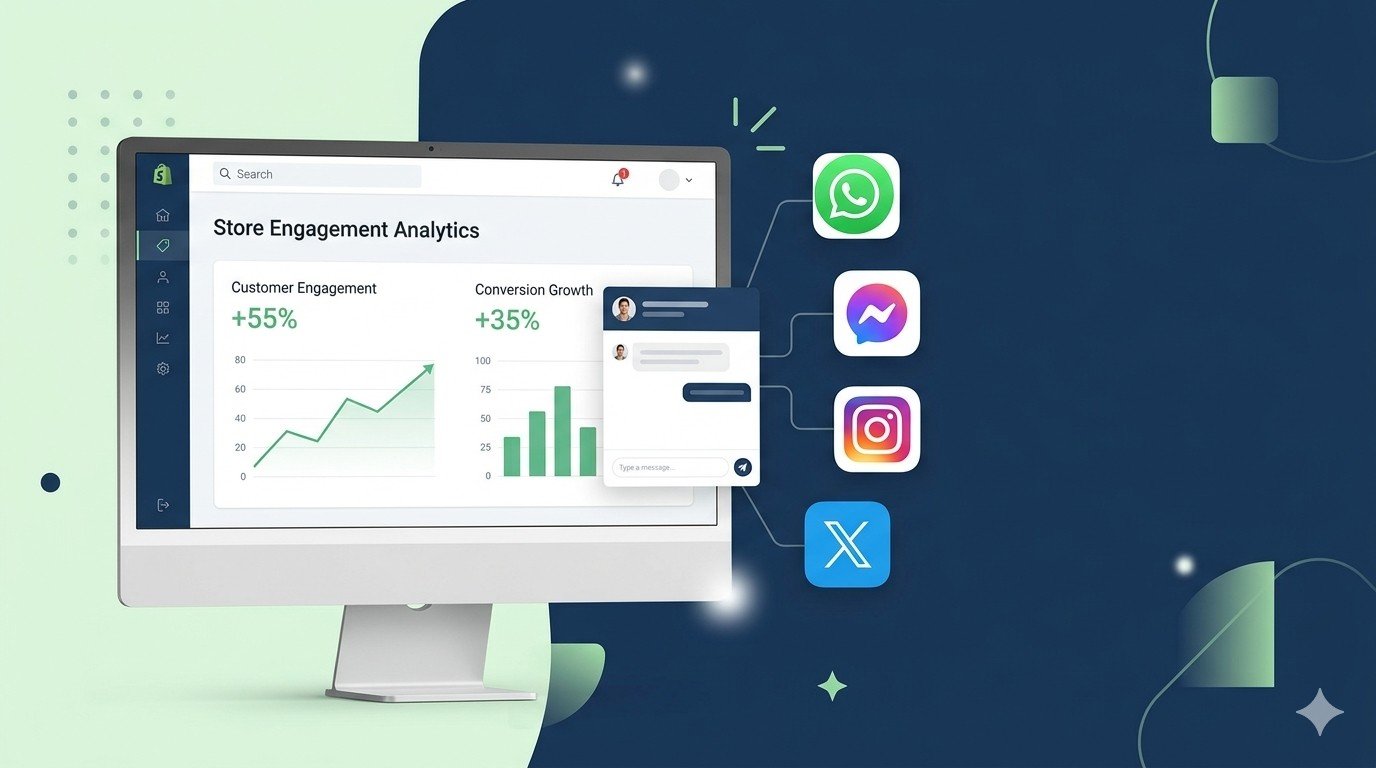
Give customers a direct communication channel
A direct support option can reduce friction while customers are making their purchase decision.
Before the campaign begins, prepare answers to the questions your support team is most likely to receive.
Which PrestaShop versions are supported?
How does installation work?
Is technical support included?
What is the refund policy?
Does the module support multistore?
How does the promotion work?
When does the promotion end?
6. Optimize the Mobile Shopping Experience
A large amount of ecommerce browsing can happen on mobile devices, especially when customers discover promotions through social media, messaging applications or email.
Your Black Friday and Cyber Monday preparation should therefore include testing the complete shopping journey on a real smartphone.
Check these mobile elements
Product images load correctly and do not appear distorted.
Prices and discount information are easy to read.
Product combinations and attributes are easy to select.
Add-to-cart buttons are easy to find and tap.
Promotional banners do not cover important content.
Navigation remains easy to use.
Cart and checkout forms are comfortable to complete.
Chat and support buttons do not obstruct important controls.
7. Check PrestaShop Performance Before Black Friday
Seasonal traffic can expose performance problems that are not obvious during normal traffic levels.
Before the campaign, test the pages that are most important to your sales funnel:
Homepage
Main category pages
Best-selling product pages
Search results
Cart
Checkout
Mobile navigation
Optimize promotional and product images
Large images can increase page weight and delay rendering. Promotional banners and product images should therefore be appropriately sized and compressed.
Use lazy loading for images that are below the initial viewport, while keeping important above-the-fold content prioritized.
Review third-party scripts
Analytics, chat, advertising, tracking and other third-party services can add network requests and JavaScript execution.
Before launching a major campaign, verify that unnecessary scripts are removed and that important functionality such as navigation, product selection and checkout remains reliable.
8. How to Prepare Your PrestaShop Store for Black Friday
Black Friday should be treated as the main launch point of your seasonal campaign.
Start preparing before the promotion begins
Do not wait until Black Friday morning to configure your offers, update promotional banners and test your checkout.
Prepare your campaign in advance and test the complete customer journey while you still have time to correct problems.
Highlight products strategically
Instead of promoting every product equally, identify products that have strong demand, good margins, useful complementary products or strong customer interest.
Create a clear campaign message
The customer should be able to understand the campaign within seconds. Avoid placing too many unrelated messages, discounts and promotional conditions on the same screen.
Monitor the first results
Once the campaign starts, monitor traffic, conversion rate, cart activity, top products and customer questions.
Early campaign data can help you identify which products or promotions deserve additional visibility during the rest of the BFCM period.
9. How to Use Cyber Monday to Capture Additional Sales
Cyber Monday should not simply be treated as another copy of your Black Friday promotion.
It provides a second opportunity to convert shoppers who visited your store during Black Friday but did not complete their purchase.
Re-engage previous visitors
If your marketing setup allows it, use appropriate email, advertising and remarketing campaigns to reach visitors who interacted with your store but did not purchase.
Focus on urgency
Cyber Monday can naturally communicate that the seasonal promotion is approaching its final stage.
The urgency should always be genuine. If the promotion is advertised as ending on a specific date, make sure it actually ends when promised.
Promote complementary products
Customers who purchased one product during Black Friday may be interested in related products during Cyber Monday.
This makes cross-selling and product bundles particularly useful during the second part of the campaign.
10. Connect Your SEO Content to Your BFCM Campaign Page
Your blog article should educate visitors first, but it should also provide a natural path to your current Black Friday and Cyber Monday promotion.
Instead of repeating the complete promotional offer inside this article, keep the current discount details, coupon codes, countdown and campaign-specific information on your dedicated BFCM landing page.
This gives each page a clear purpose:
Page
Primary Purpose
This blog article
Informational SEO content about preparing a PrestaShop store for Black Friday and Cyber Monday.
BFCM campaign page
Current promotional information, discounts, coupon codes, campaign dates and purchase CTAs.
Product pages
Detailed product information and transactional conversion.
Visitors who want practical information can read the guide, while visitors ready to shop can move directly to the campaign page.
You do not need to install dozens of new modules to prepare your store. Focus on the areas of your customer journey that can have the greatest effect on conversions and order value.
Product Stickers & Labels
Highlight discounts, sales, new products and other promotional messages directly on product listings.
Black Friday & Cyber Monday 2026 PrestaShop Checklist
Before launching your BFCM campaign, work through this checklist:
Review your highest-value and highest-traffic product pages.
Confirm every promotional price and discount condition.
Make important promotions visible on relevant pages.
Check product combinations, attributes and availability.
Review quantity discount and bundle opportunities.
Test the complete shopping journey on mobile devices.
Test add-to-cart and checkout from beginning to end.
Verify customer support and WhatsApp functionality.
Optimize large promotional and product images.
Review third-party scripts and unnecessary resources.
Confirm campaign dates and promotional conditions.
Test every campaign CTA and internal link.
Make sure expired promotions can be removed or disabled correctly.
Verify analytics and conversion tracking.
Link your informational content to the main BFCM campaign page.
Get Your PrestaShop Store Ready for Black Friday & Cyber Monday
A successful BFCM campaign is about more than a larger discount. Make your products easier to understand, your promotions easier to find and your checkout easier to complete.
Once your store is ready, visit the Sathi Tech Black Friday & Cyber Monday campaign page to see the current promotion, campaign dates and available offers.
Frequently Asked Questions About Black Friday & Cyber Monday on PrestaShop
When is Black Friday 2026?
Black Friday 2026 is on Friday, November 27, 2026. Many ecommerce stores extend their promotions beyond the single day and continue throughout the weekend and into Cyber Monday.
When is Cyber Monday 2026?
Cyber Monday 2026 is on Monday, November 30, 2026. It provides online stores with another opportunity to convert shoppers following the Black Friday weekend.
How can I prepare my PrestaShop store for Black Friday?
Review your product pages, promotional strategy, product visibility, mobile experience, website performance, customer support and checkout before the campaign starts. Testing the complete customer journey is essential.
How can I prepare my PrestaShop store for Cyber Monday?
Use Cyber Monday as a second conversion opportunity. Re-engage relevant visitors, highlight remaining offers, promote complementary products and communicate the genuine final deadline clearly.
What is the difference between Black Friday and Cyber Monday?
Black Friday is traditionally the main shopping event and promotional launch, while Cyber Monday provides another opportunity for online stores to convert shoppers after the Black Friday weekend. Both can be managed as part of one larger ecommerce campaign.
How can I increase average order value during Black Friday?
Quantity discounts, product bundles, cross-selling and threshold-based promotions can encourage customers to purchase more. The additional value should always be clear to the shopper.
Should I use product stickers during Black Friday?
Promotional product labels can help customers identify discounted or important products more quickly, particularly on category and product-listing pages. Use a consistent visual system and avoid excessive labels.
How important is mobile optimization for BFCM?
Mobile optimization is essential because shoppers may discover promotions and complete purchases from smartphones. Test navigation, product selection, promotional messaging, cart and checkout on real mobile devices.
Should Black Friday and Cyber Monday have separate campaign pages?
They do not necessarily need separate pages. A permanent combined Black Friday and Cyber Monday campaign page can be easier to manage and can accumulate authority over time, while the content and promotional messaging can be updated for each campaign phase.
Where can I find the current Sathi Tech Black Friday and Cyber Monday promotion?
Black Friday and Cyber Monday can be major opportunities for PrestaShop merchants, but the best results come from preparing the entire shopping experience rather than relying on a discount alone.
Start by improving the pages that matter most. Make your products easier to understand, communicate promotions clearly, provide customers with accessible support and make sure the mobile shopping experience works smoothly.
Quantity discounts and product bundles can help increase order value, while promotional labels can improve product visibility. Meanwhile, a fast and reliable checkout helps turn increased seasonal traffic into completed orders.
Most importantly, treat Black Friday and Cyber Monday as one coordinated campaign with different opportunities throughout the promotional period.
Prepare early, test everything and make it easy for shoppers to understand why they should buy from your store.










Leave a comment
Log in to post comments