The Blind Spot Problem: Why Your Best Store Promotions are Being Ignored
Every e-commerce merchant knows the frustration of setting up an incredible discount campaign, only to watch it underperform. You spend hours refining your pricing strategies and structuring flash sales, yet your analytics show that visitors are scrolling right past your promotional items without clicking.
The hard truth is that online shoppers do not read catalog text anymore—they scan visual elements. If a product is on sale, newly arrived, or an online exclusive, but its main thumbnail looks exactly like every other standard grid item, it is completely invisible to a fast-scrolling buyer.
The underlying issue: Standard e-commerce platforms offer incredibly rigid design frameworks. Manually editing individual product photos to burn in temporary discount ribbons destroys your workflow, breaks image ratios, and fails to handle time-sensitive sales that need to end automatically at midnight.
The Fix: Advanced Product Stickers & Labels PrestaShop Module
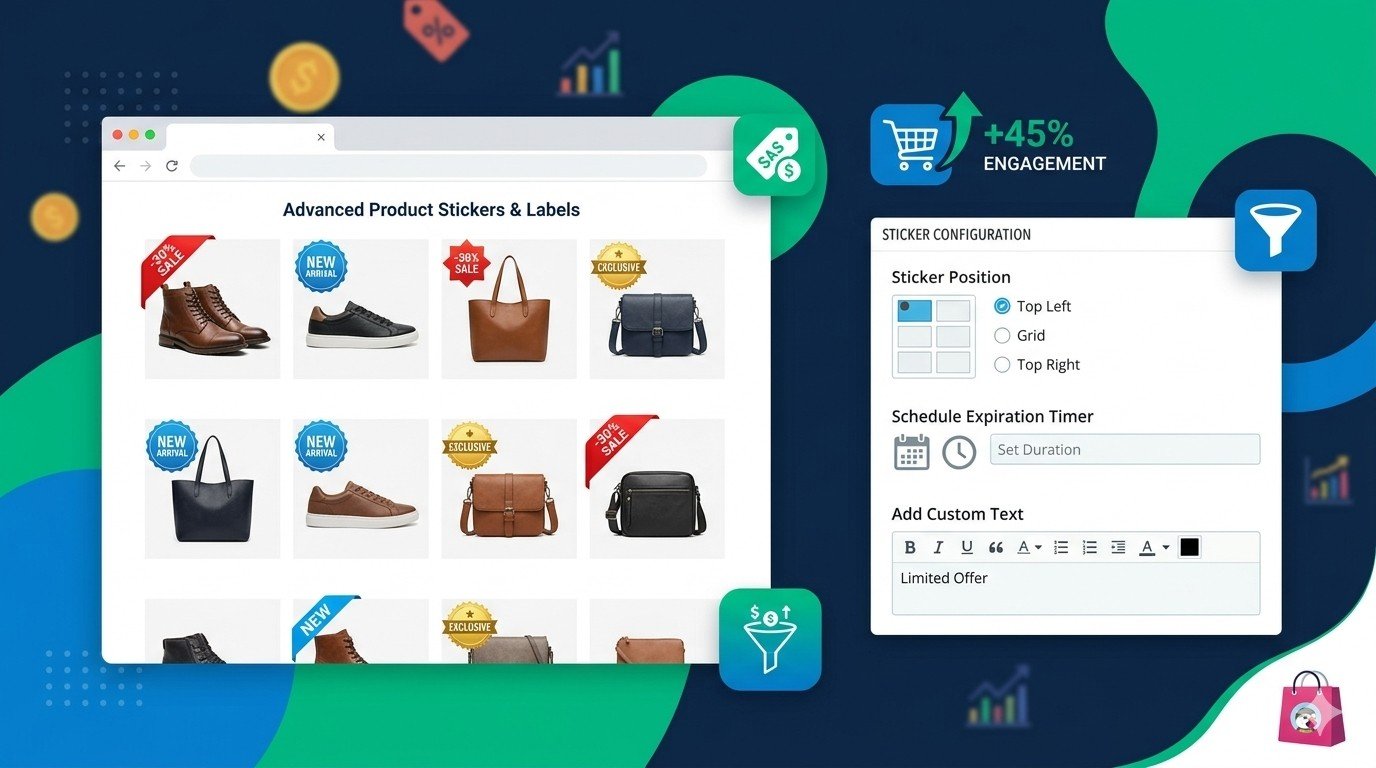
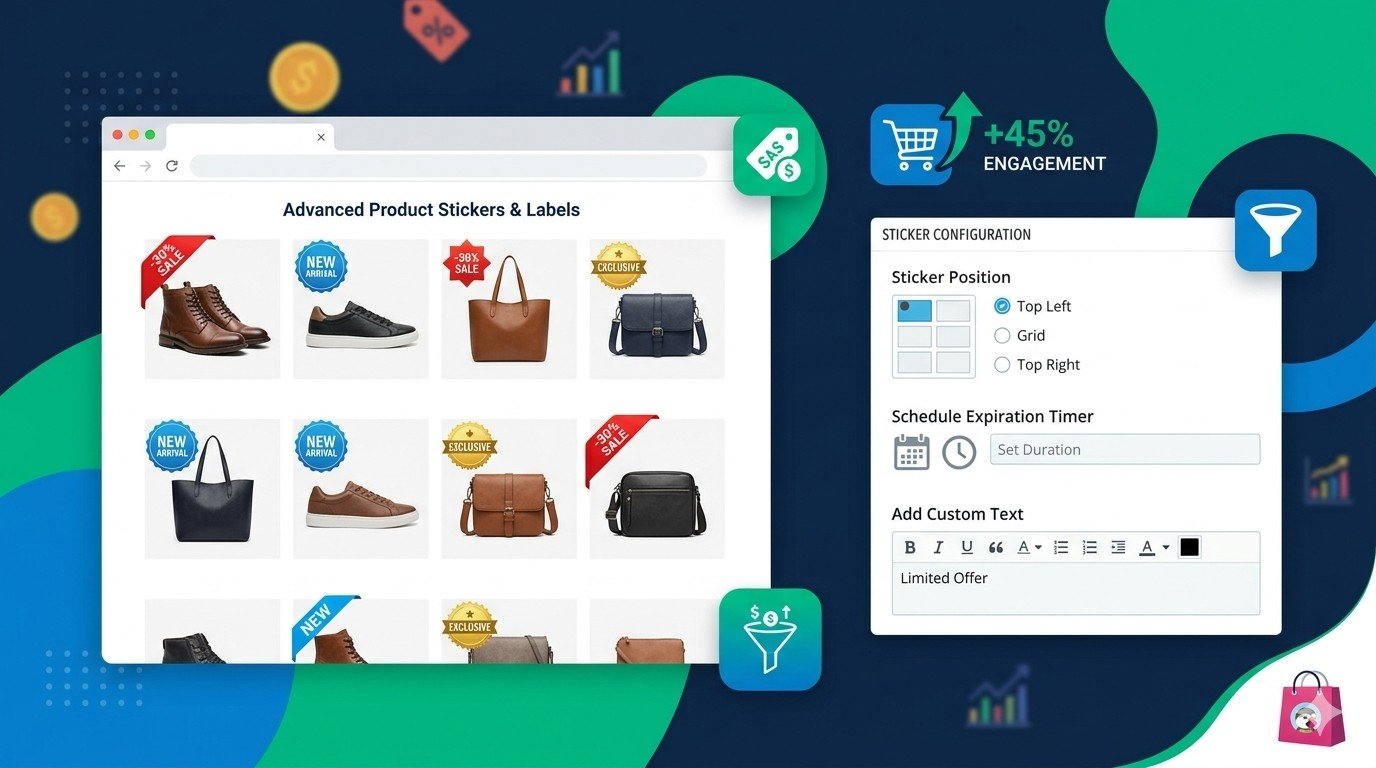
The Advanced Product Stickers & Labels PrestaShop Module completely transforms your catalog merchandising by introducing an automated, dynamic overlay system. Merchants can inject vibrant text tags, custom graphical ribbons, or clickable badge prompts directly onto product photos without touching a single line of code.
Instead of manual asset manipulation, this system acts as an intelligent marketing layer over your existing media server. You can display multiple promotional badges simultaneously on a single image, configure precise display anchors, and schedule expiration timers to manage seasonal campaigns flawlessly.
Strategic Merchant Benefits: Scaling Your Catalog Operations
This extension is engineered to serve as a robust storefront optimization toolkit that directly targets consumer psychology and operation efficiency:
- Accelerated Conversion & Impulse Purchases: Eye-catching visual indicators like "Only 3 Left" or "50% Off" leverage urgency and scarcity cues, encouraging faster purchase decisions.
- Zero Development Overhead: Fully manage text colors, border styles, padding configurations, and graphic positioning entirely inside a visual dashboard layout. No external graphic designers or CSS modifications are required.
- Hands-Free Automated Marketing: Set a sticker to run exclusively during a weekend window. The integrated scheduler automatically hides the graphic when the promotion ends, preventing outdated banners from confusing buyers.
- Clickable In-Image Callouts: Turn standard catalog badges into direct conversion pathways. By linking stickers directly to custom clearance landing pages, you dramatically optimize internal traffic routing.
Customer Experience Upgrades: Frictionless Browsing
Modern layouts should make shopping intuitive. This system directly enhances the front-end user experience for your target market:
- Instant Offer Scanning: Shoppers can immediately differentiate brand-new arrivals, top sellers, and markdown clearances while scanning grid feeds.
- Clearer Contextual Details: Visible badges like "Organic", "Vegan", or "Extended Warranty Included" immediately broadcast unique selling points before a user even clicks the product detail page.
- Reduced Cognitive Load: Simplifying how information is digested allows users to evaluate options faster, transforming long comparison loops into highly efficient checkouts.
How to Structure a High-Converting Sticker Campaign
To maximize the ROI of this module, avoid cluttering your pages. The most successful implementations follow a strategic merchandising hierarchy:
1. The Tiered Overlay Stack
Combine a graphic badge (e.g., a modern geometric background) in the top-left corner to denote the category type ("New Arrival") with a subtle text badge in the opposite corner highlighting financial benefits ("Free Shipping").
2. Urgency and Scarcity Highlights
Deploy specialized tags across slow-moving stock lines. Labeling items as "Limited Batch" or "Exclusive Release" instantly shifts consumer perception from an ordinary commodity to a highly valuable, must-have asset.
Upgrade Your Catalog Merchandising Performance Today
Stop leaving your store conversion rates to chance. Turn your static grid columns into highly engaging visual displays that command attention and drive transaction volumes.
View Module







Leave a comment
Log in to post comments