- -₹3,415.10


This module enhances the shopping experience by allowing customers to easily explore product variations such as...

The module allows merchants to enhance product images with customizable stickers and labels. Whether it’s...

Make bulk pricing visible and encourage larger orders with the Quantity Discount Table Grid PrestaShop Module.
...
Take complete control of your store's free shipping strategy with the Free Shipping by Zone & Carrier...

Make international shopping easier with the Auto Change Country, Language & Currency PrestaShop...
Vendor
Version
Last update
Prestashop version
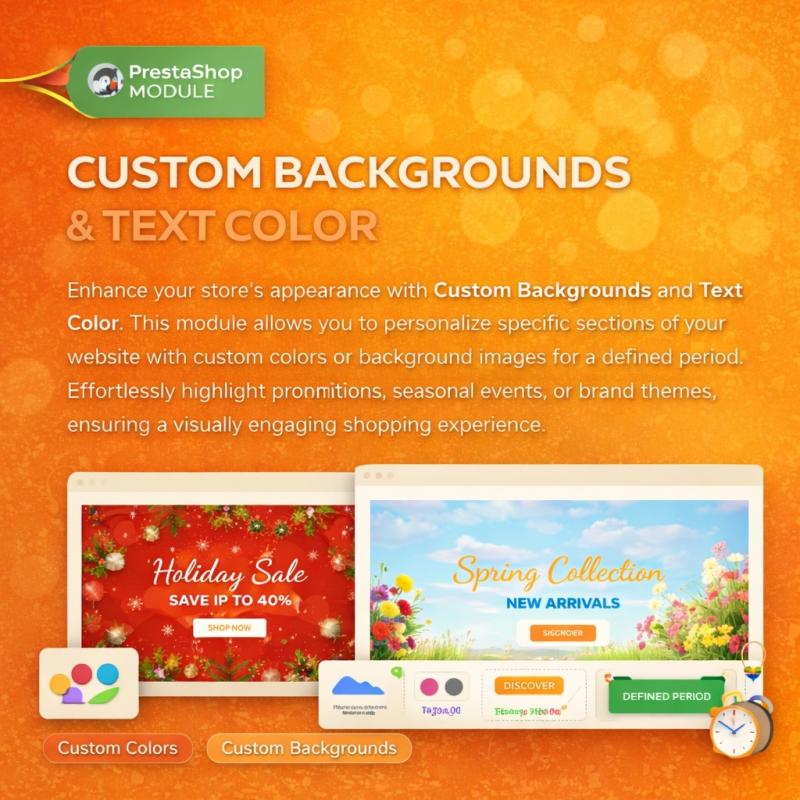
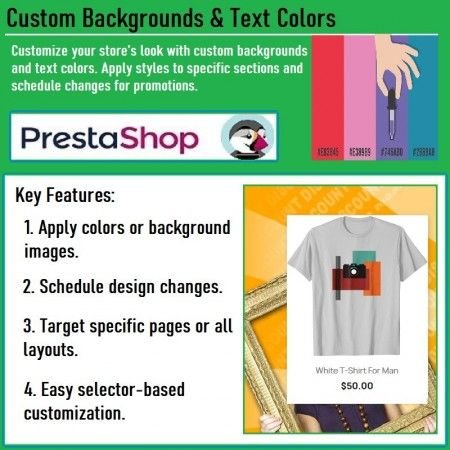
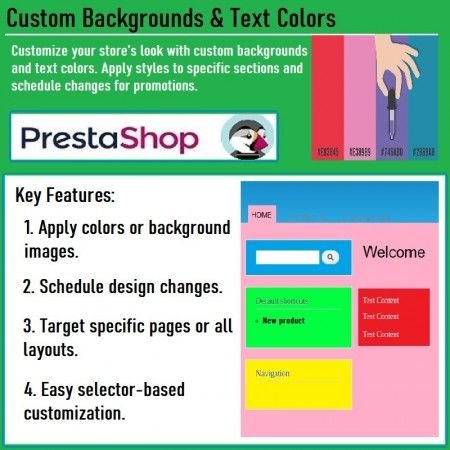
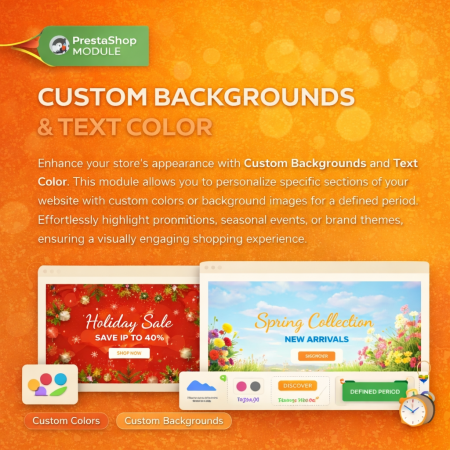
Customize the appearance of your PrestaShop store without manually editing theme CSS files using the Custom Background & Text Color PrestaShop Module.
Easily change background colors, text colors, and background images for specific website elements using CSS selectors such as HTML tags, classes, and IDs. Apply custom styling to selected pages or store layouts, or create a consistent visual appearance across your storefront.
Schedule your design changes with start and end dates to automatically display seasonal themes, festive designs, special offers, and promotional campaigns during specific periods.
Whether you want to highlight your header, footer, product sections, promotional blocks, buttons, or other website elements, this module gives you a flexible way to personalize your store's appearance directly from the PrestaShop Back Office.
No manual theme CSS editing required for standard customization. Create a more attractive, consistent, and campaign-ready storefront with Sathi.
Personalize Your Store Design. Highlight Promotions. Schedule Visual Changes Without Editing Theme CSS.
Your online store's appearance plays an important role in how customers perceive your brand. Colors, backgrounds, and visual elements help communicate your brand identity, highlight important information, and create a consistent shopping experience.
However, customizing individual sections of a PrestaShop website is not always straightforward. Store owners often need to modify theme CSS files, locate HTML elements, or hire developers just to change the background color of a header, adjust text colors, or highlight a promotional section.
The Custom Background & Text Color PrestaShop Module provides a more convenient way to manage these visual changes directly from your store's administration panel.
Apply custom background colors, text colors, and background images to specific website elements using CSS selectors. Customize individual pages or layouts, and schedule your design changes with start and end dates.
Whether you want to highlight a promotional banner, customize your website header, create a festive storefront, change footer colors, or maintain a consistent brand appearance, this module gives you greater control over your PrestaShop storefront's visual presentation.
Every online store has its own visual identity. Your brand colors, promotional campaigns, seasonal designs, and website layout should work together to create a recognizable shopping experience.
Unfortunately, many PrestaShop store owners face common customization challenges:
Changing a specific section's background requires finding the correct CSS selector.
Updating text colors may require editing theme stylesheets.
Promotional sections need different visual designs during special campaigns.
Seasonal designs require repeated manual updates.
Theme-specific styling can make individual element customization difficult.
Store owners may need developer assistance for relatively simple visual changes.
The Custom Background & Text Color module addresses these challenges by providing a centralized interface for managing custom visual styles.
Instead of repeatedly modifying your theme's CSS files, configure background and text styling through the module's administration settings.
Background colors for selected website elements.
Text colors for selected HTML elements.
Background images instead of solid colors.
Specific sections using CSS IDs, classes, and HTML tags.
Individual pages and layouts.
Storewide visual styling.
Promotional designs with scheduled activation dates.
The result: A more flexible way to personalize your storefront and manage visual campaigns without repeatedly editing theme files.
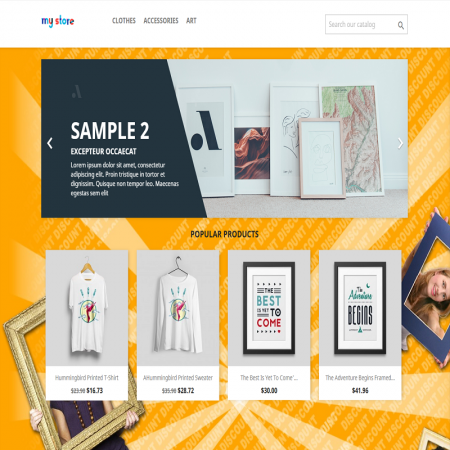
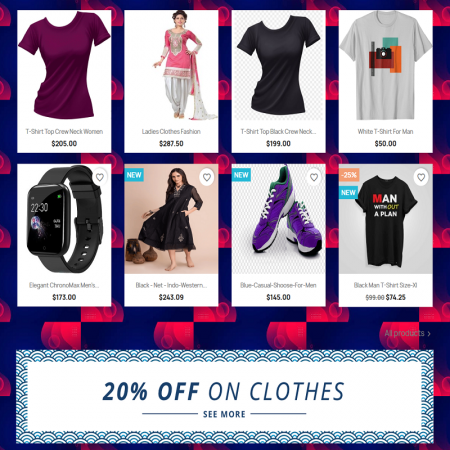
Customize selected sections of your storefront using your preferred background colors, text colors, and background images.
Target particular website elements using CSS selectors, including HTML tags, classes, and IDs.
Apply custom styles to selected pages or layouts, or configure styling across your store.
Define start and end dates for your custom styles so promotional and seasonal designs can be displayed during specific periods.
Use background images instead of plain colors to create more visually engaging sections.
Configure visual changes from the PrestaShop administration panel rather than repeatedly modifying theme stylesheets.
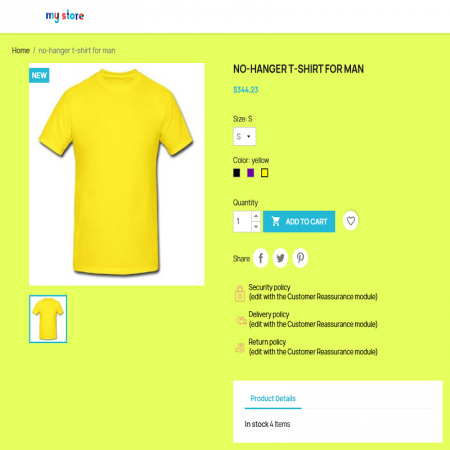
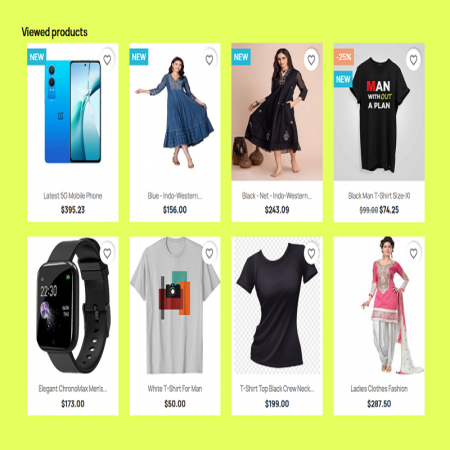
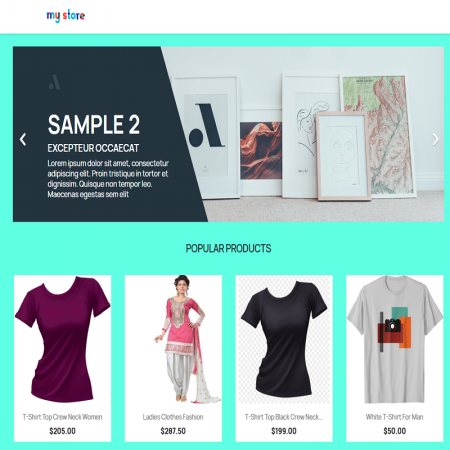
Give individual sections of your PrestaShop storefront a distinct appearance by applying custom background colors.
A background color can help separate important website sections, highlight promotional areas, and maintain a consistent visual identity.
Key capabilities:
Apply custom background colors to selected elements.
Customize individual website sections.
Highlight important content areas.
Create visual separation between different blocks.
Match website sections with your brand colors.
Support promotional and seasonal design changes.
Example use cases:
Change the header background to match your brand identity.
Highlight a special promotional section.
Customize the footer background.
Give selected content blocks a different background.
Create festive background colors for seasonal campaigns.
Business benefit: Improve visual consistency and make important storefront sections more noticeable.
Text readability is essential for a good shopping experience. Text should be visually clear and appropriately contrasted against its background.
With custom text color functionality, you can change the appearance of text within selected website elements.
Key capabilities:
Apply custom text colors to selected elements.
Target HTML tags, CSS classes, and IDs.
Customize text in individual sections.
Match text colors with your brand identity.
Improve the visual presentation of promotional content.
Coordinate text colors with custom backgrounds.
Example use cases:
Change heading colors in promotional sections.
Customize text displayed in the header.
Highlight important information.
Adjust footer text colors.
Create consistent color combinations across your storefront.
Business benefit: Create a more readable and visually consistent storefront while reinforcing your brand identity.
Not every section of your website needs the same design.
Sometimes you want to change only the header background while keeping the rest of the page unchanged. In another situation, you may want to customize a specific promotional block, product section, footer, or navigation element.
The module allows you to target individual elements using CSS selectors.
Supported selector types:
HTML tags, such as header, footer, and section.
CSS classes, such as .product-section and .custom-banner.
HTML IDs, such as #header and #footer.
Key capabilities:
Target specific HTML elements.
Apply custom background colors to selected elements.
Apply custom text colors to selected elements.
Customize individual sections independently.
Control styling without modifying the original theme stylesheet.
Example use cases:
Customize the website header using its HTML ID.
Change the background of a specific promotional block using its CSS class.
Customize the footer using its HTML tag.
Change the appearance of selected content sections.
Apply different styles to multiple website elements.
Business benefit: Gain more precise control over storefront appearance without making unnecessary changes to unrelated website sections.
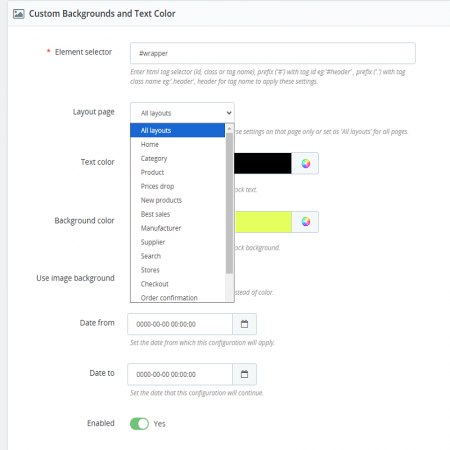
Different pages of your online store may serve different purposes.
Your homepage may need prominent promotional colors, while product pages should focus on product information and category pages may require a different visual presentation.
The module supports layout-based configuration so you can apply custom styling where it is needed.
Key capabilities:
Apply custom styles to specific pages or layouts.
Configure visual changes for selected website areas.
Support storewide styling where required.
Customize different elements according to your design objectives.
Create a more consistent visual experience across selected layouts.
Example use cases:
Highlight promotional content on the homepage.
Customize selected product-page elements.
Adjust category-page visual sections.
Maintain a consistent header and footer design.
Apply special visual styling to selected storefront layouts.
Business benefit: Create a more purposeful website design without applying every customization globally.
Sometimes a solid background color is not enough to create the desired visual effect.
Background images can make promotional sections, special campaign areas, and seasonal storefront designs more attractive.
The module supports background images as an alternative to plain background colors.
Key capabilities:
Use images as website backgrounds.
Apply background images to selected elements.
Create visually attractive promotional sections.
Support seasonal and festive designs.
Combine background imagery with your website's visual identity.
Example use cases:
Display a festive background during holiday campaigns.
Highlight a promotional section with a branded image.
Create special campaign backgrounds.
Add visual interest to selected website blocks.
Match your storefront with seasonal marketing designs.
Business benefit: Create more engaging visual experiences and make your promotional campaigns stand out.
Promotional campaigns and seasonal events often have specific start and end dates.
Manually changing your website design whenever a campaign begins or ends can become repetitive, especially when you run multiple campaigns throughout the year.
The module provides scheduled activation using start and end dates.
Key capabilities:
Define a start date for custom styling.
Define an end date for custom styling.
Schedule promotional visual changes.
Prepare seasonal designs in advance.
Automatically apply styling during the configured period.
Support time-based storefront customization.
Example use cases:
Display a Diwali-themed storefront during the festive period.
Highlight Black Friday promotions.
Apply Christmas background designs.
Customize your store for New Year campaigns.
Display special promotional styling during a sale.
Return to your regular visual design after a campaign ends.
Business benefit: Reduce repetitive manual design updates and make your promotional campaigns easier to manage.
Many store owners hesitate to customize their website because they are concerned about modifying theme files.
Direct CSS modifications can also become difficult to maintain when a theme is updated or when multiple customizations are introduced.
The module provides an administration-based approach to standard background and text color customization.
Key capabilities:
Configure visual styling from the Back Office.
Avoid repeatedly editing theme stylesheets.
Manage element-specific styling through CSS selectors.
Organize visual changes in one dedicated module.
Make routine design adjustments more convenient.
Business benefit: Reduce dependence on manual stylesheet modifications for supported customizations and make storefront design management more accessible.
The module can support different visual customization requirements throughout the year.
The header is one of the most visible parts of your storefront.
Use custom background and text colors to match your brand identity and create a consistent first impression.
Example:
Apply your brand's primary background color.
Customize header text colors.
Create a consistent appearance across your storefront.
The footer contains important information such as contact details, useful links, and store policies.
Give it a distinctive appearance using custom background and text colors.
Example:
Apply a dark footer background.
Customize footer text colors.
Improve the visual separation between the main page and footer.
Promotional content should be visually noticeable without making the entire website look cluttered.
Use element-specific styling to highlight selected promotional areas.
Example:
Highlight a discount announcement block.
Apply a promotional background color.
Customize text colors for important campaign information.
Seasonal campaigns provide opportunities to refresh your website's appearance.
Prepare your visual changes in advance and schedule them for the relevant campaign period.
Examples:
Diwali and festive promotions.
Christmas and New Year campaigns.
Valentine's Day promotions.
Summer and winter sales.
Black Friday and Cyber Monday.
A consistent brand appearance helps customers recognize your business.
Use your preferred color combinations to customize selected website sections.
Examples:
Brand-specific header colors.
Matching footer designs.
Consistent promotional block styling.
Coordinated text and background colors.
Some website elements deserve more visual attention than others.
Use custom styling to distinguish important sections from surrounding content.
Examples:
Highlight informational blocks.
Customize selected HTML sections.
Make promotional content visually distinct.
Improve visual separation between page elements.
| Common store-owner problem | How the module helps |
|---|---|
| Changing background colors requires CSS editing | Configure supported styling through the module |
| Only one section needs customization | Target individual elements using CSS selectors |
| Promotional designs need to change periodically | Configure start and end dates |
| Plain backgrounds look uninteresting | Use background images |
| Different pages need different designs | Apply styling to selected pages or layouts |
| Website colors do not match brand identity | Customize backgrounds and text colors |
| Repeated manual design changes take time | Schedule visual changes in advance |
Use consistent colors and backgrounds to create a storefront that reflects your brand.
Make campaign announcements and promotional sections more noticeable through targeted styling.
Schedule visual changes instead of repeatedly making manual updates for every campaign.
Create a more organized and visually attractive storefront by customizing individual elements.
Refresh your website's appearance for holidays, festivals, and promotional events.
Manage supported visual changes through the module rather than repeatedly modifying theme stylesheets.
Getting started with the Custom Background & Text Color PrestaShop Module is straightforward.
Download the module ZIP package from Sathi.
Log in to your PrestaShop Back Office.
Navigate to: Modules → Module Manager → Upload a Module
Select the downloaded ZIP file.
Locate Custom Background & Text Color in the Module Manager and click Install.
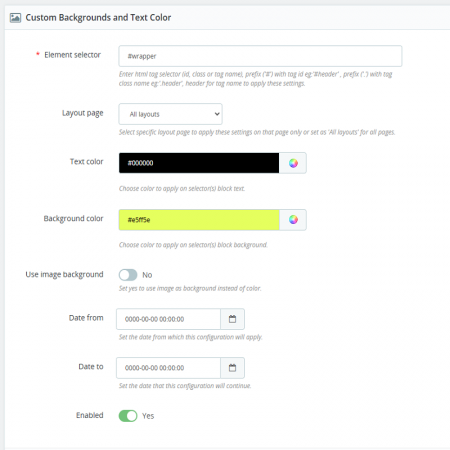
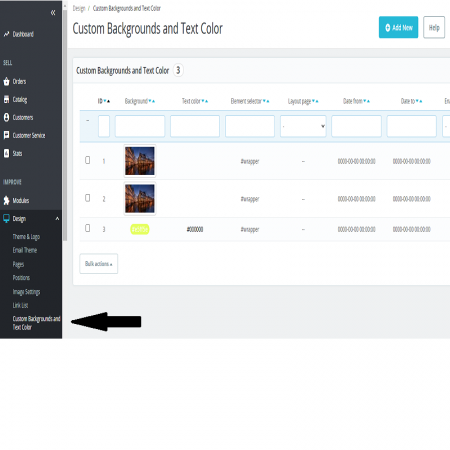
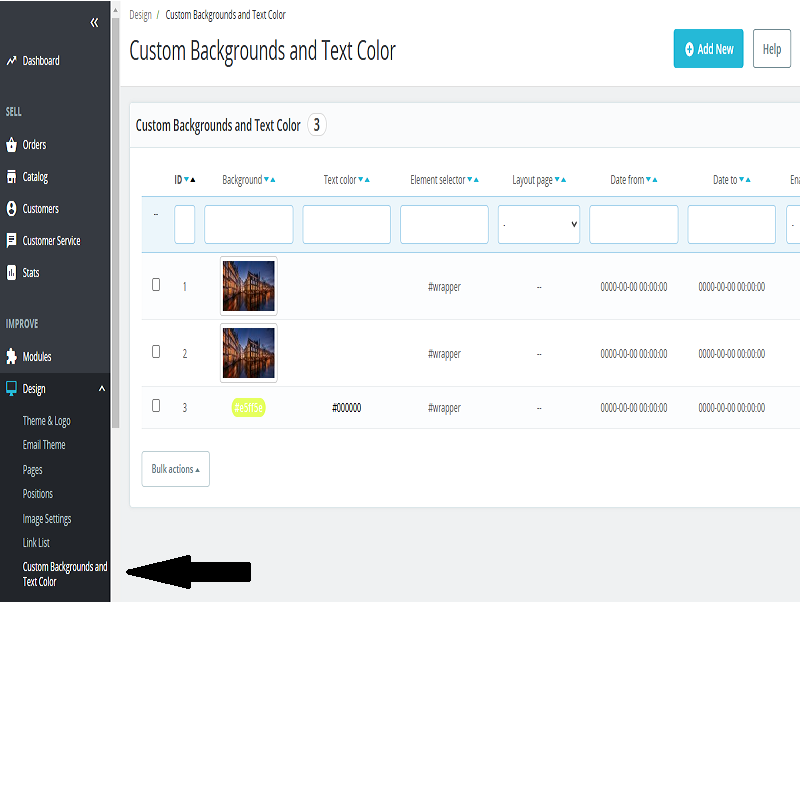
Navigate to: Design → Custom Backgrounds and Text Color
Open the module configuration interface.
Identify the website elements you want to customize.
Enter the relevant CSS selector, such as:
header
footer
#header
#footer
.custom-banner
Use your browser's Inspect Element tool to identify the correct selector for your theme.
Choose the background and text colors according to your design requirements.
 |
 |
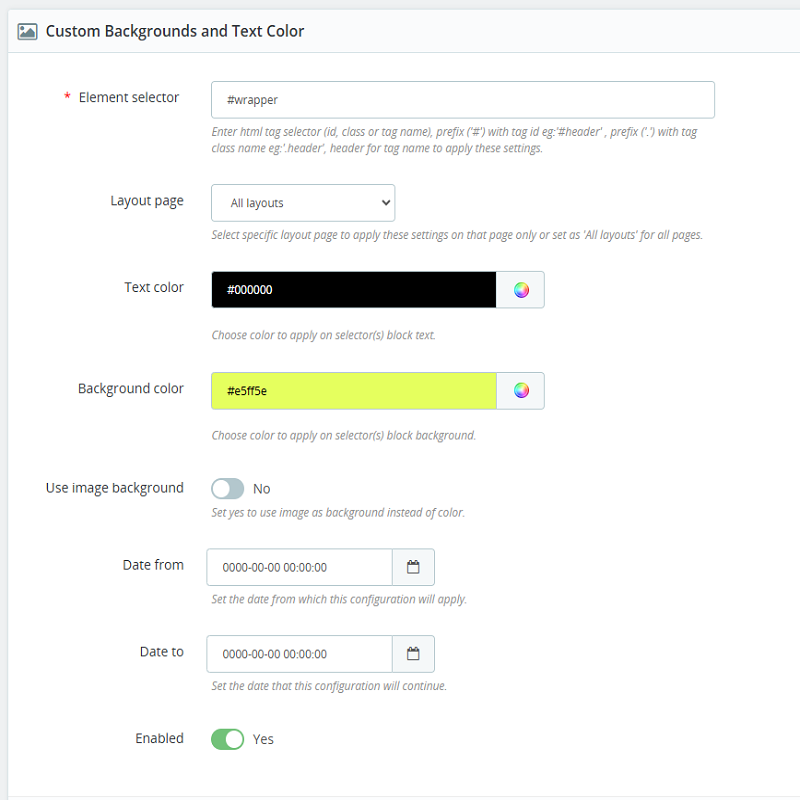 |
If required, configure a background image instead of a solid background color.
Choose where the custom styling should apply.
Configure the start and end dates when you want scheduled styling to be active.
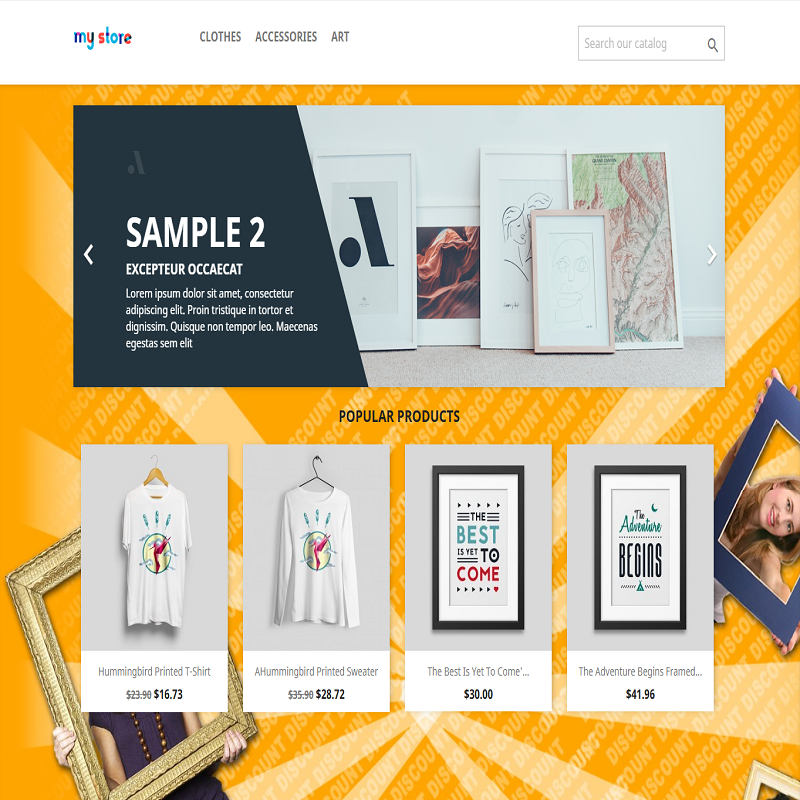
Save your configuration and refresh the storefront.
 |
 |
 |
Check the selected website elements to confirm that the expected customization is visible.
Tip: If your theme applies conflicting CSS rules, inspect the affected element and check its CSS selector, specificity, and existing theme styles.
It is a visual customization module that allows store owners to apply custom background colors, text colors, and background images to selected elements of their PrestaShop storefront.
Yes. You can target specific website elements using CSS selectors such as HTML tags, classes, and IDs.
Yes. The module allows you to configure supported text color customizations through its Back Office interface.
Yes. You can target header and footer elements using the appropriate CSS selectors and apply custom backgrounds and text colors.
The exact selector depends on your active theme.
Yes. The module supports image backgrounds for selected website elements.
Yes. The module supports layout-based configuration so you can apply styling to specific pages or layouts, as well as across the store.
Yes. You can define start and end dates for custom styling to support scheduled promotional and seasonal designs.
Yes. It is useful for festive campaigns, holiday promotions, special sales, and other time-based visual changes.
The module provides an administration interface for supported visual customizations, so you do not need to manually edit theme CSS files. However, identifying the correct CSS selector for a particular theme element may require basic knowledge of browser Inspect Element tools and CSS selectors.
The module is designed to manage custom styling through its own configuration rather than requiring repeated manual edits to the original theme stylesheet.
The published compatibility range is PrestaShop 1.6.0 through 9.2.x.
Yes. You can target the relevant banner element using its CSS selector and apply supported background and text styling.
Check that you have entered the correct CSS selector, that the selected element exists on the target page, and that your theme does not apply conflicting styles. Clear the PrestaShop cache and refresh the storefront after making changes.
Your storefront should reflect your brand, support your promotional campaigns, and create a visually consistent shopping experience.
With the Custom Background & Text Color PrestaShop Module, you can customize specific website elements, apply background images, change text colors, and schedule visual changes directly through your store administration.
Whether you are updating your header, redesigning your footer, highlighting special offers, or preparing your website for seasonal campaigns, this module gives you a flexible way to manage storefront styling without repeatedly editing theme CSS files.
Customize your storefront. Highlight your promotions. Make every campaign visually memorable with Sathi.
| Vendor | Sathi |
|---|---|
| Last update | Nov 25, 2026 |
| Version | 3.1.1 |
| Required store version | From 1.6.0 to 9.2.x |
| Publication date | Feb 20, 2025 |
| Return Policy | You can return the product within the 30 Day return period for a full refund. No questions asked. |
| Customer Support | Enjoy one year of free customer support, including installation, troubleshooting, and usage guidance. |
| Description | This product is compatible with the specified versions and includes all the latest updates to enhance functionality and user experience. |

 WhatsApp Live Chat & Support – Multiple Agents Module for PrestaShop
 Customer Account Settings – Customer Account Management Module for PrestaShop
 Additional Product Fields and Custom Tabs – PrestaShop Product Page Customization Module
 Show Product Attributes Or Combinations Prestashop Module
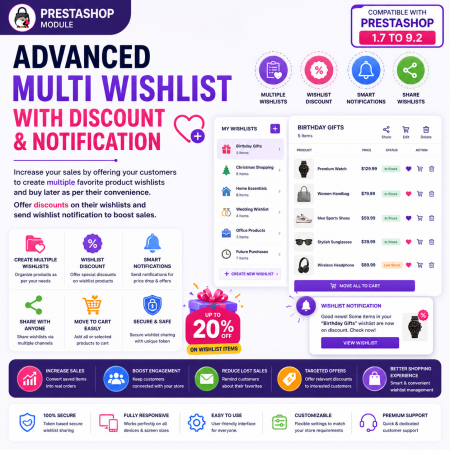
 Advanced Multi Wishlist for PrestaShop – Multiple Wishlists, Discounts & Notifications

 Advanced Shop & Product Reviews and Ratings Module for PrestaShop
 Free Shipping by Zone, Country & Carrier – Advanced Free Shipping Manager for PrestaShop
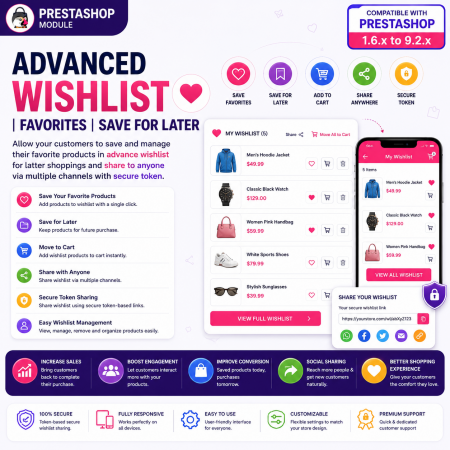
 Advanced Wishlist, Favorites & Save for Later Module for PrestaShop

 Loyalty, Referral & Affiliate Programs Module for PrestaShop
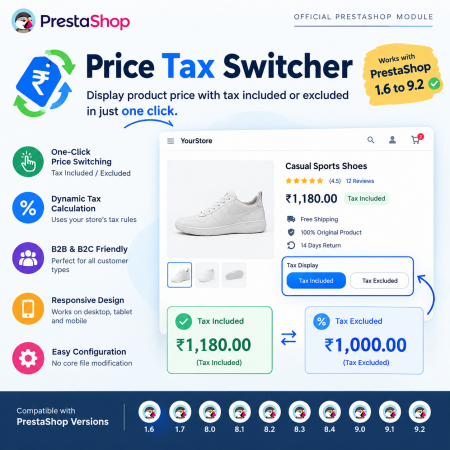
 Price Tax Switcher – Display Tax Included or Excluded Prices in PrestaShop
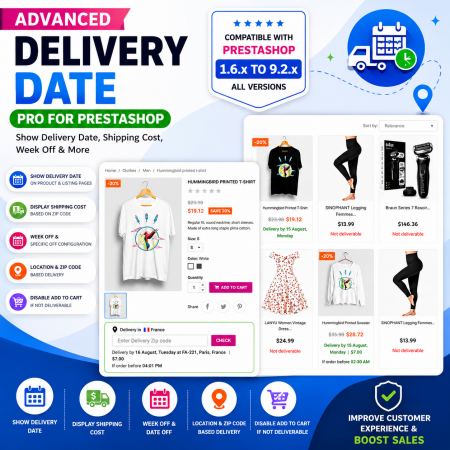
 Proposed Delivery Date and Cost Module for PrestaShop
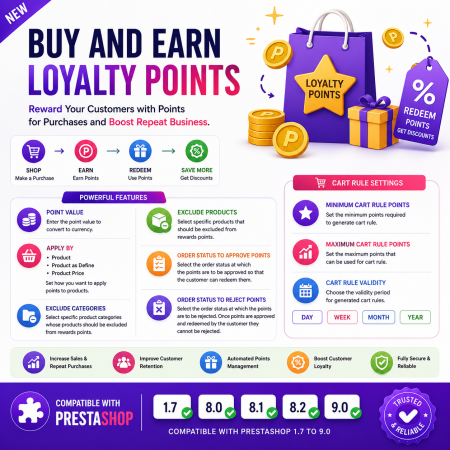
 Buy and Earn Loyalty Points – Customer Rewards Module for PrestaShop

 Advanced Product Importer & Affiliate (100+ websites) Module for PrestaShop
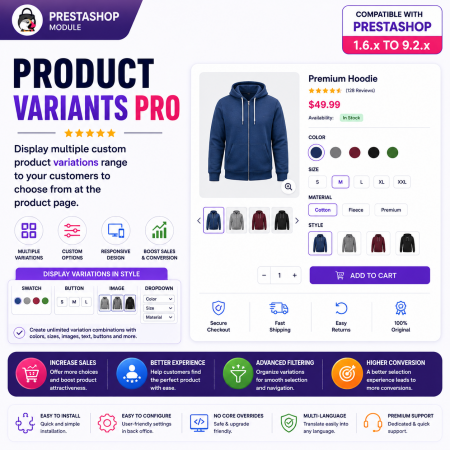
 Product Variants Pro – Custom Variant Groups for PrestaShop

 Google Translator – Front Office, Back Office & Module Translation for PrestaShop

 Advanced URL Redirection Module for PrestaShop – 301, 302, 404 & Scheduled Redirects
Customize the appearance of your PrestaShop store without manually editing theme CSS files using the Custom Background & Text Color PrestaShop Module.
Easily change background colors, text colors, and background images for specific website elements using CSS selectors such as HTML tags, classes, and IDs. Apply custom styling to selected pages or store layouts, or create a consistent visual appearance across your storefront.
Schedule your design changes with start and end dates to automatically display seasonal themes, festive designs, special offers, and promotional campaigns during specific periods.
Whether you want to highlight your header, footer, product sections, promotional blocks, buttons, or other website elements, this module gives you a flexible way to personalize your store's appearance directly from the PrestaShop Back Office.
No manual theme CSS editing required for standard customization. Create a more attractive, consistent, and campaign-ready storefront with Sathi.

Encrypted payment gateways ensuring your financial and personal data remain 100% protected.

Every module includes professional installation assistance, free updates, and reliable troubleshooting.

Rigorously tested PrestaShop & WooCommerce extensions designed for maximum speed and zero bloat.

Transparent policies, clean documentation, and dedicated assistance if you run into any compatibility hurdles.