- -$49.99


Make product selection easier with the Show Product Attributes or Combinations PrestaShop Module.
Display...

Make your products stand out with the Advance Product Stickers & Labels PrestaShop Module....

Make bulk pricing visible and encourage larger orders with the Quantity Discount Table Grid PrestaShop Module.
...
Take complete control of your store's free shipping strategy with the Free Shipping by Zone & Carrier...

Make international shopping easier with the Auto Change Country, Language & Currency PrestaShop Module.
...

Vendor
Version
Last update
Woocommerce version
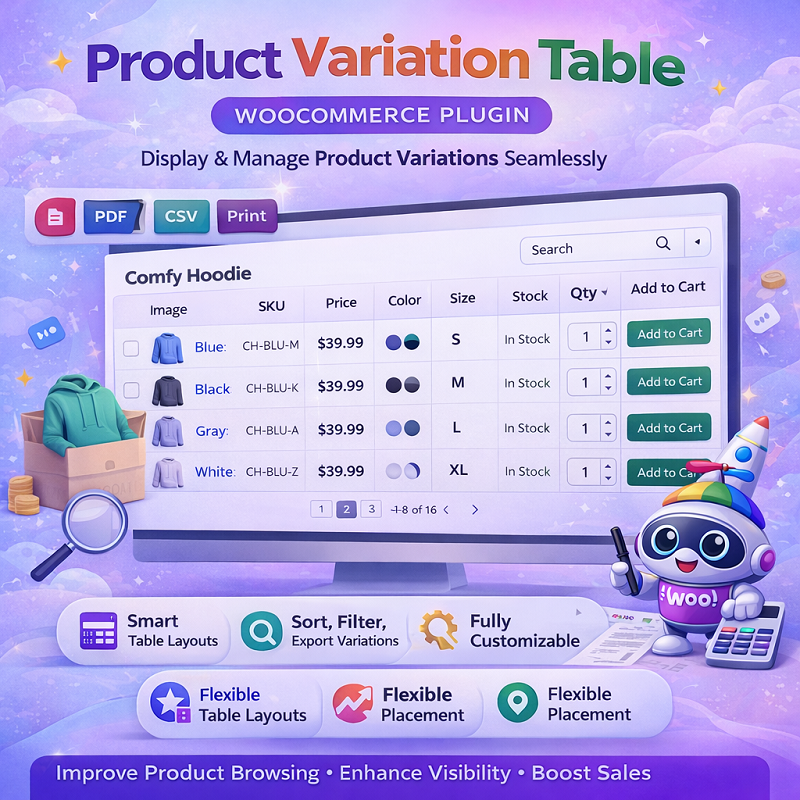
Make variable product shopping easier with the Product Variation Table Plugin for WooCommerce.
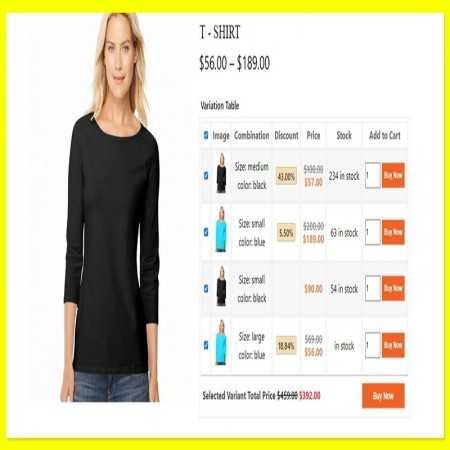
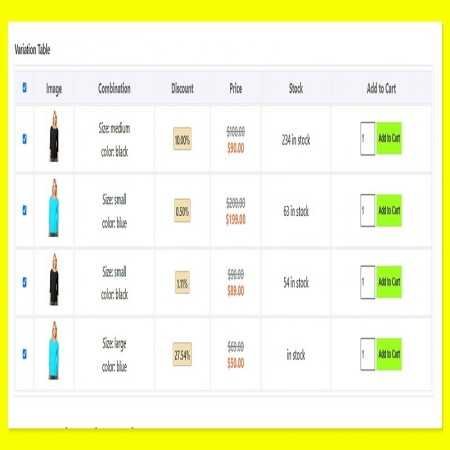
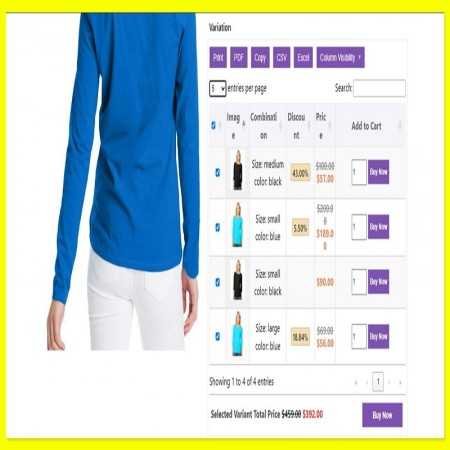
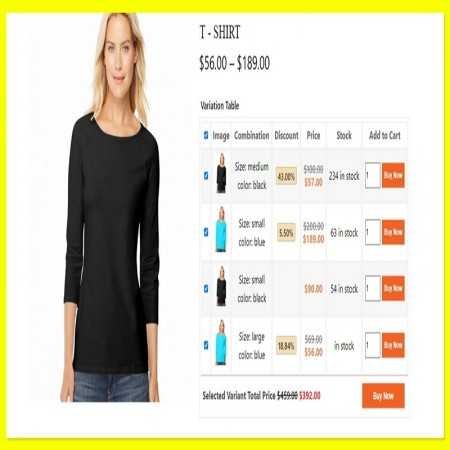
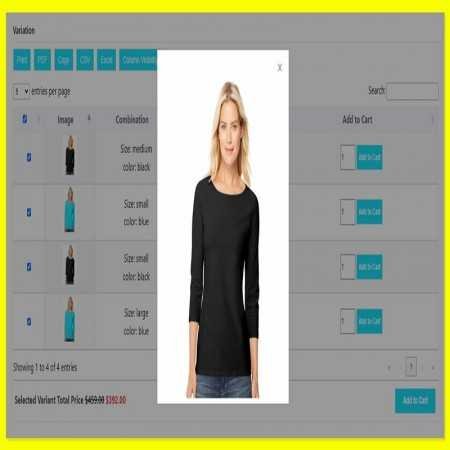
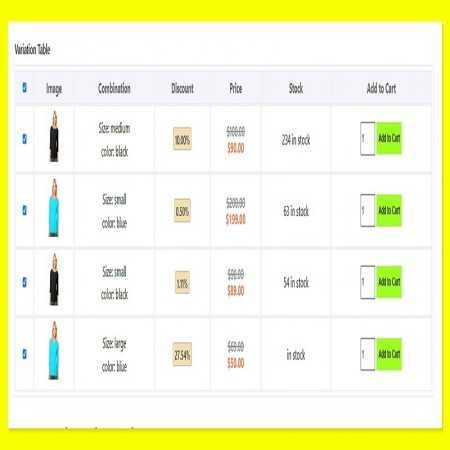
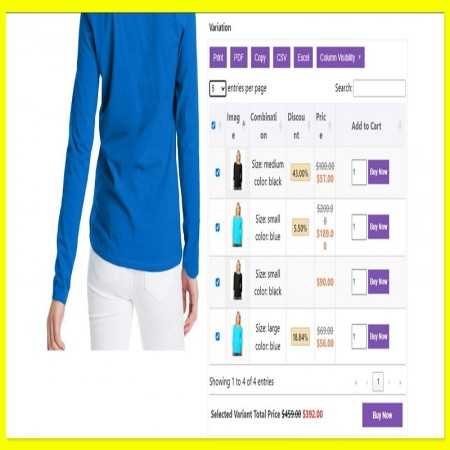
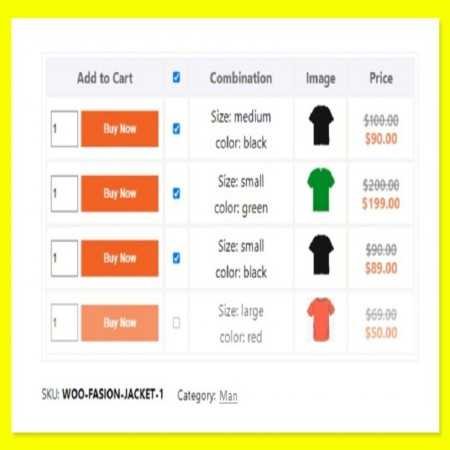
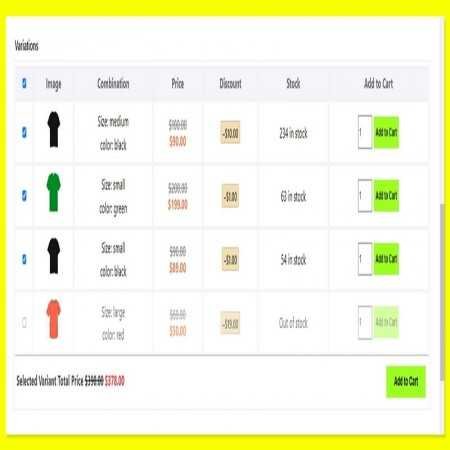
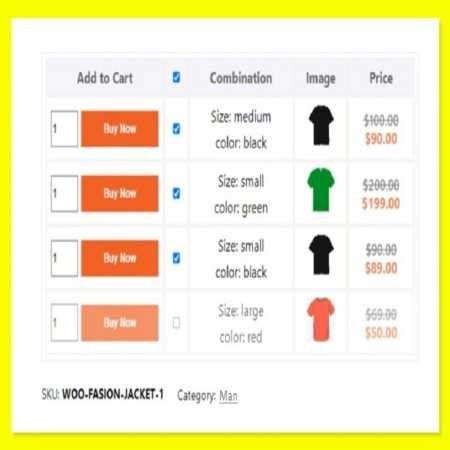
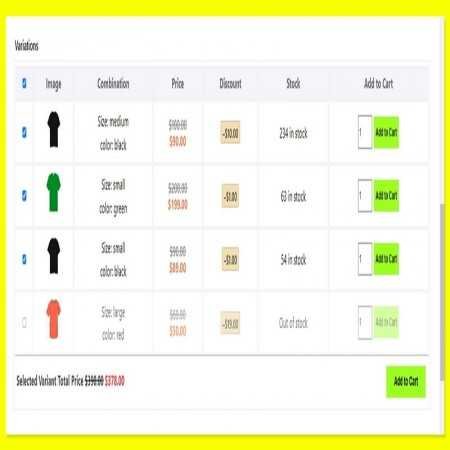
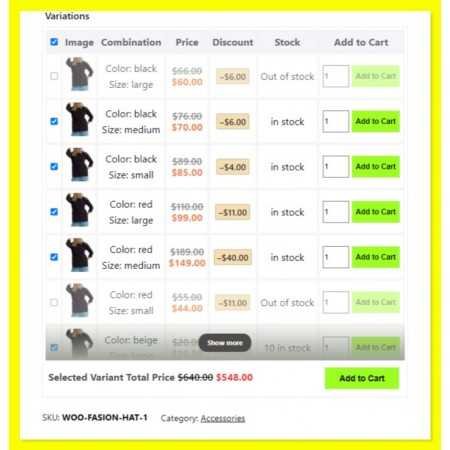
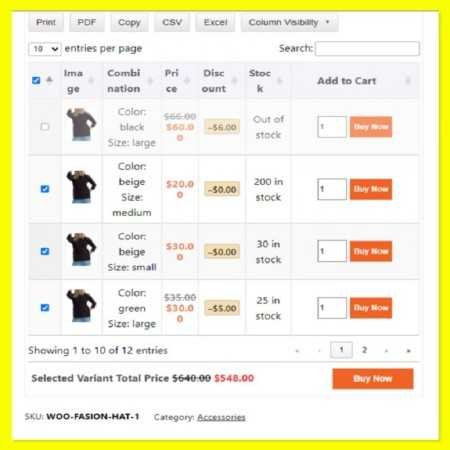
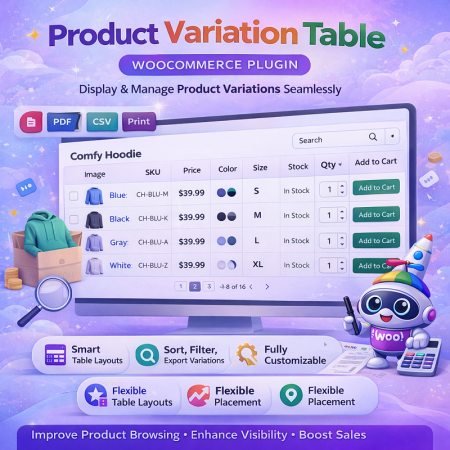
Instead of making customers select product attributes through multiple dropdowns, display available product variations in a clean, searchable, and sortable table. Show important information such as variation attributes, prices, SKUs, stock status, and other selected columns in one organized view.
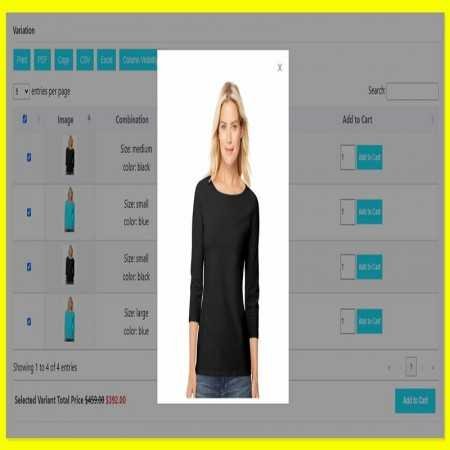
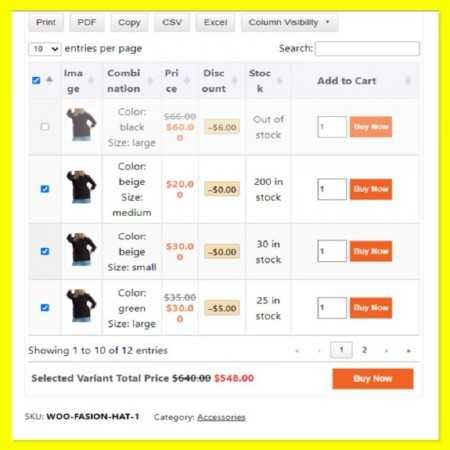
Customers can quickly search, filter, sort, and compare product variations to find the exact option they need. They can also export variation information as PDF or CSV, copy table data, or print it for convenient reference.
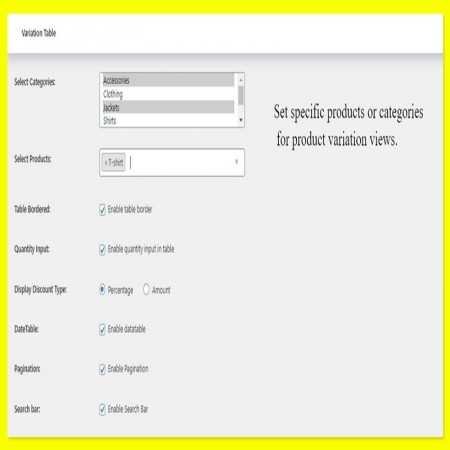
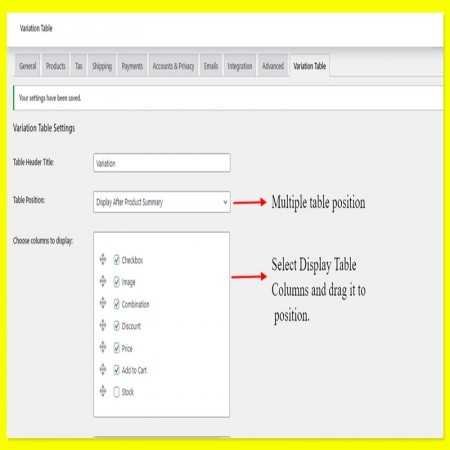
Store owners can customize displayed columns, choose where the variation table appears on product pages, and use pagination to organize products with large numbers of variations.
Whether you sell clothing, footwear, electronics, furniture, accessories, or wholesale products, this WooCommerce plugin helps simplify product variation discovery and create a more convenient shopping experience.
Display variations clearly. Make product comparison easier. Help customers find the right product option faster.
Display Product Variations Clearly. Simplify Product Selection. Improve the Shopping Experience.
Managing variable products is an essential part of many WooCommerce stores. A single product can have multiple sizes, colors, materials, styles, packages, or other attributes. Although product variations provide customers with more choices, presenting those choices through traditional dropdown selectors can make product discovery time-consuming.
Customers often need to select one attribute, change another, review the price, check stock availability, and repeat the process to compare different combinations.
This can become particularly frustrating when a product has dozens or hundreds of variations.
The Product Variation Table Plugin for WooCommerce provides a more organized way to display variable product options. Instead of relying only on traditional variation selectors, the plugin automatically generates a structured table containing available product variations and their relevant information.
Customers can search, filter, sort, and navigate variation data from one convenient interface. Store owners can customize table columns, choose the display position, and provide export options such as PDF, CSV, clipboard copying, and printing.
Whether you operate a retail store, wholesale business, fashion shop, electronics store, or industrial supply website, this plugin helps customers explore product variations more efficiently.
Variable products give online stores the flexibility to offer multiple options under one product listing.
For example, a clothing product may include:
Different sizes: Small, Medium, Large, and XL.
Different colors: Red, Blue, Black, and White.
Different prices for selected variations.
Different stock availability.
Unique SKUs for individual variations.
Traditional WooCommerce variation selectors are useful for choosing individual product options, but comparing several combinations can require repeated selection.
Customers may need to change attributes multiple times before finding the right variation.
The Product Variation Table plugin simplifies this experience by presenting product variations in a structured table.
Instead of checking each combination separately, shoppers can view multiple variations together and quickly identify the information they need.
Traditional shopping experience:
Select size → Select color → Check price → Check availability → Change selection → Repeat.
With a variation table:
View variations → Search → Filter → Sort → Compare → Make an informed decision.
This structured approach makes product information easier to explore, especially when a product contains many available combinations.
Product variations can become difficult to manage and explore when products contain multiple attributes.
Consider a wholesale clothing product with five sizes and six colors. Customers may need to compare dozens of possible combinations.
A traditional selection interface may require customers to repeatedly change their selections to understand the available options.
1. Difficult Product Comparison
Customers may struggle to compare the prices, SKUs, attributes, and availability of different variations.
2. Repeated Attribute Selection
Shoppers often need to change dropdown selections multiple times to find a specific combination.
3. Limited Product Information Visibility
Important variation details may not be visible together, making product selection less convenient.
4. Time-Consuming Product Discovery
Finding one specific size, color, or attribute combination can take longer when products have many variations.
5. Difficult Variation Data Management
Businesses may need to share or print variation information for quotations, purchasing, internal reference, or customer communication.
The Product Variation Table plugin organizes product variations into a searchable, sortable, and customizable table.
It gives customers a clearer view of available product options while giving merchants control over how variation information is presented.
Automatically generate a variation table for WooCommerce products that contain multiple attributes and variations.
Instead of manually creating separate tables for individual products, the plugin organizes the available variation information into a structured display.
Key capabilities:
Automatically generate tables for supported variable products.
Display multiple product variations together.
Organize variation attributes into individual columns.
Present variation information in a consistent format.
Make product options easier to explore.
Reduce the need for repeated manual variation selection.
Business benefit: Give customers a convenient overview of available product combinations and simplify variation discovery.
Different businesses need to display different types of variation information.
A fashion store may prioritize size and color, while an electronics wholesaler may focus on SKU, price, and stock availability.
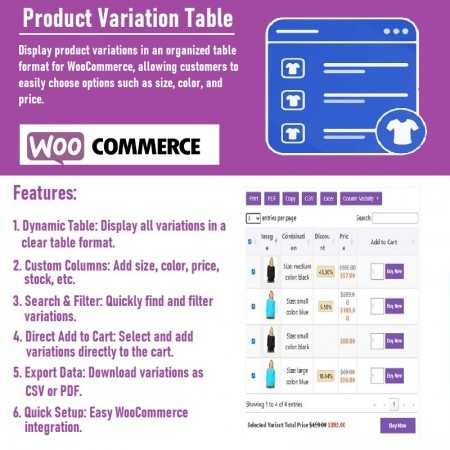
The customizable column functionality allows store owners to select which supported information appears in the variation table.
Available column options include:
Product variation attributes.
Variation price.
SKU.
Stock status.
Custom product attributes.
Other supported variation information.
Business benefits:
Display relevant product information.
Reduce unnecessary table columns.
Organize variation data according to your product type.
Make important information easier to compare.
Create a cleaner product presentation.
Help customers find a specific variation without manually browsing every row.
The built-in search functionality makes it easier to locate variation information within the displayed table.
For example, customers can search for a particular size, color, SKU, or other available variation information.
Key benefits:
Quickly search variation information.
Find specific attribute combinations.
Reduce manual browsing.
Improve navigation for products with many variations.
Make product selection more convenient.
Example:
A customer visiting a clothing store can search for "Large" to locate variations associated with that size.
Searching is useful when customers already know what they want. Filtering provides another convenient way to narrow down available variation information.
The plugin includes built-in filtering functionality for variation attributes.
Key benefits:
Filter displayed variation information.
Narrow down available options.
Find relevant attribute combinations.
Reduce unnecessary browsing.
Improve variation discovery.
Example use cases:
Find a particular clothing size.
Explore variations by color.
Narrow down available product attributes.
Locate a specific variation among a large list.
Allow customers to organize product variation information according to their requirements.
The sorting functionality helps shoppers compare available variations by selecting the relevant table column.
Key benefits:
Sort variation information by supported columns.
Organize product prices.
Compare SKU and attribute information.
Review variation data in a preferred order.
Make large variation lists easier to navigate.
For example, a customer can sort variation prices to identify lower-priced or higher-priced options more conveniently.
Provide a convenient way to save product variation information for offline reference.
Customers or store users can export the variation table into a PDF document.
Benefits:
Save variation information as PDF.
Keep a reference copy of product options.
Share variation details with colleagues or customers.
Use product information for quotations and purchasing discussions.
Maintain an offline reference of displayed variation data.
This is particularly useful for businesses that regularly share product specifications or variation details.
CSV export provides a practical way to work with structured variation information.
Customers or store users can export the displayed table data into CSV format for use in compatible spreadsheet applications.
Benefits:
Export variation information to CSV.
Review structured product information.
Work with exported table data in spreadsheet software.
Share variation information with business teams.
Maintain convenient product reference records.
Business use case: A wholesale buyer can export displayed variation details for reviewing available product options.
Note: CSV export exports the table data; it should not be confused with a complete WooCommerce product import/export or inventory synchronization system.
Make it easier to reuse variation information without downloading a separate file.
The clipboard copy option allows users to copy displayed table data for use in compatible documents, spreadsheets, emails, or other applications.
Benefits:
Copy variation table information quickly.
Reuse product details in business documents.
Share variation data through supported communication tools.
Avoid manually copying individual table values.
Some businesses need physical copies of product information for purchasing, quotations, product reference, or internal documentation.
The built-in print option provides a convenient way to print variation table data.
Benefits:
Print displayed product variation information.
Create physical product references.
Share printed variation details.
Support offline product comparisons.
Make product information easier to use in business workflows.
Products with many combinations can create lengthy tables.
Pagination helps organize large variation lists into manageable pages, making the table easier to navigate.
Benefits:
Organize large variation datasets.
Navigate through table pages.
Reduce the need to browse one lengthy list.
Improve variation table usability.
Support products with many available combinations.
Every WooCommerce store has a different product page layout.
The plugin provides multiple display-position options so store owners can choose where the variation table should appear.
Available placement options include:
Below the product description.
Inside a dedicated product tab.
Business benefits:
Integrate the table into the product page layout.
Keep variation information accessible.
Choose a suitable location for your store design.
Present product variations in a more organized way.
A large variation table should remain convenient to explore on different devices.
The plugin includes responsive table presentation to support customers browsing from desktops, tablets, and smartphones.
Benefits:
Mobile-friendly variation table presentation.
Support for different screen sizes.
Convenient access to variation information.
Improved usability for mobile shoppers.
Consistent product browsing experience across devices.
Store owners should be able to configure their product variation display without manually developing custom table functionality.
The plugin provides a configuration-based approach to displaying and organizing variation tables.
Benefits:
Straightforward plugin installation.
Configuration through the WordPress administration area.
Customizable table columns.
Flexible table positioning.
No custom coding required for standard configuration.
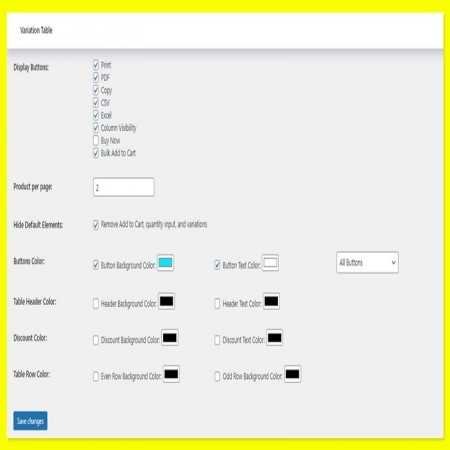
The plugin provides a simple workflow for displaying and exploring WooCommerce product variations.
A customer visits a WooCommerce product page that contains multiple variations.
The plugin generates a structured table displaying the available product variation information.
Customers can view variation attributes, prices, SKUs, stock status, and other configured columns.
Customers use the built-in search and filtering options to locate relevant product variations.
Customers organize the displayed information according to their preferences and compare available product options.
Customers or store users can export the displayed variation information as PDF or CSV, copy it to the clipboard, or print it.
This workflow makes product variation information more accessible and easier to review.
Present important product variation information together instead of requiring customers to repeatedly change dropdown selections.
Help customers compare prices, SKUs, stock status, and attributes from one organized table.
Search and filtering functionality helps shoppers locate relevant variation information more quickly.
Give customers a more structured way to explore products with multiple sizes, colors, and attributes.
Provide convenient access to variation information that customers may need when preparing quotations or comparing product options.
Make variation details more visible and easier to understand, particularly for products with many combinations.
Choose suitable table positions and columns to present variation data according to your store requirements.
PDF, CSV, clipboard, and print options provide additional ways to use and share displayed variation information.
The Product Variation Table plugin is useful for businesses selling products with multiple combinations and attributes.
Fashion stores frequently offer products in different sizes, colors, and styles.
Example:
A t-shirt may have:
Sizes: S, M, L, XL, XXL.
Colors: Black, White, Blue, Red.
Different SKUs and stock availability.
A variation table allows customers to explore these options together and search for their preferred combination.
Shoe stores often manage products with several size and color combinations.
Customers can use the table to explore available variations and compare relevant information more conveniently.
Electronics products may have different storage capacities, colors, models, or technical configurations.
A structured variation table makes it easier for shoppers to compare these options.
Wholesale buyers often need to review several product variations before preparing a purchasing list or quotation.
PDF and CSV exports can help them maintain convenient records of the displayed variation information.
Furniture and home decor products may have different materials, colors, finishes, and dimensions.
A variation table provides an organized way to explore the available combinations.
Industrial suppliers frequently offer products in different specifications, sizes, and configurations.
Displaying variation attributes in a table can make product information easier to compare.
Packaging products may have different quantities, materials, sizes, or package configurations.
A searchable variation table can help buyers locate their preferred options.
| Shopping requirement | Traditional dropdowns | Variation table |
|---|---|---|
| Explore variations | Select attributes individually | View variations together |
| Search variations | Depends on theme or other plugins | Built-in table search |
| Filter information | Limited by default | Built-in filtering |
| Sort variation data | Limited by default | Supported column sorting |
| Compare prices | Repeated selections | View displayed prices together |
| View SKU and stock | Depends on selected variation | Configurable columns |
| Export information | Not normally available | PDF and CSV |
| Copy table data | Not normally available | Clipboard option |
| Print variation details | Requires additional work | Built-in print option |
This comparison describes typical default dropdown functionality versus the table features provided by this plugin. Other WooCommerce extensions may offer overlapping functionality.
This plugin is especially useful for store owners who:
Sell variable products with multiple attributes.
Manage products with many size and color combinations.
Want to display product variations in a structured table.
Need searchable and filterable variation information.
Want customers to compare variation prices and availability.
Need PDF or CSV exports of displayed variation data.
Operate wholesale or B2B stores.
Want a more organized product variation presentation.
Prefer configuration over custom table development.
Getting started with the Product Variation Table plugin is straightforward.
Download the Product Variation Table ZIP package from Sathi.
Log in to your WordPress dashboard.
Navigate to:
Plugins → Add Plugin → Upload Plugin
Select the downloaded Product Variation Table ZIP package and click Install Now.
After installation, activate the plugin from your WordPress Plugins page.
Open the plugin's settings and review the available configuration options.
Select the variation information you want to display, such as attributes, price, SKU, and stock status.
Select the available product page position that best fits your website layout.
Visit a WooCommerce variable product page and verify that the variation table displays the expected information.
Check the search, filtering, sorting, pagination, PDF, CSV, clipboard, and print functionality.
Once configuration and testing are complete, customers can use the variation table on supported product pages.
It is a WooCommerce extension that displays variable product options in a structured table instead of relying only on traditional dropdown selectors. Customers can explore, search, filter, and sort available variation information.
A variation table helps customers view multiple product options together. It makes it easier to compare attributes, prices, SKUs, and stock status without repeatedly changing product selections.
Yes. The plugin automatically generates variation tables for supported WooCommerce variable products containing multiple attributes.
You can configure supported table columns, including variation attributes, prices, SKUs, stock status, and custom attributes.
Yes. The plugin provides built-in search functionality to help customers locate relevant variation information.
Yes. Customers can use the table's filtering functionality to narrow down displayed variation information.
Yes. The plugin supports sorting by table columns, making it easier to organize and compare variation information.
Yes. The plugin provides a PDF export option for displayed variation information.
Yes. Customers or store users can export displayed table information into CSV format for use in compatible spreadsheet applications.
Yes. The plugin includes a print option that allows users to print displayed variation information.
Yes. Store owners can choose which supported columns appear in the variation table, helping them display relevant product information.
The plugin provides multiple placement options, including below the product description and inside a dedicated product tab.
Yes. The plugin supports sorting and pagination to make larger variation tables easier to navigate.
Yes. The plugin includes responsive design to support variation table browsing on different screen sizes.
No custom coding is required for standard plugin setup and configuration.
Yes. Wholesale businesses can use variation tables to display product attributes, prices, SKUs, and stock information together. CSV and PDF exports can also help with product information sharing.
Customers want to find the right product without wasting time navigating complicated variation selectors.
With the Product Variation Table Plugin for WooCommerce, transform how variable products are presented in your online store.
Display product variations in a clean and searchable table, customize important columns, allow customers to filter and sort product options, and provide convenient PDF, CSV, clipboard, and print exports.
Whether you sell fashion, footwear, electronics, furniture, accessories, or wholesale products, give customers a clearer way to explore your product variations.
Improve product visibility. Simplify product comparison. Create a better WooCommerce shopping experience with Sathi.
| Vendor | Sathi |
|---|---|
| Last update | Nov 26, 2026 |
| Version | 1.0.0 |
| Required store version | From 5.6 to 11.1 |
| Publication date | Aug 02, 2024 |
| Return Policy | You can return the product within the 30 days return period for a full refund. No questions asked. |
| Customer Support | Enjoy one year of free customer support, including installation, troubleshooting, and usage guidance. |
| Description | This product is compatible with the specified versions and includes all the latest updates to enhance functionality and user experience. |

 Super Assistant Lite – Free AI Chatbot for WooCommerce & WordPress
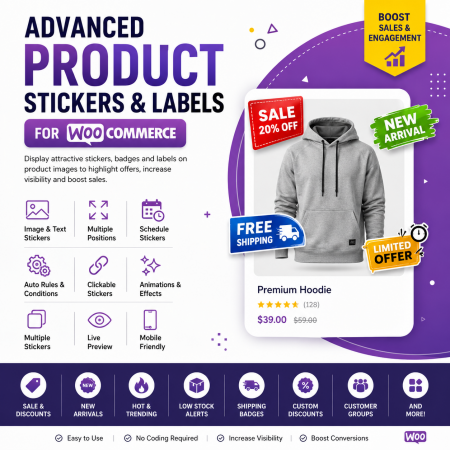
 Advanced Product Stickers & Labels Plugin for WooCommerce

 Buy Now Button – Quick Purchase & Direct Checkout Plugin for WooCommerce
Make variable product shopping easier with the Product Variation Table Plugin for WooCommerce.
Instead of making customers select product attributes through multiple dropdowns, display available product variations in a clean, searchable, and sortable table. Show important information such as variation attributes, prices, SKUs, stock status, and other selected columns in one organized view.
Customers can quickly search, filter, sort, and compare product variations to find the exact option they need. They can also export variation information as PDF or CSV, copy table data, or print it for convenient reference.
Store owners can customize displayed columns, choose where the variation table appears on product pages, and use pagination to organize products with large numbers of variations.
Whether you sell clothing, footwear, electronics, furniture, accessories, or wholesale products, this WooCommerce plugin helps simplify product variation discovery and create a more convenient shopping experience.
Display variations clearly. Make product comparison easier. Help customers find the right product option faster.

Encrypted payment gateways ensuring your financial and personal data remain 100% protected.

Every module includes professional installation assistance, free updates, and reliable troubleshooting.

Rigorously tested PrestaShop & WooCommerce extensions designed for maximum speed and zero bloat.

Transparent policies, clean documentation, and dedicated assistance if you run into any compatibility hurdles.