- -$40.00
- New

This module enhances the shopping experience by allowing customers to easily explore product variations such as...

The module allows merchants to enhance product images with customizable stickers and labels. Whether it’s...
The Quantity Discount Table module for PrestaShop makes bulk pricing clear and attractive by...

This module allows you to offer free shipping based on flexible conditions, such as location, carrier, cart value,...

The module automatically adjusts language, currency, and country settings based on the customer's location....

Vendor
Version
Last update
Prestashop version
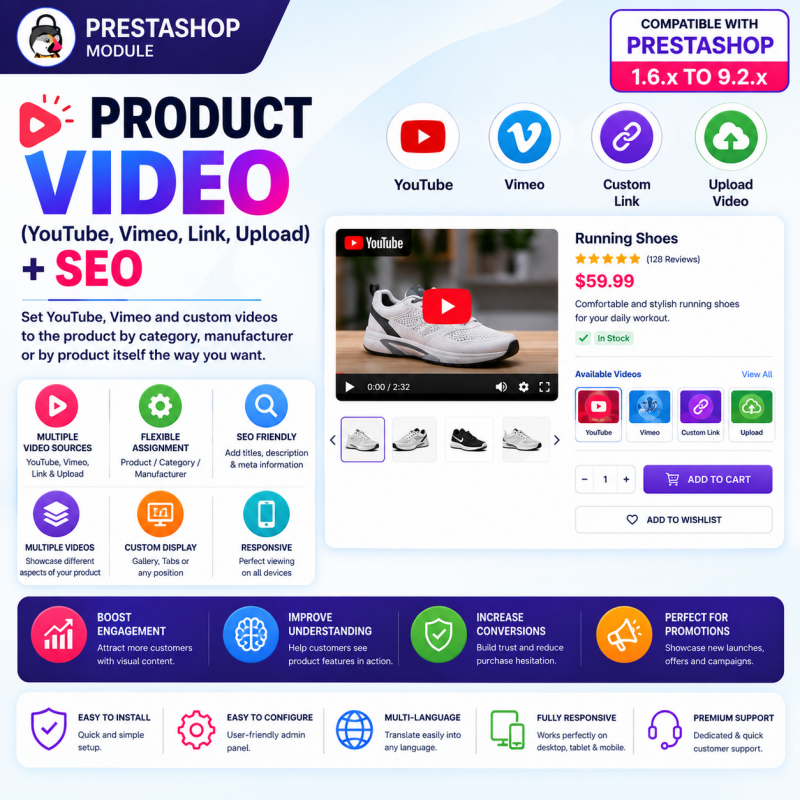
Make your PrestaShop product pages more engaging with Product Video – YouTube, Vimeo, Link, Upload & SEO Module. Add product demonstration videos, tutorials, reviews, and promotional videos directly to your online store. Embed videos from YouTube and Vimeo, use external video links, or upload your own video files.
Assign videos to individual products, categories, or manufacturers, and control how they appear on supported product pages. Add video titles, descriptions, custom thumbnails, display order, and SEO information to create richer product pages that help customers understand your products and make more confident purchasing decisions.
Key Benefits:
Add videos from YouTube, Vimeo, external URLs, or uploaded files.
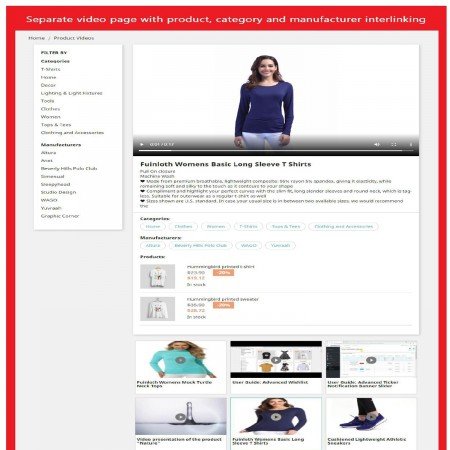
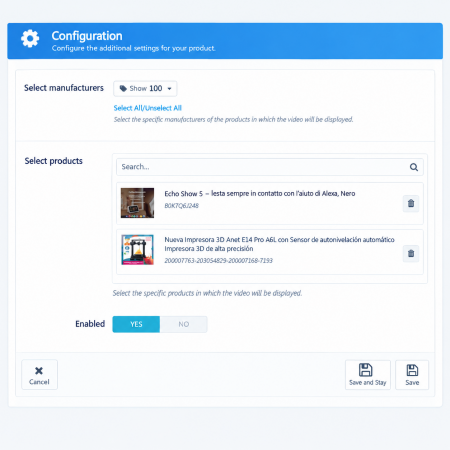
Assign videos to individual products, categories, and manufacturers.
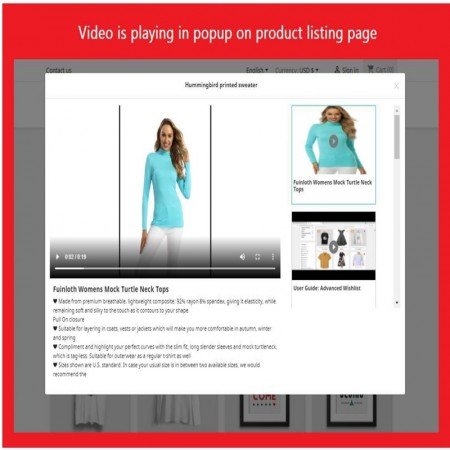
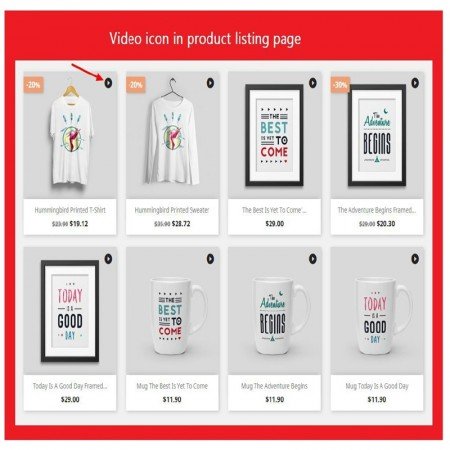
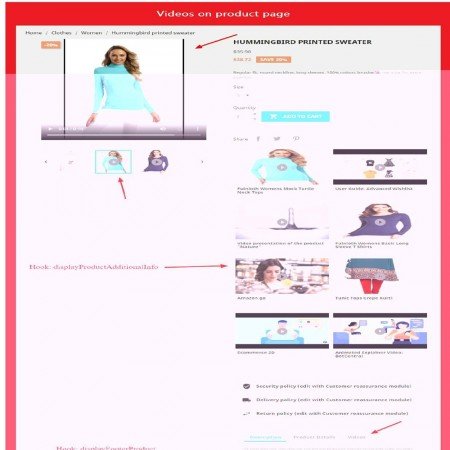
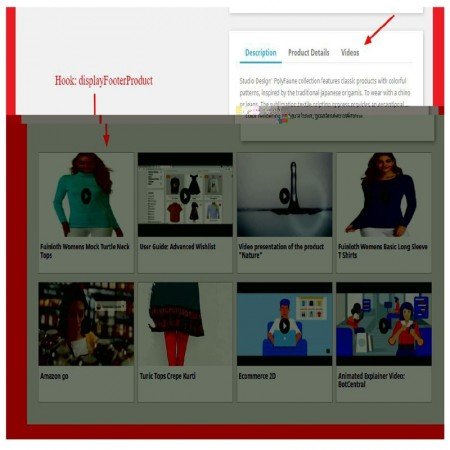
Display videos in the product gallery, tabs, or other supported positions.
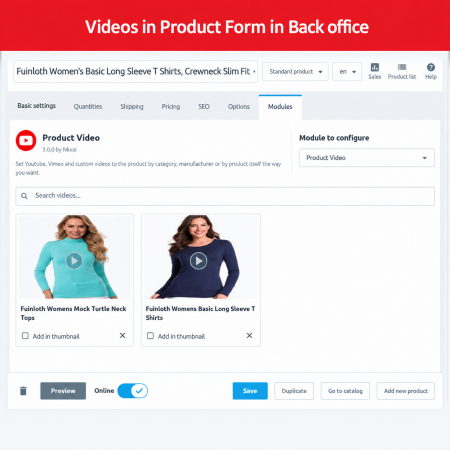
Add multiple videos to a product.
Customize video titles, descriptions, and thumbnails.
Control video display order and visibility.
Add SEO-friendly video information.
Showcase product demonstrations, tutorials, reviews, and promotional content.
Improve product engagement and help customers understand products before purchasing.
Give shoppers more than product images and text. Let them see your products in action with a flexible video management solution for PrestaShop.
Bring your products to life with engaging videos directly on your PrestaShop store. Product Video is a powerful video management module that allows you to add product demonstrations, tutorials, reviews, unboxing videos, installation guides, and promotional videos to your product pages.
Embed videos from YouTube and Vimeo, add videos through external URLs, or upload your own video files. Assign videos to individual products, entire categories, or specific manufacturers, and control how they appear throughout your storefront.
Give customers a better understanding of your products through visual content, answer common product questions, highlight important features, and help shoppers make more informed purchasing decisions.
Product images and written descriptions are essential, but they cannot always explain everything a customer wants to know. How does a product work? How large is it? What does it look like from different angles? How should it be installed, assembled, or used?
A product video can answer many of these questions more effectively by showing the product in a real-world context. Customers can watch a demonstration, understand important features, see how an item works, and learn more before deciding to buy.
With the Product Video PrestaShop Module, you can add this valuable visual content to your store without manually embedding videos into every product description or editing theme templates for each new video.
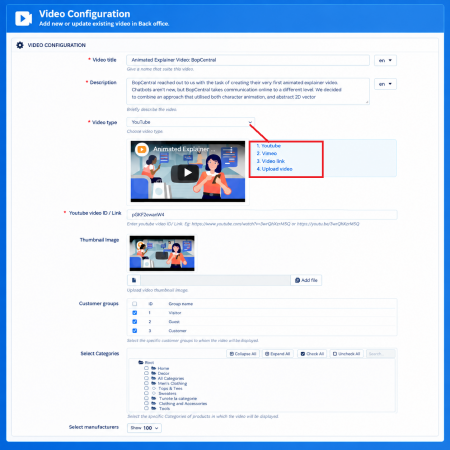
Use the video source that best suits your content and hosting requirements. The module supports popular video platforms as well as external video URLs and directly uploaded video files.
Embed YouTube product demonstrations, reviews, tutorials, unboxing videos, and promotional content directly into your product pages.
Use Vimeo-hosted videos to present professional product demonstrations, brand presentations, and other visual content.
Add videos through supported external video URLs and use video content hosted outside your PrestaShop installation.
Upload your own video files and manage product-related video content directly through your store's video management workflow.
Online customers cannot physically touch, inspect, or test products before purchasing. They depend on the information presented on your product pages to understand what they are buying.
Product images and text alone may leave important questions unanswered:
These gaps can make product pages less informative and may leave customers uncertain about their purchase. The Product Video Module helps solve this problem by bringing demonstrations and other relevant videos directly into your storefront. Customers can see how products look and work, while merchants can manage video content centrally and assign it to the relevant products, categories, or manufacturers.
A well-presented product page should answer customer questions and make it easier to understand the product. Videos add another layer of information that complements your product images, descriptions, specifications, and other content.
For example, a clothing store can show how an outfit looks when worn, an electronics store can demonstrate device features, and a furniture store can show assembly instructions or how a product fits into a room.
Instead of relying only on written explanations, provide customers with useful visual information at the point where they are making their purchasing decision.
Choose from multiple video sources according to your requirements. Add YouTube and Vimeo videos, use supported external video URLs, or upload your own video files. This flexibility allows you to use existing marketing videos as well as original product content.
Add product-specific videos to the relevant product pages. Show a demonstration, installation guide, review, unboxing video, or promotional presentation for an individual product.
Customers can access relevant video content while exploring the product they are interested in, without needing to search for it elsewhere.
Display relevant videos across products belonging to selected categories. This is useful when a video explains a common product category, demonstrates a product range, or introduces a collection.
For example, a store can use category-related videos to explain a collection of accessories, demonstrate a product family, or present a particular range of products.
Associate videos with selected manufacturers and display relevant content for products from those brands. This can be useful for brand introductions, product-line demonstrations, manufacturer presentations, and promotional content.
One video may not be enough to explain every aspect of a product. Add multiple videos to present different features, use cases, tutorials, reviews, and demonstrations.
For example, an electronics product could include a product overview, an unboxing video, a feature demonstration, and a setup tutorial.
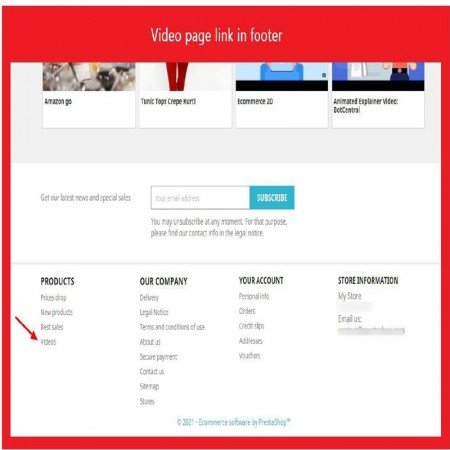
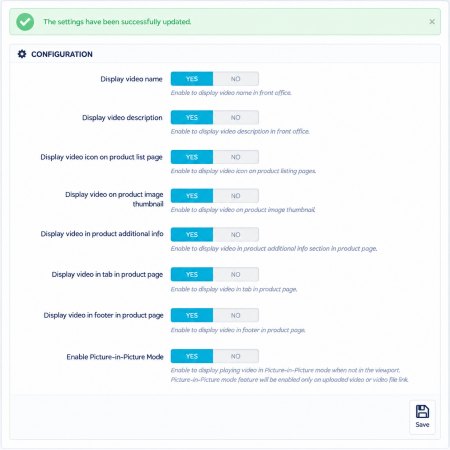
Choose from the supported product page display positions to integrate videos into your storefront. Depending on the configured position, videos can be presented in the product gallery, product tabs, or other supported product page areas.
This gives you flexibility to organize product information and make video content accessible without unnecessarily cluttering the page.
Give each video a meaningful title and description so customers understand what they are about to watch. Use descriptive labels such as Product Demonstration, Installation Guide, Unboxing, How to Use, or Product Review.
Relevant descriptions also provide additional context for search engines and help organize your video content.
Use attractive thumbnails to represent your videos and help customers identify the content they want to watch. A relevant thumbnail can make video content more recognizable and visually appealing within the product page.
When a product contains multiple videos, arrange them in the order that makes the most sense for your customers. Present the main product demonstration first, followed by tutorials, reviews, and additional information.
Control the visibility of individual video entries without deleting their stored information. This makes it easier to manage temporary campaigns, outdated videos, and content that you may want to display again later.
Organize video content with relevant titles, descriptions, thumbnails, and available SEO information. Descriptive video content helps provide context about what each video contains and supports a more informative product page.
When combined with properly optimized product content and technically accessible video embeds, relevant video information can contribute to a stronger overall content experience.
Provide customers with a convenient video viewing experience across desktop computers, laptops, tablets, and mobile devices. Your product videos can complement the shopping experience regardless of the screen size used by visitors.
Manage your video content through the PrestaShop administration panel. Organize video sources, titles, descriptions, thumbnails, assignments, visibility, and display ordering from the module's management interface.
Different types of videos can help customers understand different aspects of your products. Use the module to organize relevant video content according to your catalog and marketing strategy.
Show how a product works and demonstrate its important functions, features, and practical applications.
Show customers what comes inside the package and provide a closer look at the product and its accessories.
Explain how to install, assemble, configure, or set up a product through step-by-step visual instructions.
Teach customers how to use products, understand specific features, and get more value from their purchases.
Present relevant product reviews and experiences to help shoppers evaluate products before buying.
Highlight product launches, special features, collections, and promotional campaigns with engaging visual content.
Make product pages more engaging by adding relevant visual content that encourages customers to explore product details and features.
Demonstrate product functionality, usage, installation, and other important information through videos instead of relying entirely on lengthy text descriptions.
Provide customers with additional information to evaluate products and understand whether an item meets their requirements.
Assign videos to individual products, categories, or manufacturers instead of manually adding the same content to multiple product descriptions.
Combine product images, written descriptions, specifications, and videos to provide a more complete product presentation.
Use YouTube, Vimeo, external video links, and uploaded files according to your content strategy and hosting preferences.
Add relevant video titles, descriptions, thumbnails, and SEO information to create more descriptive and useful product pages. Video content can support your broader SEO strategy, although rankings and video rich results are not guaranteed by the module alone.
The module is suitable for almost any PrestaShop store where customers benefit from seeing products demonstrated or explained visually.
Demonstrate device features, camera capabilities, product functionality, unboxing, setup procedures, and accessories.
Show how clothing looks when worn, present styling ideas, demonstrate fabric details, and introduce new collections.
Present product assembly, dimensions in practical settings, usage instructions, and design details.
Demonstrate operation, installation, maintenance, and safety instructions through relevant video content.
Show product application, usage demonstrations, tutorials, and product-related explanations.
Explain product installation, compatibility, functionality, and practical use through demonstrations.
High-quality product content should help both customers and search engines understand what a product offers. Videos can add valuable context to a product page when they are relevant, descriptive, and presented alongside useful written information.
With the Product Video Module, you can organize videos using meaningful titles, descriptions, thumbnails, and available SEO information. This makes it easier to provide context about the content and create a richer product presentation.
For the best SEO results, combine video content with:
Adding videos does not automatically guarantee better search rankings or video rich results. Their SEO value depends on content quality, technical implementation, indexing, and overall page relevance.
Product videos are an excellent way to present your products visually. You can complement them with additional modules that improve product information, customer engagement, and the overall shopping experience.
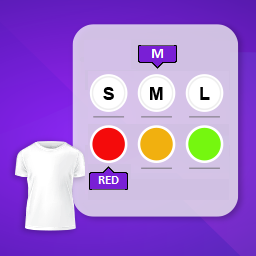
Display product attributes as image-based swatches so customers can understand and select colors, patterns, materials, and other product options more visually. Combine visual attribute selection with product videos for a richer product presentation.
Present quantity-based discounts and bulk pricing directly on product pages. Help customers understand available savings while exploring product demonstrations and details.
Encourage repeat purchases and customer engagement with loyalty and referral rewards. Complement your product presentation strategy with tools that help build long-term customer relationships.
Follow these steps to start adding videos to your PrestaShop store:
Product Video is listed as compatible with PrestaShop 1.6.x to 9.2.x. Please check the product listing and demo for compatibility with your specific PrestaShop version and theme.
Product Video is a PrestaShop module that allows merchants to add videos to product pages using YouTube, Vimeo, external video URLs, or uploaded video files. Videos can be assigned to products, categories, and manufacturers.
The module supports YouTube, Vimeo, external video links, and directly uploaded video files.
Yes. You can add multiple videos to a product to showcase different features, demonstrations, tutorials, reviews, and other relevant content.
Yes. In addition to individual products, the module supports category-based and manufacturer-based video assignments.
The module provides flexible display options, including the product gallery, product tabs, and other supported product page positions. Available positions depend on the module configuration and your store's theme.
Yes. The module supports custom thumbnails so you can choose an appropriate preview image for your product videos.
Yes. You can manage the display order of multiple videos to present the most important product content first.
Yes. The module provides video titles, descriptions, thumbnails, and SEO-related information to help organize and describe video content. Search visibility and video rich results also depend on the quality of the content and the technical implementation of your website.
Yes. The module provides enable and disable controls so you can manage video visibility without deleting the video information.
The module is designed to provide a responsive video display across desktop and mobile devices. The final appearance can also depend on your PrestaShop theme and video source.
The product listing specifies compatibility from PrestaShop 1.6.x to 9.2.x. Please check the listing and demo for the requirements applicable to your store.
Help customers understand your products through demonstrations, tutorials, reviews, and promotional videos. Manage multiple video sources and organize content across products, categories, and manufacturers.
Install the Product Video PrestaShop Module and give your customers a more informative and engaging shopping experience.
| Vendor | Nxtal |
|---|---|
| Last update | Oct 31, 2026 |
| Version | 3.5.0 |
| Required store version | From 1.6.x to 9.2.x |
| Publication date | Sep 08, 2026 |
| Return Policy | You can return the product within the 30 Days return period for a full refund. No questions asked. |
| Customer Support | Enjoy one year of free customer support, including installation, troubleshooting, and usage guidance. |
| Description | This product is compatible with the specified versions and includes all the latest updates to enhance functionality and user experience. |
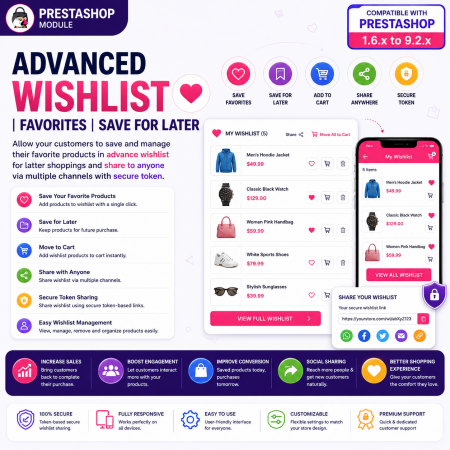
 Advanced Wishlist for PrestaShop – Favorites, Save for Later & Wishlist Sharing Module
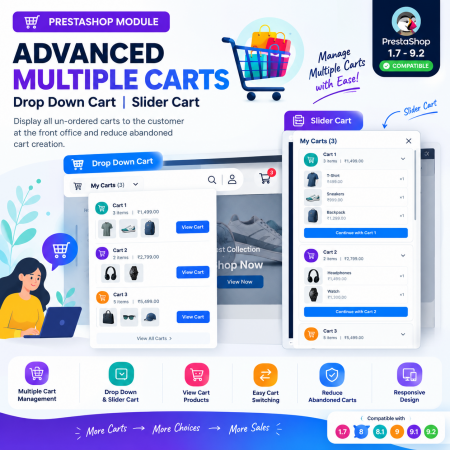
 Advanced Multiple Carts - Drop Down Cart | Slider Cart | Prestashop Module
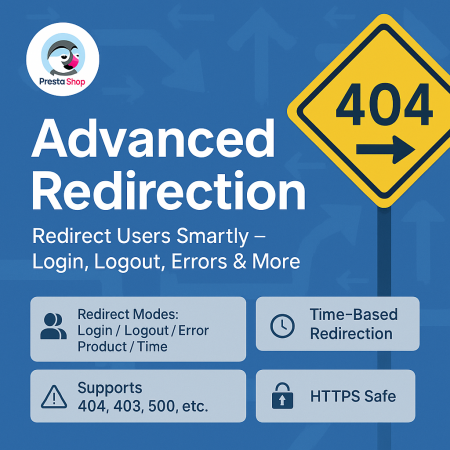
 Advanced URL Redirection (301, 302, 404) Prestashop Module
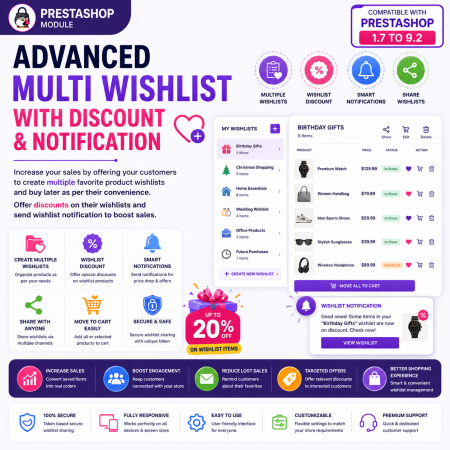
 Advanced Multi Wishlist for PrestaShop – Discounts, Notifications & Multiple Wishlists Module
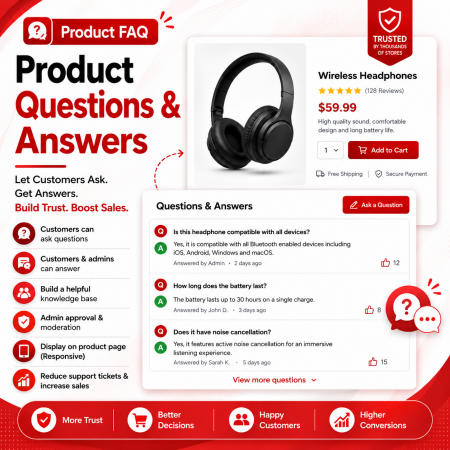
 Product FAQ | Product Questions & Answers Prestashop Module
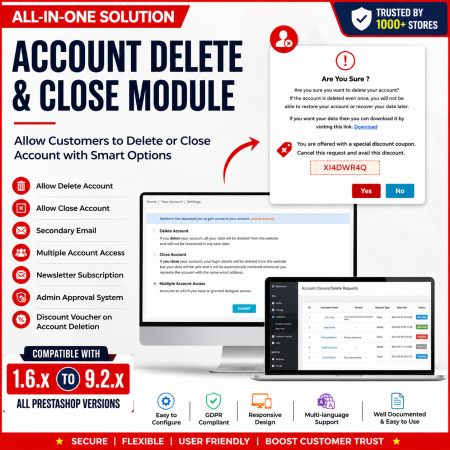
 Customer Account Settings Prestashop module
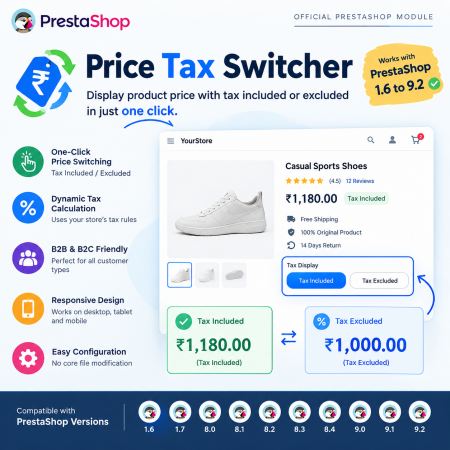
 PrestaShop Price Tax Switcher – Display Prices With or Without Tax Module
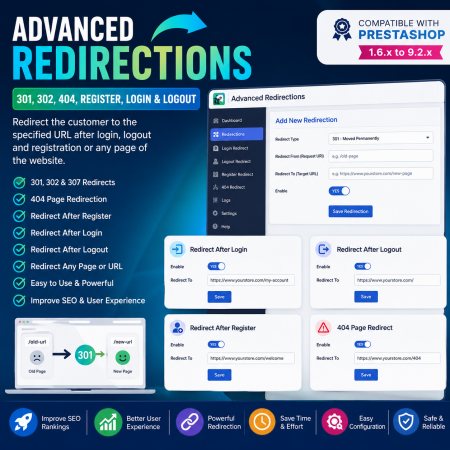
 Advanced Redirections - 301, 302, 404, Register, login & logout Prestashop Module
Make your PrestaShop product pages more engaging with Product Video – YouTube, Vimeo, Link, Upload & SEO Module. Add product demonstration videos, tutorials, reviews, and promotional videos directly to your online store. Embed videos from YouTube and Vimeo, use external video links, or upload your own video files.
Assign videos to individual products, categories, or manufacturers, and control how they appear on supported product pages. Add video titles, descriptions, custom thumbnails, display order, and SEO information to create richer product pages that help customers understand your products and make more confident purchasing decisions.
Key Benefits:
Add videos from YouTube, Vimeo, external URLs, or uploaded files.
Assign videos to individual products, categories, and manufacturers.
Display videos in the product gallery, tabs, or other supported positions.
Add multiple videos to a product.
Customize video titles, descriptions, and thumbnails.
Control video display order and visibility.
Add SEO-friendly video information.
Showcase product demonstrations, tutorials, reviews, and promotional content.
Improve product engagement and help customers understand products before purchasing.
Give shoppers more than product images and text. Let them see your products in action with a flexible video management solution for PrestaShop.

Encrypted payment gateways ensuring your financial and personal data remain 100% protected.

Every module includes professional installation assistance, free updates, and reliable troubleshooting.

Rigorously tested PrestaShop & WooCommerce extensions designed for maximum speed and zero bloat.

Transparent policies, clean documentation, and dedicated assistance if you run into any compatibility hurdles.