- -$40.00
- New

This module enhances the shopping experience by allowing customers to easily explore product variations such as...

The module allows merchants to enhance product images with customizable stickers and labels. Whether it’s...
The Quantity Discount Table module for PrestaShop makes bulk pricing clear and attractive by...

This module allows you to offer free shipping based on flexible conditions, such as location, carrier, cart value,...

The module automatically adjusts language, currency, and country settings based on the customer's location....

Vendor
Version
Last update
Prestashop version
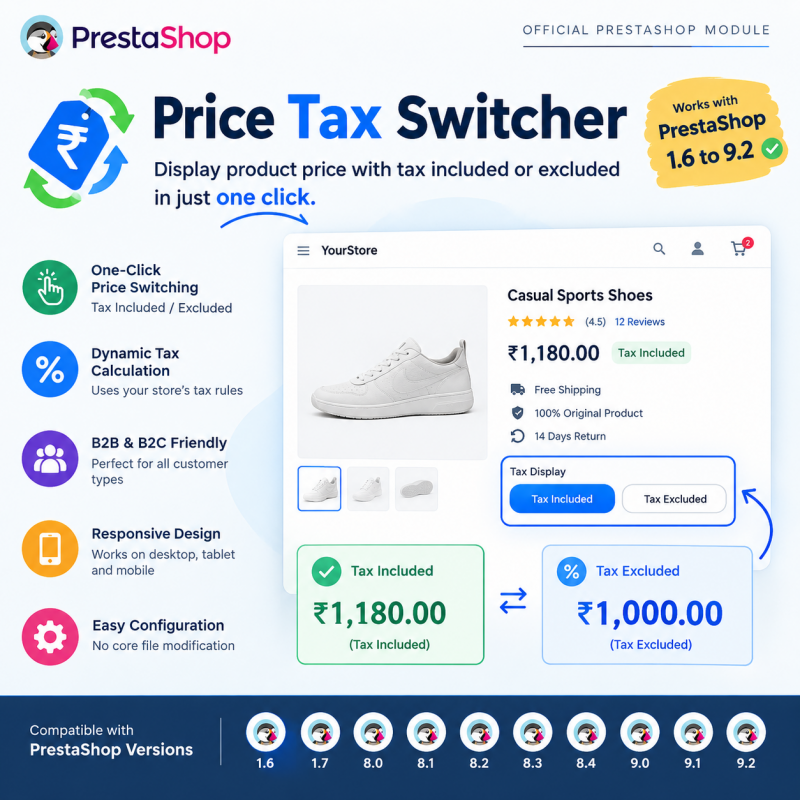
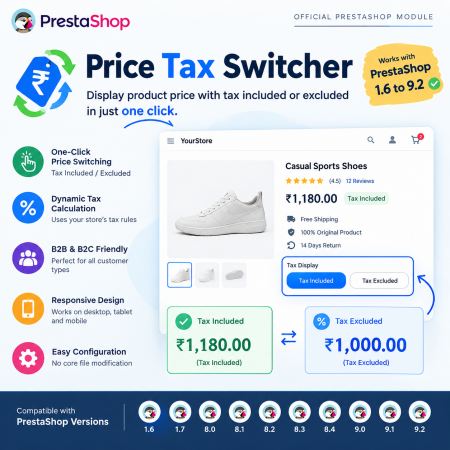
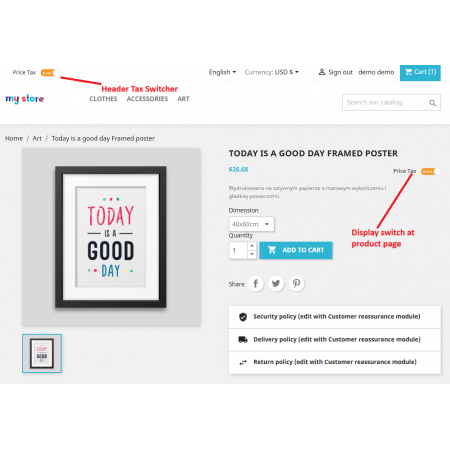
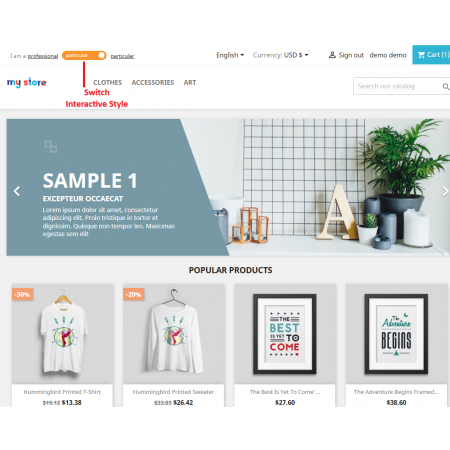
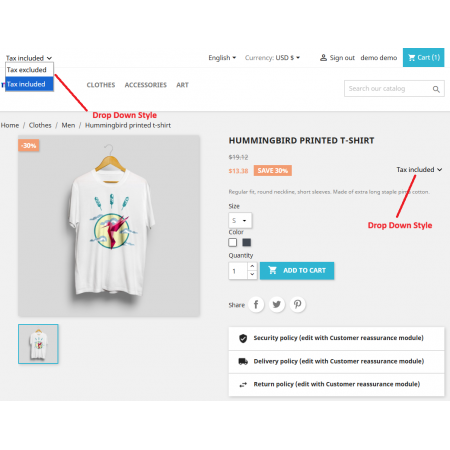
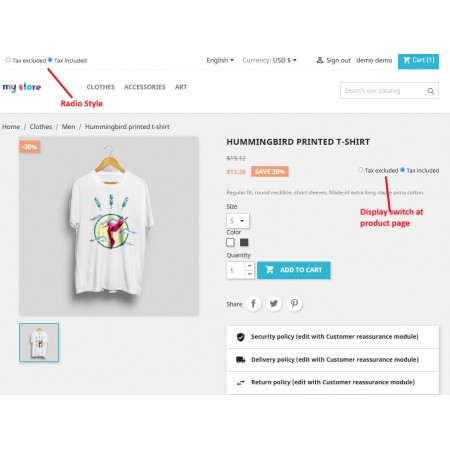
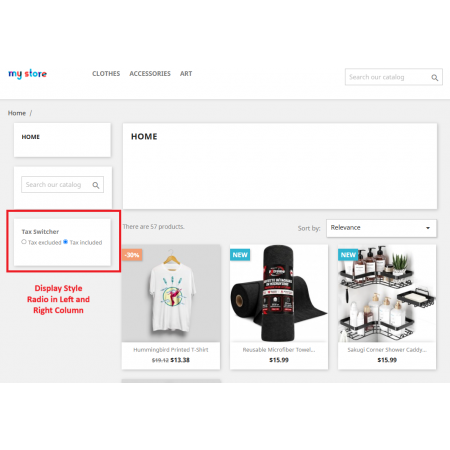
Give your customers complete flexibility in how product prices are displayed with Price Tax Switcher – Tax Included / Tax Excluded PrestaShop Module. Allow shoppers to instantly switch between tax-inclusive (TTC) and tax-exclusive (HT) prices directly from your store's front office.
Ideal for B2B, B2C, wholesale, retail, and mixed business models, this module makes pricing clearer for different customer types. It uses PrestaShop's existing tax calculation system to display the appropriate price without requiring duplicate products or separate product prices.
Key Benefits:
Allow customers to switch between Tax Included and Tax Excluded prices.
Display prices according to customer preferences.
Make pricing clearer for both retail and business buyers.
Support B2B, B2C, wholesale, and mixed customer stores.
Use existing PrestaShop tax rules and calculations.
Avoid maintaining duplicate products or separate tax-specific prices.
Provide a consistent and convenient price display throughout the shopping journey.
Support PrestaShop's existing currency and price formatting system.
Make your store's pricing more transparent and give every customer a convenient way to view prices according to their business or shopping requirements.
Give your customers the freedom to view product prices in the format that suits their shopping or business requirements. Price Tax Switcher is a PrestaShop module that allows customers to switch between Tax Included (TTC) and Tax Excluded (HT) prices directly from your store's front office.
Whether you operate a B2C retail store, a B2B wholesale business, or a combination of both, this module makes your pricing easier to understand. Customers can change the displayed price with a simple switch, while the module uses PrestaShop's existing tax calculation system instead of requiring duplicate products or separate tax-specific prices.
Different customers often expect to see prices differently. Retail shoppers generally want to know the final amount they will pay, including applicable taxes. Business buyers, wholesalers, and professional customers may prefer to compare net prices excluding tax.
Price Tax Switcher bridges this difference by providing a convenient front-office switch. Customers can choose how prices are displayed without needing to calculate the tax amount themselves.
Display prices including applicable taxes. Ideal for retail customers who want to see the final tax-inclusive product price.
Display prices before applicable taxes. Useful for business buyers, wholesalers, and professional customers comparing net prices.
Illustrative example using an assumed 18% tax rate. Actual prices and tax amounts depend on the tax rules configured in your PrestaShop store.
A single pricing presentation does not always work for every type of customer. A retail shopper and a wholesale buyer may visit the same product page but have completely different expectations about how prices should be displayed.
Consider these common challenges:
Price Tax Switcher solves this presentation problem. It gives customers a simple way to change between tax-inclusive and tax-exclusive price displays while using the existing PrestaShop tax calculation system. You can serve different customer expectations without maintaining duplicate products just to show different price formats.
The module adds a convenient tax display switcher to your PrestaShop storefront. Customers can select their preferred price format, and the displayed prices are updated according to the selected tax mode and your store's configured tax rules.
Browses your products
Chooses TTC or HT
Uses configured PrestaShop tax rules
Views prices in the selected format
Allow customers to change the displayed price format directly from the storefront. With a convenient switch between Tax Included (TTC) and Tax Excluded (HT), shoppers can view prices in the format they prefer without manually calculating the difference.
The module works with PrestaShop's existing tax calculation system to display the corresponding price. This helps keep the displayed amounts aligned with the tax rules already configured in your store.
For example, if a product has a net price of ₹1,000 and the applicable tax rate is 18%, the tax-inclusive price is ₹1,180. Customers can switch between these two price presentations instead of calculating the tax manually.
Serve retail shoppers and professional buyers from the same PrestaShop store. Retail customers can view tax-inclusive prices, while business customers can switch to tax-exclusive prices when comparing products and evaluating net costs.
This makes the module particularly useful for wholesalers, distributors, manufacturers, suppliers, and stores with mixed retail and business audiences.
Customers should not have to interpret one price format on a product page and another while browsing or shopping. The module is designed to provide a consistent tax display experience across supported product and shopping areas, helping customers understand the prices they see as they move through your store.
For stores using multiple currencies, the module is designed to work with PrestaShop's existing currency and price formatting system. This allows prices to continue using the currency and formatting configured for the storefront.
The tax switcher is designed for use across desktop computers, laptops, tablets, and mobile devices. Customers can access the price display option while shopping from different screen sizes.
Present the tax switcher in a clean interface that fits naturally into your store's design. Give customers a clear and convenient way to identify and select the price format they need.
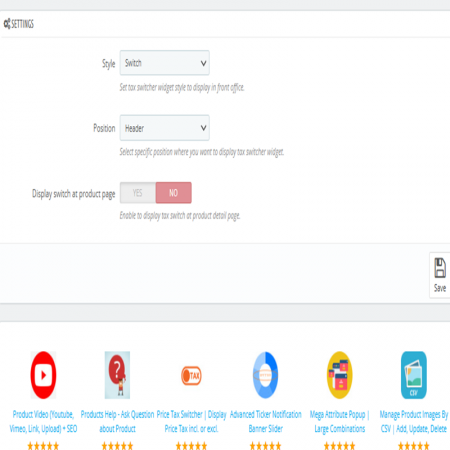
Manage the module from your PrestaShop administration panel. Configure the available tax-switching options according to your store requirements without needing to modify PrestaShop core files.
Provide two useful price display options in one storefront, making your store more suitable for mixed B2B and B2C business models.
Make it clearer whether a displayed product price includes applicable taxes or represents the net price before tax.
You do not need to create separate copies of products just to present tax-inclusive and tax-exclusive price formats.
Work with the tax rules already configured in PrestaShop instead of manually maintaining separate tax-specific product prices.
Let customers choose a familiar price format and understand product pricing without performing manual calculations.
Offer a pricing experience that accommodates different customer types and business requirements.
This module is particularly useful for businesses that serve customers with different tax display expectations.
Allow professional buyers and wholesale customers to view net prices excluding tax when comparing product costs.
Give retail shoppers a clear view of tax-inclusive product prices while also providing an alternative net-price display.
Serve individuals, businesses, resellers, and professional buyers from the same product catalog with flexible price presentation.
Provide a flexible price display for customers shopping across different markets and currencies, using the store's configured tax and currency settings.
Suppose a product has a net price of ₹1,000 and the applicable tax rate is 18%.
| Price component | Amount |
|---|---|
| Product price excluding tax | ₹1,000 |
| Applicable tax (18%) | ₹180 |
| Price including tax | ₹1,180 |
A retail customer can choose to view ₹1,180, while a business customer can switch to view ₹1,000. The example illustrates the price presentation; actual tax calculations depend on the store's configured tax rules.
Price presentation is an important part of the shopping experience. You can complement your store's pricing setup with other tools that help customers understand offers, compare costs, and shop conveniently.
Display quantity-based pricing and savings directly on product pages. A useful addition for wholesale and bulk-purchase stores that want customers to understand available discount tiers before adding products to their cart.
Make international shopping more convenient by automatically adjusting country, language, and currency settings based on customer location. It complements a flexible pricing presentation for stores serving customers in multiple markets.
Follow these steps to install and configure the module in your PrestaShop store:
Price Tax Switcher is listed as compatible with PrestaShop 1.6.x to 9.2.x. Please review the product listing and confirm compatibility with your specific PrestaShop version, theme, and store configuration before installation.
Price Tax Switcher is a PrestaShop module that allows customers to switch between tax-inclusive (TTC) and tax-exclusive (HT) product price displays directly from the storefront. It is designed for retail, wholesale, B2B, B2C, and mixed customer stores.
Tax Included (TTC) represents a price that includes applicable taxes. Tax Excluded (HT) represents the price before applicable taxes. The appropriate display depends on your store's tax configuration and the customer's pricing requirements.
Yes. Customers can use the front-office switcher to change the displayed price format between Tax Included and Tax Excluded.
Yes. It is particularly useful for B2B and wholesale stores where business buyers often prefer to compare prices excluding tax. Retail customers can also view tax-inclusive prices from the same storefront.
No. The module is designed to use PrestaShop's existing tax calculation system to present the selected price format. You do not need to maintain duplicate products just to show prices with or without tax.
Yes. The module works with the tax rules configured in PrestaShop to calculate and display the corresponding price. Make sure your tax rates, rules, and product tax settings are correctly configured.
The module is designed to change the way prices are displayed, using PrestaShop's existing tax calculation system. It does not require you to maintain separate tax-specific product prices. Your underlying tax rules should continue to be managed through PrestaShop's tax configuration.
The module is designed to work with PrestaShop's existing currency and price formatting system. Your store's configured currency settings continue to be used for displaying prices.
The front-office switcher is designed to be usable on desktop, laptop, tablet, and mobile devices.
The product listing specifies compatibility from PrestaShop 1.6.x to 9.2.x. Please check the listing and demo for details relevant to your store version and theme.
Whether your customers are retail shoppers looking for tax-inclusive prices or business buyers comparing net prices, give them the flexibility to choose how product prices are displayed.
Install Price Tax Switcher and provide a more transparent, convenient, and flexible pricing experience in your PrestaShop store.
| Vendor | Nxtal |
|---|---|
| Last update | Oct 31, 2026 |
| Version | 3.5.0 |
| Required store version | From 1.6.x to 9.2.x |
| Publication date | Sep 08, 2026 |
| Return Policy | You can return the product within the 30 Days return period for a full refund. No questions asked. |
| Customer Support | Enjoy one year of free customer support, including installation, troubleshooting, and usage guidance. |
| Description | This product is compatible with the specified versions and includes all the latest updates to enhance functionality and user experience. |
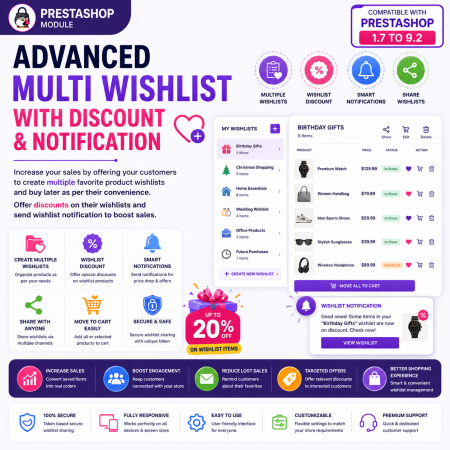
 Advanced Multi Wishlist for PrestaShop – Discounts, Notifications & Multiple Wishlists Module
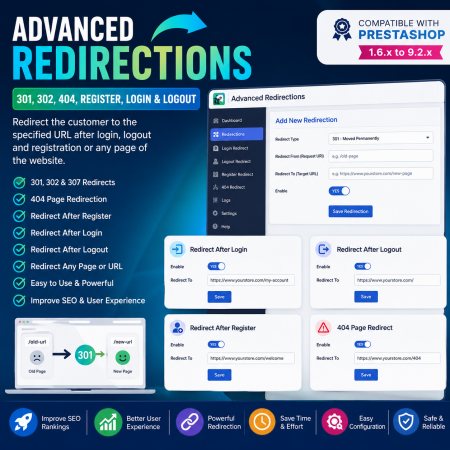
 Advanced Redirections - 301, 302, 404, Register, login & logout Prestashop Module
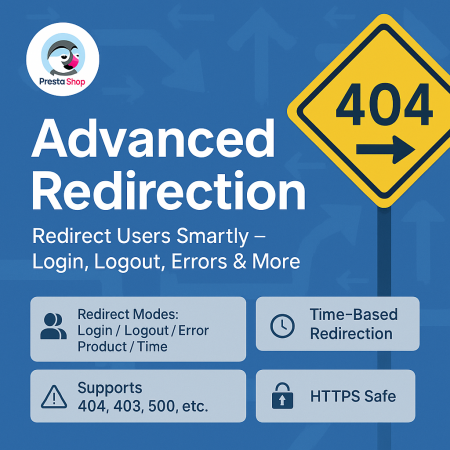
 Advanced URL Redirection (301, 302, 404) Prestashop Module

 PrestaShop Product Video Module – YouTube, Vimeo & Video Upload
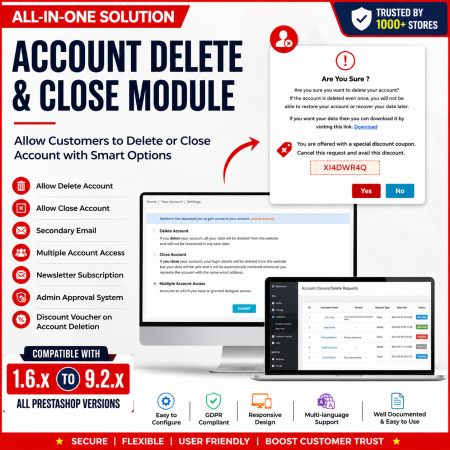
 Customer Account Settings Prestashop module

 Advanced Wishlist for PrestaShop – Favorites, Save for Later & Wishlist Sharing Module

 Product FAQ | Product Questions & Answers Prestashop Module
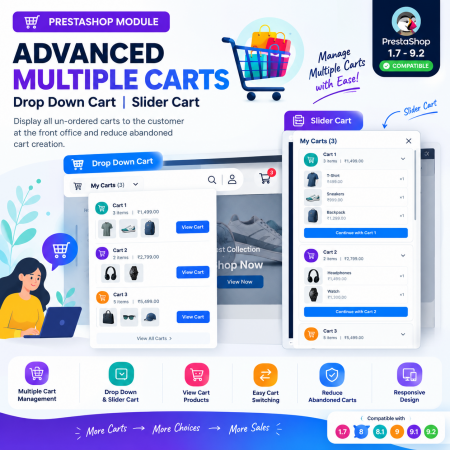
 Advanced Multiple Carts - Drop Down Cart | Slider Cart | Prestashop Module
Give your customers complete flexibility in how product prices are displayed with Price Tax Switcher – Tax Included / Tax Excluded PrestaShop Module. Allow shoppers to instantly switch between tax-inclusive (TTC) and tax-exclusive (HT) prices directly from your store's front office.
Ideal for B2B, B2C, wholesale, retail, and mixed business models, this module makes pricing clearer for different customer types. It uses PrestaShop's existing tax calculation system to display the appropriate price without requiring duplicate products or separate product prices.
Key Benefits:
Allow customers to switch between Tax Included and Tax Excluded prices.
Display prices according to customer preferences.
Make pricing clearer for both retail and business buyers.
Support B2B, B2C, wholesale, and mixed customer stores.
Use existing PrestaShop tax rules and calculations.
Avoid maintaining duplicate products or separate tax-specific prices.
Provide a consistent and convenient price display throughout the shopping journey.
Support PrestaShop's existing currency and price formatting system.
Make your store's pricing more transparent and give every customer a convenient way to view prices according to their business or shopping requirements.

Encrypted payment gateways ensuring your financial and personal data remain 100% protected.

Every module includes professional installation assistance, free updates, and reliable troubleshooting.

Rigorously tested PrestaShop & WooCommerce extensions designed for maximum speed and zero bloat.

Transparent policies, clean documentation, and dedicated assistance if you run into any compatibility hurdles.