- -$40.00
- New

This module enhances the shopping experience by allowing customers to easily explore product variations such as...

The module allows merchants to enhance product images with customizable stickers and labels. Whether it’s...

The Quantity Discount Table module for PrestaShop makes bulk pricing clear and attractive by...

This module allows you to offer free shipping based on flexible conditions, such as location, carrier, cart value,...

The module automatically adjusts language, currency, and country settings based on the customer's location....

Vendor
Version
Last update
Prestashop version
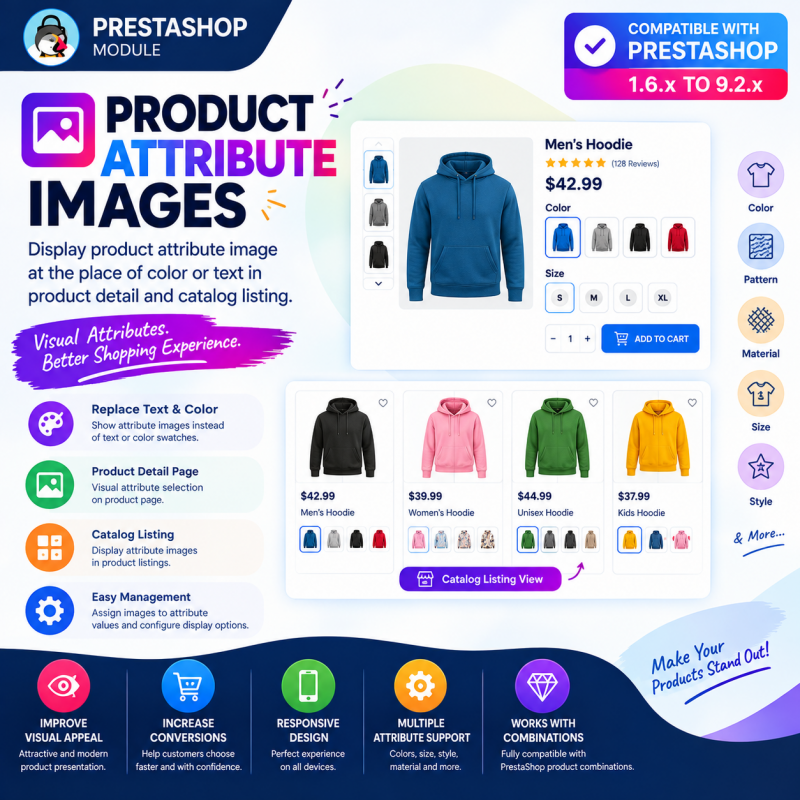
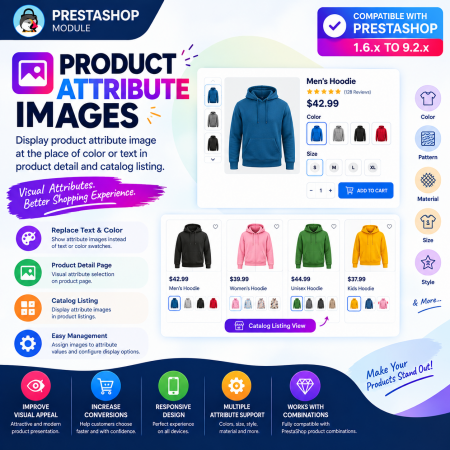
Transform your PrestaShop product pages with attractive, image-based product attribute selectors!
The Product Attribute Images PrestaShop Module replaces traditional text-based attributes and basic color selectors with visual image swatches, helping customers explore product variations and select their preferred options more easily.
Key Benefits:
Display image-based swatches for product attributes and combinations.
Replace ordinary text labels and color selectors with attractive images.
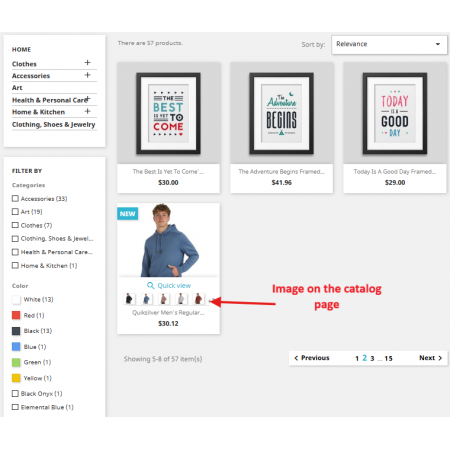
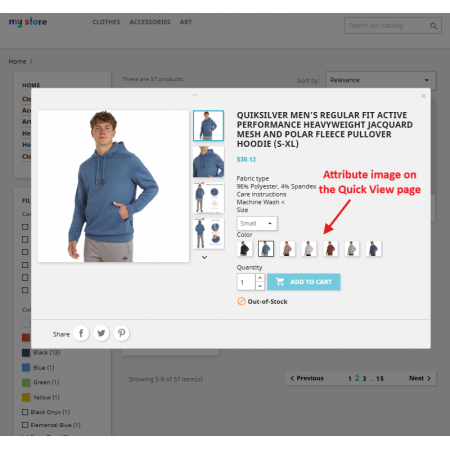
Show visual attributes on product detail and catalog listing pages.
Assign custom images to colors, patterns, materials, styles and other attributes.
Improve product presentation and customer engagement.
Provide a responsive and intuitive product selection experience.
Make product variations easier to explore and give your PrestaShop store a more professional shopping experience!
Replace ordinary text attributes and basic color selectors with beautiful image-based swatches. Help customers visualize product variations, explore available options and choose their preferred combinations with confidence.
Customers often want to see exactly what they are buying before making a purchase. When a product comes in multiple colors, patterns, materials, sizes or designs, traditional text-based attributes may not provide enough visual information to help customers distinguish between the available options.
The Product Attribute Images PrestaShop Module solves this problem by allowing merchants to replace standard text labels and basic color selectors with attractive image-based attribute swatches. Assign a dedicated image to each attribute value and let customers explore product variations visually.
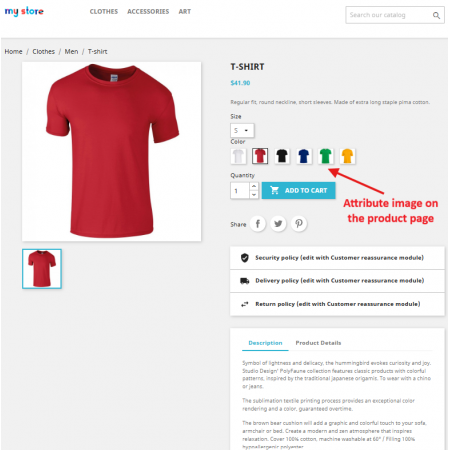
The module works on both product detail pages and catalog/product listing pages, giving shoppers a consistent visual experience throughout your store. Customers can recognize available options at a glance and interact with product attributes more intuitively.
Show customers what each product variation looks like instead of relying only on text labels.
Assign individual images to colors, patterns, materials, styles and other product attribute values.
Help customers explore available variations directly from product and catalog listing pages.
Provide a convenient visual attribute selection experience across desktop, tablet and mobile devices.
Turn standard product attributes into an engaging visual selection experience.
Select the existing product attributes and values you want to display visually.
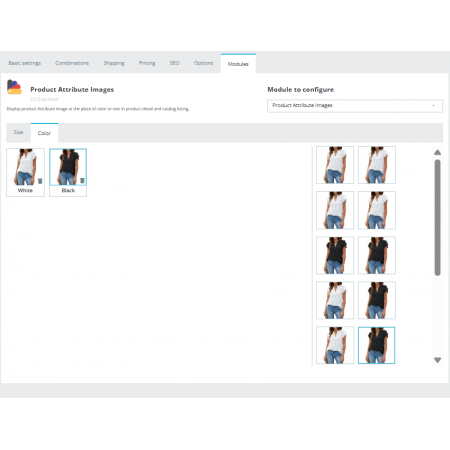
Upload or assign dedicated images to individual attribute values.
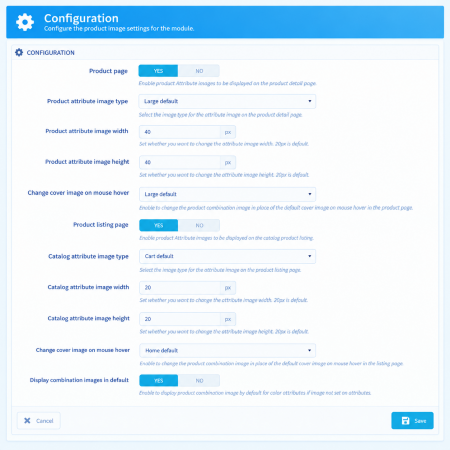
Choose where visual attributes should appear in your store.
Customers explore and select their preferred product variations visually.
Use image-based attributes to help customers understand the differences between product options.
Show different fabric textures, colors, prints, patterns and clothing styles using dedicated attribute images.
Display shoe colors, material finishes, designs and style variations to simplify product selection.
Show different upholstery materials, wood finishes, colors and decorative patterns.
Help shoppers visually distinguish available product colors, designs, finishes and styles.
Present different designs, materials, finishes and visual styles in an attractive selection interface.
Enhance any online store selling products with multiple colors, patterns, materials or other visual attributes.
Better product presentation helps customers understand what they are purchasing and makes exploring product variations more convenient.
Customers get a clearer and more convenient way to explore products and select their preferred variations.
Set up image-based product attributes in your PrestaShop store with a straightforward installation process.
Designed for a wide range of PrestaShop installations, the module supports the following listed versions:
Listed compatibility range: PrestaShop 1.6.x to 9.2.x. Compatibility may depend on your theme and store configuration.
It is a PrestaShop module that allows merchants to replace traditional text-based product attributes and basic color selectors with image-based attribute swatches. Customers can visually explore product variations such as colors, patterns, materials, sizes and styles.
Yes. The module allows you to assign custom images to attribute values and display them as visual selectors instead of relying only on standard text-based attributes or basic color options.
Yes. The module supports visual attribute display on both product detail pages and catalog/product listing pages, helping customers explore variations while browsing your store.
Yes. You can assign individual images to product attribute values according to your requirements, making it easier to represent different colors, patterns, fabrics, materials and styles.
Yes. The module is designed to work with existing PrestaShop product attributes and combinations. Customers can interact with the visual selectors to explore and select configured product variations.
Yes. You can assign different images to individual attribute values, including colors, patterns, materials, sizes, styles and other supported product options.
The module uses a responsive design intended to provide a convenient visual attribute selection experience across desktop, tablet and mobile devices. Actual appearance may also depend on your store theme.
The module is designed to integrate with your storefront without requiring major theme modifications. However, individual themes may require compatibility adjustments.
The listed compatibility range is PrestaShop 1.6.x through 9.2.x. Check your theme and store configuration before installation.
Replace ordinary product selectors with beautiful visual attribute images. Improve product presentation, simplify variation selection and create a more engaging shopping experience with Product Attribute Images for PrestaShop.
Upgrade your PrestaShop storefront with Sathi today!
| Vendor | Nxtal |
|---|---|
| Last update | Oct 31, 2026 |
| Version | 3.5.0 |
| Required store version | From 1.6.x to 9.2.x |
| Publication date | Sep 11, 2026 |
| Return Policy | You can return the product within the 30 Days return period for a full refund. No questions asked. |
| Customer Support | Enjoy one year of free customer support, including installation, troubleshooting, and usage guidance. |
| Description | This product is compatible with the specified versions and includes all the latest updates to enhance functionality and user experience. |
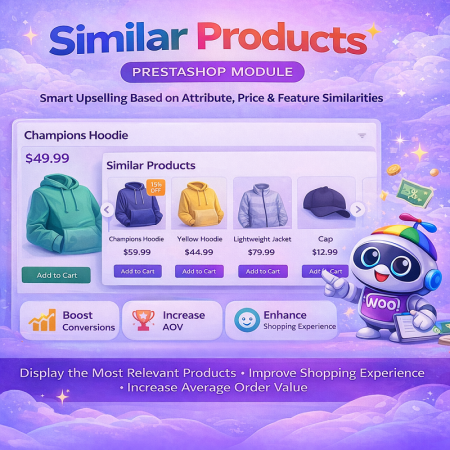
 PrestaShop Smart Similar Products – Attribute, Price & Feature Matching
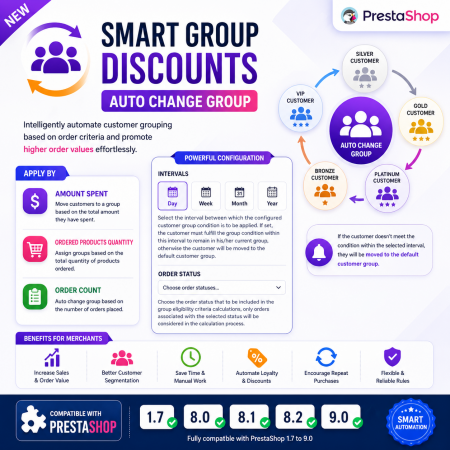
 Smart Group Discounts | Auto Change Group Prestashop Module
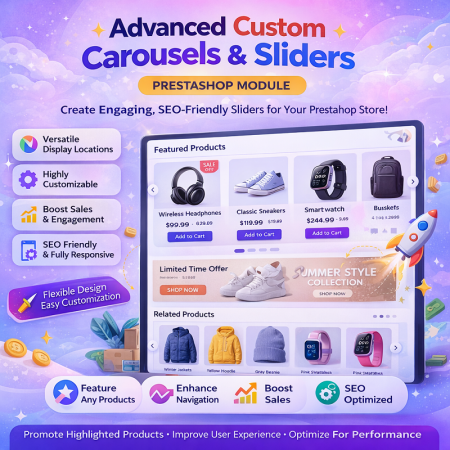
 Advance Custom Carousels | Sliders Prestashop Module

 Time Limited Offers | Countdown Timer - PrestaShop Module
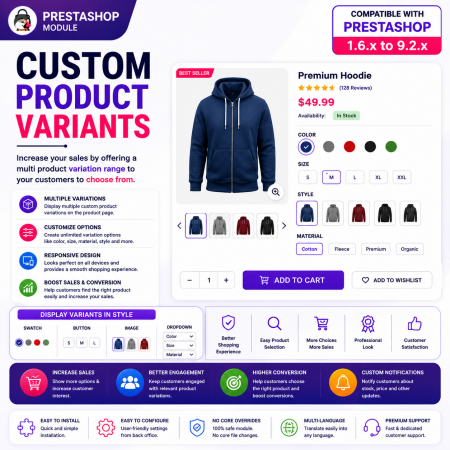
 Custom Product Variants for PrestaShop – Display Related Products as Variations
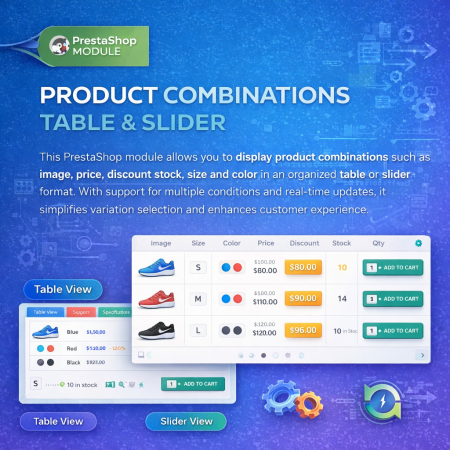
 Product Combination Table & Slider Prestashop Module
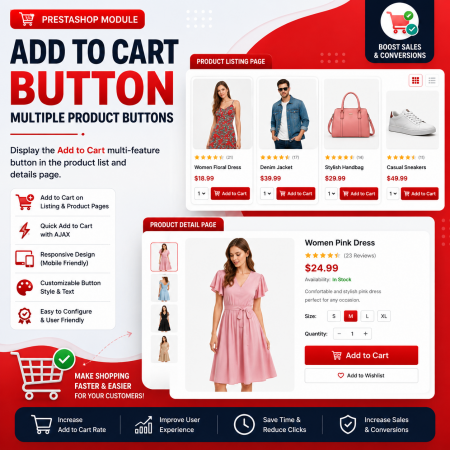
 Add to Cart Button | Multiple Product Buttons | Prestashop Module
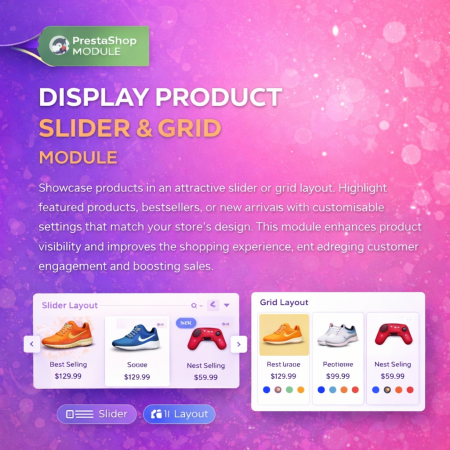
 Display Product Slider & Grid Prestashop Module
 Extra Product Listing module Prestashop Module
 Buy And Earn | Loyalty Points Prestashop Module

 Save & Share My Shopping Cart Prestashop Module
 Hide Product Price Prestashop Module
 PrestaShop Product Combination Swatch Images – Visual Product Variations Module
 Buy Now Button | Quick Order Prestashop Module
 Ticker Notification Banner Prestashop Module
 Auto Pagination | Infinite Scroll Prestashop Module
Transform your PrestaShop product pages with attractive, image-based product attribute selectors!
The Product Attribute Images PrestaShop Module replaces traditional text-based attributes and basic color selectors with visual image swatches, helping customers explore product variations and select their preferred options more easily.
Key Benefits:
Display image-based swatches for product attributes and combinations.
Replace ordinary text labels and color selectors with attractive images.
Show visual attributes on product detail and catalog listing pages.
Assign custom images to colors, patterns, materials, styles and other attributes.
Improve product presentation and customer engagement.
Provide a responsive and intuitive product selection experience.
Make product variations easier to explore and give your PrestaShop store a more professional shopping experience!

Encrypted payment gateways ensuring your financial and personal data remain 100% protected.

Every module includes professional installation assistance, free updates, and reliable troubleshooting.

Rigorously tested PrestaShop & WooCommerce extensions designed for maximum speed and zero bloat.

Transparent policies, clean documentation, and dedicated assistance if you run into any compatibility hurdles.