- -$20.00


This module enhances the shopping experience by allowing customers to easily explore product variations such as...

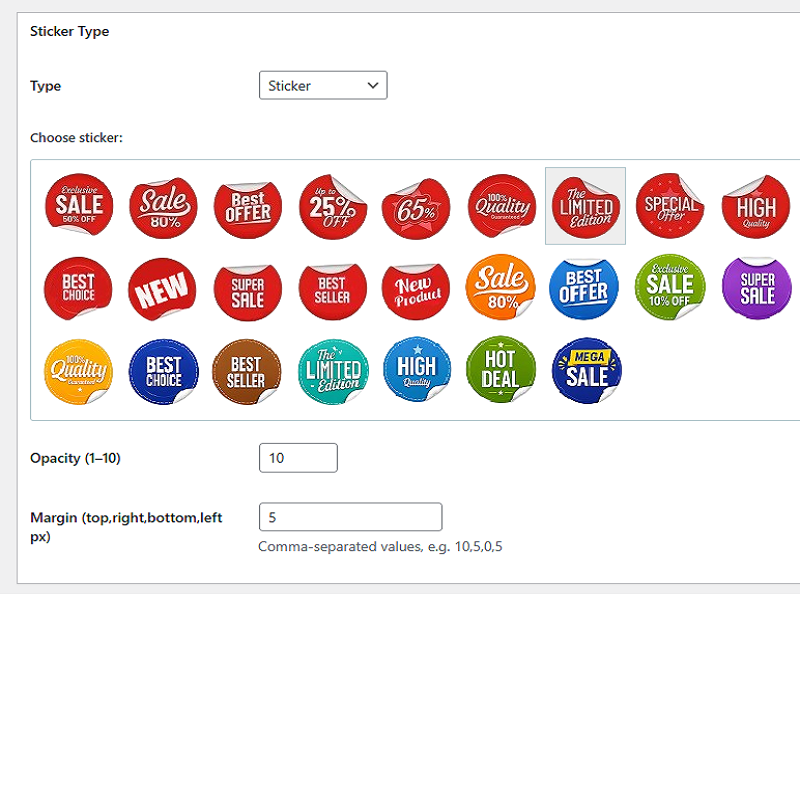
The module allows merchants to enhance product images with customizable stickers and labels. Whether it’s...

Make bulk pricing visible and encourage larger orders with the Quantity Discount Table Grid PrestaShop Module.
...
Take complete control of your store's free shipping strategy with the Free Shipping by Zone & Carrier...

Make international shopping easier with the Auto Change Country, Language & Currency PrestaShop...
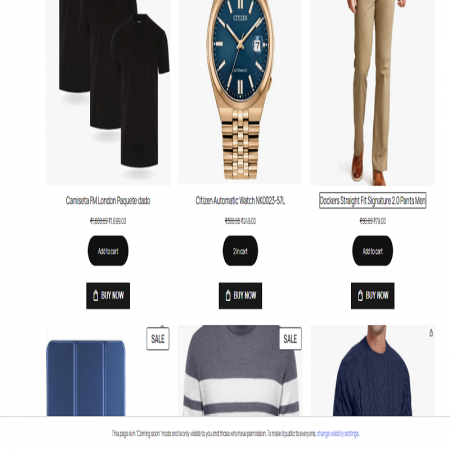
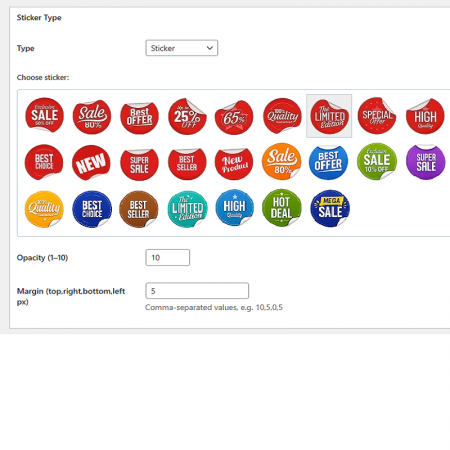
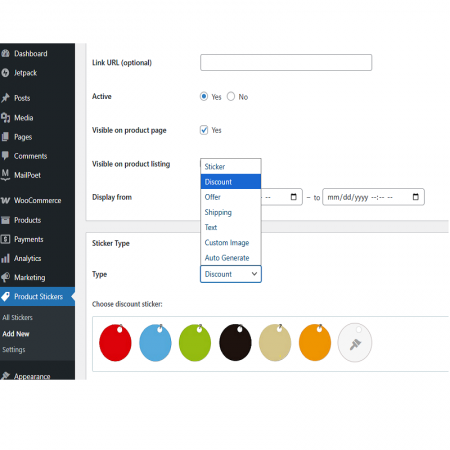
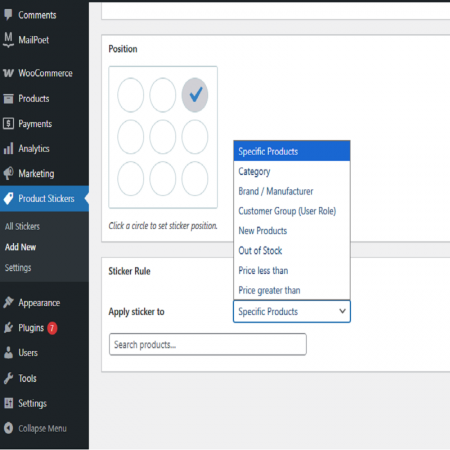
Vendor
Version
Last update
Woocommerce version
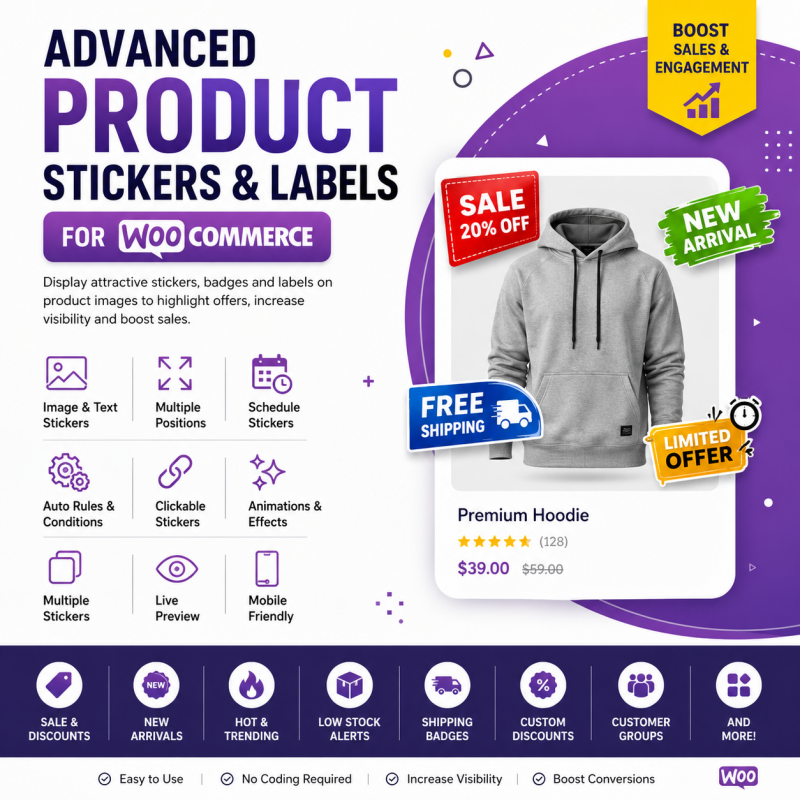
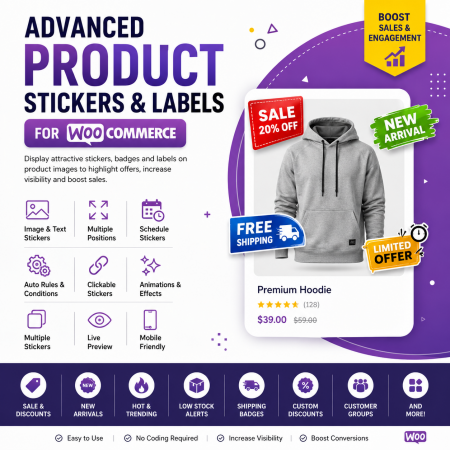
Make important products stand out with the Advanced Product Stickers & Labels Plugin for WooCommerce.
Help customers quickly identify special products, promotional offers, new arrivals, best sellers, and featured items using visual product stickers and labels.
A product image alone may not communicate everything shoppers need to know. Product labels provide additional visual information directly within your product catalog, making important product highlights easier to notice.
Use product stickers to improve product presentation, communicate promotional messages, and create a more engaging shopping experience. Whether you run a fashion store, electronics shop, beauty business, or general WooCommerce store, give your products the visual attention they deserve.
Highlight Products. Communicate Offers. Improve Your Store's Visual Merchandising.
Highlight Products. Capture Customer Attention. Improve Your Store's Visual Merchandising.
In a competitive eCommerce market, getting customers to visit your online store is only the first step. Once visitors arrive, your product presentation plays an important role in helping them discover products and identify special offers.
When shoppers browse a product catalog containing dozens or hundreds of similar-looking product cards, important items can easily go unnoticed. A new arrival may look like every other product, a discounted item may not attract enough attention, and a featured product may get lost among regular listings.
The Advanced Product Stickers & Labels Plugin for WooCommerce helps solve this presentation challenge by providing a dedicated way to highlight selected products with visual stickers and labels.
Use product labels to communicate promotional messages, highlight new collections, identify best-selling products, and draw attention to special items.
Whether you operate a fashion boutique, electronics store, cosmetics business, furniture shop, or general WooCommerce store, make your product catalog more informative and visually engaging.
Product images are important, but sometimes they are not enough to communicate why a particular product deserves attention.
Customers may not immediately recognize:
Which products are newly introduced.
Which products are part of a special offer.
Which items are popular among shoppers.
Which products have been selected for promotion.
Which products deserve additional attention.
Product stickers and labels provide an additional visual communication layer directly on product listings.
With Advanced Product Stickers & Labels, store owners can use product highlights to make selected items more recognizable and communicate important promotional messages.
Use visual product labels for different merchandising purposes:
SALE: Highlight products included in promotional offers.
NEW: Draw attention to new arrivals and collections.
BEST SELLER: Identify popular products.
SPECIAL OFFER: Communicate promotional announcements.
LIMITED: Highlight products associated with limited availability or promotional campaigns.
FEATURED: Bring selected products into focus.
FREE SHIPPING: Highlight products or offers associated with free delivery.
These are illustrative sticker ideas. The actual labels and available targeting options depend on the plugin configuration.
When customers browse a large product catalog, many product cards have similar layouts and visual appearances.
Even when a product is new, popular, or specially selected, shoppers may not notice its importance.
Solution: Use product stickers to give selected items additional visual distinction and communicate their importance directly within product listings.
Discounts and special offers are valuable marketing tools, but customers may overlook promotional products if the offer is not clearly highlighted.
Solution: Use suitable promotional labels to draw attention to products included in your marketing campaigns.
New products need visibility when they are introduced to your store. Without a clear visual highlight, they may appear similar to older products.
Solution: Use new-arrival stickers to help shoppers identify recently introduced products and collections.
Stores with hundreds of products need effective ways to highlight selected items without relying entirely on product descriptions.
Solution: Use visual product labels to distinguish featured products, popular items, and other important catalog selections.
A product catalog should communicate more than product names and prices. Visual merchandising helps organize product presentation and draw attention to important items.
Solution: Introduce product stickers as an additional visual communication element throughout your WooCommerce storefront.
Advanced Product Stickers & Labels gives store owners a dedicated solution for highlighting selected products through visual labels.
Bring attention to products that deserve additional visibility, including new arrivals, featured items, and promotional selections.
Use appropriate labels to communicate offers and special product announcements while customers browse your store.
Add visual information to product listings so shoppers can identify important product highlights more easily.
Help customers recognize selected product categories and promotional items without depending entirely on product descriptions.
Use consistent visual labels as part of your store's product presentation and merchandising strategy.
Give selected products additional visual attention using product stickers designed to communicate important information.
Stickers can help distinguish promotional products, special selections, and other important items within your product catalog.
Key benefits:
Create product highlights for selected items.
Communicate promotional messages visually.
Make important products easier to recognize.
Improve the visual appearance of product listings.
Support your product merchandising strategy.
Product labels provide additional information directly within your product presentation.
Use suitable labels to distinguish products and help shoppers understand why a particular item is being highlighted.
Key benefits:
Identify selected products visually.
Communicate important product information.
Make product cards more informative.
Improve product catalog presentation.
Create a more recognizable shopping experience.
Promotional communication is an important part of eCommerce marketing.
Use product stickers to emphasize promotional messages and draw attention to items included in your marketing campaigns.
Example promotional messages:
SALE
SPECIAL OFFER
LIMITED
NEW COLLECTION
FEATURED PRODUCT
Key benefits:
Bring attention to promotional products.
Support product-focused marketing campaigns.
Communicate important announcements.
Help customers identify selected offers.
New products are an opportunity to introduce fresh collections and encourage customers to explore your catalog.
A NEW sticker provides an additional visual indication that a product deserves attention.
Practical applications:
Recently introduced products.
New clothing collections.
Newly launched electronics.
Seasonal product introductions.
Newly added accessories.
Business benefit: Make new product introductions more noticeable while customers browse your store.
Popular products can influence customer purchasing decisions, especially when shoppers are comparing similar items.
Use best-seller-style labels to bring additional attention to selected popular products.
Practical applications:
Frequently promoted products.
Store-selected popular items.
Recommended products.
Products highlighted in marketing campaigns.
Business benefit: Give selected products additional visibility and help customers discover items your store wants to promote.
Some products deserve additional attention because of their strategic importance to your store.
Featured product labels can help visually distinguish selected items from the rest of your catalog.
Practical applications:
Featured collections.
Seasonal promotions.
Special product announcements.
Marketing campaign selections.
Store-recommended products.
Business benefit: Create a more organized and visually distinctive product presentation.
Visual merchandising is about presenting products in a way that communicates useful information and encourages shoppers to explore your catalog.
Product stickers provide another visual element that store owners can use as part of this strategy.
Key benefits:
Create more distinctive product listings.
Communicate promotional information.
Highlight selected products.
Improve the visual organization of product catalogs.
Support a consistent storefront presentation.
Product labels can support different promotional objectives depending on your business requirements.
Use new-arrival-style labels to bring attention to recently introduced products.
Ideal for:
Fashion collections.
Newly launched electronics.
Seasonal products.
Newly introduced accessories.
Use sale-style labels to make promotional products easier to identify.
Ideal for:
Seasonal sales.
Clearance campaigns.
Special discount promotions.
Limited-time marketing offers.
Use best-seller-style labels to distinguish products selected for popularity-based promotion.
Ideal for:
Popular product collections.
Frequently purchased products.
Store-selected recommendations.
Communicate special promotional messages through product stickers.
Ideal for:
Holiday promotions.
Festival campaigns.
Exclusive product offers.
Marketing announcements.
Give additional attention to products selected by your store.
Ideal for:
Recommended products.
Featured collections.
New marketing campaigns.
Special product launches.
Use suitable shipping-related labels to highlight products or offers associated with free delivery.
Ideal for:
Free shipping promotions.
Selected product delivery offers.
Shipping-related marketing campaigns.
Important: These are practical label concepts. Automatic sale detection, bestseller calculation, free-shipping condition detection, scheduling, and advanced product targeting should only be advertised if supported by the installed plugin version.
Advanced Product Stickers & Labels is useful for different types of online stores.
Highlight new collections, sale products, seasonal clothing, and featured accessories.
Help shoppers recognize special product selections while browsing large clothing catalogs.
Use product labels to draw attention to new gadgets, popular accessories, promotional electronics, and selected products.
Highlight new beauty collections, featured skincare products, special cosmetic offers, and selected promotional items.
Bring attention to selected furniture, home accessories, new collections, and promotional products.
Highlight new sports equipment, fitness accessories, selected products, and promotional collections.
Use product labels to distinguish selected items, communicate promotional messages, and improve catalog presentation.
Make important products easier to identify when customers browse hundreds or thousands of product listings.
Getting started with product highlighting follows a simple workflow.
Prepare a suitable product sticker or promotional message based on the purpose of your campaign.
Examples include NEW, SALE, BEST SELLER, FEATURED, and SPECIAL OFFER.
Choose the products you want to highlight using the product selection options available in the plugin.
Review the available sticker and label configuration options and adjust them according to your storefront requirements.
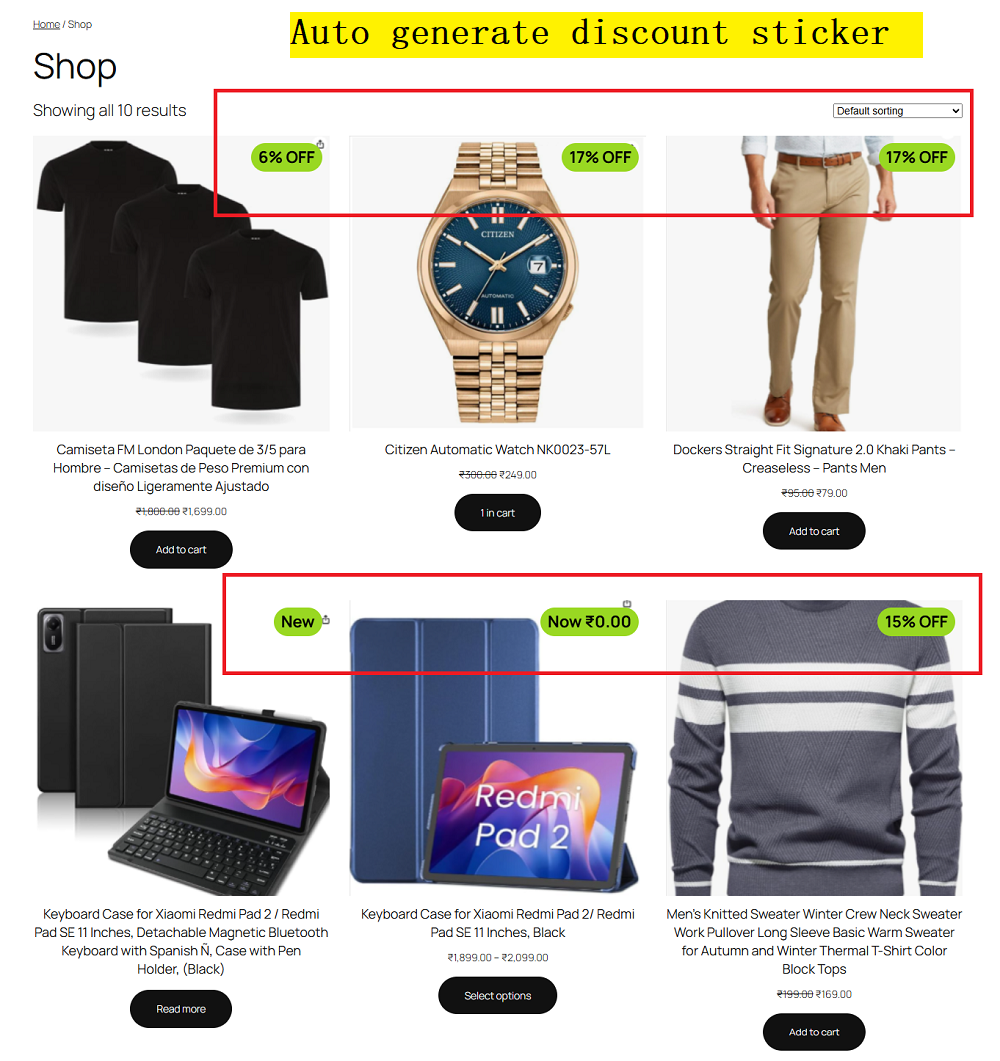
Save your configuration and review the relevant storefront product listings.
Verify that the selected products display the intended visual labels and that the labels remain clear across your store's supported layouts.
Give selected products additional visual attention and help customers recognize important product highlights.
Make promotional messages easier to notice within product listings.
Use product labels as part of seasonal promotions, new collection launches, and special product announcements.
Make product cards more informative through additional visual communication.
Help customers identify selected products and discover items they might otherwise overlook.
Use a recognizable visual merchandising approach to support your store's overall presentation.
Product presentation influences how customers explore an online store.
When shoppers visit a WooCommerce website, they often scan product images, names, prices, and other visible information before deciding which products deserve closer attention.
A useful product label can provide an additional visual signal without requiring customers to open every product page.
For example:
A NEW label communicates a product introduction.
A SALE label highlights a promotional selection.
A BEST SELLER label identifies a product chosen for popularity-based promotion.
A FEATURED label distinguishes a selected product.
A SPECIAL OFFER label communicates a promotional announcement.
These small visual cues can make product listings more informative and support a better-organized shopping experience.
Product stickers do not replace good product photography, descriptions, pricing, or navigation. They complement these elements by making selected information easier to notice.
Follow these steps to install Advanced Product Stickers & Labels on your WordPress website.
Download the Advanced Product Stickers & Labels ZIP package from your Sathi account.
Sign in to your WordPress dashboard using an administrator account.
Go to: Plugins → Add New Plugin → Upload Plugin
Click Upload Plugin, select the downloaded ZIP file, and click Install Now.
After successful installation, click Activate Plugin.
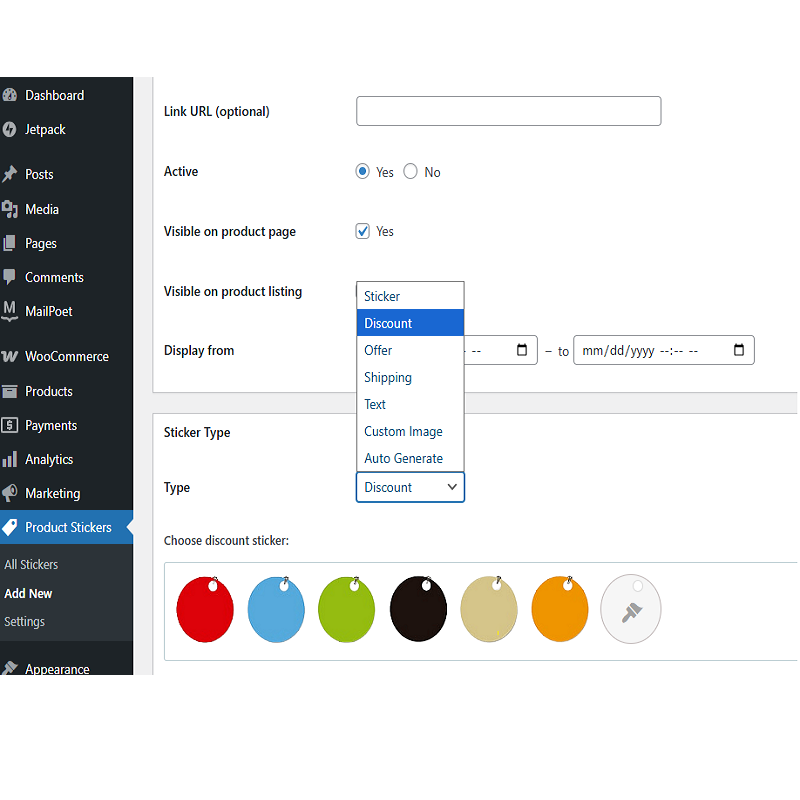
Locate the Advanced Product Stickers & Labels settings page in your WordPress administration dashboard.
Review the available sticker and label options and configure them according to the functionality supported by your installed version.
 |
 |
 |
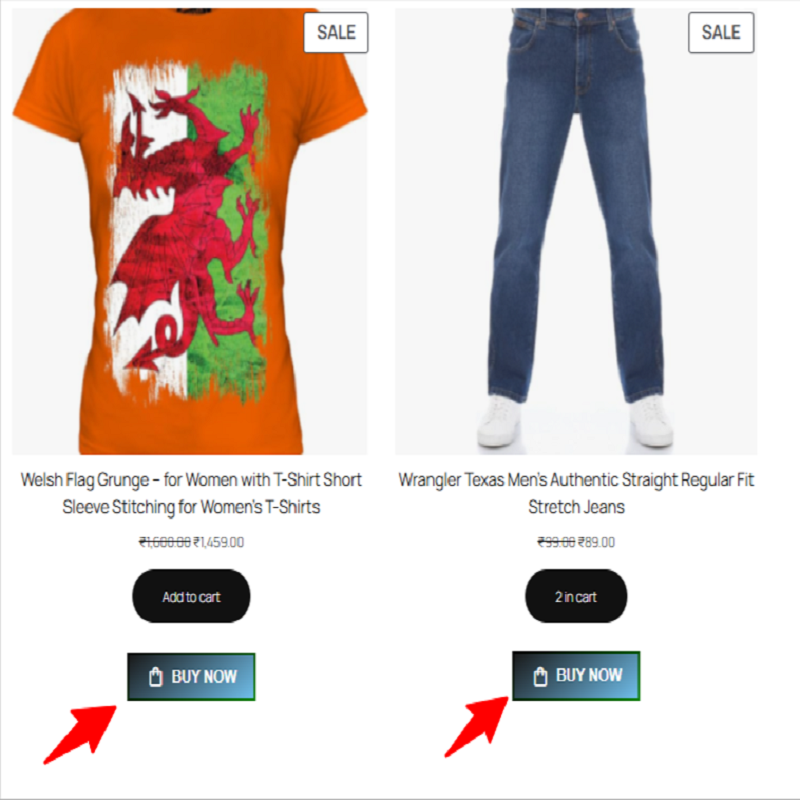
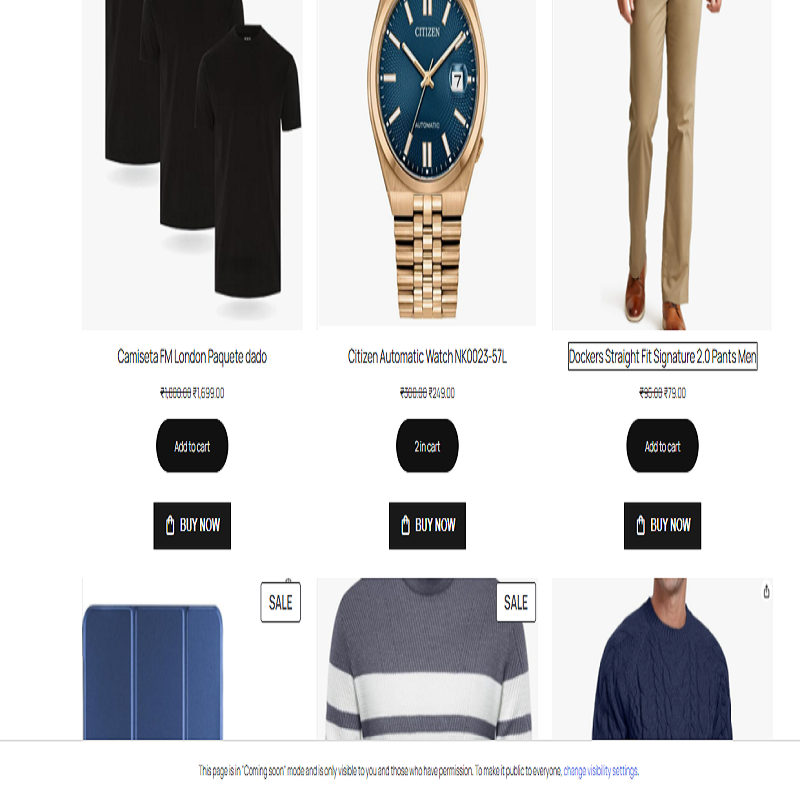
Open your shop and relevant product pages. Confirm that the product stickers appear correctly on the intended products.
 |
 |
 |
 |
Before installing the plugin, consider the following recommendations:
Create a complete backup of your WordPress files and database.
Ensure WooCommerce is installed and activated.
Check your WordPress and WooCommerce version compatibility.
Test the plugin with your active WordPress theme.
Check product listing layouts on desktop and mobile devices.
Clear website and caching plugin caches if updated labels are not visible.
Review the plugin's configuration and documentation before enabling new display options.
It is a WooCommerce plugin designed to improve product presentation by highlighting selected products with visual stickers and labels.
Store owners can use product highlights to communicate promotional messages and make important products more noticeable.
Product stickers provide additional visual information that helps shoppers recognize selected products, promotional offers, new arrivals, featured items, and other important product highlights.
Common label concepts include NEW, SALE, BEST SELLER, SPECIAL OFFER, LIMITED, FEATURED, and FREE SHIPPING. The actual available labels depend on the plugin's implemented options.
New-arrival-style labels can be used to bring attention to recently introduced products, provided the relevant label and product selection options are available in your installed version.
Yes. Promotional stickers can help communicate sale messages and draw attention to products included in your marketing campaigns.
Yes. Fashion stores can use product stickers to highlight new collections, seasonal clothing, promotional products, and featured accessories.
Yes. Electronics stores can use product highlights for new gadgets, selected accessories, promotional items, and featured products.
Yes. Advanced Product Stickers & Labels is designed as a WooCommerce plugin and requires a compatible WooCommerce environment.
Download the ZIP package, open your WordPress dashboard, navigate to Plugins → Add New Plugin → Upload Plugin, select the package, install it, and activate the plugin.
Product labels can improve the visibility of selected products and communicate promotional messages. Actual sales results depend on product demand, pricing, product quality, website usability, and the overall shopping experience.
Your product catalog deserves more than ordinary product images and descriptions.
Give customers additional visual information, highlight selected products, and communicate important promotional messages with the Advanced Product Stickers & Labels Plugin for WooCommerce.
Whether you want to promote new arrivals, highlight special offers, identify featured products, or improve your store's visual merchandising, product stickers provide another way to make your catalog more engaging.
Highlight Products. Capture Attention. Create a More Informative WooCommerce Storefront with Sathi.
| Vendor | Sathi |
|---|---|
| Last update | Nov 24, 2026 |
| Version | 1.0.0 |
| Required store version | From 5.6 to 11.1 |
| Publication date | May 13, 2026 |
| Return Policy | You can return the product within the 30 Days return period for a full refund. No questions asked. |
| Customer Support | Enjoy one year of free customer support, including installation, troubleshooting, and usage guidance. |
| Description | This product is compatible with the specified versions and includes all the latest updates to enhance functionality and user experience. |

 Buy Now Button – Quick Purchase & Direct Checkout Plugin for WooCommerce

 Super Assistant Lite – Free AI Chatbot for WooCommerce & WordPress
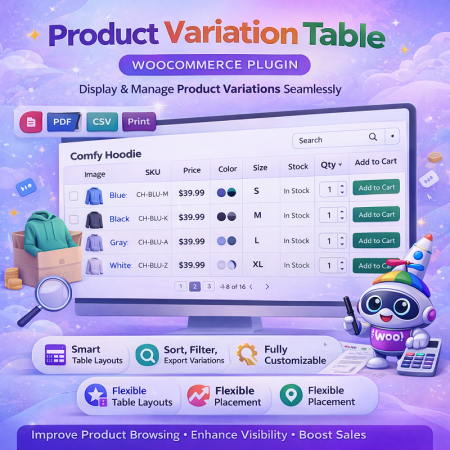
 Product Variation Table Woocommerce Plugin
Super Assistant Lite – Free AI Chatbot for WooCommerce & WordPress
Buy Now Button – Quick Purchase & Direct Checkout Plugin for WooCommerce
Make important products stand out with the Advanced Product Stickers & Labels Plugin for WooCommerce.
Help customers quickly identify special products, promotional offers, new arrivals, best sellers, and featured items using visual product stickers and labels.
A product image alone may not communicate everything shoppers need to know. Product labels provide additional visual information directly within your product catalog, making important product highlights easier to notice.
Use product stickers to improve product presentation, communicate promotional messages, and create a more engaging shopping experience. Whether you run a fashion store, electronics shop, beauty business, or general WooCommerce store, give your products the visual attention they deserve.
Highlight Products. Communicate Offers. Improve Your Store's Visual Merchandising.

Encrypted payment gateways ensuring your financial and personal data remain 100% protected.

Every module includes professional installation assistance, free updates, and reliable troubleshooting.

Rigorously tested PrestaShop & WooCommerce extensions designed for maximum speed and zero bloat.

Transparent policies, clean documentation, and dedicated assistance if you run into any compatibility hurdles.