- -₹1,707.55


This module enhances the shopping experience by allowing customers to easily explore product variations such as...

The module allows merchants to enhance product images with customizable stickers and labels. Whether it’s...

Make bulk pricing visible and encourage larger orders with the Quantity Discount Table Grid PrestaShop Module.
...
Take complete control of your store's free shipping strategy with the Free Shipping by Zone & Carrier...

Make international shopping easier with the Auto Change Country, Language & Currency PrestaShop...


Vendor
Version
Last update
Woocommerce version
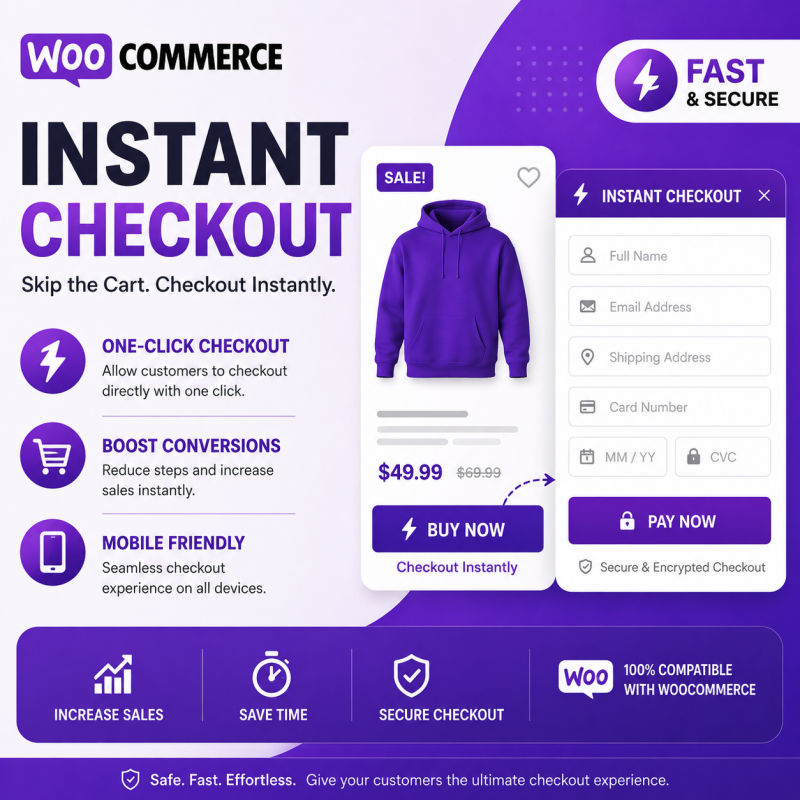
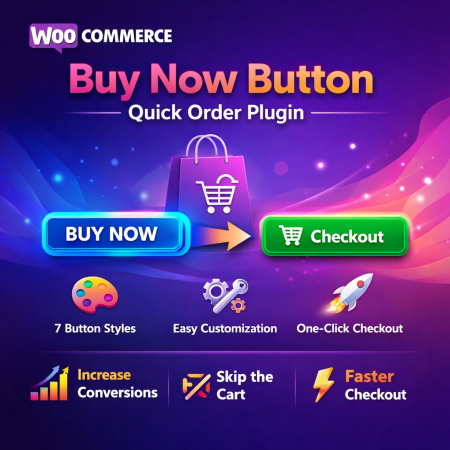
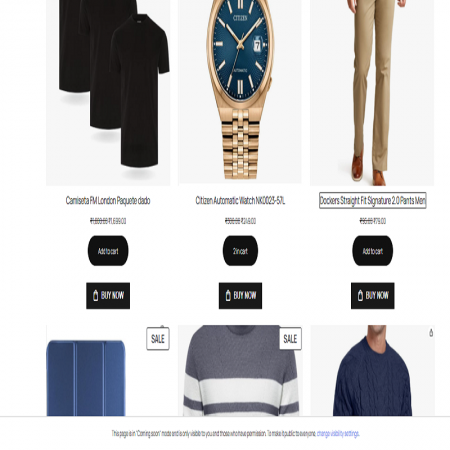
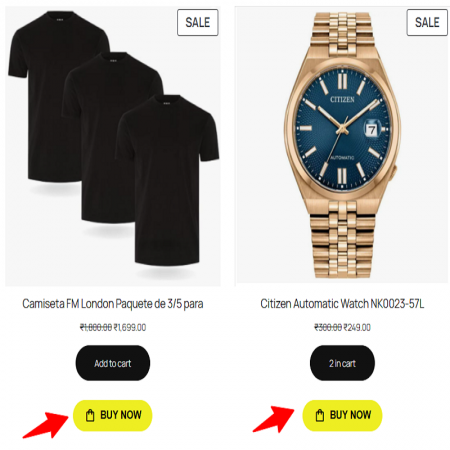
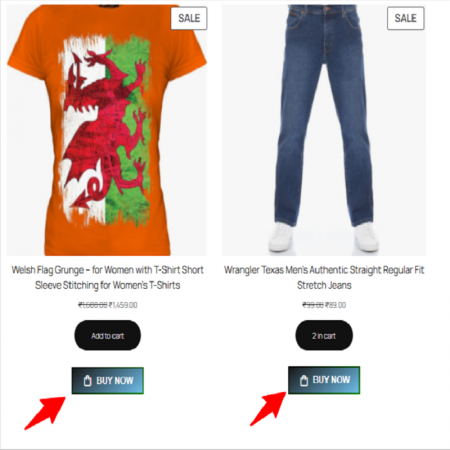
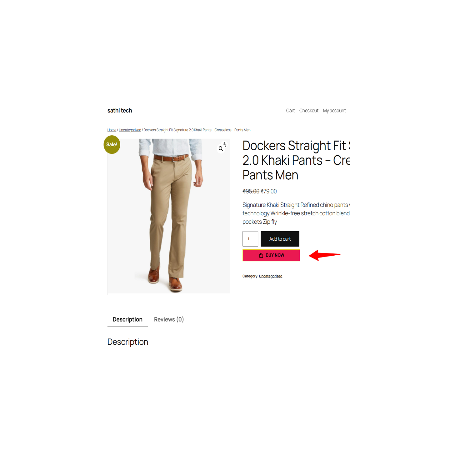
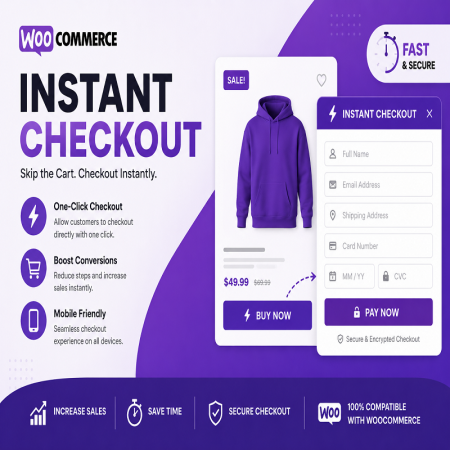
Make purchasing faster and more convenient with the Buy Now Button – Quick Order Plugin for WooCommerce.
Give customers a dedicated Buy Now option that provides an alternative to the traditional Add to Cart shopping process. Instead of navigating through unnecessary shopping steps, ready-to-buy customers can use the quick purchase button to move toward the configured ordering and checkout flow.
Designed for fashion stores, electronics shops, beauty businesses, and general WooCommerce stores, this plugin helps simplify product purchasing and create a more convenient shopping experience.
Provide a clearer purchase action, reduce unnecessary navigation, and make it easier for customers to proceed when they are ready to buy.
Buy Faster. Reduce Shopping Steps. Make Every Purchase More Convenient.
Every additional step in an online shopping journey can make purchasing feel less convenient. Customers may find exactly what they need, visit the product page, and decide to buy, but they may still have to navigate through additional cart and shopping pages before reaching checkout.
For customers who have already made their purchase decision, a more direct buying option can make the experience easier.
The Buy Now Button – Quick Order Plugin for WooCommerce introduces a dedicated Buy Now purchase action to your online store. It gives customers an alternative to the traditional Add to Cart process and helps them move from product selection toward the configured ordering and checkout flow.
Whether you run a fashion store, electronics shop, beauty website, accessories business, or general eCommerce store, this plugin helps make product purchasing more straightforward.
Give your customers a clear purchase option, reduce unnecessary navigation, and create a more convenient shopping journey with Sathi.
The traditional WooCommerce shopping journey generally involves finding a product, adding it to the shopping cart, reviewing the cart, and proceeding to checkout.
This process works well for customers who want to purchase multiple products. However, shoppers who have already decided to purchase a particular product may prefer a more direct buying option.
The Buy Now Button – Quick Order plugin addresses this requirement by providing a dedicated quick purchase action.
Instead of depending entirely on the standard Add to Cart button, customers get another way to proceed with their purchase.
Gives customers a dedicated Buy Now option.
Provides an alternative to the standard Add to Cart action.
Helps ready-to-buy shoppers proceed toward ordering.
Reduces unnecessary navigation in the purchase journey.
Makes the product purchasing experience more convenient.
Supports a more focused path from product selection to checkout.
The goal: Make it easier for customers to move forward when they already know what they want to purchase.
A convenient purchasing experience is important for customer satisfaction and eCommerce conversions.
However, some shopping journeys involve additional navigation that may not be necessary for every customer.
Customers who want to purchase a single product may need to navigate through additional cart-related pages before reaching checkout.
For ready-to-buy shoppers, this can make the purchasing journey feel longer.
How Buy Now helps: Provide an alternative purchase action that helps customers move toward the next ordering stage.
Not every customer wants to continue browsing after finding the product they need.
Some shoppers have already compared products, selected their preferred option, and are ready to order.
How Buy Now helps: Give customers a more direct purchase option instead of requiring them to rely only on the standard Add to Cart workflow.
A complicated or lengthy buying experience can make online shopping feel less straightforward.
Customers generally appreciate clear actions that help them understand how to proceed.
How Buy Now helps: Introduce a dedicated purchase button that makes the next shopping action clearer.
Customers who have already decided to purchase may not need additional browsing or navigation steps.
How Buy Now helps: Support a focused purchase journey for shoppers who are ready to move toward checkout.
Provide customers with a separate Buy Now purchase option in your WooCommerce store.
Instead of displaying only the standard Add to Cart action, your product-shopping experience can offer an alternative for customers who want to proceed directly with their purchase.
Key benefits:
Dedicated Buy Now purchase action.
Alternative to the standard Add to Cart button.
Clear purchasing option for ready-to-buy customers.
Convenient product-to-order journey.
Better focus on purchase completion.
Business benefit: Give customers a straightforward way to express their purchase intent.
Make it easier for customers to move from product selection toward ordering.
The quick order functionality is designed to reduce reliance on unnecessary shopping navigation and support a more direct purchase experience.
Key benefits:
Simplified product purchasing journey.
Convenient alternative buying action.
Less dependence on traditional cart navigation.
Clear next step for customers who are ready to buy.
Business benefit: Support a smoother shopping experience for customers who prefer a direct purchase route.
Customers visit your product pages with different shopping intentions.
Some want to explore multiple products, while others already know exactly what they need.
A dedicated Buy Now option supports customers in the second group by providing a focused purchase action.
Key benefits:
Make the buying action easier to identify.
Help customers proceed with their purchase.
Support single-product purchase journeys.
Improve the convenience of product ordering.
Business benefit: Offer a purchasing experience that accommodates different customer shopping preferences.
A well-organized shopping journey should help customers move from product discovery toward checkout without unnecessary complexity.
The plugin introduces an alternative purchase action to support this objective.
Key benefits:
Reduce unnecessary navigation.
Provide a direct purchase option.
Support a focused ordering experience.
Make the buying journey more straightforward.
Business benefit: Create a more convenient shopping experience for your website visitors.
The traditional Add to Cart button is useful for customers who want to collect multiple products before checkout.
However, customers who are ready to purchase may prefer another option.
The Buy Now button complements the regular shopping experience by providing an additional purchase action.
Key benefits:
Alternative to the standard Add to Cart workflow.
Additional purchase choice for customers.
Supports different shopping intentions.
Helps customers move toward ordering.
Business benefit: Give customers more flexibility in how they begin their purchase journey.
Clear purchase actions can make a WooCommerce store easier to use.
By introducing a dedicated quick purchase option, store owners can provide customers with another convenient way to proceed.
Key benefits:
Clear purchase action.
Convenient product ordering.
Straightforward shopping experience.
Customer-focused purchase journey.
Business benefit: Make the shopping experience more accessible and intuitive for ready-to-buy customers.
The plugin supports a simple purchase journey.
Customers browse your WooCommerce store and open the product they want to purchase.
They review the available product information and decide to place an order.
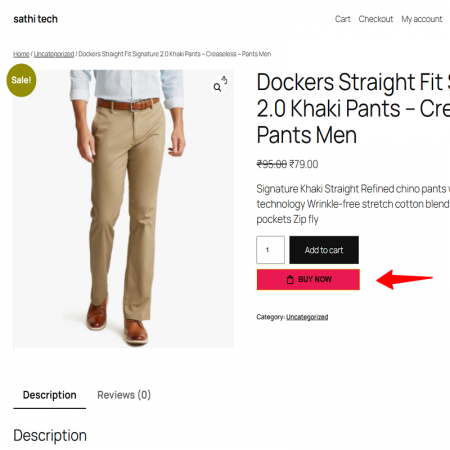
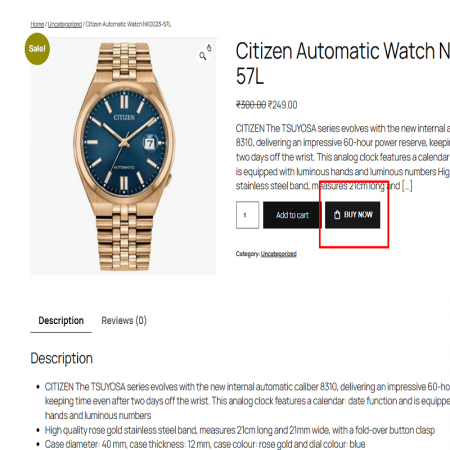
Instead of selecting only the standard Add to Cart option, customers click the dedicated Buy Now button.
The quick purchase action takes customers toward the next stage of the purchase process according to the plugin's configured behavior.
Customers review the order information and continue through your WooCommerce checkout process to complete their purchase.
Purchase journey:
Product Selection → Buy Now → Continue Ordering → Complete Purchase
Give customers a direct purchase action when they are ready to order.
Provide an alternative to the traditional cart-based shopping journey.
Help customers move forward after deciding which product they want.
Offer clear purchase actions that make the buying experience easier to understand.
Allow shoppers to use the standard Add to Cart option or the available quick purchase option.
Create a more focused transition between product selection and the ordering process.
The Buy Now button can be useful for stores selling different types of products.
Customers often browse clothing, footwear, bags, and accessories before selecting the products they want.
A Buy Now option provides another purchase action for shoppers who have already selected their preferred item.
Example: A customer finds a particular shirt in your store and wants to proceed with purchasing it instead of continuing to browse.
Electronics customers often research specifications and compare products before making a decision.
Once they have selected the right product, a direct purchase option can make the next step more convenient.
Example: A customer finds a wireless keyboard and is ready to place an order.
Beauty shoppers may already know their preferred products and want a convenient way to purchase them.
A dedicated purchase action supports a more straightforward buying journey.
Example: A returning customer finds their regular skincare product and wants to purchase it immediately.
Customers browsing furniture, kitchen products, decorations, and home accessories may appreciate a clear purchase option.
Example: A shopper finds a particular home accessory and wants to proceed with ordering.
For stores offering eligible digital or physical products, a quick purchase option provides an alternative way to begin the ordering process.
Example: A customer finds a digital product or downloadable resource and is ready to purchase.
Whether your store sells a single product category or a large product catalog, a dedicated Buy Now option can support customers who prefer a more direct purchasing experience.
Both purchase actions serve an important purpose in WooCommerce, but they address different shopping preferences.
| Shopping action | Add to Cart | Buy Now |
|---|---|---|
| Main purpose | Add products to cart | Start a quick purchase journey |
| Multiple products | Suitable for combining purchases | Intended for a focused purchase |
| Shopping experience | Traditional cart workflow | Alternative purchase workflow |
| Customer intention | Browse and collect products | Proceed with a selected product |
| Next action | Review cart or continue shopping | Continue through configured ordering |
When purchasing multiple products.
When comparing items before checkout.
When continuing to browse your store.
When collecting products for a later purchase.
When they have already selected their product.
When they want an alternative to the traditional cart workflow.
When they prefer a more direct purchase experience.
When they are ready to continue toward checkout.
Both options can serve different customer requirements and complement each other.
Adding a dedicated purchase action can help improve how customers interact with your online store.
Better Purchase Convenience
Make it easier for ready-to-buy shoppers to move toward ordering.
Reduced Navigation Friction
Offer an alternative to additional cart-related navigation.
Improved Shopping Experience
Give customers a clearer way to proceed after selecting a product.
Flexible Purchase Journey
Support both traditional shopping and quick purchase preferences.
Better Customer Usability
Make product purchasing actions easier to understand.
Support for Different Store Types
Use the same purchase concept across fashion, electronics, beauty, lifestyle, and general retail businesses.
Getting started with Buy Now Button – Quick Order for WooCommerce is straightforward.
Download the Buy Now Button – Quick Order plugin ZIP package from your Sathi account.
Log in to your WordPress administration panel using an administrator account.
Go to: Plugins → Add New Plugin
Click Upload Plugin, select the downloaded ZIP file, and click Install Now.
After installation, select Activate Plugin to enable the functionality.
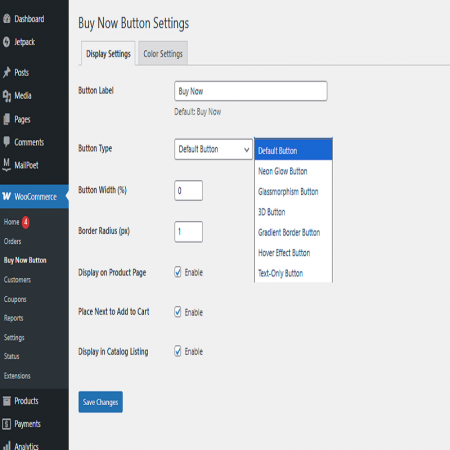
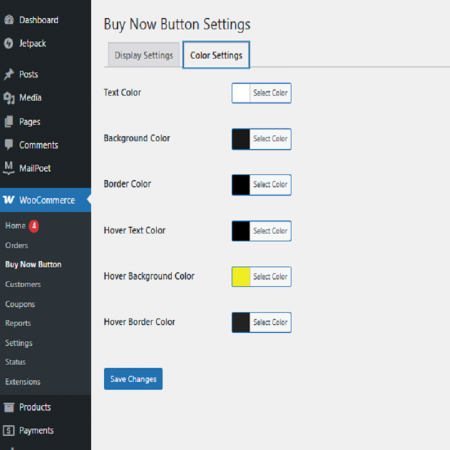
Locate the plugin in your WordPress administration area and open its settings page.
Review the Buy Now settings supported by your installed plugin version.
Configure the available options according to your store's purchasing requirements.
Open your storefront and test the Buy Now button using a sample product.
Verify that the purchase action takes customers through the expected ordering and checkout process.
Installation tip: Make a backup before installing new plugins. Test the purchase flow with your active theme, WooCommerce version, and checkout configuration before enabling it on a live store.
It is a WooCommerce plugin that provides customers with a dedicated Buy Now purchase option. It gives shoppers an alternative to the traditional Add to Cart workflow and helps them move toward the configured ordering process.
A Buy Now button provides an additional purchase action for customers who have already selected their products. It can make the buying journey more convenient by reducing reliance on traditional cart navigation.
Add to Cart allows customers to collect products in their shopping cart before checkout. Buy Now provides a dedicated quick purchase action for customers who want to proceed with their selected product.
The plugin is designed to provide a more direct purchase journey. The actual destination and number of steps depend on the configured purchase flow.
The plugin is designed to offer a Buy Now alternative to the standard Add to Cart action. The exact button display and placement depend on the implemented plugin configuration.
Yes. It can be useful for fashion, apparel, electronics, beauty, cosmetics, home accessories, and general WooCommerce stores.
It provides an alternative purchase action rather than replacing WooCommerce's complete shopping and checkout system.
Yes. It is designed specifically for WooCommerce stores. Refer to the current product listing for supported WooCommerce versions.
Download the ZIP package, navigate to Plugins → Add New Plugin in WordPress, upload the ZIP file, install it, and activate the plugin.
Yes. After installation, test the purchase action with sample products and verify the expected ordering and checkout behavior before making it available to customers.
Your customers should be able to move forward with their purchases without unnecessary complexity.
The Buy Now Button – Quick Order Plugin for WooCommerce provides a dedicated purchase action that helps customers proceed from product selection toward checkout.
Offer an alternative to the traditional Add to Cart experience, simplify the shopping journey, and make your WooCommerce store more convenient for ready-to-buy shoppers.
Make purchasing easier. Improve shopping convenience. Give customers a more direct way to buy with Sathi.
| Vendor | Sathi |
|---|---|
| Last update | Nov 24, 2026 |
| Version | 1.0.0 |
| Required store version | From 5.6 to 11.1 |
| Publication date | Apr 10, 2026 |
| Return Policy | You can return the product within the 30 Days return period for a full refund. No questions asked. |
| Customer Support | Enjoy one year of free customer support, including installation, troubleshooting, and usage guidance. |
| Description | This product is compatible with the specified versions and includes all the latest updates to enhance functionality and user experience. |
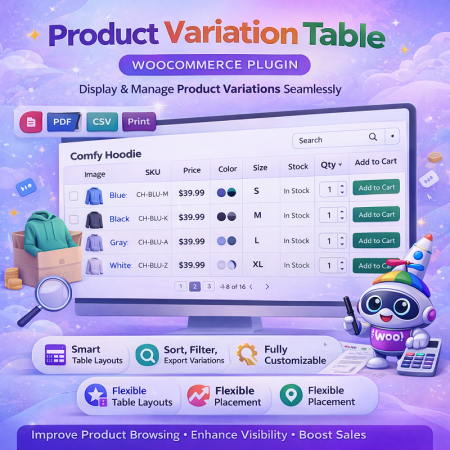
 Product Variation Table Woocommerce Plugin
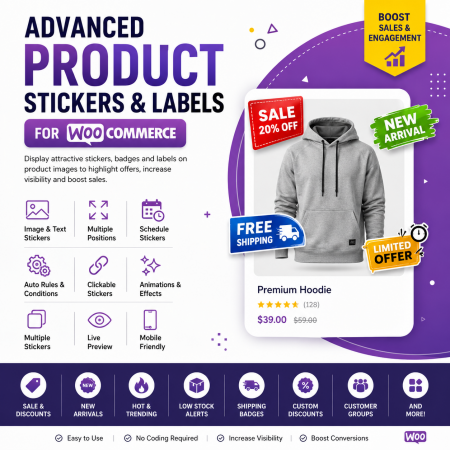
 Advanced Product Stickers & Labels Plugin for WooCommerce

 Super Assistant Lite – Free AI Chatbot for WooCommerce & WordPress
Make purchasing faster and more convenient with the Buy Now Button – Quick Order Plugin for WooCommerce.
Give customers a dedicated Buy Now option that provides an alternative to the traditional Add to Cart shopping process. Instead of navigating through unnecessary shopping steps, ready-to-buy customers can use the quick purchase button to move toward the configured ordering and checkout flow.
Designed for fashion stores, electronics shops, beauty businesses, and general WooCommerce stores, this plugin helps simplify product purchasing and create a more convenient shopping experience.
Provide a clearer purchase action, reduce unnecessary navigation, and make it easier for customers to proceed when they are ready to buy.

Encrypted payment gateways ensuring your financial and personal data remain 100% protected.

Every module includes professional installation assistance, free updates, and reliable troubleshooting.

Rigorously tested PrestaShop & WooCommerce extensions designed for maximum speed and zero bloat.

Transparent policies, clean documentation, and dedicated assistance if you run into any compatibility hurdles.