- -$20.00


This module enhances the shopping experience by allowing customers to easily explore product variations such as...

The module allows merchants to enhance product images with customizable stickers and labels. Whether it’s...

The Quantity Discount Table & Grid Module for PrestaShop helps merchants display...

This module allows you to offer free shipping based on flexible conditions, such as location, carrier, cart value,...

The module automatically adjusts language, currency, and country settings based on the customer's location....
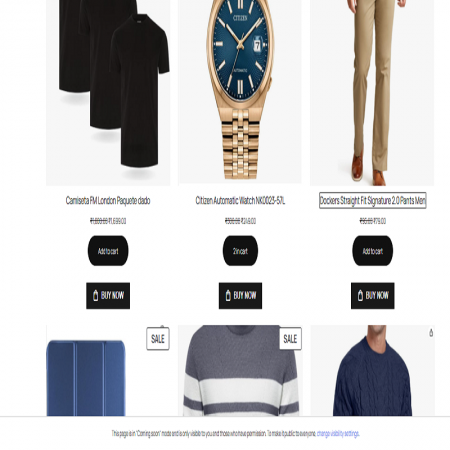
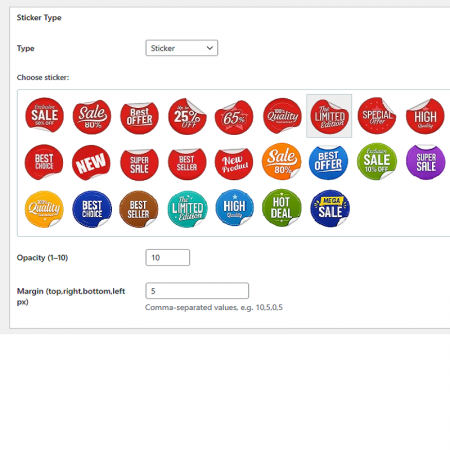
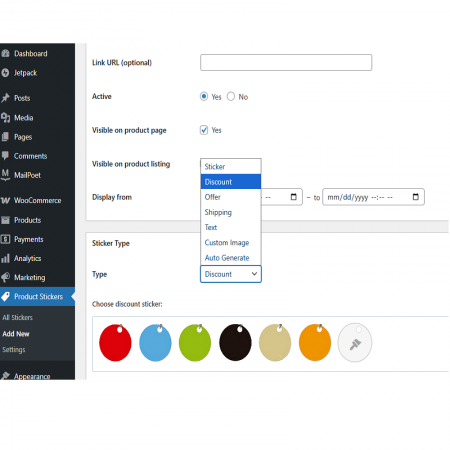
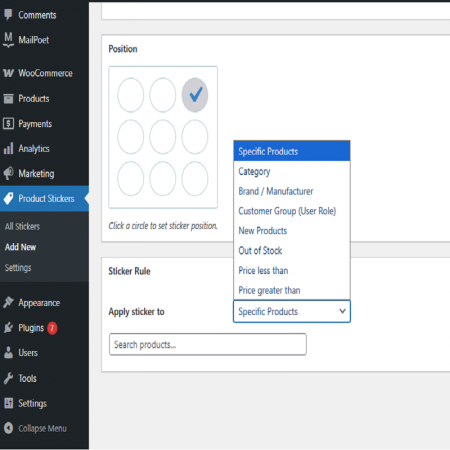

Vendor
Version
Last update
Woocommerce version
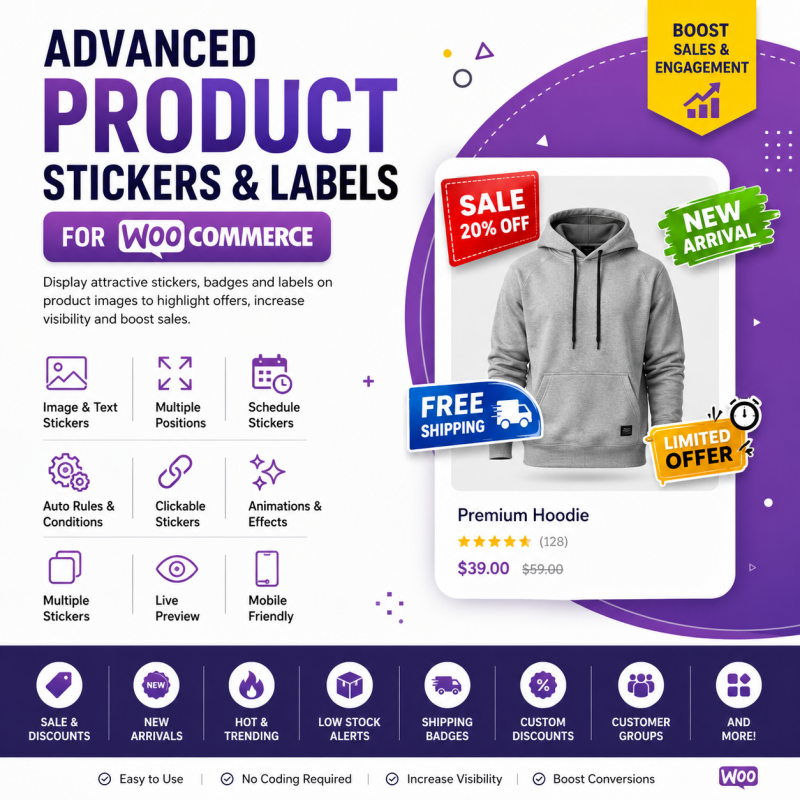
Advanced Product Stickers & Labels is a WooCommerce plugin designed to improve product visibility through attractive and informative product stickers.
Highlight special products, promotional offers, new arrivals, best sellers, featured products, and other important product information using visual labels.
Product stickers help communicate key information directly on product listings, making it easier for shoppers to recognize special products while browsing your online store.
Key benefits:
Make selected products stand out.
Highlight discounts and promotional offers.
Improve product presentation.
Communicate important product information visually.
Create a more engaging shopping experience.
Support your store's visual merchandising strategy.
Whether you run a fashion store, electronics shop, cosmetics business, or general e-commerce website, product stickers can help make your catalog more attractive and informative.
Make your products stand out with eye-catching stickers and labels. Highlight special offers, new arrivals, popular products, and important product information with a more engaging storefront presentation.
In a competitive online store, customers often browse multiple products before deciding what to purchase. A simple product image may not communicate everything that makes an item special.
Product stickers and labels help communicate important information at a glance. Highlight a new collection, promote a special offer, identify popular products, or draw attention to selected items.
Advanced Product Stickers & Labels for WooCommerce is designed to help store owners make product listings more attractive and informative through visual product labels. Use product stickers as promotional highlights and create a more recognizable shopping experience for your customers.
Example sticker concepts for your WooCommerce product catalog
Illustrative label examples. Actual predefined labels depend on the plugin's available options.
When product listings have a similar appearance, customers may overlook special products and promotional items.
Discounts and special offers may not receive enough attention when promotional information is not clearly highlighted.
Customers may need additional visual cues to identify new arrivals, featured products, or other important product categories.
Without flexible product labels, it can be difficult to create distinctive visual highlights throughout the product catalog.
Advanced Product Stickers & Labels helps make product information more noticeable by giving store owners a dedicated way to visually highlight selected products.
Use product stickers to draw attention to selected products and important product categories.
Use suitable promotional labels to make offers and product highlights easier for shoppers to notice.
Add visual elements that help product cards look more informative and distinctive.
Use product labels as part of your store's visual merchandising and promotional strategy.
Create product highlights that communicate useful information and promotional messages.
Use labels to distinguish selected products and make product listings more informative.
Emphasize promotional messages such as sale offers and special product announcements.
Make product cards more distinctive with additional visual information.
Draw attention to products that deserve additional visibility in your store.
Use labels as a visual merchandising tool to organize and promote your product catalog.
Draw attention to recently introduced products and collections.
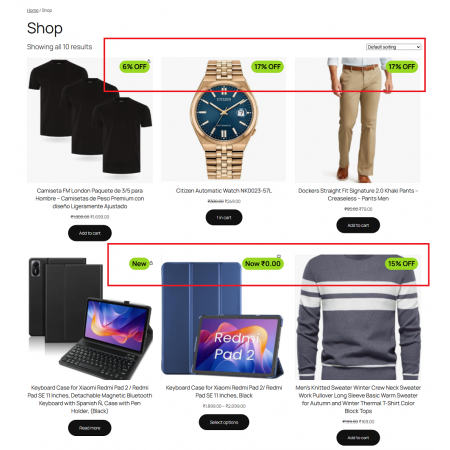
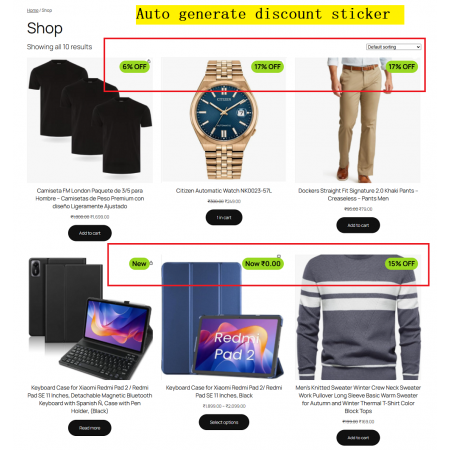
Make discounted products easier to identify while browsing.
Give popular products an additional visual highlight.
Communicate special promotions and product announcements.
Bring attention to selected products in your catalog.
Highlight products or offers associated with free shipping.
These are suggested label use cases. Availability depends on the plugin's actual label options and targeting settings.
Prepare a suitable sticker or product highlight.
Select the products for which the label is intended.
Set the available display options in the plugin.
Review the storefront and confirm the label presentation.
Make a complete backup of your WordPress files and database before installation.
Ensure WooCommerce is installed and activated.
Check compatibility with your WordPress and WooCommerce versions.
Test the plugin with your active theme.
Clear website and caching plugin caches if updated labels are not visible.
These are standard WordPress ZIP plugin installation instructions. The exact configuration menu may differ depending on the plugin version.
Make selected products visually stand out.
Communicate promotional messages more clearly.
Give your product catalog a more informative appearance.
The exact sticker formats, image upload options, text customization, label positioning, product/category targeting, scheduling, and display locations depend on the plugin's implemented settings. Please consult the plugin configuration and documentation for the features available in your installed version.
Give your WooCommerce store a more engaging product presentation. Highlight special products, communicate offers, and make your catalog stand out with Advanced Product Stickers & Labels.
| Vendor | Sathi |
|---|---|
| Last update | Nov 04, 2026 |
| Version | 1.0.0 |
| Required store version | From 5.6 to 11.1 |
| Publication date | May 13, 2026 |
| Return Policy | You can return the product within the 30 Days return period for a full refund. No questions asked. |
| Customer Support | Enjoy one year of free customer support, including installation, troubleshooting, and usage guidance. |
| Description | This product is compatible with the specified versions and includes all the latest updates to enhance functionality and user experience. |

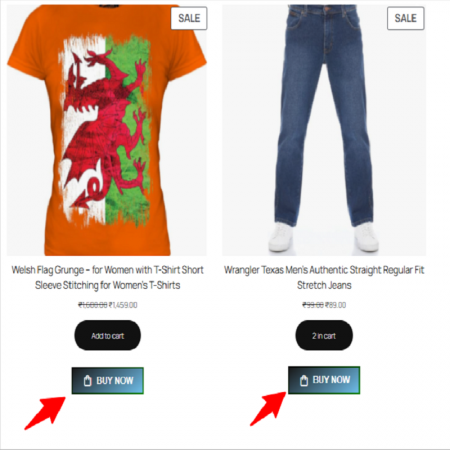
 Buy Now Button and Quick Order Plugin for WooCommerce
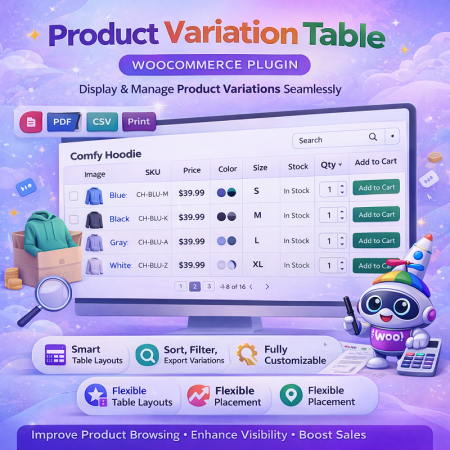
 Product Variation Table Woocommerce Plugin

 Free Super Assistant – AI Chatbot for Online Stores | Sells, Supports & Answers 24/7
Advanced Product Stickers & Labels is a WooCommerce plugin designed to improve product visibility through attractive and informative product stickers.
Highlight special products, promotional offers, new arrivals, best sellers, featured products, and other important product information using visual labels.
Product stickers help communicate key information directly on product listings, making it easier for shoppers to recognize special products while browsing your online store.
Key benefits:
Make selected products stand out.
Highlight discounts and promotional offers.
Improve product presentation.
Communicate important product information visually.
Create a more engaging shopping experience.
Support your store's visual merchandising strategy.
Whether you run a fashion store, electronics shop, cosmetics business, or general e-commerce website, product stickers can help make your catalog more attractive and informative.

Encrypted payment gateways ensuring your financial and personal data remain 100% protected.

Every module includes professional installation assistance, free updates, and reliable troubleshooting.

Rigorously tested PrestaShop & WooCommerce extensions designed for maximum speed and zero bloat.

Transparent policies, clean documentation, and dedicated assistance if you run into any compatibility hurdles.